App on Apple ipad

16 comments started 2024-06-26 last 2024-11-14
GivEnergy Products
T
#1 Trumper

Has anybody had any issues with this app in displaying battery information. I have compared the screen information using my wife’s android tablet and the information displayed is different to my iPad. I have downloaded the latest versions from the relevant stores. Any help would be very much appreciated as I find the app for my use much easier.

G
#2 geoffreycoan

Trumper works absolutely fine on my ipad, but the display looks different depending on whether you have the screen portrait or landscape. Same actually on the iphone

If you can explain your problem a bit more?

S
#3 SimonP

It doesn't help that both apps display two different figures for battery voltage (and sometimes %), depending on whether you look at the initial battery info. page or drill down into more detailed battery info!

G
#4 geoffreycoan

SimonP I think the battery % discrepancy is because one is looking at what the inverter thinks the battery level is and one is looking at the actual battery %. And one figure excludes unusable capacity and one includes it. Or something like that.
Yes, I’ve always felt it was poor design and confusing to have different figures shown in different parts of the app and of course no explanations as to what each figure means.

TBH I hardly ever use the app. My multi-inverter setup confuses the hell out of the app, the home screen is OK but all the energy graphs are useless, different views that contradict, that don’t add up, etc. My home consumption is -3.5kW for example today. The BBC basic app is more useful because it shows the raw usage data coming off the inverter and its updated every 10 seconds


#5 Tenkaykev

geoffreycoan
+1 for the BBC Basic app. Until recently I could hit the " Pause " button in the app and it would pause the battery within a few seconds. That stopped happening recently, the button surround still turns red when selected but the battery is no longer paused ( on my system anyway)

#6 Watcher

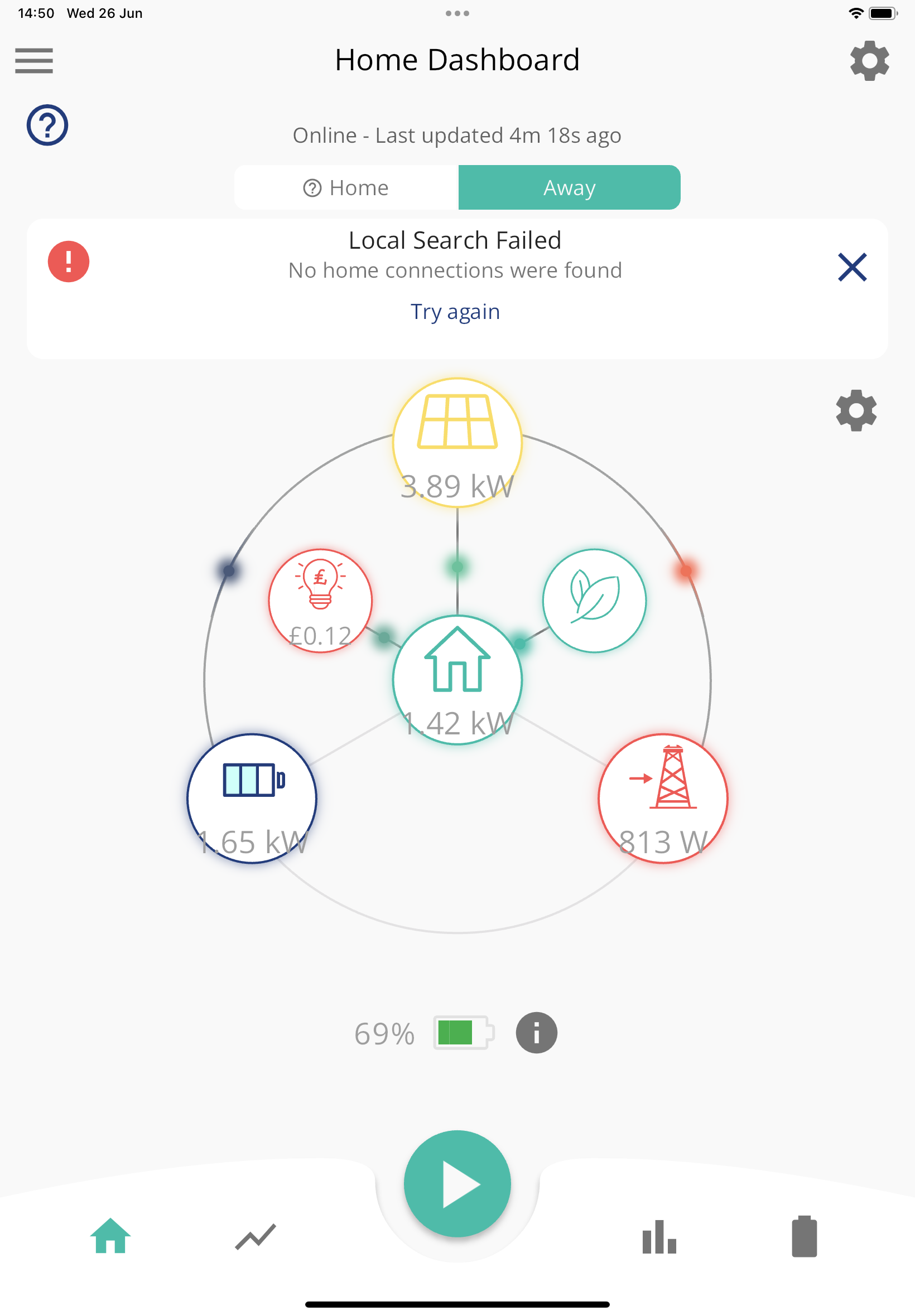
At the risk of hijacking….just got a new iPad, transferred info from my old one and the app works on ‘away’ but won’t connect to ‘home’ any ideas please?

#7 Cdent

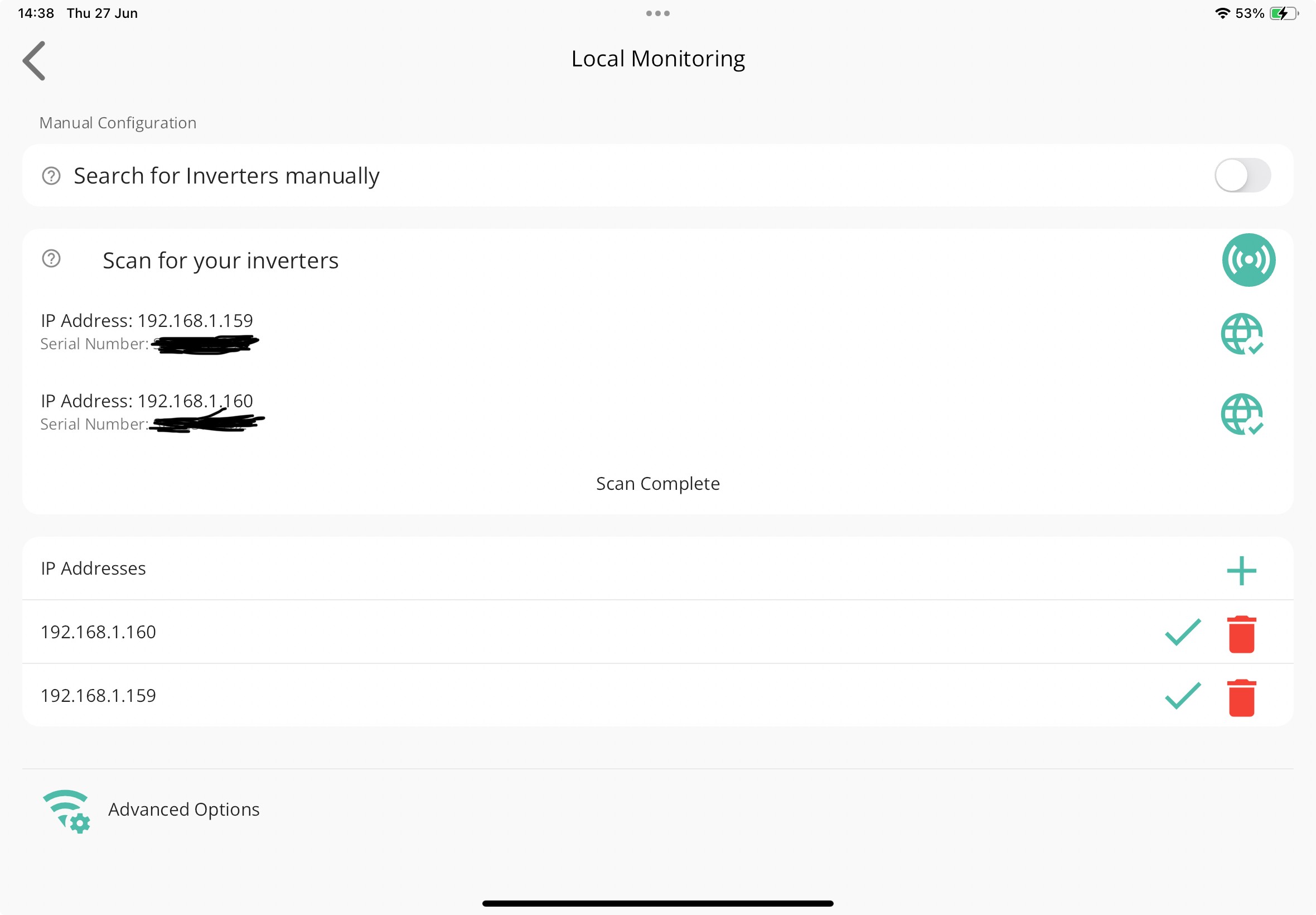
Watcher did you enable location permissions? Also, can you see the IP of your inverter in Settings > Local Monitoring?

#8 Watcher

Thanks @Cdent , IP shows there, ‘enable location perm’ where is that?

.

G
#9 geoffreycoan

Watcher Thanks @Cdent , IP shows there, ‘enable location perm’ where is that?

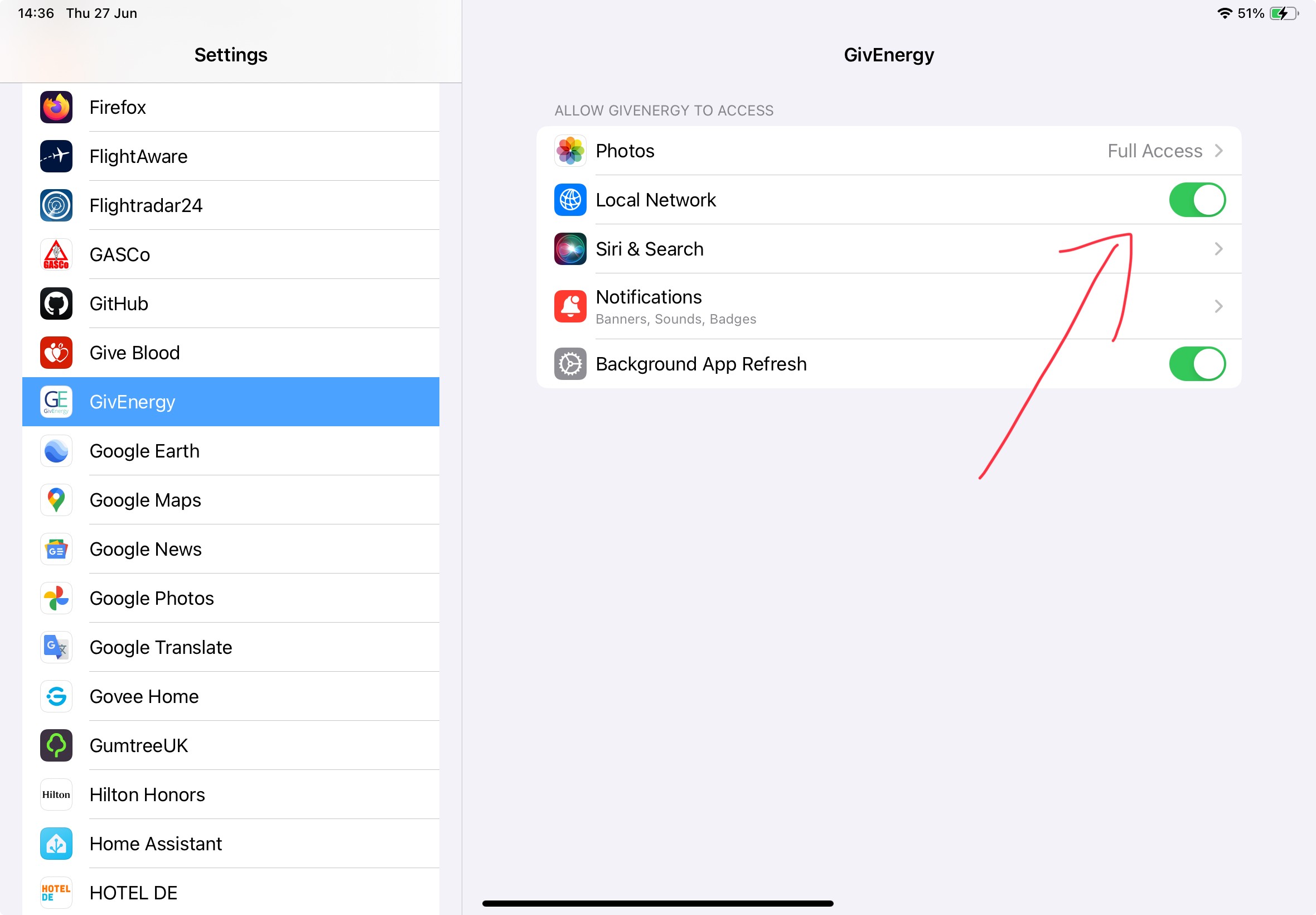
In the settings app, scroll down to the GivEnergy app. It should have asked for the permissions it needs when it starts up, buy you can change it in the settings app

#10 Watcher

geoffreycoan
Thanks Geoffrey, I can’t see anywhere to change permission in the settings? Any further guidance?

G
#11 geoffreycoan

Watcher this is on my phone not ipad, but it should be the same

Settings app, scroll down to GivEnergy

You should see a set of settings for the app. The 'Local Network' needs to be on

G
#12 geoffreycoan

geoffreycoan Here’s some screen shots:

Set local network in settings/giv energy

Then in the app, hamburger sign, settings/ local monitoring

Click scan for your inverters, then click the globe and + to save the IP address (or manually add)

#13 Watcher

geoffreycoan

Thanks again!
I had previously looked at the above and all was well…….this time I paused and thought ‘no, switch Local Net off & back on won’t work will it?’ well, b*gger me it did! 🤣👍

S
#14 SSK

Hi all apologies if this is not the right place but I am having problems getting the app to start on my iPad. It was working for about a week after installation but has suddenly stopped and now won't start. When I try to start it the screen goes white as if it is loading and then it just "crashes" and goes back to the home screen.
Have restarted the iPad and reloaded the app a number of times each. It's a fairly old iPad (mini 2) but the app store says the app is compatible with it and I just want to repurpose it as a solar system display. The BBC app works fine btw.
Anyone else come across this and have any ideas what the issue might be?
PS looking at the screen shot above i don't have the option for local network in the givenergy settings. I am assuming that this gets added and set as part of the start up of the app which i can't get to now as it won't progress past that initial white screen.

#15 Watcher

Maybe try connecting the iPad to your Mac/pc and load app from there rather than wireless?

S
#16 SSK

Watcher thanks - not sure how to do that will do some googling!