My gateways is showing up in the portal as "Waiting" and its data is not updating (either on the portal or the app).
The All in one is showing as "Lost".
This has been the case for about 4 hours.
The Gateway occasionally switch to "Normal" but quickly goes back to "Waiting" and does not respond to a request to restart (Timeout).
The Wifi all looks OK.
The lights on the units themselves suggest that they are operating correctly.
Any suggestions for how to resolve?

Gateway and All in One offline
Try rebooting your wifi router, sometimes that will kick the connections back into life, or you can try restarting the gateway and AIO, but my guess would be the router if neither device are connecting.
Assuming you haven’t recently got a new wifi router or anything like that?
Thanks for the response. Resetting the wifi network hasn't helped.
Seems like a stupid question, but how to restart the gateway? Unlike the battery there's no on/off switch, only a whole series of RCDs that could be turned off and on.
timdudgeon perhaps look for an installation guide in the knowledge base - that seems to be where they document startup/shutdown sequences.

Gateway is permanently powered from Grid. Only real way of rebooting / cold starting it is fully shutting the AIO and the entire House off from the grid supply breaker.
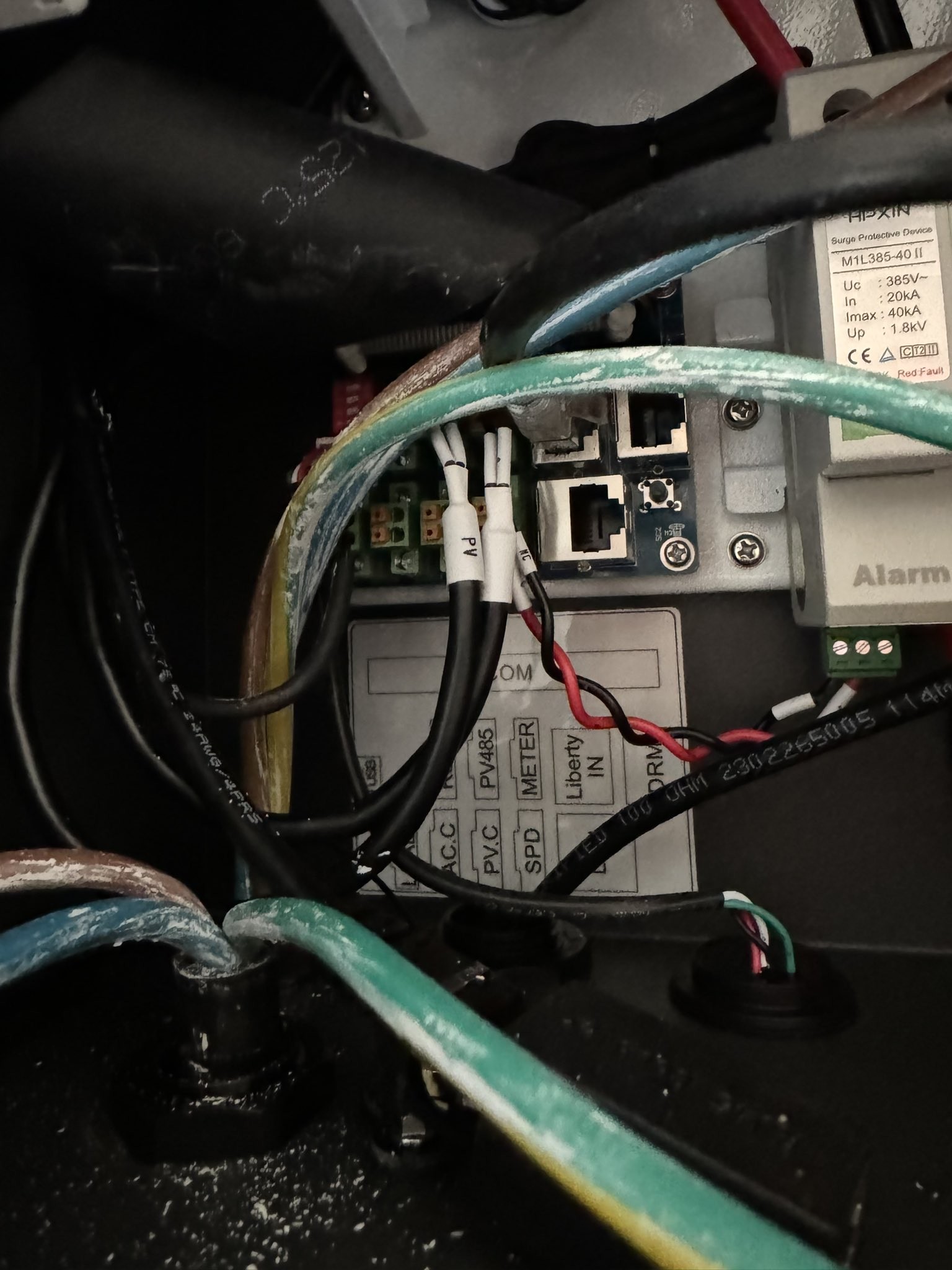
There is a reset button in the gateway but
A) it's in a really bad spot such that you risk getting a 100+A shock from the bussbars pressing it.
B) it'll reset all the WiFi settings and config too.

hoggy
Meant to mention to you that my replacement Gateway got delivered yesterday. Being installed on Friday. I’ll try and get some internal pics.

PianSom the reset button on that should have moved to a more sane place at the bottom with all the data IO / RJ45 stuff lives.

hoggy
My install has been delayed due to installer van error. But I opened up the box to have a look. No obvious external reset button underneath.
I'd post a pic, but the forum won't let me. May be the current outage I guess

PianSom think if the pic is bigger than 3MB then the forum just errors.
It's not external, just not quite as near to the electrocuting parts as before: (Stolen pic - little button next to ethernet ports)