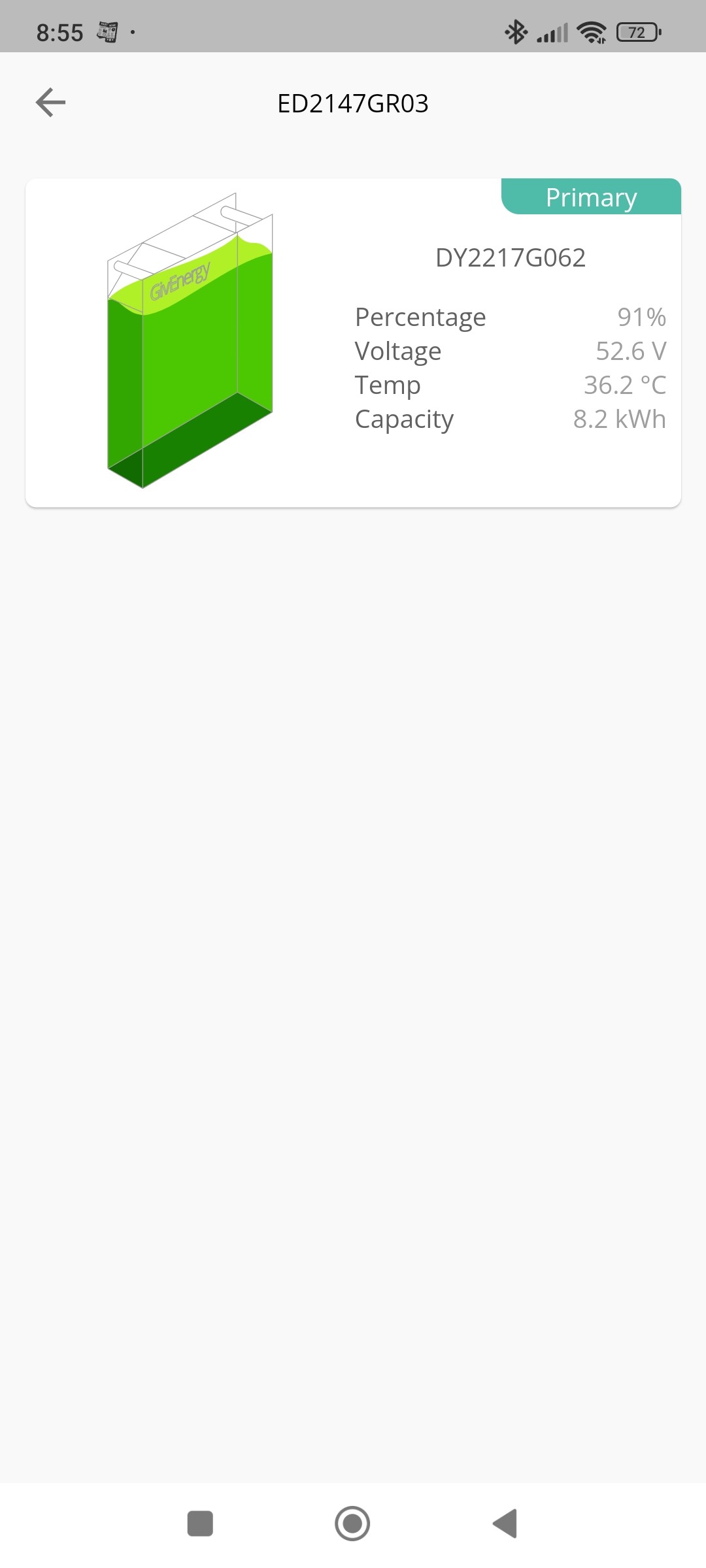
When I click on the battery symbol in the app the battery temperature displayed value is very different to the graphical display temperature ( press on more information). This is especially noticeable when discharging the battery at the full rate of 3.6kw. My system is Gen 2 Hybrid Inverter and 8.2kwh battery. Up to now I have presumed that the readings are from 2 differently located sensors?
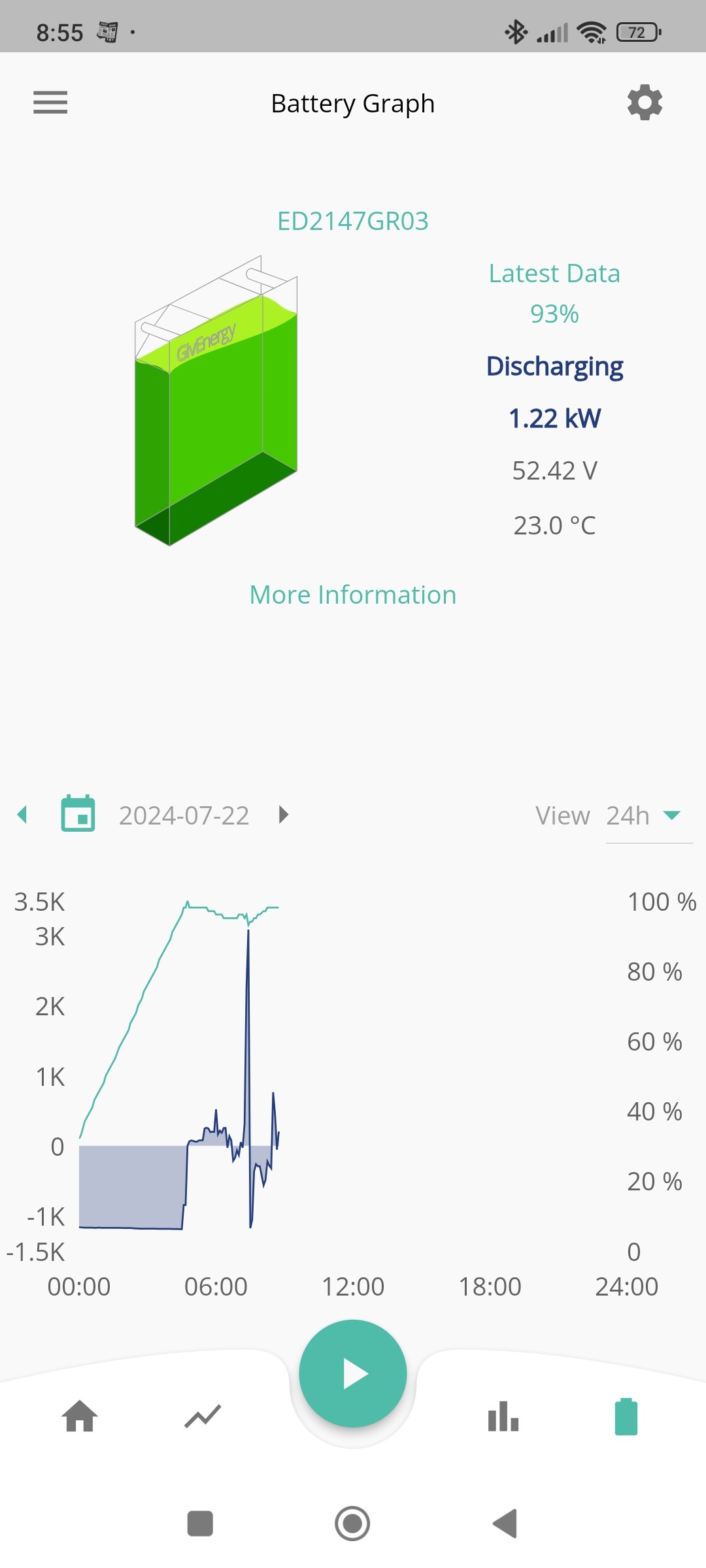
Battery Temperature
Example below after quick forced export at 3.6kw for 2mins.


I noticed a similar discrepancy.
Have you got Rubikcube app ?
https://play.google.com/store/apps/details?id=uk.rubikcube.invertermonitor
That gives cell and BMS temperatures.
When I check none of the temperatures match !
Yes, have got the Rubikcube app and temperatures looks sensible here, but will double check. I know that the BMS is a separate pcb above the battery and can run a lot hotter. I presume the GE graphical output shows this PCB BMS temp and the GE battery icon displays the actual battery temp? Can anybody confirm and what's the point of showing BMS PCB temp?
By my understanding, the temperature nearest the top of your image, is from the inverter (look at the serial number). It is the temperature of the battery charger circuit within the inverter. Typically about 5C above ambient, unless charging when it will be higher. My app does not display this reading anywhere.
Have done some experimenting with the GE app and can confirm that the first battery icon display temperature readings relate to the battery temperature (probably Temperature 1 in Rubikcube battery temperature section) and the further info/graphical battery temp display in GE app relates to BMS temp.