GivTcp Docker V3.0.0 Released

22 comments started 2024-09-14 last 2024-09-16
Home Automation
#1 ProximusAl

https://hub.docker.com/layers/britkat/giv_tcp-ma/3.0.0/images/sha256-9e439694c29e67332fb3cb1af624c1e69c982c9ad477c42d79472d2bc7719885?context=explore

For those who use GivTcp in a docker, WatchTower just upgraded me to 3.0.0

It wasn’t without issues!!

I ended up rolling back to 2.4.9, starting from scratch, re-upgrading to 3.0.0, and worst of all, removing MQTT entirely from HA, and clearing out my MQTT database (also running in docker) due to HA spewing a load of errors regarding duplicate sensors etc…..

I’m back up and running now on V3….thankfully…but noticed that values in HA are now all with .0 on the end.
E.g On 2.4.9 docker, SoC 84%, Power 864W, on 3 it’s now SoC 84.0%, Power 864.0W which makes my dashboard look….well……daft.

I’ve opened a GitHub ticket regarding this…will wait for BritKat

G
#2 geoffreycoan

Looks to be lots of new improvements in GivTCP v3 including multi-AIO’s, 3 phase inverters, better configuration control.

Not seen the v3 add-on upgrade to HA yet though but sounds like it’ll be soon.

I upgraded to GivTCP 2.4.9 today, no issues at all, seamless upgrade and running fine

R
#3 Rbor

I have just posted this on: First Night Live on PredBat .....
I am posting here also to keep GivTCP v3.0 together.

Is anyone running Givtcp v3.0?
I upgraded from 2.3.4 to v2.3.9 today and I have followed the Change log message:

Future updates from v3 will be pushed to https://github.com/britkat1980/ha-addons. Please add this to your Home Assistant Addon Store to get the upcoming v3 release
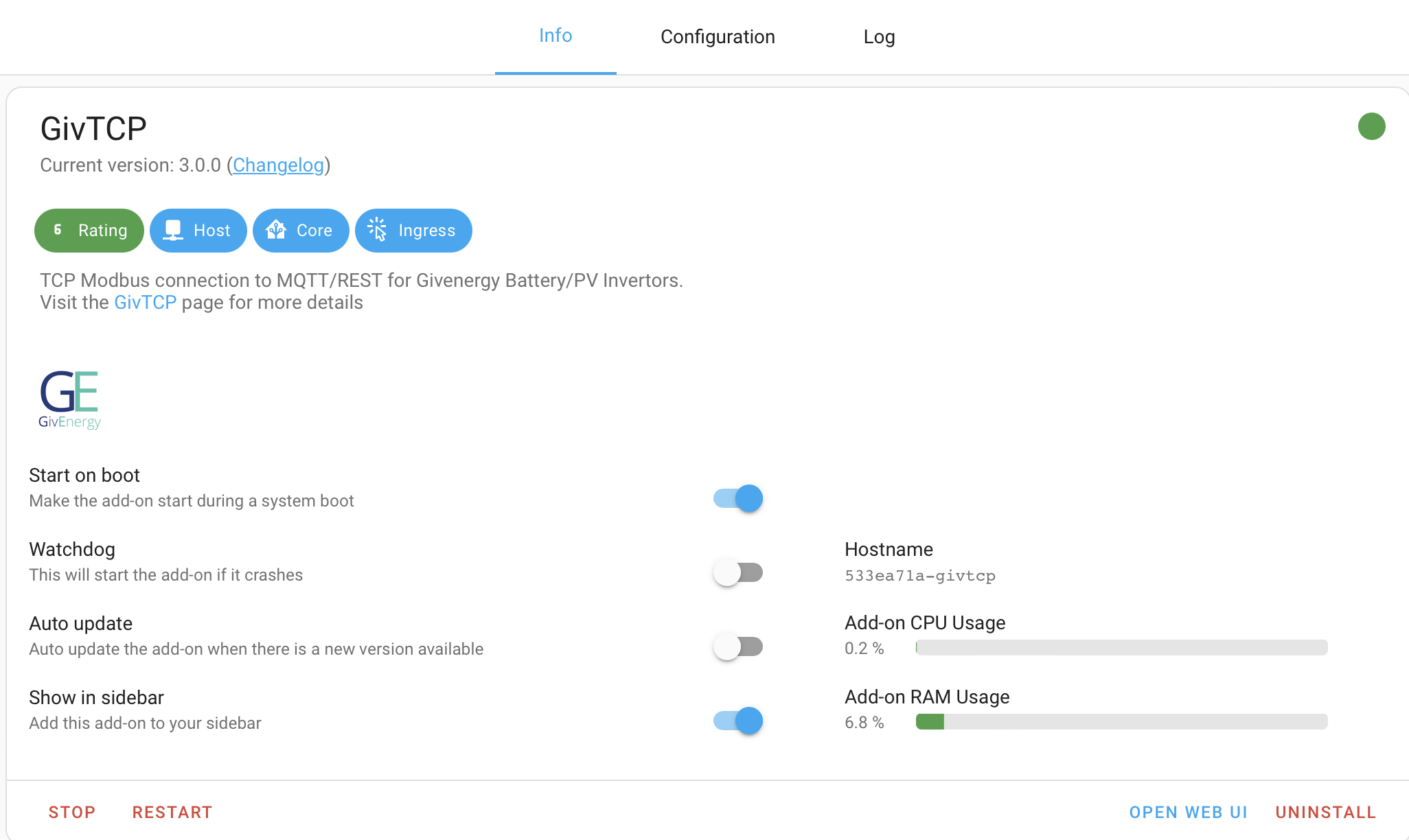
I have downloaded v3.0 and now see 3 new add-ons added to my GivTCP add-on:

I have looked on givTCP GitHub https://github.com/britkat1980/giv_tcp/issues
There are some issues posted by upgraders.
v3.0 is being pushed as complete re-write.
I would welcome any advice!
I do like being a pioneer but not if it is going to break Predbat until v3.0 is better established.
I am on Predbat standalone on raspberry pi HAOS

Thanks

Rob

G
#4 geoffreycoan

Rbor Future updates from v3 will be pushed to https://github.com/britkat1980/ha-addons. Please add this to your Home Assistant Addon Store to get the upcoming v3 release
I have downloaded v3.0 and now see 3 new add-ons added to my GivTCP add-on:

Yes at the moment you have to add different folders to the add-on store if you want to install the production, beta or dev versions of givtcp. The new folder enables you to install any of the versions with more ease.

I’m personally going to hold off installing v3 for a while. I went to 2.3.9 with zero issues, but v3 is a big change and at the moment there isn’t anything critical in it that I need

#5 PianSom

ProximusAl
Reading the docs for 3.0, they say "Use Docker Compose file to create container", which is good since I was planning on spinning up a new container and seeing what happens. But I can't find an example docker-compose.yaml for 3.0, and I strongly suspect that the working 2.0 one is no good (not least because it appears that new ports are used).

Since you use Watchtower I am guessing you didn't come across this issue?

#6 ProximusAl

As mentioned above, I am using V3 in docker.

sudo docker run -d \
--name GivTCP \
--net=host \
--restart=always \
-e TZ=Europe/London \
-e NUMINVERTORS=1 \
-e INVERTOR_IP_1=192.168.76.150 \
-e NUMBATTERIES_1=2 \
-e MQTT_OUTPUT=True \
-e MQTT_ADDRESS=192.168.76.2 \
-e MQTT_USERNAME=meh \
-e MQTT_PASSWORD=meh \
-v /home/alan/docker/givtcp/config:/config/GivTCP/ \
britkat/giv_tcp-ma:latest

I don’t use compose.

The only issue I have now is the .0 being added to SoC, Power etc, but it is working with PredBat no issues.

Now that V3 uses a settings file in the newly mapped volume, I’m not sure the env variables are required anymore either, but they don’t hurt.

R
#7 Rbor

Never one to turn down a challenge, I have tried to upgrade GivTCP from v2.4.9 to v3.0.0

I first took a full backup.
I installed v3.0.0, stopped v2.4.9, which was still there, and then started v3.0.0
I was following the v3.0.0 instructions but the log looked terrible.
I couldn't open the WebUI, although I did manage to do this using a new window.
All my previous settings seemed to have been carried forwards and I turned off the EV charger setting.

I did notice that the log was trying to link to 'Inverter 1', whereas v2.4.9 and all previous versions linked to 'Inverter 0'. I couldn't find anyway of changing this to 'Inverter 0' (There was nothing in the WebUI screens.)
REST was broken as Predbat was looking for Inverter 0.

I restarted givTCP again and also Predbat.
I then restarted HA but no improvement.

So I then stopped v3.0.0, uninstalled it and started v2.4.9 again.
My Predbat is now back in its former self running on givTCP 2.4.9.
It is reassuring that I was able to recover.

I didn't restart MQTT and perhaps this would have done the trick.

I will wait until v3.0.0 becomes more established before trying again.

Rob


G
#8 geoffreycoan

Rbor Thanks for trail blazing Rob. More problems experienced than I anticipated from looking at the issues on Github. Think I’ll keep as I am for a bit longer

#9 ProximusAl

I've got around my issue of the trailing .0 on all GivTcp values by using custom sensors in my HA dashboard. Bit of a pain but it works.

dashboard_soc:
  friendly_name: "Battery Charge Level"
  unit_of_measurement: "%"
  value_template: >
    {% if is_state('sensor.givtcp_edXXXXgyyy_soc', 'unavailable') or is_state('sensor.givtcp_edXXXXgyyy_soc', 'unknown') %}
      0
    {% else %}
      {{ states('sensor.givtcp_edXXXXgyyy_soc')|float(0)|int }}
    {% endif %}
G
#10 geoffreycoan

ProximusAl serious yuck. I saw the github issue. Personally I’d wait for a proper fix to come along.

Just be aware of the impact of creating custom sensors like this, you’ll end up stuffing loads more data into the HA database which then becomes slower and takes more space to backup. I kept on running out of room on my Google cloud backup drive due to the increasing size of my backups so have been on a journey to learn what’s happening and to reduce unnecessary data storage.

It’s very enlightening. I’m writing a topic for this community and when I’m finished I’ll share it.

B
#12 browellm

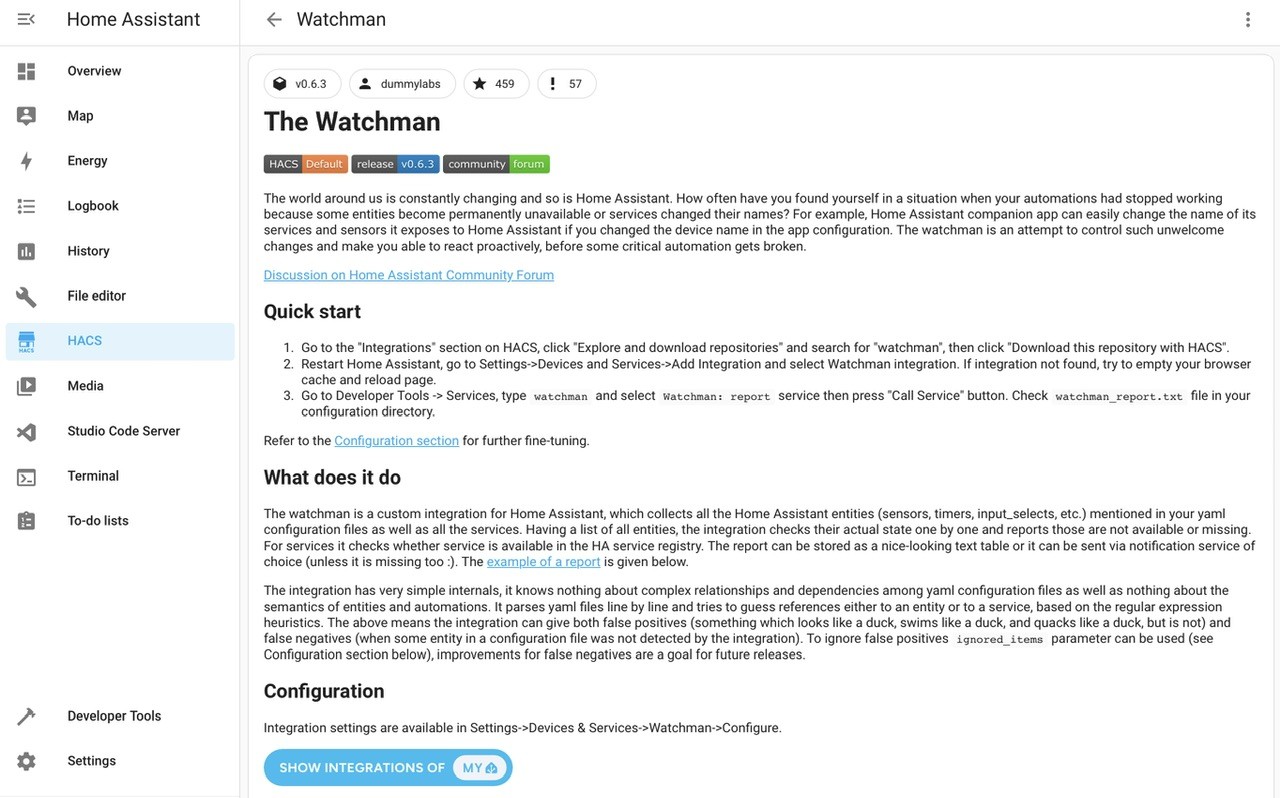
Who watches the Watchman?

Sorry, couldn't resist.

S
#14 simont

ProximusAl can't you just change the precision in the entities settings ?

#15 ProximusAl

simont Apparently not, due to the fact I use a certain gauge card. You can with the mini graph card, yes, but I just wanted my existing dashboard to be the same as it was, so creating 5 custom sensors seemed reasonable.....although I still feel this is a bug, which BritKat will get round to looking at.

R
#16 Rbor

geoffreycoan

Thanks for trail blazing Rob. More problems experienced than I anticipated from looking at the issues on Github. Think I’ll keep as I am for a bit longer

Here's a summary of 'Trailblazing-Rob', v2.
This has worked for me using standalone predbat on HAOS .........

I have just tried upgrading from v2.4.9 and am now successfully (I hope) running v3.0.0
I downloaded the new add on repo https://github.com/britkat1980/ha-addons which showed up as an add on along with beta and dev versions.
I installed v3.0.0
I then stopped v2.4.9 and started v3.0.0
NOTE: I did first start v3.0.0 without stopping v2.4.9. This confused HA and I got loads of errors

I checked givTCP and MQTT logs and everything seems to have been picked up automatically.

I am running Predbat which continued to run with fine. I have seen no errors.

My only hiccup has been with the 'configuration' tab. If I select this, I get a blank screen with the message:

This add-on has no configuration.

I can access the web-based configuration screen by either opening the URL from a new webpage or by selecting 'WebUI'
I found that the webUI had been populated with my existing values. I did disable the EV which seems to be added by default.

v3.0.0 does seem to be running more quickly in the web portal and app (on IoS for me).

I have added givTCP to the sidebar. This takes me to this screen:
<img width="634" alt="image" src="https://github.com/user-attachments/assets/af384cd8-d2f4-4513-b5fd-e54123a41c36">

From here, Configuration and Readme both work.
But 'View Dashboard' takes me to this error page:
So several glitches. I now need to monitor how v3.0.0 runs.
From my first unsuccessful attempt to upgrade from v2.4.9, I was able to uninstall v3.0.0 and then start v2.4.9 agin which got me back in action. Reassuring!

Rob

G
#17 geoffreycoan

Rbor My only hiccup has been with the 'configuration' tab. If I select this, I get a blank screen with the message:

This add-on has no configuration.

I think the GivTCP configuration has moved from being via the add-on config tab to via the web gui

#18 ProximusAl

geoffreycoan The WebGUI is available at http://<<HA-IP>>:8099/config.html

R
#19 Rbor

ProximusAl The configuration and WebUI choices in the givTCP 3 add on page don't work properly:

I opened http://<<HA-IP>>:8099/config.html in a new web page and this does work.
To get back to the givTCP add on info page, I have to start again via settings/add ons.

This is a glitch that can be worked around.
I have posted an issue on https://github.com/britkat1980/ha-addons/issues/19

Rob

W
#20 wrighar

Daveb01

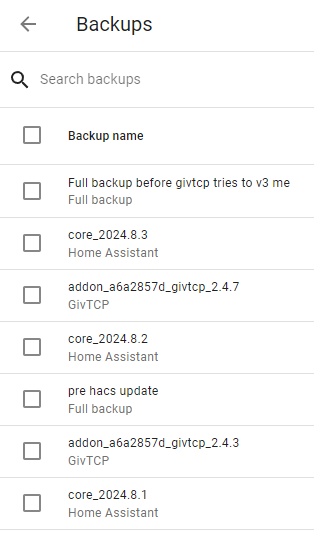
I've recently done a big tidy up of older backups, but still have these :-)

G
#21 geoffreycoan

wrighar you probably can get rid of some of the hold core_2024.8.x backups as its unlikely you are going to want to restore back to a month or so ago.

Does look like you’re not taking regular daily backups, so if you do have to restore then you’ll lose a load of historical data. How important that is to you, obviously a personal choice.

#22 hoggy

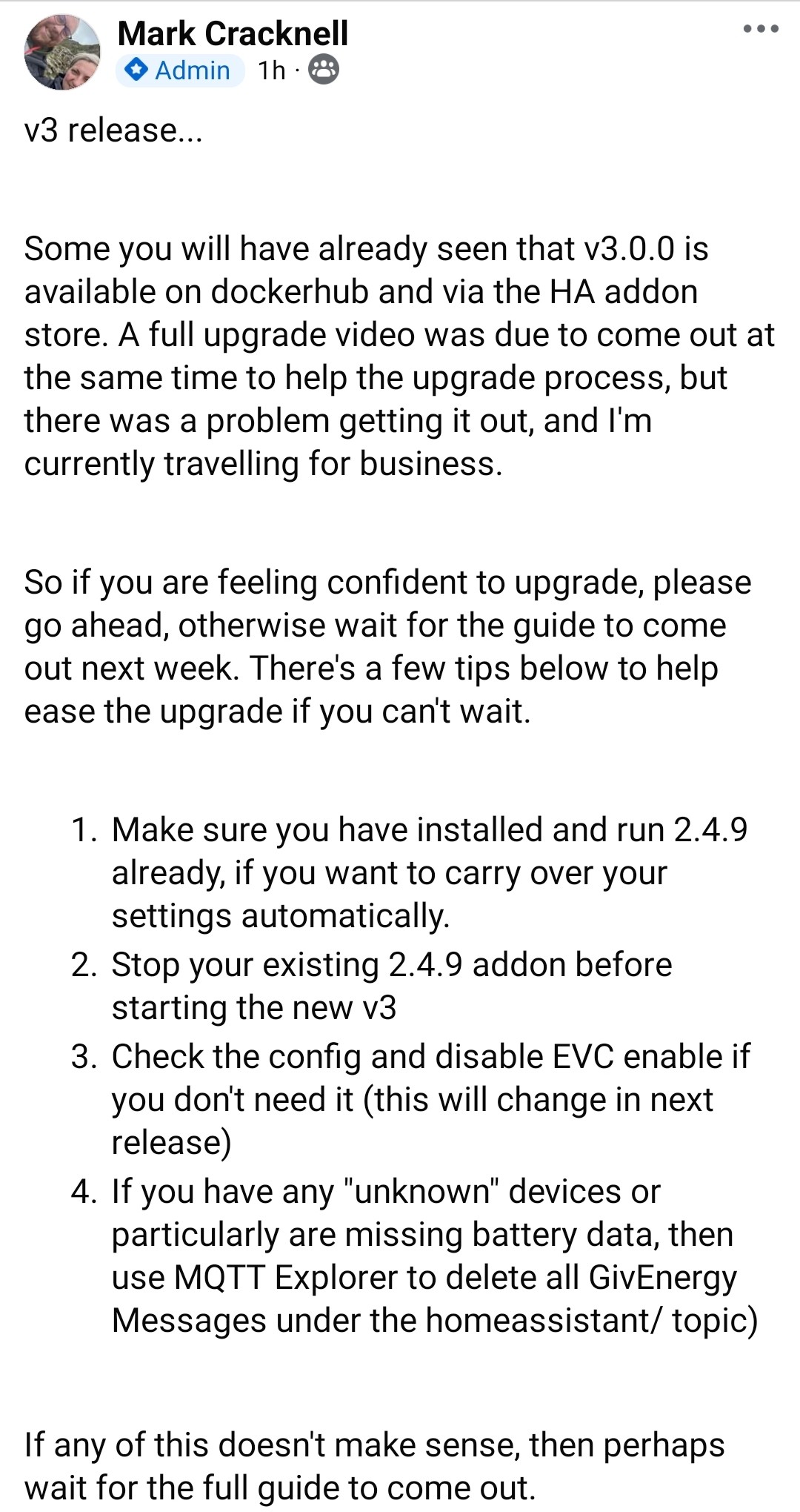
Some information from the author: