
AIO need to reset Wifi SSID and password, don't know local WiFi password

9 comments started 2024-09-22 last 2024-12-17
GivEnergy ProductsAC Coupled
B
#1 Barns

Hi, I'm changing the Wifi setup around the house and won't be reusing the same SSID/password (reasons). So I need to reconfigure the Wifi login the AIO is using. I know you can do this if you connect to the AIO's own Wifi network but I don't know the password to this (it doesn't appear to be the serial number on the back of the unit).

Is there any way to just reset the Wifi "dongle" physically so I can connect to it with default password and then set up the Wifi connection? Online docs talk about the old style dongles with a button on them, I can't see anything equivalent on the AIO. And do I need to do anything with the Gateway separately on its network?

I must say documentation for this surely very common situation is sorely lacking. Have spent a while searching this forum too and can't find anything useful (plenty about disabling the Wifi networks though).
D
#3 DD

Barns If you can temporarily set a router with the old ssid/password, you can connect to the dongle on its http interface and then set its AP password to something you know.

R
#4 Rbor

Barns I have looked on internet and there is a GE video:
https://www.youtube.com/watch?v=v9a7sDsiK0s
As AIO does not have dongle, the advice in the video (6:43) is to contact GE.
I suggest a phone call tomorrow.

The usual advice for swapping in a new router is to use the existing SSID and password as you will likely have to change credentials on anything you have a wifi connection.

I lost wifi on my AC3.0 after a power cut. I phoned GE and they were very helpful, directing me to the GE dongle guide.

Rob

D
#5 Daveb01

The AIO has an inbuilt dongle, it is inside the panel where the wires go 9n on the right, there maybe a reset button?

C
#6 CW

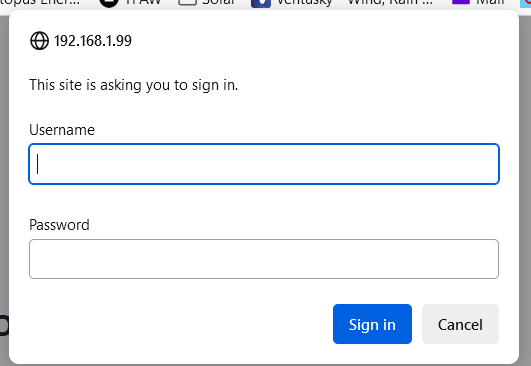
Barns Well before you change your SSID/password, you should connect to the various boxes (AIO, Gateway possibly, and Inverter) via the web browser using their relevent IP address (192.168.......)

The default user id and pasword is admin / admin (unless your installer changed it, in which case they should have provided you with the details)

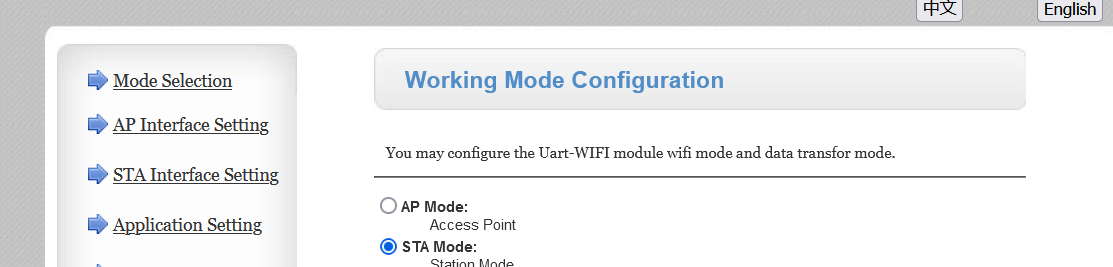
From here you should see the following page:

From there you should see a setting for STA interface (station - which should be your setting under Mode Selection) and here I beleive you can set your new SSID "App SSID" and password "Pass Phrase"

Under device management you can also set the password to something you know (i.e. not the default)

#7 Tenkaykev

Daveb01
Yes there is, I used it myself when the WiFi interface threw a wobbly and refused to connect. I think the password once rebooted was " 12345678 "

B
#8 Barns

Thanks everyone, I've at least got the current settings discovered now by going to the local http page, I have several separate WiFi networks around the house currently and am replacing with a single mesh, but didn't know which the battery had been configured with! So now at least I have the simple option of making the new mesh the same as the old network that the battery already knows.

C
#9 Callumh

Tenkaykev Thanks for this, tried so much until I found your post, if they are going to set the WIFI as not the serial number like it says in the guide then they should tell us its "12345678"
