
Problems with new broadband service and connecting the inverter

8 comments started 2024-09-23 last 2024-09-24
GivEnergy Products
#1 norse

I have had a new broadband service installed today, and on following the attached instructions have not been able to get the system connected.
I followed the instructions, connected to the dongle's network, admin/admin worked when connecting into the IP address and found the new network - updated to this and entered the password. It then prompted me to reboot which I did. It seemed to be taking a long time rebooting. Eventually it seemed to lose the wifi dongle network connection, so I tried getting back onto it. It then began to ask for network credentials, which it hadn't done originally.
Following the trouble shooting guidelines, I attempted to use the inverter SN - both the FD and WH serial numbers - lower case and upper case. None of these worked.
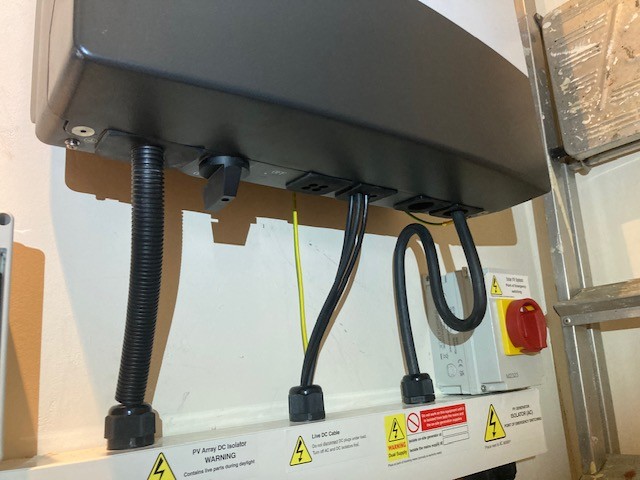
It then suggests that I reset the dongle - I was expecting this to be on the underside of the case, but it does not seem to be there.
givenergy-wifi-dongle-setup-guide.pdf
769kB

Does anyone know where I can find the dongle to reset it?

S
#2 SteveCook

what piece if kit is it? Hybrid, AIO etc?

#3 norse

G3 5kW hybrid

#4 norse

I have partially managed to find a solution - the new full fibre has a compatibility mode which I then have set up using the same SSID that had been updated previously into the inverter, and it has internet access now, but I am still locked out of the dongle's network and do not know the security key or why it has began prompting for one. I still do not know where the dongle actually is.

R
#5 Rbor

norse I would phone GE. I have found their Technical support very good.

Rob

T
#6 TimHutchings

norse The dongle was only found on gen1 inverters and AC3s I think. It was a white usb wifi stick sticking out from under the gen1s. Gen2s had an aerial sticking out below and gen 3s were built in. Gen 2s onwards also have the option of a LAN cable connection for a more secure and stable connection.
Guess people still call the wifi connection a dongle , though there's no dingle dangles on later ones! 😂

#8 norse

SteveCook The inverter is 100% Wifi and no LAN.
I got around this earlier by logging into my router and finding the IP the inverter was using. I then typed this into a browser and I could log into the inverter (admin/admin) and change the WIFI passcode - which for some reason was some 32 digit alphanumeric code that I'm guessing had been randomly generated by the inverter during setup.
I was able to change this.
I guess it was lucky that I was able to remember the SSID/password that the inverter was originally set up on my home network with, and that I could replicate these with the new router and could network into the inverter via a browser.
I'm now able to log into the wifi in the regular way with the updated passcode.