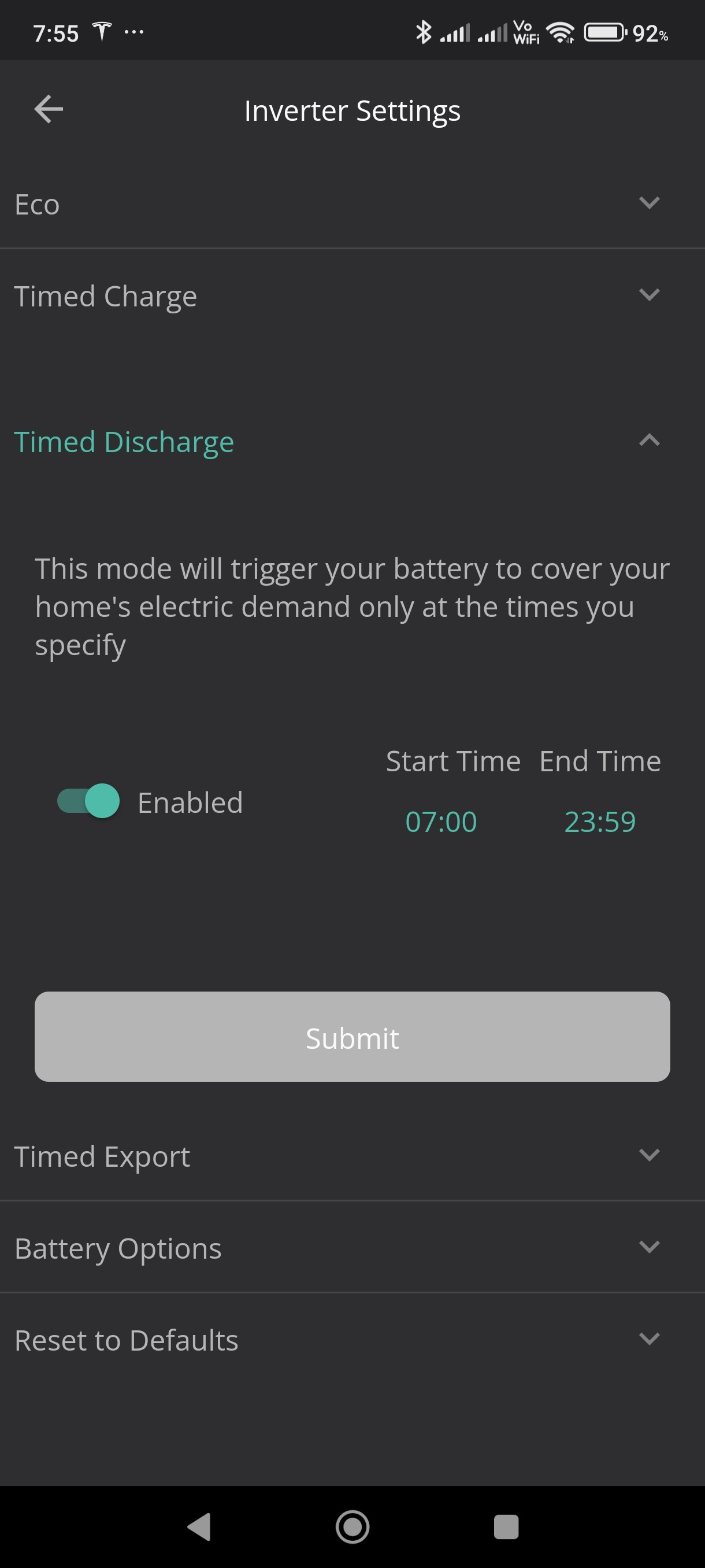
Mondriver No - the window you give it is the window during which you want to allow it to discharge. I was only suggesting playing with the numbers in an attempt to figure out what the time on the inverter might be. (Eg if at 9am it immediately enables discharge if you set the start of the window to 10am, but not 9am, that suggests the inverter is an hour slow.)
You could also do it by configuring a timed charge, and playing with the times to try to pin down what time the inverter is set to. (But much easier to simply ask it, using one of the third-party apps I suggested. As seen on other threads, even setting it from the portal is a little uncertain since it appears to take into account the time zone configured on the portal. So even after sending the request to set the time, best to actually be able to check.)
The way timed-discharge is implemented, it actually reverses the two times: if you set timed-discharge = 0530 to 2330 (so that discharge is allowed from 0530 until 2330), then what it actually does is configure a timed-pause from 2330 to 0530, so that discharge is paused from 2330 to 0530, and then permitted outside of that timed window, which achieves the desired timed-dischage behaviour. It is instructive to look in the activity log (at the bottom of the remote control page) on the portal to see what changes are actually sent to the inverter when you configure various features.