Temporarily Charge from Grid

10 comments started 2024-10-20 last 2024-10-20
GivEnergy Products
Q
#1 quarkrad

What is the easiest way to temporarily charge the battery from the Grid? I have my set up so that I charge between 00:30 and 05:30 to take advantage from the Octopus cheap tariff. There is free electricity today from 13:00 - 14.00 so I would like to temp charge from the Grid at this time. On my mobile app there is a Quick Settings button at the bottom of the screen just beneath the battery icon. When I press this there is an option to Charge Now. Is it as simple as manually pressing this on/off?
G
#2 geoffreycoan

quarkrad yes its as simple as that to quickly charge the battery up.

Remember that you’ll have to manually press the ‘play’ button afterwards at 2pm to put the battery back into normal mode.

Q
#3 quarkrad

Wow - thank you for your quick reply. Forgive me my ignorance - where is this 'play' button you refer to? Is it the Resume option listed after pressing the Quick Settings button? Logically it might be as easy as: Press the _Quick Setting_s button, press Charge Now to start and then Resume to end.

C
#4 CW

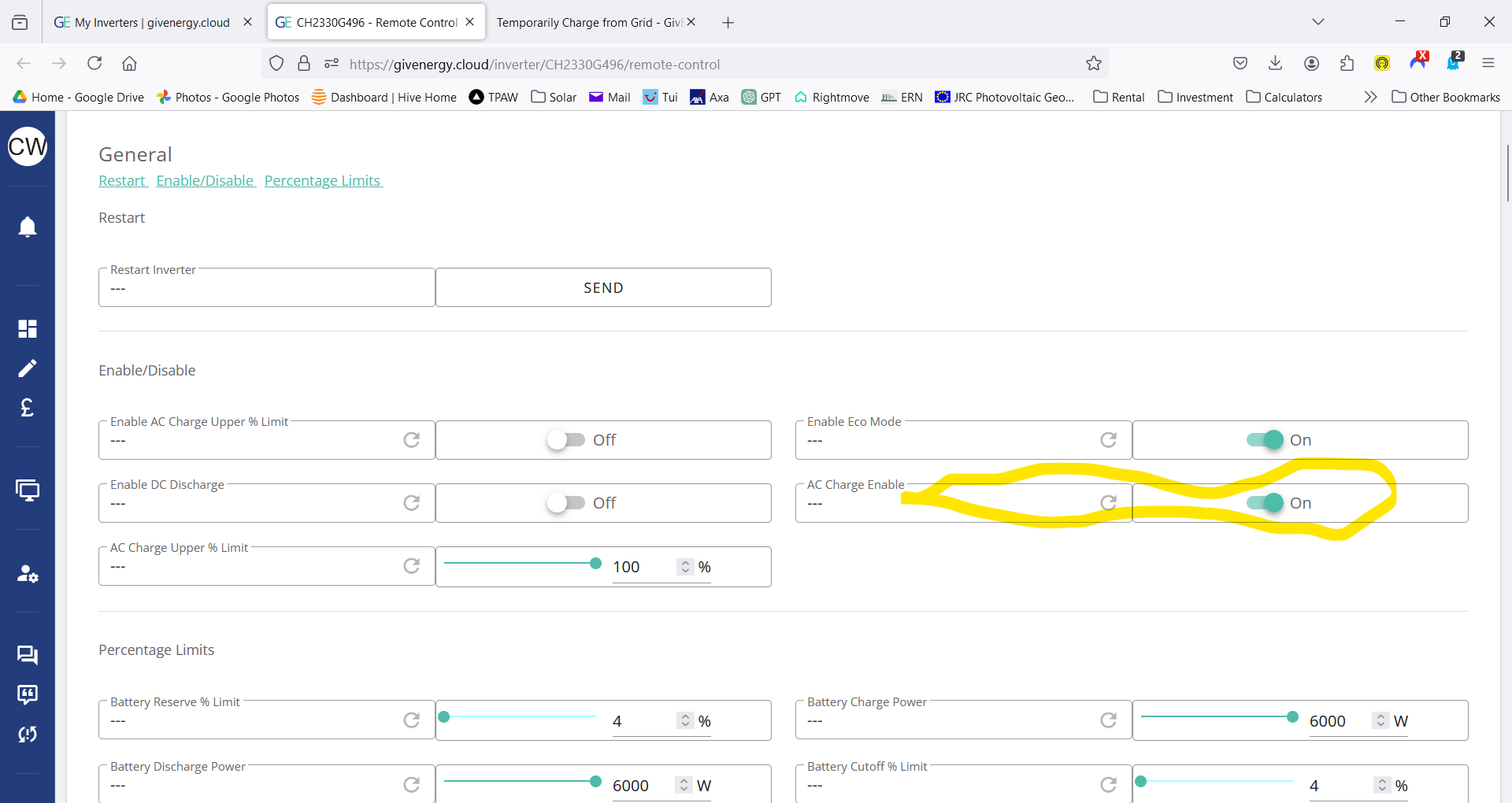
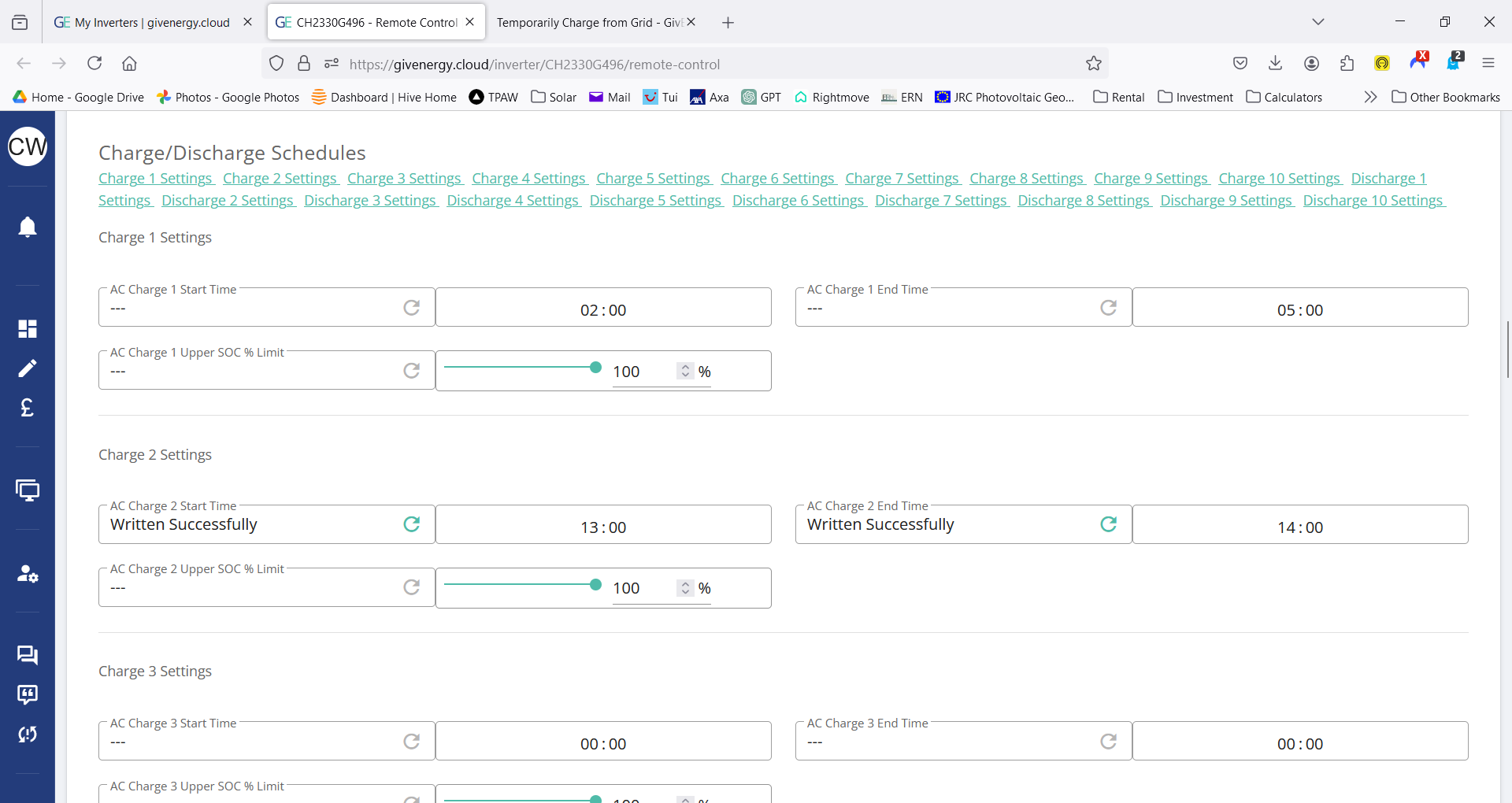
quarkrad Or, you can go to the remote control settings on the portal and set your charging slots there. To switch a charging slot off, set the start and end times to 00:00 (don't forget to submit the changes by pressing the --> button - you should see the changes set in the log at the bottom). Also check you have enable ac charge set on

My settings for today (free energy 13:00-14:00)

G
#5 geoffreycoan

quarkrad Forgive me my ignorance - where is this 'play' button you refer to? Is it the Resume option listed after pressing the Quick Settings button? Logically it might be as easy as: Press the _Quick Setting_s button, press Charge Now to start and then Resume to end.

Yes that’s correct. I referred to it as a ‘play button’ because that’s what it looks like to me.

Happy charging !

Q
#6 quarkrad

Thank you both for your posts 🙂

S
#7 Sparta

quarkrad I have just modified my time charge for that window (and it has started as usual) and will change the setting back later in the afternoon. I do not think there is a point of automating it, as the free energy window can be at any possible day/slot next time round.

B
#8 bRhFDKtjRMK9

@CW just read your post how casually you can set start and stop times at 14:00 and 15:00. For me, it's not that simple, because time is wrong.
Is anyone affected by battery time being wrong? My battery clock is +1 hour. Meaning, if I set charging to start at 21:00, it will start at 22:00 instead.

#9 miffy

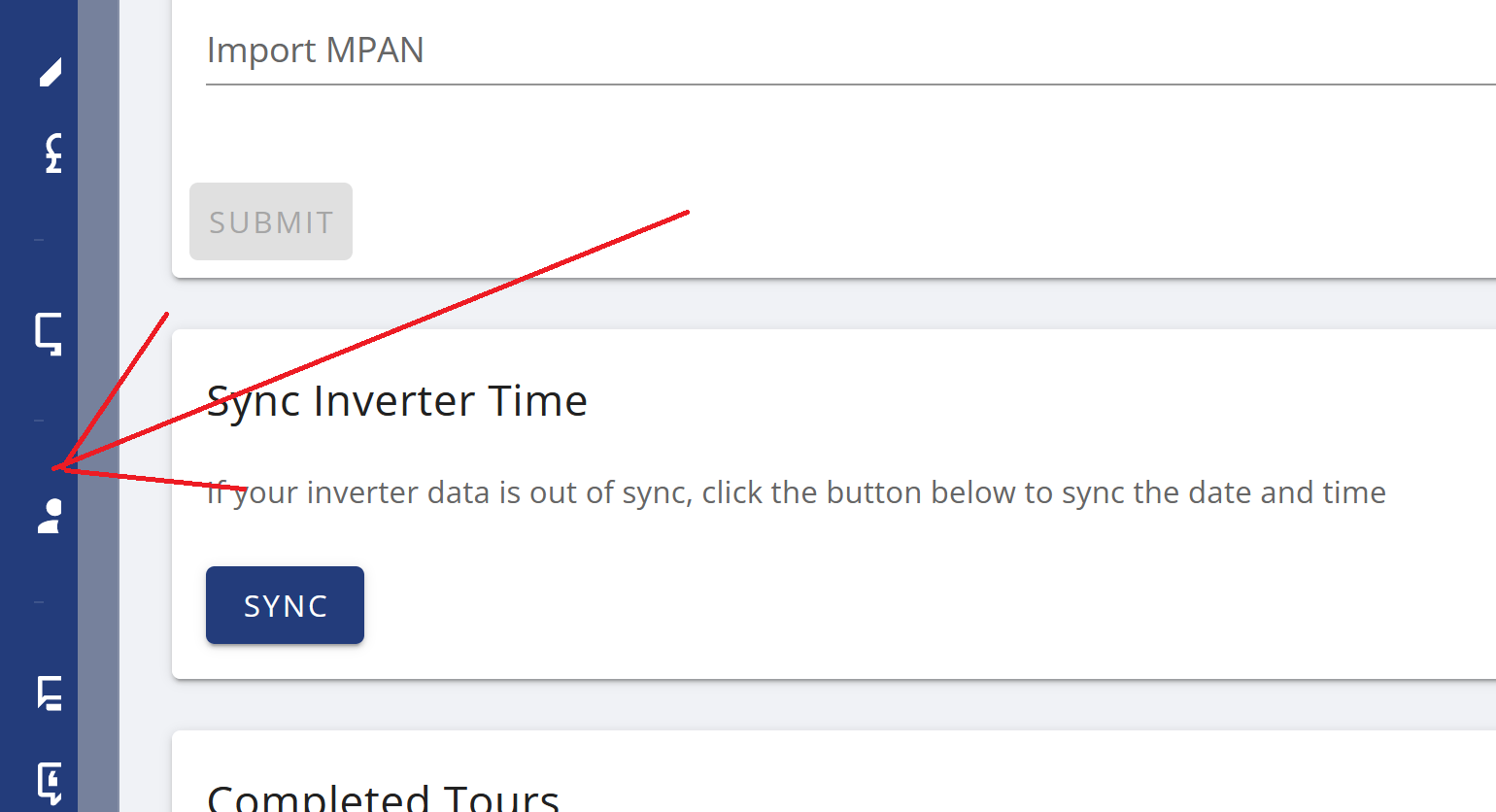
To fix the time anomaly, log into the GE web portal, select Account Settings on the left, then scroll down to find Sync Inverter Time

B
#10 bRhFDKtjRMK9

miffy Thanks! I did that, and also noticed timezone selected for my account was GMT+2 Amsterdam. Changed that, synced time, I hope it will be working well from now on!