Persistent mode - Android Inverter Monitor

27 comments started 2024-11-25 last 2024-11-29
Mobile AppHome Automation
R
#1 Rubikcube

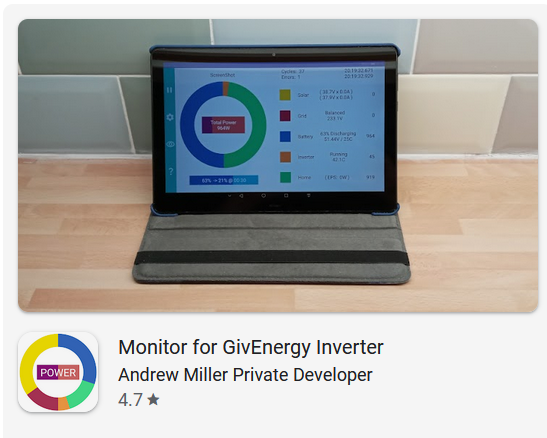
The latest version (3.3) of the Android Inverter Monitor app has a new setting called Persistent Mode. Persistent mode works by maintaining a constant connection with the inverter rather than continually connecting and disconnecting.

It is off by default, but I recommend you turn it on. On my setup/network turning on persistent mode improves the reliability of the connection by about 10 fold! With it off my error rate is around 2%-3%, with it on the error rate falls to 0.2%-0.3%.

Whilst it works well with my setup, I have no idea how well it works with yours. Please can someone try it out and let me know if it works. I am particularly interested to know if it works with an AIO. Also if it causes any issues for GivTCP/HA/Predbat. All feedback appreciated. If it works well I intend to make it on by default for new installs.

From the main screen, settings cog, should be the 8th or 9th setting in the list. Nothing to lose by turning it on, if it doesn't work, you can simply turn it back off again.


D
#2 DD

Rubikcube A while back I wrote a dummy modbus server (inverter emulator), and had been a bit surprised that your app dropped the connection after each request - I had been assuming I was sending something that was upsetting it !

R
#3 Rubikcube

DD I started by doing a packet capture from the official GE app. That works the same way. I thought GE would have used the best method, but with hindsight I should have used a continuous connection all along.

V
#4 Vestas

Rubikcube They wouldn't be able to keep connections continuously open from the "portal" to the entire "fleet" without spending a LOT more than they currently do on hardware, software and connectivity 😉

D
#5 DD

Vestas They wouldn't be able to keep connections continuously open from the "portal" to the entire "fleet" without spending a LOT more than they currently do on hardware, software and connectivity

But surely there is a persistent connection from each inverter to the cloud: it has to be in that direction to get through domestic router firewall, and it has to be persistent because the API can be used to make a change at any time.

C
#6 CW

Rubikcube OK - I've enabled it on my Samsumg Galaxy Tab - I'll let you know if I see any smoke coming out of it 😆

#7 Windy Miller

The help notes talk about persistent mode upsetting other apps. As I use Inverter for monitoring and WonderWatt for control would you recommend Persistant on or off?

R
#8 Rubikcube

Windy Miller I recommend turning it ON. I doubt it will cause any issues, I am just being cautious. I suspect most software developers would just have changed to the new mode and put "New improved connection method" into the release notes.

You can wait for others to report here first if you want to be cautious.

#9 Windy Miller

Rubikcube Turned it on. The figures no longer update on the monitor screen. Turned it off again and they updated straight away. With persistent on, the only thing updating was the Error count in the corner - not the error field but the connection count.

Tried it again and it is now updating. There might be an issue with an old tablet running Android 6.

R
#10 Rubikcube

Vestas I think the entire fleet does keep a continuous open connection to the portal, and it must cost an absolute fortune to run.

R
#11 Rubikcube

Windy Miller Thanks. There may be bugs. I will do some testing on Android 6.

#12 Windy Miller

Rubikcube It has got stuck again. Possibly when coming out of sleep or when the app is not in focus? I have the error count at 0/17 but the data is not being updated and is out of step with the Portal.

#13 Windy Miller

Windy Miller I went to the settings and back without changing any of the settings and it is now unfrozen so does seem to be when the app no longer has focus.

#14 hoggy

There is a document floating around that does explain the whole dongle / server heartbeat thing operates. I won't link to it but if you Google long enough...

R
#15 Rubikcube

Windy Miller Thank you. I have managed to reproduce the problem of the figures freezing. I am tracking down the bug, and will have a new version ready soon hopefully.

S
#16 Slarti

I've turned it on and works a treat. Android operating system, 3.6 hybrid inverter and 9.5 battery.

R
#17 Rubikcube

Slarti Thank you for confirming.

R
#18 Rubikcube

The bug causing the figures to freeze has been identified, and will be fixed in version 3.4 once final testing has been completed.

R
#19 Rubikcube

hoggy Thanks, but the amount I know about the dongle is scary enough already. Did you know you can configure it using AT commands via the usb port? AT+H will give you a list.

#20 hoggy

Rubikcube never tried it personally but assumed given the chipset it had to be done in factory one way or another. I do have the older dongles that have telnet and have messed around in that side with them.
Not sure if it helps your cause but I do have a spare gateway if you want to borrow it to test your code on the "newer" equipment.

S
#21 SteveGibbs

Rubikcube I'm interested in looking at this app so I can set up multiple charging periods on my inverter which I understand can be made possible via this app, BUT - I cant find it on the play store - could you let me know what it is actually called so i can search for it and investigate further, thanks

C
#22 CW

SteveGibbs On Andriod search for Inverter monitor. You should see Monitor for GivEnergy Inverter in the list

T
#24 TimHutchings

Just to let you know that persistent mode is giving me a much improved error rate of 0.1 of a % as opposed to around 1% with it off.

#25 Windy Miller

Rubikcube Looks like this bug has been squashed.

R
#26 Rubikcube

TimHutchings Thank you, that's excellent.

R
#27 Rubikcube

Windy Miller Great news. Testing software is really difficult, I sometimes miss the silliest of bugs.