
EPS not activating during power cut

11 comments started 2024-12-07 last 2024-12-08
Cloud PortalHome AutomationGivEnergy ProductsAC CoupledBattery
J
#1 JamesFisher22

Well it's pretty windy out there today and thinking ahead I charged my 2 AIO's up to 20% just in case. I checked EPS was activated on the portal and left the system to do its thing if needed. We've had 3 power cuts of short duration today and the lights and appliances went off each time until the grid power returned. I'm not sure why this is happening and I can't seem to find any info on the forum about how EPS should work and if there is a delay before activation?
When I've previously tested it the response has been instantaneous so why not today in actual power cut conditions?
Any ideas anyone?

C
#2 CW

JamesFisher22 What system do you have. The AIO should be able to be configured to 20ms delay which is barely noticable, although I have never yet had a succesful cut-over when the power goes so can't say from experience. Other battery systems may be different (possibly 30 seconds to cut-over?)

R
#3 Rubikcube

JamesFisher22 previously tested it

Perhaps it was the wrong type of power cut?

Presumably you have a double pole isolator before the gateway that you have used to test it. Logically then in a real power cut, you could just turn off that isolator to activate the backup.

C
#4 Coys68

JamesFisher22 speak with GE support.
I used to have to wait for my router and sky box to reboot as they EPS was just marginally too slow, they tweaked it and I now only know there is a power cut when UKPNs text me to say they are working on it!

D
#5 Daveb01

JamesFisher22

Hi yah, I have 2 x AIO’s as well and I test the EPS function every quarter (it was monthly).

Your installer should have fitted an isolator switchfrom the grid meter to the Gateway and tested it as part of the commissioning, the MSC certificate process says he should have also left some docuntstion next to the GW explaining how to do this.

Please also check the GE Cloud/GW/Remote Control/. Scroll down to check EPS is enabled.

I would contact GE so they can check it’s set up from there end with the correct cut over time.

J
#6 JamesFisher22

Thanks to all who replied with your help.
It turns out it was a good deal simpler than some of the suggestions, the batteries were flat!
It seems the BMS had lost its SOC calibration and 20% indicated was well nothing……
This follows days of lacklustre solar up here in Northumberland.
An overnight charge to full capacity has restored instantaneous EPS function, in fact I’m writing this with the grid isolated to test the robustness of the system.
A learning point for me and I guess this is one of the downsides of LFP batteries in that they lose accurate SOC sensing when not charged/discharged regularly.

W
#7 Weasel

On a related point, I have a 13.5kWh AIO and Gateway and yesterday afternoon, there were a couple of times that the lights flickered and my UPSs squawked. This was the only indication that the grid was having issues and that I might running on battery power alone. This raises 2 questions:

  1. Can I check whether the EPS function kicked in? It could be that the power disruption was insufficient to trip it. I siimply do not know
  2. This happened during a time when I was charging my battery. Would I have even noticed if the battery was supplying the house in preference to the grid (ECO mode is on)
D
#8 Daveb01

Weasel

I and many others would like some sort or notification that the GW has gone into EPS mode. I have raised this with GE about a year ago but no progress. It will probably take a few of us complaining or suggesting a notification, but the numbers have not got there yet.

I have a EPS battery for my network switches and router that lets me know when there is a power cut and there are a few other options you could do in the meantime until GE look at this.

C
#10 CW

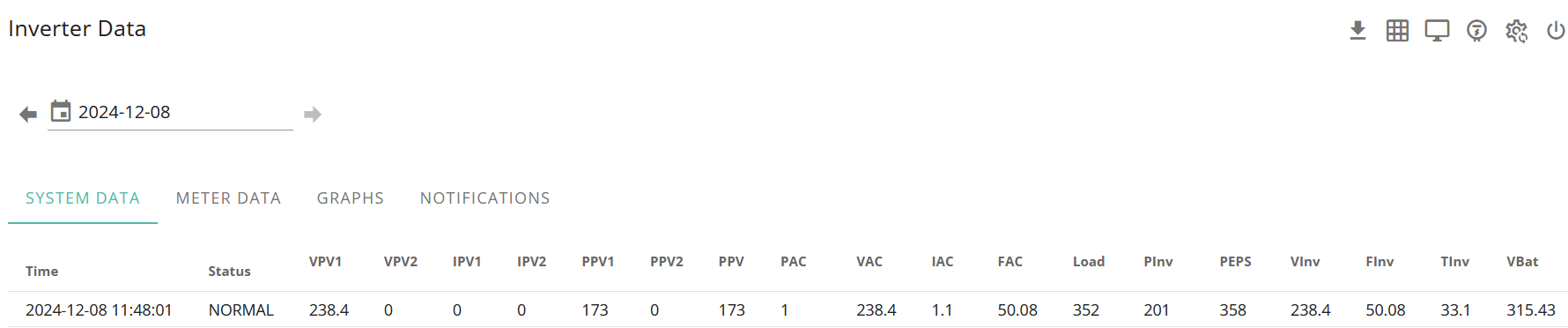
PianSom So on the topic of notifications... I am experiencing trouble with my AIO not (always) cutting over during a loss of grid power - it sometimes trips the AIO breaker in the GW. But I was wondering if I could go through the logs to see if there had been any power cuts and the AIO had not tripped to try and get an idea of how often this happens. Is checking the FAC column on the inverter data tab the one to check and then see if that figure is below 49 - would that give me an indication that we had lost power?

#11 PianSom

CW
I would assume the FAC stood for “Frequecy of AC” so yes, if that’s correct.

But I have never seen that documented.