B
Hi I tried to time charge the batteries last night 2am-5am to 86%. It started charging at 2am correctly but stopped at 3am at only 20%, what am I doing wrong please ?.

Hi I tried to time charge the batteries last night 2am-5am to 86%. It started charging at 2am correctly but stopped at 3am at only 20%, what am I doing wrong please ?.
Bianchi hi, welcome to the forum. What sort of system do you have? (Hybrid, AIO, ..?)
If the app offers multiple charging slots, there is a potential problem that I thought had been resolved now. If you go to the web portal, and then from the inverter page to the remote control section (gears icon in top right) there's a register at the top which is the charge limit, and then near the bottom it lists all the individual charging slots, each with its own charging limit. Is the top one set to 20% ?
DD Thankyou , there are 10 slots but I can’t find any charging limits anywhere . I’m new to this so finding my way around sorry .
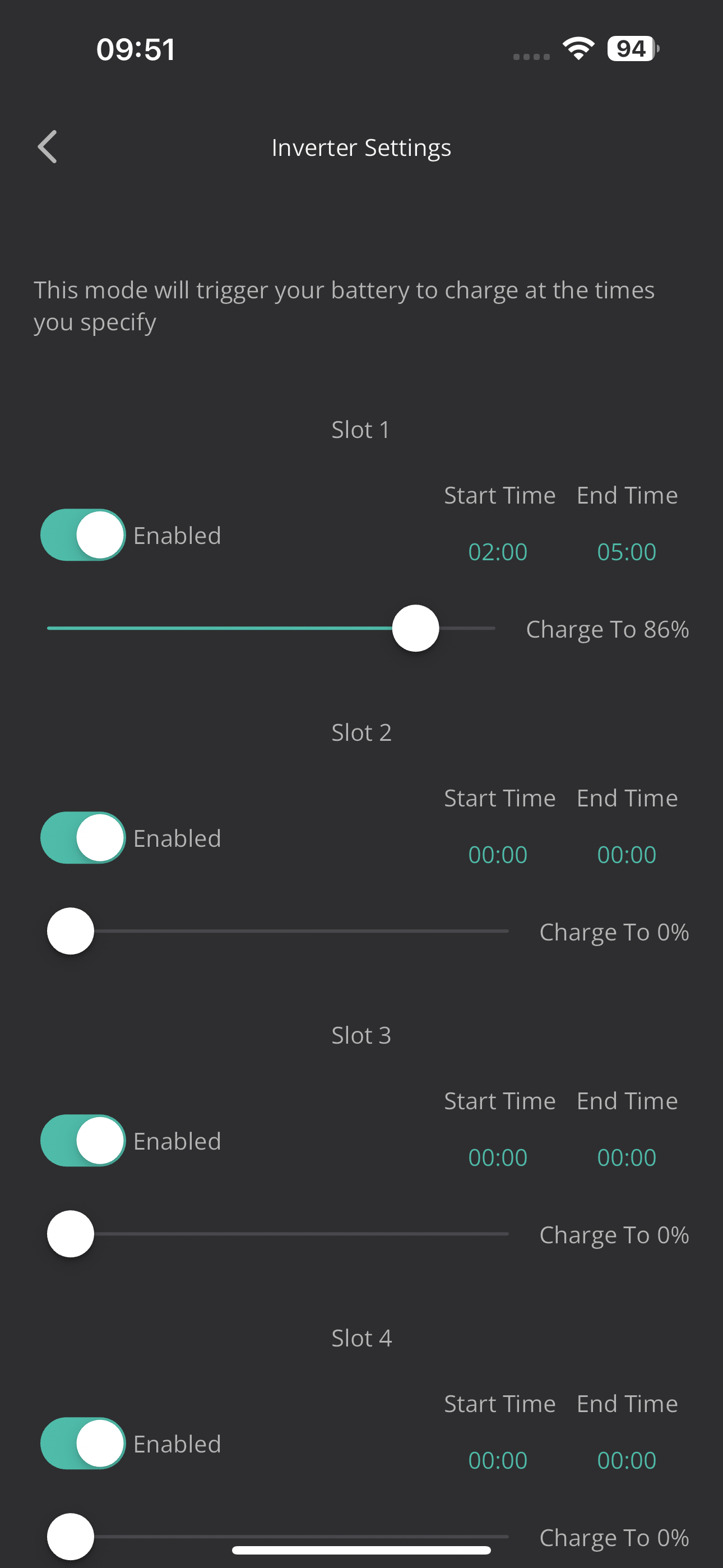
Not sure whether this is helpful or not, but personally I would have all the non required charging slots also disabled just in case there is a conflict going on under the covers
CW I can’t disable them individually not that I can see
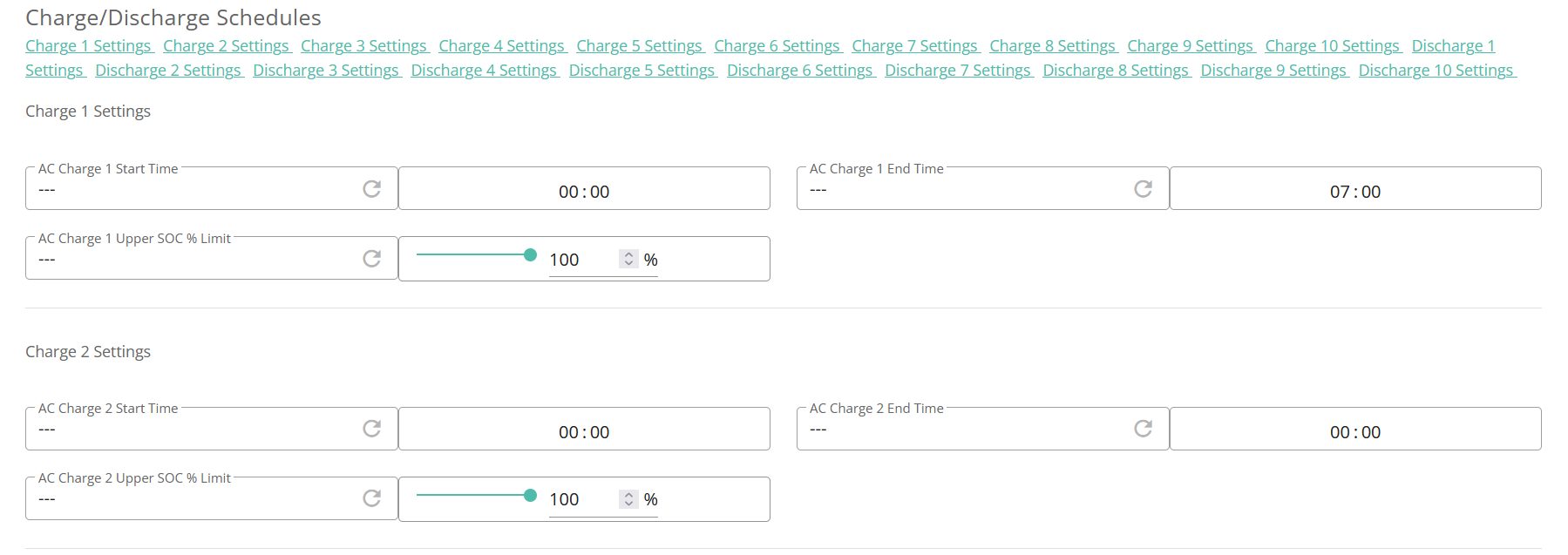
Hmm, yes I can see that - just tried the app (I tend to use the web portal)! The only thing I have different on my system is that all the timed charge slots are set to 100% (can't remember if I set those or that was how it came), but not sure if that would make a difference.
One other thing to check, did you hand control of your battery over to a third party or not as they could be overriding your settings. You could take a look at the remote control page on the web and go down to the logs which would let you see what, if anything, was happening at the time
Sorry for my ignorance web portal ? I use the app on my phone . Can you send a link to web portal please.
I’ve found the web portal and the times are set as I did in the app. But can’t find any charging limits anywhere.
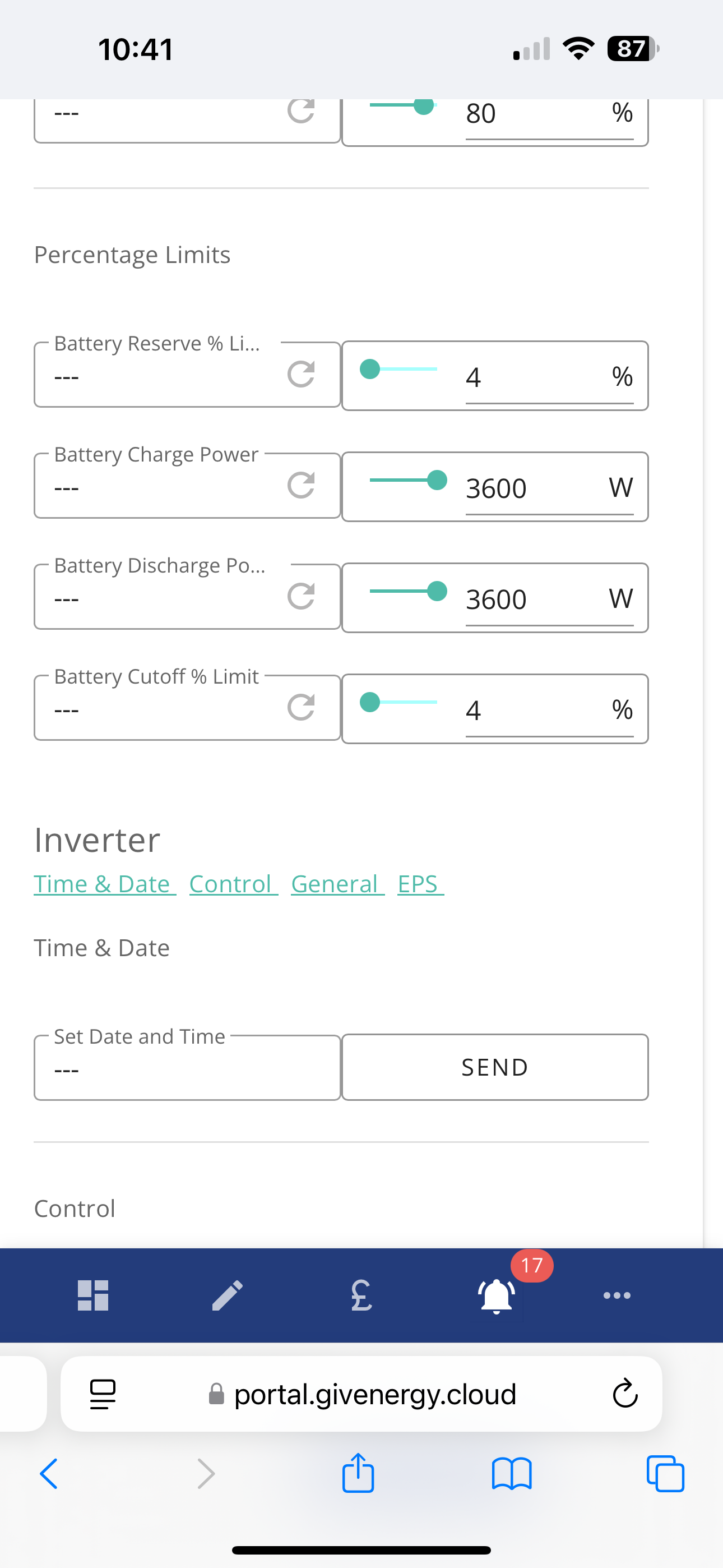
Would the above be the problem set at 3600 watts ?
Bianchi No- that is the charge/discharge rate - looking at that, your maximum rate is 3600w. I'm not sure what system you have, but my AIO will show 10 lots of charge and 10 lots of discharge slots that can be adjusted (would tie up with what you see on the app). It is the SOC that I am referring to ...

But if you go to the bottom of that page, you should see the logs...

These might give you a clue as to why the system stopped charging
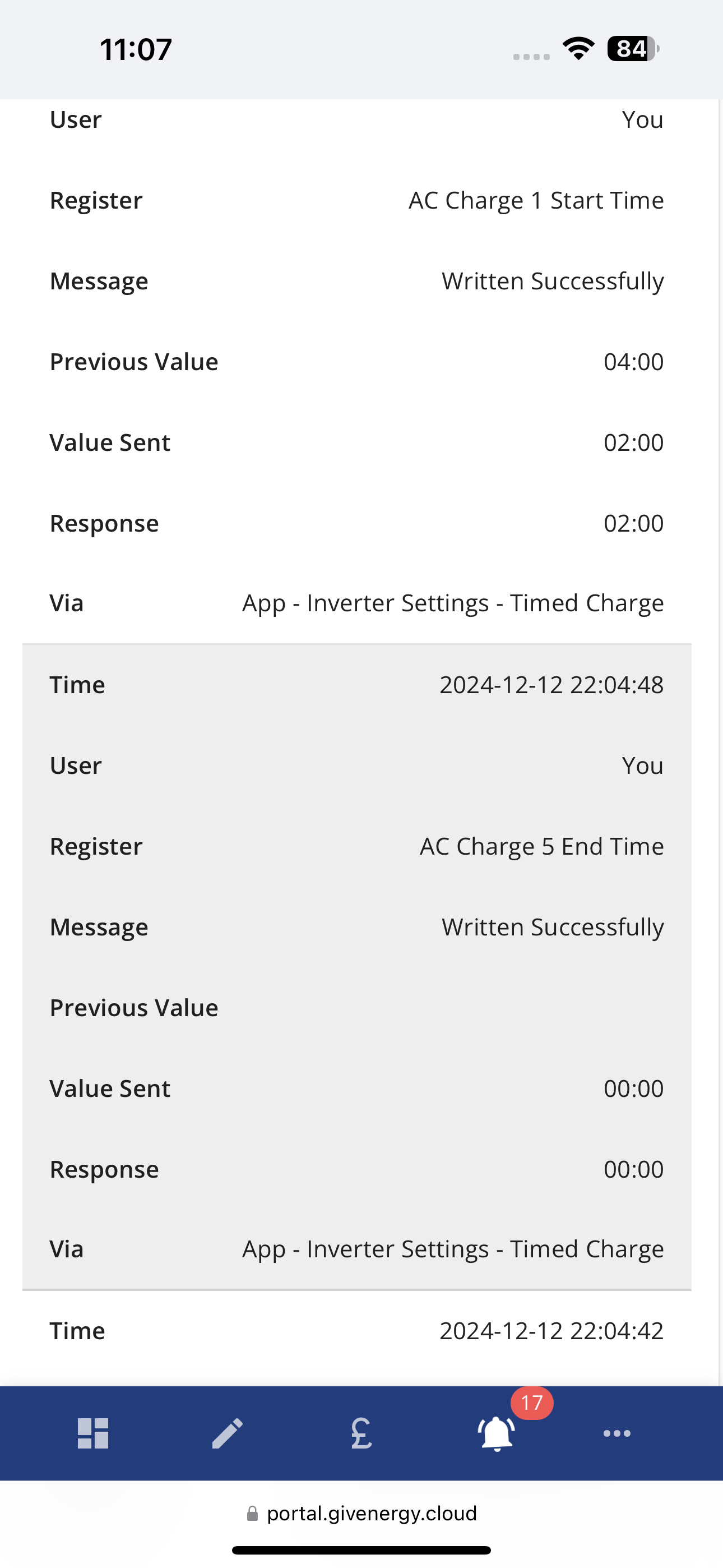
Seems ok ?
Difficult to tell. I would first take a look at all the settings in the remote section on the web portal. There are a lot of settings and some of them could conflict.
For instance, if you look at the battery section, you will see that it is possible to pause the battery for a time - has that been set?
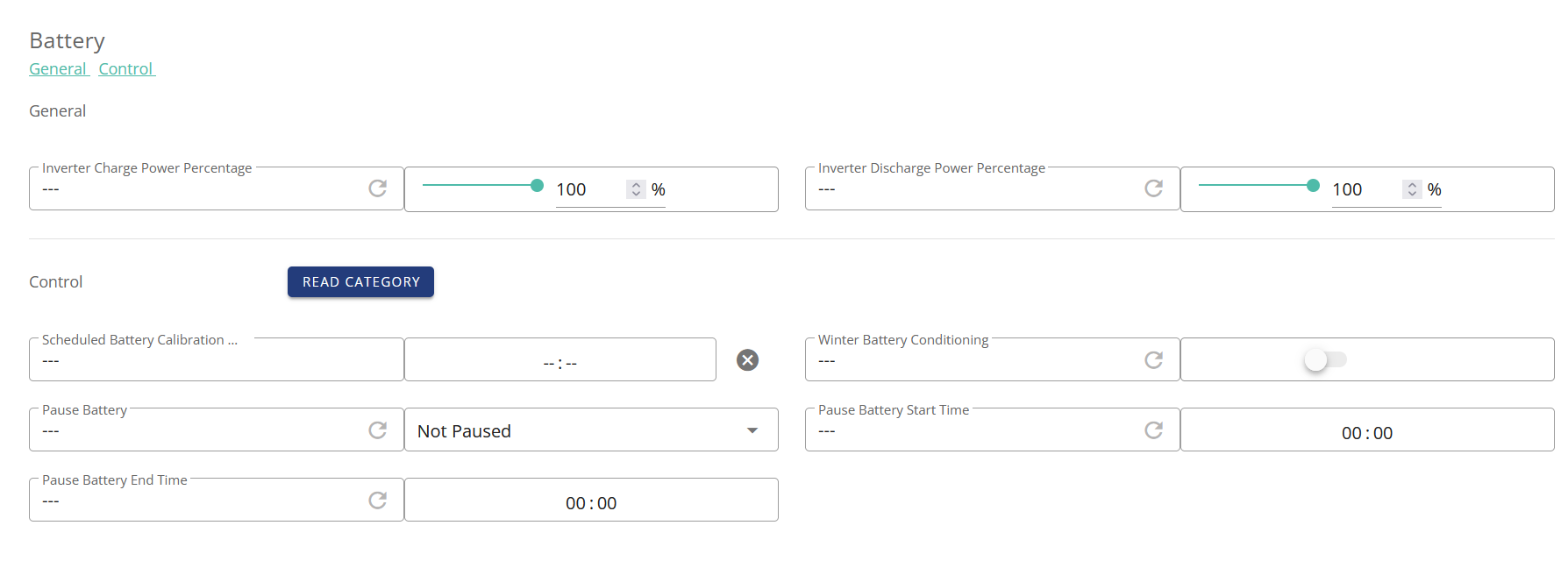
But there are many settings so either screen grab them all and post so we can see what is set, or take a look yourself to see if there is anything that looks strange or could conflict - then ask the question so that others can opine. And as I say, what do the logs say - are there any entries there under the via heading that show external commands being sent?
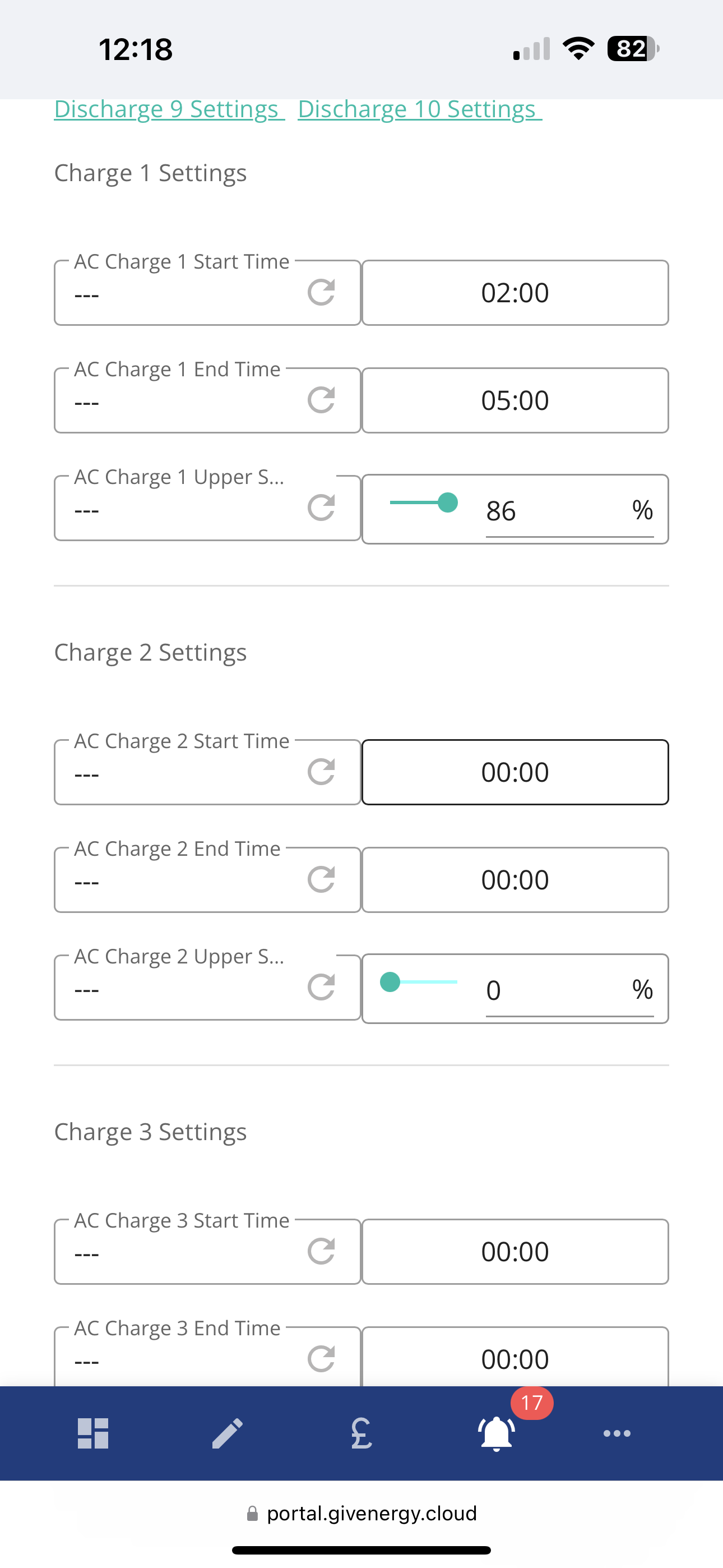
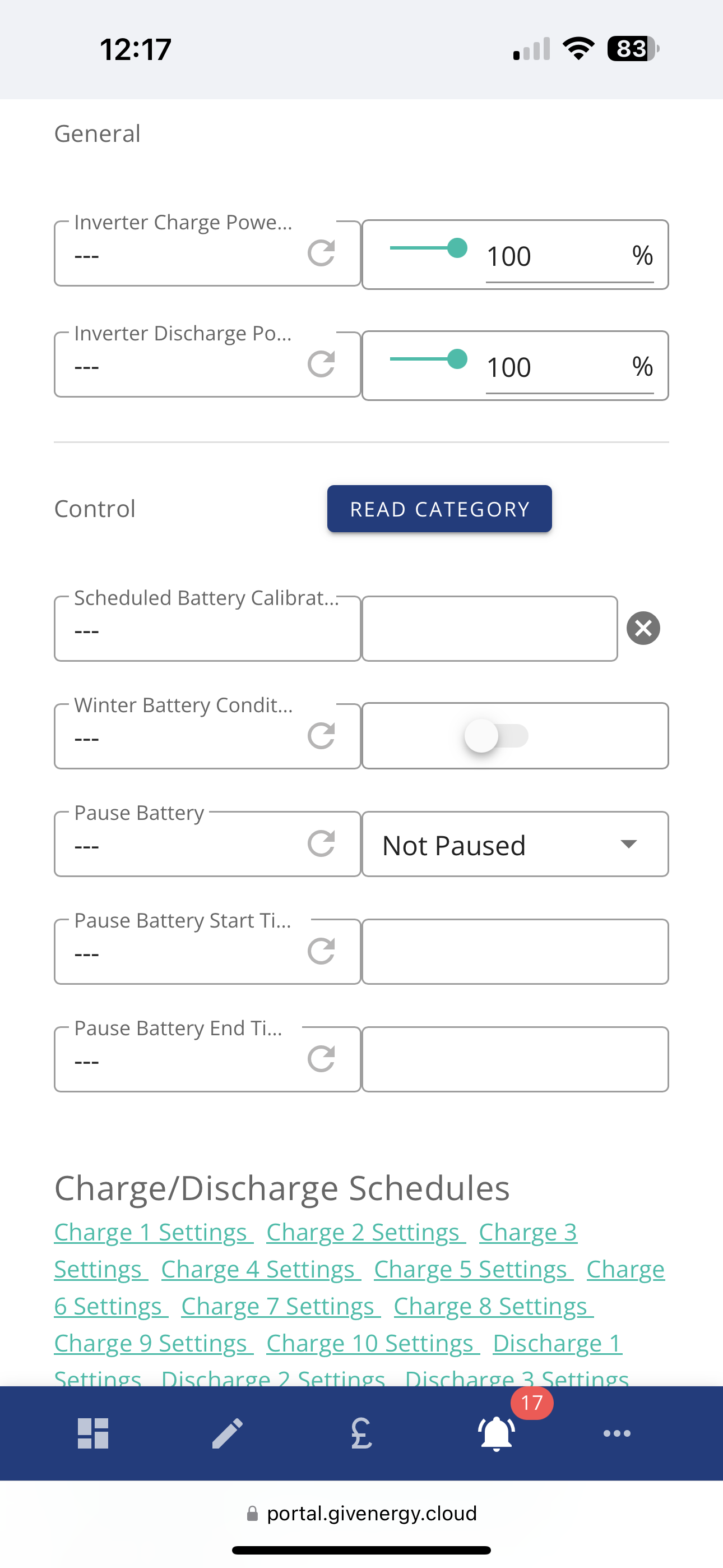
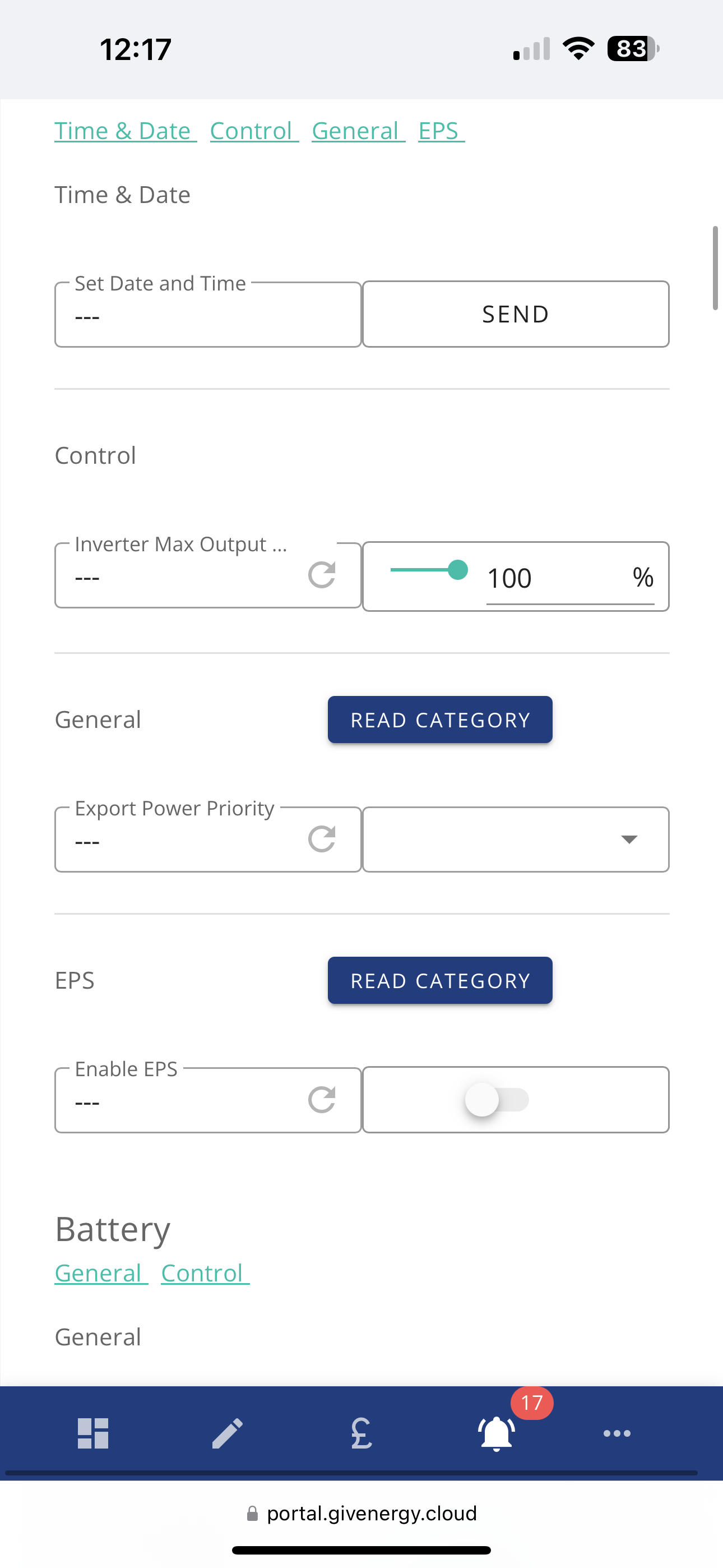
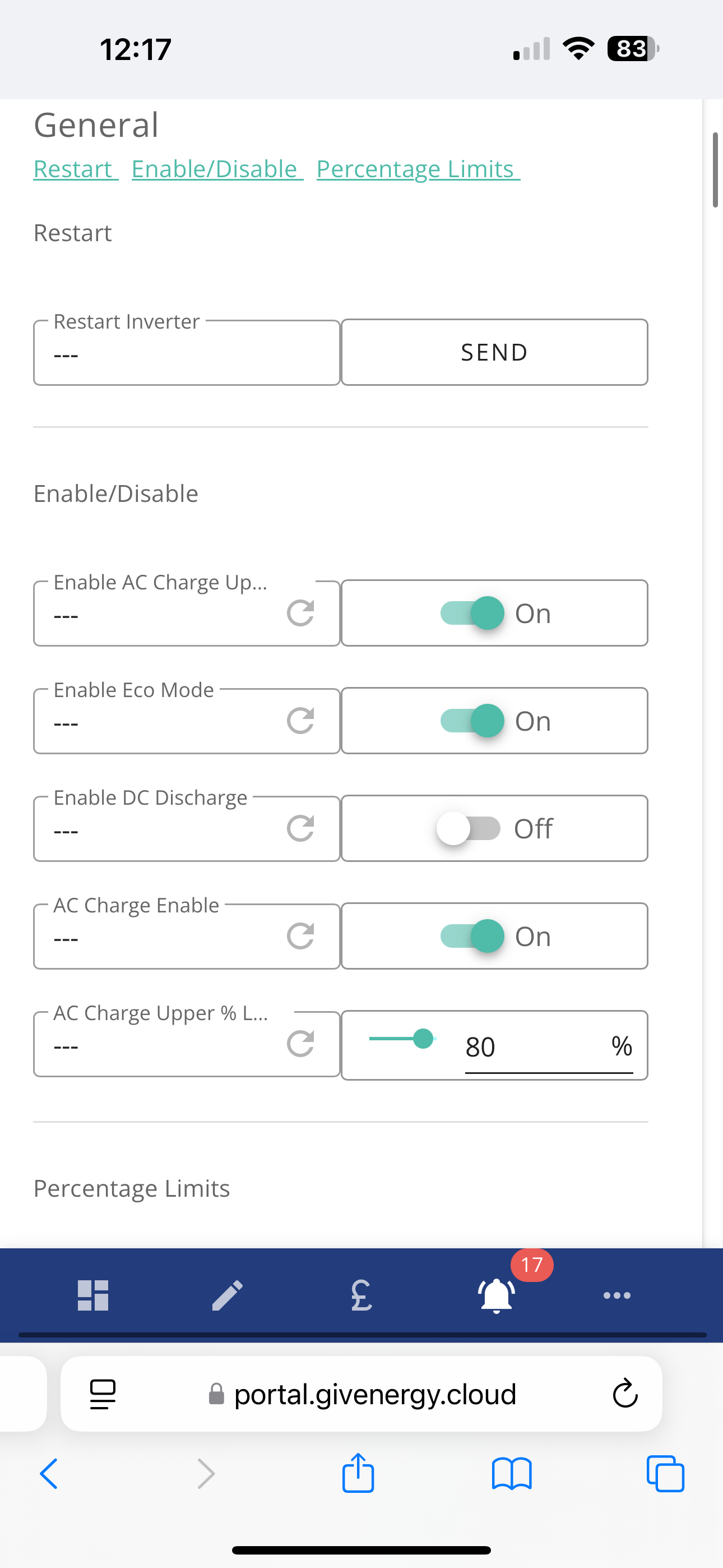
OK, so as an example of conflicting instructions, looking at your screen shots, you have set the overall charge limit to 80% (see limit under Enable/Disable) whilst also setting the limit on the Charge 1 slot to 86%. I believe that the overall limit takes priority - I may be wrong, perhaps others @DD could chip in.
What you could try and do is to reset the inverter back to its defaults and then just set the charge 1 slot times and % (and also ensure that you have, as you do currently, enable AC charge set on). I have never tried this option myself so I would see if others have and how well it works before trying it.
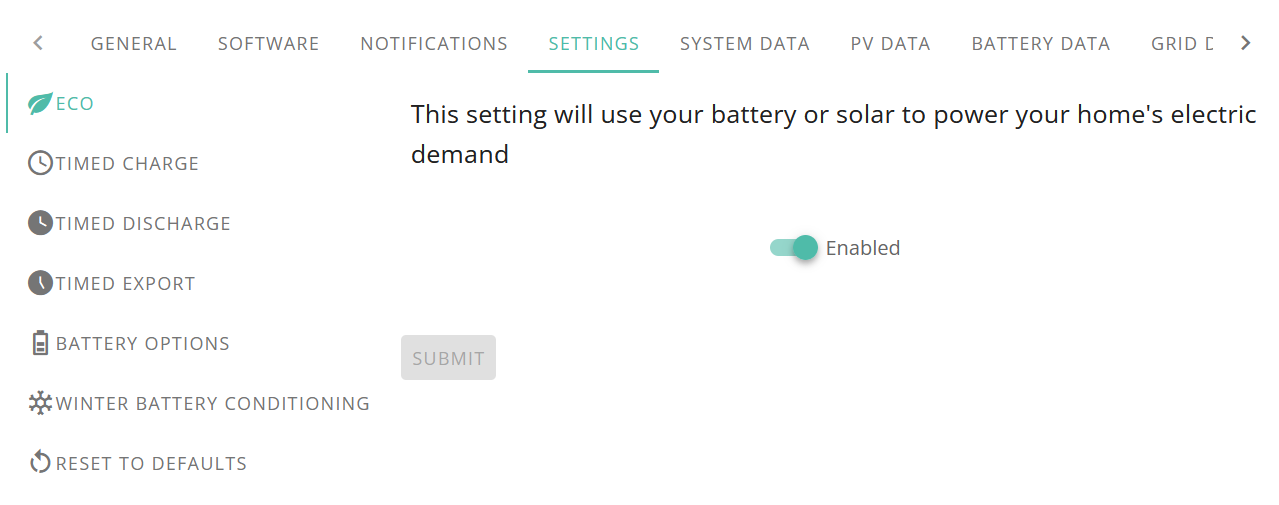
I'm not familiar with whatever you are using to provide the data shots, but do you have an option anywhere to "jump to the logs"? If so, take a look there to see what, if any, commands have been set. If it is just you controlling the inverter then I would expect the latest dated logs to show your most recent commands (set charge start/end times for instance)
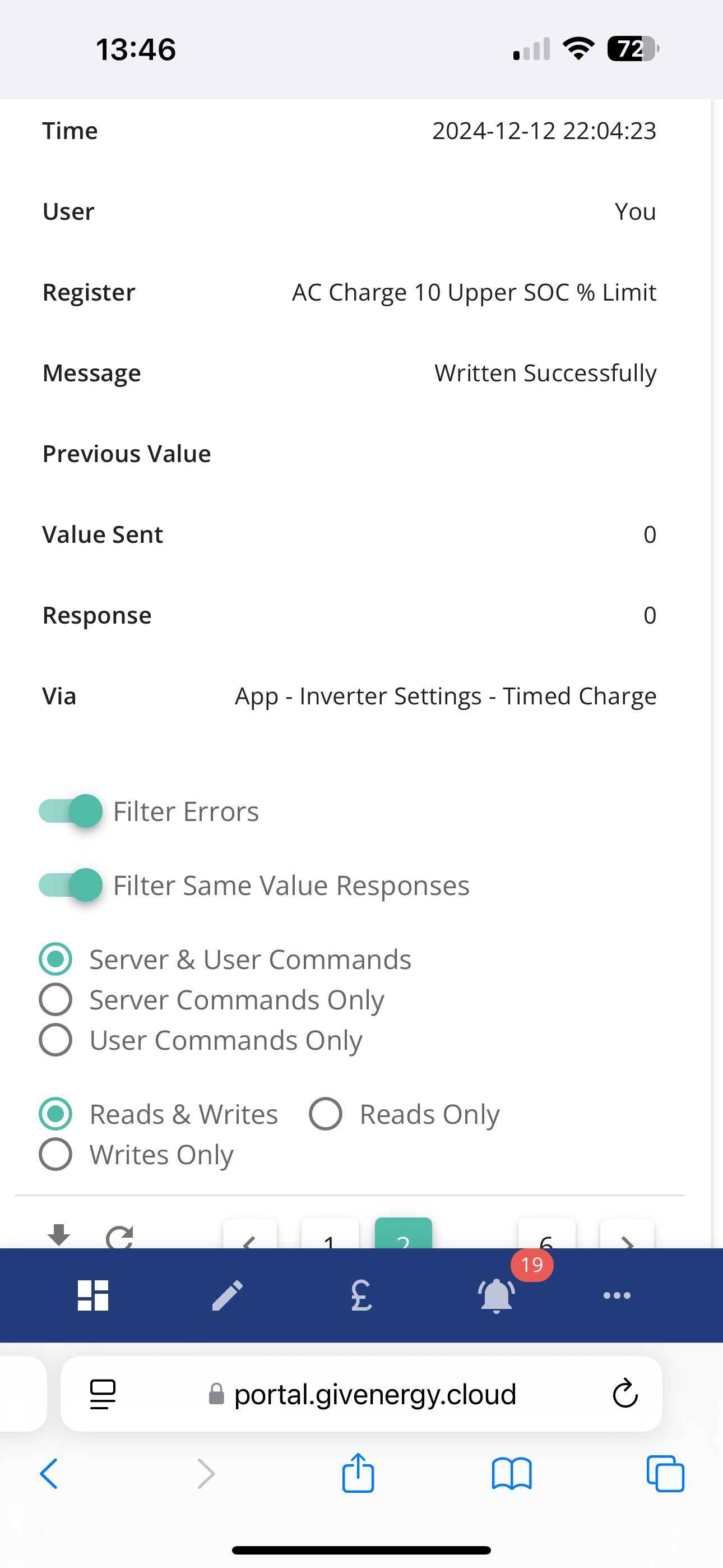
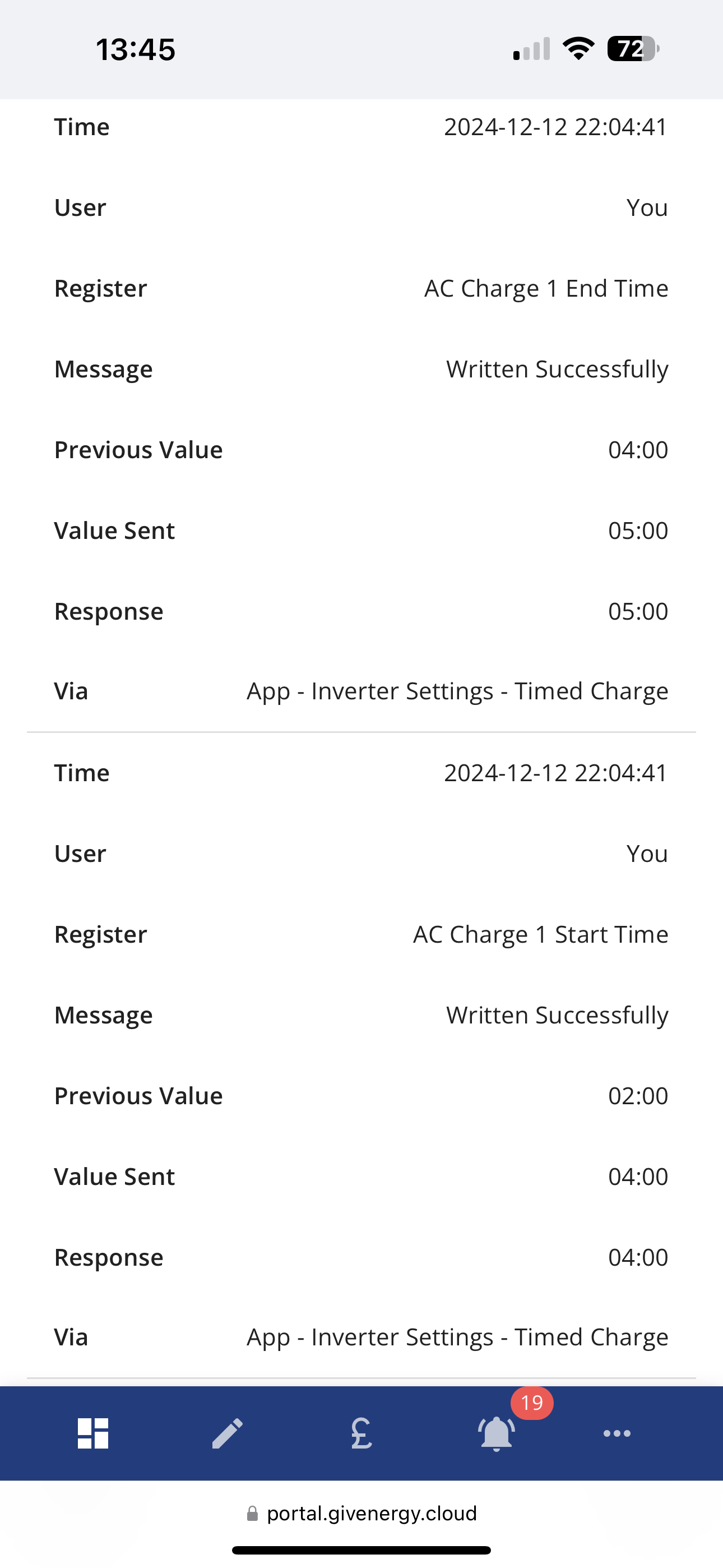
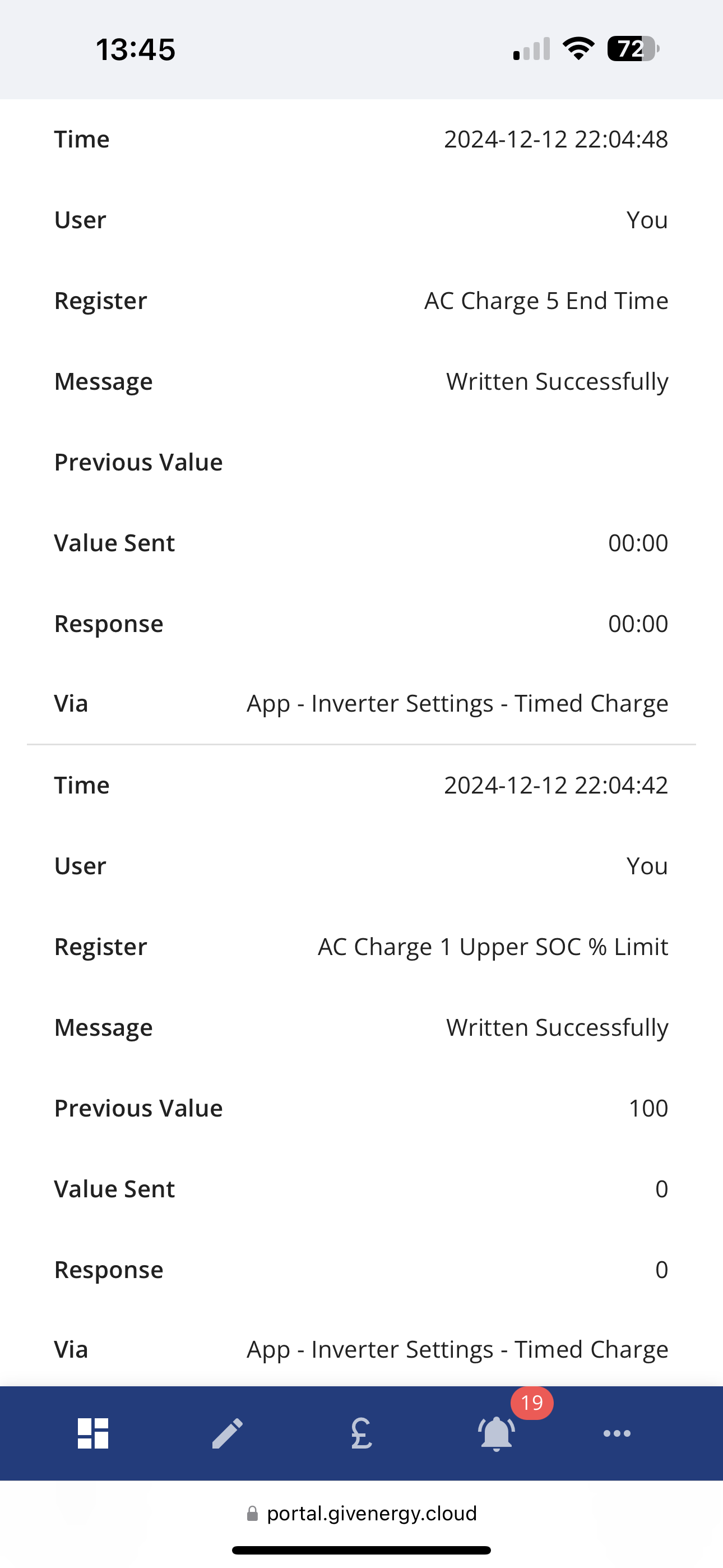
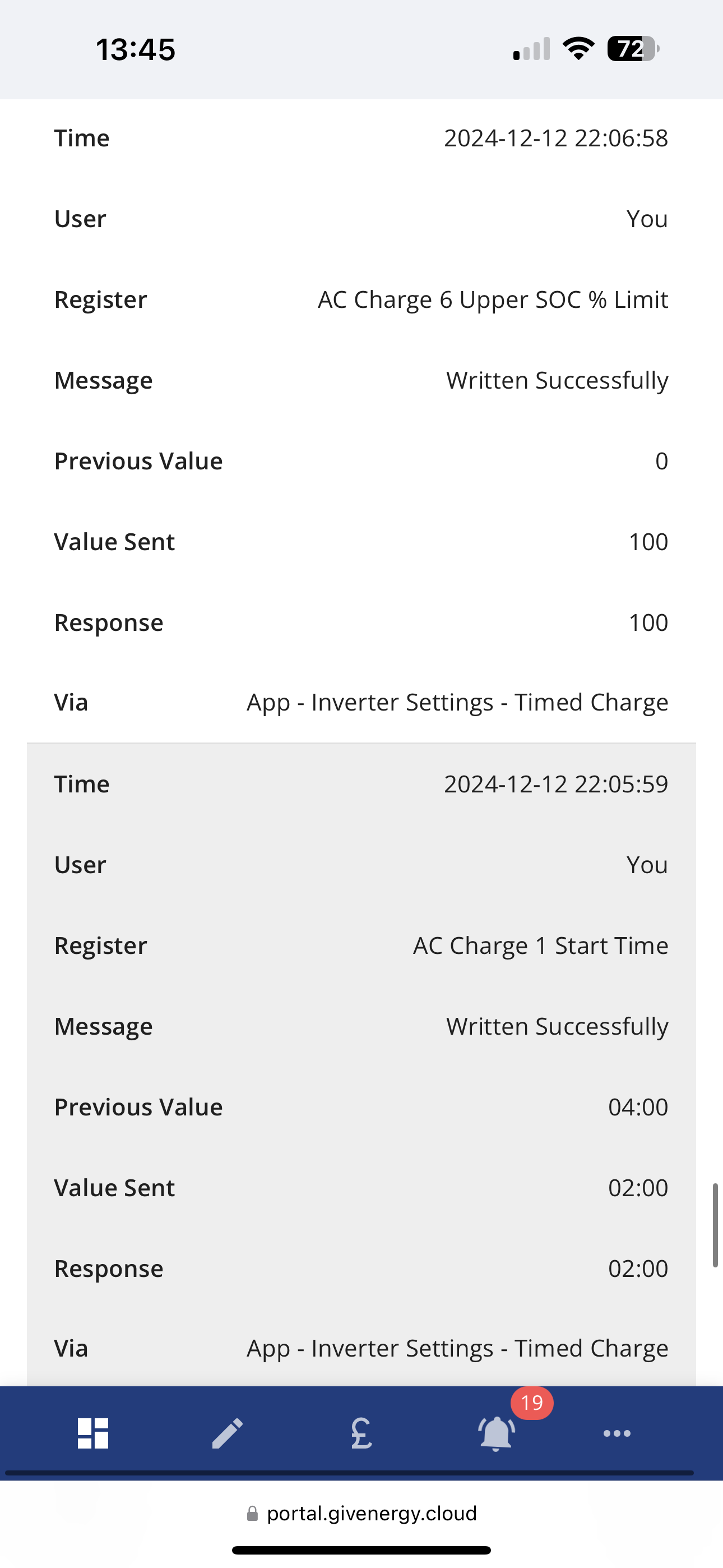
Well nothing obvious there in the logs, just your changes that I can see. What you could try is to:
and see what happens.
If you are feeling adventureous you could try and inverter reset to defaults (but I don't know what exactly gets reset and whether there would be things that would be needed to be done via your installer/GE) and then just set the AC charge on with the slot one settings changed only
I've got mine set up to do what you are trying to do. My settings look like:
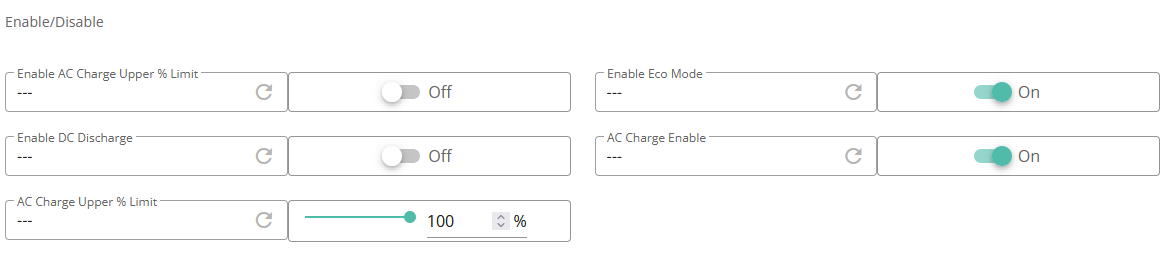

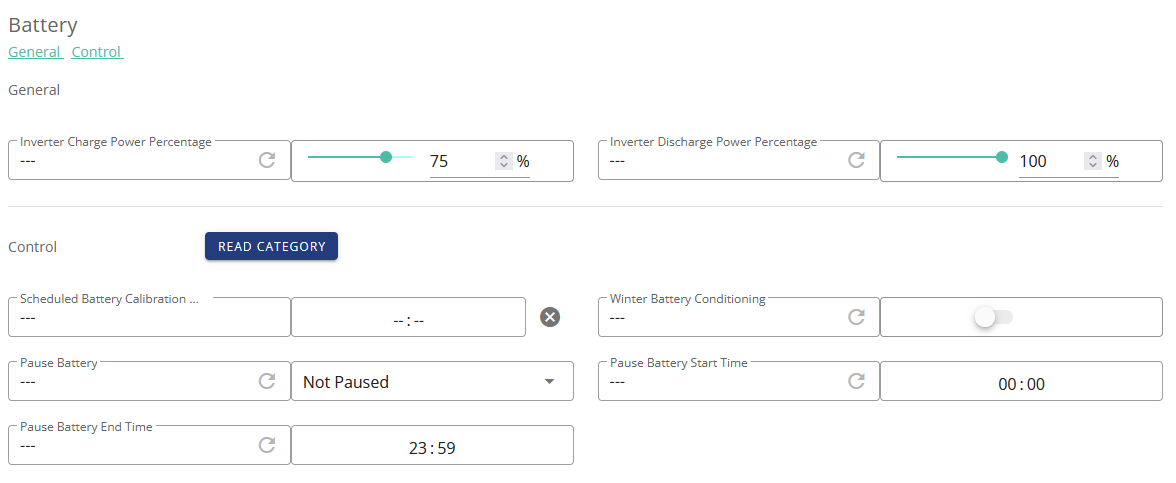

Charge slots 2 to 10 all look like:

All discharge slots look like:

I've used the battery settings to limit the charge power to 75% of the max it is capable of as I rarely need a full charge. I regulary change the actual charge limit in the charge 1 slot depending on how much sun I'm expecting. It's been working well like this for a couple of months now.
CW OK, so as an example of conflicting instructions, looking at your screen shots, you have set the overall charge limit to 80% (see limit under Enable/Disable) whilst also setting the limit on the Charge 1 slot to 86%. I believe that the overall limit takes priority - I may be wrong, perhaps others @DD could chip in.
I'm afraid I can't remember all the details, and it may vary between firmwares, but if the separate limit is set to 80% and the specific slot is 86% then it ought to have at least got to that vicinity, rather than stopping at 20%, so that's still a bit of a mystery. But at least we can discount this...