
Hi,
I’m hoping to set up my battery to charge during off peak hours (12-7am) . I have an inverter and solar panels but getting very little charge during the winter.
Any suggestions would be greatly appreciated.
Setting up my battery to charge during off peak hours
C
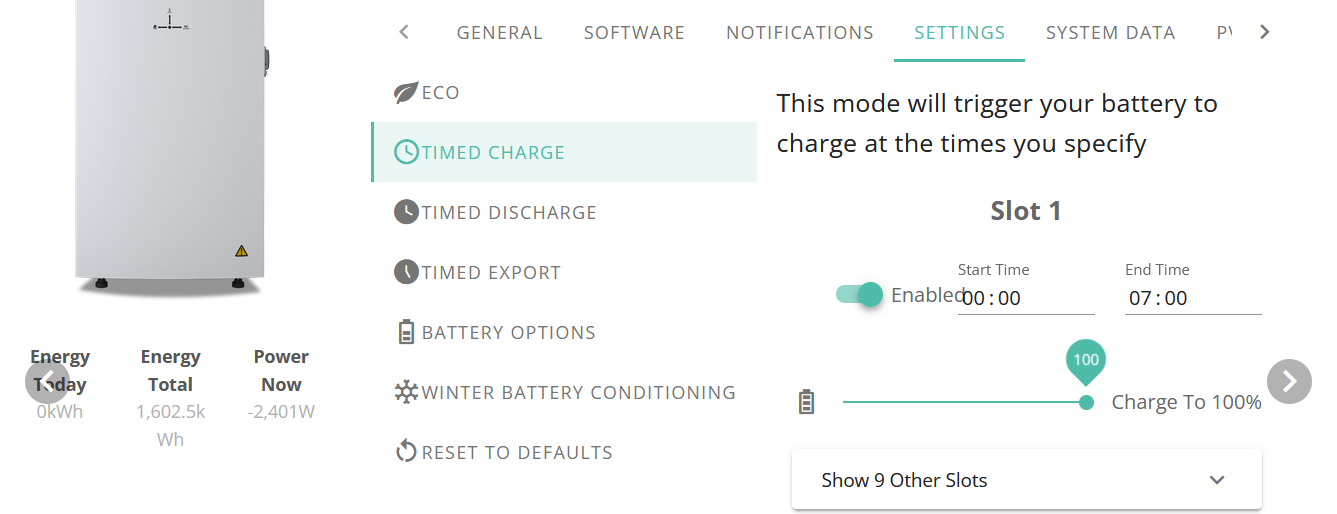
Well I tend to use the web portal, but I beleive you can also do this through the app. You need to switch AC charging on, then in charge slot 1, set the start and end times and the SOC percentage to charge to (SOC = 100% = fully charged battery)
D
I use and recommend My Energy Optimiser (MyEO) but others use Wonderwatt or Predbat if you want to run your own software (which I don't).
D
Thank you for your replies.
Being a novice at this, could anyone help with setting up my Give energy inverter to set up a single timed charge between 12-7am.
Is this a physical setting in the inverter, or do I need an app that controls the inverter?
The inverter has a dongle and I connect to it with Eon home app to see the energy flow.
I have also got a give energy app for the forum chat.
D
Nunky on the app (I use android but I assume iOS is the same) press the gears icon in the top right. That gives a menu of about 5 items, one of which is timed charge. That should provide between 1 and 10 timers - just set the first one to the required timings
That will configure for every night.
Not really having any joy with this Givenergy app, there are some options, see screen shot below .
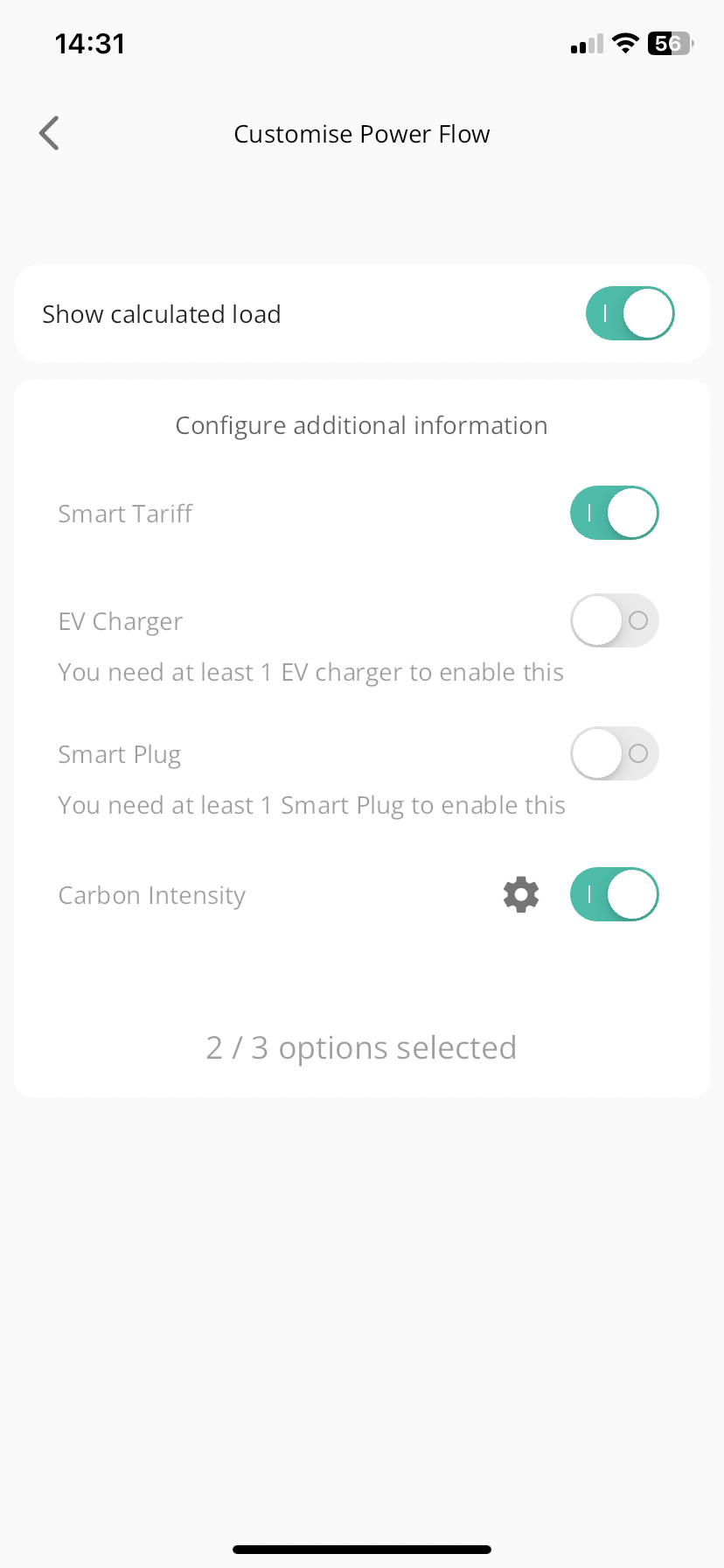

That is the menu from the lower gear Icon. You need the one from the top right corner.
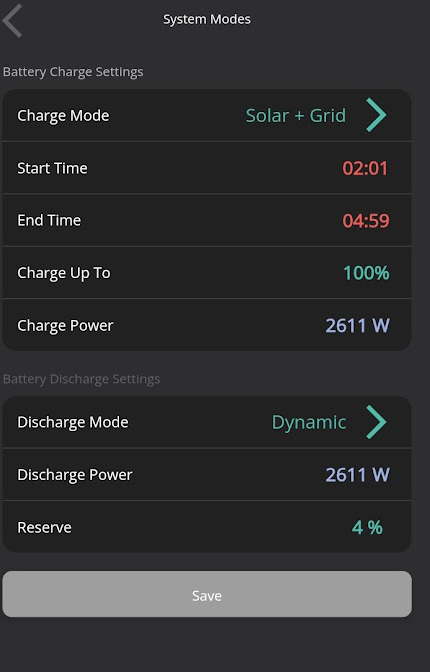
Perhaps we are using different apps, the only gear icon is in the top RH corner. All in all very frustrating!
Givenergy.cloud is the app I’ve just used to try to set up the timed charge but cannot get to a menu to select it.
D
These are the options from the preference menu, alas there doesn’t seem to be the same set.
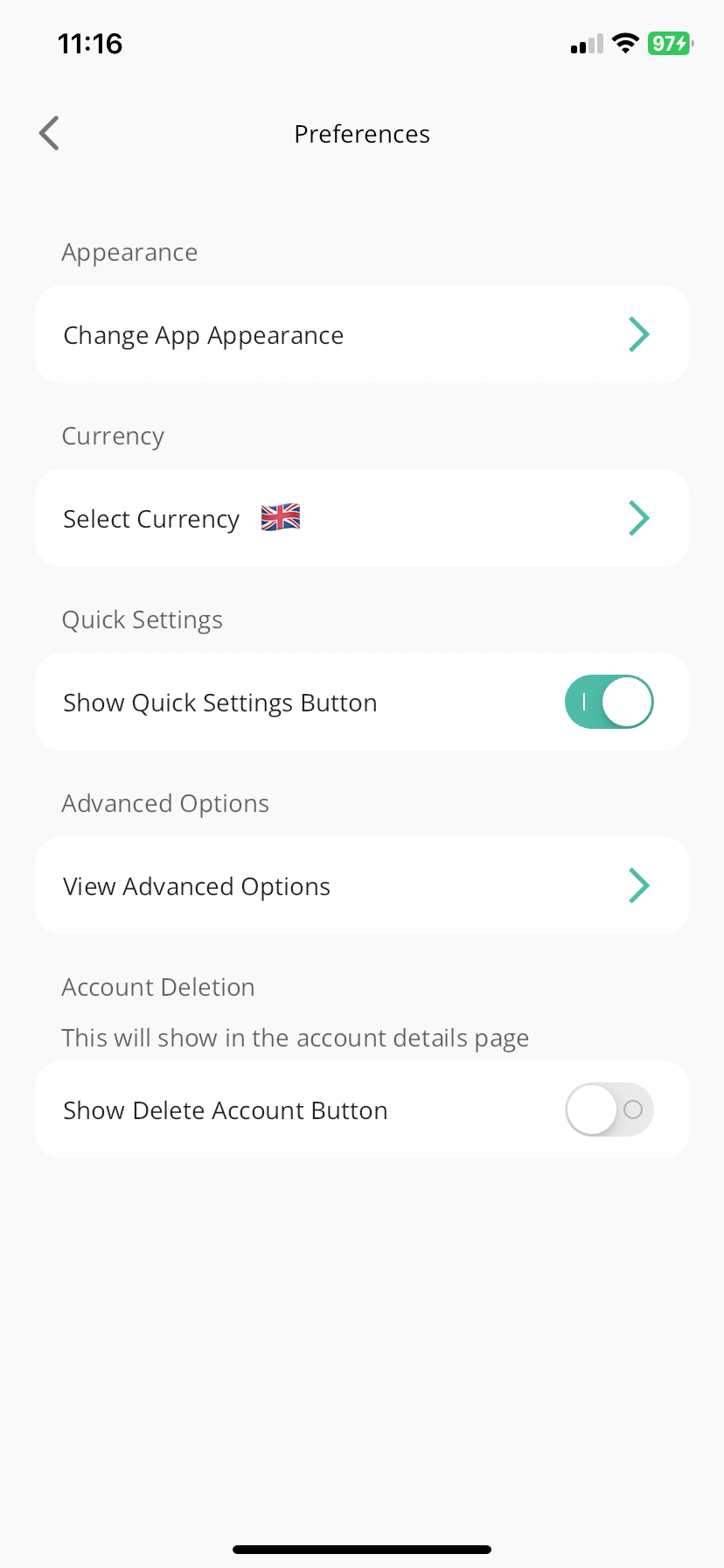
Odd, mine has a "Show System Modes Button" option just under "Show Quick Settings Button". It is an old version as I stopped updating it a few months ago.
My wife has the latest version on her Android phone and it has the button. No idea why yours hasn't.
C
Maybe see if you have an app update available
C
V