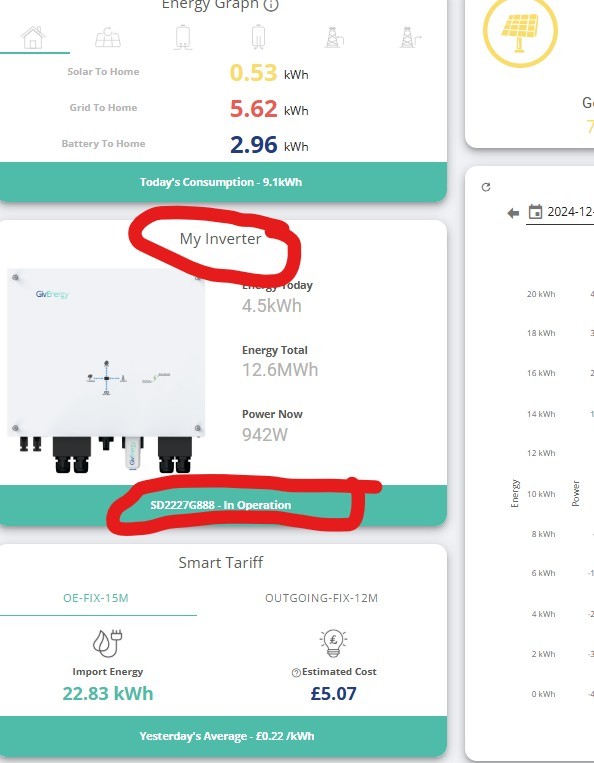
I have just had an all in one system installed. It was commissioned last Monday but it doesn't work. I think it did for a while but not sure as there was no sun at the time.
We had a lot of sun yesterday but when I checked we weren't getting any solar and the battery was empty. No change since! My installer tried a force battery charge but it didn't work.
I have emailed Givenergy and filled a web form out but have had no reply at all. I also tried ringing them but the phone lines are always closed!
It's beginning to look like I made a big mistake buying from them.
Does anyone know are they shut down for Christmas?
New User Here. was it a big mistake?
Sad to hear your story.
Your installer should never commission the system if it didn't work 100% correct. Before I paid full invoice amount to the installer, I damn made sure everything worked as I wanted.
What kit have you got
Are there any lights glowing on the front of inverter and battery.
Do you have the app on your phone
Is your inverter online.
Are any breakers tripped.
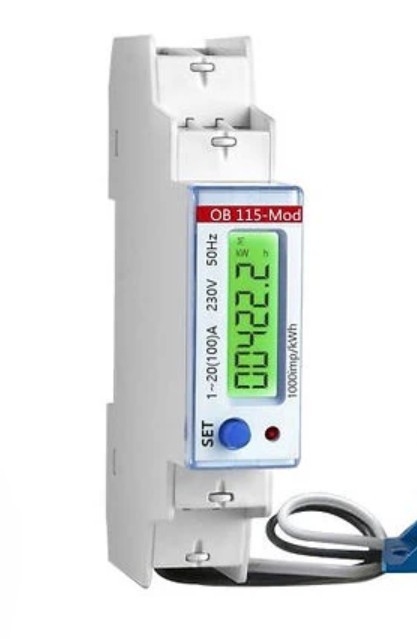
Is you EM115 glowing


bRhFDKtjRMK9
My installer said it was working and had been commissioned by Givenergy which in turn means that givenergy could/would not commission it if it wasn't working! I think he must be correct? it sounds sensible as givenergy has complete access to my equipment?
Daft Vader
Yes but you should have access to the phone app and the portal page so you can monitor it and set it how you might want it to work.
You may have timed tariffs etc
GivEnergy may have access to your equipment but they dont know what tariff you are on, they dont know if you want to hold a charge in case of a power cut (if you have EPS) etc
Exactly, you should have everything ready at the time of installation, with basics explained. I held my phone ready when installer was commissioning stuff. Before he left I had a profile created and everything working from the app and a website portal.
I don't know if you have app and web access to your battery now. If you do, please tell us what is wrong with it, or what you expect to be different. Maybe it's a matter if scheduling charge/discharge and adjusting basic settings?
GivEnergy don't commission anything. They will have triggered a remote calibration - you should get a message to your portal page and notification on your phone so you know. But that is it.
They have sold some kit to you. They do not provide any service
Did you actually buy this stuff from Givenergy directly? If not you should be leaning heavily on your installer, especially after this short a time. I imagine they have happily taken your cash?
Daft Vader I don't know much about AIO. Does yours have a gateway, or is it standalone? I think that the solar has to come through a separate string inverter - are you able to tell from it whether it generated any solar? Problem could be either that it produced no solar, or the AIO failed to charge the battery. (Or the solar was insufficient to cover house consumption, so there was no excess.)
But I agree with the others - it's between you and the installer in the immediate term, just as if any other consumer devices broke in first few weeks, it's the retailer, not the manufacturer, that has to resolve it.
SteveCook They have sold some kit to you. They do not provide any service
Oh but they do. You have website remote access, app remote access, provide firmware updates, customer support, they can remotely access and change your settings, even warranty is activated and monitored in a website they provide. It's a service, in my opinion.
Givenergy don't commission the kit, the installer does...
Even if Installer claim they commissioned, that does not give them the go ahead to leave you to deal with - Your legal contract is with them as retailer and they have supplied you with a solution which is not fit for purpose aka doesn't work - Your in the 30 day period you can also demand removal and refund outside of 30 days you have to give them the option to fix before that.
Call them back and demand they resolve, Id be nervous of doing too much with GIV as any change they make without Installers knowledge could be seen as breaking the installers warranty!
Also are they MCS accredited installers?
Thanks for all the replies ! I'll try to answer as best I can.
It seems my installer is feeding me BS. I will get onto them on Monday.
They definitely told me that they just let Givenergy commission it and it was working. I didn't get any message from Givenergy at any time! I have my app on my PC and on my phone But definitely no message about commissioning.
I did login and I did enter my octopus Tariff but that has changed now as I have applied for the "Cosy" tariff.
He did show me the app on the PC and explained it fairly well but it was dark by then and It wasn't showing any solar but I didn't expect any! I have been very busy this week as we have just moved into a new house so I never checked again until Wednesday.
I do have access to my app and all I can say is there is no solar input and 4% in the battery.
BTW I haven't been left any keys to my equipment! Must sort that out!
No breakers that I can get to are tripped. I do have light's on the inverter and the gateway
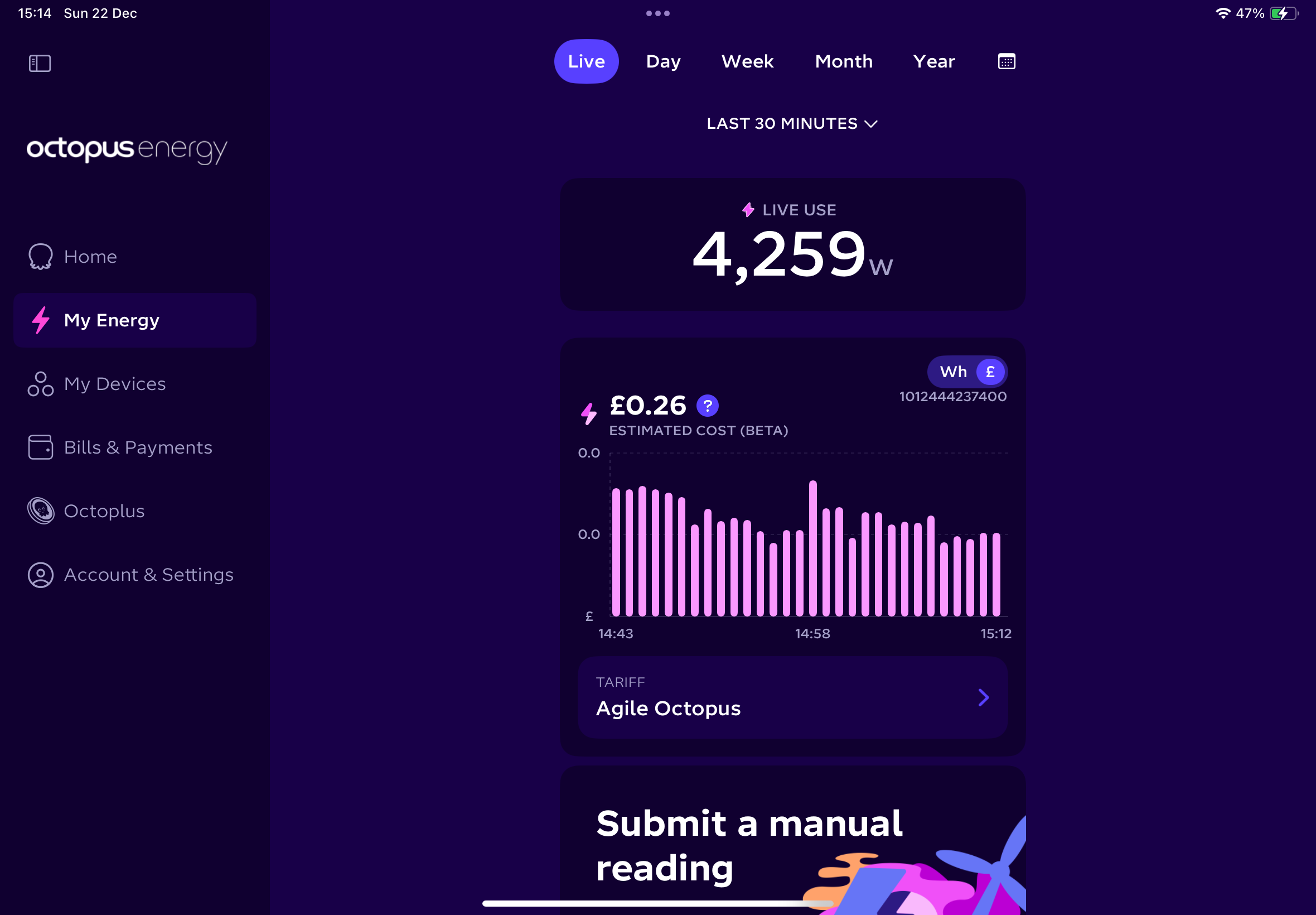
I took some screenshots earlier and include them here. if it works !!?


You have access, good. Nothing obviously bad on first look at your screenshots.
First thing, learn your way around the app, but I'd recommend website portal not the app, as it's more advanced. Second thing, enabled charging schedule from 00:00 to for example 06:00, to 100% charge. And make sure Eco mode is enabled.
That will cause battery to fully charge, and start discharging into your home right after schedule is finished.
Daft Vader I have my app on my PC and on my phone But definitely no message about commissioning.
Commissioning and warranty details can be found on the website portal, in My Inverters tab.
I've noticed your battery must have been idling for too long, and it has self discharged below cut-off value of 4%, and it is now sitting at 2%. This should not normally happen. I suggest charging it to 5 maybe 10% just to be on the safe side. Charge it as soon as you read this, to stop charging simply modify charge schedule back again to place charging at night.
Thanks for speedy replies π I have been poking around on the app and now realise that I was not shown any of this!
I tried to charge my battery and it seemed to work, It said it was charging at 5.6kW but that I was using approx 1kw but only importing approx 3.5kw ??? I have tried to change my tariff whilst i was charging up but gone back to the Dashboard and I seem to have 3 seperate batteries ! logical I suppose. next to each battery as I click through them is a big 0w at the top under that one say's "Idle -20%" next one say's "Idle -10%" and the last say's "Idle -0%" i think that means it has charged 1 to 20% and another to 10% ? but it also seems to have stopped charging without me doing anything?
This app is certainly more complicated than I had thought π
why did it stop?
thanks again
Mike
BTW I do remember I signed up forsomething which gives Givenergy the control of my batteries .
I did this as I knew I was going to be very busy and I wouldn't have time for a while to dig into the details of doing it by myself.
BUT digging through the phone app I realised it doesn't know my Octopus account number , my Mpan number or my
API Key . so how could it take control? maybe this is the problem?
I tried to update all 3 on the app but after i'd entered all the data and pressed submit nothing happened! and I couldn't get back to that page again.
bRhFDKtjRMK9 Oh but they do. You have website remote access, app remote access, provide firmware updates, customer support, they can remotely access and change your settings, even warranty is activated and monitored in a website they provide. It's a service, in my opinion.
Point taken, but to me a service is where you can contact someone, they give advice and help set things up to suit specific needs eg an electrician adding more sockets where you want them and fitting a new light. What GivEnergy provide is probably their minimum obligations under consumer law.
Daft Vader Glad you managed to gain access! Your installer should show you all this. Maybe its all working after all, just not configured yet to your needs.
Try to apply night charge schedule, as I suggested before. If you are stuck with something, please provide screenshot.
You probably signed up to GivBack, which is exporting in certain days, where you get paid extra by external company. This happens rarely, when national power grid has deficit of electricity. Normal day to day configuration is still your responsibility.
@Daft Vader what tariff are you on with Octopus because the first thing is to align your battery activity with your tariff to get the best benefits
Check YouTube videos for some educational videos on features.
https://youtube.com/@givenergy?si=4eaqCXolTiKB3Hd6
There is a video for App features
SteveCook Its a service. They bill people with PolarESS on a monthly basis for access to the app, so they've got no chance of claiming the GE portal & app aren't a service.
https://polar-ess.co.uk/polar-ess-part-of-the-givenergy-group/ (which interestingly shows telephone support as part of the GE "package").
This is important as it establishes a contractual relationship between the end-user of GE products and GE. ie its not just the installer you can go after should you need to take legal action.
Vestas
OK point taken, but I do not feel I have received anything that I would acquaint to "service" in the generally accepted meaning. I suspect a lot of others might feel the same way.
geoffreycoan
I have applied to be on the Comfy Tariff but I am so new to this that I am not sure if I am actually on it yet as they said it might take a few days.
Daft Vader cosy tariff ?
If you're switching from standard variable tariff, perhaps just proceed assuming you have already switched. There will be small losses from running from battery instead of grid when there's no price difference, but not enough to worry about. Certainly smaller than the savings you'll make by being ready in good time.
Daft Vader If you login to your Octopus account on the website or the mobile app and click My Energy it will tell you what tariff you are on right now

But you should get a confirmation email when youβre switched to Cosy
Thanks I checked and have actually been on the cosy tariff for a couple of days.
I have been digging around on the Giv energy dashboard and am beginning to understand it a bit more.
I find it a bit difficult to be honest. why does it say I have 3 inverters ?
I now realise 1 is the INVERTER the second is the SOLAR and the third is the ALL IN ONE ( sorry for all caps) why does it place them on the sidebar under inverters ? are they inverters ?
And up on the top they are under the Batteries section? is it me being thick. I thought they must be 3 separate batteries at first.
But having found that out I found out how to set the timers for the Battery. π and it seems to be working ok.
I have also found out how to reset the Solar but that did not work the first time I tried it but I just tried it again and it said it was successful !! and the little icon has gone from yellow to grey ? soooo maybe the solar might work now! it's too dark to tell at the moment lol . I'll have to be patient .
I realise these things are difficult but is it just me that thinks that it's not very clear?
I hope it's going to work now and thanks for all the replies and help.
Might be back again with more questions, well I know I will be, so see you all soon π
Mike
Daft Vader I assume you have an All-in-one inverter and Gateway for whole-home backup? That would explain why you have two devices, and the third is your solar inverter which is separate from the AIO.
geoffreycoan
Thanks,
Yes but I think it would be so easy for them to label them as such instead of putting them under the label Inverters at the pop out side bar.
Also at the top strip on the dashboard they are all shown as Batteries!
1 is obviously the Battery and at the moment that says charging 5.7 kW 56%.
The next 1 I assume is the Gateway which shows 5.7kW 32% . I don't understand this part.
The Third is the Solar and that says Idle
I'm not moaning but it just makes no sense! not to a new user anyway.
It probably makes sense somehow but if it does I'd like to know how?
Thanks again for your reply I'm always happy to be told I'm wrong as long as I learn something.
Mike
Daft Vader Glad you were able to get your equipment working, and battery charging! Lot more to learn, of course.
Maybe you should call your installer for explanation of all details you need to know.
Daft Vader
You have a send a email on website to log reports