Dashboard advice needed

22 comments started 2024-12-23 last 2025-01-11
GivEnergy Products
D
#1 Daft Vader

I understand that to set up a smart tariff I have to click on the dashboard smart Tariff section and something will pop up where I can add my change to octopus Cosy.
Nothing at all happens when I click it. Looking for help I found that I should delete the Smart Tariff section and then add it again and that should then work.
It doesn't and I can't work out how to do it.
Any help would be appreciated.

Mike

D
#3 Daft Vader

thanks Rob it did help in that I have now set up with the cosy tarriff and I can see the page now.
Unfortunately when I click on the Tariff automations tab it has no list of automations only the stop automation button.
If my battery was following the octopus automation that would possibly be ok.
But as far as I can see my Battery does not follow any automations . and does not even do what set up in the battery scheduling page where I have copied the details of the cosy tariff .
Yesterday it charged the battery in between 12 and 4 instead of discharging and started charging after 4 when it should be charging. when it does discharge it seems to discharge mostly to the grid and runs out quite quickly!
It did nothing at the next charge up time between 1 & 4PM and then charged at the peak time of 4 till 7pm !!
That was all it did yesterday today it's decided to do absolutely nothing.
I am going to try one last time and reverse all the discharge and charge times as I must have a complete misunderstanding of what discharge and charge mean!

R
#4 Rbor

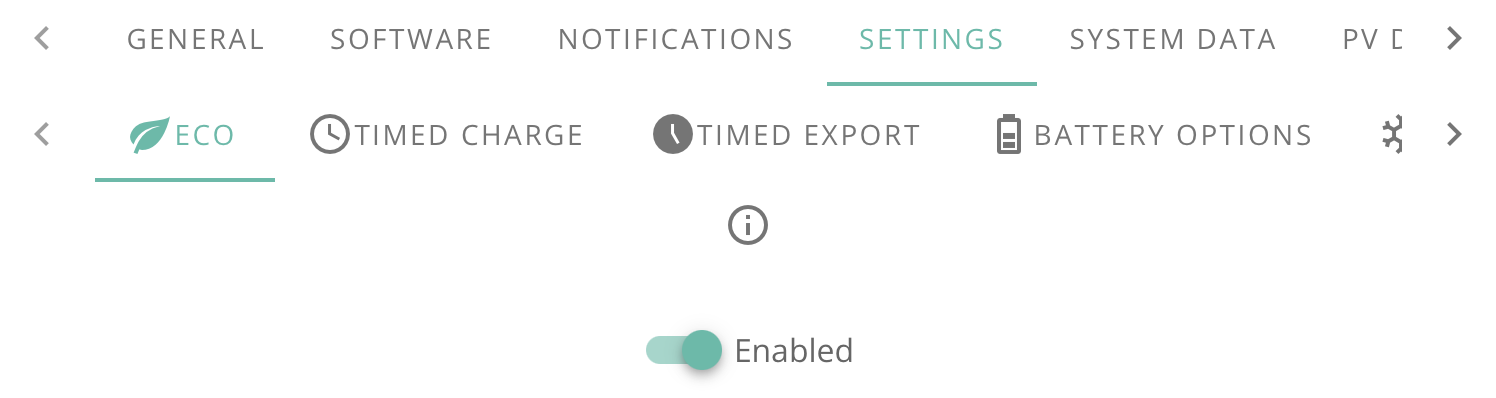
Use Eco and not discharge.
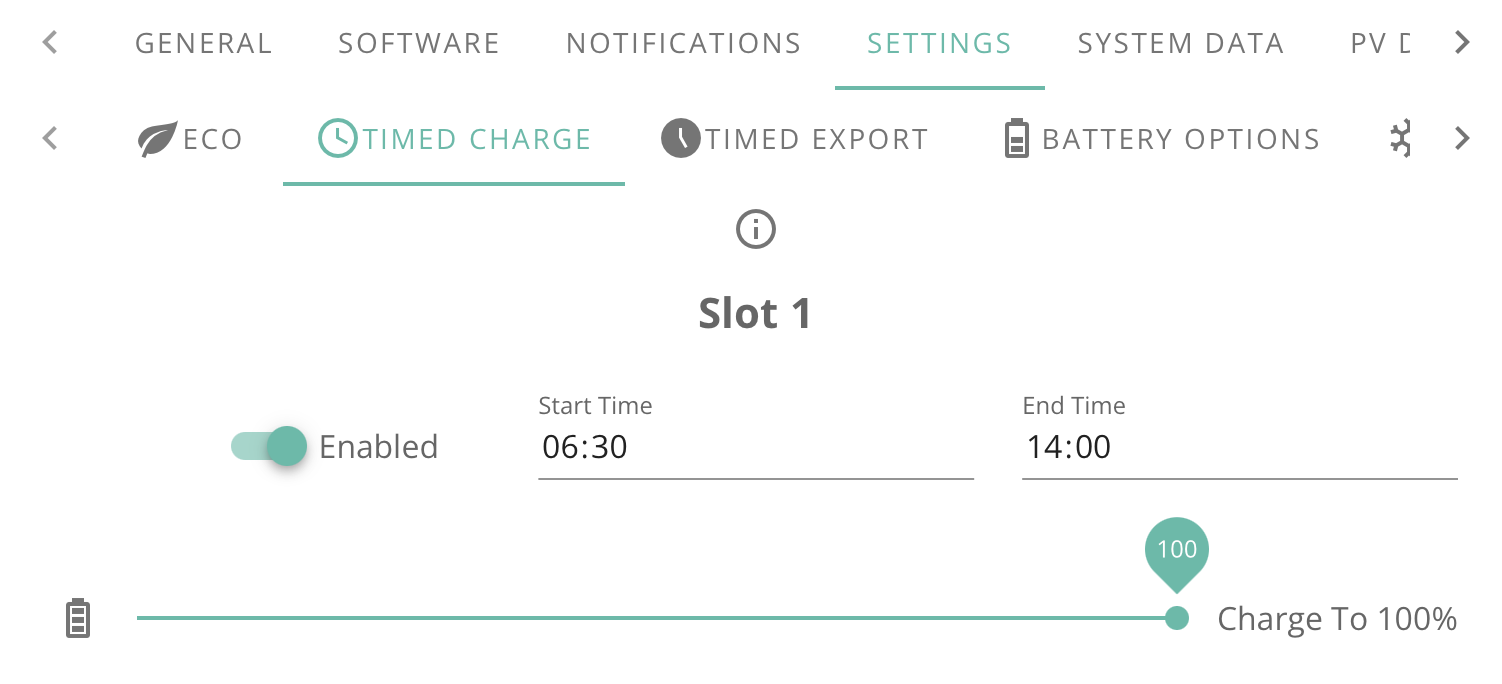
And use Timed charge.
At this stage, you shouldn't need any more.
Eco is standard setting which will charge, discharge and idle when conditions demand.
See below for more details.

I know you have asked questions also on https://community.givenergy.cloud/d/5432-new-to-givenergy-and-octopus-cosy-tariff-advice-on-setting-this-up-please
Please refer to this thread also.

I am assuming that you have a recent inverter which can set up more than one timed charge slot.
On the portal, you do this in Inverter/Settings:

  1. Set 'ECO' for the whole day.

  2. Then set up three 'TIMED CHARGE' slots corresponding with the Cosy periods i.e. 0400-0700, 1300-1600 and 2200-0000.

I am pretty sure that the inverter will do this automatically each day once set up.

It is best to do this on portal. There can be glitches setting up multi slots on the app.

Look in the other thread (link above) for more on other options.

I have also found this thread from another forum which looks very informative for setting up Cosy:
https://community-beta.givenergy.cloud/t/battery-management-with-octopus-smart-tariffs-to-avoid-4-7-pm/1089

Can you also tell us your set up, type of inverter, battery capacity and PV details.

Rob

D
#5 Daft Vader

thanks for your help Rob . You are right about the Eco setting I flicked that on and I now think its working as it should!
It'll need a day for me to check its ok But so far it's looking good.
I have had a look at the link you sent and it does indeed look interesting and I'm going to save it for later when I can get my solar working 🙁
That's still a problem but I think it's the installers fault and will call them back after the new year.
I do wish there was a simple step by step setup . I don't think i would have taken much notice of an eco setting before I'd got it working so Thanks again for pointing that Out.
there doesn't seem to be any settings for solar so I can't be mucking them up at least 🙂

D
#6 Daft Vader

Oh I forget to let you know about my setup
I have the new All in one with the 6kW inverter the Gateway and fox 7.6kW solar panels
Solar is not showing anything more than 20w even when the sun is out unfortunately.

G
#7 geoffreycoan

Daft Vader there doesn't seem to be any settings for solar so I can't be mucking them up at least

Your all-in-one doesn’t really have any controls for the Solar, if you have Eco mode on then any solar will firstly support your house load, then the excess to your AIO battery, and when that’s full, it’ll be exported. All automatic under Eco mode.

Daft Vader
I have the new All in one with the 6kW inverter the Gateway and fox 7.6kW solar panels
Solar is not showing anything more than 20w even when the sun is out unfortunately.

You don’t get a lot of Solar generation in the winter, but 20W sounds wrong. I have 14.4kW of panels, so nearly twice as much as yours, and today it peaked at 0.9kW of power just before lunchtime, for a total of 2.5kWh of generation today.

Mind it was low cloud/foggy here today for me, but even so, 20W sounds wrong. I would talk to your installer and get him to check its working correctly

C
#8 CW

Daft Vader Just jumping in so probably well wide of the mark, but regards the solar, have you checked the breaker in the Gateway has not tripped for the PV? Also, do you have any optimisers with the panels, because some of them will have rapid shut-down capability to reduce the panel output to 1w each (when the AC goes).

R
#9 Rbor

One step at a time.
First get those the three TIMED CHARGE slots set up (See my earlier screenshots).
You need those to pick up the low Cosy rates.
These are:
04:00–07:00
13:00–16:00
22:00–00:00
At other times, the inverter will fall back to ECO.
You want to be charging your batteries when rates are low and allowing the inverter to automatically discharge the battery using ECO at other times. Then you are saving ££s.

Cosy rates differ slightly by region, typically 11-13p low rates and 23-26p Eco.
Avoid at all costs 4pm-7pm where rate are about 35p. You can find the rates for your region here:
https://energy-stats.uk/octopus-cosy-yorkshire/
Select your region from the dropdown menu.

Your solar looks wrong and we need to find out exactly what it is. Look in the app tomorrow. Take a screenshot and post it here.
If it really is 20 W, it isn't working and your installer must have set it up incorrectly.
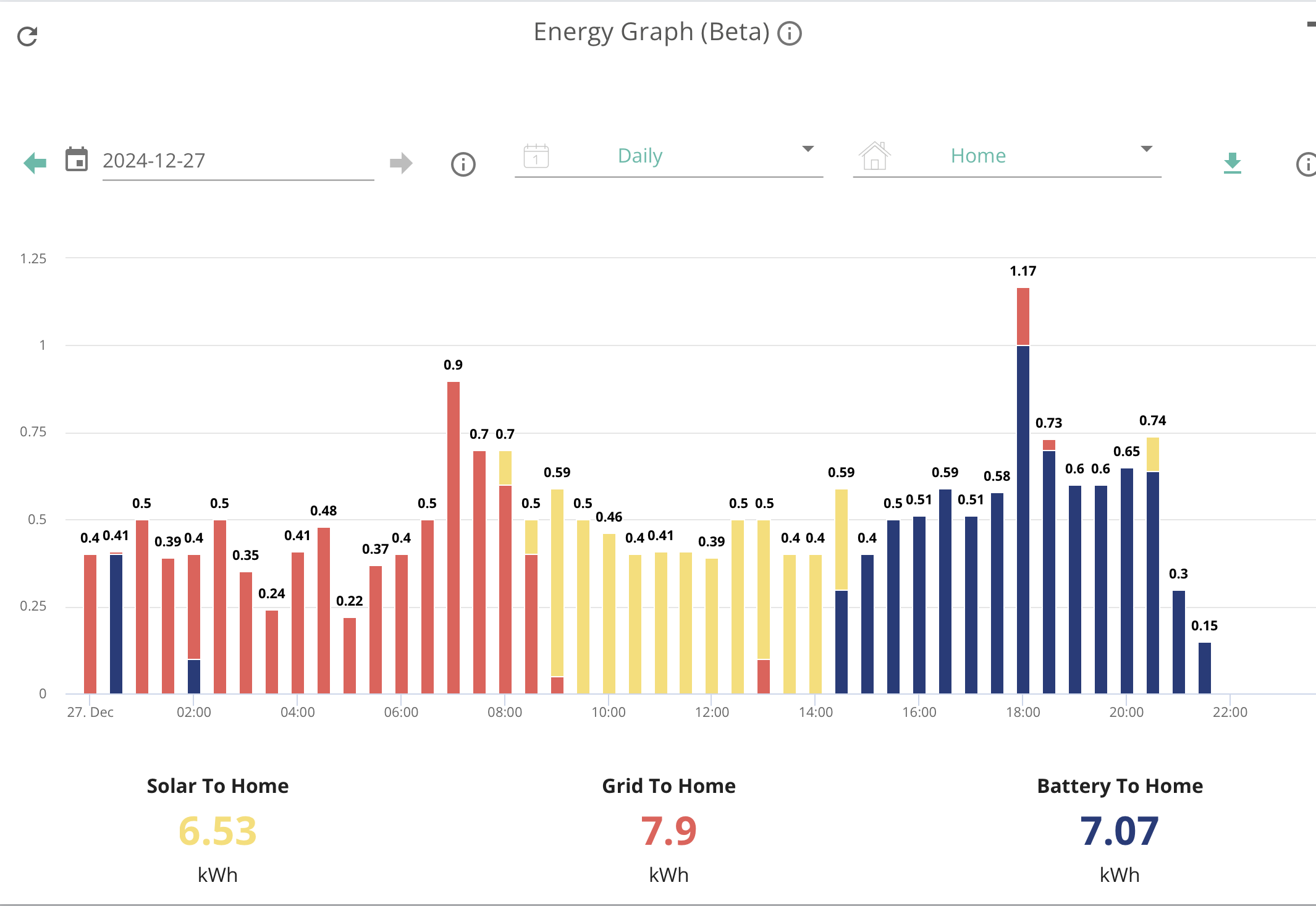
Look also on the portal: Energy view. You will then see the cumulative energy distribution including your solar for the day. This is mine for today:

1st priority is to get the Timed Import slots set up. Then we can look at Solar.

Rob

D
#10 Daft Vader

Yes I did get it all setup yesterday for the cosy Thanks, Just had a look and it seems that Its worked perfectly all day.
And it's my birthday today!!! nice present 🙂
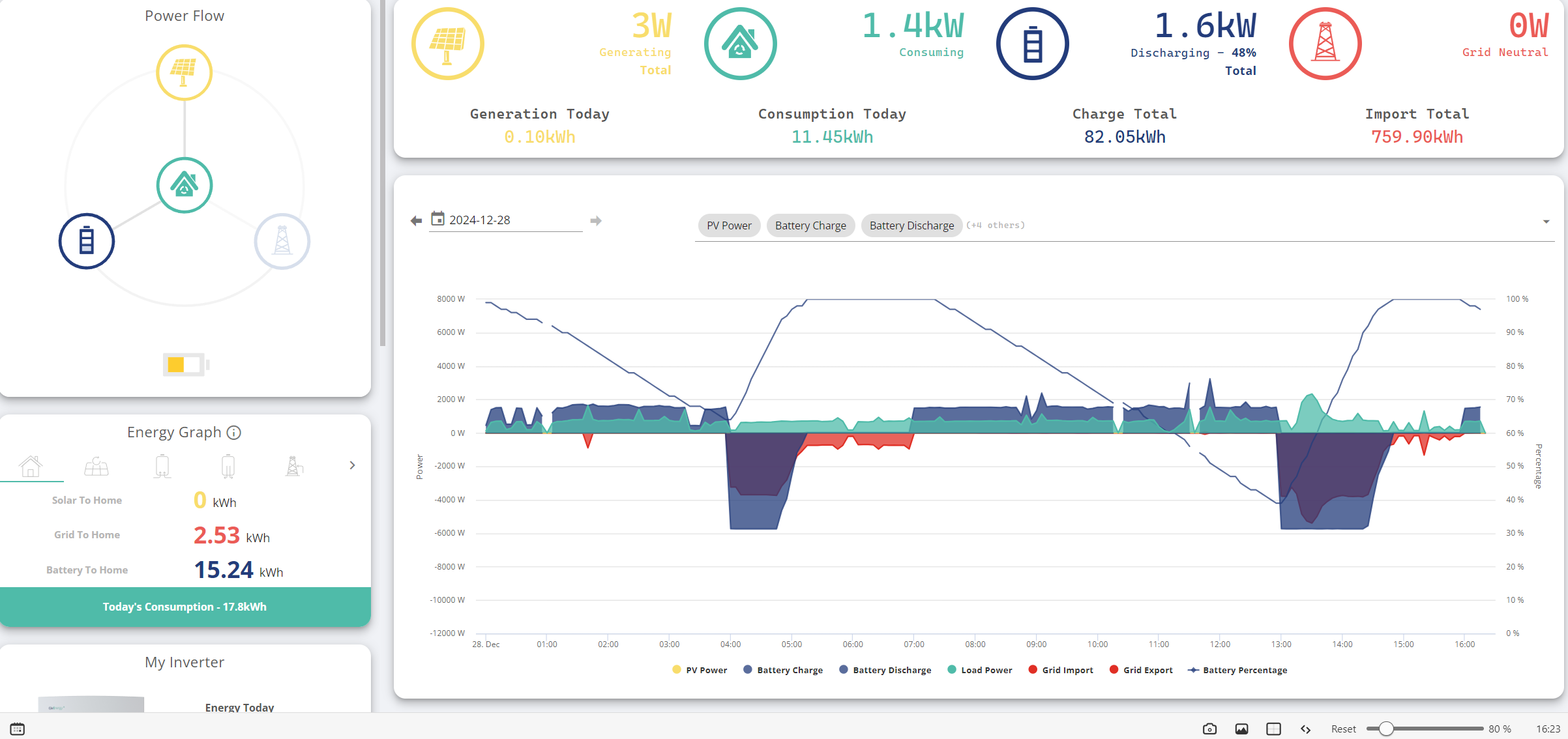
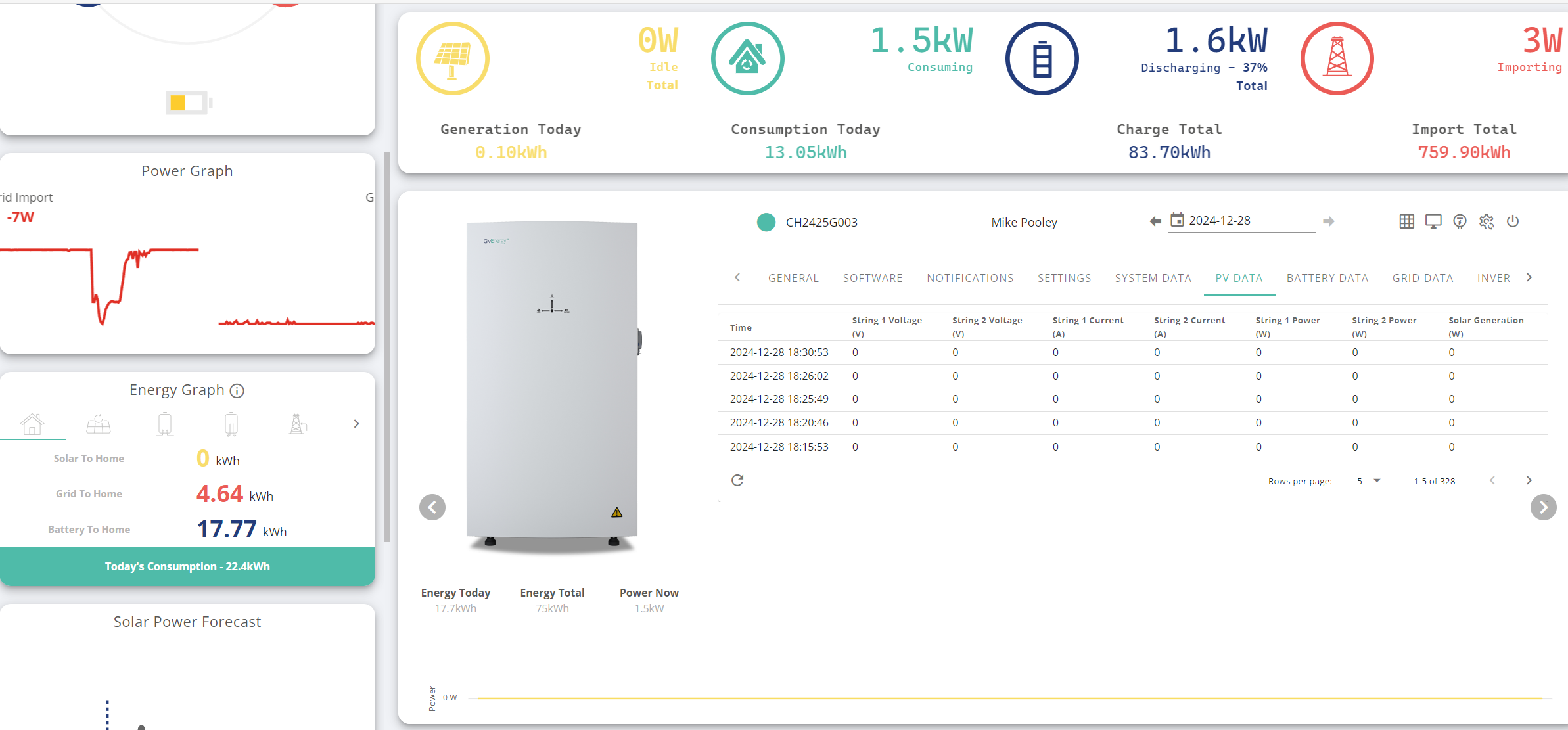
As for the Solar 0.10kWh today ?
Seems Like I have forgotten how to post images already!

D
#11 Daft Vader

R
#12 Rbor

Daft Vader Thanks for posting the image.
The chart shows that your Cosy charging is working and you should get a third charging period 22:00-00:00
You should be able to just leave the Eco and charging side of things now. It should be repeated each day and you will be exploring the lower Cosy rates, which is what it is designed for anyway.

Blue below 0 is charging and blue above 0 is discharging. Your chart shows this nicely.
Look back at previous days and you will see the improvement.

Then tomorrow, look at the smart tariff card on the left and you will be able to compare your daily costs

Your solar isn't working! But looking on the bright side, there isn't much solar around anyway!
This is my screenshot for yesterday, showing how solar will look.
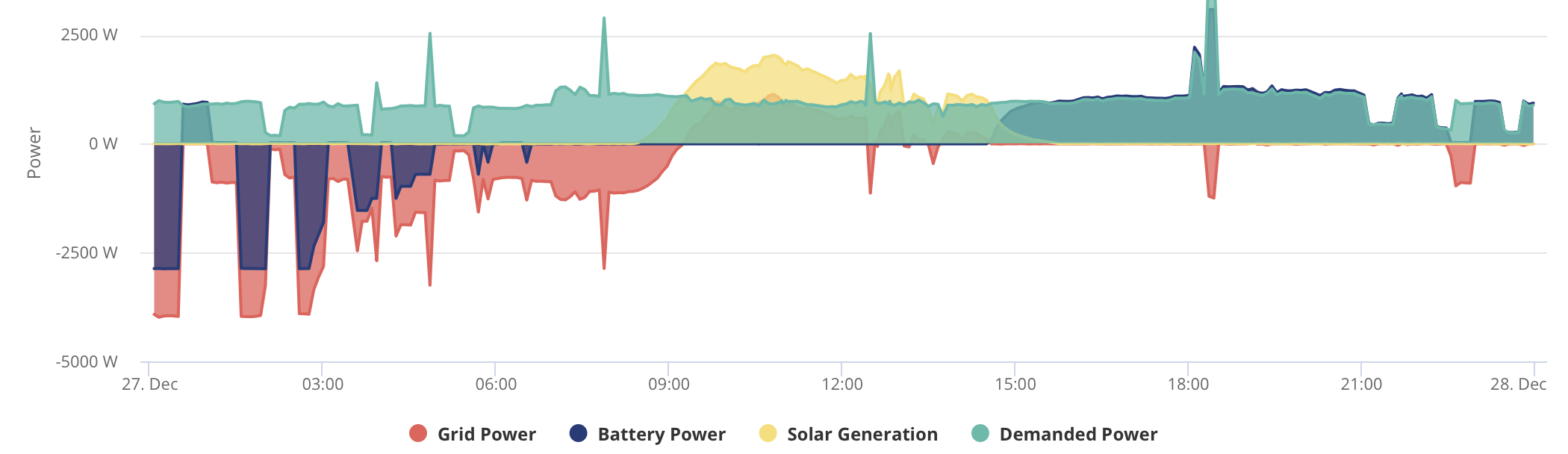
Look at your consumer unit to check that the solar breaker hasn't tripped.
I would recommend getting on to your installer and explain that this is a new system and that solar isn't working at all. You need them to come out to sort it. It looks like a connection somewhere.

Anyway, you have made progress. We have a good community here and we help one another with all sorts.

Or 'go to thread' is here where you will meet many of us:
https://community.givenergy.cloud/d/5411-second-year-live-on-predbat/72

Rob

R
#13 Rbor

Another check.
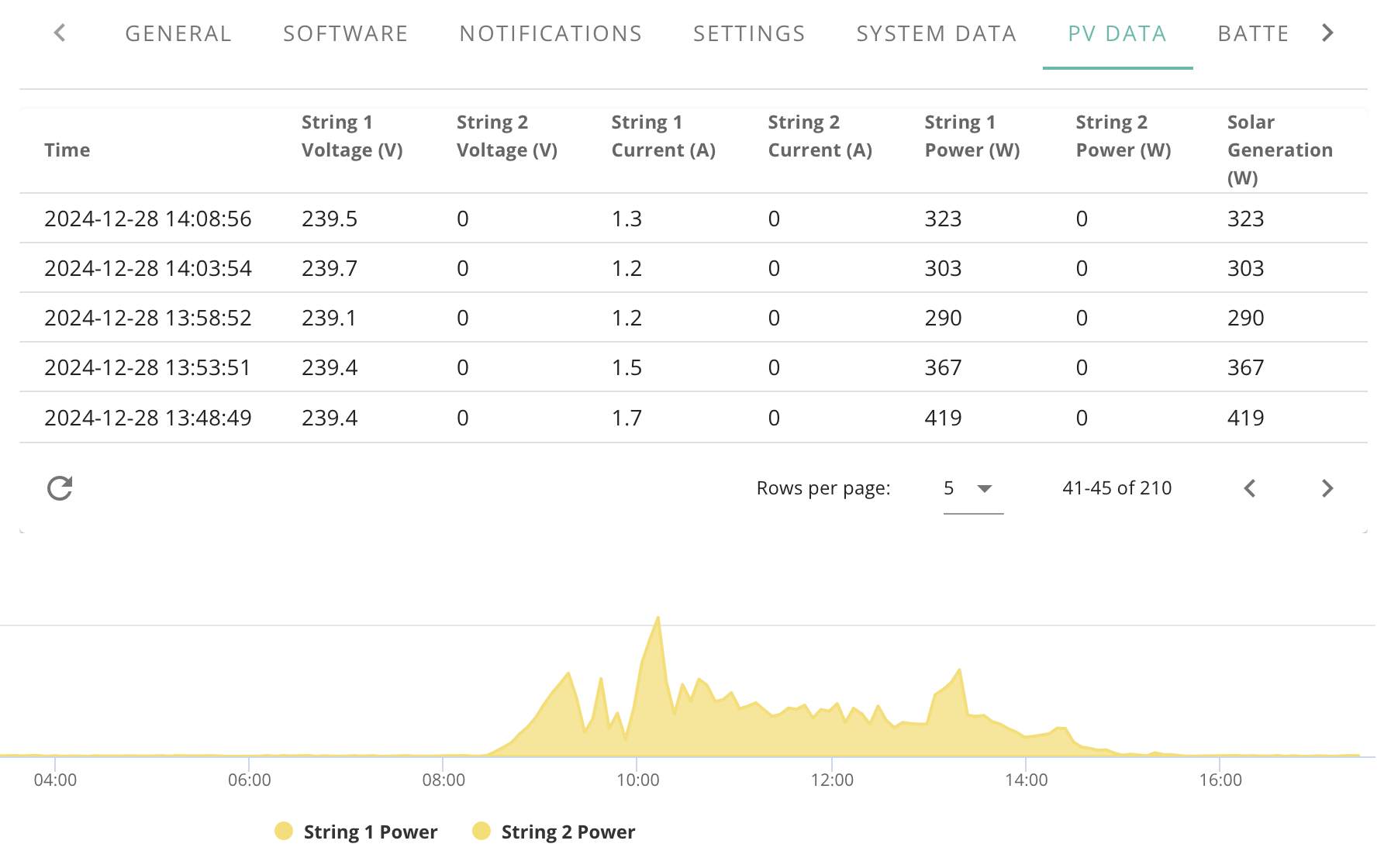
Go to the Inverter card and open PV data.
You can click back through the day and see whether you have any current and power from PV.
This is mine from earlier today:

Rob

D
#14 Daft Vader

This is the result 🙁

C
#15 CW

Daft Vader Now to be fair, at half-past 6 in the evening, you would not expect to be generating and solar at all! Does it look like this throughout the day, which would be a worthwhile check?
The other thing I would do, is log onto your inverter account (do you have a GE inverter with the AIO?) - if you can then you will be able to see the stats for each string

D
#16 Daft Vader

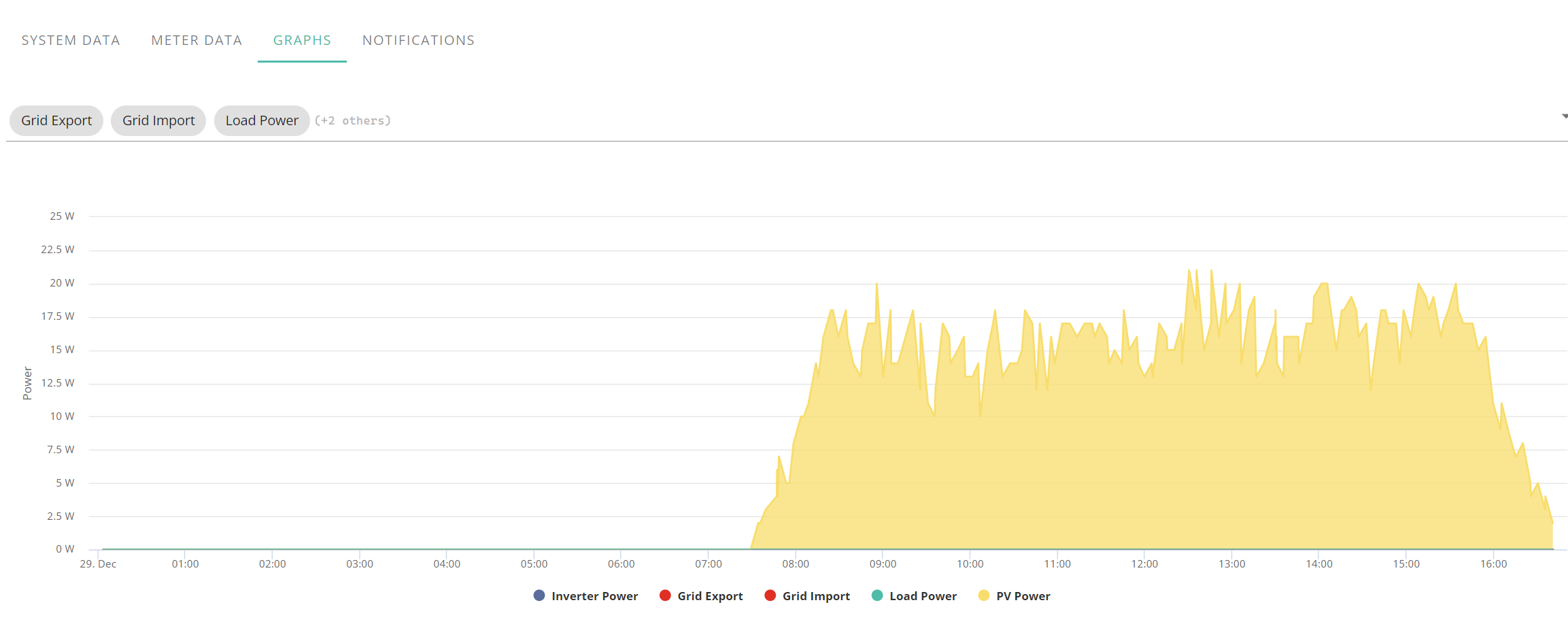
I waited to get a whole day and it was a nice sunny one!

D
#17 Daft Vader

R
#18 Rbor

Daft Vader You are generating about 20 W from the chart screenshot .
Get on to your installer – they need to come out and fix this!

My solar today topped out at about 2 kW which is 100 times greater than your 20 W.

Using the inverter PV chart you posted yesterday, go back in time for today using the < > bottom right until you have some readings around midday. Then take a screenshot and post here.

The screenshots will be good evidence to show to your installer.

Rob

G
#19 geoffreycoan

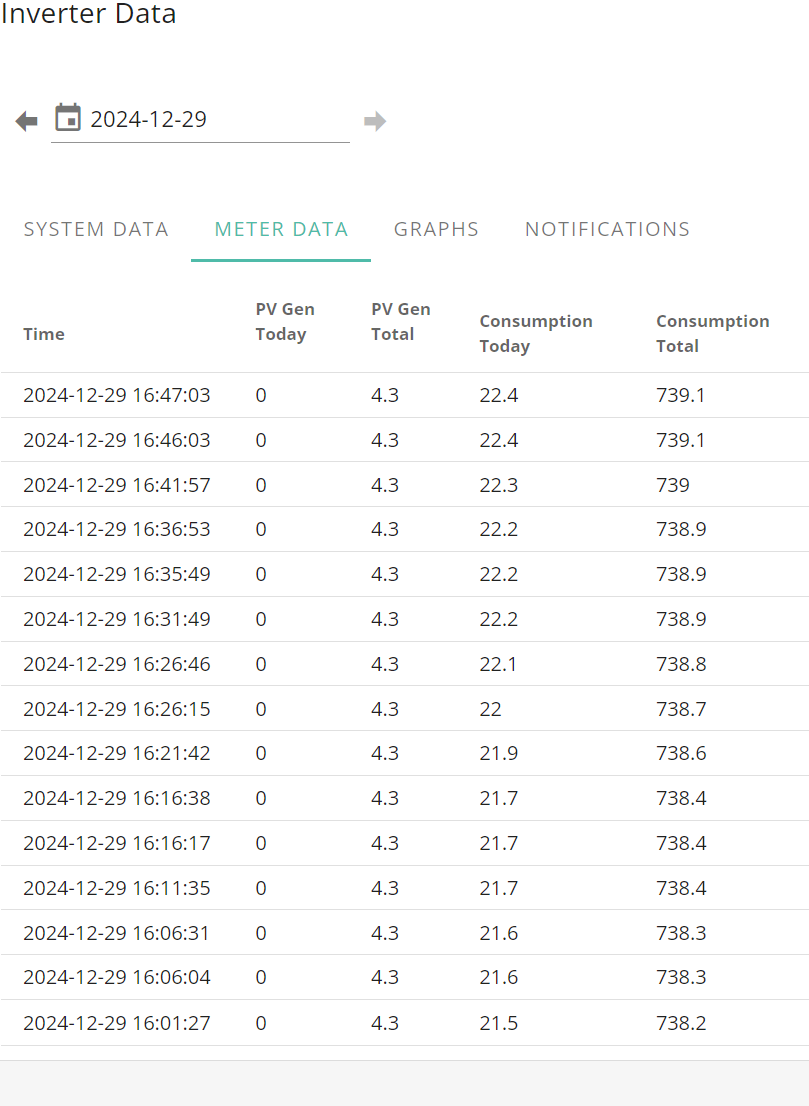
Daft Vader ditto as Rbor says, your inverter is working because you get a power generation spike during sunlight hours, but the portal shows you have generated 0kWh today. We had fog and low cloud first thing, only clearing by lunchtime and then periods of cloud and blue skies and I generated 6.2kWh.

Something is wrong you need to get your installer to look at it

D
#20 Daft Vader

geoffreycoan
My Installers came back on friday and tested their work. He says that they are registering voltage and current at that time is was about 1kW ! so he's going to call givenergy on monday. I will be calling them as well as so far they're not answering the phone.

D
#21 Daft Vader

It's all Working Now!. I was with my installer while he was on the phone to 2 guys at give energy. They didn't know what the problem was and they wanted to see a video of my installer testing voltages etc and the results. They still didn't know what to do. They said it was the latest version of the all in one and they didn't really know it very well! this was the same in the 2 conversations we had with both of them.
the 2nd guy went to find "Paul" and was going to come back and tell us what Paul had to say! so we waited a about 5-10 minutes and suddenly there was a bit of a "clonk" and we knew something had happened we checked the app and I had got Solar at last 🙂 it was confirmed to us that there must be a bug in the software and it would passed to the Devs and that they would be monitoring my system. So Hooray but I hope their are not too many bugs .

R
#22 Rbor

Great news.

Welcome to PV and good weather for a test run.

Do feed back to us with your results.

Rob