Taming and reducing the Home Assistant database

65 comments started 2025-01-01 last 2026-03-22
Home AutomationHome Assistant
G
#1 geoffreycoan

My New Year's present to those of you using Home Assistant and in particular GivTCP and Predbat to manage your inverters and batteries.

In short, this is a writeup of the things I found and changed in taking control of the size of my Home Assistant database. As everyone's HA setup is different it can never be a precise how-to that can be copy/pasted to another setup, but there is more than enough that is common to every HA, GivTCP and Predbat solution or even if you only use some of those software products.

I use the Google Drive backup for Home Assistant and have been constantly running out of the 15Gb limit on the dedicated Google drive account I use for HA backups. It was clear from looking at my historical backups (I keep the monthly backups) that they have increased in size from what they used to be. Also noticeably when I was away for 2 weeks and part way through HA stopped communicating with the outside world, my backups when I restarted HA were considerably smaller so clearly backup size was related in some way to what HA was doing.

I set about trying to understand why my HA backup and database was so large and what I could do to reduce it, and I think you'll agree that I have been successful in my task.

This is a brief summary of the underlying issues and changes I made, hopefully be of use to others. I'll break it into a series of comments on this thread to make it easier to respond to different items and at the end I'll include my full configuration.yaml and database purging automation.

Starting position:

HA database /config/home-assistant_v2.db ~ 2.7Gb
Compressed backup on Google drive ~ 900Mb

End position after all the changes and improvements below:

HA database 430Mb
Compressed Google drive backup ~ 190Mb.

So I achieved an over 80% reduction in the database size on disk and when backed up.
As well as being smaller this means that HA should run faster.

G
#2 geoffreycoan

TIP 0 - only backup what you need to

I had already changed my regular daily backups from being full backups to partial backups, only backing up the Home Assistant configuration (including /config, the database, etc), /ssl folder, GivTCP and HA Google Drive Backup add-on's, so for me this wasn't going to yield any benefit.

I back up all other add-on's only once a month with a full backup, which was about 1.2Gb stored on the Google Drive.

G
#3 geoffreycoan

TIP 1 - understand what's stored in your Home Assistant database

Firstly install the SQLite Web add-on to HA which enables you to run SQL queries on your HA database.

The key tables in the HA database are:

  • states_meta: holds the meta data for HA entities, that links the visible entity name to the internal HA id
  • states: holds every entity state value and the history of the state changes
  • state_attributes: holds the entity attributes and their history
  • statistics - holds long term statistics captured hourly for HA entities, comprising max, mean, min, state and sum values
  • statistics_short_term - similar statistics captured every 10 minutes
  • statistics_meta - meta data for HA statistics tables

I found https://community.home-assistant.io/t/how-to-keep-your-recorder-database-size-under-control/295795 which is an excellent HA Community article that gave me the basis for the journey, finding out through SQL queries that there were an awful lot of entities with a lot of records being written to the state and state_attributes tables, and a lot of which I really didn't need retaining with this much detail.

For example, states table:

cnt	cnt_pct	entity_id
176220	3	sensor.total_solar_power
126528	2	sensor.fit_solar_power
126519	2	sensor.ashp_power
119023	2	sensor.bedroom_sockets_power
114565	2	sensor.extension_power
107619	2	sensor.hot_tub_power
80343	1	sensor.system_monitor_load_1m
75128	1	sensor.system_monitor_load_5m
69513	1	sensor.system_monitor_memory_usage
69022	1	sensor.system_monitor_processor_use
60135	1	sensor.system_monitor_load_15m
49728	1	sensor.sum_ge_solar_power
44143	0	sensor.givtcp_[inv id]_last_updated_time
44141	0	sensor.givtcp_[inv id]_invertor_time
44078	0	sensor.givtcp_[inv id]_time_since_last_update

The columns being number of rows, percentage of the database and entity id.

state_attributes was a very similar pattern.

So the entity 'total_solar_power' which measures my total solar power generation summed across my 3 solar arrays contains 176,000 records and is occupying 3% of the entire states table database storage! This sensor has now been reduced to just 127 data rows!

I ended up creating 3 useful SQL queries to analyse the database table contents. In SQLite Web click on Query in the top right corner, paste the query contents in and hit 'Execute' to run the query. You can also click the '+' symbol next to 'Bookmarks' to save the query as a favourite bookmarked query for later re-use.

Query 1, analyse number of rows in the states table:

SELECT
  COUNT(*) AS cnt,
  COUNT(*) * 100 / (SELECT COUNT(*) FROM states) AS cnt_pct,
  states_meta.entity_id
FROM states
INNER JOIN states_meta ON states.metadata_id=states_meta.metadata_id
WHERE states_meta.entity_id LIKE '%'
GROUP BY states_meta.entity_id
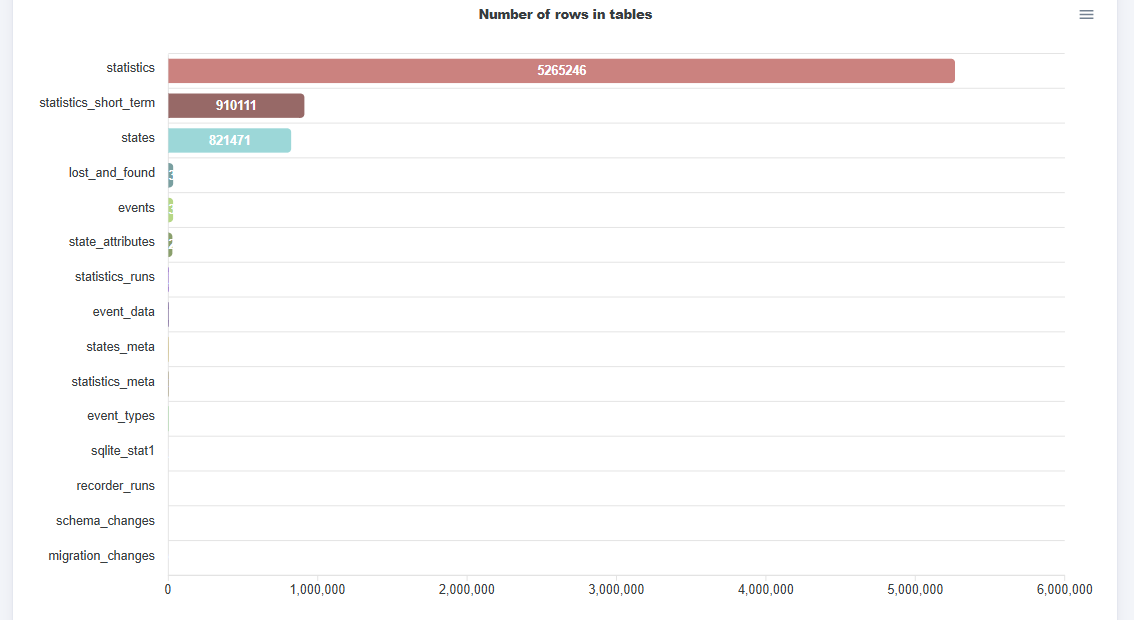
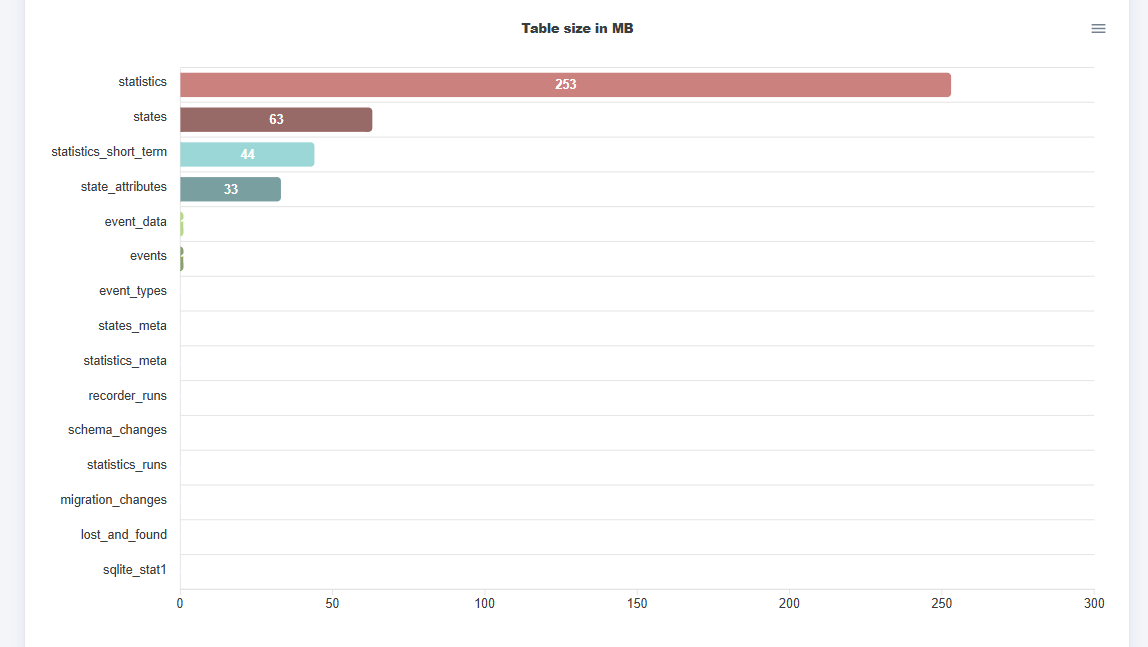
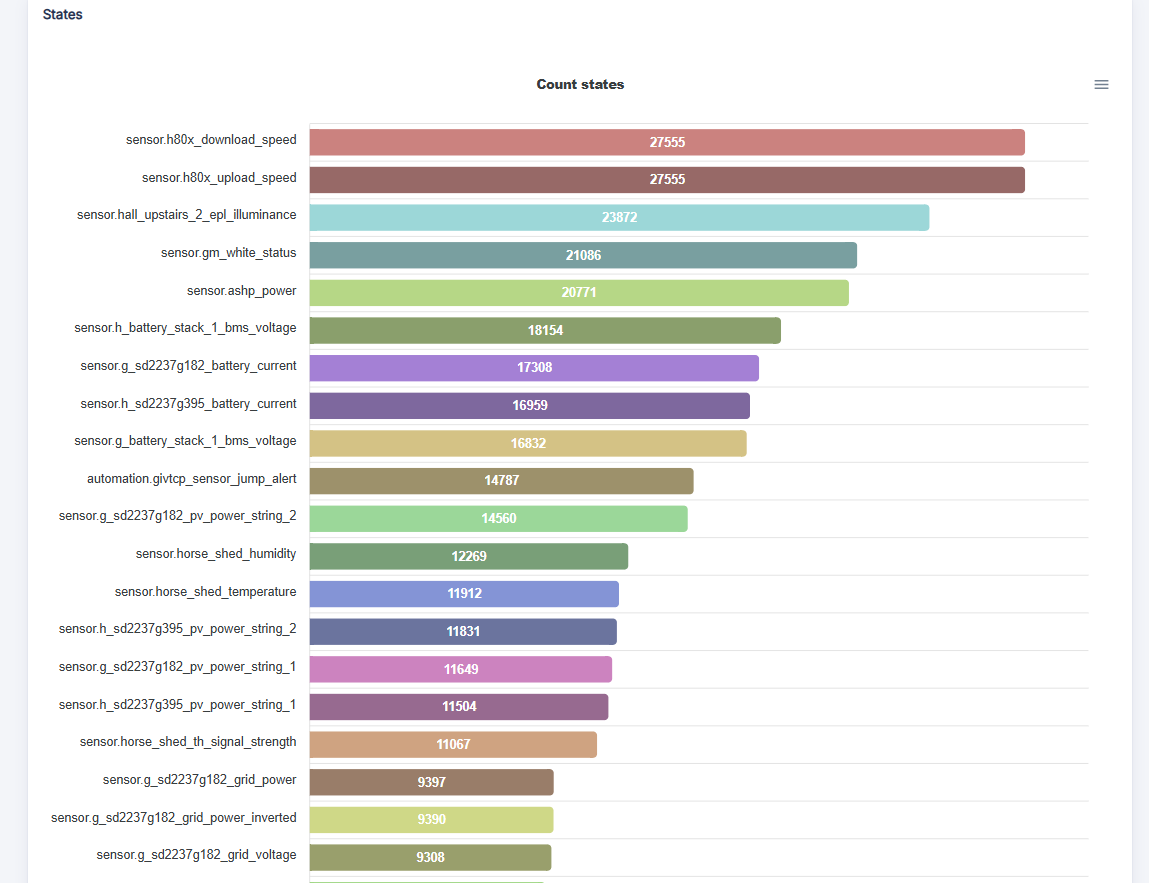
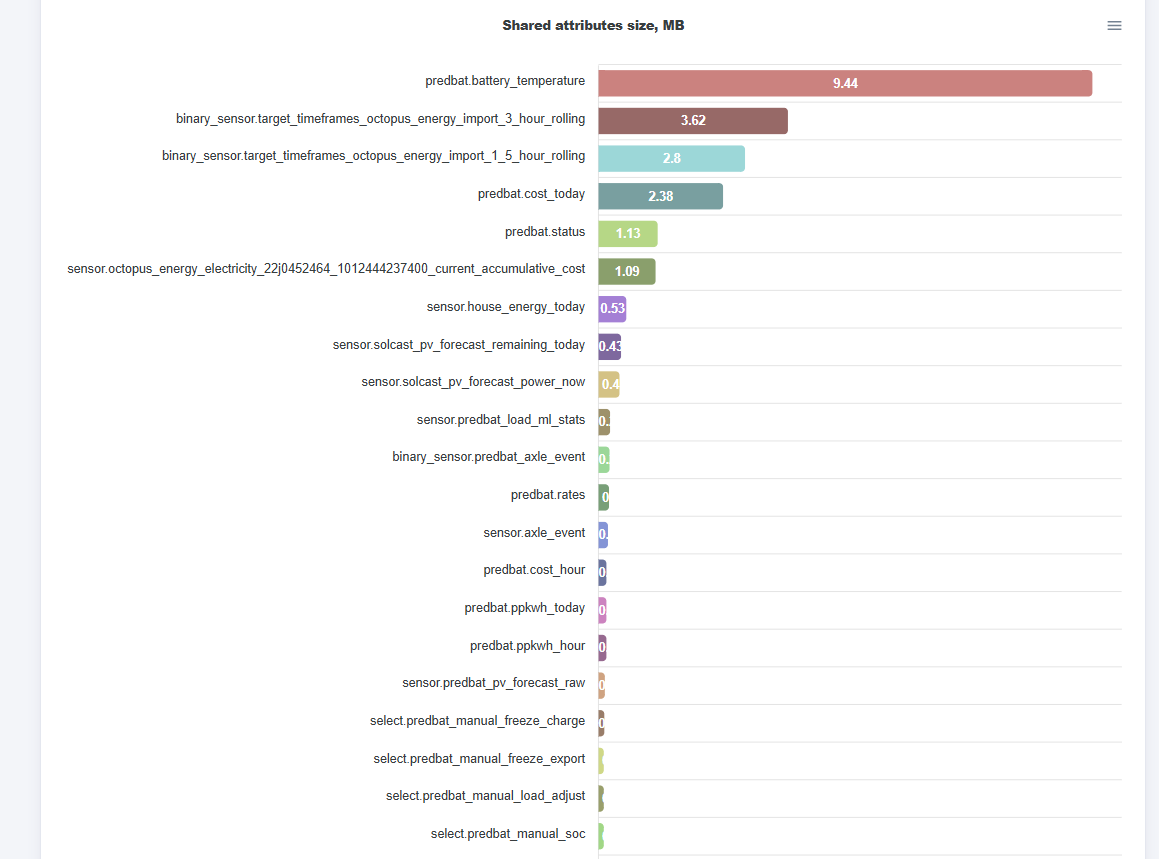
ORDER BY cnt DESC

Query 2, analyse number of rows in the state_attributes table:

SELECT
  COUNT(*) AS cnt,
  COUNT(*) * 100 / (SELECT COUNT(*) FROM state_attributes) AS cnt_pct,
  states_meta.entity_id
FROM states
INNER JOIN states_meta ON states.metadata_id=states_meta.metadata_id
INNER JOIN state_attributes ON states.attributes_id=state_attributes.attributes_id
WHERE states_meta.entity_id LIKE '%'
GROUP BY states_meta.entity_id
ORDER BY cnt DESC

Query 3, analyse number of bytes being stored in the state_attributes table:

SELECT
  COUNT(state_id) AS cnt,
  COUNT(state_id) * 100 / (
    SELECT
      COUNT(state_id)
    FROM
      states
  ) AS cnt_pct,
  SUM(
    LENGTH(state_attributes.shared_attrs)
  ) AS bytes,
  SUM(
    LENGTH(state_attributes.shared_attrs)
  ) * 100 / (
    SELECT
      SUM(
        LENGTH(state_attributes.shared_attrs)
      )
    FROM
      states
      JOIN state_attributes ON states.attributes_id = state_attributes.attributes_id
  ) AS bytes_pct,
  states_meta.entity_id
FROM
  states
LEFT JOIN state_attributes ON states.attributes_id = state_attributes.attributes_id
LEFT JOIN states_meta ON states.metadata_id = states_meta.metadata_id
WHERE states_meta.entity_id LIKE '%'
GROUP BY
  states.metadata_id, states_meta.entity_id
ORDER BY
  bytes DESC;

All of these queries can be changed to just focus on certain entities, replace the "LIKE '%'" with "LIKE '%power%'" for example to only report on the entity names that contain the word 'power', or 'givtcp', 'energy', 'temperature', etc etc. The percent symbol means match any characters.

I started with query 1 and got my database trimmed an awful lot just by understanding (and reducing) the amount of entity history I was retaining. Query 2 is of less use because each state record has a corresponding state_attribute record, but query 3 was a real eye-opener as I learnt just how the attributes of a entity can fill the database up. Predbat in particular.

e.g. the below extract from an early iteration of query 3, its ordered by cnt (number of records) but you can see that some of the predbat sensors have less history records but are taking up a lot more bytes of storage:

cnt	cnt_pct	bytes	bytes_pct	entity_id
12998	1	1468774	0	sensor.g_[inv id]_battery_power
11482	1	1297466	0	sensor.h_[inv2 id]_battery_power
9211	1	2315274	0	sensor.extension_energy_today
7055	0	1920190	0	sensor.toby_bedroom_sockets_energy_today
6758	0	1745699	0	sensor.fit_solar_energy_today
6260	0	63271800	4	predbat.best_metric
6253	0	68033112	4	predbat.soc_kw_best
6231	0	1234721	0	predbat.record
6227	0	33148401	2	predbat.best_import_energy
6218	0	12436	0	predbat.load_energy
6218	0	12436	0	predbat.best_load_energy
6211	0	968858	0	sensor.h_[batt2 id]_battery_voltage
6184	0	964646	0	sensor.g_[batt id]_battery_voltage
6143	0	1091312	0	sensor.internet_ha_energy_today

More on this later...

G
#4 geoffreycoan

TIP 2 - Use Home Assistant tools, don't go off-piste

There are plenty of helpful articles you can find about directly manipulating the HA database. At the end of the day its a simple database structure and SQL is SQL so you can easily start deleting or updating the HA data.

I deliberately did not want to do that as I felt it was too easy to inadvertently break HA. Instead all of my activities used published HA interfaces/controls/configurations. That way I stayed within the guide-rails that HA provides and I was much less likely to result in a corrupted database.
In fact I did get a corrupted database (twice) early on but I think that was probably due to earlier corruptions that my data reductions had exposed. I was able to recover the database and all the data in it both times and for the past 3 months or so its been fine so reinforcing my view that this was a historical corruption.

The activities I took to reduce the amount of entity data followed a number of patterns which now follow.

G
#5 geoffreycoan

TIP 3 - Disable entities that I have never looked at and thus have never needed

If ever in the future I need these I can always re-enable the entity.

Using the above SQL queries to identify the entities with a lot of data records I repeatedly asked myself whether I needed the entity at all, had I ever looked at it, and would I in all likelihood ever need to in the foreseeable future. In many cases there were plenty of entities (particularly from givtcp and the octopus integration) I just didn't need.

Before disabling I purge all history for the entity (see tip 6) to reduce unnecessary entity history more quickly than just letting HA purge the oldest day's data each night. And afterwards I remove the long term statistics for these entities nas well (Developer Tools / Statistics).

sensor.<mobile device>last_update_time
sensor.givtcp
[inv id]time_since_last_update
sensor.givtcp
[inv id]invertor_output_frequency
sensor.givtcp
[inv id]ac_charge_power
sensor.givtcp
[inv id]ac_charge_energy_total
sensor.givtcp
[inv id]_battery_remaining_capacity

sensor.givtcp[batt id]battery_soc
[I only ever use the inverter soc percentage sensor, givtcp[inv id]soc]

sensor.givtcp[inv id]grid_to_house [is identical but the opposite sign to givtcp[inv id]grid_power]

sensor.givtcp[inv id]self_consumption_power
sensor.givtcp[inv id]self_consumption_energy_today_kwh
sensor.givtcp[inv id]self_consumption_energy_total_kwh
sensor.givtcp[inv id]load_energy_total
[As I have two inverters that share the load, the self consumption and load energy figures are meaningless for me and I instead have a custom load calculation template entity]

sensor.givtcp[inv id]pv_voltage_string_1|2
sensor.givtcp[inv id]pv_current_string_1|2
[I'm keeping the pv_power_string data, but the voltage and current are of no interest to me]

sensor.givtcp_battery_stack_1_bms_voltage * (is identical to sensor.g[batt id]battery_voltage)
sensor.givtcp[inv id]battery_voltage (almost the same as the above, but measured at the inverter)

sensor.givtcp[inv id]day_cost
sensor.givtcp[inv id]day_energy_kwh|total
sensor.givtcp[inv id]day_rate
sensor.givtcp[inv id]day_start_energy
sensor.givtcp[inv id]battery_ppkwh_today
sensor.givtcp[inv id]battery_value
sensor.givtcp[inv id]import_ppkwh_today
(and similar night entities. I am on Agile so the GivTCP cost and battery value entities are meaningless)

sensor.octopus_energy_electricity[serial number][MPAN]current_accumulative_consumption
sensor.octopus_energy_electricity
[serial number][MPAN]current_consumption
sensor.octopus_energy_electricity[serial_number][MPAN]current_demand
sensor.octopus_energy_electricity
[serial number][MPAN]current_total_consumption
sensor.octopus_energy_electricity[serial number][MPAN]export_previous_accumulative_consumption
sensor.octopus_energy_electricity
[serial number][MPAN]previous_accumulative_consumption
sensor.octopus_energy_electricity[serial number][MPAN]previous_accumulative_cost
sensor.octopus_energy
[account id]_wheel_of_fortune_spins_gas|electricity
[although I have all these useful entities from my Octopus Mini, they generate a lot of data - 1 record per minute - and I'd prefer to use the givtcp inverter entities in the Energy dashboard which is independent of energy supplier]

sensor.plusnet(upload|download)speed

sensor.solcast_pv_forecast_next_x_hours
sensor.solcast_pv_forecast_power_next_30_mins
sensor.solcast_pv_forecast_power_next_hour

I have two GivEnergy inverters so was getting similar grid data from both, so I also disabled sensor.givtcp2_yyyy_grid(frequency|voltage|current|power) and givtcp2(import|export)_power only to realise that the powerflow meter for inverter 2 now didn't show any grid power so I had to re-enable givtcp2_yyyy_grid_power.

I could probably have gone further with removing more entities, there's a lot of the givtcp ones that I'm not convinced I need, but I focussed primarily on those that were using lots of database space rather than exhaustively trying to get to the minimal number of entities, only disabling those I was pretty confident I wouldn't need or need the history of.

G
#6 geoffreycoan

TIP 4 - Disable integrations and add-on's that also weren't adding anything

tplink_deco - was giving me individual mesh node upload/download data and devices connected but not much else
ibeacon - giving estimated distance of my bluetooth Temperature and Humidity entities

Similar to the above tip, purge the entity history beforehand then delete any HA statistics afterwards.

G
#7 geoffreycoan

TIP 5 - Disable keeping any entity history for entities I want to see the value of in HA but never graph or see the history of

By default Home Assistant will keep the history for every entity for 'purge_keep_days' period. The default configuration is 10 days but I had increased it to 14 so was keeping 2 weeks of detail of every single entity value change.

This is a lot of data!

In HA it's the job of the recorder to capture this entity change history and so this tip focusses on stopping recording history for entities where you want to know the current entity value but don't need to keep any history or draw any trend graphs.

In configuration.yaml you define a series of rules for entity id's that you want to exclude from being recorded in the entity history database tables (see tip 1). You can also define wildcard patterns to match the entity id.

I'll include a copy of my full configuration at the end, but here's a sample of configuration.yaml:

recorder:
  purge_keep_days: 14
  exclude:
    entity_globs:
      - sensor.sun*
      - weather.*
      - sensor.watchman_*
      - sensor.predbat_pv_*
      - predbat.best*
      - predbat.*best
      - predbat.base10*
    entities:
      - sun.sun
      - sensor.backup_state # Google drive backup status
      - predbat.soc_kw_base10
      - predbat.soc_kw_best10
      - predbat.plan_html
     # Predbat base sensors
      - predbat.battery_cycle
      - predbat.battery_hours_left
      - predbat.battery_power
      - predbat.car_soc
      - predbat.charge_end
      - predbat.charge_limit
      - predbat.charge_limit_kw
      - predbat.charge_start
      - predbat.duration
      - predbat.export_energy
      - predbat.grid_power
      - predbat.import_energy
      - predbat.import_energy_battery
      - predbat.import_energy_house
      - predbat.load_energy
      - predbat.load_power
      - predbat.metric
      - predbat.pv_energy
      - predbat.pv_power
      - predbat.record
      - predbat.soc_kw
      - predbat.soc_min_kwh
     # Predbat In-day load adjustment sensors
      - predbat.load_energy_actual
      - predbat.load_energy_adjusted
      - predbat.load_energy_predicted
      - predbat.load_inday_adjustment
     # predbat rate and cost sensors
      - predbat.cost_today_export
      - predbat.cost_today_import
      - predbat.low_rate_cost
      - predbat.low_rate_duration
      - predbat.low_rate_end
      - predbat.low_rate_start
      - predbat.low_rate_cost_2
      - predbat.low_rate_end_2
      - predbat.low_rate_start_2
      - predbat.high_rate_export_cost
      - predbat.high_rate_export_duration
      - predbat.high_rate_export_end
      - predbat.high_rate_export_start
      - predbat.high_rate_export_cost_2
      - predbat.high_rate_export_end_2
      - predbat.high_rate_export_start_2
     # givtcp completion time sensors that add little value
      - sensor.givtcp_[inv id]_charge_completion_time
      - sensor.givtcp_[inv id]_discharge_completion_time
      - sensor.givtcp_[inv id]_charge_time_remaining
      - sensor.givtcp_[inv id]_discharge_time_remaining
     # raw (noisy) power sensors that are replaced by time base filter sensors (see #6)
      - sensor.fit_solar_power_raw

Again, purge the entity history beforehand. Note that my history default in HA is 14 days of history, but see below, point 10.

The predbat_pv entities have been disabled as I have identical solcast equivalents of all these.

A large number of Predbat output entities are disabled from being recorded to the HA database as the entity history is not used in any charts or dashboards, but all the detail that the Predbat Apex charts need is in the current set of state attributes to draw graphs of (say) predicted battery level or house load. Furthermore, once the Predbat plan is executed, the forecast data is in the past and we never want to look at historic predictions.
All that entity history just isn't needed but you still need the current entity (and attribute) value for the graphs to work. The solution therefore is to exclude the entities that you want the current value for, but don't need the history.

Many of the entities have a lot of detailed attribute data in them so retaining their history adds to a lot of database space - query 3 revealed that some entities were EACH using 60Mb of data on the state_attributes table, and by disabling just the Predbat 'best' entities resulted in a 650Mb reduction in my HA database size!

Note that predbat.soc_kw_h0, soc_kw_best_h1, 8 and 12 are not excluded and will retain history as they are used for Predbat's 'predicted vs actual' chart. They are purged in tip 7 below.

G
#8 geoffreycoan

TIP 6 - Reduce the amount of history held for specific entities

In HA you can only set a single global purge_keep_days in configuration.yaml as to how much history to hold across all entities, you can't specify a per-entity value which is a bit limiting.

What you can however do is to purge individual entity history using the recorder.purge_entities action (service call) which has parameters to specify the specific entities, entity wildcard patterns or domains to purge e.g. the following action will remove all state history for any system monitor entities:

action:
  - action: recorder.purge_entities
    data:
      keep_days: 0
      entity_globs:
        - sensor.system_monitor_*

Before we start panicing that we are loosing history data that we might need, its worth understanding that HA has two (actually three) different types of entity history. There is the history recorded in full granularity of every single state change, there is the short term statistics that capture a snapshot of entity values every 5 minutes and the delta value, max, mean and average values over the 10 minute period, and then there is the long term statistics that is similar snapshots except groomed to an hourly period (so only 24 records per day). https://data.home-assistant.io/docs/statistics/

After the purge_days_keep period (default 10 days) the entity history and short term statistics are removed but the long term statistics remain forever.
Its worth highlighting that ONLY entity values are kept in the statistics tables, the state attributes are not retained.

As a practical example, I have a number of energy monitors (Shelly EM clamps and Mylocalbytes smart plugs) and together these generate a lot of data. I really only look at the power data live in real time so I can junk most of the history. If I want to look back at older data I still can do so as purging entity history doesn't affect the long term statistics that HA creates, its just that I can see the data with a 1 hour rather than second by second data granularity.

I created an automation that runs at 2am that purges specific entity history. It runs at 2am because I take the daily backup at midnight (so have a copy if I ever need to refer to it) and the HA regular database housekeeping (compacting and optimisation) runs at 4am so I've pre-purged entities I don't need lots of history of.

The automation contains a series of action calls to the purge_entities action (service) for different entities, purging all history if I am only interested in seeing today's detailed entity data, purging all bar 1 day to see today and yesterday, etc. I'll copy the entire automation at the end, but here's a sample:

keep_days: 0
  entity_id:
    - sensor.ashp_power
    - sensor.bedroom_sockets_power
    - sensor.extension_power
    - sensor.givtcp2_[inv2 id]_grid_power
    - sensor.givtcp_[inv id]_ac_charge_energy_today *
    - sensor.givtcp_[inv id]_battery_charge_energy_today|total_kwh *
    - sensor.givtcp_[inv id]_battery_discharge_energy_today|total_kwh *
    - sensor.givtcp_[inv id]_battery_throughput_today|total_kwh *
    - sensor.givtcp_[inv id]_import|export_energy_total_kwh *
    - sensor.givtcp_[inv id]_invertor_energy_today|total_kwh *
    - sensor.givtcp_[inv id]_pv_power_string_1|2 *
    - sensor.givtcp_[inv id]_grid_to_battery *
    - sensor.givtcp_[inv id]_battery_to_grid|house *
    - sensor.givtcp_[inv id]_solar_to_battery|grid|house **
    - binary_sensor.octopus_energy_[account id]_octoplus_saving_sessions
    - event.octopus_energy_[account id]_octoplus_saving_session_events
    - event.octopus_energy_electricity_[serial number]_[MPAN]_current|previous|next_day_rates (and _export_XXX_rates)
    - sensor.octopus_energy_electricity_[serial number]_[MPAN]_current|previous|next_day_rate (and _export_XXX_rates)
    - sensor.octopus_energy_electricity_[serial number]_[MPAN]_current_accumulative_cost
    - sensor.octopus_energy_electricity_[serial number]_[MPAN]_export_previous_accumulative_cost
    - switch.predbat_active
    - sensor.ashp_energy_total
    - sensor.bedroom_sockets_energy_total
    - sensor.hot_tub_energy_total
    - sensor.fit_solar_energy_total
  entity_globs:
    - sensor.system_monitor_*
    - select.predbat_*

keep_days: 1
  domains:
    climate
  entity_id:
    - predbat.cost_today|hour
    - predbat.ppkwh_today|hour
    - predbat.rates
    - predbat.rates_export
    - predbat.soc_kw_h0
    - predbat.soc_kw_best_h1|h8|h12
    - select.givtcp_[inv id]_charge|discharge_end|start_time_slot_1 *
    - sensor.fit_solar_power
    - sensor.givtcp_[inv id]_grid_power
    - sensor.givtcp_[inv id]_grid_current
    - sensor.givtcp_[inv id]_grid_frequency
    - sensor.givtcp_[inv id]_grid_voltage
    - sensor.givtcp_[inv id]_charge_power *
    - sensor.givtcp_[inv id]_discharge_power *
    - sensor.givtcp_[inv id]_export|import_power * 
    - sensor.givtcp_[inv id]_export|import_energy_today_kwh *
    - sensor.givtcp_[inv id]_invertor_power *
    - sensor.givtcp_[inv id]_load_power *
    - sensor.givtcp_[inv id]_load_energy_today *
    - sensor.givtcp_[inv id]_pv_power *
    - sensor.givtcp_[inv id]_invertor_time *
    - sensor.givtcp_[inv id]_last_updated_time *
    - sensor.givtcp_[inv id]_soc *
    - sensor.givtcp_[inv id]_temperature *
    - sensor.freezer_temperature
    - sensor.porch_temperature
    - sensor.ashp_energy_today
    - sensor.bedroom_sockets_energy_today
    - sensor.hot_tub_energy_today
    - sensor.fit_solar_energy_today
    - sensor.total_solar_power
  entity_globs:
    sensor.*_humidity
    sensor.*_th_battery
    sensor.*_signal_level
    sensor.*_signal_strength

(the following sensors are required for battery charge/discharge curves but are quite noisy, so keep for 4 days)
keep_days: 4
  entity_id:
    - predbat.status
    - number.givtcp_[inv id]_battery_charge|discharge_rate *
    - sensor.givtcp_[inv id]_battery_power *
    - sensor.givtcp_[inv id]_soc_kwh *

keep_days: 7
  domains: automation
  entity_id:
    - sensor.givtcp_[batt id]_battery_temperature *
    - sensor.givtcp_battery_stack_1_bms_temperature
    - sensor.givtcp_[batt id]_battery_voltage *
    - sensor.givtcp_[batt id]_battery_cell_[1 to 16]_voltage *
    - sensor.givtcp_[batt id]_battery_cell_[1 to 4]_temperature *
    - sensor.givtcp_[inv id]_pv_energy_total|today *
  entity_globs:
    - sensor.solcast_pv*

Sensors denoted * are repeated for givtcp2[inv2 id]zzzz

G
#9 geoffreycoan

TIP 7 - Reduce the number of rows held with template entities by data sampling

Some of my entities are created as template entities from other entities within HA. The largest entity in my states table with 160,000 rows (4%) is an entity that calculates my instantaneous solar power by adding together the 3 individual inverter power readings.

This perfectly met the requirement I had of having a single entity to draw a graph of forecast solar power vs actual solar power, but has the disadvantage that every time there is even a single watt of solar power change from any of my inverters it will result in a new state value for the template entity and thus new state and state_attributes records being written to the HA database!

Instead write a time-based trigger template sensor that is triggered every 3 minutes to add up the solar power generation. Having the solar generation sampled every 3 minutes is good enough for the forecast vs generation graph.

In configuration.yaml, add the line:

# Solar power generation sensor, updated every 3 minutes
template:
  - trigger:
      - platform: time_pattern
        minutes: "/3"
    sensor:
      - name: "Total Solar Power"
        unique_id: "total_solar_power"
        unit_of_measurement: kW
        device_class: power
        state_class: measurement
        state: >
          {{ (states('sensor.givtcp_[inv id]_pv_power')|float(0) 
            + states('sensor.givtcp2_[inv2 id]_pv_power')|float(0)  
            + states('sensor.fit_solar_power')|float(0) )
            | round(1)
          }} 

NB: You have to create these time-trigger templates in the YAML file, you can't (at present) create them via the HA user interface.

This change in approach reduced the 160,000 rows state history down to 2452 rows, still retaining 14 days of detailed (every 3 minute) state history !

Similar approach for other template 'total' sensors I have such as total energy generated today, house load today, etc.

G
#10 geoffreycoan

TIP 8 - Create time-throttle filter sensors for noisy sensors

Some of my sensors are provided by Shelly EM's which measure the circuit power via a CT clamp and Shelly PM Mini's which are wired into the socket/light fitting. There's no dampening capability for these sensors either in the Shelly or in Home Assistant, so every single watt of power change results in new state and state_attribute tables being written to Home Assistant.

For example fit_solar_power measures the instantaneous power generated by my FIT array and was my second largest number of records in the state table with 126500 records. Purging down to retaining just today and yesterday's data reduces this to 18,000 records, but its still unnecesarily too much data granularity.

In HA I renamed 'sensor.fit_solar_power' to 'sensor.fit_solar_power_raw' and then in configuration.yaml create a new filter sensor that samples the raw sensor every minute:

sensor:
  - platform: filter
    name: "FIT Solar Power"
    unique_id: fit_solar_power
    entity_id: sensor.fit_solar_raw_power
    filters:
      - filter: time_throttle
        window_size: "00:01"

This way I get just a single power record every minute not one every time the power goes up or down a watt.

Also include sensor.fit_solar_power_raw in the recorder exclude list (point 3 above) as no need to keep the raw sensor history at all.

I don't have this problem with the GivEnergy entities because GivTCP only polls the inverters every 30 seconds so these are naturally dampened. But I have a similar issue with the 'Energy Today' entities from my Shelly power monitors and my Inkbird Freezer Temperature sensor that generates 1000 battery state change records a day, so similarly create filters to sample the data at an appropriate timeliness for use within HA.
Other more sophisticated filters are available in Home Assistant but simple time-based sampling was good enough for me.

One thing to note is when you rename the original entity to _raw, all the entity history (including long term statistics) moves across with it which can muck up the energy dashboard as well as any historical graphs/views. It is possible to migrate the long term statistics from the old to the new sensor (details in a separate - future - forum entry) but the short term answer is to keep both the old and new entities in the energy dashboard.

G
#11 geoffreycoan

TIP 9 - Reduce the global entity history retained limit

Having got used to all of this data truncation the final step is to reduce the days_keep_purge in configuration.yaml to the lowest value you are retaining history for. I have heard that one of the main HA developers has his days_keep_purge set to 2 days.
In my case I have Predbat setup to predict my battery activity based upon 8 days of house load, import, export and PV generation history so I have reduced my history setting to 9 days.

This tip saved a further 40Mb off my database backup size and 25Mb off my database backup size, but this was the last thing I did so most of the benefits had already been had as the voluminous sensors were already being purged to less than 9 days anyway.

If however you start with this then you will probably get a quicker reduction.

G
#12 geoffreycoan

TIP 10 - Compact the HA database

When you purge entities from the HA database (tips 7 and 10) this doesn't free up the space in the database, it just marks the records as logically deleted. To reduce the database size and reduce the backup size you need to call the recorder.purge action, either from Developer Tools/Actions or in an automation:

- action: recorder.purge
  alias: Repack the database to save space
  data:
    repack: true
G
#13 geoffreycoan

Some concluding thoughts

As explained at the beginning I have achieved a 75% reduction in my HA database size, some reduction in data granularity, but I still get to do what I wanted to beforehand in terms of looking at live today power consumption, generation and battery activity, the ability to see what has happened today and in recent history, and there's the longer term stats.

There is more I could do:

  • continue analysing the entity values, disabling more that I don't use
  • reducing the entity history further with more purging/excluding of entities from the recorder
  • creating more time trigger and filter entities (tip 8 and 9), e.g. do I need temperature at 0.1 degrees granularity every minute, I sample a number of 'total' sensors but not the 'today' ones, etc, etc?
  • purging some entities more often than once a day

There are a number of entities that at present are writing a lot to the database every day and then being purged every night which is a lot of database activity. Capturing the current entity value in a new template sensor so I retain history for it but excluding the entity from the recorder so I don't capture the attribute history would reduce storage further. Would probably need some minor Apex chart tweaks for these.

And then there is changes to the underlying applications/integrations to reduce their database clutter. Some changes were made to the Octopus integration as a result of my feedback (entities were recording a state change every minute even if the underlying data hadn't changed) and I am sure there are things that could be done in Predbat.

But diminishing returns.

On and off I have spent about 4 months on this (including this writeup) and I've got the database backup down from 900 to 220Mb. My biggest entity (predbat.rates) is now only taking 2.5Mb up and then its a very narrow pyramid with only 4 other entities taking up more than 1Mb (predbat.status, predbat.cost_today and octopus_electricity_current_accumulative_cost) and then there are lots around the 400k mark, so maybe if I tackled all of these I could get another 10-20Mb squeezed out of the database.

[BTW these 'high' entities do still bug me, history of predbat.rates is only kept for 1 attribute on the Energy rates chart, predbat.status history is so I can do a battery curve calculation, predbat.cost_today is needed for Predbat to get yesterday's cost for its cost/benefit calculation, etc etc. Room for improvement on all of these but time and effort ....]

Think its time to look at something else now. Next project is sorting out the orphaned long term statistics and moving statistics from one entity to another.

G
#14 geoffreycoan

Full overnight database purge automation

Here for reference is my full automation to purge entity history every night.

I split the purges up into logical groups and added pauses between each command. Also once a week I compact the HA database. HA compacts every 2 weeks automatically but given all the housekeeping I'm doing I wanted this to be more frequent.

A lot of the local sensors like my energy monitors, smart plugs and temperature sensors will not be relevant to others, but included so you see the pattern (and perhaps how like Topsy my HA monitoring has grown).

sensor-purge-automation.txt
18kB
G
#15 geoffreycoan

Full configuration.yaml

I have followed HA 'best practice' and have split quite a lot of the YAML entity definitions into separate files for templates, sensors, climate sensors and utility meters.

configuration.yaml:

configuration-yaml.txt
9kB

sensors.yaml:

sensors-yaml.txt
6kB

climate.yaml (not relevant to this, but this is how I control my inverter fans automatically in HA):

climate-yaml.txt
810B

templates.yaml:

templates-yaml.txt
4kB

utility_meters.yaml:

utility-meters-yaml.txt
222B
L
#16 Leeshore

I have done a similar project over last few months using same article in HA forum. My database is down to 150MB but don’t use HA for much past Predbat and a fan for inverter. Some good tips about predbat entities which I was unsure of their need.
Also could separate recorder stuff into own file to simplify configuration.yaml:
recorder: !include recorder.yaml

G
#17 geoffreycoan

Leeshore good point on splitting recorder out into its own config file, its by far the largest section in configuration.yaml now

The query 3 above isn’t in that HA forum article, I found the basis for it (and extended it) on an Octopus Energy integration github issue. I should contribute back to that article. That query really helped a lot especially with Predbat and the Octopus Integration

L
#18 Leeshore

PS Have used some of your predbat information and have now reduced my database to 50Mb!

R
#19 Rbor

Leeshore Which parts of Geeffrey's info and which reduced the database size the most?

Rob

L
#20 Leeshore

Rbor I had already reduced my database to 150Mb using https://community.home-assistant.io/t/how-to-keep-your-recorder-database-size-under-control/295795 but the further reduction today was by adding some of the predbat entries that I didn't know what their function was. My main initial premise was to exclude using the recorder.yaml all entities I was confident of that wouldn't affect any of my graphs and also then ran similar daily automations to Geoffrey. A lot of things that are in the recorder as standard are irrelevant as Geoffrey discusses. I also increased my commit interval to 60. This is my recorder.yaml:

config.txt
6kB

Obviously there will be some personal preferences as to what to omit or not
PS Geoffrey's Query 3 is very informative

R
#21 Rbor

I have executed the 3 queries in Tip 1.
SQL_lite is a new toy for me!

I see what you means about the space taken up be some of the predbat sensors.
Here are my largest:

cnt	cnt_pct	bytes	bytes_pct	entity_id
3539	0	47174090	5	predbat.battery_power_best
3529	0	44630946	5	predbat.best10_import_energy
3497	0	38635995	4	predbat.best_import_energy
3465	0	36273669	4	predbat.import_energy
3295	0	31810181	3	predbat.grid_power_best
3510	0	30123282	3	predbat.base10_import_energy
3506	0	29167357	3	predbat.best_metric
3534	0	21888870	2	predbat.best10_metric
3465	0	20194078	2	predbat.metric 

That will do me for tonight before I disappear further down this HA rabbit hole.

Rob

G
#22 geoffreycoan

Rbor Yup, I said it was an eye opener, the good news is that all of these Predbat are not needed to be saved in the HA database.

You can do a manual purge of these with days_keep set to 1 then 0 and you’ll still see your charts all work fine.

Then setup the recorder excludes in configuration.yaml, reboot, check charts OK, then purge the sensor history again

R
#23 Rbor

geoffreycoan Yes, I am looking forwards to this.
So far, I have just gone through the eye-opening stage and have been non-destructive.

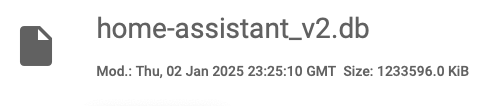
This is the size of my database, so a mere 1.2 Gb, half the size of your starting position.

Rob

A full backup will be in order before I start potentially causing damage.

G
#24 geoffreycoan

I’ve been running and optimising and running the SQL queries and tweaking and adding another sensor to the excludes and the automation then changing again for months. I have certainly done some big excludes and purges but I’ve also done quite a lot of small incremental steps.

There is no harm in doing it bit by bit, exclude a couple of sensors, purge say from 14 to 10 days history, etc. The predbat stuff you can get rid of a lot of this history because it’s just never used nor even can you access historical sensor attributes. The other sensors such as givtcp and temperature and power monitors are more a matter of what level of detail you want to retain to see in full granularity, and that’s personal choice.
As long as you retain the sensors that Predbat needs, you can reduce what you want. And by the way if you accidentally purge say the import kwh or the load_today sensor to 0 days then predbat falls over in a big heap, don’t ask how I know this …

The other big revelation and breakthrough for me was taming the ‘noisy’ sensors, both template entities and power monitors. Finding I had thousands of records of state changes that again were not practically needed and finding ways to dramatically cut them down.

L
#25 Leeshore

After tweaking mine yesterday and adding a few more of geoffreycoan tips re automations to tame the noisy sensors my database stands at 27.6Mb this morning!
My full backup of everything on HA is 281Mb.....

G
#26 geoffreycoan

Leeshore Excellent result 👍

Looking at your configuration.yaml, you’ve definitely gone further than me with your recorder excludes, I left more sensors in but purge them daily, giving the option of looking at what’s happened a bit more, and I focussed the excludes on the big sensors that were adding volume and data storage whereas you’ve gone for more sweeping clear out!

A couple of things to note from your excludes:

  • import/export/battery charge/discharge/pv energy total’s are useful for the energy dashboard. Even if you purge them daily to 0 history, its the long term stats the energy dashboard needs
  • predbat.status is needed if you want to create battery charge curves (this is a noisy sensor as well so is something that I think needs further Predbat development to reduce)
  • I like to keep a bit of power history so I can look back on when things happen, eg. the dishwasher cycle, but most of it is instantaneous views
  • likewise I purge the automations domain after 7 days rather than exclude so I can see the automation traces

I’ll do some further testing especially around things like the input numbers, binary sensors, switches, etc. The ones that were contributing a lot of history I think I have tackled but equally lots of little changes add up

L
#27 Leeshore

geoffreycoan I don't use the energy dashboard but am happy to rely on givenergy dashboard and I have already created my battery charge curves. I use Predai for load predication as well so there is a separate database for that which is currently 160Kb.

H
#28 Henry3rd

I failed at the first hurdle.
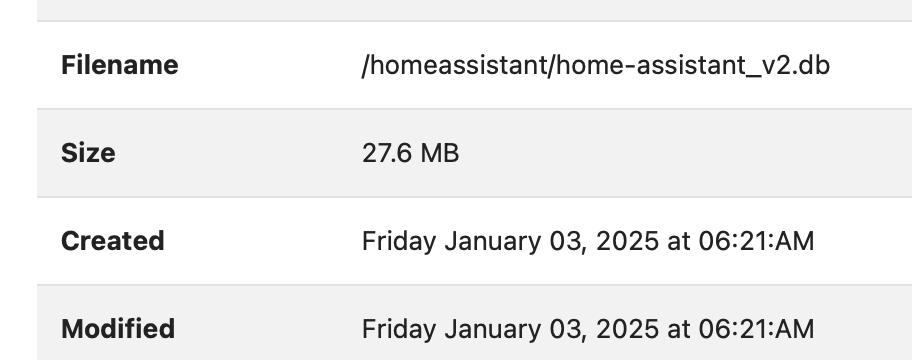
'/homeassistant/home-assistant_v2.db' is not recognised as a valid path?

G
#29 geoffreycoan

Henry3rd maybe your database is in a non-standard location?

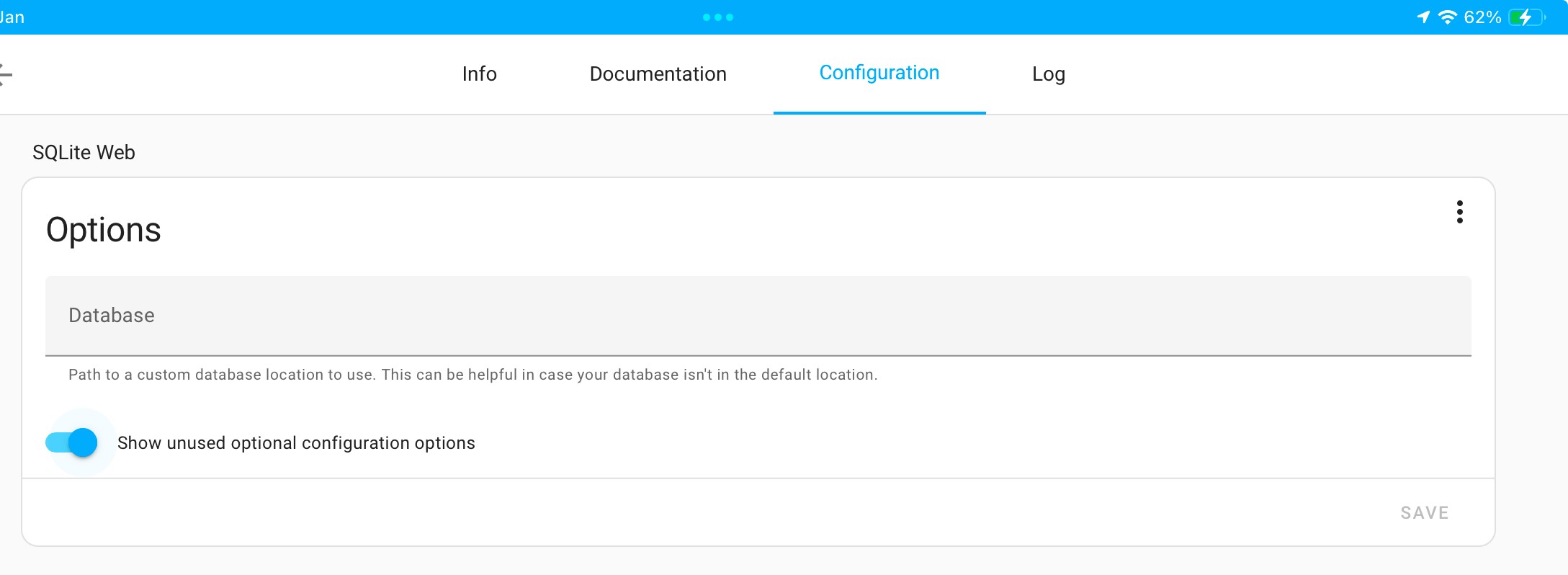
Go into SQL Lite configuration, turn on show optional config and type in the path to your HA database

It may be /config/home-assistant_v2.db

H
#30 Henry3rd

Thanks.
I shall keep trying. My path according to the file editor is /homeassistant/home-assistant_v2.db.

G
#32 geoffreycoan

Henry3rd I wouldn’t bother creating a sensor to see how big the HA database is, I didn’t bother, on the basis that it would add more clutter to my already bloated database….

I just look at the file size using a file share or file editor

Looking at that article again I notice it starts off with investigating the size of the events table so I went to look again at mine as it wasn’t an area I focussed on. I don’t have any state_change events recorded in that table (maybe discontinued in later versions of HA), and the biggest contributors to that table are:


1699	8	octopus_energy_electricity_current_day_rates
1699	8	octopus_energy_electricity_next_day_rates
1699	8	octopus_energy_electricity_previous_day_rates
1739	8	entity_registry_updated
1925	9	service_registered
2637	12	recorder_5min_statistics_generated
4476	21	call_service

None of them particularly big. I already purge all the history of the octopus event sensors every night and the rest sound like ‘HA system admin’ events.

Leeshore I noticed you increased commit_interval in your configuration.yaml. I just went to look at the documentation to see again if it would do anything to the database storage https://www.home-assistant.io/integrations/recorder/ as I was wondering why I hadn’t changed this myself.
Turns out it just increases the duration between database commits, so reduces the number of discrete IO requests, but it doesn’t reduce the number of state change event records written. Would make HA go a bit faster maybe, reduce SD card thrashing, but at the risk of a bit more lagginess to the sensor data reaching the db.
On balance no real benefit for me to increase this from the default 5 seconds.

H
#33 Henry3rd

geoffreycoan I wouldn’t bother creating a sensor to see how big the HA database is,

Indeed. That's the bit that didn't work for me anyway.

G
#34 geoffreycoan

Henry3rd '/homeassistant/home-assistant_v2.db' is not recognised as a valid path?

/homeassistant is presented as /config to HA core (or it might be the other way round), so either path to the HA database should work I’d expect.

Anyway, moot point if you are now not bothering to create a db size sensor

R
#35 Rbor

I have found this video, pitched at my 'rabbit level':
https://www.youtube.com/watch?v=mZs1ZdVSzNY

At least I found it useful and it has improved my understanding!
There's a section on recorder from 17:00.

I am still stumped of some of these HA terms though such as 'entity_glob' 🫤.

I tried working through some of the tips yesterday and wiped out my octopus greenness chart and octopus rate tables. I had disabled the entities but have got them back again now.
All part of the learning cliff.

I am going to be very careful about what I do here or I might wreck my setup.
I think that recorder is the thing that will reduce my history database and shouldn't prevent HA, predbat etc working, unless info in the history files is needed in apex charts, etc.

Rob

H
#36 Henry3rd

Just when I had finally stopped fiddling, this thread came along. 🙂
I have set up an automation to backup the database each night and added the following to my config.yaml.

yaml.txt
3kB

(I haven't as yet checked to see if this is working. But full db size has reduced overnight by 15MB, so it must be.)

I am now working on purging. I turned off a number of sonos media players and deleted their history.
Now onto an automation to do some serious purging!
As yet, nothing broken.

R
#37 Rbor

geoffreycoan Before disabling I purge all history for the entity (see tip 6) to reduce unnecessary entity history more quickly than just letting HA purge the oldest day's data each night. And afterwards I remove the long term statistics for these entities as well (Developer Tools / Statistics).

Questions

  1. Elsewhere, it states that long term stats can't be removed.
    So how would I do this?

  2. What does entity_globs mean?
    I can't find an explanation anywhere (that I have looked). HA documentation often assumes that the reader knows quite a lot already.

  3. You suggest additions are added to configuration.yaml.
    But automation seems to duplicate a lot of this.
    So why do I do both?

Thanks, as always.

Rob

R
#38 Rbor

Sorry to be a pest.
I have tried to purge some of the octopus sensors following your code for my settings (shown as XXXX below)

In my predbat log, I am getting this warning every 5 min:

2025-01-05 23:55:11.455212: Warn: No Octopus data in sensor sensor.octopus_energy_electricity_XXXXXXXX_XXXXXXXX_previous_rate attribute 'all_rates'

Any idea?

Thanks

Rob

G
#39 geoffreycoan

Rbor Elsewhere, it states that long term stats can't be removed.
So how would I do this?

Long term stats are much less detail and only written every hour so they take up far less space in the database than entity history. The purge commands I shared only remove entity history not long term stats.
You can however remove LTS in the developer tools/statistics. If you disable an entity in HA or you exclude its history with recorder config in configuration.yaml then when yoiu go into developer tools/statistics you will see the option to delete the LTS history.

What does entity_globs mean?
I can't find an explanation anywhere (that I have looked). HA documentation often assumes that the reader knows quite a lot already.

In recorder configuration.yaml and the purge commands you can specify entities in three ways:

  • entity_id - simplest, just a list of entity names
  • domain - the ‘prefix’ to family of entities, e.g. ‘input_number’ (all the input_number entities), ‘predbat’ (all the predbat entities), etc etc
  • entity_globs - its a wildcard partial match on entity name, e.g. ‘sensor.sun*’ is all the entity names in the sensor domain that start with ‘sun’. Glob I think means global match

You suggest additions are added to configuration.yaml.
But automation seems to duplicate a lot of this.
So why do I do both?

They are doing different things.

If you read through the tips it covers different scenarios for what you want to do with your entities and entity history:

  • stop populating a entity completely - disable it in HA
  • retain an entity but do not keep the history of the entity, i.e. you will only have the current entity value - exclude it from recorder in configuration.yaml
  • retain an entity, keep its history but rather than keep the default 10 days history, trim that down to just today’s sensor values - in the automation

There shouldn’t be any duplication of entities between recorder configuration.yaml and the automation. If there is that’s a mistake on my part, but I tried a lot to get it right

Rbor I have tried to purge some of the octopus sensors following your code for my settings (shown as XXXX below)

In my predbat log, I am getting this warning every 5 min:

2025-01-05 23:55:11.455212: Warn: No Octopus data in sensor sensor.octopus_energy_electricity_XXXXXXXX_XXXXXXXX_previous_rate attribute 'all_rates'

previous_rates is one of the sensors I purge to zero days of history. I’ve checked my predbat logs and I don’t get any errors but I purge the history at 2am so that might be why I don’t get a warning as predbat is no longer using the previous rates.
The warning should go away after midnight I suspect

R
#40 Rbor

geoffreycoan
I think I mended the 'Octopus energy' warning in my predbat log. This was your coding in your automation: sensor-purge-automation.txt
I am trying out different parts of your automation one action at a time, as you advised.

  - action: recorder.purge_entities
    alias: Purge Octopus sensors and events to 0 days
    data:
      keep_days: 0
      entity_id:
        - binary_sensor.octopus_energy_[account id]_octoplus_saving_sessions
        - event.octopus_energy_[account id]_octoplus_saving_session_events
        - event.octopus_energy_electricity_[serial number]_[MPAN]_current_day_rates
        - event.octopus_energy_electricity_[serial number]_[MPAN]_next_day_rates
        - event.octopus_energy_electricity_[serial number]_[MPAN]_previous_day_rates
        - event.octopus_energy_electricity_[serial number]_[MPAN]_export_current_day_rates
        - event.octopus_energy_electricity_[serial number]_[MPAN]_export_next_day_rates
        - event.octopus_energy_electricity_[serial number]_[MPAN]_export_previous_day_rates
        - sensor.octopus_energy_electricity_[serial number]_[MPAN]_current_rate
        - sensor.octopus_energy_electricity_[serial number]_[MPAN]_next_rate
        - sensor.octopus_energy_electricity_[serial number]_[MPAN]_previous_rate
        - sensor.octopus_energy_electricity_[serial number]_[MPAN]_export_current_rate
        - sensor.octopus_energy_electricity_[serial number]_[MPAN]_export_next_rate
        - sensor.octopus_energy_electricity_[serial number]_[MPAN]_export_previous_rate
        - sensor.octopus_energy_[account id]_octoplus_points
        - sensor.octopus_energy_[account id]_greenness_forecast_current_index
        - sensor.octopus_energy_electricity_[serial number]_[MPAN]_current_accumulative_cost
        - sensor.octopus_energy_electricity_[serial number]_[MPAN]_export_previous_accumulative_cost
  - delay:
      seconds: 20

When I originally ran this automation the night before, I went to town on disabling the entities after running it.
The result was that I lost my Octopus rates tables and my greenness apex chart (that you had provide for us).
I then re-enabled the entities but the 'problem' entity in the log was the 'sensor' equivalent of the 'event' entity, 3rd down in your code.
I have just checked and sensor.octopus_energy_electricity_XXXXXXXX_XXXXXXXX_previous_rate was still disabled.

... so I enabled the sensor and the warning have disappeared.
I do have the two consumption rates entities disabled.

Perhaps I am learning. 🤓 Now to add my battery codes to another action and see if I can run that successfully!

Rob

G
#41 geoffreycoan

Rbor When I originally ran this automation the night before, I went to town on disabling the entities after running it.

There are of course different solutions in HA than I have done and you can certainly disable more entities than I have. The entities I have disabled are the minimum set that I saw no value in keeping such as time since last update and ac charge power. From that list above there are probably a number where they could be added to configuration.yaml to exclude recording history from them. Predbat does use some of them in the plan as you have found so do need at least the current value

H
#42 Henry3rd

geoffreycoan This has been excellent. I have set up my automation and have now reduced my database size from 612.5MB to 375.4 MB. The only issue I had was with the current day's solar graph.
I had to restore the predbat pv daily history.
There's more I could do, but I have decided to leave it a week or so to ensure no other issues arise.

Thanks for your amazing detailed advice.

R
#43 Rbor

I don't know whether this is a knock on from my attempts so far.
I am getting this warning as probate starts:
2025-01-06 17:06:42.855191: Warn: Regular expression argument: octopus_saving_session unable to match re:(binary_sensor.octopus_energy([0-9a-z_]+|)_saving_session(s|)), now will disable
I have used your Octopus purge expressions and the relevant ones (with my account _id) are:

        - binary_sensor.octopus_energy_[account id]_octoplus_saving_sessions
        - event.octopus_energy_[account id]_octoplus_saving_session_events

I have checked my apps.yaml and the relevant code flagged in the warning is identical to the GitHub template. (I have even copied the Github template lines into my apps.yaml.

Any idea?

So far, I have reduced the db file down by about 113 Mb, so not by an enormous amount.
But I haven't yet added the relevant code to configuration.yaml.

Thanks

Rob

H
#44 Henry3rd

Where does the historical load data sit?
I have been studying my predbat plan and I see that there is a difference of 200KWh between my 17:30 time-slot today and tomorrow. That seems like a big difference given that it is averaged over 7 days. I'm just checking I have not inadvertently purged it. Although I am sure not as it would have appeared as predbat warning.

G
#45 geoffreycoan

Henry3rd This has been excellent. I have set up my automation and have now reduced my database size from 612.5MB to 375.4 MB.

Great to hear

The only issue I had was with the current day's solar graph.
I had to restore the predbat pv daily history.

As I mention in the item above, I use the Solcast integration for my PV forecast not predbat direct to solcast.
So I purged and disabled the predbat PV output entities as I use the Solcast integration ones in my today solar graph.

You would need to keep the sensor for your graph.

Rbor I am getting this warning as probate starts:
2025-01-06 17:06:42.855191: Warn: Regular expression argument: octopus_saving_session unable to match re🙁binary_sensor.octopus_energy([0-9a-z]+|)saving_session(s|)), now will disable

Predbat uses the saving sessions entities to automatically adjust the export rate when there is a DFS saving sessions entities. This is all from last year, only one session this year and I don’t think the Octopus API was working then. Presumption is that it will all work the same as last year.

But anyway, because Predbat uses the saving sessions entities I just purge them but keep them still in HA. Did you disable the entity?

H
#46 Henry3rd

geoffreycoan

geoffreycoan Warn: Regular expression argument: octopus_saving_session unable to match re🙁binary_sensor.octopus_energy([0-9a-z]+|)saving_session(s|)), now will disable

I have had this warning since day one and assumed this was a mismatch with the Octoupus integration. I just ignore it.

G
#47 geoffreycoan

Henry3rd I have had this warning since day one and assumed this was a mismatch with the Octoupus integration. I just ignore it.

It shouldn’t do.

https://bottlecapdave.github.io/HomeAssistant-OctopusEnergy/entities/octoplus/

Are you signed up to the Octoplus scheme?
Is the binary sensor disabled by default?

You can just comment it out of apps.yaml if you want the message to go away, but last year Trefor enhanced Predbat so it would auto-join the DFS sessions and update the plan with the DFS export benefits, so worthwhile getting it working (assuming Octopus provide the API access the same this year)

R
#48 Rbor

geoffreycoan Did you disable the entity?
No, I didn't disable it but predbat did, as in the warning. Strange.

I can try just removing the entity from the purge list and re-enable in a day's time. (The purge is for 0 keep days). For now, I have commented the saving session in apps.yaml.

I have tweaked your configuration.yaml additions so now to add the code and see what happens!

Rob

H
#49 Henry3rd

Rbor Same here, Predbat disabled it, but I re-enabled the entity and restarted HA.
It seems to be ok after that.

R
#50 Rbor

I logged into Octopus Energy so that my Octoplus was shown.
I then uncommented the saving sessions lines in apps.yaml and enabled all entities linked to savings sessions.
I then restarted predbat and my warning line wasn't there in the log.
So 'fixed' for now.

Rob

R
#51 Rbor

Update on progress.
I have been trying to tame my HA database now for nearly a week.
I have worked through all the tips from @geoffreycoan Thanks 👏👏
I have learnt a lot more about how HA works in the process.

So far, I have reduced my DB database by about 20% from about 1.15 Gb to 0.92 Gb.
I want to extend the template entities now as I have just the one outlined in Tip 7 so far.

It would be good to get the DB down further although I have learnt some of the perils in being too vicious in the entity culling.

Rob

G
#52 geoffreycoan

Rbor Good progress, it’s all learning !

Keep doing it bit by bit, focussing on the largest number of rows in the database tables (query 1) and those taking up the most space (query 3).

I spent over 4 months on it on and off so its not an overnight job, but pleasing when you make big improvements. My database is sitting pretty consistently around 210Mb backed up which I’m happy with.
As I said I could do more but time and effort and I’ve solved the big issue of running out of room on my Google drive (well actually I haven’t because I have about 16 months of monthly backups which are getting in the way, but until I sort out some of the stranded history records I am loathe to remove them)

G
#53 geoffreycoan

Woke up this morning and found that Predbat had been raising an exception error since 2:05 this morning about unable to load sensor history, Fortunately (Trefor’s good coding), it carried on running.

I had a problem with this before I published the article and tips above, and thought I’d resolved it, but clearly with the multitude of sensors in my HA I hadn’t.

So to save everyone else from issues, highlighting the potential pitfall and problems with tip 6 above.

In the standard Predbat GivEnergy apps.yaml template:

  # Sensors, more than one can be specified and they will be summed up automatically
  #
  load_today:
    - sensor.givtcp_{geserial}_load_energy_today_kwh
  import_today:
    - sensor.givtcp_{geserial}_import_energy_today_kwh
  export_today:
    - sensor.givtcp_{geserial}_export_energy_today_kwh
  pv_today:
    - sensor.givtcp_{geserial}_pv_energy_today_kwh

And yet in tip 6 I say:

geoffreycoan The automation contains a series of action calls to the purge_entities action (service) for different entities, purging all history if I am only interested in seeing today's detailed entity data, purging all bar 1 day to see today and yesterday, etc

keep_days: 1
<. - sensor.givtcp[inv id]export|import_energy_today_kwh *
- sensor.givtcp[inv id]load_energy_today *

keep_days: 7
- sensor.givtcp[inv id]pv_energy_total|today *

And in the copy of my own automation (which I just noticed is littered with g_ and h_ prefixes rather than givtcp_ and givtcp2_), it has these purges included and:

  - alias: >-
      Purge house load today, import today, export today and pv today used by Predbat for historic forecast to 8 days
    action: recorder.purge_entities
    data:
      keep_days: 8
      entity_id:
        - sensor.house_load_today
        - sensor.grid_import_today
        - sensor.grid_export_today
        - sensor.total_solar_energy_today

In my case:

  • house load today is a custom (time based) template sensor to calculate house load based in import, export, PV, battery, etc as the standard inverter sensor doesn’t work for my 2-inverter setup
  • grid import today and grid export today are utility meters wrapped around the underlying givtcp_xxx_import/export_energy_today_kwh
  • total solar energy today is a time based template to add my multiple solar array generations together

I did highlight that this was MY solution, but for clarity, to avoid falling into problems with a more standard solution, the purging should match what Predbat needs, i.e., should be:

  - alias: >-
      Purge house load today, import today, export today and pv today used by Predbat for historic forecast to 8 days
    action: recorder.purge_entities
    data:
      keep_days: 8
      entity_id:
        - sensor.givtcp_[inv id]_load_energy_today_kwh
        - sensor.givtcp_[inv id]_import_energy_today_kwh
        - sensor.givtcp_[inv id]_export_energy_today_kwh
        - sensor.givtcp_[inv id]_pv_energy_today_kwh

and make sure you remove these entities from the other purges of 0 and 1 days.

In my case I was using the inverter import and export in apps.yaml but purging these sensors to 1 day history which causes predbat to error. My fix for now is to swap apps.yaml to the import/export utility meters which have 8 days history and I will swap back in a week’s time now that I have corrected the automation.
My plan is to move away from the daily utility meters as they are not reliable in the energy dashboard.

H
#54 Henry3rd

geoffreycoan Thanks, coincidentally I had removed a few entities from my automation this morning because of a few errors showing up. This may also explain why my house load average seemed to have deserted me on the predbat plan. (see my earlier post _"

I have been studying my predbat plan and I see that there is a difference of 200KWh between my 17:30 time-slot today and tomorrow. That seems like a big difference given that it is averaged over 7 days. I'm just checking I have not inadvertently purged it. Although I am sure not as it would have appeared as predbat warning."_

R
#55 Rbor

geoffreycoan Thanks for the update and warning.

I had worked out that the mystery entities (e.g. sensor_house_load_today) were for your setup.
These featured in your templates.yaml and I have my adapted version (see below) in my own templates.yaml.

I didn't include the 'keep_days: 8' in my automation anyway!
It seems to reduce from 9 days to 8 days which I thought was minimal.

I have now tweaked the code as in your correction above and I have added the code to my purge automation.
I have also removed the energy lines from the keep_days: 1 section in the automation.

I had started to adapt them for my setup although I am unsure that they are correct!
This is what I have done. Please tell me if I have blundered. My intention was to extend the code base as you suggested in Tip 7:

Similar approach for other template 'total' sensors I have such as total energy generated today, house load today, etc.

# Home consumption sensor, updated every 5 minutes instead of the default of every sensor state change
  - trigger:
      - platform: time_pattern
        minutes: "/5"
    sensor:
      - name: "House Load Today"
        unique_id: "house_load_today"
        unit_of_measurement: kWh
        state_class: total
        device_class: energy
        state: >
          {% set x=(states('sensor.givtcp_XXXXXXX_pv_energy_today_kwh')|float(0) 
            + states('sensor.givtcp_XXXXXXX_battery_discharge_energy_today_kwh')|float(0)
            - states('sensor.givtcp_XXXXXXX_battery_charge_energy_today_kwh')|float(0) 
            + states('sensor.givtcp_XXXXXXX_import_energy_today_kwh')|float(0)
            - states('sensor.givtcp_XXXXXXX_export_energy_today_kwh')|float(0) ) 
          %}
          {{ max(x,0)|round(1) }}

I have my automation triggering at 07:00 each day rather than 02:00. I was wary of running the automation overnight as I was worry that it might trigger an issue at the time when I need predbat to charge with low(er) rates.

Rob

G
#56 geoffreycoan

Rbor I tried to focus on ‘here’s what I did’ as I was wary giving too much of a ‘cook book’ of how precisely to manage the database when different people have different approaches and I have a multi-inverter setup which complicates things.

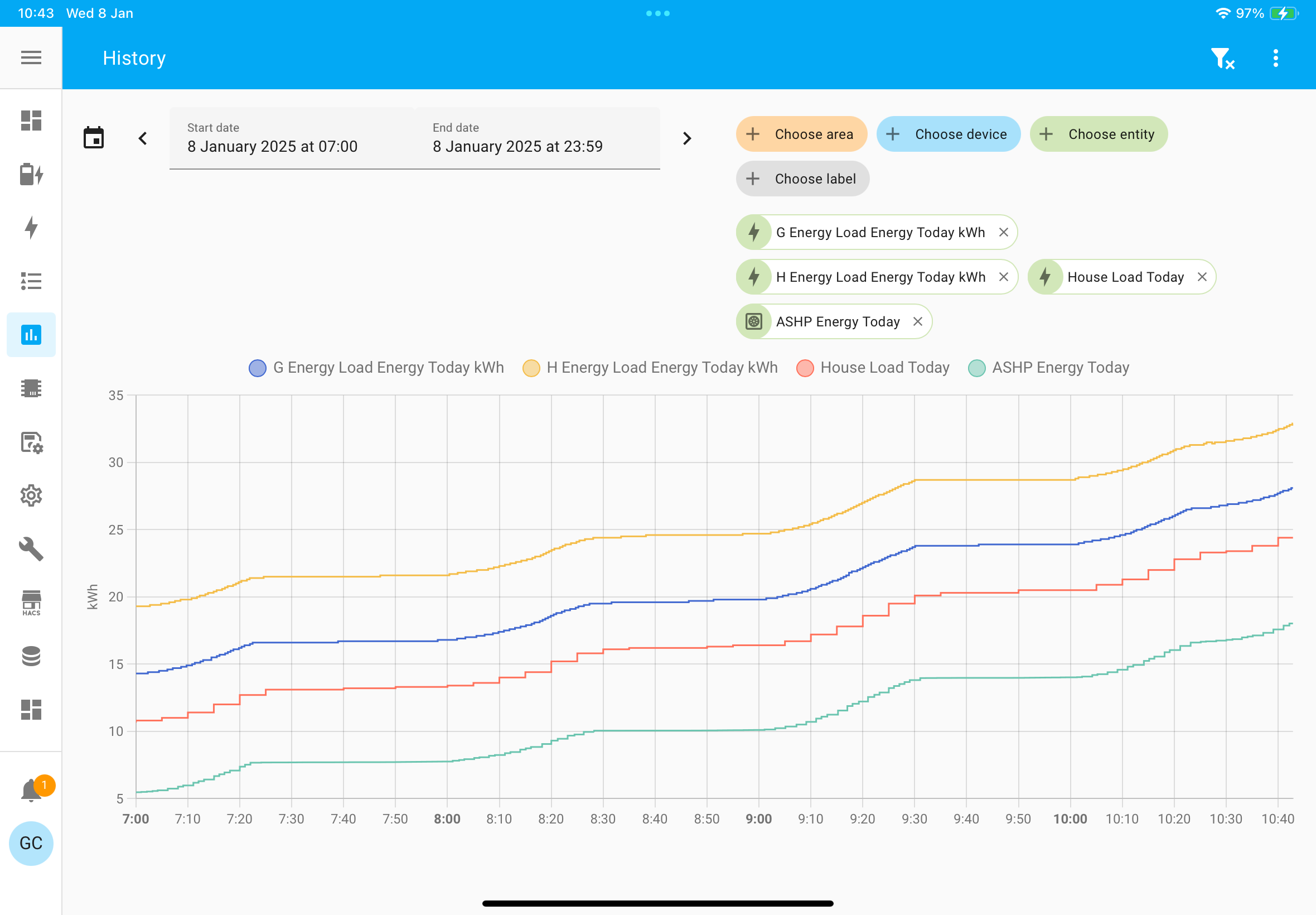
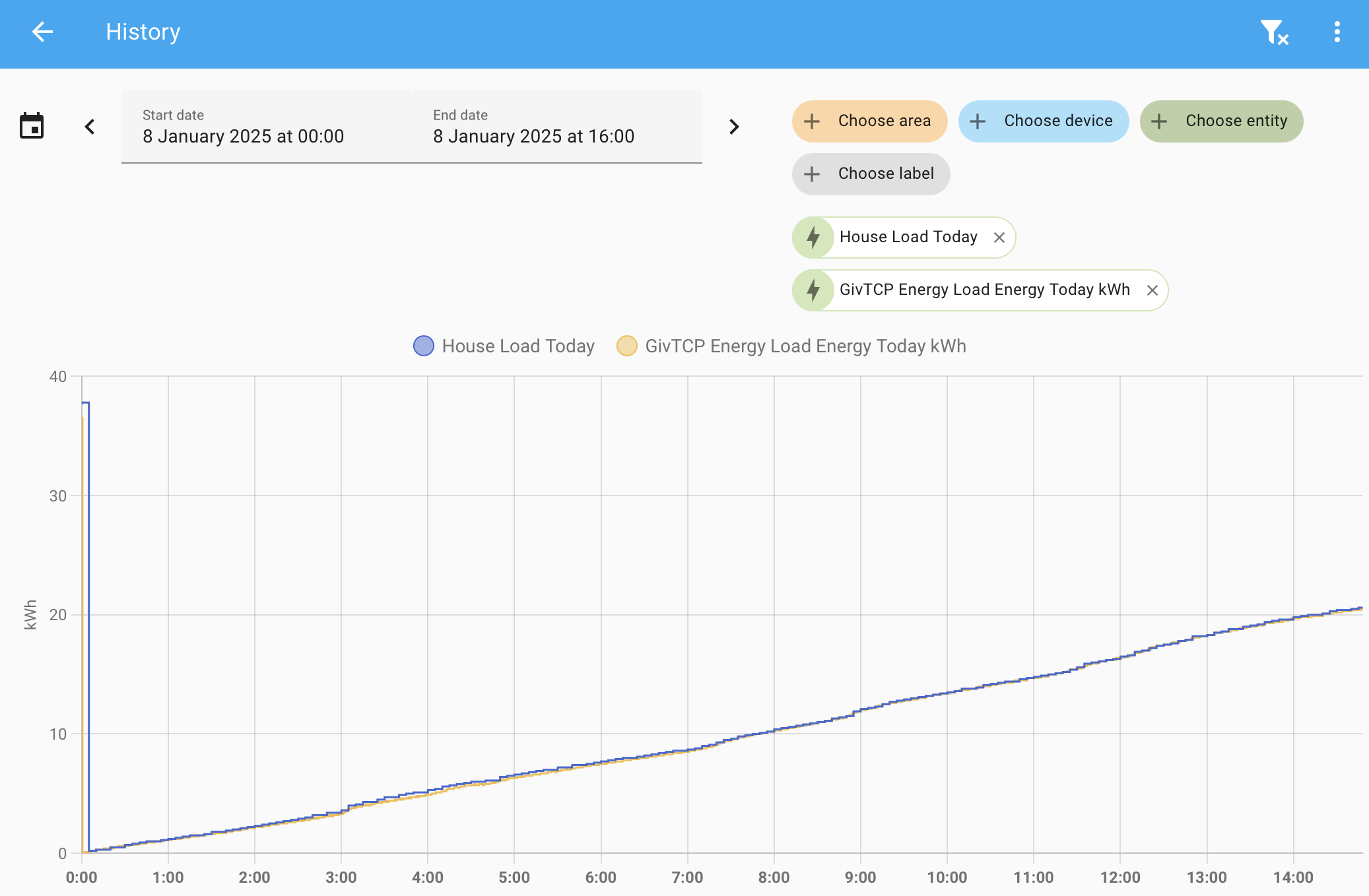
Your template looks fine but you maybe don’t need it as you have a single inverter with connected solar. Have a look at the graph of this vs the givtcp load_energy_today_kwh entity and see if its materially different. For me it is:

The Blue and Yellow are the load entities from my two inverters. They follow the same shape but have quite different values. The red is my calculated l oad entity, same shape but lower which is why I went down the whole custom sensor route.
The Green is today’s bad-boy, the heat pump energy today ☹️

If your lines trace well to the inverter sensor then no point adding unnecessary templates into HA. I know I have a number to simplify and remove which I’m progressively doing

R
#57 Rbor

geoffreycoan Thanks.
Looks like it is sensible to ditch the template. See below.

Rob

G
#58 geoffreycoan

Rbor Yep, its not adding anything in terms of accuracy.

Maybe save a bit of space in the database if you disable the givtcp entity (which is updated every 30 seconds that givtcp polls), vs the template which is every 5 minutes, but using the givtcp entity is simpler and less things to go wrong. If any of the underlying battery, import, export or PV sensors goes unknown or spikes following a HA reboot, the house load sensor will spike as well and pass that through to Predbat.

For you I don’t think that risk is worth the space saving. For me it was about getting an accurate energy figure, then I changed it to a timed trigger template to save space in the database. I still have the ‘spike risk’ to address

R
#59 Rbor

More questions!

  1. Tip 0: I had already changed my regular daily backups from being full backups to partial backups, only backing up the Home Assistant configuration (including /config, the database, etc), /ssl folder, GivTCP and HA Google Drive Backup add-on's, so for me this wasn't going to yield any benefit.
    I back up all other add-on's only once a month with a full backup, which was about 1.2Gb stored on the Google Drive.

You suggest partial backups and I have following your advice here.
You also suggest a full backup monthly.

How do you set this up?
In Google backup, I can only find an option to set a single backup schedule.

  1. Recorder (again)
    Is there a way of excluding all entities from a domain, etc, but including one entity.
    I see that you have judiciously used wild cards, *, but this isn't always possible.

I presume that my database will whittle down as various purges take effect over the coming days following by a repack. I have found this an interesting exercise in honing my limited HA skills.

Thanks

Rob

G
#60 geoffreycoan

Rbor You also suggest a full backup monthly.

How do you set this up?
In Google backup, I can only find an option to set a single backup schedule.

You have to change the google drive add on settings on the last day of the month to full backup, then next day change it back again.
Or change the settings, manually do the backup, then change the settings back.

There’s only 1 set of settings and no option for different backup regimes

Recorder (again)
Is there a way of excluding all entities from a domain, etc, but including one entity.
I see that you have judiciously used wild cards, *, but this isn't always possible.

You can exclude a domain and then include specific entities, I could have possibly done this with some of the predbat entities, but instead i erred towards simplicity of lists of entity names or wildcards where it was unanmbiguous

Definitely read the manual if you are doing includes and excludes this https://www.home-assistant.io/integrations/recorder/#configure-filter

I presume that my database will whittle down as various purges take effect over the coming days following by a repack. I have found this an interesting exercise in honing my limited HA skills.

Your database will naturally expire old sensor data you have excluded, or you can speed up by doing extra manual purges. And repack periodically.

I found I learnt a lot more about the entities in my database and how HA works from doing this. There is still just over 1000 entities in mine so more to tidy up should I get bored any time soon…

G
#61 geoffreycoan

TIP 11: Time-based data sampling for ESPHome BME280 T&H sensors

Bonus extra tip!

A bit niche, but you never know.

I mentioned in the original article that one of the issues I found was that for many devices there is no ‘data filtering’ available in the configuration. The Shelly devices and Inkbird Freezer temperature monitor are particularly prone to that, every single Watt of changed power consumption or in the case of the Inkbird, I’d get 1000 battery and temperature state records a day.

Solution for these is tip 7 to create a time-based filter of the incoming sensor.

I have a number of Govee temperature monitors around the house (which I don’t filter because they’re not actually too noisy) that broadcast their data via BLE. To get the BLE data into Home Assistant I use ESPHome running on a couple of ESP32 chips [lots of acronyms here!].

Anyway on one of the ESP32’s in my workshop I have added a BMP280 Temperature and Pressure sensor and I found the other day that whilst you can’t sample filter the BLE traffic you can filter how often the BMP280 data is sent to HA.

In the ESPHome device configuration, add the ‘update_interval’ command, recompile and deploy to the device.
Just wish I could do this for my Shelly and Tasmota devices.

# BMP280 Temperature & Pressure Sensor
sensor:
  - platform: bmp280_i2c
    temperature:
      name: "Workshop Temperature"
      oversampling: 16x
      accuracy_decimals: 1
      filters:
        - offset: 0.0
    pressure:
      name: "Workshop Pressure"
      accuracy_decimals: 0
    address: 0x76
    update_interval: 5min
R
#62 Rbor

geoffreycoan More things to play with .....

Meanwhile, I have managed to link HA to my OpenEnergyMonitoring setup via an integration and this has given me access to a range of entities, including one that monitors ASHP energy.

As the entity records cumulatively, I have managed to generate a utility meter helper to show daily energy consumption. This will allow me to separate ASHP energy consumption from the total, as you have done within your templates.yaml.

Thanks for giving me the idea. I know you have praised the versatility of utility meter helpers in a previous post (I think in 'For those of us thrashing the inverter' when we were looking at ways of showing daily register writes).

Rob

R
#63 Rbor

geoffreycoan
Progress:
When I started on my DB taming journey, 10 days ago, my database stood at about 1.23 Gb
I am now down to about 0.74 Gb, 60% of my starting point.

So plenty of progress (so far).

Thanks for sharing your tips around. My HA set up is starting to be leaning and meaner.

Rob

R
#64 Rbor

geoffreycoan
More progress
After another 4 days, my 1.23 Gb database has now been tamed and reduced to 0.61 Gb, a 50% reduction. And that's without me doing anything more, just letting the timed purged take affect over time.

Rob

G
#65 geoffreycoan

Another top-tip, just discovered today, the dbstats addon https://github.com/jehy/hass-addons/blob/master/dbstats/README.MD

Gives an easy way to see what entities have a lot of records or are taking up a lot of room in your HA database.

take a look. Its not got any configurability, but its a good way of getting a handle on what's in the database. its highlighted some entities that I have missed out from housekeeping