System Not Charging from Grid

22 comments started 2025-01-05 last 2025-01-05
GivEnergy Products
Q
#1 quarkrad

Last night my consumer unit kept tripping out. I disconnected everything (most things) from my house sockets and the house settled down. This morning my plan was to find the culprit. However, now I'm not so sure. On 3rd Jan we had a planned power cut from 0.900 until 16.00. On the 3rd my batteries charged to 100% as per normal during my 12.30 - 05.30 Octopus cheap rate slot. At 09.00 the power went of and I switched my change-over switch and ran off the batteries all day. (I'm running a Gen 1 3.6 inverter with two 8.2 batteries). At @ 16.00 when the grid power returned I switched the change-over switch back and thought nothing more. Looking at my portal report for the 4th Jan it appeared that I consumed no power from the grid through out the whole day or used any battery power - doesn't make sense. Also - I noticed that according to my mobile app my battery seem to be stuck at 78/79% - doesn't move all day(??). Any advice appreciated. Should I reset/restart my inverter (what activities should I do to action this)?

Here is the current setting on my charge-over switch@
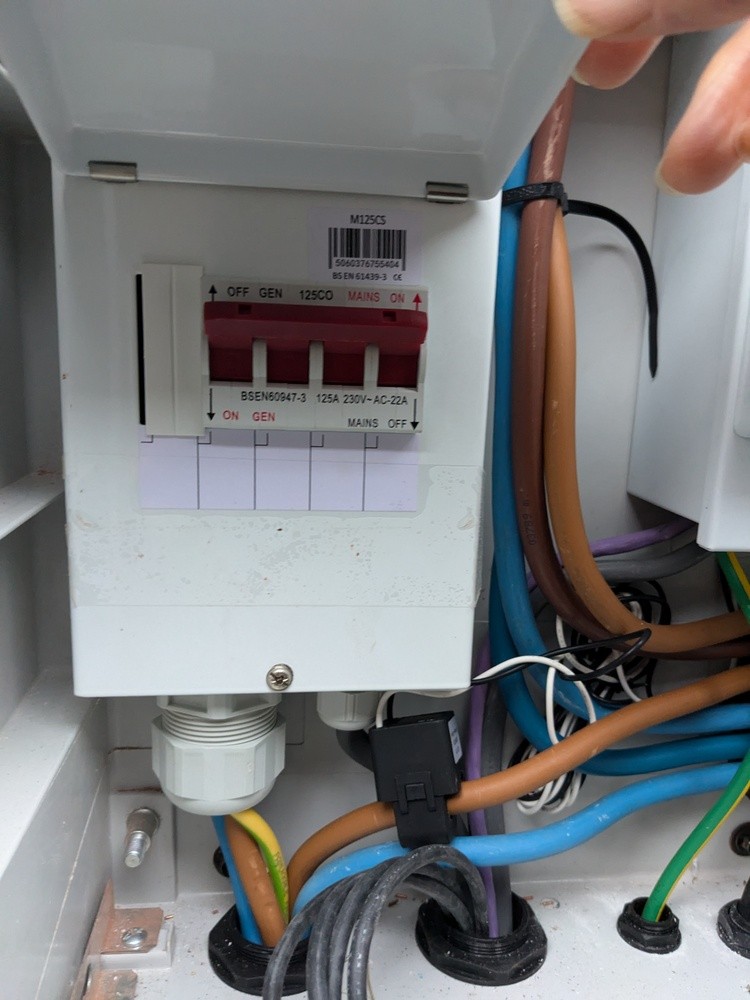
M
#2 M_J

quarkrad This morning my plan was to find the culprit.

It sounds as if you do have an RCD issue and if it was tripping you need to find out why.

Which circuit was tripping or was it the whole board?

I personally think that's more important to find out.

Q
#3 quarkrad

Agree - my feeling is I have two independent issues. I have two suspected culprits but at the moment my wife has put the washing machine (unknown to me). I have a few things connected like the fridge/freezer and heating and everything is Ok. All other (non essential) things are disconnected so once the switching has finished I will gradually hook things up and hopefully find out what is causing the RCD trip. Having said all that, I still have this GivEnergy problem that I need to also solve.

M
#4 M_J

In terms of your GE kit issue I would dig out your instructions and see what it says about fault finding.

You need to learn how it works and what to do for the specific system you have.

I have an AC inverter connected to 2 batteries and there are specific steps I follow if I think there's an issue.

I know how to shut down each part safely and reboot them. The information will be out there for your system.

If you post here asking for guidance then specifically state exactly what you have and firmware versions etc. Then you might get specific help.

The forum is just like a pub you might or might not get the help you need, depends on who's in...

D
#5 DD

quarkrad Looking at my portal report for the 4th Jan it appeared that I consumed no power from the grid through out the whole day or used any battery power - doesn't make sense. Also - I noticed that according to my mobile app my battery seem to be stuck at 78/79% - doesn't move all day(??).

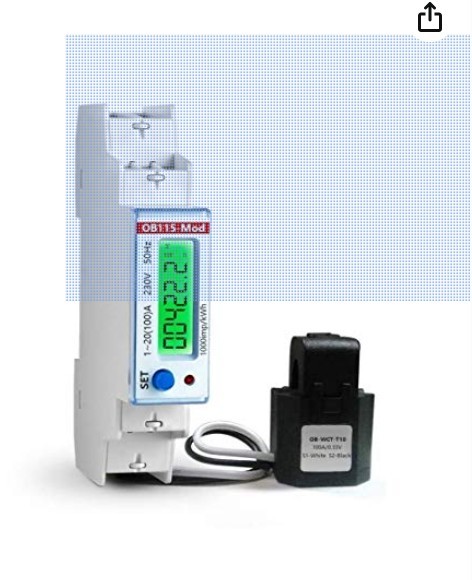
The system measures grid activity through a CT clamp which is connected to a little meter. The battery will typically only discharge in response to seeing some grid import. So if the grid measurement was failing somewhere, you'd see these symptoms.

On my install, the meter has its own MCB/rcb. If yours is the same, check if that has tripped. The meter should be displaying various numbers - cycles through them by default

S
#6 SteveCook

should be glowing green if it is working.

Q
#7 quarkrad

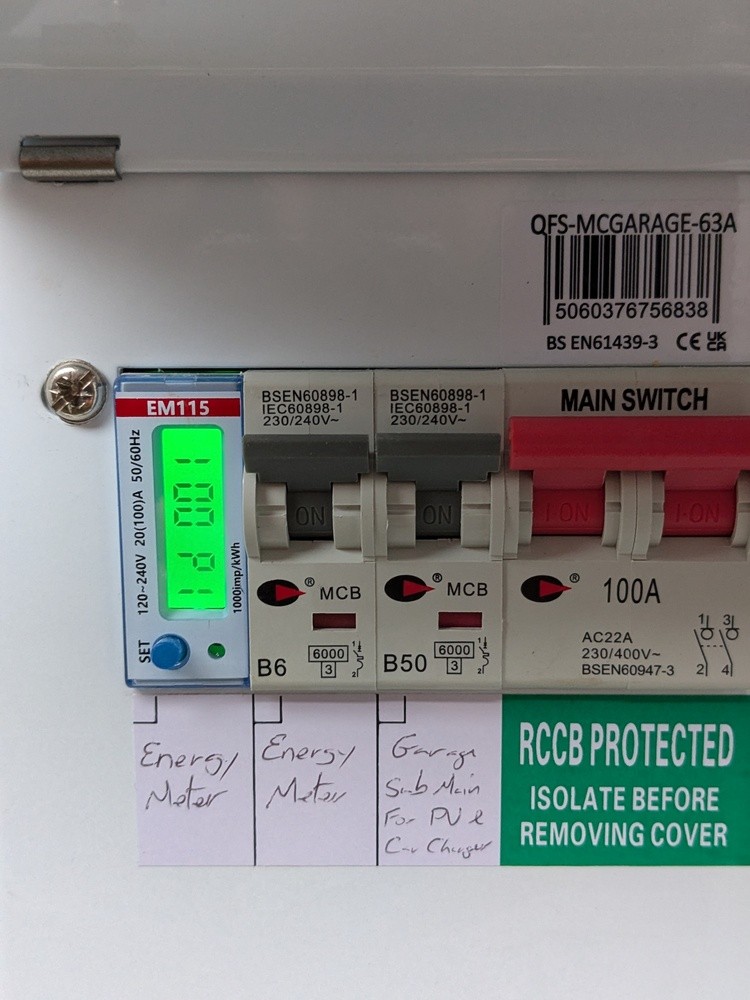
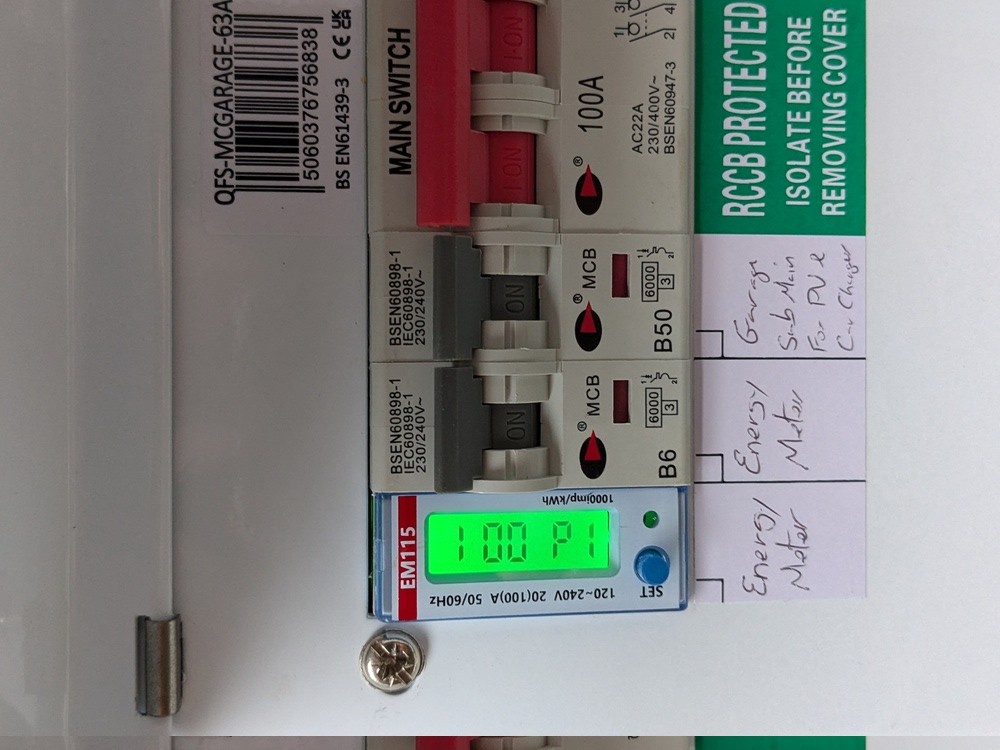
Thank you both. I've just taken a picture of what I believe is my CT Clamp.

I'm just looking new to see if I can find out what this 100 P1 means - I'm assuming it is some sort of error code.

V
#8 Vestas

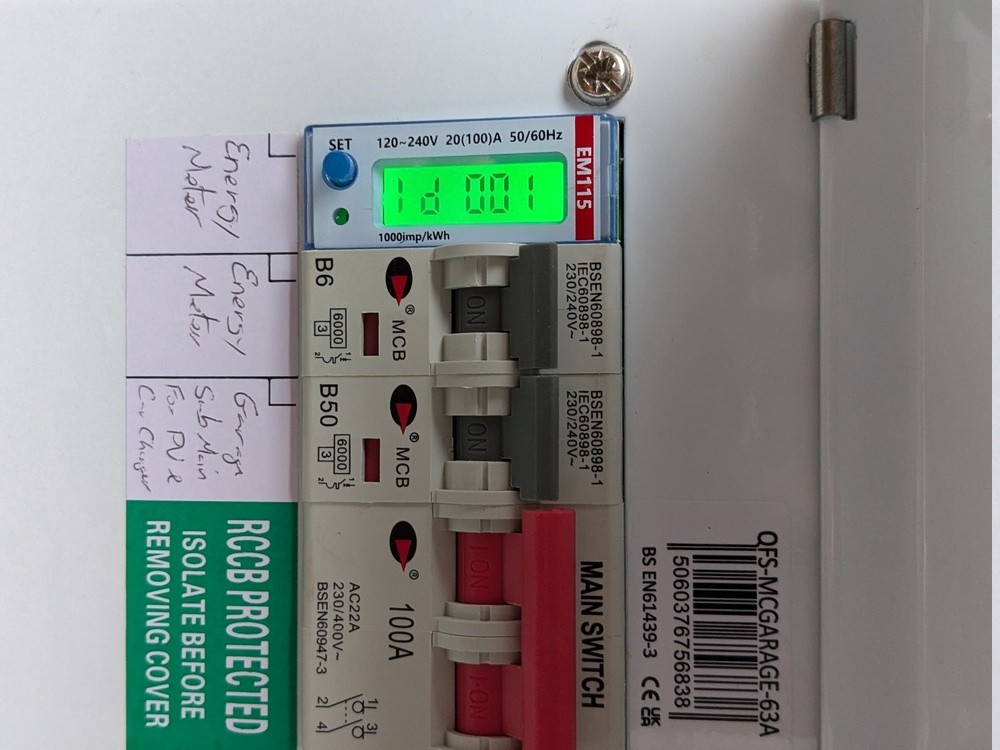
quarkrad ID 001 - you're reading it the wrong way round 😉

D
#9 DD

quarkrad I'm just looking new to see if I can find out what this 100 P1 means

From the orientation of the other writing, perhaps it's "1d 001" ?

Q
#10 quarkrad

OK - so this is a/my GivEnergy EM115 meter - now to find what that code means.

S
#11 SteveCook

is is plugged into your inverter, or has the plug come out. it is on the underside of the inverter and there are not any cable grips/clamps.
on the portal page are you seeing any comms errors in the notifications tab

Q
#13 quarkrad

It looks to me the display is: 1 00 P1 At the beginning of this thread I mentioned I had a planned power cut on the 3rd Jan. I'm wondering, when I switched the change-over switch, when grid power was put back on, it upset this clamp somehow. Anybody know what functions/happens when the Blue SET button is depressed?

Q
#14 quarkrad

Q
#15 quarkrad

Are - yes I see, upside down

Q
#16 quarkrad

Steve Cook - this clamp is not near my inverter. Next to my incoming electric supply box I have an additional box fitted that contains some switching equipment. From this box cables go across my lawn to the garage where the batteries/inverter is. Are you saying there should be another EM115 type device associated with the inverter?

Q
#17 quarkrad

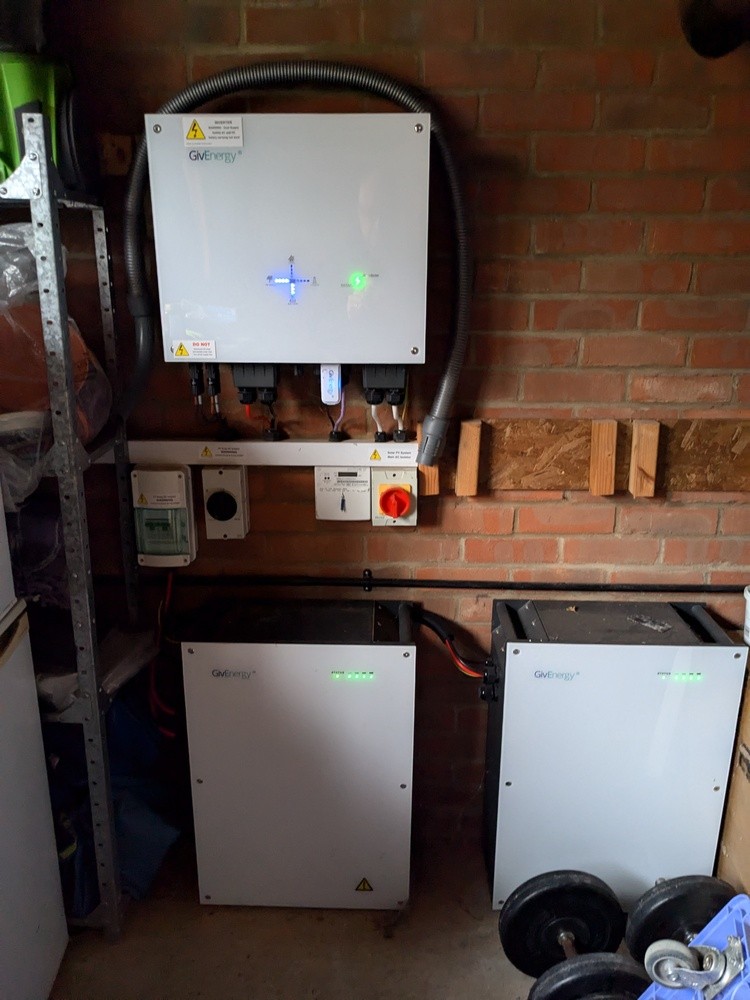
This is picture of my System in the garage

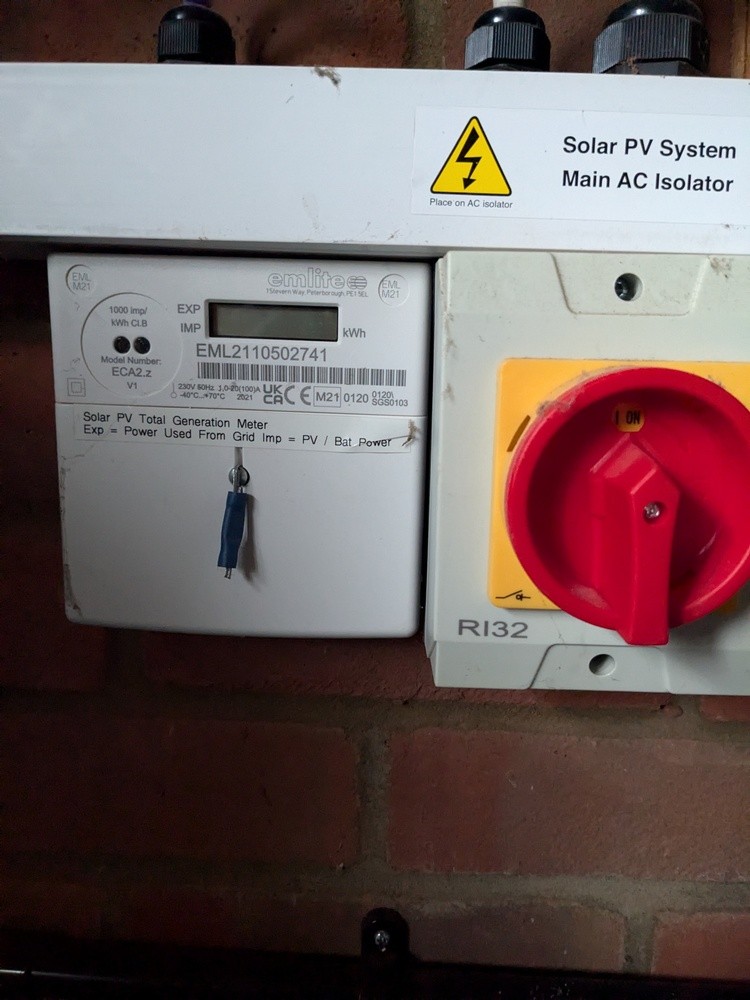
Below the inverter, to the right, I have an isolator switch and this box:

This box of tricks is a Emlite box. Currently there is no reading on the display - this box looks completely dead/not working.

There is no other EM115 type device to be seen.

Q
#18 quarkrad

Looks like this Emlite box is working - do not know at the moment if it can be brought back to life.

#19 hoggy

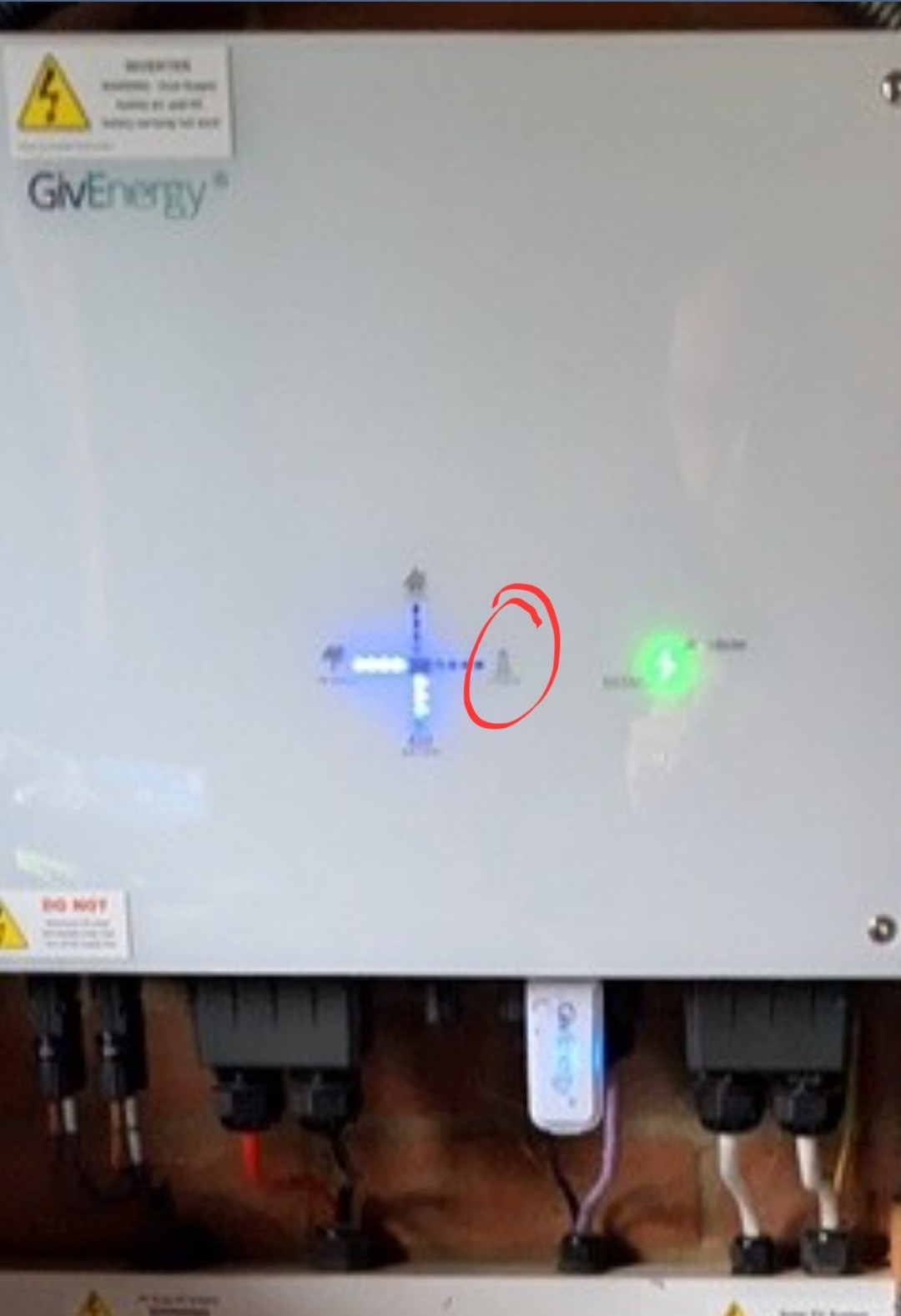
Id say you've lost your inverter grid supply still (circled area should be lit blue if connected to grid and also point to which direction its flowing)
I'd look around any other fuseboards you have (i see garage submain listed so id start there), in the meter cupboard etc to see if any further supply breakers are tripped.
In the app do you see the grid pylon circle have a cross through it?
Failing that, if there is voltage all the way to the inverter but it can't see it then it may be dead. It's not been unknown for installers to wire up Grid and EPS back to front and in conjunction with your changeover switch it may have created a backfeed loop.

Q
#20 quarkrad

Yes - my app does show a line/cross though it. My EV charger also has no power to it so there is obvious something trip somewhere. A point of confusion I'm trying to sort out is some switches you through and a green tab shows - but on the switch it says/printed OFF. Throw the switch the other way and a red tab shows - but the print on the switch says ON.

#21 hoggy

quarkrad for electrical switchgear -
Red = Danger (On)
Green = Safe (Off)

As opposed to say traffic lights, Red (Stop, which could be inferred as Off, so I get the confusion)

Q
#22 quarkrad

OK - thank you, got it all working. The clue was a) your comment about 'other fuseboards' and b) my EV Charger, that is on a completely different circuit, was also dead. Back at the house end, where the main electric fuse box is, and this 2nd associated box of switches, it appears one of the switches had tripped. When this happened I do not know but a combination of 'combinations' resulted in the correct positioning of 'the tripped switch' and now everything appears to be back to normal. Many thanks to everybody who has helped.