The Home Assistant Updates Thread

108 comments started 2025-01-10 last 2025-05-29
Home AutomationHome Assistant
T
#1 TX200

Someone suggested having a separate thread for updates to home assistant.

So here it is.

Just upgraded to the 2025.1.2 core from a 2024.12 variant.

Like others I tend to wait for the .1 or .2 before upgrading

No issues so far with HA. PredBat showing all the entities, plan, graphs etc.

Some new options for backups in this. That'll need exploring (I have the Google backup integration currently).

G
#2 geoffreycoan

Good suggestion TX200

I too tend to wait for a couple of patch releases to come out before upgrading, 2025.1.2 came out just 2 days after 2025.1.1 so must have had some urgent bug fixes in it.

Buoyed by your successful upgrade, I too have just upgraded HA core from 2024.12.5.
Seamless upgrade. Predbat crashed, failing to get load_today history from HA, connection refused, but the next Predbat run 5 minutes later it all worked fine. All dashboards etc seem OK.

Reading the comments on the new backup solution, its very much an MVP release and further features will be added in forthcoming releases. I’m still sticking with the Google Drive backup add-on as that does what I want very effectively, and will wait for future HA releases before I change

T
#3 TX200

I have an automation that fires every time home assistant starts.

It sends me an app notification with the uptime details.

I get it to wait two minutes before sending me the "it's up message".

That gives everything a bit of time to start, before I go looking to see if it's all working. 🤣

Although now I also might wait for the PredBat message to say mode is demand.

I've had too many occasions where I look too soon! 🤣

T
#4 TX200

alias: Home Assistant Start - Uptime Alert
description: Alert if home assistant starts
mode: single
triggers:

  • event: start
    trigger: homeassistant
    conditions: []
    actions:
  • delay:
    hours: 0
    minutes: 2
    seconds: 0
    milliseconds: 0
  • data:
    message: Home Assistant Start {{ states("sensor.uptime") }}
    title: Started
    action: notify.MyActionGroup

And one for shutdown too

alias: Home Assistant Shutdown
description: Alert if home assistant stops
mode: single
triggers:

  • event: shutdown
    trigger: homeassistant
    conditions: []
    actions:
  • data:
    message: Home Assistant Shutting Down
    title: Shutdown
    action: notify.MyActionGroup

Can't get the code formatting to work. Even pressing the button on the toolbar. Oh well.

G
#5 geoffreycoan

TX200 Can't get the code formatting to work. Even pressing the button on the toolbar. Oh well.

I had problems yesterday as well, code with three backwards quotes at the beginning and end wasn’t formatted correctly either.
I managed to sort it by three backwards quotes and then ‘yaml’ at the beginning and then it did stop trying to format it as text

Off topic. Weird behaviour of 2025.1.2, I noticed that none of the other pending updates are now showing - HACS, Watchman or the Octopus Integration.
Found that HACS integration had failed to load for reasons unknown, so I forced a reload and now it realised it needed updating.

I’ve updated HACS to 2.0.2 but still not getting the other integration updates appearing. Its as if HA has forgotten about them 🤷‍♂️

G
#6 geoffreycoan

Spoke too soon in my ‘upgraded to HA 2025.1.2 and its all fine’, I did, and it was.

Afterwards I upgraded to HACS 2.0.2, rebooted HA, and it looked OK but turned out that Predbat had crashed behind the scenes but I was still getting a frozen dashboard, only spotte when I opened the dashboard on a different device and found none of the predbat entities were loaded.

I think my predbat error monitor would have spotted the frozen predbat soon but restarting the predbat addon and it all came back to life again.

Weird that one reboot had no issues but the second killed predbat.

H
#7 Henry3rd

I updated yesterday but for no reason predbat has just crashed. Restarting as we speak.

H
#8 Henry3rd

Henry3rd The reboot of HA restarted everything to normal.

T
#9 TX200

I'm seeing no HACS updates on the usual menu, although I do try to stay reasonably well up to date.

If I dig deeper, there was an update for my heating a week ago. Not sure if I skipped that, don't think I did, but it would be unusual for something to be waiting to be installed for a week.

Done a full system reboot to see if it was needed.

T
#10 TX200

TX200 seems the heating is up to date. The version number installed matches the latest version number on the integration webpage, so it's not a missing update, it's just a bit confused maybe. 😁

D
#12 Daveb01

Just updated Predbat 8.10.2 no issues I can see.

H
#13 Henry3rd

Just udated to 8.11 but getting some error messages.
Notably "Unable to fetch history from sensor.givtcp_fd2319f635_battery_stack_1_bms_temperature"
I suspect this is due to an incorrect addition to apps.yaml. I added the "_fd2319f635" to the code. Do I need it?

I can find a sensor "sensor.givtcp_dx2403g127_battery_temperature" but not :battery_stack_1_bms_temperature"

I changed to "sensor.givtcp_dx2403g127_battery_temperature" and the error messages went away. I may well swap to one of the cell temperatures and see what happens.

G
#14 geoffreycoan

Henry3rd Unable to fetch history from sensor.givtcp_fd2319f635_battery_stack_1_bms_temperature"
I suspect this is due to an incorrect addition to apps.yaml. I added the "_fd2319f635" to the code. Do I need it?

I can find a sensor "sensor.givtcp_dx2403g127_battery_temperature" but not :battery_stack_1_bms_temperature"

the sensor name doesn’t have the inverter id in it, but its only available in GivTCP v3. If you are using GivTCP v2 then use one of the cell temperatures (which you can use in v3 as well).

And BTW despite the sensor name being ‘bms temperature’ in givtcp v3, I and others believe this is incorrect, its actually battery cell temperature https://github.com/britkat1980/giv_tcp/issues/329

H
#15 Henry3rd

Henry3rd I picked up my cell four temperature and now see this in my dash

I assume Predbat will now use this temperature to control charging rates.

H
#17 Henry3rd

For completeness, I can report that there seems to be no nasty consequences of upgrading to 8.11 and my yaml was set to

battery_temperature:

  • sensor.givtcp_dx2403g127_battery_cell_4_temperature
D
#18 Daveb01

Henry3rd

I am also not sure about Cell and BMS temp especially for AIO. So have put both in my home Card to keep an eye the for a bit.

H
#19 Henry3rd


The charging seems to have throttled back as a consequence of low battery temp to 58%. However, at the end of the charge period, the soc is shown as 63%. I wonder if that is correct?

H
#20 Henry3rd

Henry3rd
It sorted itself out. I just need to be more patient.

G
#21 geoffreycoan

Daveb01 I believe the AIO with its high voltage batteries is less prone to the temperature related charging issues we get with the low voltage batteries (2.6, 5.12, 5.2, 8.2, 9.5). Probably doesn’t need a charging curve, but worth looking at how the charge rate changes with cell temperature (if it changes at all)

H
#22 Henry3rd

Mosquitto broker updated to 5.0. No obvious issue encountered.

G
#23 geoffreycoan

Also upgraded Mosquitto yesterday with no issues.

Poor experience upgrading HACS from 2.0.1 to 2.0.2 though, the actual upgrade went OK but afterwards HACS ‘forgot’ about all the integrations and front end components I had installed via HACS so no longer receiving any update notifications and it was that some update notifications had disappeared that put me onto there being a problem.

Navigate to Integrations/HACS/Entities and there’s a list of update entities, one per HACS component installed, these were all now reporting as unavailable and no longer provided by the HACS integration.

Couldn’t find a GitHub report that matched my issue, nor could I work out what the HACS config file was I needed to restore so I ended up having to reinstall everything. I didn’t lose any installations but what I had already installed, HACS didn’t know about them. Painful as it required finding and adding the custom directories for some components

After I’d posted about my problem with HACS the details of the file I needed to restore got added to this github issue https://github.com/hacs/integration/issues/4346

It does look like others have had problems with upgrading HACS to 2.0.2

L
#24 Leeshore

I've updated to HACS 2.0.3 with no issues

H
#25 Henry3rd

Just updated to 8.11.1
No issue to report

G
#26 geoffreycoan

Henry3rd ditto also looking good for me, am seeing hold charges rather than freeze charges before the peak but plan looks sensible

H
#27 Henry3rd

geoffreycoan
I have freeze charges and charges all the way through to 11:30. It's a mystery 🙂

R
#28 Rbor

geoffreycoan Thanks for this insight on trying to upgrade HACS to v2.0.2.
I have upgraded mosquito broker.
Interestingly, I am already on HACS 2.0.2 which didn't break anything (I upgraded a few days ago).
The GitHub issues did not make for pretty reading.
I took a backup and then upgraded to HACS 2.0.3 without issue..

I now just need to move to HA 2015.1.2 but, having already tried with issues, I am back on 2024.12.5.

Rob

G
#29 geoffreycoan

Henry3rd I have freeze charges and charges all the way through to 11:30. It's a mystery 🙂

I have charges, hold charges and freeze charges all the way through to 16:00 except for 8:30 and 11:30. This looks a reasonable plan to me, Predbat charges overnight in the cheaper (ish) rates, then holds the battery until the peak except for a couple of earlier slots where the rates are higher for just that 30 minute slot.

At the moment everything is upgraded apart from HACS which is still on 2.0.2. Given the problems I had with upgrading to 2.0.2 I’m not fancying another upgrade although at least now I know what file to restore if the HACS registry gets blanked out.
2025.1.2 working fine for me, no issues at all. The ability to zoom in and scroll along a history graph is nice but otherwise nothing of excitement for me in this release.

R
#30 Rbor

geoffreycoan any comments about the new backup functions in HA 2015.1 ?

Rob

G
#31 geoffreycoan

Rbor any comments about the new backup functions in HA 2015.1 ?

Great feature for new users of HA that don’t have a backup regime.

For everyone else, recognise that this is very much an MVP (minimum viable product) so the least usable set of features to make a shippable product. There are several things that need to be added which doubtless will come in future releases to make it more usable:

  • ability to define different and multiple backup schedules
  • grandfathering/versioning of backups (e.g. keep daily copies for a week, then weekly copies for a month, then monthlies for a year)
  • turn off backup encryption
  • integration to other backup destinations such as google drive, Amazon S3, etc

So for me its not what I want and I will stick with the google drive backup, but over time I expect it will get there.

I did look at moving to an Amazon S3 backup solution, I’d have to pay for the storage probably but would get more than the 15Gb Google limit which even with all my data reduction I am still bumping up against as I now have a year of backups that I want to keep.

H
#32 Henry3rd

I was just wondering why there are two versions of Givtcp add-ons? Version 2.4.9 which I am running and version 3.0.4
Is there a preferred version?

T
#33 TX200

Henry3rd there's some big changes on givtcp 3

Eventually we'll all have to move to it.

But it's very early days for it and it's not 100% bug free (nothing ever is of course!).

I think it doesn't work properly with the Giv EV charger yet either.

It's also a little complicated to move to V3. You have to stop and stop the auto start on V2. Delete some cache items (or something like that) then install/start V3.

There was a write up of the process somewhere on the forum.

G
#34 geoffreycoan

Henry3rd as TX200 there are a lot of changes in givtcp v3.

All development and bug fixes are going into v3. v2 still works but don't expect to see any improvements to it.

v3 includes support for multiple AIO's and 3 phase inverters, includes automatic device detection, better error handling and auto restart and a few new sensors like average cell temperature.
However the upgrade for some people (myself and @Rbor included) didn't go cleanly, none of the battery sensors worked and we ended up having to remove things with mqtt explorer to get v3 working.

Early versions of v3 despite it being in beta and dev for ages had a lot of problems, but 3.0.4 seems quite stable. I only upgraded about a month ago and its running fine.

R
#35 Rbor

Henry3rd There was a thread on moving from givTCP v2 to givTCP v3 titled: 'Experiences with GivTCP v3 and predbat'.
I know that we had step-by-step instructions somewhere for moving from givTCP v2 to givTCP v3 but I can't find it.

So from memory, this is what you need to do.

  1. givTCP v3 isn't a straightforward upgrade from v2. It is a different beast.
    It is essential that you do not have both v2 and v3 running together.

  2. Download givTCP v3 but don't start it yet.

  3. Stop TCP v2 and make sure the restart on boot option is turned off.

  4. In your apps.yaml, you may have 'Automatic restart' set up. See documentation for details:
    https://springfall2008.github.io/batpred/apps-yaml/#automatic-restarts.
    If you have this, change the 'slug-id' to 533ea71a_givtcp as in documentation.
    If you don't do this, when you start givTCP v3, v2 will restart and you will have both running together!

  5. Start givTCP v3 and follow the instructions. There is a web UI page for configuration but most of this is auto-populated for you. I don't think I had to change anything.

  6. Hopefully, all will be running fine now. Check the givTCP log.
    Also check predbat log (I would probably restart predbat for good measure).
    You can keep givTCP v2 and v3 both installed. Then if things go wrong with v3, you can downgrade back to v2. I still have both but I will eventually delete v2.

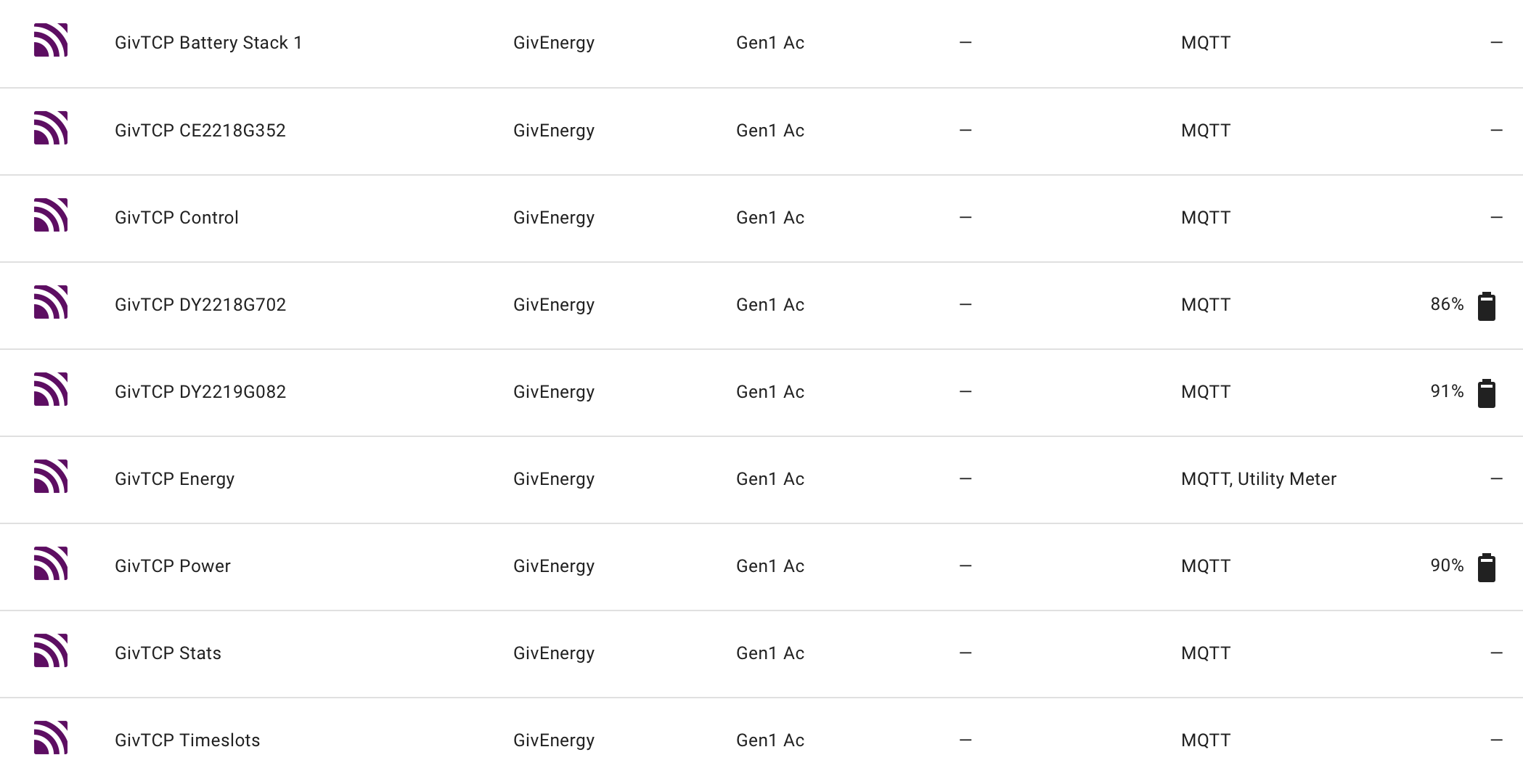
  7. Check Devices&Services/MQTT and you should see all the givTCP devices (I had 9).
    Check each to see the info that is displayed. If you are lucky, all will be fine.
    Some of us have had issues with remnants of v2 intermingled with v3 and we have had to remove these using MQTT Explorer. If you have this problem, check out 'Experiences with GivTCP v3 and predbat'

Although long-winded, it is worth moving to v3. So the best of luck.

Rob

H
#36 Henry3rd

Rbor That's great, I have updated.
The only issue I had was out of range charge/discharge targets (0). I changed these within the Givenergy inverter dashboard and the errors went away.

I am hoping this upgrade will fix my givtcp "Inv1 - sync - [ERROR ] - Connection to (x.x.x.x) failed: timed out" errors which were driving me nuts. These were occurring every 5 -15 mins. I had eliminated network issues.
So far, so good, no communication errors for 70 minutes or so.

H
#37 Henry3rd

Old Givcp
2025-01-20 00:51:35,621 - sync - [ERROR] - Connection to (192.168.0.41, 8899) failed: timed out
2025-01-20 00:51:38,126 - sync - [ERROR] - Connection to (192.168.0.41, 8899) failed: timed out
2025-01-20 00:51:40,631 - sync - [ERROR] - Connection to (192.168.0.41, 8899) failed: timed out
2025-01-20 01:11:36,804 - sync - [ERROR] - Connection to (192.168.0.41, 8899) failed: timed out
2025-01-20 01:11:39,309 - sync - [ERROR] - Connection to (192.168.0.41, 8899) failed: timed out
2025-01-20 01:11:41,814 - sync - [ERROR] - Connection to (192.168.0.41, 8899) failed: timed out
2025-01-20 01:17:50,524 - sync - [ERROR] - Connection to (192.168.0.41, 8899) failed: timed out
2025-01-20 01:17:53,029 - sync - [ERROR] - Connection to (192.168.0.41, 8899) failed: timed out
2025-01-20 01:17:55,533 - sync - [ERROR] - Connection to (192.168.0.41, 8899) failed: timed out
2025-01-20 01:23:20,164 - sync - [ERROR] - Connection to (192.168.0.41, 8899) failed: timed out
2025-01-20 01:23:22,669 - sync - [ERROR] - Connection to (192.168.0.41, 8899) failed: timed out
2025-01-20 01:23:25,172 - sync - [ERROR] - Connection to (192.168.0.41, 8899) failed: timed out
2025-01-20 01:30:22,030 - write - [INFO] - Setting Charge Slot 1 to: 01:30 - 06:00

New Givtcp
2025-01-21 05:35:21,517 GivTCP -write - [INFO ] - Setting Battery Pause Mode to PauseDischarge was a success
2025-01-21 05:41:09,984 GivTCP - write - [INFO ] - Setting Battery Pause Mode to Disabled was a success
2025-01-21 05:51:11,286 GivTCP -write - [INFO ] - Setting Battery Pause Mode to PauseDischarge was a success
2025-01-21 06:00:10,755 GivTCP - write - [INFO ] - Setting Battery Pause Mode to Disabled was a success
2025-01-21 06:11:10,196 GivTCP - write - [INFO ] - Setting Battery Pause Mode to PauseDischarge was a success
2025-01-21 06:30:10,781 GivTCP - write - [INFO ] - Setting Battery Pause Mode to Disabled was a success
2025-01-21 09:30:10,743 GivTCP - write - [INFO ] - Setting Charge Target 100 was a success


G
#38 geoffreycoan

Henry3rd good news. We said that givtcp 3 had more reliable comms.

Just to check your upgrade went OK: have you checked all your battery sensors are populated OK, eg bms temperature, battery soc, and check the HA core log that there’s no errors about duplicate sensor id’s from mqtt

H
#39 Henry3rd

geoffreycoan Thanks, I have not spotted anything yet but I will continue to obsessively check the logs.
My next task is to set up the TCP restart automation.

D
#40 Daveb01

Henry3rd

Don’t forget to look at Developer Tools/Statistics and see if you have any entities that need deleting (normally at the top)

H
#41 Henry3rd

Daveb01 Good call. I hadn't looked at Tools/ statistics before and have now cleared up a lot of nonsense that needed fixing.

R
#42 Rbor

Henry3rd Well done in getting to this stage.
There are too many gotchas for anyone upgrading from givTCP v2 to v3.
I have an AC3.0 and this is my list of MQTT 9 devices with v3.

When I had duplicated device relics from v2, I have 14.
And the values for batteries (voltages, temperatures, etc) were 'unknown.

Worth checking.

Much more info in the 'Experiences with GivTCP3' and predbat thread.

Rob

H
#43 Henry3rd

Rbor Thanks. I got rid of some devices that were no longer being updated and 12 remain.
All of which seem to be valid.

R
#44 Rbor

Henry3rd As long as you can see battery info from the battery devices.
I remember that I could see the info but, after restarting HA, they disappeared! I then disappeared into the MQTT Explorer black hole, another thing to learn in this mysterious HA world.

What inverter do you have?

Rob

H
#45 Henry3rd

Rbor It's a Gen3 hybrid.

T
#46 TX200

Home assistant needs a reboot. 19 hours ago.

Oops, forgot to reboot it after updating octopus integration.

Thankfully it seemed to carry on running presumably on the old code. 🤣

D
#47 Daveb01

Henry3rd

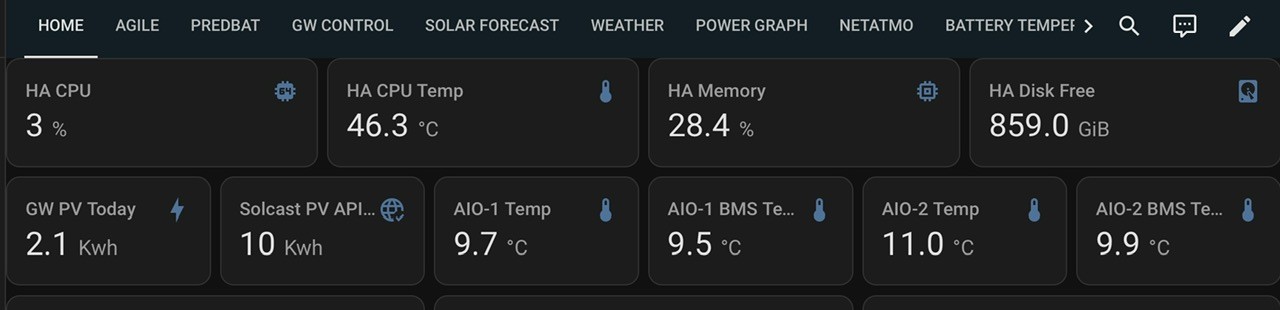
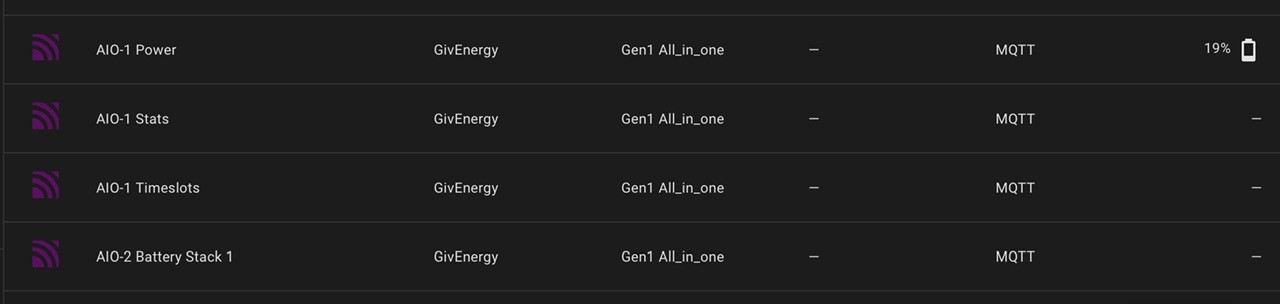
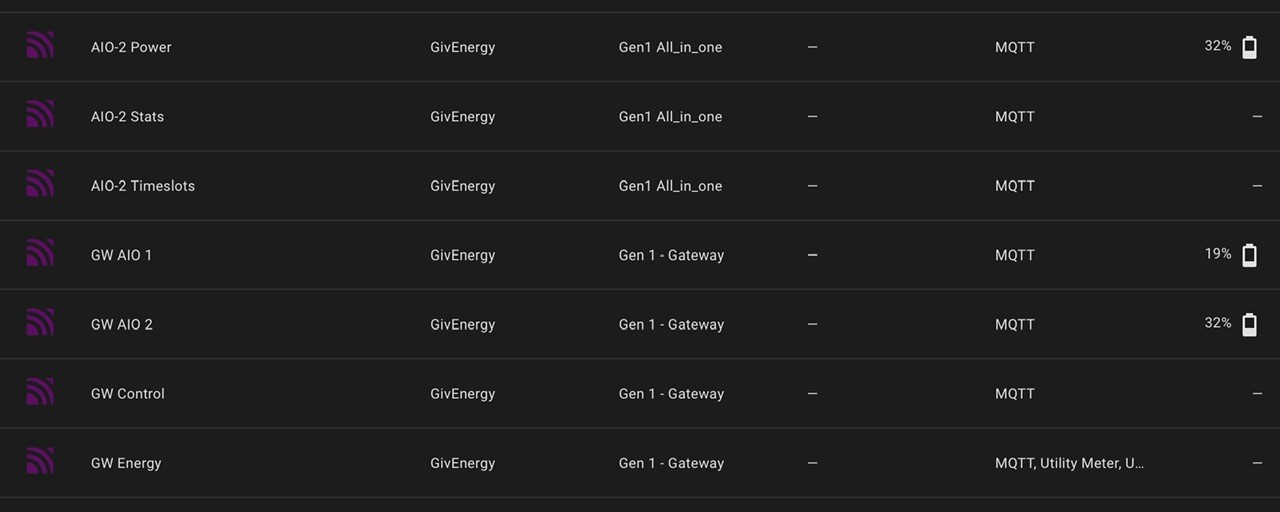
One other thing I did, you may want to consider as I have three devices. Gateway, AIO x 2. If you just leave it as default it names it givtcp1, givtcp2, givtcp3 etc, so i gave each device a name e.g GW, AIO-1, AIO-2. In the config webpage.

However as I had set it up with defaults initially I had to go and change the names in yaml afterwards. This is what it now looks like.

H
#48 Henry3rd

I seem to have lost control of Home assistant supervisor and restart is failing to work.
I have been internet scouring for the solution but without finding one.
Has this been encountered by anyone before?
Predbat seems to working regardless.

G
#49 geoffreycoan

Henry3rd do you have the SSH and telnet add-on installed? You could open an SSH window (either via the addon or from another device) and issue commands direct to the supervisor that way

H
#50 Henry3rd

geoffreycoan The terminal installed with HA also disappeared. I ended up pulling the plug on the pi and all has restored.
This seems a bit industrial and is not without risk. I probably need to connect directly to the pi and do a safe restart.
Hopefully this is a one off event.

H
#51 Henry3rd

Rbor wow, weeding out duplicates was really a rabbit hole into which I fell!
I have just had fun and games with MQTT explorer and my duplicate errors seem to have disappeared for now.
Just one comment and I know it is covered on another post, but I would not have found the 'Experiences with GivTCP3' thread without your signposting.
Cheers

R
#52 Rbor

Henry3rd I knew you would enjoy MQTT Explorer. I felt a real sense of achievement learning MQTT Explorer and managing to remove the duplicates using it.
From the other thread, you will have seen the fun and games that we had removing duplicates!

Rob

D
#53 Daveb01

Morning guys, I have updated HA this morning, all good and no issues. I have left it for three hours and still good.

I am looking at updating Predbat as I am quite a few behind. So this is a new experience for me as usually update one at a time when it comes out. I think I have 2 options:-

  1. Upgrade one at a time (5 to do)
  2. Upgrade straight to 11.4

What’s the opinions please?

G
#54 geoffreycoan

Daveb01 I would upgrade straight to the latest version. Its what I do when I am several behind.
I do read the release notes to see if there is anything significant https://github.com/springfall2008/batpred/releases

The main change is the charge rate temperature curve, which if you don’t define anything in apps.yaml should be unchanged for you. The following releases are all bug fixes.

I tend to take a screenshot of the plan before and after I upgrade and just check for major changes

I’ve been running on all these releases and 8.11.4 and no issues

R
#55 Rbor

Same here. If I miss an update (quite possible when Trefor is warping updates out!), I update the latest which contains all previous changes.
I am on HA 2025.1.2 and predbat v8.10.4.
That temperature stuff has gone nowhere near my apps.yaml!

Rob

T
#56 TX200

Just updated core from 2025.1.2 to 2025.1.4

PredBat still working, got the message to say it's back in demand mode which I take as my signal that all is well.

Not spotted any issues with anything else so far. 🤞

G
#57 geoffreycoan

Upgraded HA core from 2025.1.2 to 2025.1.4 and Octopus Energy Integration to 13.5.4, no problems with either upgrade and all running OK.

And surprisingly after the upgrade I didn’t see any ‘bounce’ in any of the utility meter stats used in the energy dashboard that I always seem to see after a HA reboot. Fingers crossed that this might be cured as its very annoying

G
#58 geoffreycoan

WARNING: Since the introduction of the new backup mechanism in 2025.1, HA no longer automatically creates a backup of HA core/the addon being upgraded before making the backup.

I thought that I was missing these extra backups, but having just upgraded from 2025.1.2 to 2025.1.4 I could see that there wasn't a beforehand backup so went looking for why:

https://github.com/home-assistant/frontend/issues/23646
https://github.com/home-assistant/core/issues/134964

You are expected to take a manual backup yourself before the upgrade. Definitely a backwards step

D
#59 Daveb01

I thought this as well, I do a backup every day at 08:00, so not to much of a problem if I do it after this time. (While having a cuppa)

FYI - my backups are not up to 800 mb now, think they were about 350/400when I first started.

G
#60 geoffreycoan

Daveb01 There’s a good article on here about taming your HA database size. Predbat is a big contributor. I had a quick look at mine today and the new predbat temperature sensor is taking up 5% of my db size so will need to tackle that one….

R
#61 Rbor

geoffreycoan So I am on 2015.1.2 (from 2014.12.5)
Can I continue to backup the way I have done in the past, using the Google Drive addon?
I have been burnt too many times when updating HA and I always backup manually anyway before upgrading.
Very useful when I have had to restore back.

Does the new HA backup system work with Google Drive addon? Some Github comments imply that it is now 'useless'.
I am sticking on 2015.1.2 for now, at least until I know the full implications of moving to the new backup.

Oh, finally, looking at the 2015.1 update information, it sounds like an encrypted password required for backups. Is this correct? It also looks like integrating with Google Drive addon would for 'the future'.

And finally, finally, with the new backup, would I need to input the encryption password if I wanted to restore?

Thanks

Rob

G
#62 geoffreycoan

Rbor Can I continue to backup the way I have done in the past, using the Google Drive addon?

Yes, the Google drive addon continues to work exactly the same as it always has, taking backups as you schedule them, except you don’t get the pre-upgrade backups taken automatically that Google Drive addon would have copied to the cloud

Does the new HA backup system work with Google Drive addon? Some Github comments imply that it is now 'useless'.

No, the new backup mechanism is very much an MVP release. It includes backup to Nabu Cloud (subscription service) and to NAS devices, but not to Google Drive (yet). That will come doubtless in some future release. Also things like being able to specify multiple backup schedules is another important feature not currently available.

I am sticking on 2015.1.2 for now, at least until I know the full implications of moving to the new backup.

Once you went to 2025.1.anything you have the new backup mechanism, you are just not using it

Oh, finally, looking at the 2015.1 update information, it sounds like an encrypted password required for backups. Is this correct? It also looks like integrating with Google Drive addon would for 'the future'.

Yes encryption by default and you can’t turn it off. Lot of comments on this, I can understand it from a security perspective of copying things to a remote cloud but for those that do local or NAS backups, it adds a burden that many don’t want.
Personally I don’t see a major risk of unencrypted backups. The HA developers say its because of security keys and passwords that could be in your HA account and the impact if hackers got access to your backup file. The only password in my secrets.yaml is pvoutput so someone could spoof my PV generation. Octopus account and Solcast are API keys so worst thing is that someone could read my electricity meter data and query my solar generation predictions, couldn’t change anything.

Anyway, there is no change if you don’t want to use the new backup mechanism except for the fact that it doesn’t automatically take a pre-upgrade backup. I personally relied on that tick box as being my reversion option so the fact its been removed is a retrograde step in my view.

2025.1.4 running fine for me still

R
#63 Rbor

geoffreycoan Thanks. In the meantime, I have checked to see what HA says about the new backup, the delights of the Backup Emergency Kit and restoring.
The info states:

The backup emergency kit contains information needed to restore the backup, such as the encryption key and metadata about the related backup.

So it looks like I don't just need the encryption key, but this kit as well. I wonder how HA is going to cope with passkeys, which is the way of the future.
If you have updated to 2025.1.4, I presume you have this Backup Emergency Kit. What format is it in?
I would save this on my mac which would then get saved offline to iCloud.
I can see some folk updating HA, not saving their backup emergency kit and then not being able to restore if there are any issues. Cynically, is this a way of 'persuading' users to subscribe to Nabu Cloud?

I will have to upgrade to 2025.1.4 anyway as this seems to be the way that things are going.

Thanks for your insight, as always.

Rob

G
#64 geoffreycoan

Rbor If you have updated to 2025.1.4, I presume you have this Backup Emergency Kit. What format is it in?
I would save this on my mac which would then get saved offline to iCloud.
I can see some folk updating HA, not saving their backup emergency kit and then not being able to restore if there are any issues. Cynically, is this a way of 'persuading' users to subscribe to Nabu Cloud?

I don’t have a backup emergency kit because I am still using Google drive (both with 2025.1.2 and 2025.1.4) and I haven’t setup the new backup mechanism for all the reasons above. The Google drive does what I want right now so no benefits to change.

I believe when you create your first backup using the new backup mechanism then it creates the emergency kit and prompts you to download it and save it away securely. That’s what I remember from the Smart Home Junkie 2025.1 video I watched

AFAIK you still need the recovery kit if you backup to Nabu cloud. Its required for all backups as they are encrypted by default

R
#65 Rbor

geoffreycoan That’s what I remember from the Smart Home Junkie 2025.1 video I watched

I will watch this video again.
On my Mac, I backup up locally and automatically to 'Time Machine' on an SSD and to iCloud off site. And I can access iCloud from any mac device.
I don't need an encryption key to get data back.
I save passwords to Apple's password app and also to 1Password.

I think the weakest part of our networks is the initial login credentials.
admin admin, anyone?

Rob

R
#66 Rbor

geoffreycoan I bit the bullet and updated to 2025.1.4.
For once, no issues 🤞
First I backed up my current setup using the Google Home addon.
And then I backed up using the Google Home addon.
So I haven't run the new HA backup (yet).

I am happy with this arrangement – it keep me in control and my backup is off site rather than on the same raspberry pi as my HA installation.

Thanks for the run down. Looks like I am on the same strategy as you (for now)

Rob

T
#67 TX200

Home assistant operating system, upgraded from 14.1 to 14.2

So far so good. Did slightly panic as it took a while to reboot (always does!) plus the app said it couldn't reach the server after the reboot (force closing the app sorted that).

L
#68 Leeshore

TX200 Home assistant operating system, upgraded from 14.1 to 14.2

So far so good. Did slightly panic as it took a while to reboot (always does!) plus the app said it couldn't reach the server after the reboot (force closing the app sorted that).

I had to restart givtcp and then predbat...............

T
#69 TX200

Leeshore which version of givtcp? 2 or 3?

L
#70 Leeshore

TX200 which version of givtcp? 2 or 3?

3

T
#71 TX200

Leeshore I'm still on 2.

G
#72 geoffreycoan

Improvements to HA backup in 2025.2 including ability to backup to Google drive and not have to encrypt your backups

https://youtu.be/CW1xCeRiBuA

I personally will wait until about release 2025.2.2 or .3 before upgrading

G
#73 geoffreycoan

I've just upgraded from HA 2025.1.4 to 2025.2.4, as usual taking my time to wait for bugs to be ironed out before upgrading

Nothing untoward after the upgrade, all seems to be working fine

Couple of things I noticed in the release notes https://www.home-assistant.io/blog/2025/02/05/release-20252/#now-available-to-set-up-from-the-ui the ability to now configure filter sensors from the UI, so may look at that for my existing filters for 'noisy' sensors, and ability to have offset time in time triggers which will be really useful in some of my automations

S
#74 shawry

Hi everyone, I seem to have lost everything 🙁


Having another panic, am I going to have to flatten it, I cant find Apex anymore, Ive left it unattended a while as I have had some personal issues to sort, and came back to it after about a couple of months.

Sorry 🙁

S
#76 shawry

So, I can access via the web view, though it seems that my SOC is incorrect, Givenergy shows at about half of what predbat is reporting in the plan 🙁

My initial post, seems resolved, in that the plan shows now, however the SOC seems to be wrong still in the plan, but not on my front page.

G
#77 geoffreycoan

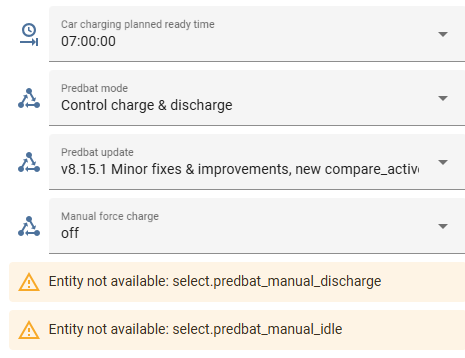
shawry the "entity not available" is HA saying that certain entities on your dashboard (created by predbat) don't exist.

Try refreshing your browser window (sometimes this is just a browser issue), restarting Predbat, or failing that a full restart of HA and all the addons. Should get everything back populated properly

T
#78 TX200

[unknown] Safari doesn't like home assistant dashboards does it, certainly on newer versions of HAOS?

Try chrome or Firefox or some other browser if you are using Safari?

R
#79 Rbor

TX200 If Safari starts playing up, I quit the browser and then reopen. Safari usually then behaves. The fault is usually my own, having zillions of tabs open which will eventually over-run the memory on any browser.

But yes, do try another browser. Chrome is my fallback.

Rob

S
#80 shawry

Think I may need to flatten my HA and start again, as I can’t get the plan to show correct SOC which worries me that essentially my plan won’t be correct.

Though predbat does show the correct SOC on my front page with all the graphs so I’m confused 🙁

H
#81 Henry3rd

I have HA also installed on my iPhone. This gives me a second viewpoint when my browser is playing up.

G
#83 geoffreycoan

shawry Think I may need to flatten my HA and start again, as I can’t get the plan to show correct SOC which worries me that essentially my plan won’t be correct.

Though predbat does show the correct SOC on my front page with all the graphs so I’m confused

can you share screen shots of the problem? The above look like UI rendering issues

Have you tried looking at the predbat plan from the predbat web console (addins/predbat/open web browser) ?

Might be worth looking at what HACS user interface components you have loaded in case somehow it's "too much" or one is causing problems?

S
#84 shawry

geoffreycoan

Sorted it, but not sure what did lol (though my entity thing still has some errors, the plan looks ok

I stopped predbat and givenergy updated went back to a previous version of HA, then re-updated. restarted, then started predbat, seems ok now, but unsure why me repeating the same thing (exactly) resolved the issue, when it didnt first time.

Thanks for taking the time to respond, I do want to put my car into it, though Im not sure what I need to do with IOG, I have put it on the interface I thought, but think I need to do the yaml too, but that can wait I guess 🙂

EDIT: Just to say, the plan looked the same on the webUI version, and Chrome on one PC, Edge on another, and the app on my phone, thats why I was worried 🙂

EDIT 2: I think Ive just amended the EV number to 1 which seems to have done what I wanted it to do, and I now have a bit on the plan showing the car 🙂

G
#85 geoffreycoan

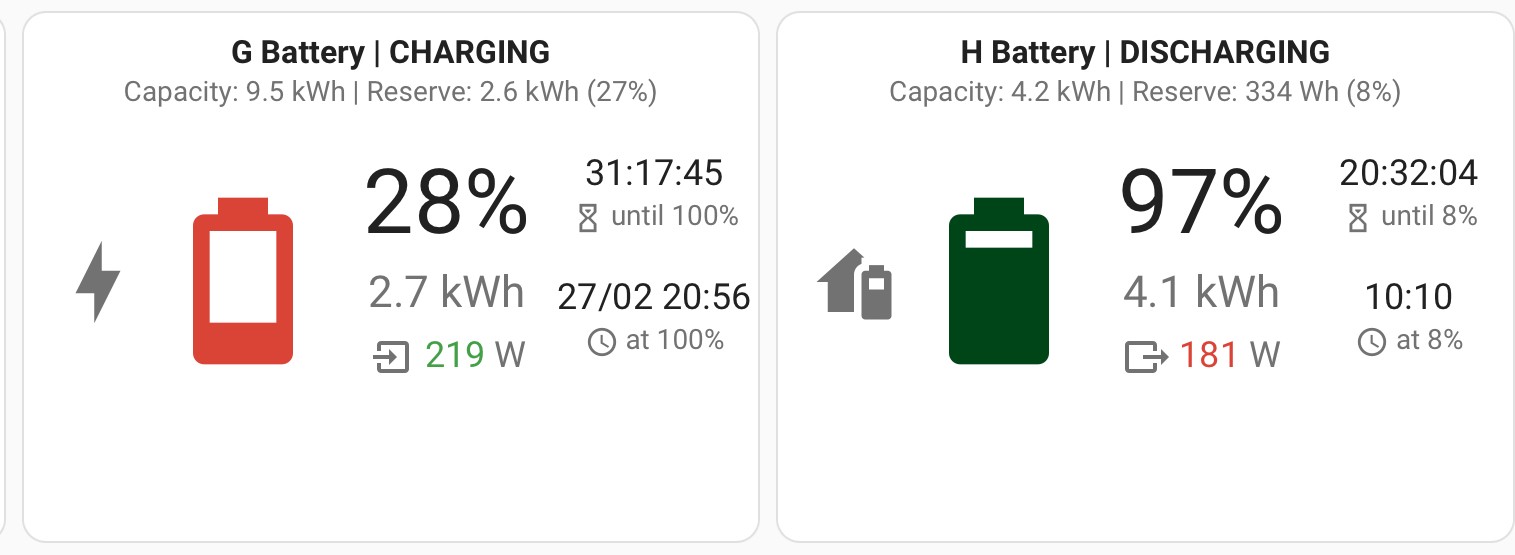
For those with multiple AIO’s, the GivTCP battery card has recently been updated to better support parallel AIOs with all communications through the gateway https://github.com/Codegnosis/givtcp-battery-card/releases/tag/v0.3.0

There is a limitation that you’ll need to create your own template power charge/discharge sensors as these are not provided at the gateway level, only the individual AIO. FR in to remove this requirement in a future release of the card https://github.com/Codegnosis/givtcp-battery-card/issues/48

For those that haven’t seen the battery card, here’s what it looks like:

W
#86 wrighar

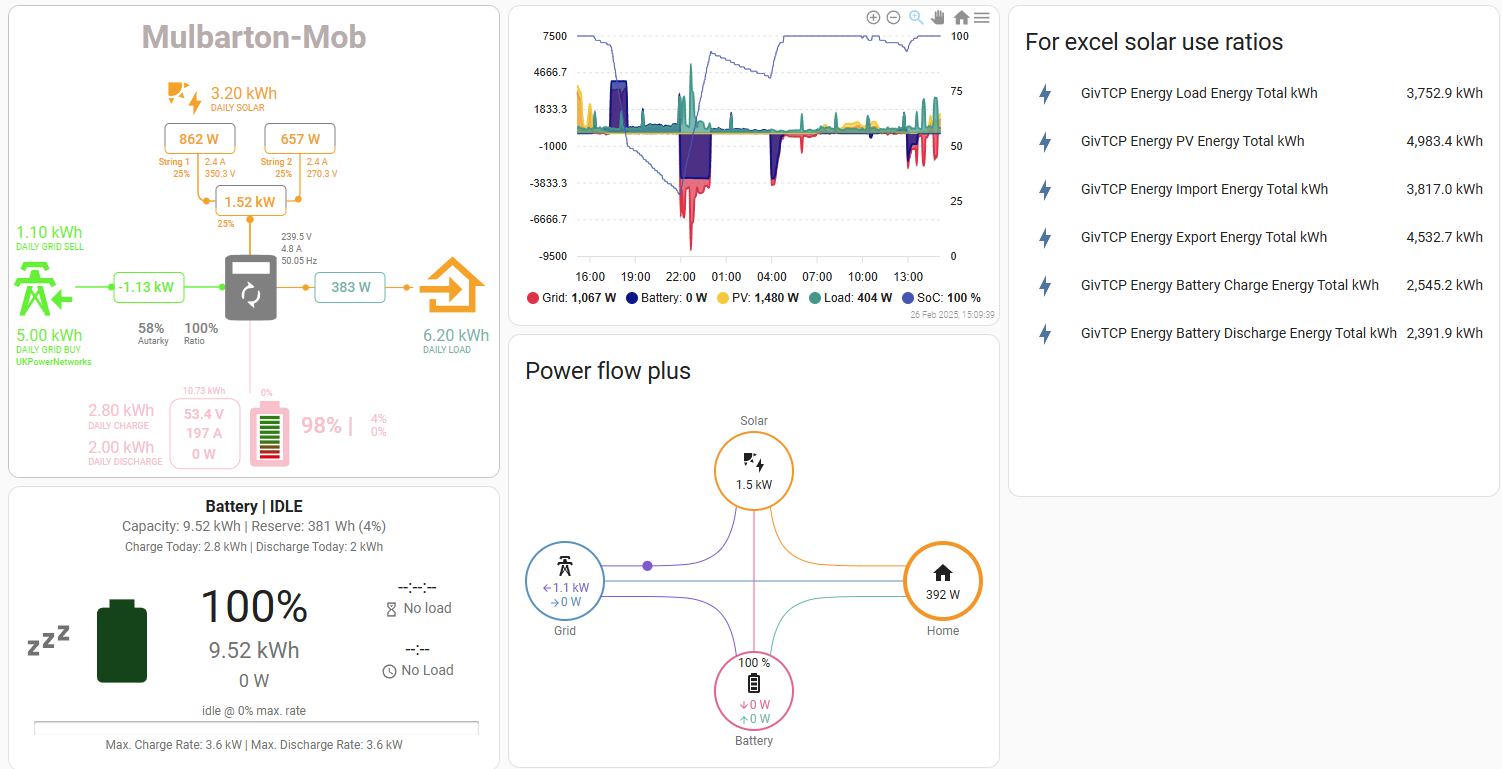
I think that's one of the cards I have:

D
#88 Daveb01

geoffreycoan

Hi Geoffrey, I have updated the card release. My card still looks the same. Do I need to do anything please?

I have had a look at your second link and there is possibly an addition to yaml. I am not clear what this is going to do, plus it says Trev may remove it on the future?

In the battery card you have to add the Serial Number of each battery not the GW?

G
#89 geoffreycoan

Daveb01 there’s two things that you can now do with the battery card.

  1. A feature request from me, you can configure an optional low-filter threshold. I have mine set to 50W so any charges or discharges of 50W or less show up as Idle/0W on the card. Just makes it easier to read

  2. You now have the potential to point the card to your gateway and get a combined battery position across both AIOs rather than having one card for each AIO. There is an issue with that that the gateway doesn’t provide battery charge/discharge power sensors, so you’ll have to create a template sensor to sum up the individual AIO sensors [its this that may change in the future]

G
#90 geoffreycoan

What’s new in Home Assistant 2023.3 video out from Smart Home Junkie https://youtu.be/86_WAP9gwtc

Mainly UI tweaks, nothing earth shattering in this release

G
#91 geoffreycoan

Good video from Everything Smart Home on installing and configuring the new Home Assistant Backup feature https://youtu.be/pZlYu9bN72U

Lots of good advice about backing to multiple locations, securing your encryption key and testing backups

D
#92 Daveb01

geoffreycoan

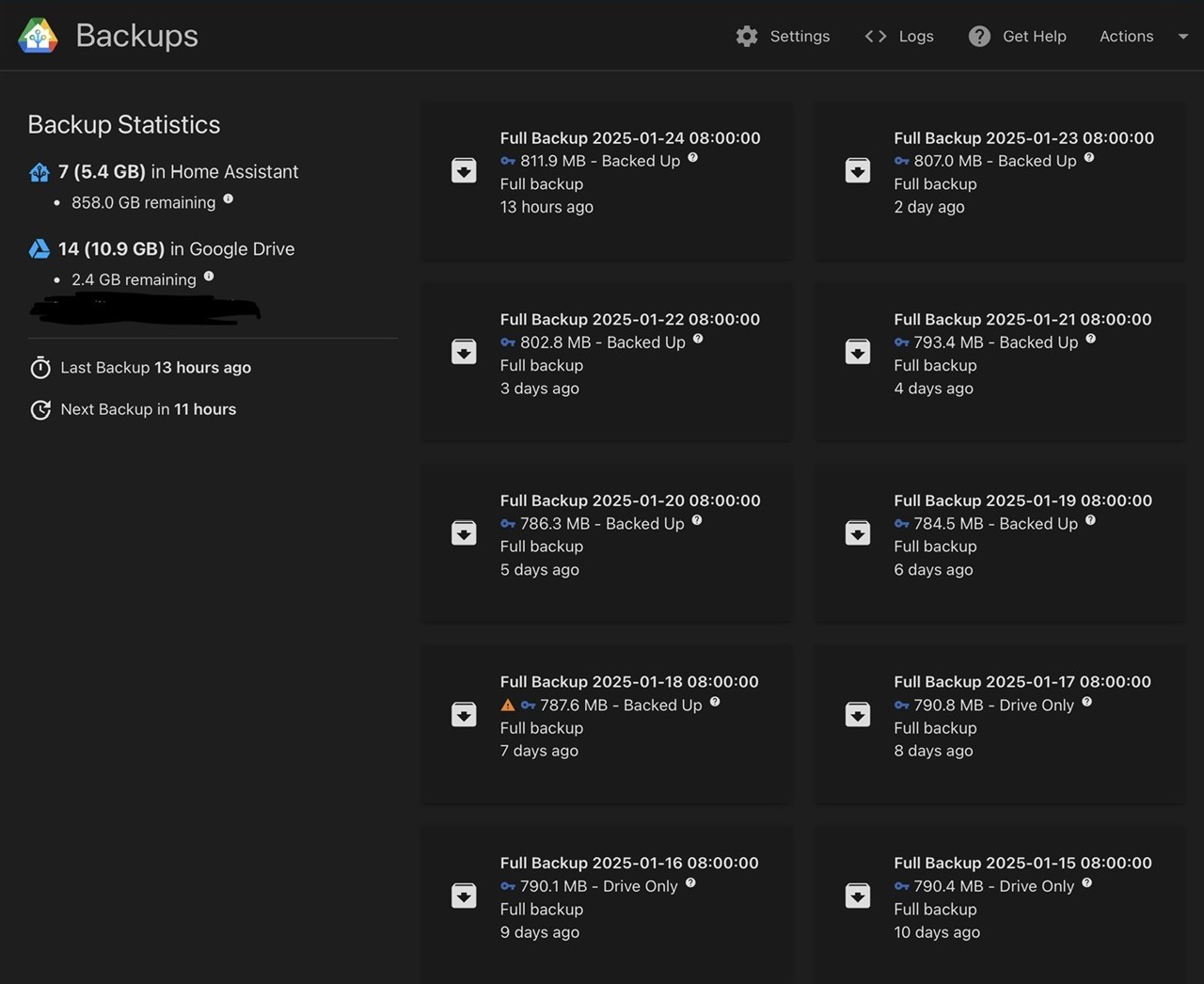
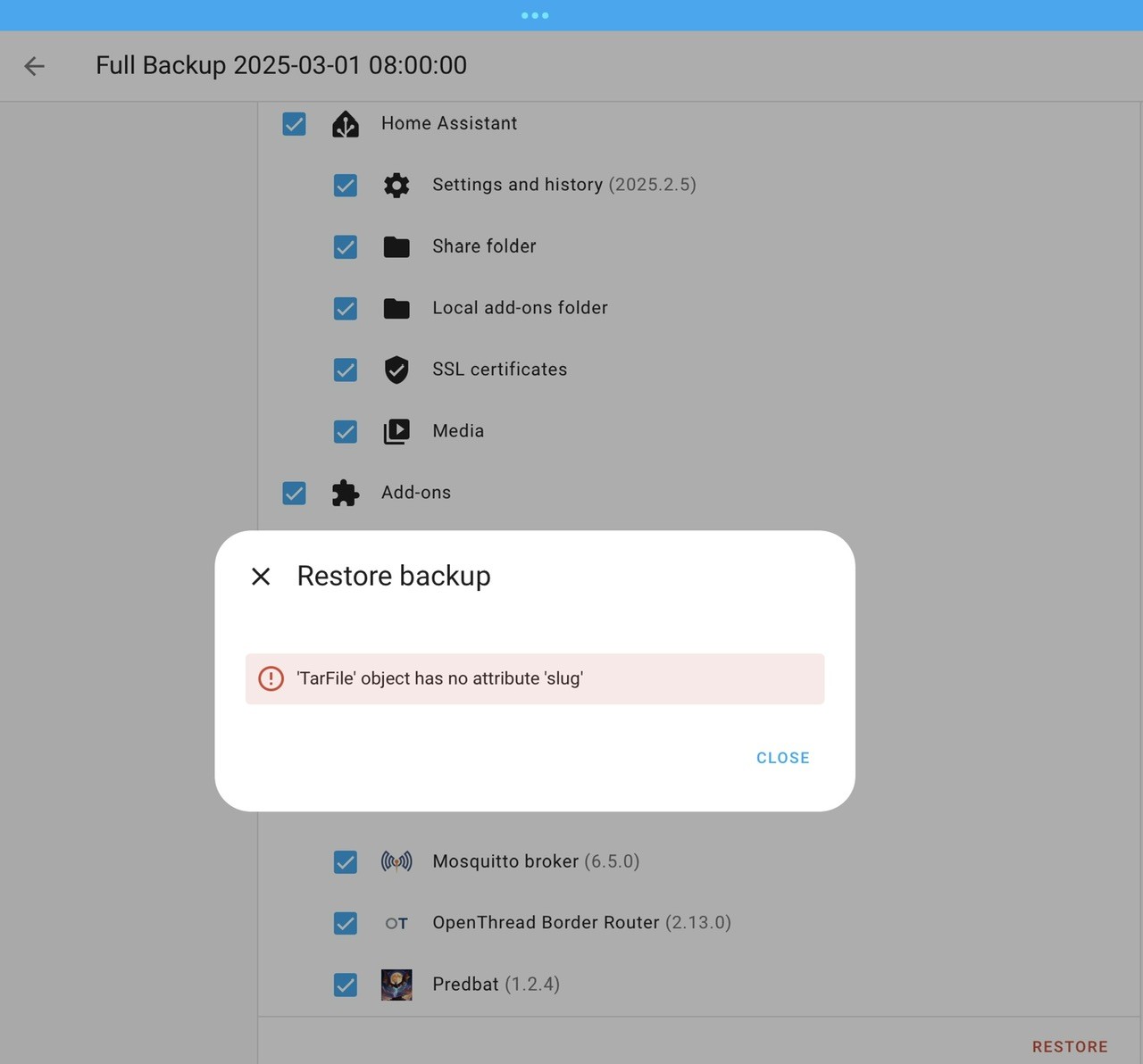
I now have this in my plan to do. I currently use Google drive integration the same as you, are you now also considering moving to this new backup system? The reason I am now considering it, I was going to do a restore the other day and got this message (see pic)

I think I will try Google drive and my synology NAS plus the default HA drive, so 2 x local and one in the cloud.

The bit I am impressed with, no encypting for local stuff, but encryption for say cloud.

G
#93 geoffreycoan

Daveb01 At the moment I am not going to change, I will wait for some more features to come with the HA backup. Specifically I'm looking for the ability to do different backup schedules (e.g. add-on's weekly, HA daily), and multi-generational copies (7x daily, 4x weekly, etc).

The Google drive backup wraps around the existing HA backup so I don't think I can swap to using the new HA backup eg just for add-on's each week as they will get backed up to Google drive as well. This also means that whatever is causing the problem above, changing backup tool I doubt will fix it.

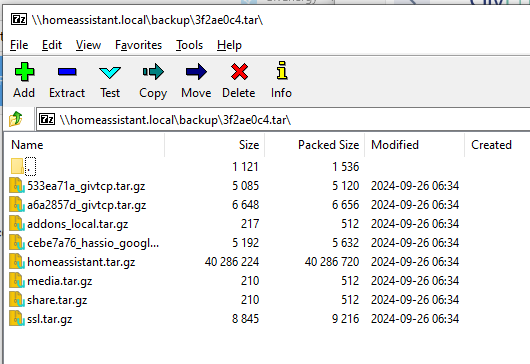
You could try opening the backup file on a PC and looking at it, maybe try a repair of it, that might help you find why its broken. Each backup is a TAR (tape archive backup) that contains a series of about half a dozen files, each of which is a Gnu-Zip compress of another TAR file.
The files are things like homeassistant.tar.gz (all of /config), addons_local.tar, 533ea71a_givtcp.tar.gz for givtcp addon for example

I use 7-zip on a Windows PC and it can open and manipulate the HA backup files quite well

J
#95 Jellybaby

Not updated mine in a while I don't think
Core
2024.12.3
Supervisor
2025.03.3
Operating System
13.2
Frontend
20241127.8

L
#96 Leeshore

geoffreycoan Thanks for the heads up. Too late for me as I have updated. No problems with my system since. No error messages with givtcp either.

D
#97 Daveb01

@geoffreycoan #p78560

Just had a look at the info page on this update, don’t think I have seen such a high list of things/fixes etc.
Think I will give it a few days or as you say wait until .1 or .2

G
#98 geoffreycoan

Daveb01 yes lots of patches in this HAOS release

turns out the two github tickets were from the same person, just lodged on different repositories for givtcp. It looks like they may have got theirs resolved now, but still think its worth waiting a bit in case there is a .1

R
#99 Rbor

geoffreycoan Thanks.
I am keeping on v14.2 for now.

Rob

D
#100 Daveb01

[unknown]

The plan has gone south, I looked at everything this morning and it’s looking good, I am happy with all the changes I have done, changed everything to kWh and updated all my Cards and charts. I then looked at HA Backup and have got to 5 copies in each location (as of 10:30 today). I have removed all the old backups and uninstalled the previous Google backup integration. Deleted the api in Google drive and saved some space in HA.

As the auto backup was at 10:30, i then proceeded to upgrade everything in the list, HA to 15.0 and Trevor’s Card etc. no issues so far. 🤞🐇. Good luck everyone when you do it.

G
#101 geoffreycoan

What’s new in HA 2025.4 https://youtu.be/tuooIcPXkTI from Smart Home Junkie

New automatic area dashboards and a number of voice improvements

R
#102 Rbor

I updated HA last night to:
Core
2025.3.4
Supervisor
2025.03.3
Operating System
15.0
Frontend
20250306.0

All went smoothly with nothing untoward.

What is 'Frontend'? I see to remember having seen it in the past but no sign of it now.

Rob

G
#103 geoffreycoan

Rbor I think supervisor auto updates itself in the background. Frontend is the user interface, as far as I know its part of HA Core so you can’t upgrade it separately

I upgraded to HAOS 15 today as well, no issues at all

D
#104 Daveb01

HA auto backup completed at 10:30, so decided to upgrade plus a Trevor up date to fix the Compare issue. So I am going for it 🤞✅

T
#105 TX200

Home assistant 15.1 - I'm going in... 🤞 (From 14.2).

Not updating the other thing. I'm not a .0 release kinda guy.

T
#106 TX200

Seems to have worked.

Got a number of errors re GivTCP2 in the yaml file, but I don't use givtcp2, so have deleted all the lines that relate to that. Errors gone.

G
#107 geoffreycoan

TX200 I upgraded to HA 15.0 and then 15.1 and no issues.

Likewise not upgrading yet to HA 2024.4.0, will wait for the .1 release, but the new device energy hierarchy looks very useful to me, I have a couple of 'fusebox' CT clamps (house EPS power, Extension power) so get double counting in the energy dashboard with devices in those areas.

W
#108 Weasel

HA 2025.4.0 works fine for me

L
#109 Leeshore

Weasel And me

G
#110 geoffreycoan

I upgraded to GivTCP Beta 3.1.2 a week or so ago, and today to Beta 3.1.3, and on my Gen 1 hybrids it is working flawlessly. There is one github report of it erroring on an AIO though

In terms of what's new in the beta vs the main github release:

[3.1.3] - 2025-04-08

  • Improved Subnet scanning thanks to @s0ckhamster

[3.1.2] - 2025-03-03

  • Force Export now uses Discharge slot 1 to align with RTC control
  • Locked down REST access to local network to enhance security
  • RTC control for both Single and Three phase units
  • Safe and "non-safe" write counts provided
  • setExportTarget for EMS fixed type error
  • EVC discovery index error

[3.1.1] - 2025-02-10
Fixed

  • Three Phase control improvements (thanks to GE for access to test kit)
  • Inverter and Battery Max Power values corrected to all device types
  • Updated RQ lib and associated code
  • Improved auto discovery for non-standard subnet masks
  • BCU temperature reporting for HV batteries
  • Improved Battery (Dis)charge Rate tracking for inverters with % value only
  • Removal of spurious data due to corrupt reads
    Added
  • Added "Write Count" sesnor to track the daily number of register writes issued by GivTCP. This will be used in future to rate limit writes to "non write-safe" registers
  • Charge Rate AC register control via REST
  • Additional device type compatability in underlying library (future use)
  • Prep for PV only inverters

I was principally upgrading so I could test the new firmware option of real-time registers - basically a lot of the inverter controls are held in volatile memory on the inverter rather than EPROM, avoiding the issue of excessive inverter register writes, particularly a concern if you are trying to dynamically balance multiple inverters.
I do have multiple inverters and at the moment don't try to dynamically balance them, but as much as anything I wanted to see how the new feature worked.

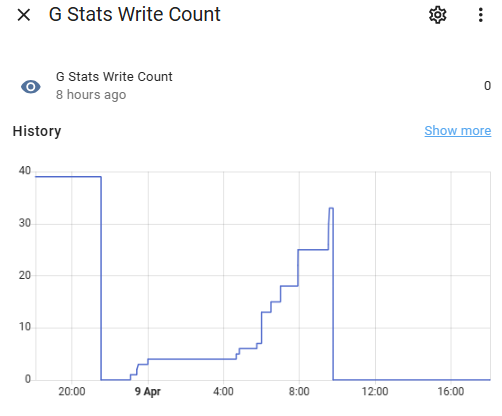
One additional new feature in this firmware is a register write count, givtcp now natively counts register writes (feature was added to Predbat last December), Unfortunately the count isn't stored in a config/json file so if you restart givtcp beta, it resets to zero which reduces its usefulness:

T
#111 TX200

Updated core to 2025.4.2

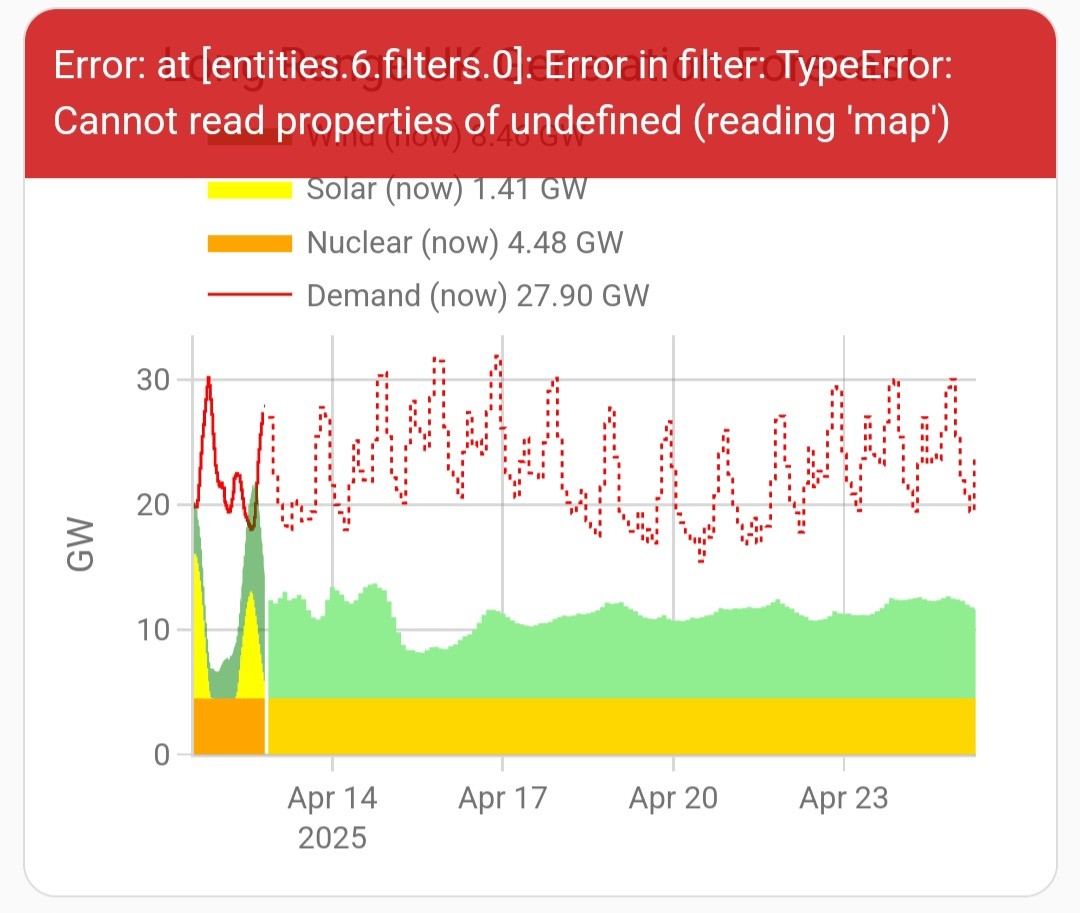
Just one casualty spotted so far, Plotly map of national grid predictions not working properly.