
How to Pause Discharge

4 comments started 2025-01-17 last 2025-01-18
Beta PortalCloud PortalForums/Meta
L
#1 Lindahd73

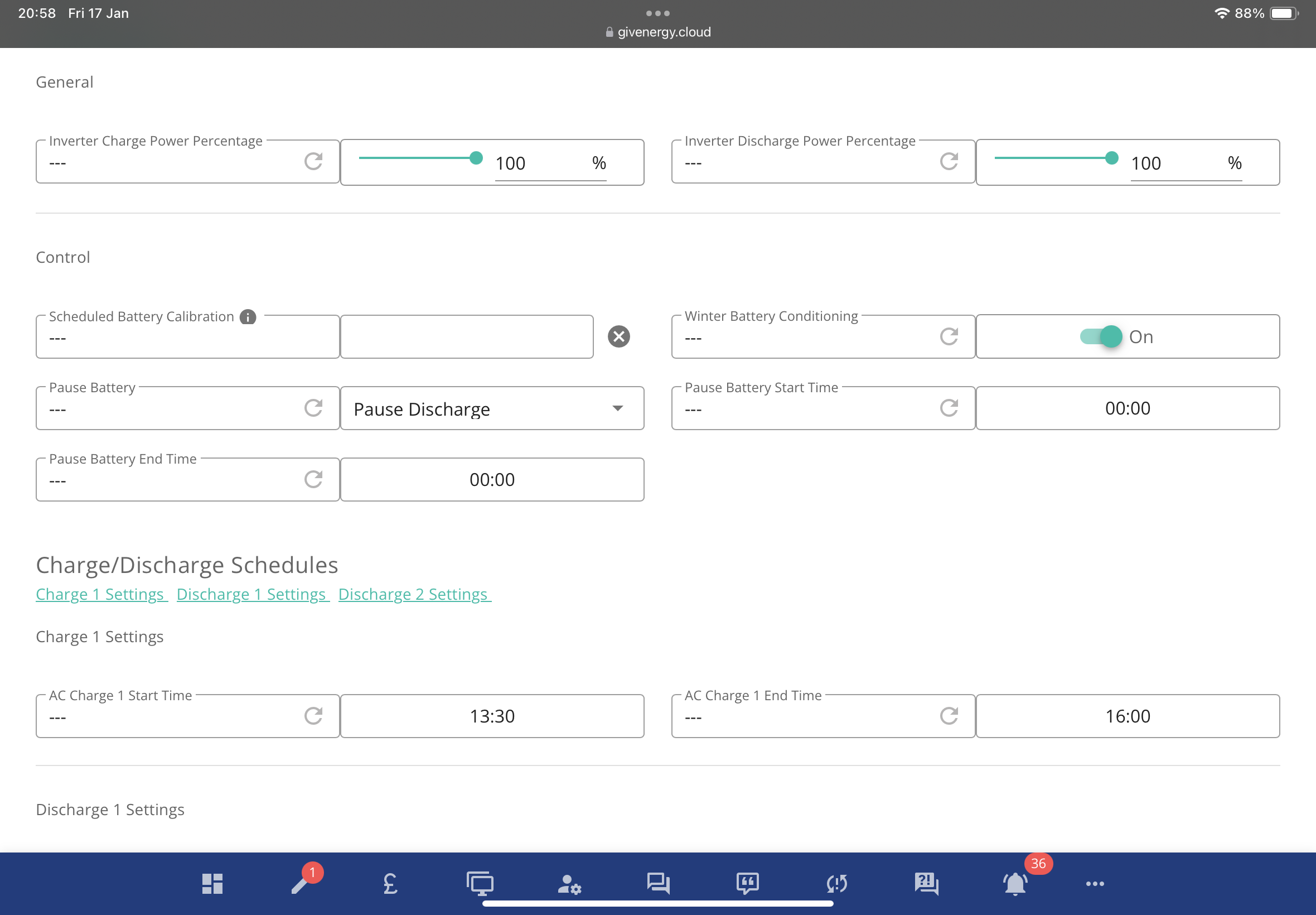
Hi, does anyone know how to pause discharge? I want to pause discharge between 00:00 and 05:00 when I'm on the off peak rate. I can see where it is under 'Battery' and 'Pause Battery' and I've selected 'Pause Discharge' but not sure where I select the start and end time

G
#2 geoffreycoan

Lindahd73 its in remote control under the control section, the pause start and end times should be right next to the pause mode:

However does depend on what inverter and firmware you have. The original gen 1 hybrid’s and AC coupled inverters that have had battery pause capability don’t have start and end time slots

C
#3 CW

Lindahd73 But, during the off-peak, do you wish to charge the battery? If so, then you don't need to pause discharge, if you enforce a charge during the off-peak period, your battery will charge and the house will be supplied from the grid once the battery is full (which is good as you wouldn't have conversion losses to take place) until the charge period you have supplied is ended (at which point assuming you have left ECO on, the battery will take over) - it really depends on what you are trying to achieve

#4 Woodstock

I have an AC-3.0 inverter without the ability to set a time period. For me, setting pause discharge results in constant 59-60W battery drain! Setting pause both is better as I then get a 10W discharge which decays to 0W over a prolonged period. No good if you want to preserve the ability to charge though!