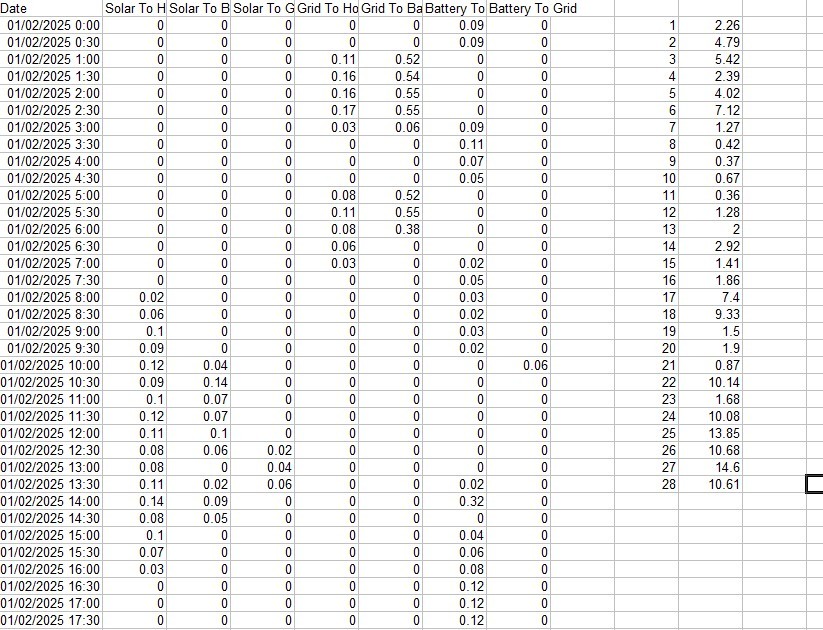
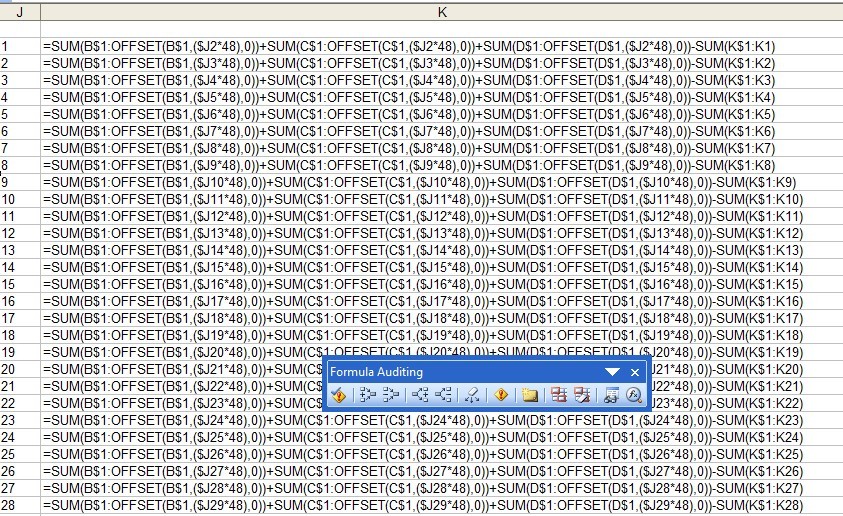
Or, if you're into spreadsheets, download a month's worth of data from the GE portal Energy Graph (Legacy), enter 1 into eg J2 and fill down to J29 with the numbers 1 to 28 (for eg Feb), put a formula such as '=SUM(B$1😮FFSET(B$1,($J248),0))+SUM(C$1😮FFSET(C$1,($J248),0))+SUM(D$1😮FFSET(D$1,($J2*48),0))-SUM(K$1:K1)' into K2 and copy down to K29. Use 24 rather than 48 if your data is hourly rather than half-hourly like mine. Columns B to D in the download are the solar outputs, so that should give you the month's daily totals for generation.
OK - in the formula a smiley-face = ':' + capital letter O and it's missing a couple of asterisks (multiplication signs) between $J2 and 48, for some reason (the third asterisk is there - why not the first two?) [ 😂 ]
I'll see if the forum accepts a screenshot...