EV Charge Schedules - only one active at a time

15 comments started 2025-08-02 last 2025-12-02
GivEnergy ProductsEV Charger
S
#1 solaroptimist

Am I being particularly dense about setting up schedules for EV charging? I can set up the schedules eg 04.00-07.00, 13.00-16.00 and 22.00-00.00 (I have Octopus Cosy tariff). However only one can be active at a time. So I have to wait until the active schedule finishes, then I deactivate that one and activate the next one. Which is a bit of a pain waiting up until midnight to catch the 04.00 schedule.
Using AIO with solar panels.
Thanks for the advice.

S
#2 SteveClubley

solaroptimist
Hi. It does look like that is the case ie you can have multiple schedules setup but only one can be active. Same whether you use the app or the portal. Not very useful.

S
#3 SteveCook

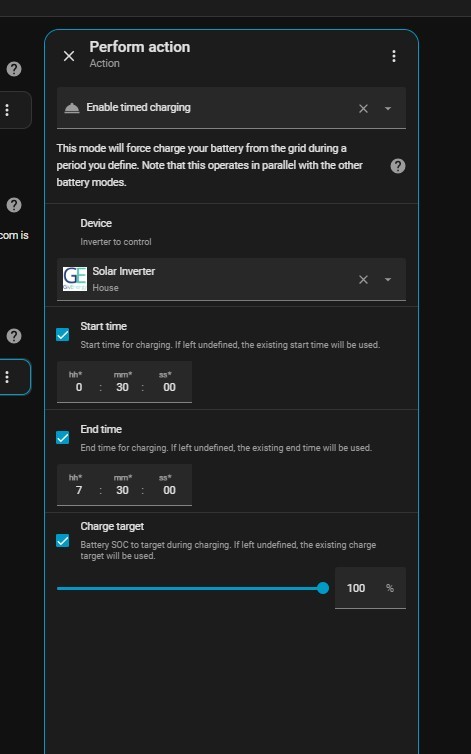
I think with Home Assistant you can set up as many as you want/need

S
#4 solaroptimist

I hadn't thought of that SteveCook . Are you able to tell me what the relevant switches/numbers/sensors are to set up this sort of timetable please? I tried to find a sensor that gave the power output to the car recently but could not find any relevant entities.
I am using HA 2025.7.4, Octopus Energy via HACS, and GivTCP.
And a 13kWh All-in-One 3.5kW inverter and a GivEnergy EV charger.

G
#5 gco

I am really struggling with a combination of bugs and limitations here. I have a gateway with two AIOs and an EV charger. I need to even out the charging overnight to avoid grid overload but (1) I can't specify a lower than maximum (12kW) battery charge rate limit (it simply reverts to zero, which is interpreted as max, every time I write anything else: a bug?); and (2) I can't have more than one scheduled EV charge active at a time so I can't vary the charge rate overnight (low rate whilst the AIO batteries are charging and high rate once they are charged): an unnecessary limitation? Basically I can't even things out to allow charging of my EV and AIO batteries overnight without creating a grid overload.

Any suggestions?

S
#6 SteveCook

solaroptimist
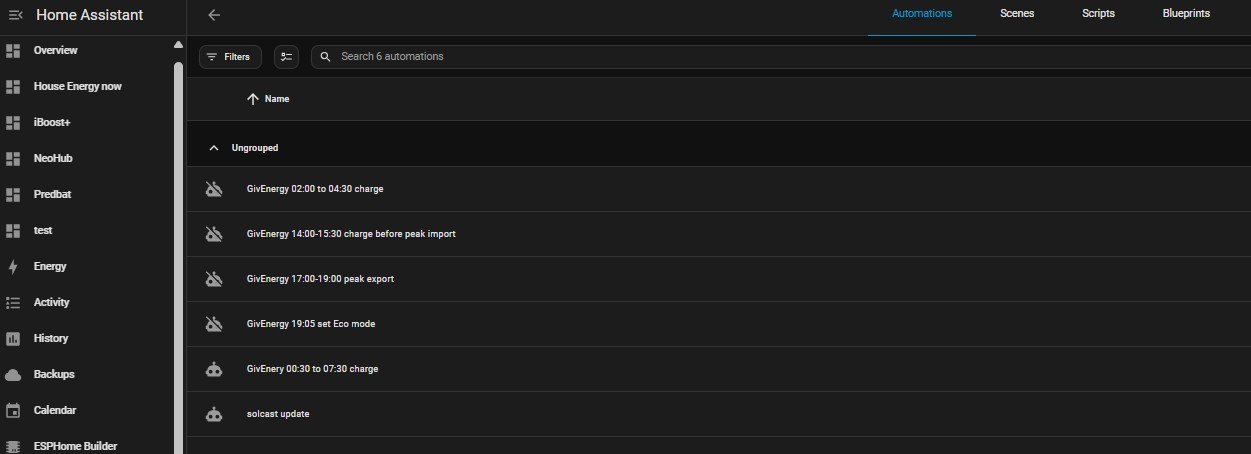
Hi. In settings there is automations.
I just played around getting times and settings that i wanted.
I would try and guide you if I could remember, but this is what I have setup. I dont need to use them now as Predbat does it all for me - sorry

D
#7 duplada

gco Hi, I have exact same system as you. The EV charger is a nightmare with only being able to set one schedule active at a time. I have been at GE every week since March asking when they intend to roll out an update to the firmware to correct the many issues that there are.

I can help you to turn your charge rate down though. The GE EV charger doesn't understand Virtual batteries and that is what you have with a 27kWh (2 x AIO 13.5kWh) system. With a Dual AIO system the Gateway controls the AIO's in parallel and since the Gateway doesn't have its own battery it ignores the Portal commands to set "Battery Charge Power & Battery Discharge Power". This causes numerous problems for dual AIO owners who also own the and GE EV charger. This is because the GE EV charger firmware use that command to do all the clever stuff. If you have your GE EV charger configuration set to Cloud Mode the (Cloud Mode uses the Battery Charge Power command) so doesn't work. In short this means that Hybrid / Solar charging, Charge Power, and Do not Drain House Battery options just don't work on Dual AIO systems. I have now reset my GE EV configuration to Grid Mode, then to stop the Gateway getting overloaded when I charge my EV and house batteries at the same time, I use the Portal command "Inverter Charge Power Percentage" command set around 50 to 60 %. This reduces the house battery charge rate to 5-6kWh and gives plenty of headroom to charge the EV and boil a kettle without overloading the Gateway limit of 85 amps.

G
#8 gco

duplada The solution you propose I'd already been working on, but I hit another problem: when I write a battery charge limit to the gateway (in the app or using the web portal) it doesn't work. It doesn't matter what value I write, it always comes back blank - sometimes immediately, and sometimes not immediately but later. So I have no way of limiting the charge rate and if an EV charge starts whilst the battery is charging I'm dead (as it were). I currently have to second guess when the battery charge will complete and schedule my car charge to start just after that, which doesn't leave enough time for a full charge if the car battery is low (and that will only get worse when my tariff changes next month from 7 hours to 6 hours off-peak).

D
#9 duplada

gco Sorry I don't understand what you mean. When I want to charge my EV which is always in the IOG 23:30 to 05:30 cheap Period. I go into the portal and set the Inverter Charge Power Percentage to 50% I then set a schedule to charge the house battery from 23:30 to 05:30. I have an EV schedule set to charge from 23:35 to 05:30 and I have it configured in Grid Mode @ 32 amps and I do not specify a charge amount. So @ 23:30 the House battery starts charging @ 6kWh, then 5 minutes later the EV charger starts @7.2kWh and I have internal devices running such as the immersion and dishwasher throughout the IOG cheap period that keeps me just below the 18kWh (80amps). It works no issues for me.

S
#10 SteveCook

Be careful with timeslots spanning midnight. I think others have reported problems.
You might want to get rid of 23:30 and start at 00:00.
I know you might lose half an hour, but this could be the issue

D
#11 duplada

SteveCook Its not a problem as I use Wonder Watt for House Battery Scheduling which works every time no issues, and the EV charger does not have a problem charging across midnight within a EV schedule.

G
#12 gco

duplada Ah, that's different: I've been trying to alter the "Battery Charge Power", which is further up (General, Percentage Limits, Battery Charge Power). I think you're referring to a field further down (Battery, General, Inverter Charge Power Percentage). I haven't tried changing that but I can test it tonight.
If it works, it raises the question of what the "Battery Charge Power" is or does. In my case it was 12000 (W) until I tried to write something else, and now it's always blank. The same applies to "Battery Discharge Power". I've just written 12000 to both and maybe this time the values will stick...

D
#13 duplada

gco Battery Charge Power is a command as I explained further up the page that works with single AIO's and other Inverters in the GE range, because when you have Dual AIO's you have a Virtual Battery, the Battery Charge Power command is ignored (its for physical batteries only). Though you will find later tonight that the Inverter Charge Power Percentage works perfectly for dual AIO owners. I also use the Inverter Discharge Power Percentage command sometimes when I am exporting and I want to export at a slower rate.

G
#14 gco

Hi. Yes, that worked perfectly. I keep 40% in reserve for power cuts and it completed the charge in less than 3 hours. I will try it with 25% tonight and it should nicely even out over just short of 6 hours, avoiding any potential for grid overload problems.
Thanks for your help: I wouldn't have spotted the other charge limit field if it hadn't been for you!

D
#15 duplada

gco Thanks for your help: I wouldn't have spotted the other charge limit field if it hadn't been for you!

No problem, glad to help. When I first got my system it was overwhelming all those settings and no documentation to refer to get you started, it took me months learning from trial and error and other users.