N
How can I ensure my car gets charged rather than discharging my battery during the free sessions?

How can I ensure my car gets charged rather than discharging my battery during the free sessions?
Very much depends on how your system is set up. Some systems are set up so that the EV charger never consumes battery. Some systems (usually requires all components to be from same manufacturer) have a toggle to let you decide if you want to consume home battery or not.
Assuming you have neither of these and, by default, your EV load is supplemented by battery you have a couple of options: You could pause the battery when the EV is charging (if your app doesn't allow this, set discharge rate to zero in portal). Or you can charge the battery at the same time that the car is charging. Given that energy is free during these sessions, option 2 is usually preferred.
Remember to undo the change after the session!
Depending on the amount you are prepared to micromanage your system (some of us are fanatical about it!) you could consider looking into Home Assistant and automating some of these known cases.
Did my bit on free energy today. So far imported 4.1 and exported 10.2 so I don't think I will make a fortune.
In the happy hour, tumble dryer, dishwasher, washing machine and stove.
We it worth it?
It was my first free energy session today.
Managed to pull 12KW in total in the hour.
My peak grid draw at one point was 17.800w ISH.
Could have been abit more but I had 5 mins downtime as gateway seemed to trip at some point, couldn't see any rcds in gateway tripped, I think it might have been the kettle that did it and stopped load to house. Think it would have been about 20000w draw. I do have a 100a mains fuse.
So I just cycled all RCDs in gateway and AIO power cycle and back online in minutes so that was good.
So was a slightly eventful, educational and fun day and maybe saved / made a few £.
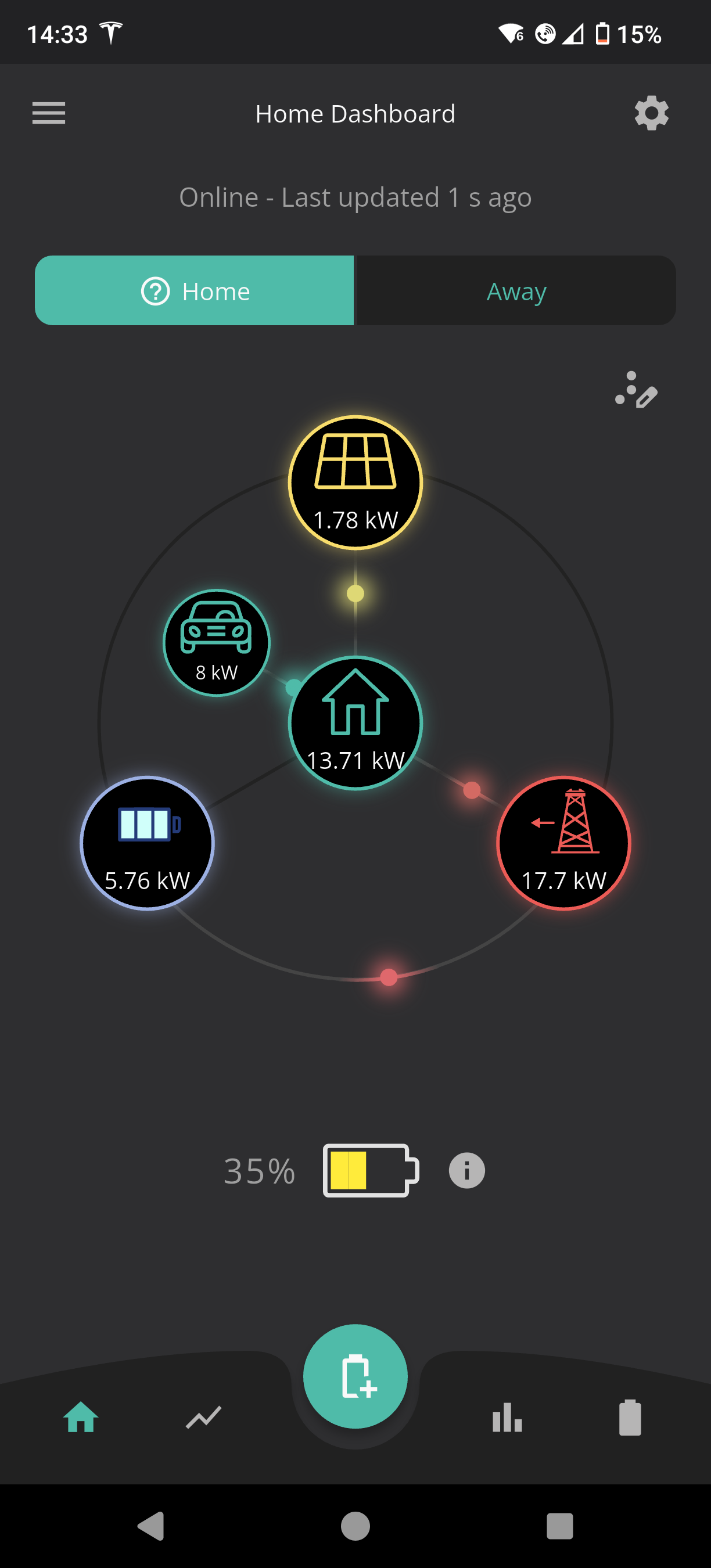
Bob
Gateway is limited to 80amps before it falls over. If you get V13 Gateway firmware loaded and ask support they can set a limit for you of 80amp,s and then the Gateway will throttle when nearing its limit so you don't experience what you did today. There is a new BMS13 firmware for the AIO A0.618 which if loaded also throttles the AIO's in conjunction with the Gateway.
duplada Thank you very much for the info. Very useful.
Gateway is on A0.013
Currently my AIO is D0.616-A0.616, BMS 12. Doesn't show a updates available at the moment.
Guess I could try and get hold of support. Or hope it's made available before next free session.
Again thank you.
Bob
Bob_Bobbings Yes the update is via support at the moment. I was having issues that's how I know about it