A
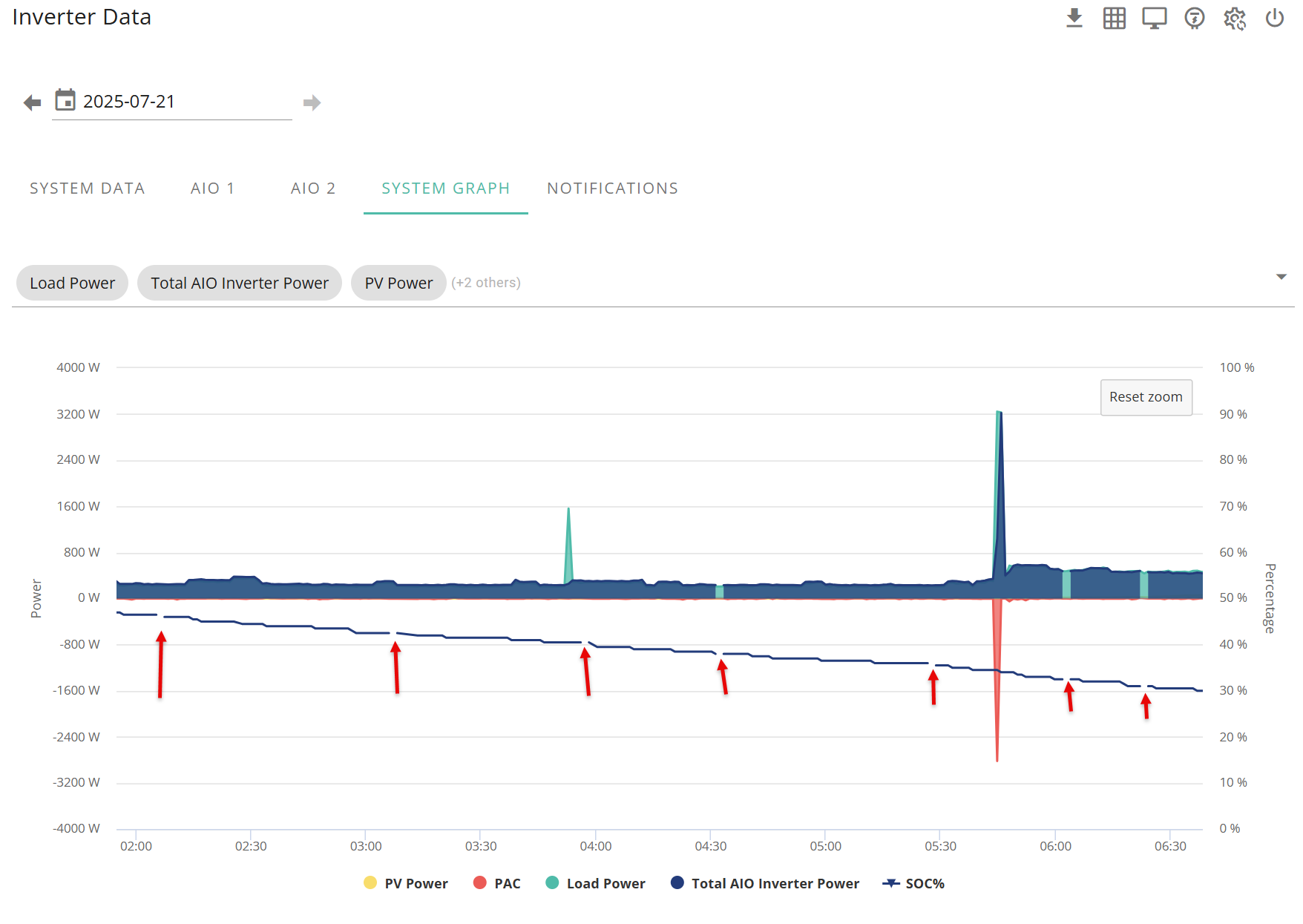
Is anyone else noticing random gaps in the Power Graph display?
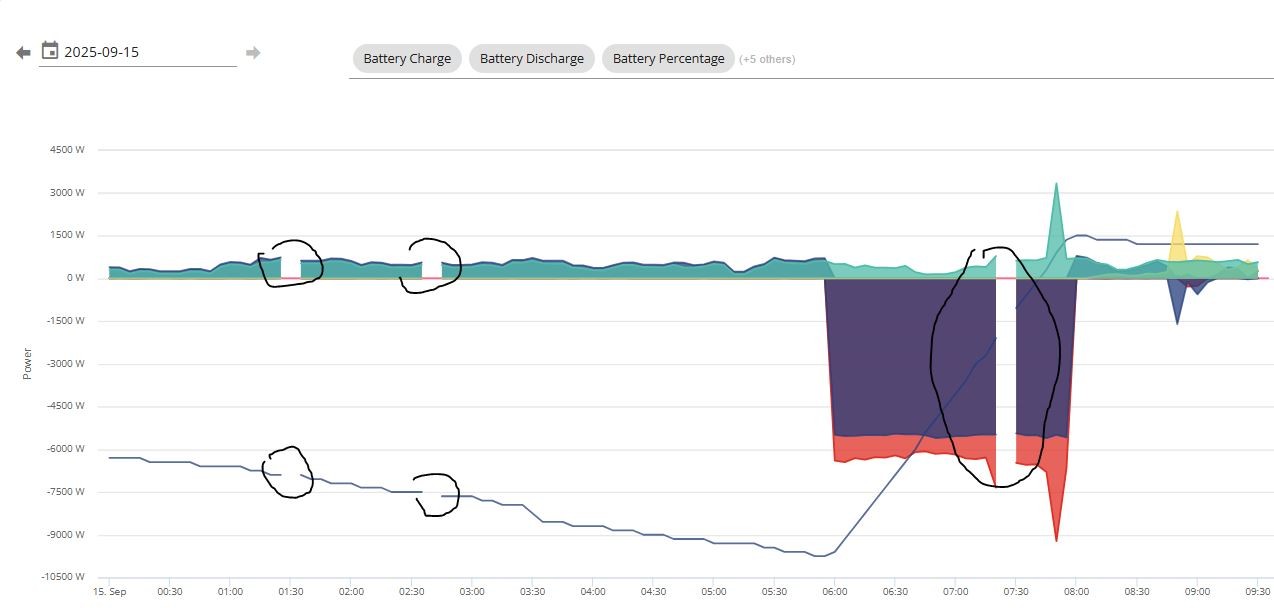

Is anyone else noticing random gaps in the Power Graph display?
Is it you data not getting through to GivEnergy servers
The data looks to be there. If I view the details under the inverter tab's System Data, it shows fine, and the graph shown on that page would appear to be OK (no gaps):


I have the suspicion that if one reading is missing the graph on the Dashboard power tab shows a gap of 5 minutes or more whereas the one on the System Data tab has more entries and the missing entry isn't so apparent as there are many more samples on this graph. Can you see if there are gaps in the table data at the times the gaps are showing?
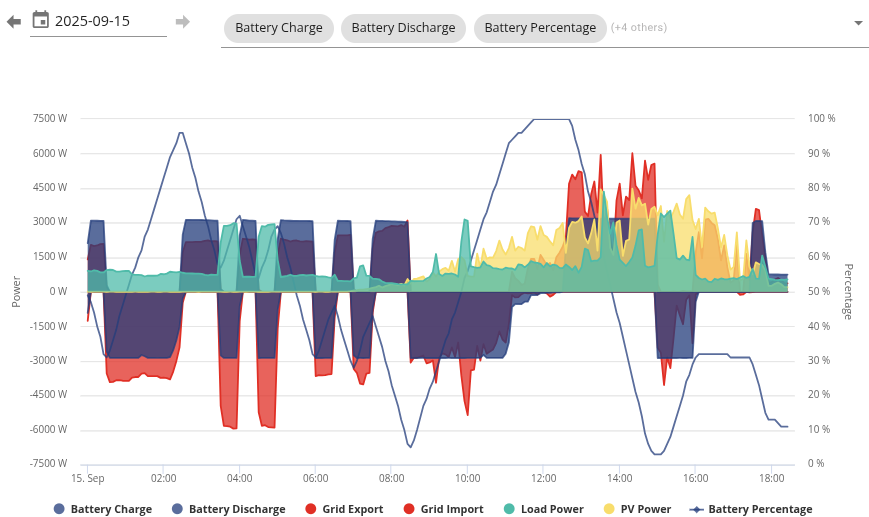
This is mine with no gaps.
Ann_Hudson At the top where it says "(+5 others)", do those others include an EV charger?
the gaps have started showing on my power graph at the same time the EV charger started being included.
also, the EV charger graph is the only one that DOES NOT have any gaps.
I get these gaps as well, for about a month now. I do have EVC but it is not in use. 11kw 3 phase inverter.
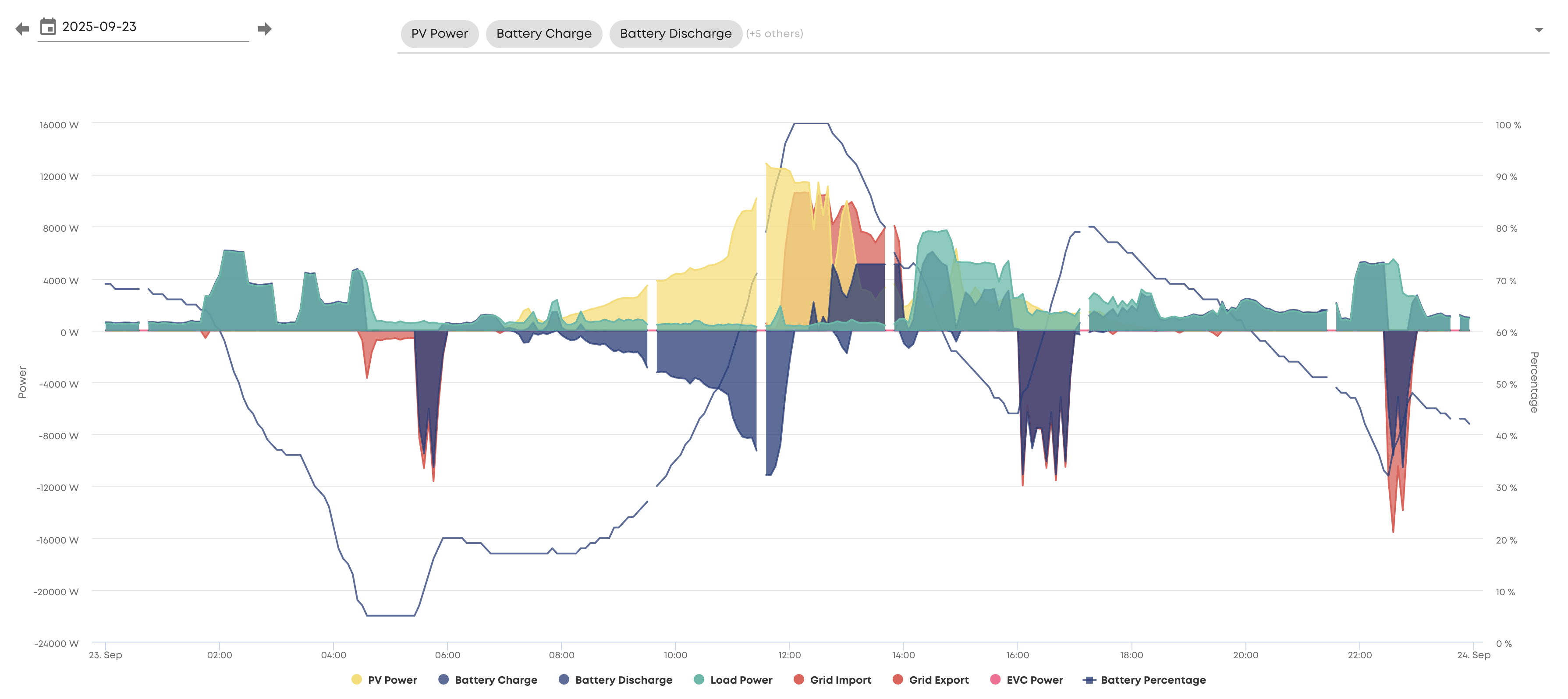
I have the same issue and no GE EV charger. The app seems to pick up spurious data that does not correlate with the portal data.
I have the same issue with my Dual AIO and Gateway system. So three devices sending data to the cloud. All my devices have ethernet connections and fixed IP addresses and a fibre connection to the Internet and I use enterprise class routers and access points. I contacted support about this earlier this year and provided all the screenshots as evidence. They suggested upgrading to the latest boot loader and communication firmware on each of my 3 devices (Gateway, AIO 1, & AIO2). I did this and it made absolutely no difference whatsoever.
To make sure that it wasn't a problem at my end I setup a system to ping each of my devices every second and to also ping the local gateway a remote internet site and the Givenergy data portal. I ran this test for 24 hours. There was no communication issues whatsoever either local or with the portal but the gaps continued.
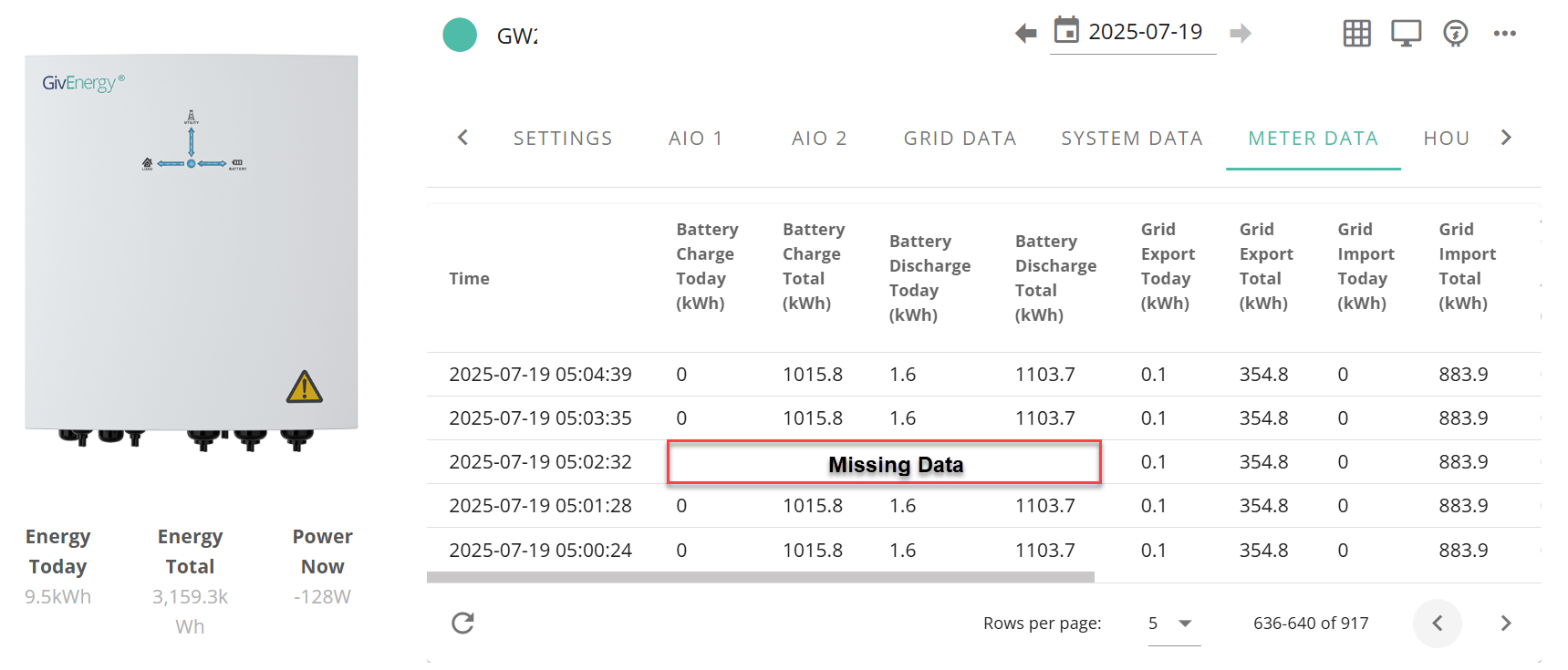
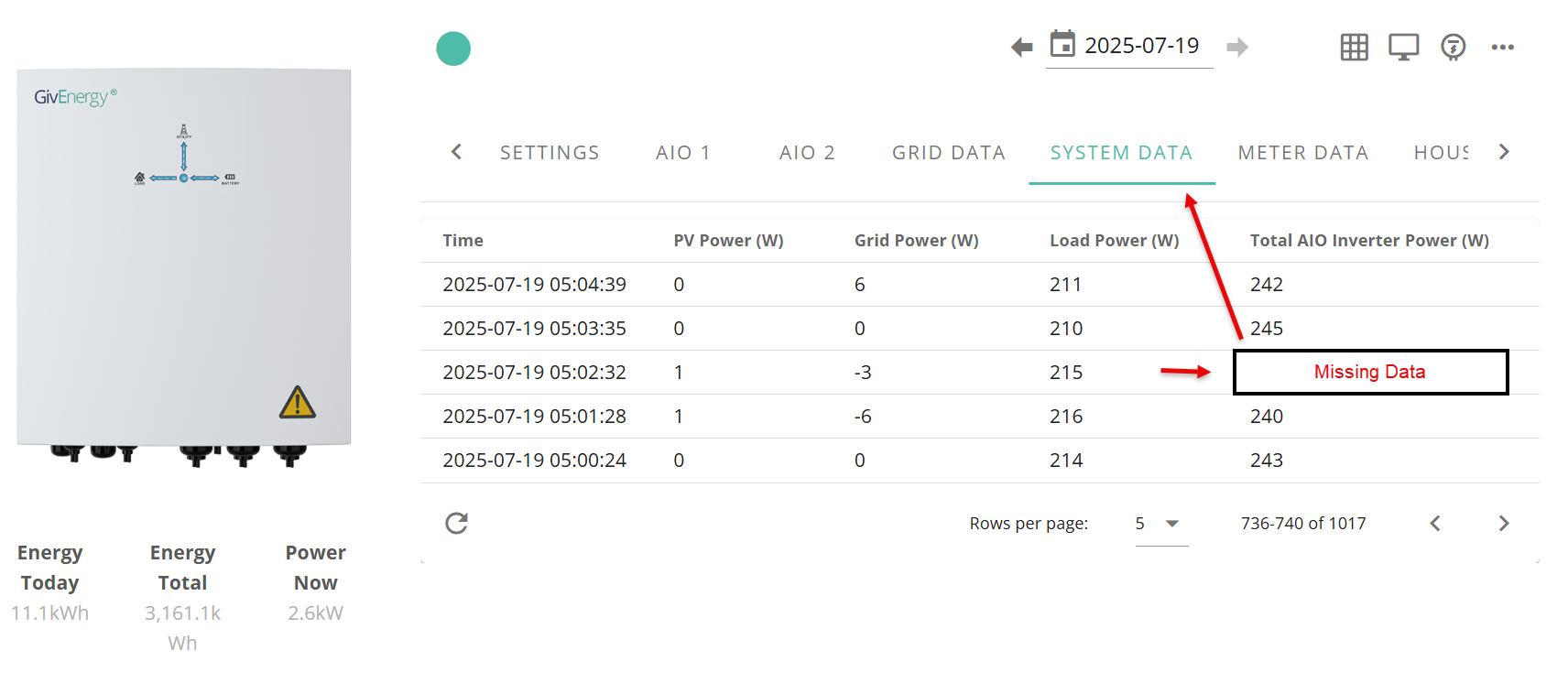
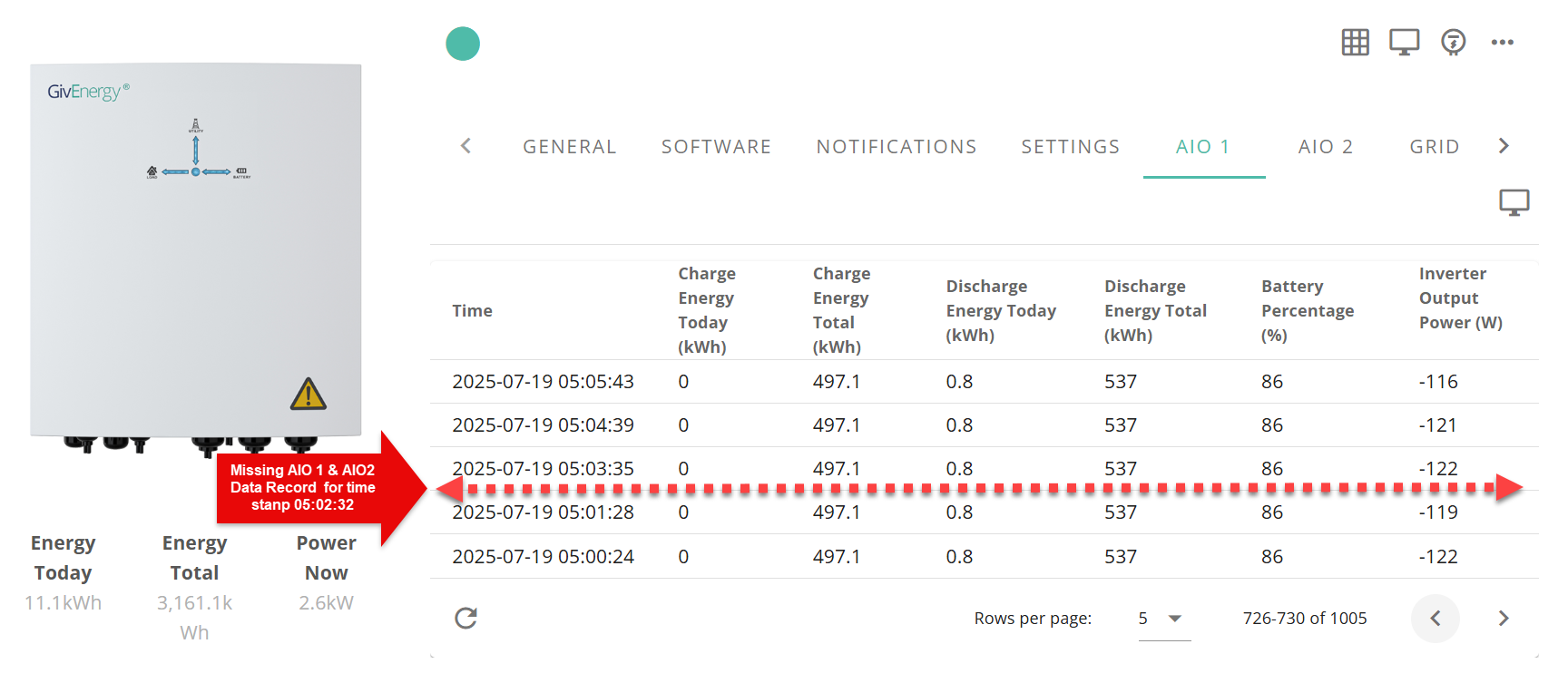
I also combed through all the data points in the portal data files for each device to see if there was any data missing and there was and still is. As I was having these problems support had increased the update frequency of data recording so that my devices uploaded data every 60 seconds rather than the standard 5 minutes. This made identifying any missing data easier as there was greater resolution in the data, being more of it, and being for a shorter update period.
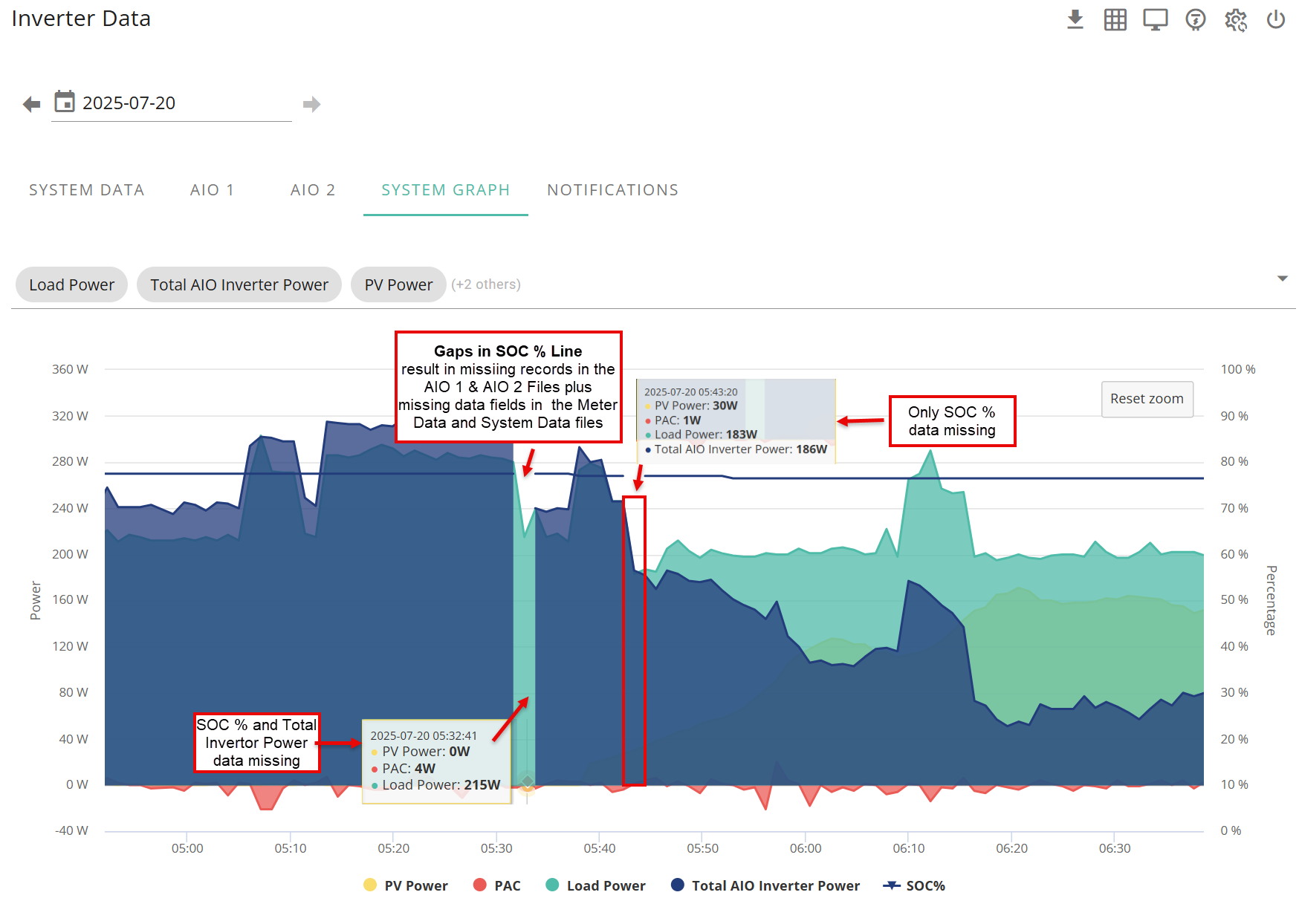
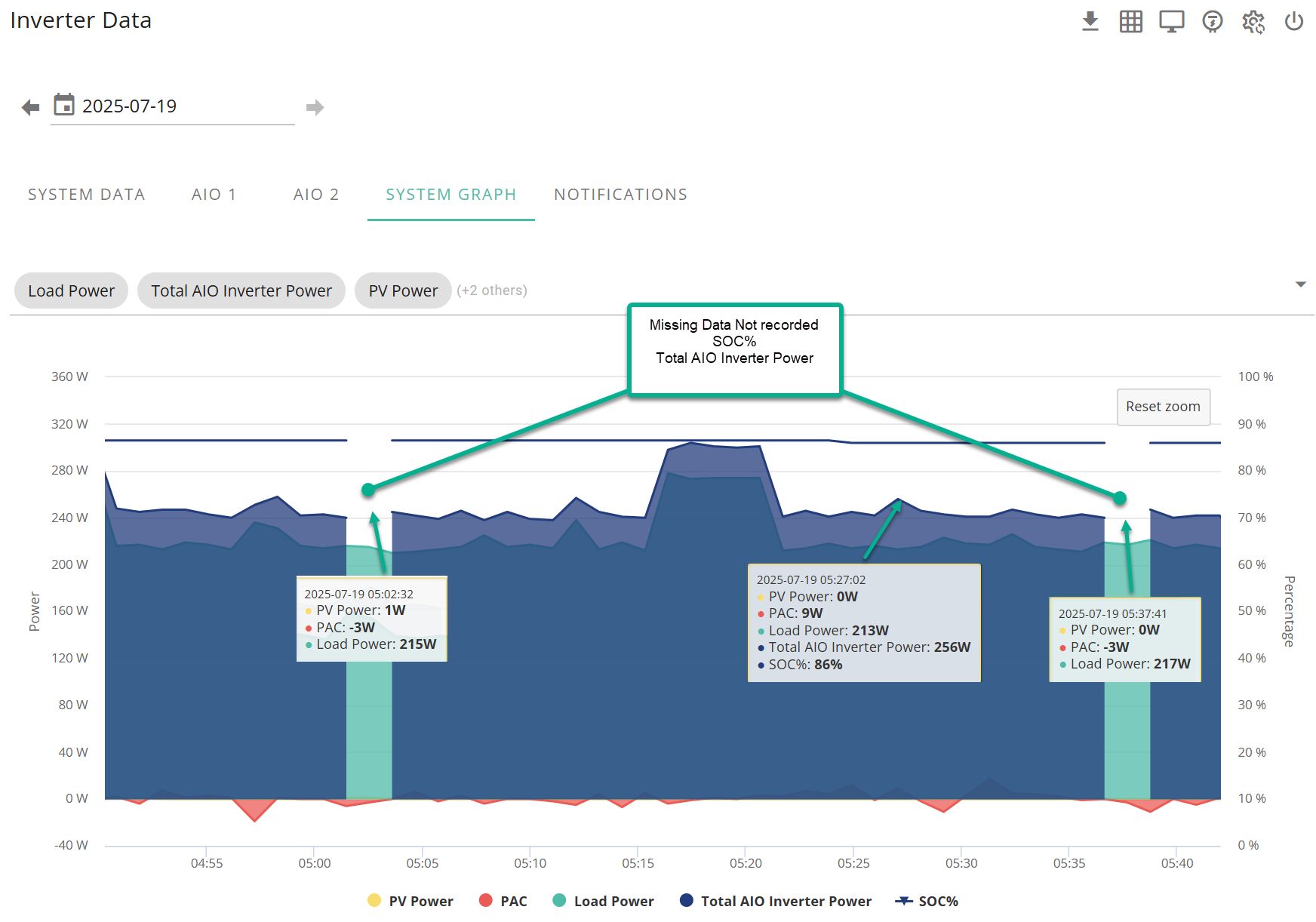
I found that in some cases entire records were missing from the AIO 1 & 2 Data files and in other cases field data was missing from other files. I have included some screen grabs below that I sent to support at the time, needless to say they had no resolution for this and ticket is still open. If you are considering talking to support about this make sure you have all your evidence to hand to prove your case and if at all possible get a wired LAN connection with fixed IP addresses. Also get the latest dongle firmware installed. Otherwise they will just fob you off and ask you to get your installer to install the latest firmware and or blame your Wi-Fi.
Very recently I noticed that there was a new HF21 Dongle Chipset Update for the dongle and boot loader on the Installer resources page under accessories Accessories > HF21 Dongle Chipset Update. This HFA21 chipset update is supposed to better support newer routers. Installation is a 2 part process. Both the uboot loader and the chipset have to be installed separately with a reboot in-between each upload. There is a special hidden page for this purpose so DO Follow the instructions in Word Readme file included in the download. If you are not comfortable with IP addresses and the like or are not sure how your system is set up, I strongly suggest you get your installer to do it as you can easily make things a lot worse than some missing data. So with 3 devices like I have that meant 2 uploads and 2 reboots per device, 6 in total.
After a reboot of each device I got 12 hours without any gaps in the data and then the gaps started appearing again so the search continues for a solution.