WE WANT THE APP AMENDED TO HAVE LOCAL CONTROL OF OUR SYSTEMS

36 comments started 2025-10-21 last 2025-10-28
Mobile App
D
#1 duplada

We are Sick and tired of NOT having full control of our systems when things Go Wrong. Lose your Internet Connection or a repeat performance of the events of the 20/10/205 with the AWS system issues, and USERS are UP The Creek Without a paddle. We Need a GE Local Method The APP in other words to be amended so that in such situations we can stop our systems doing whatever they are doing a regain control.

From time to time you Do read our posts here, as we get one of your we have listened messages So Listen UP NOW Amend the APP for Local Control so we control our systems in an emergency.

So If you agree with me post your support Here.

G
#2 geoffreycoan

duplada I agree we should have direct local control, the GivEnergy app doesn’t need to reach out to the portal to validate your account details every time

But there are alternatives: the “BBC basic” and Rubik Cube’s Android inverter app both offer direct local control.

A
#3 alan_johnston

The GE app used to do local control (i used it in the distant past) but i guess when single sign on came along, it got disabled and all commands now go via the cloud. Even when in home mode.
GE need some way for us to have local control via the app for those occasions when the internet is down.

K
#4 KristianS

There should be a LOCAL connection only option as a failback. Yes, we will only use it every now and again, but not being able to control a machine locally is just plain weird!

#5 hoggy

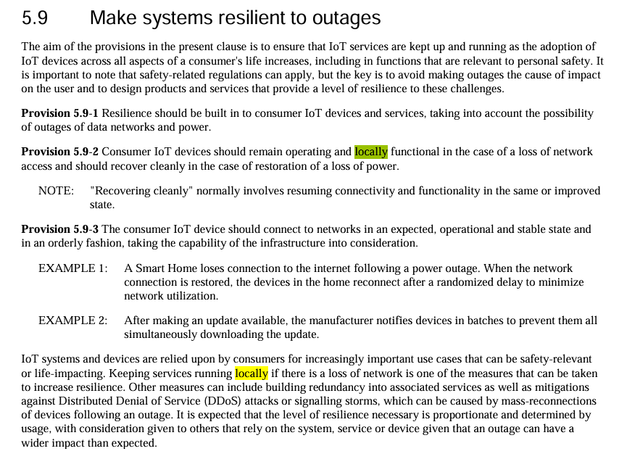
I've not the time to sit and read through all this, but as a provider of IOT equipment they will be bound by PSTI/ETSI/27001 and loads of other regulations which may be tying their hands:
https://www.gov.uk/government/publications/the-uk-product-security-and-telecommunications-infrastructure-product-security-regime

A good starting point would be if any other manufacturer offers full local access (from their own app) without first checking in with the cloud - if none of the others do then there's a reason (a regulation) somewhere they are adhering to.

D
#6 duplada

alan_johnston Even when in home mode.

My Dual AIO APP never ever had an Away and Home option queried it but apparently it is just another quirk of having a Dual System. I have both those Apps that are mentioned elsewhere but I wouldn't use them on a dual system. I tried and it was so easy to make mistakes and mess things up, as you are dealing with three pieces of kit at the same time. I am sure they are fine on single inverter but not on a dual system.

I WANT GE to get their FINGER OUT and do something about this problem, regulations or no regulations. It is like buying a car without a steering wheel. It Just MAKES NO SENSE WHATSOEVER.

V
#7 Vestas

hoggy There's nothing in the regs which prohibit local access, nor should there be as it'd be insanely stupid - even for the corrupt morons in Westminster.

Edit - in fact the default position should be that local access is ALWAYS provided regardless of internet connectivity. The fact it isn't is (IMHO) indicative of brown envelopes somewhere before royal assent of the act 😉

#8 hoggy

Vestas like I said, I hadn't read through any of it, however it can still be used as a tool - i.e. does anything explicitly state there should be local access in there in times of infrastructure failure or other...

V
#9 Vestas

hoggy Local access is not prohibited in any way, therefore its a design decision made by GE.

Were local access to be prohibited there would be a judicial review in progress at the very least because it is a batshit crazy idea 🙂

Edit - worth noting that EV chargers are specifically exempted from the Act as they're supposedly covered in other legislation. Again that other legislation does not prohibit local access and the idea that you couldn't use your (flat) EV unless you have internet access is risible.

#10 hoggy

Vestas Again, we are at crossed wires, what I'm saying is, if the legislation doesn't specifically stop them from providing local access, can it instead be used to justify why it should be in place instead.
I'm not reading through all the regs for any conflicts, so I simply picked the ETSI document as I can search it -

I guess this falls into defining what "locally functional" is - the inverter itself won't just stop because it can't phone home but neither can you interact with it officially (other than turning it off)
Ironically Polar inverters with their screens would be no bother (beyond the faff of prodding the around on the screen)

D
#11 duplada

OK My Contact at GE has got back to me with some news as follows regarding updating the Givenergy APP to provide local control I quote

"I have been told this is in the works, your app can already talk to the inverter locally as its how the home mode is used. In our new models we are adding Bluetooth as well with I believe the intent for something like this or to allow more third party apps a pathway in for novice users that want a smart house."

It all sounds a bit fluid doesn't it, I don't have home and away modes on my APP It just doesn't seem to install like that when you have Dual AIO's, which I have told them.

Anyhow just because GE are looking into implementing what we are asking for. Don't let this stop you from supporting the cause, so get writing below with your ideas and suggestions.

P
#12 pwdst

Bluetooth isn't really required for what people are asking for, just local network based control when their systems or the user's home internet is down.

G
#13 geoffreycoan

There are several things wrong with the GivEnergy statement

your app can already talk to the inverter locally as its how the home mode is used

Yes but the current app implementation it does a login check to the cloud first and if that fails, the app cannot be used at all. Same happened last year when the carbon intensity service the app used failed, if you had carbon intensity turned on in the app, the app wouldn’t load.
It’s basically design flaws in the app not failing gracefully when remote services are not available. Using locally cached data or proceeding without that data

In our new models we are adding Bluetooth as well with I believe the intent for something like this or to allow more
third party apps a pathway in for novice users that want a smart house

So some future model of inverter that none of us have might have bluetooth. Not sure this adds much over connecting over the same wifi that the inverter and your mobile device are already on. Bluetooth is better for push notifications, so broadcasting current battery level etc to say a wall device, but for controlling the inverter I can’t see it adds anything. More it means a major redevelopment of the app, with new bugs etc

#14 hoggy

The Givenergy Github does give some clues as to where they are heading - things like MQQT-C for embedded devices and also OpenThread suggest they are looking at a more 'on device' future.

D
#15 duplada

geoffreycoan Not sure this adds much over connecting over the same wifi that the inverter and your mobile device are already on

I totally agree with you, when I received the reply I thought that it sounded like they had asked ChatGPT to write something positive concerning the future of local control of home inverters.

So keep your comments coming. This is what I told Givenergy today when I replied.

"With regard to the current APP on my Android Phone and Tablet, with SSO login there is ONLY a Home option, I have never had the Home Or Away feature that I have seen others reporting they can use. Because you have my Gateway sending data every 60 seconds I get a 65 second refresh or so, but I cannot control the Inverter Locally. It just hangs the APP and any attempt to try and set anything just displays the Home Icon in the centre showing 0 watts. Some users who I have been talking to on the forum, told me that in the past you could control the Inverters locally but it stopped working when logins went to SSO. You have to understand we don’t want to stop using the portal, it has its advantages of being able to control things when you are away, but on the other hand you need local control when another AWS event or whatever happens and your Gateway or Inverter can’t talk to the portal."

M
#16 Mark7

I too would like the GE app to work locally when the Internet is down. As geoffreycoan has indicated the BBC Basic app works locally only. In fact if I want to see the current situation I use that App as it is much faster that the GE one.

#17 hoggy

Not that it matters, but the app never worked locally long before SSO? You can go back years on here and it's the same story every time there's an outage - it's not a new thing.

A
#18 alan_johnston

hoggy but the app never worked locally long before SSO

Pretty sure it did for me.
My inverter lost its internet connection due to a new local WIFI network swamping the channel.
My phone could connect to the internet to log the app in, I could then move next to the inverter WIFI dongle and connect to its SSID to get home mode working and was able to issue local commands.
Would be early 2023 soon after the system went in.

V
#19 Vestas

alan_johnston That's not "working locally without internet access" though is it?

V
#20 Vestas

hoggy Ah I see.

GE don't comply with the legislation then. I can't be bothered but someone should report them because they can't be trusted to do this themselves.

V
#21 Vestas

hoggy I guess this falls into defining what "locally functional" is

There's an example of that somewhere* in the notes/briefings which goes like this - digital TV recorder which would allow you to view TV content (BBC etc) but wouldn't record unless it had phoned home first. That's not locally functional as you lose controls when internet access is lost/company folds. Locally functional = you have access to the same controls.

*its also how Sky boxes used to work - no sub/connection (for a few days) and they wouldn't record free to air TV.

D
#22 duplada

So can we agree that what we require is for the Givenergy APP (when need be) to function locally on the LAN - WITHOUT checking home with the Portal and to Echo back from the Inverter to the APP, the current state of play (charge / export or Whatever) and Allow Local control to rescue any untoward situation.

I realise that is an oversimplification of things but that is essentially what we are looking for is that correct.?

T
#23 The_Engineer

I Agree. Having just spent 10 minutes trying to overcome a 'Communication Issue' to take benefit of Octopus free electricity. I do not know whether this was a local or remote issue, but if I knew that I should have the ability to do it locally then I would.

Delighted to have the remote ability to monitor, but concerned that a piece of high power equipment in my home 'might' only be controllable with the "Big Red Button" aka Off switch.

Come on GE; let us have control of our devices.

S
#24 SteveCook

I am not sure if anyone from GivEnergy reads this forum and/or has the authority to act upon these comments

D
#25 duplada

SteveCook Well if you read above I am talking to someone at GE and have been told that they are looking to act on this. Therefore anything that is written here is getting passed on by me, and of course GE do read these threads as the often reverse stupid decisions that they make with the Portal cards etc (Under the Have Listened Banner). It of course doesn't stop them making further blunders. But nevertheless If we don't make any noise NOTHING will get done about it. That is what I am trying to do here, so if you have any good ideas how you would like this to operate on a local basis then post your comments below.

S
#26 SteveCook

duplada
My apologies. Good luck with your actions.

B
#27 BatteryOnly

"duplada" - yes, fully agree, we need much better access to the battery functionality. So, yes, direct access to manage the system locally if the internet/cloud is not functioning correctly. And also, yes, much better features and controls in the App (no matter if direct/local access, or internet/cloud access, to manage quite basic battery/inverter behaviours?? Just one example on this thread - in INVERTER SETTINGS if I set the "Charge Power to 0W" on the slider, the battery will charge from my solar at 100-200W ! Can it really not understand that 0 is 0? When I first had the system I don't remember this odd behaviour. If in the day time I wanted "export all excess solar (don't charge battery) and inverter to power house if insufficient solar" , I am sure I could set it up. Now I can do this no longer.

Good luck with GE. As I say to all friends thinking of Solar PV/battery systems - look past the basic specs and really understand the "APP" you get to manage you new expensive tech. My brother has Tesla Powerwall3 - "GE chalk" and "Tesla cheese" when you study the APP functionality.

D
#28 duplada

BatteryOnly I set the "Charge Power to 0W" on the slider, the battery will charge from my solar at 100-200W ! Can it really not understand that 0 is 0?

Yes mine does that exactly the same as yours, it can be annoying but I find that if I leave a little headroom in the battery SOC in summer with it just trickle charging at 188 Watts (in my case) I can creep up from 90 to 100% or so over the day which I find useful. But yes, I agree with you Zero is Zero and that is not what is being delivered, so it is on the list.

Sometimes these anomalies are for a reason that GE don't bother telling anyone about, for instance watch this video and you will find out why they limit the depth of discharge to 4% on their battery systems (well some at least) you are supposed to be able use the full battery capacity.

https://www.youtube.com/watch?v=pY15GcypsB4

You will be able to turn your Inverter / Battery into a filing cabinet, with a sneak peak at the new AIO 2 and Gateway 2


G
#29 geoffreycoan

duplada I set the "Charge Power to 0W" on the slider, the battery will charge from my solar at 100-200W ! Can it really not understand that 0 is 0?

Yes mine does that exactly the same as yours, it can be annoying but I find that if I leave a little headroom in the battery SOC in summer with it just trickle charging at 188 Watts (in my case)

this has been explained on here by Paul L in the past

paraphrasing my recollection of what he wrote,

in short, the very original firmware the inverters had, when the inverter stopped charging or discharging it would power off the AC bus
a consequence of this is that when the inverter detected changing load or changing solar generation there would be a finite period of time when the AC bus had to be repowered back up before the inverter could respond to the load/solar generation. This would mean that you'd import or export from the grid whilst the inverter was doing this

givenergy then improved the firmware to add 'fast response' functionality, the benefit of which is that the inverter responds much faster to changing load and solar and you get less grid import/export as a consequence
the way this was done was that when the battery stopped charging or discharging, the AC bus was left powered up. The inverter was thus able to quicker respond to changing load

but as a consequence of this, with the bus powered up the inverter would trickle charge with solar generation or trickle discharge without load

the way to stop this is to set battery pause mode to Pause Charging which reduces charging from a few hundred watts to tens of watts. What would be useful is if if the app could set battery pause mode (currently it can't), and if this was set automatically in relation to battery charge/discharge rate

I do agree GivEnergy could do much more to communicate what they are changing, when, the consequences of it, and the design rationale. However after 2+ years of having their kit I don't see things changing much in that respect.


V
#30 Vestas

geoffreycoan The "Pause Both" setting will effectively set Battery Power to 0W - just in case it wasn't obvious from your post.

D
#31 duplada

geoffreycoan Thank you that is very useful information.

P
#32 Pete UK

geoffreycoan

That’s really interesting. Explains some of the mysteries. I guess I must have totally missed that post from Paul (or forgotten) - I think because the Gen3’s supposedly had it already, so I guess I moved on and missed or forgot that little gem.

The odd thing is I’ve asked that exact question before and just got back replies like “overheads”, “the inverter needs a bit of power to control the batteries” or “there will always be a bit of battery drain”. Etc. Not the real reason: “it’s using power because it’s in a kind of standby, fast response mode”

Any idea of how much time it took (takes) to power up the AC bus ?

With my dual 5.0 Hy Gen3 inverters I sometimes see one battery pair (inverter) at idle and the other inverter discharging at 60w ‘ish’ or 180w ‘ish’. One pair seems to go idle for a while, the other one hardly ever. I still have no idea why one idles occasionally and the other one doesn’t except on very rare occasions.

With solar and when full I see one pair idle and the other constantly draining at “xx” or “xxx” watts - All day. It’s quite odd. Never really got an answer to why either. Everything is on the latest firmware (allegedly). Must be due to the fast response bit - but weird why it’s only one inverter mostly !

V
#33 Vestas

Pete UK Any idea of how much time it took (takes) to power up the AC bus ?

I think it was around 5-10 seconds.

G
#34 geoffreycoan

Vestas Any idea of how much time it took (takes) to power up the AC bus ?

I think it was around 5-10 seconds.

I agree, it was something like that. When I upgraded by Gen 1 inverter to fast response firmware it definitely worked a lot faster at picking up house load.

G
#35 geoffreycoan

Good video from Lewis at Everything Smart Home on the importance of local control for all smart home devices https://youtu.be/1Pa80kkbf44

D
#36 duplada

geoffreycoan Yes very good video. When I purchased my Givenergy system I had no idea how it worked and nothing was every mentioned by my installers. It wasn't until the Internet went down one day and I was trying to frantically stop and Export schedule that the penny finally dropped. We have got to keep pushing this forward until GE give us at least Emergency control of our devices.