K
My Givenergy app is giving false readings like 24kwh being used battery discharges 16kwh is anybody else getting these redings

My Givenergy app is giving false readings like 24kwh being used battery discharges 16kwh is anybody else getting these redings
Kevinraine Yes. There are problems with the GE app.
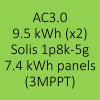
Lots of issues going on with the new GE app
App doesn't function as it should do. Open the App and it defaults to Away, searching for Home. Then after a minute or 2, switches to Home, but no functions/readings work. I have to switch back to Away, then back to Home for it to work.
Also, my batteries are trying to charge off grid during the mornings... and every other day the Timed Charge is reset to 05:30-05:30, meaning that my batteries aren't getting charged at the off peak rate during the night.
Are these App / config issues being looked into??
Cpt Darling every other day the Timed Charge is reset to 05:30-05:30, meaning that my batteries aren't getting charged at the off peak rate during the night.
Have you used the new Smart Tariff function in the app? That might be (poorly) trying to control your charging. If you look in the Remote Control History on the Portal that should give you some indication what is making the change.
I would reset the Smart Tariff functionality if you have played with it and the behaviour might stop. Otherwise the logs should help you track down what is causing your settings to be overwritten.
Disabling Smart Tariff did nothing to stop the batteries from charging.
I set the import and export to 7p and still charging at 28p.
Looks like the only way to disable the battery charging from grid is to delete the smart tariff data and reboot the inverter
I would just reset Smart Tariff and stop using it entirely, it hasn't worked well for us. We have set up Prebat instead. The automation doesn't seem all that smart and overwrites your own settings.
Yeah, I've just checked again and the system is still charging - can't turn it off. Disabled everything. The batteries are at 100%, the house load is drawing from grid... no idea what is going on
I've done a "Reset to Defaults" too and that hasn't worked either
An alternative is the free Givenergy Inverter Monitor unofficial app, or uae givenergy.cloud - I am not sure on the app since I don't use it
I've twice used the feedback facility to tell GE that the Timed Charge facility in the app is not working properly. Basically, if the battery SOC is above the set level at start time (eg at 80% when 50% is set) it's holding the battery at 80% and importing from the grid to supply the load. It's not easy to cancel either. Clearly not what is required and very annoying. Reinstalling the app has had no effect. It may have started with the updated app or possibly the cloud data problem several weeks ago.
I have had no answer or ackowledgement from GE. Ideas most welcome.
nlpb I've twice used the feedback facility to tell GE ...
I have had no answer or ackowledgement from GE. Ideas most welcome.
I'm sorry, rolls on the floor laughing. You must be fairly new to GivEnergy?
I logged 10 feedback requests and bug reports on the app in my first couple of months of having the inverters fitted. Here's the current status:
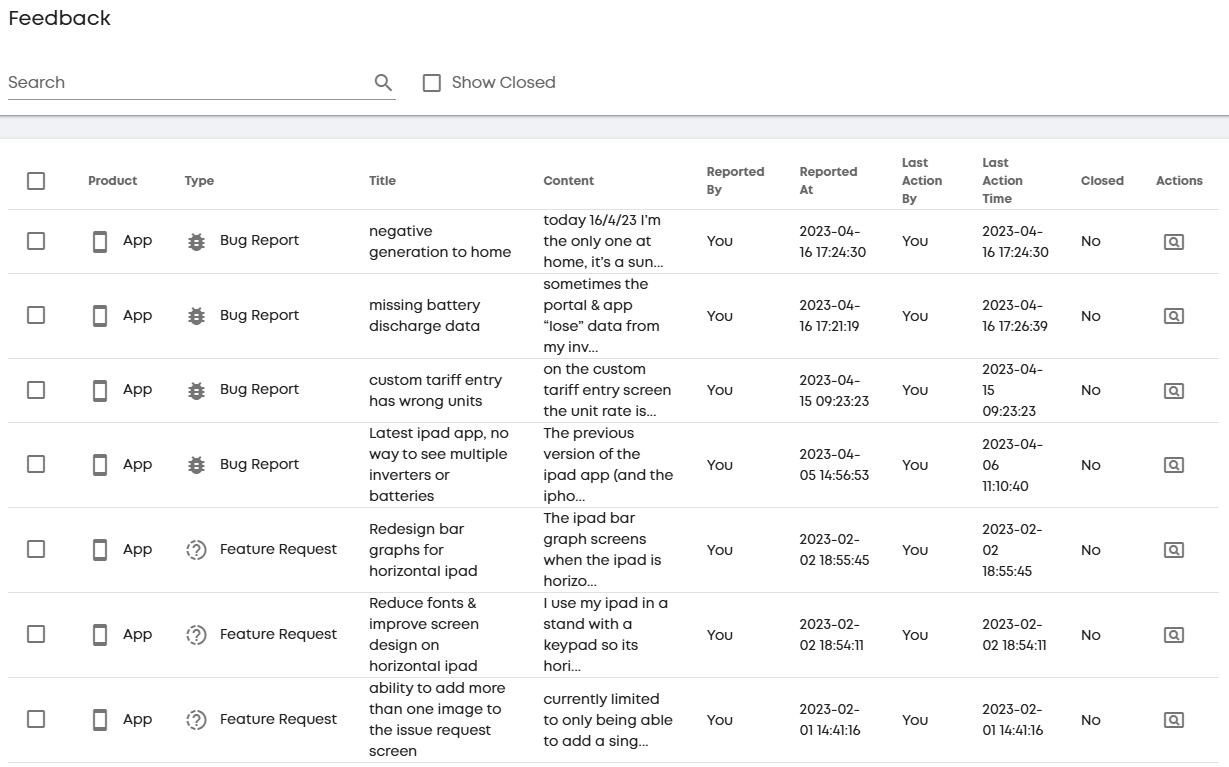
nlpb That's not an app issue - it's the same if you configure a timed charge via the portal.
You say it's clearly not what is required, but it is the behaviour I expect/want. If I'm charging from the grid, it's because the grid is cheap, and therefore I'm happy for it to cover consumption.
If you describe how you want it to behave, we can perhaps suggest how to configure it. What sort of system do you have?
One scenario I can imagine - maybe you want to ensure that it has at least 50% by 4pm, but if it's above that, you'd prefer to run from battery rather than grid ?
Thanks to the two contributions above. My system was installed in Jan 24 so I'm not a newbee to GivEnergy. There were a few problems in the first 6 months but GE responded and all were sorted, so there was some degree of customer service at that time. My system is 22 panels, 5kW inverter and 9.6 kWh battery. I normally set 2 Timed Charges at this time of year, typically: 0200-0500, 80% to take advantage of Octopus Flux rates; and 1500-1600 60% so that I'm not likley to need to import during the expensive 1600-1900 period. The exact %s depend on the weather.
The overnight session seems to pass off with no problem, perhaps becaise the SOC at 0200 is always lower than 80%. However, in the afternoon, if the weather is good. the SOC may be, say, 90% and the system will then import (assuming insufficient solar to meet the load) to hold that 90% SOC rather than wait until the battery SOC decreases to 60% and then import. Bear in mind at that time of day the import is the normal day rate and not cheap. Not good, and I'm pretty sure the system didn't work like that before the latest app/web updates. I agree the problem is across both app and portal.
As I write this I'm wondering whether the smart tariff function is set correctly. I will check and come back if that;s the problem.
No, the tafiffs are set correctly.
nlpb However, in the afternoon, if the weather is good. the SOC may be, say, 90% and the system will then import (assuming insufficient solar to meet the load) to hold that 90% SOC rather than wait until the battery SOC decreases to 60% and then import. Bear in mind at that time of day the import is the normal day rate and not cheap. Not good, and I'm pretty sure the system didn't work like that before the latest app/web updates.
I think it has behaved this way for as long as I have had the system. (Couple of years now.)
There is (may be) a way to achieve what you want. It might be a firmware bug - hard to be sure since little is documented. If your system behaves like mine, you can in effect have a timed reserve level. So you could set a reserve of 70% at 2pm, and 60% at 3pm. If the battery is lower, it will import to preserve the battery, but it won't actively charge. This may be good enough?
You implement it by setting an export slot with a time window and a mini SoC. Even without enabling the timed export flag, my system (gen 3 hybrid) appears to honour these limits. At least one other person has confirmed the behaviour on a later firmware.
DD Thanks DD for this advice. I haven't experimented with reserve levels yet, but I see there have been many mentions in posts on several threads about Timed Charge/Discharge/Export and, of course, the Eco setting. I've looked through the remote control and logs and can't see anything odd and, today as it happened, everything worked perfectly this afternoon as the start battery SOC was below 60%.. My batery reserve is set at 4% and it's easy enough to change it, but I can't see a timer facility for it as you suggest above.
nlpb My batery reserve is set at 4% and it's easy enough to change it, but I can't see a timer facility for it as you suggest above.
Ah, no, it's not as simple as that. It's more of a back door / side effect - still not sure whether it's intended behaviour or not. The timing aspect comes from using the export slots - up to 10 of those each have a start/stop time and a minimum level. They behave as a timed reserve even when you don't have timed export enabled.
so eg setting export timer #3 to be 60% from 15:00 to 16:00 effectively behaves as a reserve of 60% between those times.
You can use this to set up a cascade of descending reserves as you approach 4pm.
You'll probably need some sort of external trigger to charge up to 60% from grid if it's lower than that, though if you fully charge overnight, then it shouldn't discharge below 60% if you've set up the slots correctly.
nlpb that is how the GE timed charge works, once it gets to the set level (or is already over) it holds the level for the remainder of the time window.
To achieve what you want I think would require either HomeAssistant or something like WonderWatt or similar to control the system.
Thank you DD and treborUK for your hekpful contributions. I like to think I have now understood the principle of using the timed exports to manipulate a reserve SOC to achieve what I want by1600 - though that still leaves a doubt in my mind as to what effect the Eco setting has in these cases, so more experiments.
I find GE's logic a bit weird - but maybe it's not deliberate!