GivEnergy EVC with two AIOs

19 comments started 2025-12-08 last 2025-12-21
GivEnergy ProductsEV Charger
A
#1 AberDino

After almost 14 months with one AIO, Giv-Gateway and GivEnergy, I'm considering adding a second AIO. All devices are hard-wired (no Wi-Fi) and I run Home Assistant with GivTCP and Predbat to control the system. I also have a third-party solar PV inverter (from 2012) wired into the gateway.

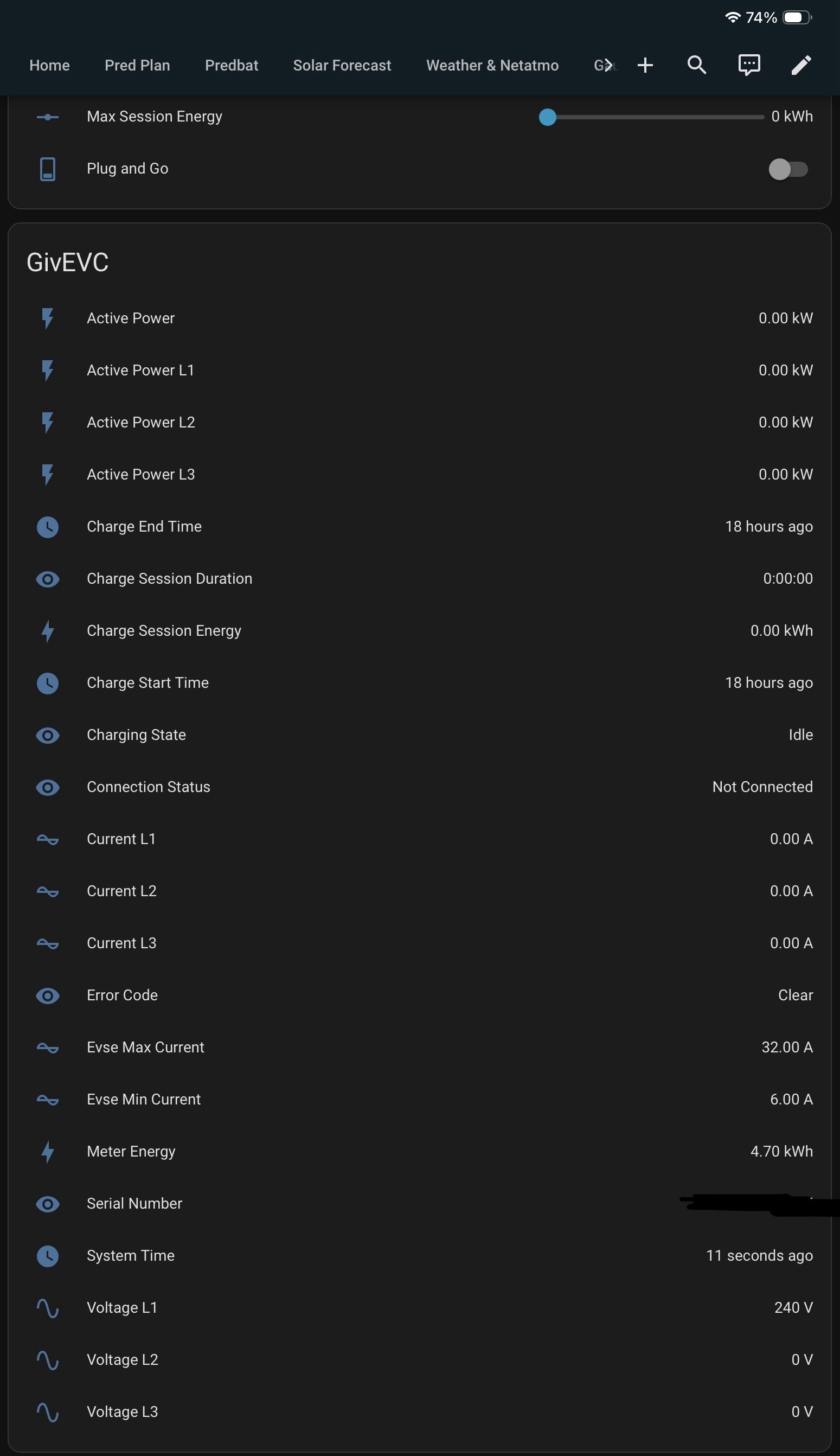
The EVC is on firmware revision 1.13, has local Modbus control enabled, and GivTCP is able to talk to it, although this appears to be limited to 'read only' as charge start/stop commands are ignored by the charger. As a workaround, I use the GivEnergy cloud API connection to do that. Not ideal, but it works. I plug in the car, Predbat detects it, plans and executes the charge. Also, in the GivEnergy portal, the EVC configuration is "Inverter Cloud Control" so that I can feed any excess solar to the car.

I've been reading that inverter control will not work with two or more AIOs, so I was wondering what people do instead? @Daveb01, I've seen a number of your posts and note that you have a GEM120 as part of your multi-AIO setup. Which EVC configuration mode do you use and what do you use to control the charger (i.e. Predbat or something else)?

Thanks in advance for your feedback.

#2 PianSom

AberDino
FWIW I have 2xAIO1, a zappi and third party PV. I am a Predbat user. I use HA automations to switch between Predbat-led and Octopus-led EV charging

I posted the automations a few months ago here. I've changed them a bit since. If you are interested let me know and I'll post the current versions. (Obviously they are Zappi-dependent, so will need significant customisation to change to Giv charger.)

A
#3 AberDino

Just wondering if @Daveb01 is still present on this forum?

D
#4 Daveb01

AberDino hi yah, sorry for the delay I was fitting a new fridge/freezer today.

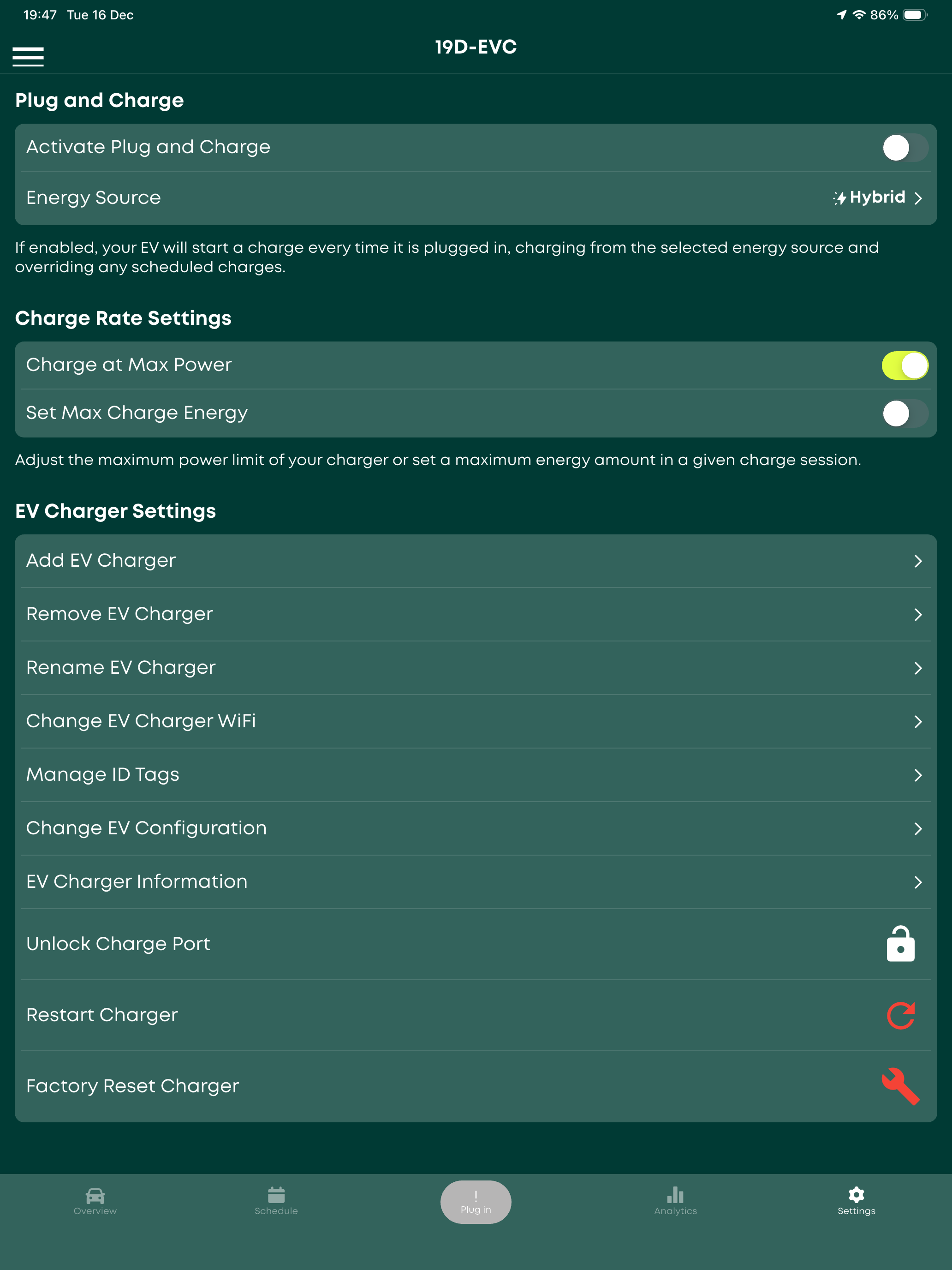
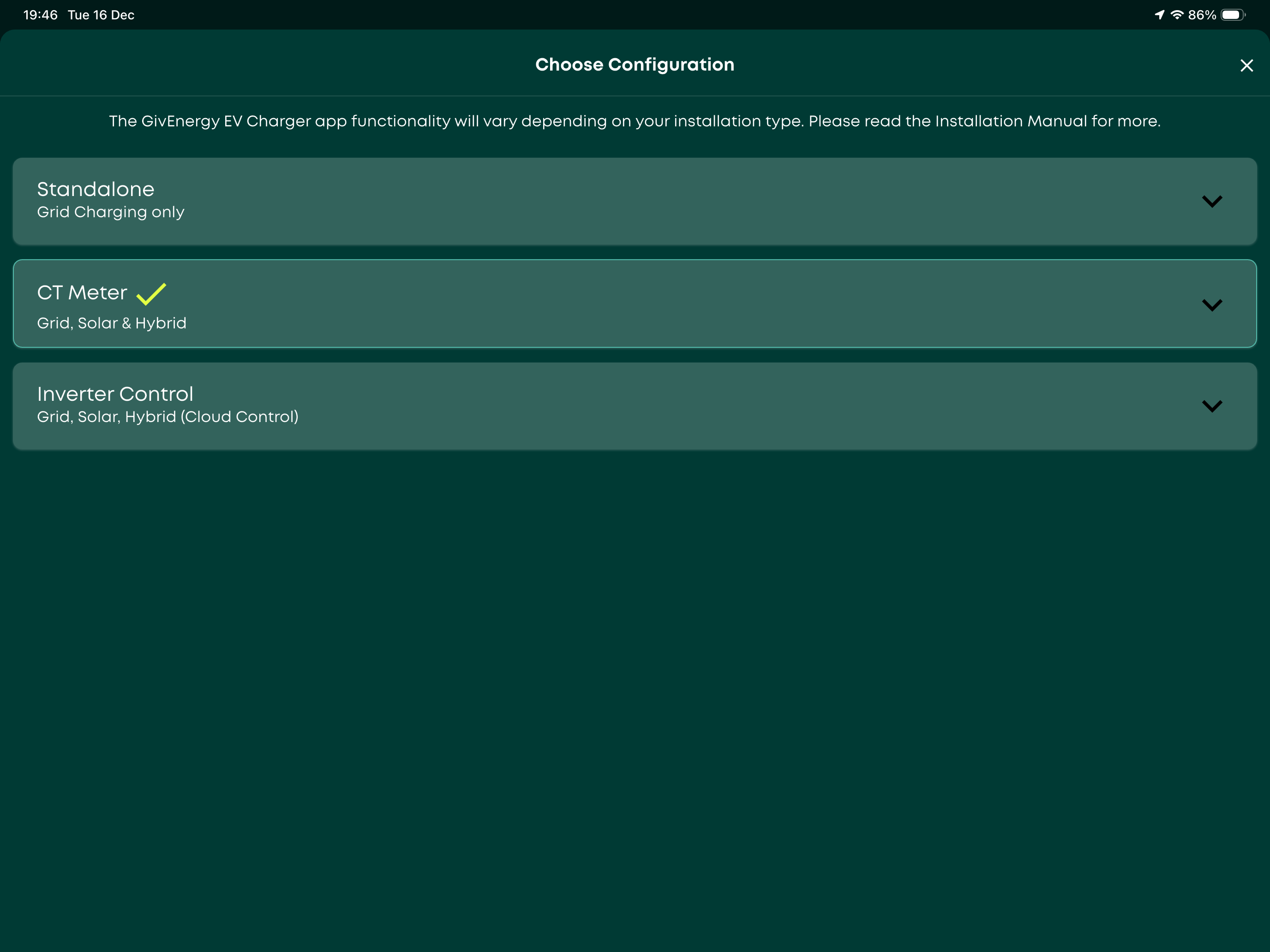
Here are my settings in the app. Fire away with your questions.
I tried Inverter control but I don’t use the Cloud any more as same as you HA etc.


A
#5 AberDino

Thanks @Daveb01, I will revert with a few questions tomorrow 😃.

A
#6 AberDino

Hi @Daveb01,

If you don't mind, I'll first ask some questions about the Dual AIO setup and then the EVC. As mentioned above, my existing GivEnergy devices are hard-wired and I use HA/GivTCP/Predbat to manage the AIO and EVC. The additional AIO would also be hard-wired, and in the gateway we will replace the AIO RCDs with RDBOs.

It looks straightforward enough to update the GivTCP and Predbat configurations for the new setup, but were there any pitfalls you experienced?

Through experience, and as reported by other AIO users, I have found that, to avoid sudden SOC drops, it is important to fully discharge/charge the AIO at regular intervals. With two AIOs, I suspect this might be quite challenging to achieve over the summer period, unless I dump to the grid every so often. Depending on the timing and import/export rates, dumping might not be the optimal thing to do. Although the two AIOs are seen 'as one', do you know whether it is possible to effectively use them in 'series', so can run one down before you start using the second AIO, and so on? That way, both AIOs would regularly go through their full cycles and the full capacity would still be available, if required. For example, if Predbat determines a 20kWh charge is required at the end of the overnight off-peak charging period, one AIO could be sitting at 13.5kWh and the other at 6.5kWh. The 6.5kWh AIO is used first down to 4% and we then start using the second AIO. At the next charge cycle, the first AIO is charged back up to 100% and sitting there until the second AIO is at 4%. I realise that I would sacrifice the combined 12kW output, but I could live with that in favour of keeping the AIOs healthy. If that's not possible, how do you ensure that you fully cycle your AIOs every so often?

With regards to the EVC, I currently do not have a dedicated GM120 meter in the gateway for my EVC, and I use 'Inverter Cloud Control', only to allow charging during the day when there is excess solar power. Scheduled charging happens overnight through Predbat. Based on the snippets of information I've picked up from other users, 'Inverter Cloud Control' would not longer work with multiple AIOs. Is that also your understanding?

You say that you don't use the GivEnergy cloud anymore and I want to end up in the same place, at least for day-to-day management/control of the system. I think that if I'm willing to give up solar excess charging, I could just switch to configuration A or B (see knowledge base article here). However, if I did want to keep the solar excess charging option, I think this should be possible with configuration C, as long as I add a GM120 meter for the EVC. Since you have the additional GM120 for the EVC, is its main purpose to make the EVC aware of any potential grid import current limit when combined with dual AIO charging? Have you tried using it for excess solar charging? I'm aware that configuration C in combination with excess solar charging can result in the car being charged from the AIOs, which I would want to avoid. Perhaps HA automation can be used to put the AIOs in 'pausedischarge' mode when that situation arises. Alternatively, given the low monetary value and the fact that my solar PV capacity is relatively low (3kW, installed in 2012), I could just forget about solar excess charging 😉! In that scenario, would you still recommend to install a dedicated meter for the EVC?

Last but not least, assuming you use Predbat to schedule the charging of your car(s), are you able to start/stop the charge using local control, i.e. GivTCP is able to start/stop the charge? If so, is your kit hard-wired and what firmware version do you have on your EVC? Also, is Predbat able to control the 'virtual' AIO the same as a single AIO, so commands like 'PauseDischarge' etc. work to prevent charging the car from the AIO?

I think that's it for now and thanks in advance for taking the time to answer my questions!

D
#7 Daveb01

AberDino It looks straightforward enough to update the GivTCP and Predbat configurations for the new setup, but were there any pitfalls you experienced?

Hi yah, this will take a while to answer all you questions, I will do them in sections rather than a book 😀

The first thing that was a big change is once you have 2 x AIO’s they are controlled by the GW, where previously it was controlled but the AIO inverter. In HA/GivTCP you still get all the Sensors but now there are GW/AIO1/AIO2. Ian and I have played with quite a few sensors to get the results we want. I went for trying to get what’s in the octopus app and Ian wanted the most accurate so went with the Meter sensors. If you go for just the GW sensors it works but they are a bit out. Best of we chat about that when you get to that point.

D
#8 Daveb01

AberDino Through experience, and as reported by other AIO users, I have found that, to avoid sudden SOC drops, it is important to fully discharge/charge the AIO at regular intervals. With two AIOs, I suspect this might be quite challenging to achieve over the summer period, unless I dump to the grid every so often. Depending on the timing and import/export rates, dumping might not be the optimal thing to do. Although the two AIOs are seen 'as one', do you know whether it is possible to effectively use them in 'series', so can run one down before you start using the second AIO, and so on? That way, both AIOs would regularly go through their full cycles and the full capacity would still be available, if required. For example, if Predbat determines a 20kWh charge is required at the end of the overnight off-peak charging period, one AIO could be sitting at 13.5kWh and the other at 6.5kWh. The 6.5kWh AIO is used first down to 4% and we then start using the second AIO. At the next charge cycle, the first AIO is charged back up to 100% and sitting there until the second AIO is at 4%. I realise that I would sacrifice the combined 12kW output, but I could live with that in favour of keeping the AIOs healthy. If that's not possible, how do you ensure that you fully cycle your AIOs every so often?

I was always getting SoC drops the same as most people, I don’t get them now I have 2 x AIO’s. The reason for this is after the install and calibration the GW sorts the charge/discharge out for you. So 9f one AIO (sometimes my oldest one) starts to drift to much the GW will reduce the power and let the second AIO discharge a bit more, ‘once there back in sync the `gas sets it back to equal (if that makes sense). I did not want to go into to much detail.

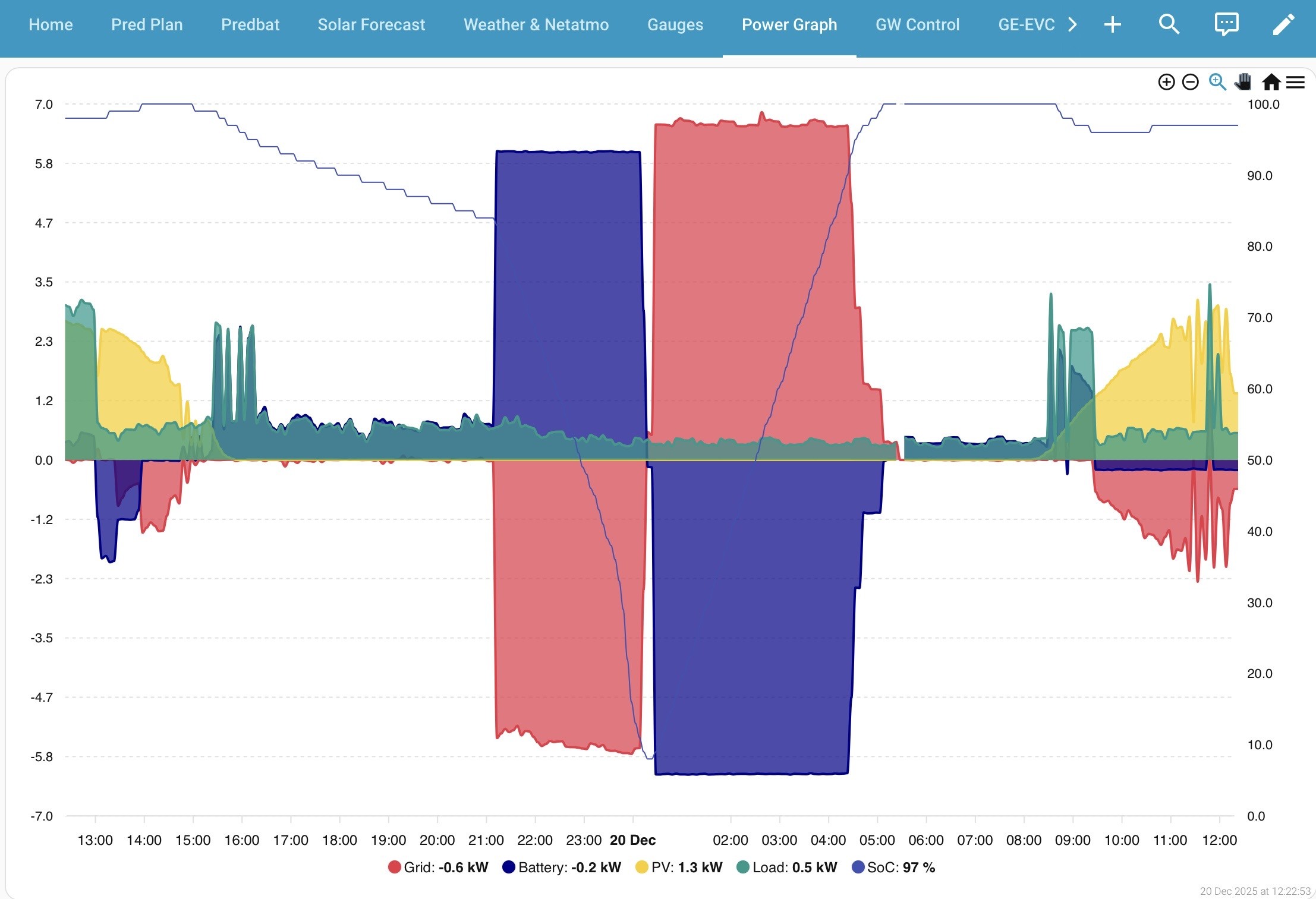
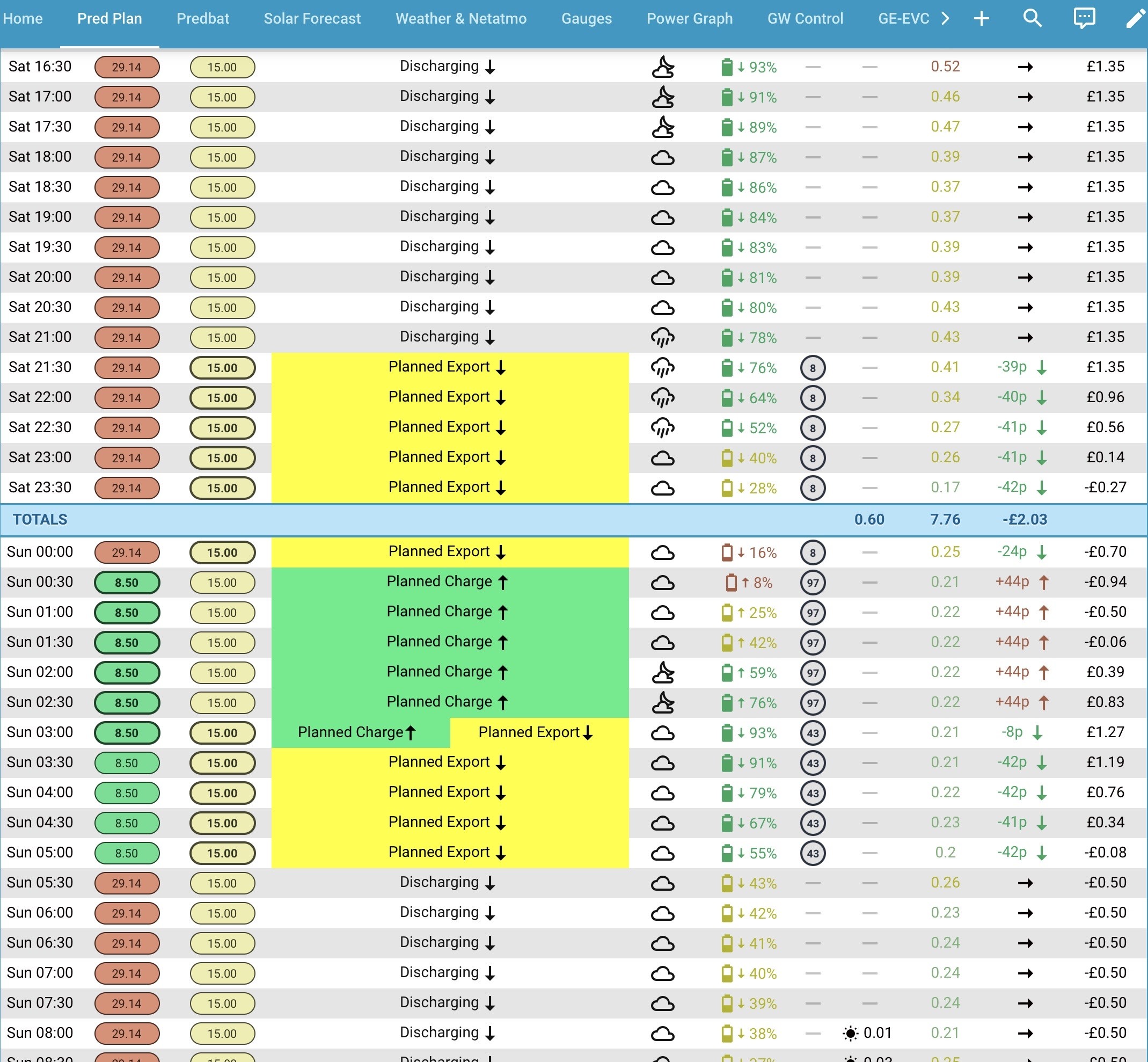
The second part is how you want to run your batteries, we all have different ideas. But the good thing is we all share and sometimes we swap to someone that’s doing better. I like to charge on the cheap rate, use Solar/battery all day, then discharge last thing at night just before the cheap rate on GO.

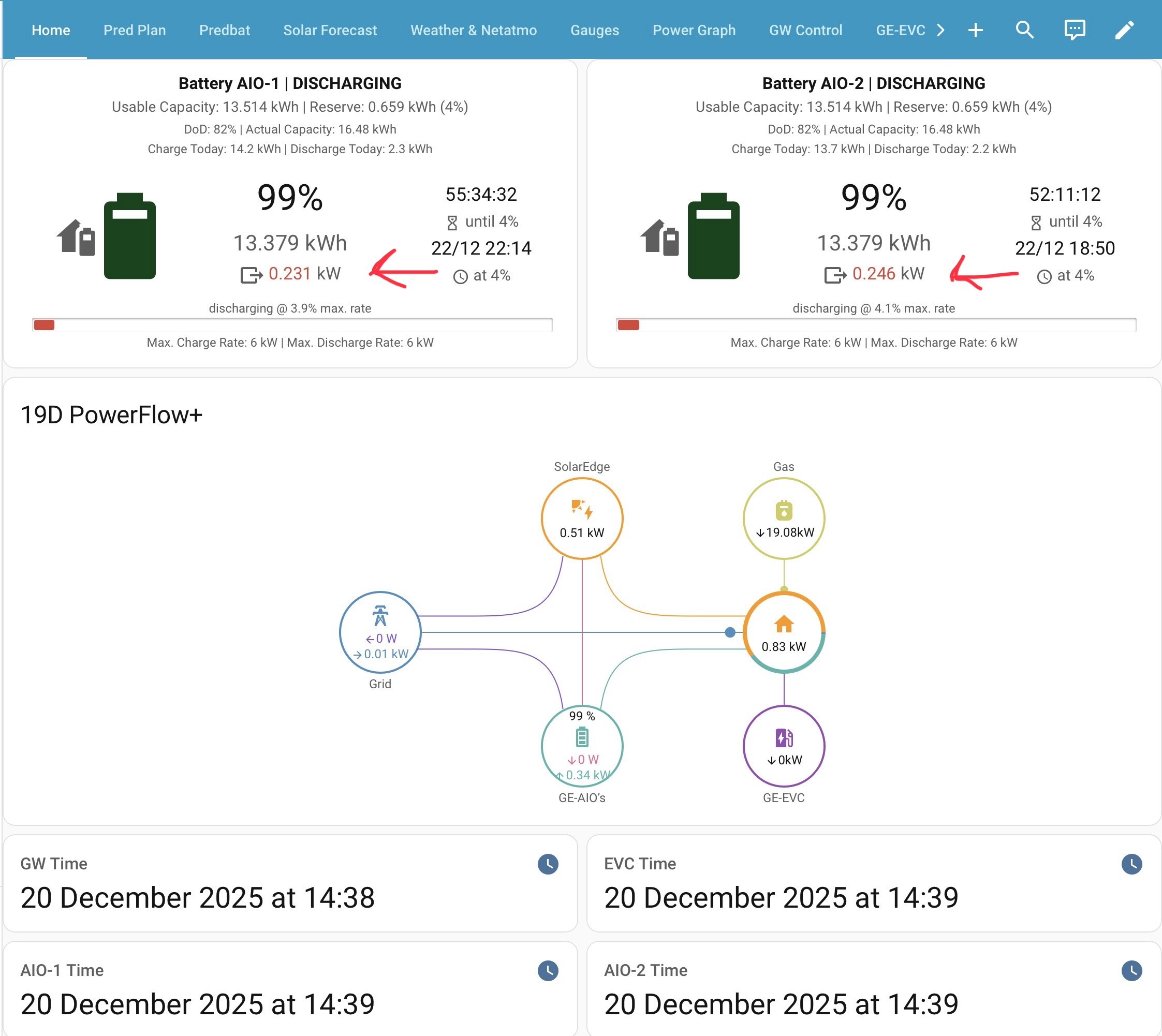
Here are some screen shots that may help the words above. The second screen shot is what Predbat is thinking, I don’t like that as may have a battery that won’t last me all day, so I let it do its thing until 00:29 then change Predbat to Charge only mode between 00:30 - 05:30. I put it back on Charge/discharge mode before sunrise. More on that subject when we get there.


D
#9 Daveb01

AberDino With regards to the EVC, I currently do not have a dedicated GM120 meter in the gateway for my EVC, and I use 'Inverter Cloud Control', only to allow charging during the day when there is excess solar power. Scheduled charging happens overnight through Predbat. Based on the snippets of information I've picked up from other users, 'Inverter Cloud Control' would not longer work with multiple AIOs. Is that also your understanding?

Yes I have found that as well and switched to CT Meter mode. This works very well. BTW I don’t have an EV yet, but visitors have EV’s so I can check it’s all working, or I can borrow next doors EV, (it is on my list but not net)

So there are two ways(told to my installer by GE) to install the AIO’s and EVC. All going to the GW or AIO’s going to a separate CU (this allows you to have more than 3 AIO’s, but think GE have scrapped idea now). As the GW already had GM120’s my installer added one for the EVC. It’s handy in HA.

Also now the GW gen 2 is out and everything goes into that, I am glad I went down that route. I am not sure GE would still advice doing a CU now, but who knows

D
#10 Daveb01

AberDino You say that you don't use the GivEnergy cloud anymore and I want to end up in the same place, at least for day-to-day management/control of the system. I think that if I'm willing to give up solar excess charging, I could just switch to configuration A or B (see knowledge base article here). However, if I did want to keep the solar excess charging option, I think this should be possible with configuration C, as long as I add a GM120 meter for the EVC. Since you have the additional GM120 for the EVC, is its main purpose to make the EVC aware of any potential grid import current limit when combined with dual AIO charging?

We have a very good post over on the other GE community, one for Predbat, one for EVC and one for Network things. There are loads of good things to view as well. Here is the link, but you would have to join the GE community.

The main reason for the GM120 (plus the way my installer was advice to wire it up) is to stop the EVC charging from the batteries etc. I now have my EVC in Solar mode only, this is to stop anyone plugging in there EVC and charging from the grid costing me ££. Because I don’t have an EV yet, to charge at my house I have to change the setting or they can use one of the RFID card e.g my family when visiting.

ev-charger-wiring-into-giv-gateway-1.pdf
561kB
D
#11 Daveb01

AberDino I'm aware that configuration C in combination with excess solar charging can result in the car being charged from the AIOs, which I would want to avoid. Perhaps HA automation can be used to put the AIOs in 'pausedischarge' mode when that situation arises. Alternatively, given the low monetary value and the fact that my solar PV capacity is relatively low (3kW, installed in 2012), I could just forget about solar excess charging 😉! In that scenario, would you still recommend to install a dedicated meter for the EVC?

Are you on Octopus GO or IOG?

D
#12 Daveb01

AberDino Last but not least, assuming you use Predbat to schedule the charging of your car(s), are you able to start/stop the charge using local control, i.e. GivTCP is able to start/stop the charge? If so, is your kit hard-wired and what firmware version do you have on your EVC? Also, is Predbat able to control the 'virtual' AIO the same as a single AIO, so commands like 'PauseDischarge' etc. work to prevent charging the car from the AIO?

Hi Ian would be able to answer this one please? @PianSom

#15 PianSom

Daveb01 AberDino Last but not least, assuming you use Predbat to schedule the charging of your car(s), are you able to start/stop the charge using local control, i.e. GivTCP is able to start/stop the charge? If so, is your kit hard-wired and what firmware version do you have on your EVC? Also, is Predbat able to control the 'virtual' AIO the same as a single AIO, so commands like 'PauseDischarge' etc. work to prevent charging the car from the AIO?

Hi Ian would be able to answer this one please? @PianSom

The first q (about using GivTCP to control GE's EV charger) I'm afraid I don't know, as I have a zappi. But I think the answer is yes. The second q is for your, Dave.

The third q is a yes. There is a Predbat setting to prevent battery discharge to car. See switch.predbat_car_charging_from_battery in https://springfall2008.github.io/batpred/customisation/#car-charging

D
#16 Daveb01

AberDino Last but not least, assuming you use Predbat to schedule the charging of your car(s), are you able to start/stop the charge using local control, i.e. GivTCP is able to start/stop the charge? If so, is your kit hard-wired and what firmware version do you have on your EVC?

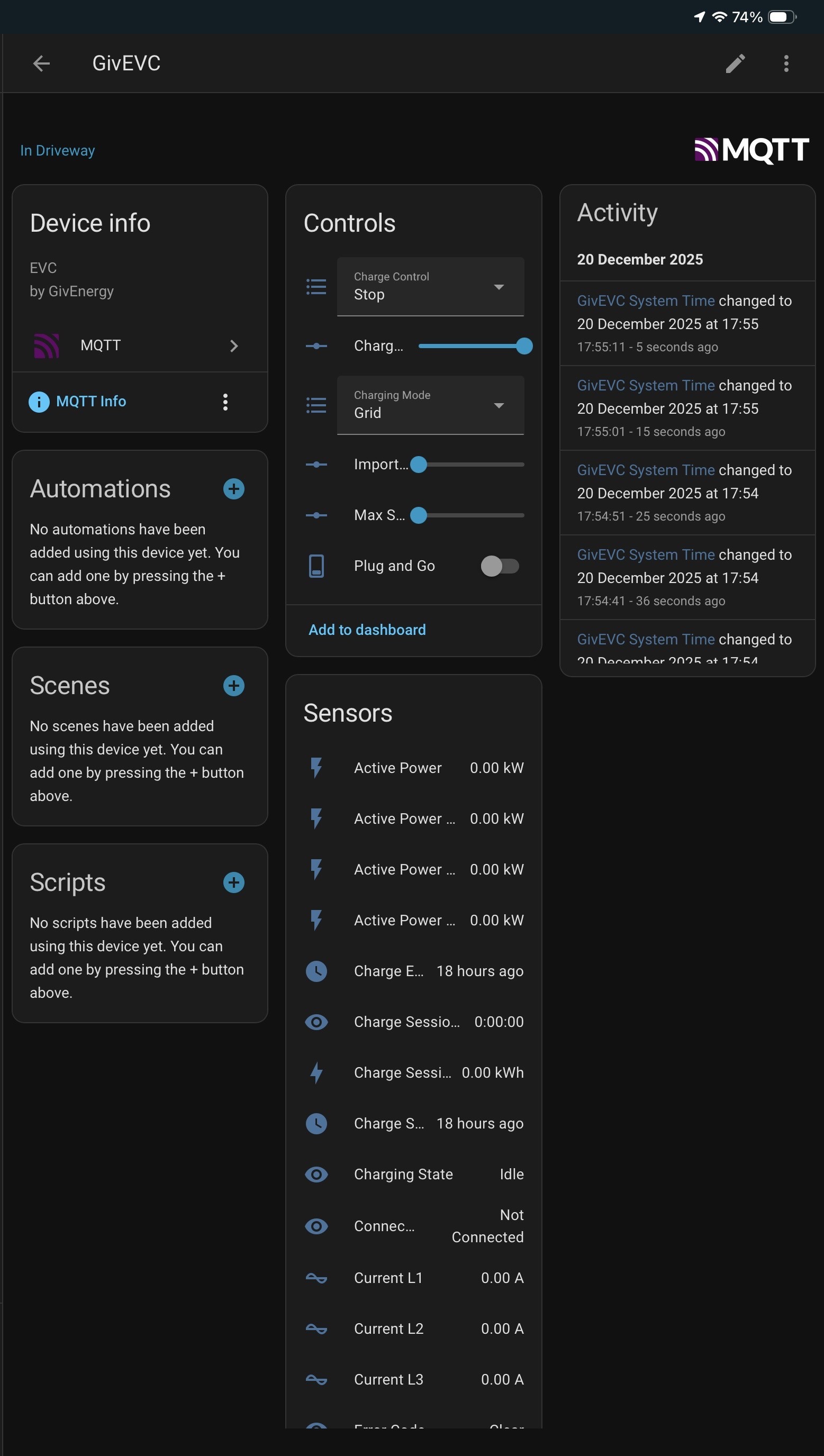
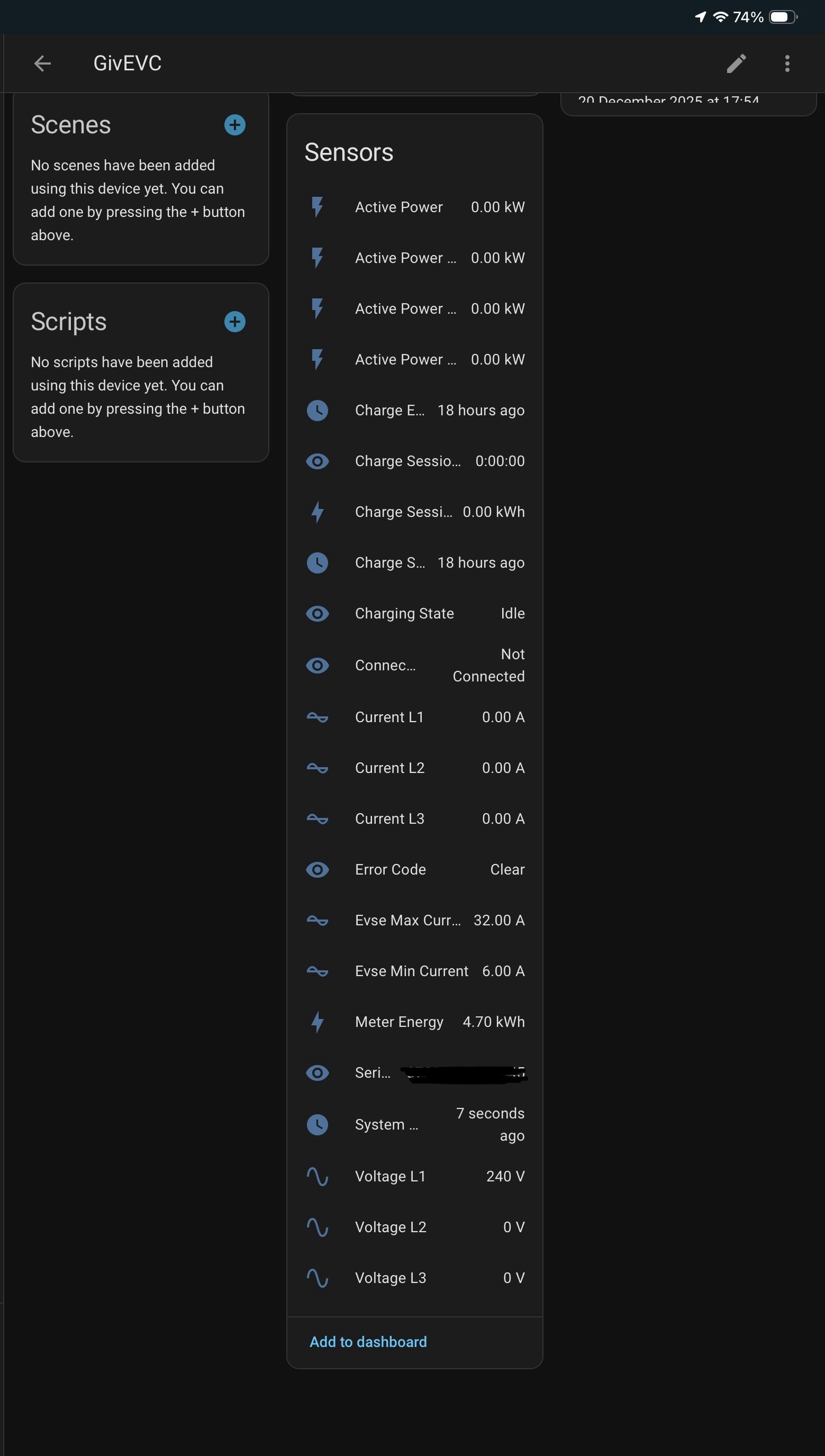
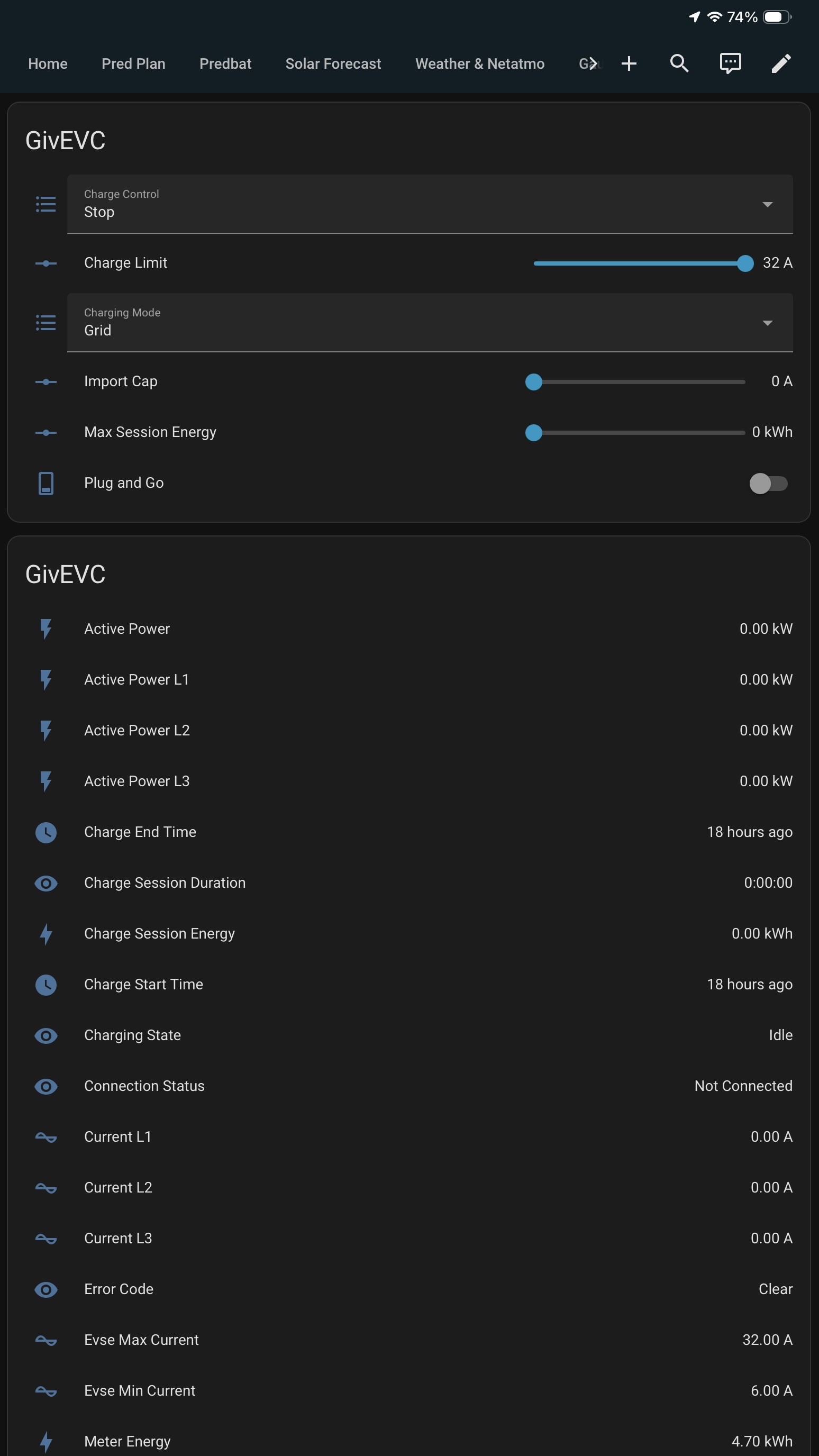
This is what I can do in HA once you have the EVC added.
Yes my EVC is hardwired
See link above for the latest FW viersion


D
#17 Daveb01

AberDino Although the two AIOs are seen 'as one', do you know whether it is possible to effectively use them in 'series', so can run one down before you start using the second AIO, and so on

No it’s not possible to do this as once you have set then up as per above the GW takes control and there seen as 1 x 27 kW battery (sync’ed).

D
#18 Daveb01

AberDino something else to consider, the default import export for the GW is 12 kWh, but it can be changed to the max 18 kWh (only by GE) if you need that for say batteries and car charging.

I also limit my export to 6 kWh max, but if your DNO export is not restricted then you could export at the full rate.
My monthly DD is £1 and I am in credit to last me all winter (if there is no sun etc)

A
#19 AberDino

@Daveb01 and @PianSom, thank you both very much for taking the time to answer my questions, that is very helpful indeed! Always best to get feedback from the people who actually use the kit!

@Daveb01, by virtue of the contract you are on (allowing you to export brown energy and get paid for it), your AIOs are going through a full charge/discharge cycle on a regular basis, which is the perfect solution to avoid SoC drops. It's good to read the gateway will try and keep the AIOs in sync by adjusting the discharge power from each AIO, that will definitely help as well. I've recently switched to Good Energy (originally a Tomato Energy customer) and they have a clause in their Ts&Cs stating that they have no obligation to make any payments for brown energy. My intent is therefore to use HA to export all solar generated energy, and effectively run the house from the dual AIOs at all times, summer and winter. This should ensure a healthy discharge from the AIOs on a daily basis, hereby avoiding SoC drops. Perhaps switching to an Octopus tariff is the right option for me once the second AIO is installed. Time will tell 😉!

As an aside, in your screenshots it is interesting to see you have entities showing the time for each GivEnergy device. I find it rather strange the GivEnergy kit does not use NTP servers to automatically sync the time on a regular basis, say every hour, but networking does not seem to be the best feature of the GivEnergy kit in general (given my experiences at least). I've had a few instances where the AIO has deviated considerable, but luckily I now have Predbat monitoring this and restarting GivTCP to resync the time when it's more than 10 minutes out. This should not be need though if the kit would have proper time management in the first place.

With regards to the CT meter for the EVC, I will ensure the installer includes this when they come to install the second AIO. I'd like to think my installer would connect the second AIO directly into the gateway rather than a separate consumer unit.

I have now joined the GivEnergy 'beta' forum, but I'm not sure what the difference is with this GivEnergy forum? Then there's Facebook as well. It would be easier if there was one place where people would post.

Interesting that you are on EVC firmware 1.12 and are able to start/stop charging from your local HA setup. I'm on firmware 1.13 and GivTCP 3.4.1. The GivEVC screens look exactly like yours, I can read what the EVC is doing (power/energy), but the control features do not work. When I select start, is is logged in the GivTCP log, but nothing happens. I've requested an upgrade to 1.14 and if it still doesn't work after that, I might have to try removing the EVC from GivTCP and adding it back in.

I'll be back in touch once the second AIO has been installed. I suspect this might take a while because we have to go through the G99 process first. I have a 7.36kW export limitation from when we went through the process last year and I'm happy to keep that (don't need an increase), but SSEN have advised I will have to go through the whole process again.

Thanks and enjoy the festive break!