
Battery SOC dropped to 0%

11 comments started 2026-01-11 last 2026-01-19
GivEnergy ProductsBattery
A
#1 alan_johnston

I have HY3.6 and 8.2kWh battery since Sep 2022. Both are in the garage which is attached to the house.
Software is D0.450-A0.451 and battery firmware 3012.
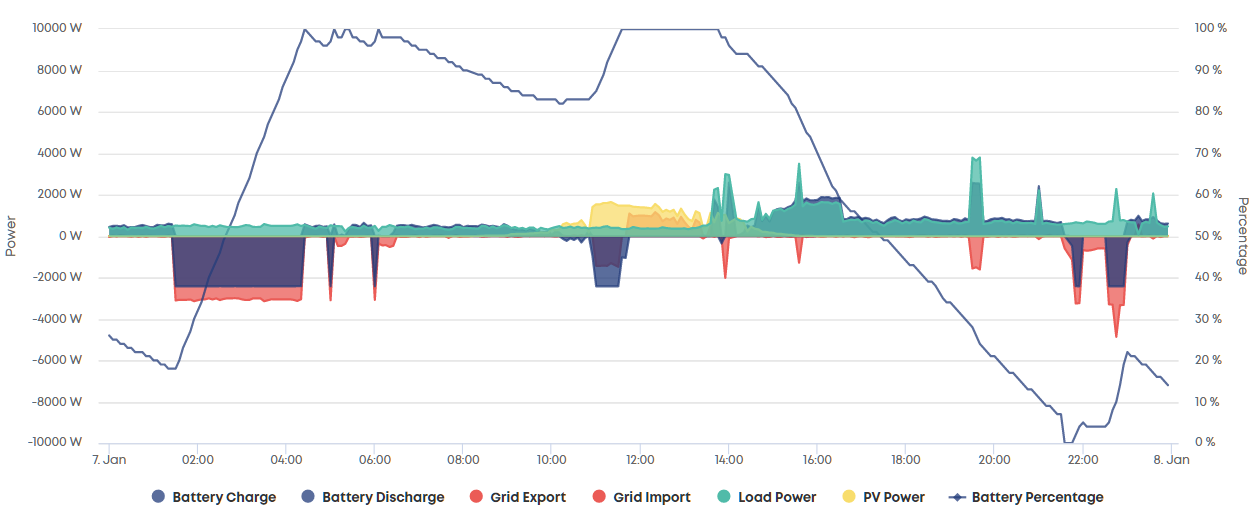
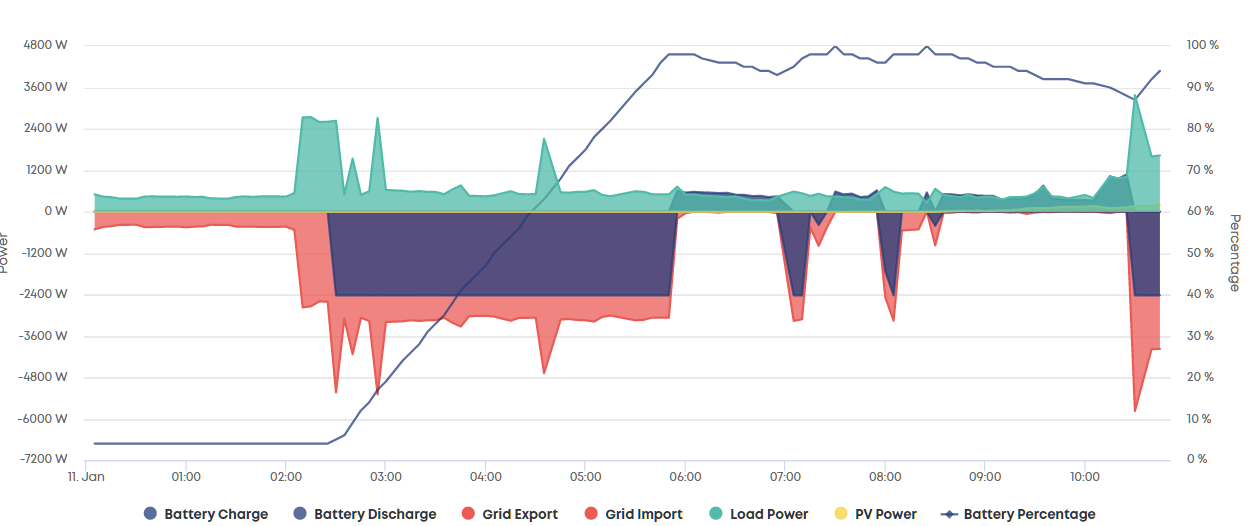
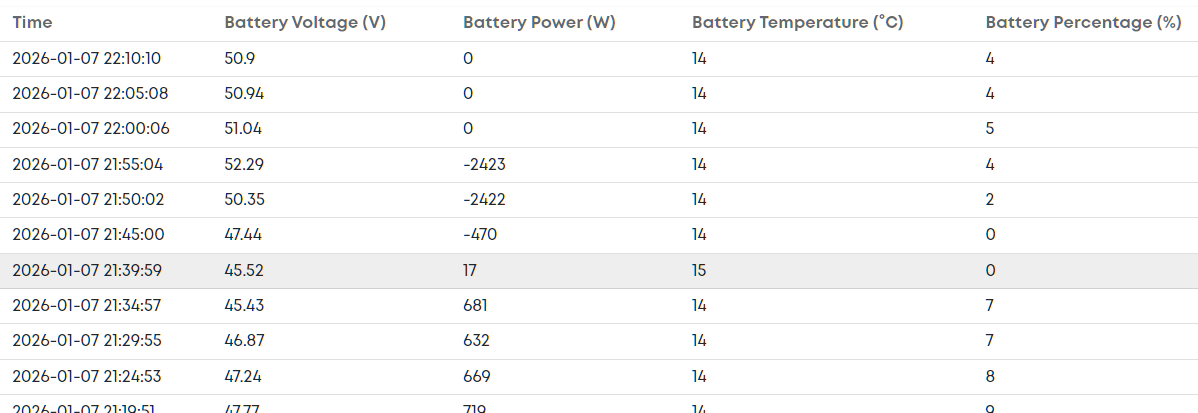
A few days ago, the battery SOC dropped from 7% to 0%. The inverter kicked in and charged the battery back to 4%..
Since then, it hasn't gone to 0% again but, when charging up. the battery maxes out at 98% with the occassional 100% spike.
There are no GE messages in the portal and the battery temperature was around 15C (according to the logs).
Is this something to look into a bit more or leave it for now?
G
#2 geoffreycoan

You are on a quite old battery firmware version, newer firmware has battery winter conditioning which will protect the battery better from getting too cold

But if its working fine, all good. Probably worth doing a recalibration of the battery, but do that when its a bit warmer

R
#3 Rubikcube

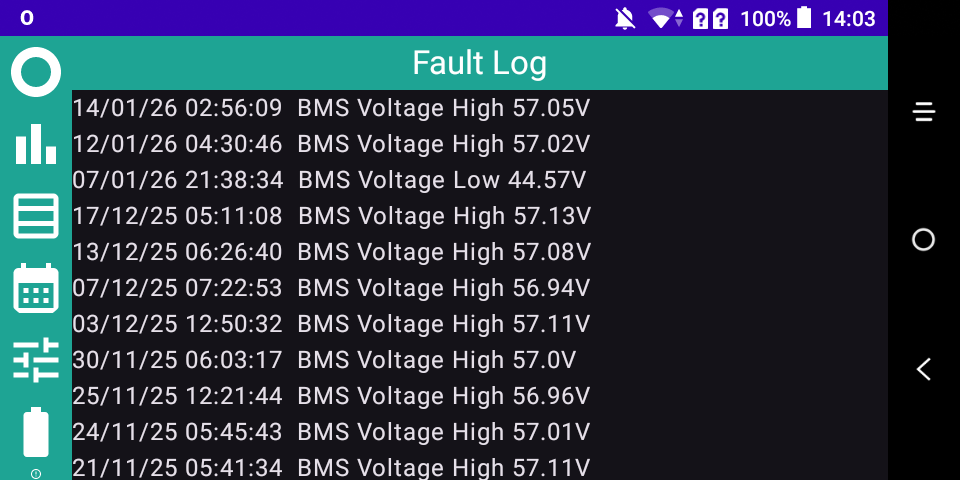
IMHO the firmware versions are fine. Nothing wrong with emptying your battery from time to time. Run my app for a few days and if you are getting BMS Voltage messages in the fault log, then it is time to recalibrate.

P
#4 pwdst

It should never be a literally 0% SOC unless it is doing a calibration though surely?

A
#5 alan_johnston

Rubikcube On your help wixsite, are there some instructions for checking the batteries?
I have had a look and can't see any. I did see a thread on here a while back.
I have turned on collect stats...

A
#7 alan_johnston

Rubikcube
Got a few messages.
Could be time for a recalibration. Last one was Sep 2023.

R
#8 Rubikcube

alan_johnston Yes. Battery will definitely benefit from recalibration. For bonus geek points, record the Calibration Capacity from the battery info page before and after you recalibrate. It will likely reduce a bit.

A
#9 alan_johnston

Battery did a soft calibration last night. I am trying to display the fault log to see if any messages came up but can't find it in the app. What do I tap on to display it? I have tried (almost) everything.

R
#10 Rubikcube

alan_johnston For the screen shot above, did you increase the display size? The icon for the fault log is squished in the bottom left corner. Maybe I need to make the icon bar scrollable? Or maybe you selected the log in portrait and then turned to landscape?

A
#11 alan_johnston

Rubikcube
Turning to portrait mode did the trick.
I leave the phone in landscape mode when running.
Didn't think to rotate the phone to get more options.
I did try to scroll the icon bar up but it didn't move.

Anyway, there are a couple of BMS voltage high messages (57.1V)