
Battery not charging since mid January, no notifications of issues

10 comments started 2026-02-05 last 2026-02-08
GivEnergy ProductsBattery
H
#1 HELENM

Good evening, just had an energy bill and a bit shocked to find our electric cost is higher than expected. Checked the app to find the battery had 0% and on further investigation, it hasn’t been charging since mid January. I’ve tried an inverter restart which it says has been successful but this hasn’t kickstarted the battery. We had an electrical issue a few weeks back with a socket blowing and the trip switch going, that socket has been replaced and everything else is working as it should.

Any tips on what the problem might be? The inverter shows no power going to the battery at all. I can usually resolve issues by doing a firmware update or restarting the inverter but I don’t think that will be the problem on this occasion.

Also, I’ve had no notifications of anything being wrong. My last notification was from three months ago about an inverter time sync. Should I be getting notifications if the system isn’t functioning as expected and if so, how can I rectify this?

Grateful for any assistance or suggestions anyone can offer.
G
#2 geoffreycoan

HELENM what lights are on the battery? Is the battery breaker on?

Can you explain more about what kit you have to help us diagnose the issue.

If your battery is genuinely on 0% and its not a loose lead or a circuit breaker then this will almost certainly require an on-site visit from your installer to recharge it. Its probably worth you reaching out to them anyway as Givenergy support is very strained, and if it is 0% SOC they will direct you to get your installer to visit.

And there are no notifications of system activity or problems with the equipment. It would be difficult to define what is normal and abnormal behaviour as this varies for different people, but there is nothing that comes with the inverter or portal that does this. If you use home assistant then you could write your own monitoring automation, but if not, you've probably got to check it periodically.

Edit: see https://community.givenergy.cloud/d/6602-battery-died/ a similar story

Probably worth you installing the Android inverter app as this can give you information about your battery cells and give a clue as to whether the battery is truly flat or not

H
#3 HELENM

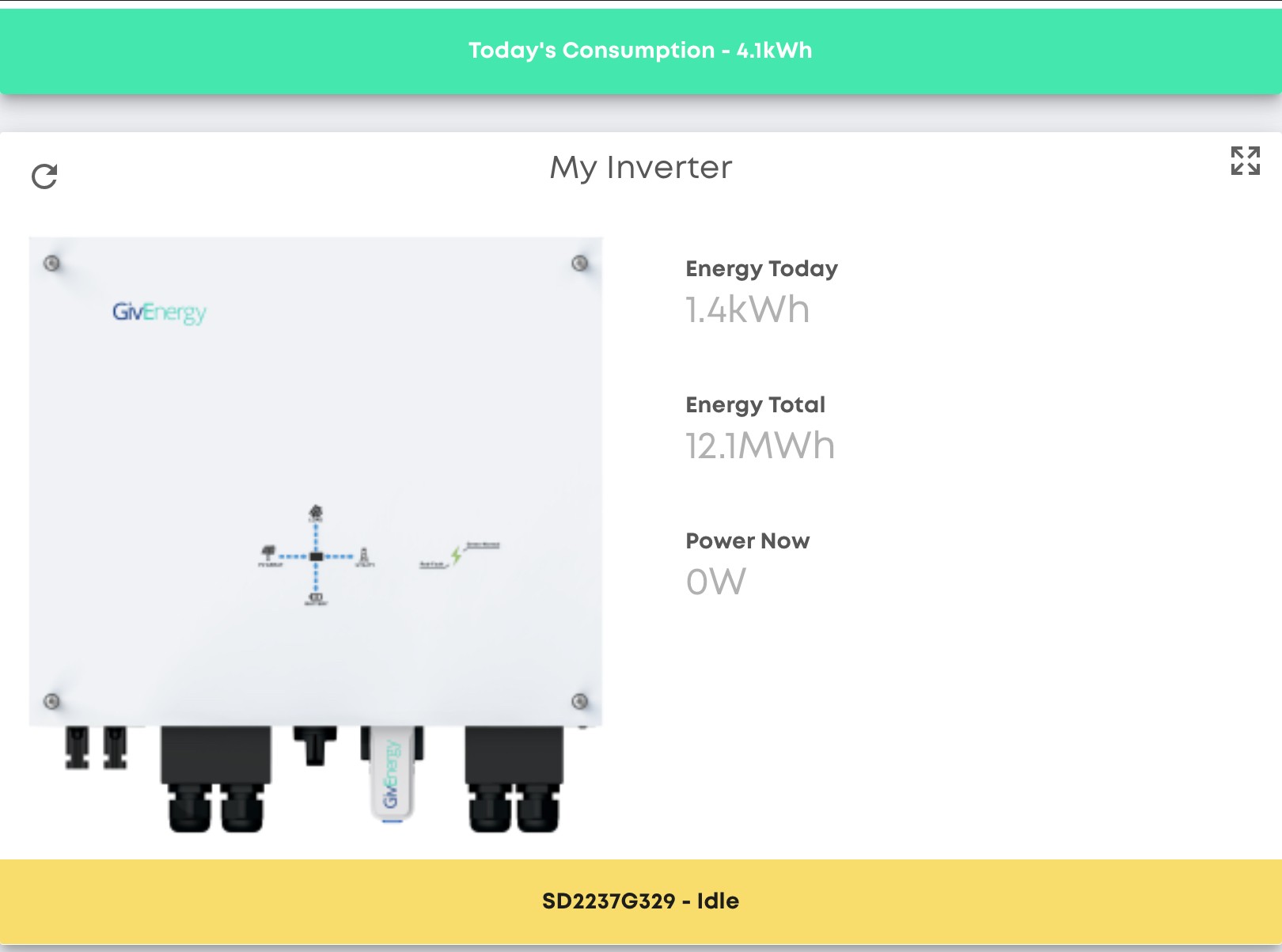
Thank you for the swift response. There are no lights on the battery, battery breaker is switched up and on the app, it’s at 0%. We have an 8.2kWh battery, I’ve attached an image of the inverter, GIV-HY5.0

I have iPhone app installed and cell info is telling me the temp is ok but percentage is 0% and idle.

G
#4 geoffreycoan

HELENM that. screenshot is just showing there’s no power going through the inverter at the moment

On the right side of the battery is a power button, try pressing and holding it in, does the battery beep and turn on?

The Rubikcube Android app is especially recommended to get more detail about what your battery is doing. If you have an old android phone or tablet you can try it out, but if there are no lights on the battery then that’s not going to tell you much.

In the givenergy portal, look at the inverter details, then notifications, are there any errors there?

You have a gen 1 inverter so it’s possible that the data lead between the battery and inverter has come loose, but the battery should power up first. If its not powering up at all then it is flat and you will have to get your installer in to charge it up locally.

H
#5 HELENM

THANK YOU SO MUCH!

We were outside in the wet and dark last night trying to look at what wasn’t working as we figured it could be something simple. Having checked the obvious, we had no idea there was a simple on/off switch on the side of the battery. I pressed the button and it came straight back on.

I think it may have switched off as a safety measure when the electric tripped but it’s never done that before so I’ll be sure to check that next time. I’ll see if I can find an old android device to download the app and set myself a reminder to check the whole system more regularly. We’ve had it a few years now and it works well for us so I’d gotten complacent with the reliability.

Thank you again for the very straightforward advice, you have saved us a lot of time and wasted personal energy sitting on the phone! You’ve likely also saved us money we would have spent on energy whilst we waited for resolution. Never underestimate the power of suggesting the simple solutions!

S
#6 SteveCook

HELENM
Well done Geoffrey

H
#7 HELENM

Just to add to this, the battery is now 46% charged but now not discharging at all. I would have expected it to go down/up throughout the day so something still doesn't seem right. I've tried switching it off/on again. Does anyone have any further suggestions for why the battery might charge, but not discharge?

P
#8 pwdst

Is Eco mode on? You might want to refresh this on the portal or toggle it off and on again to make sure. Discharge rate and timed pause are worth checking whilst you are looking at settings.

Another definite possibility is that a calibration was started and didn't complete. The remote control log in the Portal should give you some clues here. If that has happened and you have an Android phone you can stop the calibration using the Rubikcube third party Android Inverter Monitor app that has already been mentioned.

H
#9 HELENM

Thank you. Eco Mode is on but I think this is because of the trial tarriff we are on with Eon Next. I've turned it off and reset everything to default settings for now as there was something timed for an odd time of day but I don't recall setting that. I hadn't done a calibration previously but I've set the battery for calibration overnight so will see what happens. I've also emailed Givenergy to see if they respond/can assist.

The inverter is showing as 'Idle' - should it be 'idle' around this time in the evening?

I don't have an android device but may be able to get hold of one tomorrow - I really try to keep up with all the technology for everyday admin but have to admit this is testing me. I do wonder how others fare when they aren't used to doing software updates, using forums and monitoring the dashboard etc. Thank you again for your help - the support on this forum is swift and very much appreciated.

H
#10 HELENM

Update: Battery recalibrated, Inverter now 'in operation', eco mode back on; app wasn't displaying anything at all, so logged out and back in - BINGO! Everything now seems to be working as it should.

System has been reliable for over 3 years now and apart from the odd glitch, we've had no real issues so I'm really pleased to have resolved the issues with a few tips from here. Thanks all!