Firmware update, D0.318-A0.318, Battery 4009 | 3022 - settings problem

15 comments started 2026-02-26 last 2026-02-27
Cloud PortalCards - Inverter
#1 norse

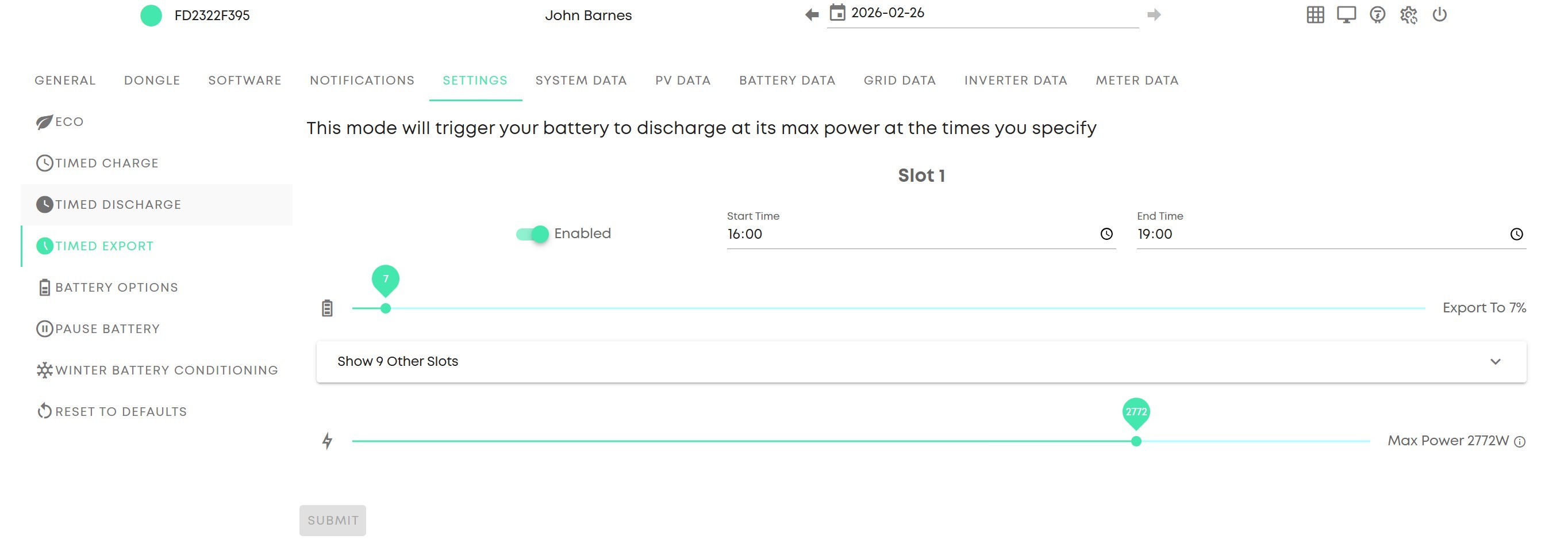
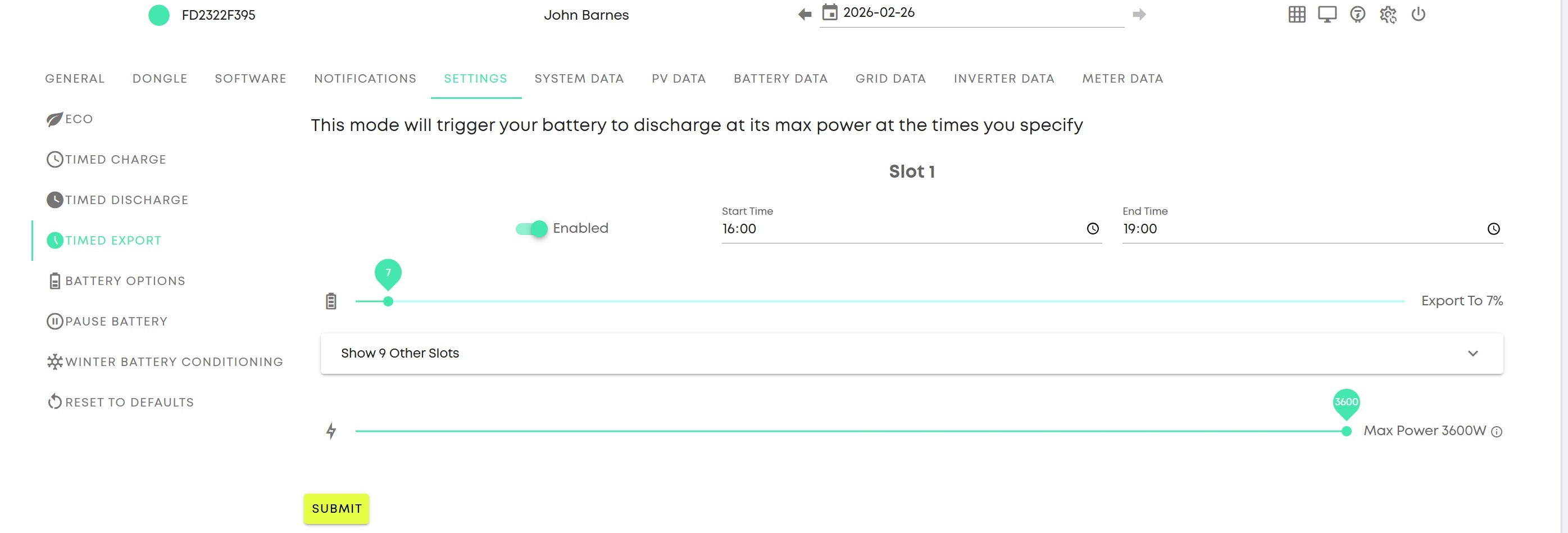
Since this update, the settings in the browser changes save, but after a refresh the 'Submit' button goes into a highlighted state, as though a change is pending.

(I tried to include screenshots, but it seems the site can't handle .PNG)
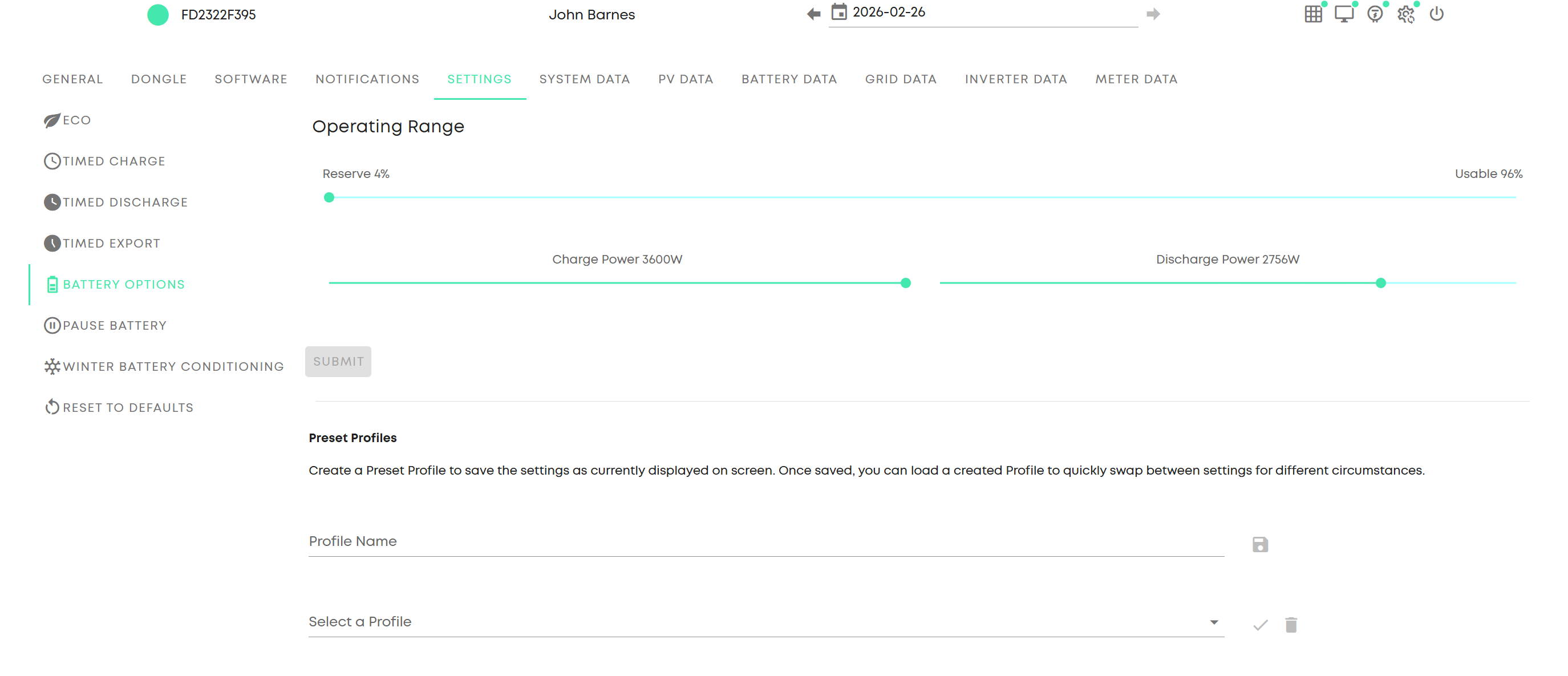
I save the settings here, and 'submit' goes dull:
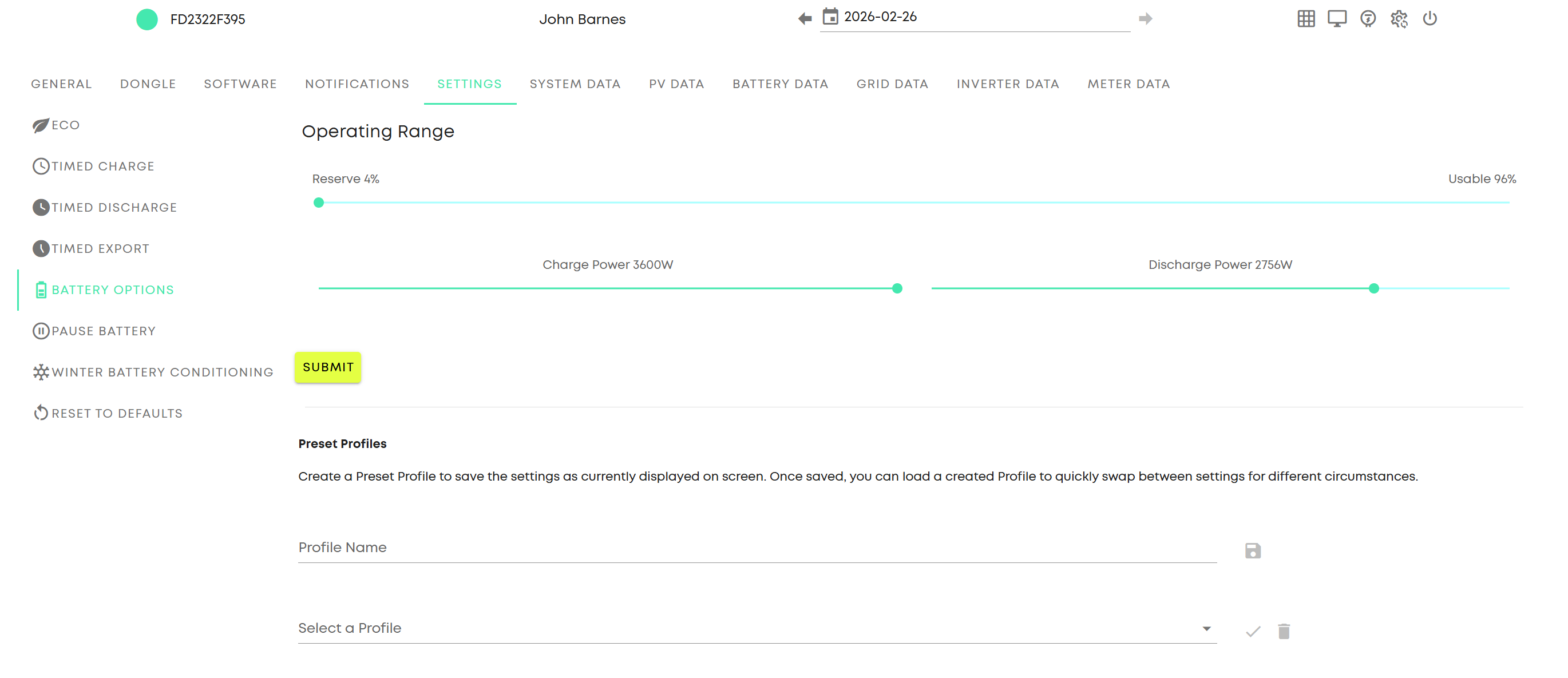
I refresh the page, navigate back to settings, and 'submit' is highlighted:
Only a small issue, but there's more.

I have had a situation where I have saved the export battery power to 2700W, some time has passed and I have navigated away to the dashboard, only to return to the timed export settings, and not only is the 'submit' highlighted, but it has reverted back to 3600 (max power).

I have tried to recreate this, but am not entirely sure what sequence of events is needed - it could be time, could be activity on the browser or other settings changes.

I have only seen this myself for the 'timed export' power, and as said it reverts back to maximum at some point, or after some sequence of events.
#2 norse

I've recreated the displayed export power reverting back to maximum after setting to around 75%, by waiting some time, and then refreshing the page. I don't think the inverter itself changes the power settings in the inverter, but it just displays the change on the browser, which makes the highlighted 'submit' aspect more confusing and annoying.

D
#3 DD

norse have a look at the remote control page - gears icon at top right. That gives access to all the controls (and more), and also has a log of changes at the bottom - that might reveal an external agent is putting settings back, for example.

#4 norse

Saved export power:

Waited time, refreshed and navigated back to settings - export power:

#5 norse

Blimey...the site can't even handle .JPG.....

J
#6 jonhd

norse Have you tried copying image to clipboard and then Ctrl+V (paste) image straight into your message? Works for me.

#7 norse

jonhd
**
**
^^
Yep, doesn't work

#8 norse

DD
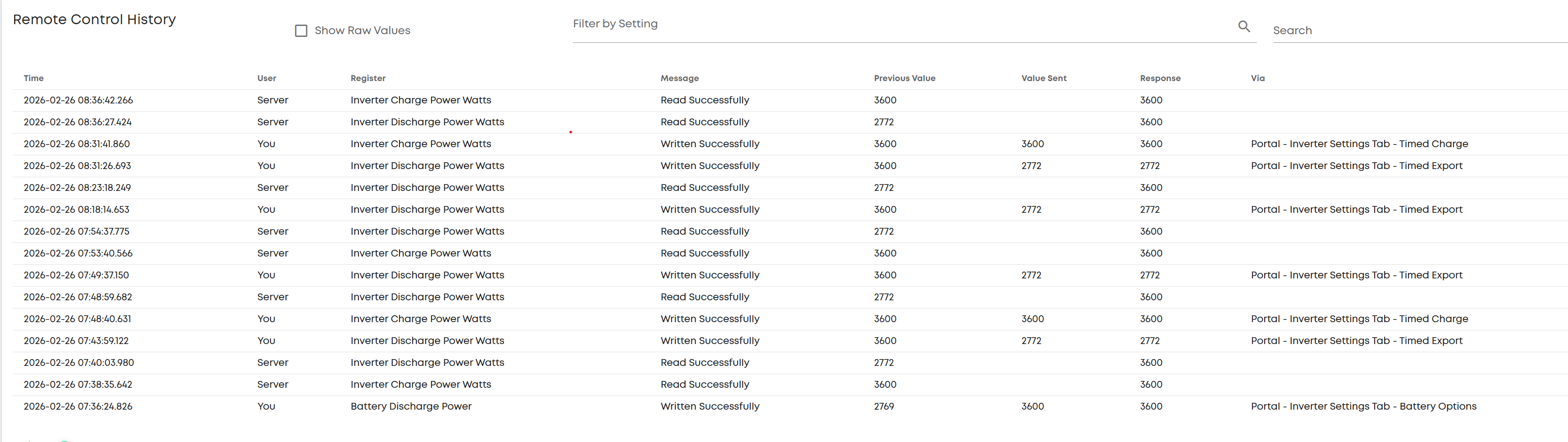
Yes, seeing a phantom command setting it back:

Portal - Inverter Settings Tab - Timed Charge
Portal - Inverter Settings Tab - Timed Export

#9 norse

norse
In fact, the server is for some reason sending a blank value for export discharging, and it is responding by writing the max value...so there's a definite bug here.

D
#10 DD

norse it says read successfully, so I'm not sure it's sending a blank value. One possible interpretation is that the previous value is what it thought was there, but a forced read has corrected the (cached) value.

Could try the android inverter app to see if it reads the same value.

#11 norse

DD If I could show you the actual screenshots, you would see that it is sending a blank value.

N
#12 NormC

norse Do the changes get reset if you change them from the Remote Control page (cog icon at top right of My Inverter card)? It is disconcerting that you have so many unidentified changes in your log. It should specify how it was changed in the Via column.

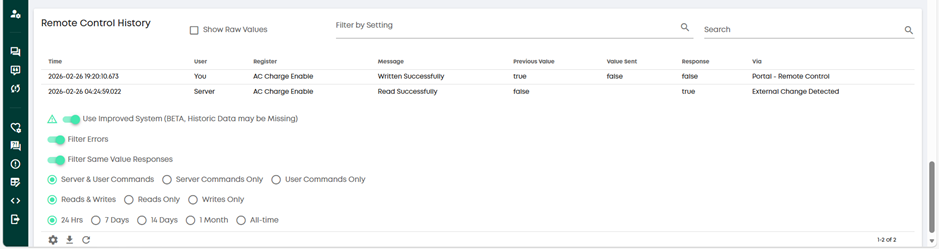
The bottom row is HA switching on AC Charge Enable. The top row is me switching off AC Charge Enable in the Portal Remote Control page. Perhaps your changes didn't get set properly.

#13 norse

NormC
There is no option to change export discharge in remote control - only an option to change the general battery discharge maximum, which is what I'm using to control export power.

I don't know if you have updated the FW to the same version as me, but there is a new option in settings under Timed Export that allows to change the Export power rate, and then in Battery Options in settings there's the old fashioned option to change battery charge/discharge rates, which is working normally. The new export power rate is the one that changes itself back to max a few minutes after you have changed it, so it is a bug.

Added to that the first issue in settings of the Submit button remaining highlighted after you refresh a submitted change, rather than going dull, leading me to think that there is a change pending.

D
#14 DD

norse There is no option to change export discharge in remote control - only an option to change the general battery discharge maximum, which is what I'm using to control export power.

There is on my remote control page... Near the top, in Percentage Limits, there's a Battery Discharge Power, in W, which seems to be an overall limit. Then further down, in the Battery section, there's Inverter Discharge Power Percentage which seems to limit the power only during timed export.

I generally leave the former on the maximum (3600W), and the latter on 50%, to limit forced export to 2kW. (Though for the upcoming Axle event I have increased it to 100%)

Similarly for the charging options: I leave the charging percentage at 53%, which is enough to charge to 100% overnight, but the charge power at 3600W so that it doesn't limit solar charging rate.

I don't seem to have an export power rate on settings, but I'm on quite an old firmware.

If you change the value under settings, do you see no changes at all on the remote control page, or the log? That surprises me a bit.

it took them a long time to make the pause feature available via the settings page: it was available via the remote control page for a long time prior to that.

#15 norse

DD

Yes, when I change the export power in settings and check the log 5 minutes later in remote control, I can see my command to change it, and then a command from user 'Server' that writes the blank value, and reverts the export power to Max.

I mean it's fine because the regular power discharge toggle works OK for controlling the export power and the value sticks, I just need to be wary of larger loads the battery may have for household use, and change it temporarily to stop from importing unintentionally when the sun isn't shining....

Wish there was an easy way of reporting this bug to GE..