Yet another local control method

35 comments started 2026-04-01 last 2026-05-09
Home Automation
#1 hoggy

Given the latest announcement I guess I want to test the water as to the interest in yet another local control method?
It's been my internal house project for a few years, and as such is very bias towards what I wanted from it & what inverters it supports - but I could perhaps look to open it up to be a more useful package. It would probably be more effort and require physical hardware rather than the existing excellent local control apps, so im unsure as to the actual interest in it before I spend probably a lot of time expanding its scope & make it user friendly.

The original idea was for it to sit on an ESP32, it outgrew that pretty quickly so Pi Zero is its current home - its halfway between an app and home assistant I guess? Would be pre built hardware I think so I have a bit of consistency (but being pi zero is atleast cheap)

Topology
Inverter > hub (pi zero) > dashboard / user

Currently has:
Dashboard
Inverter Config
Local API
Scheduler
Historian
Quick Settings
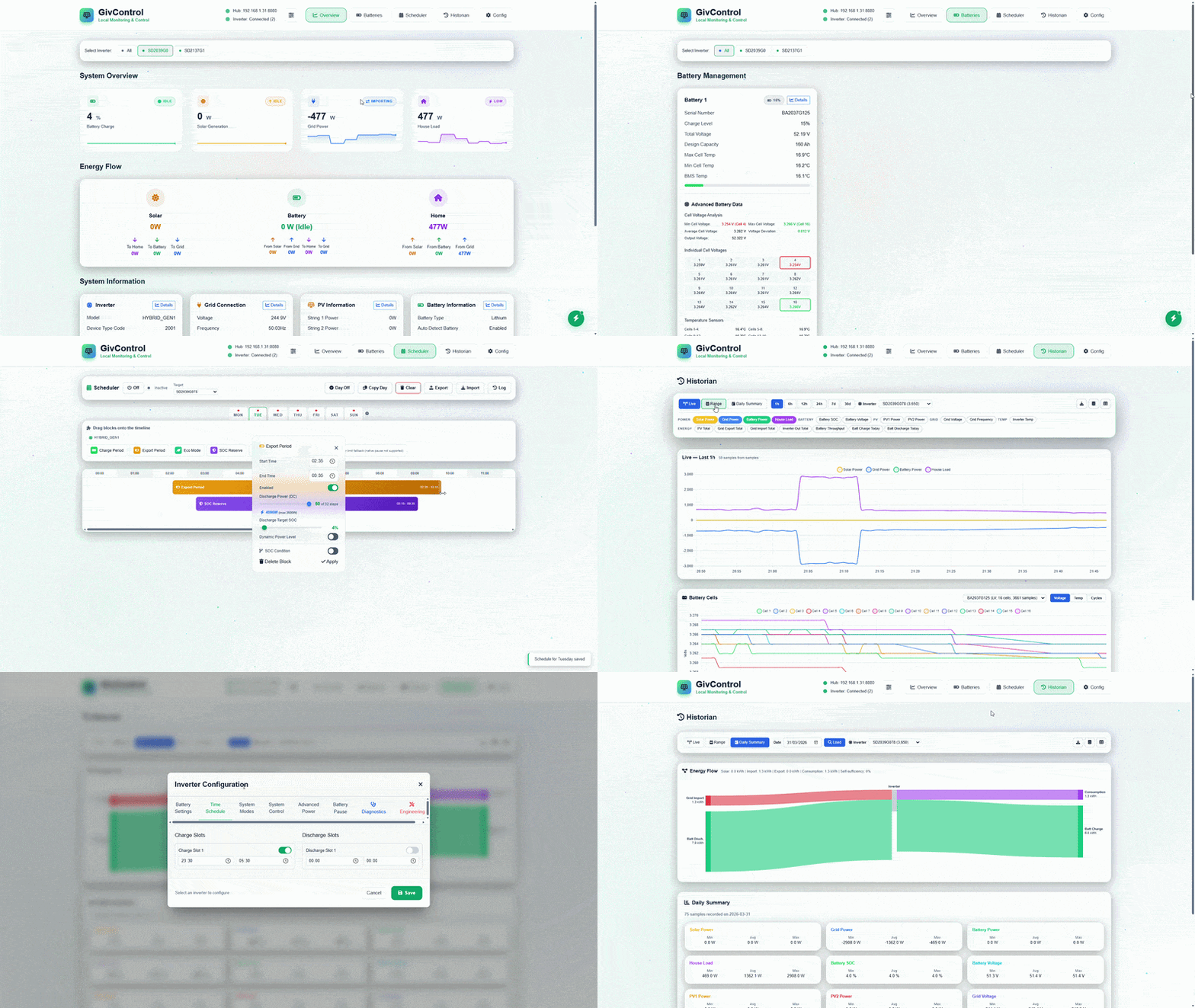
The name would need to change from Givcontrol internal name.

R
#2 Rubikcube

hoggy A very positive and constructive offer. You have a lot of technical knowledge and ability. Documentation will probably be a lot of work, but it is something you seem to be good at. Right now, the more options we have, the better IMHO.

#3 THALL

hoggy Its great all these local control options are coming. Anyone seen one to control an EMS? Something as simple as click click and not a home assistant?

A
#4 AndyZ900rs

hoggy This looks like another great addition to our armoury

E
#5 Efpv

I have multiple redundant PI's i can test this on.
Or if there is appetite either a dedicated VM or docker container.

T
#6 treborUK

I’d be interested in this for my AIO and Gateway.

V
#7 Vestas

hoggy Pi Zeros are probably effectively EOL from what I can tell. Both my go-to shops for Pi stuff are out of stock and aren't expecting any new stock. I did see some on Amazon a while back but at triple their normal cost.

Israel's illegal war has made matters worse in terms of component pricing as 20% of the world's helium production is now offline (and will be for years). Helium is used for cooling substrates during component manufacturing. Add that to the 350% increase in memory (and now storage) costs prior to their war and its not a pretty picture. ALL DRAM production is already allocated until late 2028, storage (flash and spinning rust) is allocated until mid 2027.

Edit to give an example - I bought a PC workstation in December which had 2 x 2TB NVMe drives. The cost of that has increased by over £1000 since then - and most of that is because of the flash drives.

#8 hoggy

Vestas apologies it’s Pi Zero 2 it’s sat on. Those seem ok stock wise (for now)

I’m not completely against docker/container but then there’s all the effort explaining how to set it all up - and if your doing that why wouldn’t you just stick home assistant on instead?

This is why I’m half and half on doing it as there is quite a buoyant local control ecosystem.

It will currently run fine on windows (it’s where I test it) but I’m pretty sure I can bundle up into an exe (atleast for testing - all the scheduling stuff and data collection does rely on it running permanently so this isn’t really a very good way of utilising it)

V
#9 Vestas

hoggy Its Pi Zero 2 I'm talking about. Raspberry Pi were supposed to announce the replacement for it this week but didn't - nor will they discuss it. Neither Pi Hut or Pimaroni have stock or have any idea if/when they can restock.

I think given RAM pricing its probably not a viable product (for Raspberry Pi Foundation) at this time.

G
#10 greenhouse

I would prefer running on pi pico as its more robust for 24/7 operation than a pi zero. But a simple app on a pi zero would be much simpler than having to run home assistant. so an upvote from me is it available on github?

#11 Judith

I’ve got a rasp pi but only got up to the junior school level tutorial so anything available would be very welcome! I suspect I’d have huge indigestion from HA(!)

M
#12 mikes01666

I've tried to get Home Assistant/Giv TCP 3.5 working in my Pi 3 (I can't after six months tearing my hair out!).
If you need a blockhead tester with no IT skills to test this package then I'm here to offer my services!

#13 hoggy

Let me see how much spare time I get over the bank holidays and if I can get it to the point where it’s just an image you burn to an SD card and shove it in a pi then I’d count that as a win (I’m quietly confident about Gen1 gear, no guarantees it will do what I think it should for other stuff)

#14 hoggy

Sadly Pi Pico is a little bit underpowered / short on space. That might make a ‘diet’ bare bones route I guess - a basic API

T
#15 treborUK

I currently have a dormant Pi4 and a Pi5, be happy to give it a try at some point

V
#16 Vestas

hoggy That's probably the way to go. If you supply hardware then you're on the hook for warranties, which doesn't strike me as a good idea.

#17 hoggy

Aaaannd never mind. I've been pipped to the post:

V
#18 Vestas

hoggy Do the SD card image anyway please.

You know more about the G1 kit than pretty much anyone else outside GE - and probably inside as well these days 😃

R
#19 RichardJ

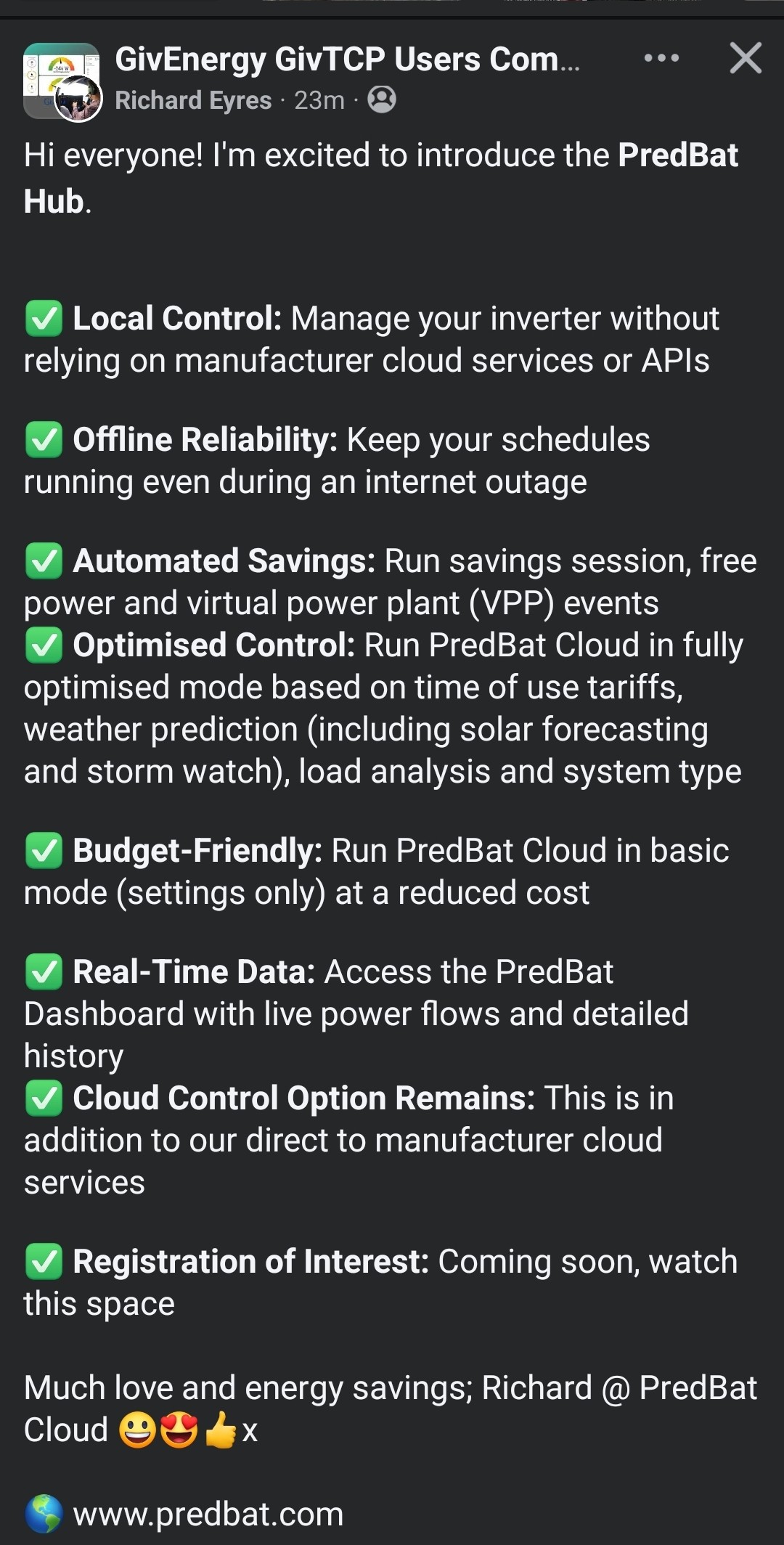
predbat.com £99.99 per year. Cloud based.
GE will have to compete to avoid losing customers, but then it has set a price point.
But might be a good option for some if GE drop out.
Would they sell their customer database to predbat?

V
#20 Vestas

RichardJ If GE "drop out" then someone else will acquire the "software assets" - ie control of the battery "fleet" via the domain they all phone home to.

That seems likely to be the sole director of various GE companies.

Whoever acquires the "fleet" is going to monetise it and that'll be via APIs and VPP stuff. Its potentially 400MWh or so of power with a peak output power of well over 100MW.

P
#21 pwdst

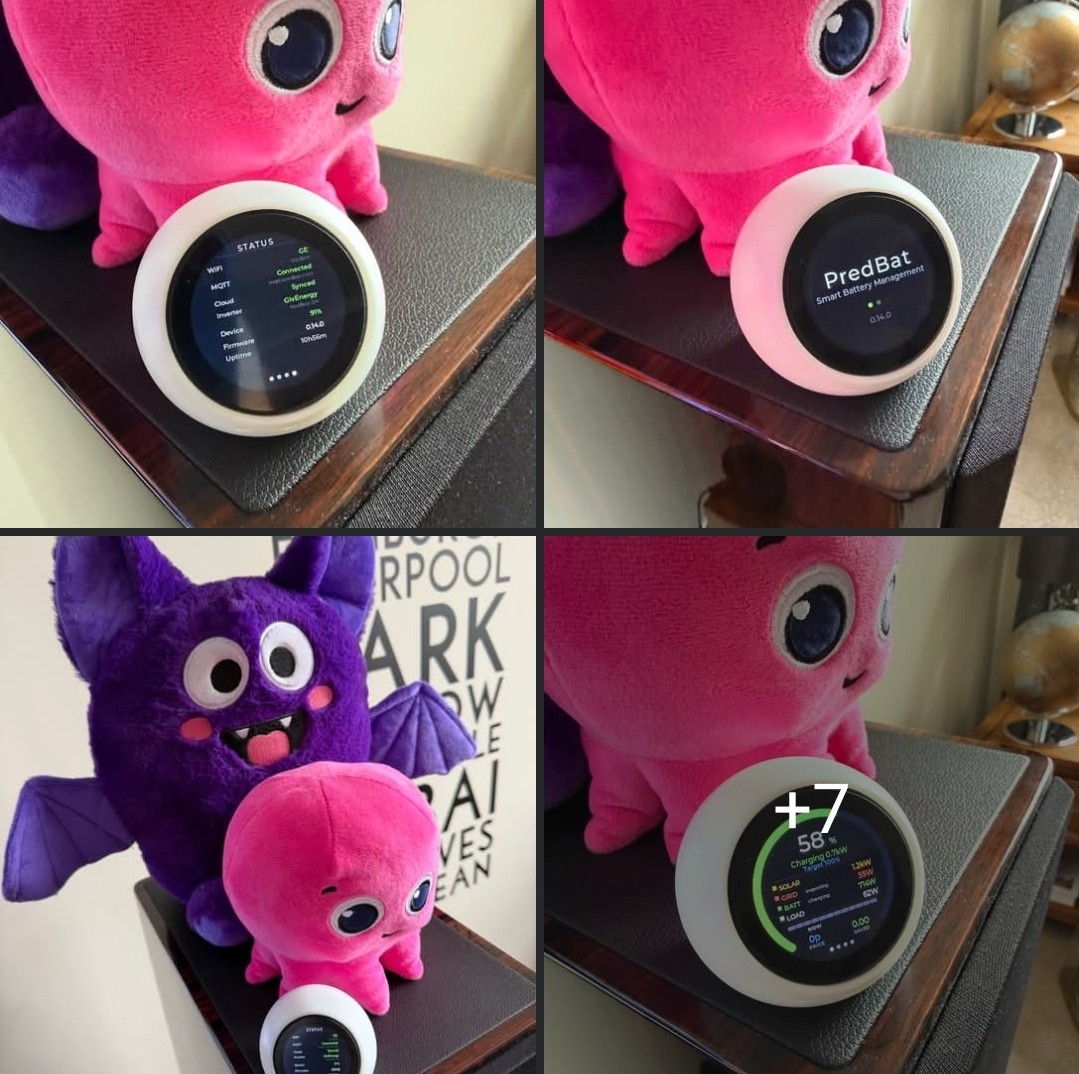
RichardJ I don't think PredBat.com will still work if the APIs are behind a paywall. Their newly annoumced hardware offering probably would be fine if it sits on the local network.

A
#22 Anomnomnomaly

hoggy

As some one who used to be really tech savvy and was always diving into, understanding and working with new tech... something happened in the last few years. Maybe it was finally getting infected with covid around xmas 2023... as I've never felt quite right and my understanding of tech stuff seems to have faltered since then.... It's becoming a struggle to understand and learn new things.

For the last couple of years, I kept telling myself that I was going to get a RaspPi and set up home assistant... but every time I looked into it... I struggled to understand it. So I never bought the gear I would have needed.

A simple, idiot proof way of setting something up would be ideal... I can no longer trust myself to understand and implement things competently... and that's really scary after being able to for so long.

S
#23 sponev

Anomnomnomaly If you want to purchase Home Assistant Green, a mini server with HA pre-installed, it really is plug and play. Then it's just a case of following a couple of the YouTube videos from Speak to the Geek to get GivTCP, HACS and the Octopus integration installed (easy) and you're nearly there.

After that, you can easily set up a dashboard and drag and drop the various control entities and a few other bits into place. I've done some web coding and server config in the past but HA is much easier than that, at least to get a workable solution to replace the Giv app. There's help here and on the Facebook GivTCP group if you fancy it.

D
#24 DD

hoggy were you looking at micro python to run the modbus library on the smaller targets, or reimplementing the comms in a compiled language?

Might be vaguely interesting to get something running on an esp32 or similar.

#25 hoggy

DD it would need to be micro python yes

#26 Maxwell

hoggy Thanks for putting in the good work here. I am waiting for a pi zero 2w as i was looking at seeing if i can get givtcp running on that platform so that i can then use something like grafana, power bi etc (from another device) to do the visualisations. I gave up on my givtcp coupled with Openhabian as I couldn't eliminate the failed influx writes, that was running on a 4Gb pi 400. Currently got givtcp, mosquitto, telegraf and influx running in docker on a 2GB pi4. And all that sucks about 700Mb of memory. So, my pi zero 2w plan may not work. Although must admit my plans weren't as grand as the nice dashboard views you posted here. And I was looking at whether I could use a minimal set of the givtcp python libraries to get the data. But, i haven't yet worked out how to do that. And the other issue I have been pondering is the best way to do the long term storage of the data, is that just a local usb storage device or some write to network storage device ?

#27 hoggy

Maxwell it stores locally in a database currently BUT it has an API so you can just call that and take the data elsewhere. Or just export the Database as that too is an option (into csv also)
I've had to be clever with the whole DB stuff as I don't want to over use writes onto the SD card and also I'm aware of space constraints so it currently -
Stores a bunch of stuff in ram, filters out stuff that you don't really need and writes in batches.
No matter what you having the polling set to (I use 10 sec) it stores only every 30 sec point.
It also does some cleanup - so after 7 days it tidies up to keep only every min.
After 45 days it just keeps hourly averages.

The MicroPython version (sort of works right now) will obviously not store anything at all but again has an API to atleast fetch data.

D
#28 DD

Maxwell And I was looking at whether I could use a minimal set of the givtcp python libraries to get the data.

You don't need GivTCP to collect data - a simple python script can do that.
I've been pondering learning one of the visualisation packahez to add to my pi, but haven't got round to that yet.

#29 Maxwell

hoggy Finally got my 2w. So started with some networking fun. The 2w, another pi and the inverter share a subnet. The 2w and other pi could ping each other and the other pi could ping the inverter. But, the 2w could not ping the inverter. They all share a 2 node linksys mesh. I ended up moving the 2w physically closer to the node closer to the inverter. That seemed to fix that. Although later the 2w was restarted and the networking issues was back. I had to re-boot the mesh this time to restore comms.
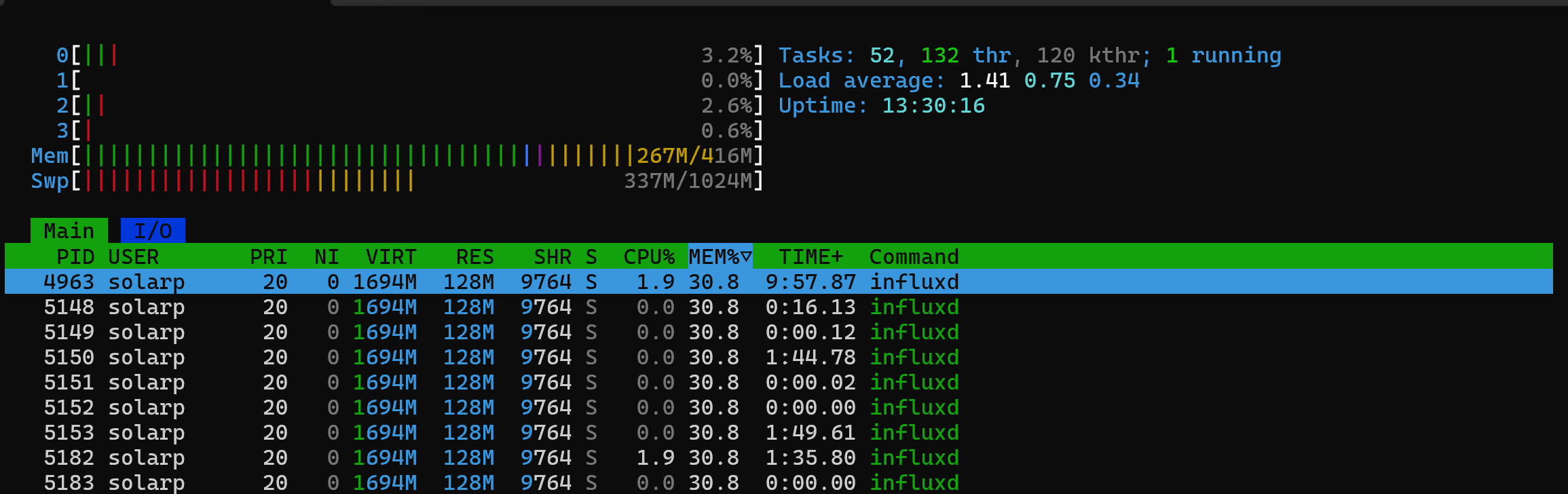
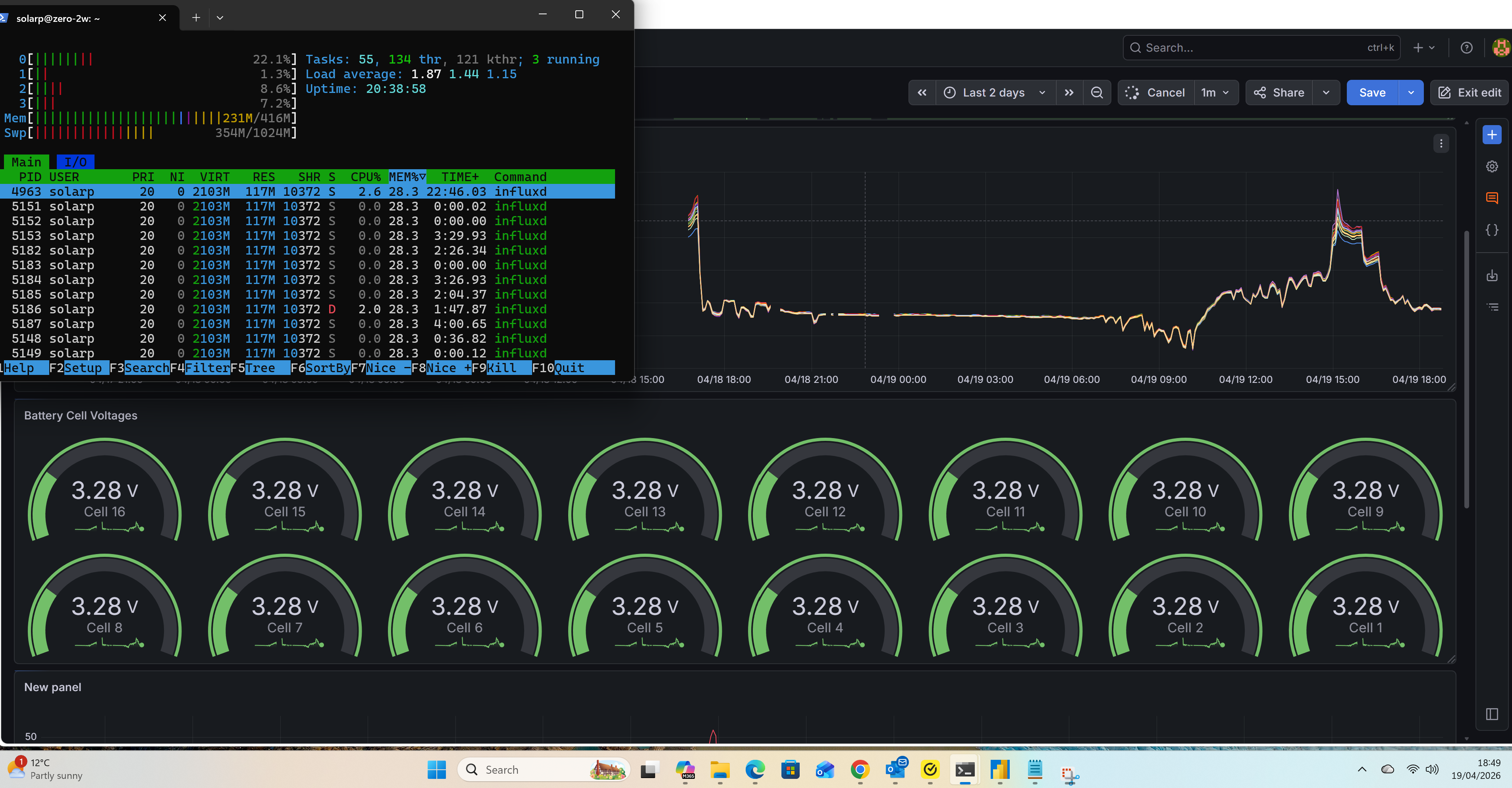
I have givtcp in a docker container and i use the settings.json to configure things. I have tired just outputting to influx, i have an influx2 set up in the same docker compose file as givtcp. But, i couldn't get anything in influx, there looked like some string error. I then moved to adding mosquitto/telegraf into the compose file and that worked. I was initially using the influx web gui from another device to visualise. But, the options in that are pretty limited. I then crashed the 2w as i tried using power bi to access the influx data. I then increased the 2w swap to 1024Mb. But moved to Grafana. And that seems to be easier on the 2w and has more visualisation options. The first shot is htop view with givtcp/mosquitto etc running and dumping data into influx (no grafana access). And the second one is htop whilst a grafana dash is refreshing. Appreciate these are just snapshots and the performance overall on the 2w is much slower than you would see on a more capable pi. Will be looking to see what other storage options i can use on the 2w.

#30 Maxwell

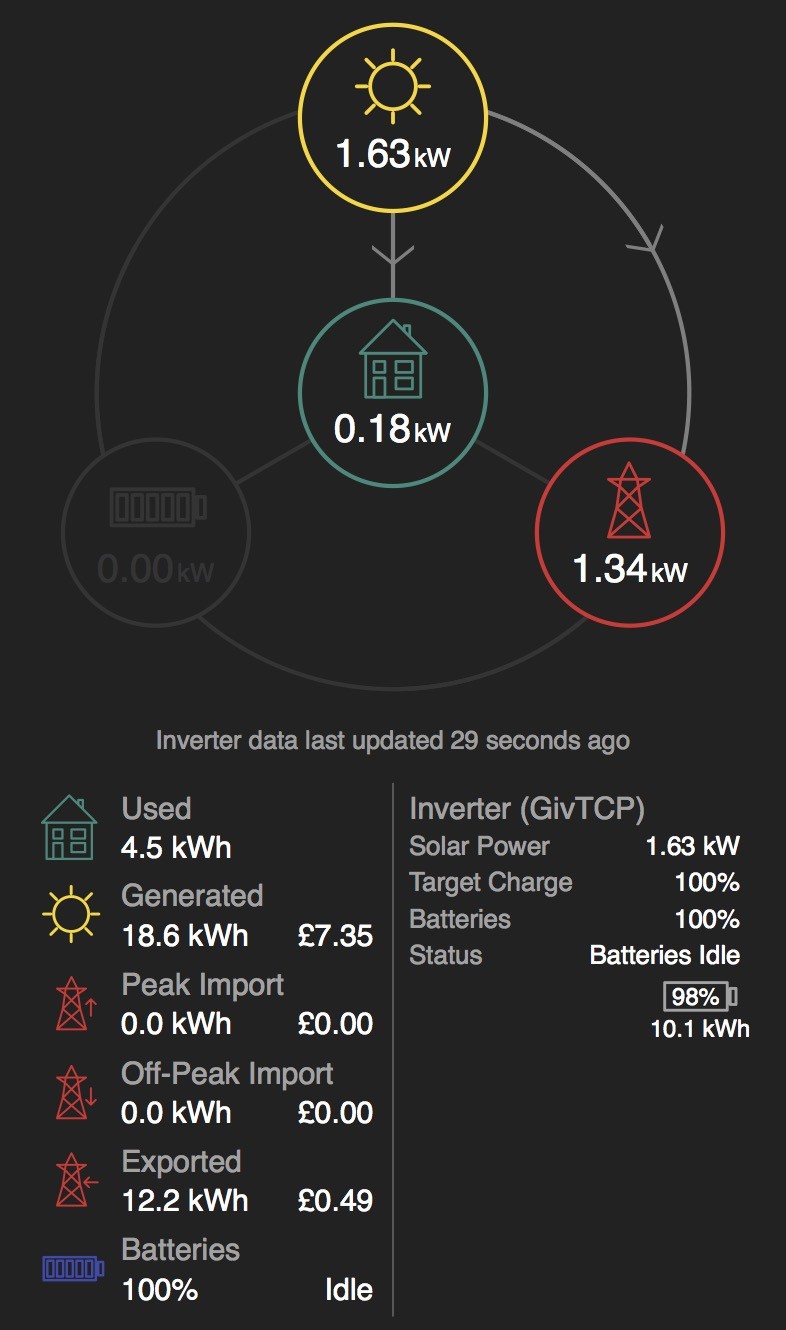
@hoggy Apologies if this has been discussed before and in the scale of current issues it seems frivolous. But in the givtcp dashboard I have noticed at times there are some small differences between battery % figures. The % shown inside the battery symbol is different from where it is shown in other locations on the screen. But it is not always. Most times they all agree. You can see it in the enclosed pic. Is this a known issue ?

#31 hoggy

Maxwell I'd imagine the 98% is the raw value inside the battery (runs about 15%-95% for LV stuff) and the 100% value is the overheads removed that the inverter shows (4-100%)
Basically one shows the DOD and one doesn't.

#32 Maxwell

hoggy Thanks for explaining.

#33 Maxwell

hoggy I have just started looking at using the rest api to change some of the settings. And I have started with trying to set Timed Export. And I can successfully change “setBatteryMode” and I see the effect of that on one of my Grafana dashboards. But I also notice in the GE app and portal that when I do that it shows eco mode as being disabled. But if I enable timed export from the GE app I don’t see any evidence in the app of eco mode being disabled. Is that because I am changing the wrong register ?

#34 hoggy

Maxwell there is a whole thing about exports and eco modes and it boils down to what inverter you have.
If it's Gen 1 it needs eco off to export.
Others work different and eco can stay on.

As I don't know that much about GivTCP itself (I know the library it runs on better) so I'm unsure if the rest API makes the distinction between the inverter gen for export

#35 Maxwell

hoggy Thanks. It’s a gen3. When I get more time I will have a look at some of the other registers as well and see if that changes anything.