Pulling the Trigger on a Raspberry Pi - Reccomendations Please

71 comments started 2026-04-14 last 2026-04-24
Home AutomationHome Assistant
A
#1 Anomnomnomaly

Decided to bite the bullet and buy a RaspPi 5 kit.

Was planning on getting one of the kits from The Pi Hut as that seems to be everything in one box that I'd need to get setup.

I've never used home assistant, so where would people recommend I got for advice on that (places like facebook are out of the question as I don;t do social media, discord or places like that).

I think I've got a gen 1 3.6kw inverter, along with a 5.2kwh and 8.2kwh battery.

Any advice and suggestions welcome... idiots guides especially so. 🙂

Was thinking of the 4GB kit https://thepihut.com/products/raspberry-pi-5-starter-kit?variant=42614953115843

W
#2 wrighar

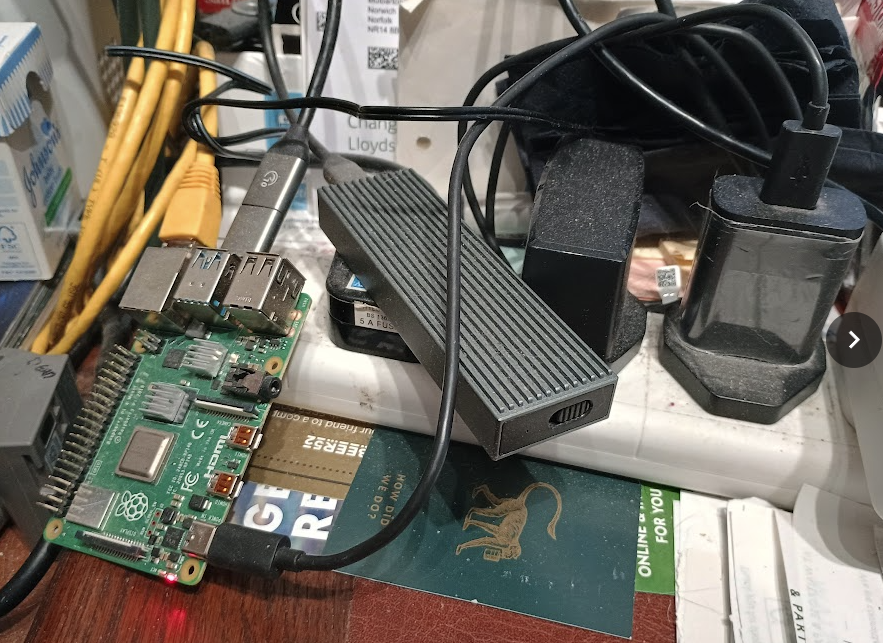
I'm running HA on a Pi4 4Gb and it's absolutely fine (the Pi3 1Gb struggled!).

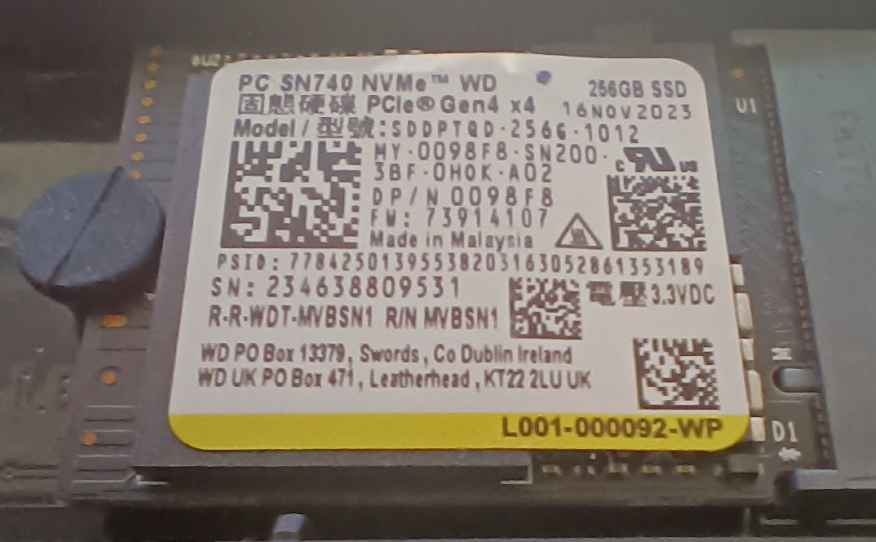
I'd suggest not running off an SD card as they quickly wear out and get slow, I transferred mine to a USB attached 256Gb NVME

Speak to the geek Youtube channel has just redone his HA givenergy set up video. A good place to have a look/start.

https://www.youtube.com/watch?v=rHSI4oTZyTI&t=10s

C
#3 CW

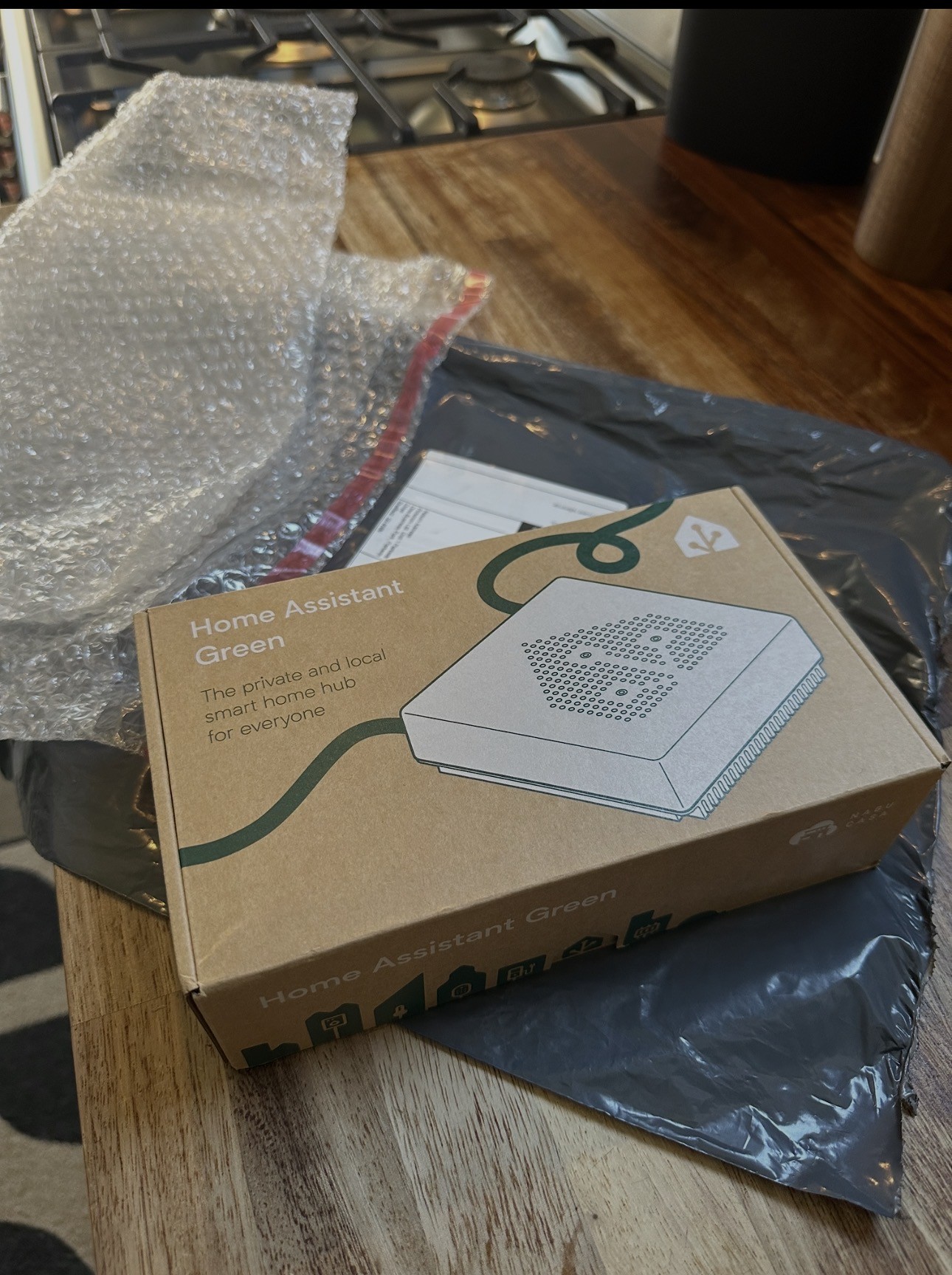
Anomnomnomaly I am in a similar position in that I am tempted to look at HA - but being a complete novice with all this I am leaning to the HA Green system which has HA already installed (so makes it simpler for me).

Speak to the Geek also has some videos on how to set up everything

W
#4 wrighar

I keep meaning to tidy it up, but it's sat here for 23 months on the corner of my desk....
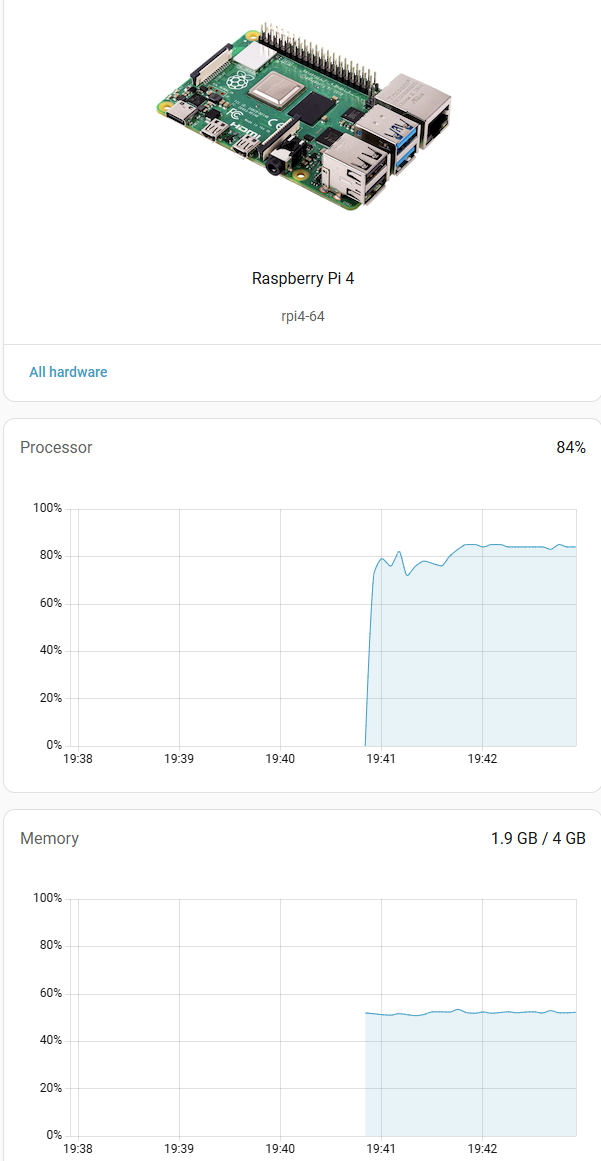
A Pi5 should storm it, my CPU has crept up from 30% to 80% over the last 20 months.
Time for a dashboard prune :-)

D
#5 dcsh

I got a Home Assistant Green last summer, similar price to a Pi but ready to go. I’ve was pleased with it before all this Givenergy mess, even more so now.
Speak to the Geek video tutorials are super helpful.

G
#6 Guybrush-Threepwood

dcsh another green user here.

GivTCP
Solcast
Predbat
Octopus
Other integrations and all running fine.

S
#7 sponev

Another vote for HA Green here. Pretty full dashboard and a couple of automations, no issues at all so far.

A
#8 Anomnomnomaly

wrighar

There's only an £18 difference between the 4GB Pi4 and Pi5, whilst the performance of the Pi5 is so much better... the kit comes with a case, powersupply and an SD card preinstalled with the OS.

I've got a few USB3 thumb drives, ranging from 16GB to 128GB, Lexar and Sandisk ones... So might try one of those first as they're sitting here doing nothing else.

I also saw a cute little PC style retro case for one... might have room to add a hat and an internal NVME

dcsh

Home assistant green? Not even heard of that one.

G
#9 geoffreycoan

Anomnomnomaly I definitely would buy a Pi5 over a Pi4 for the extra performance. 4Gb is enough for HA (I run mine in a 3Gb virtual machine), but if you can stretch to it then an 8Gb machine would give the option of running Proxmox and then HA within that, and you could then run other things in parallel to HA.

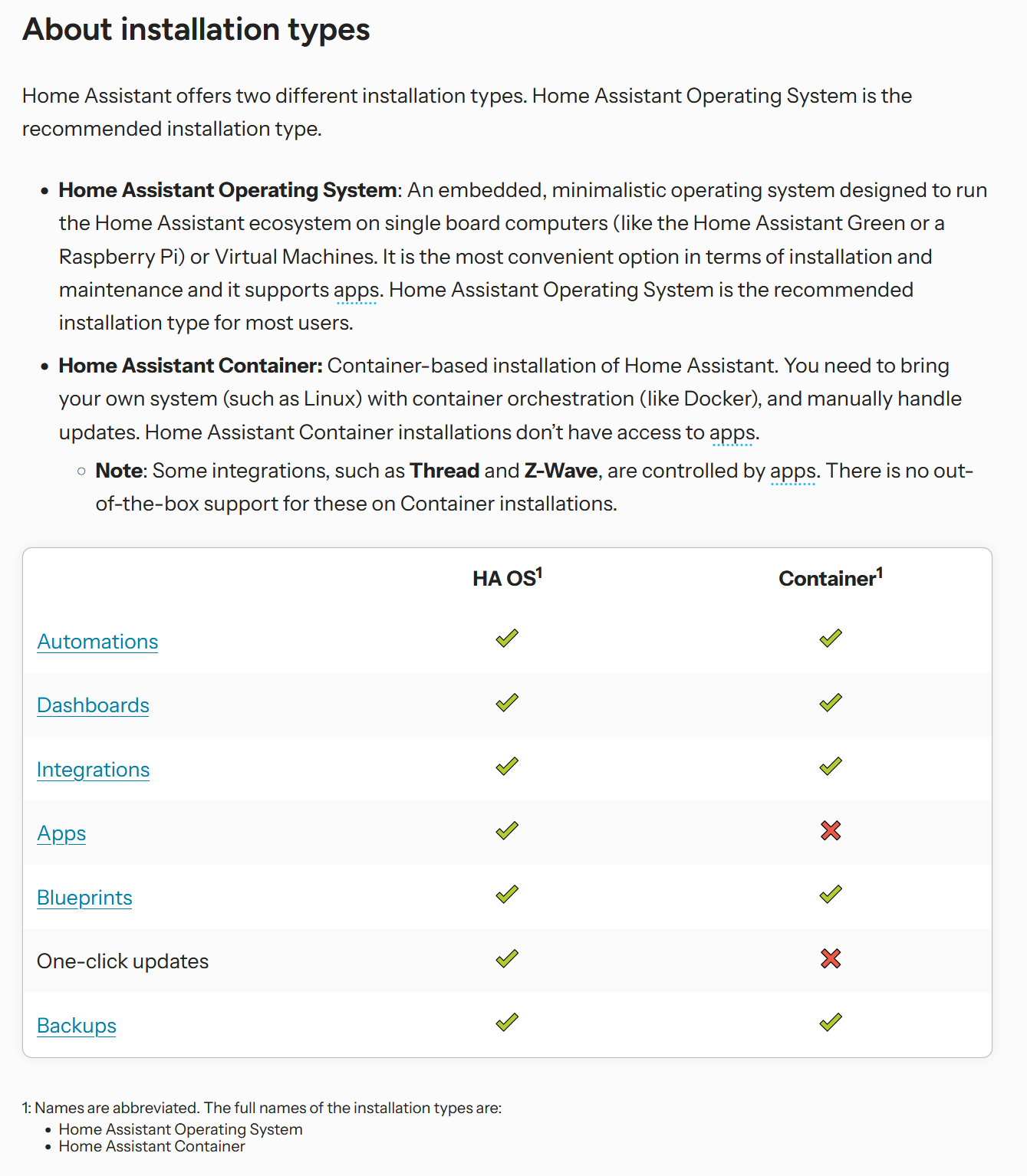
Home Assistant do pre-packaged hardware, the blue, then yellow and now green. It’s a dedicated box, similar to a Pi, but with HA pre-installed. For ease the Green is easier, for power and expandability a Pi is better. But horses for courses

A
#10 Anomnomnomaly

Just purchased a Pi 5 4GB, power supply, 32GB SD with OS, case and SSD hat as well as a hdmi because I don't have a micro to full size one. I then picked up a 256GB 2230 nvme elsewhere as ThePiHut only had 512GB... they wanted £70 for the 256 and £110 for the 512... I got a Dell branded one 256Gb for £50 Gen 3 is fine for what I need... No need to be buying PCI-E gen 4 or 5 ones.

Total cost will be in the £210 range... I've got a monitor, keyboard and mouse I can use as my main monitor has a KVM switch built into it. I might hang the Pi of the vesa on the back of my monitor.

A
#11 Anomnomnomaly

Guybrush-Threepwood

I use solcast on the webportal, so will def be looking to see if I can incorporate than in HA... Keep seeing Predbat mentioned but no idea what it is.

G
#12 geoffreycoan

Anomnomnomaly Keep seeing Predbat mentioned but no idea what it is.

Predbat is a battery automation program, initially for givenergy inverters, now controls a whole range.

HA and GivTCP will give you local direct access to your inverter and Solcast will give you a daily forecast which you can easily chart (Apex charts) in HA.

But GivTCP gives low level control of your inverter, so to start a charge you would need to:

  • set charge start time
  • set end time
  • set charge target %
  • turn AC charge on

Predbat hides all that complexity for you, it gets your energy rates from your supplier, learns what your house load is and plans charging/discharging based upon load, rates and predicted solar.

Plenty of other threads on it on this forum

W
#13 wrighar

Anomnomnomaly

I paid £25 in CEX fort my Pi4 4GB :-)
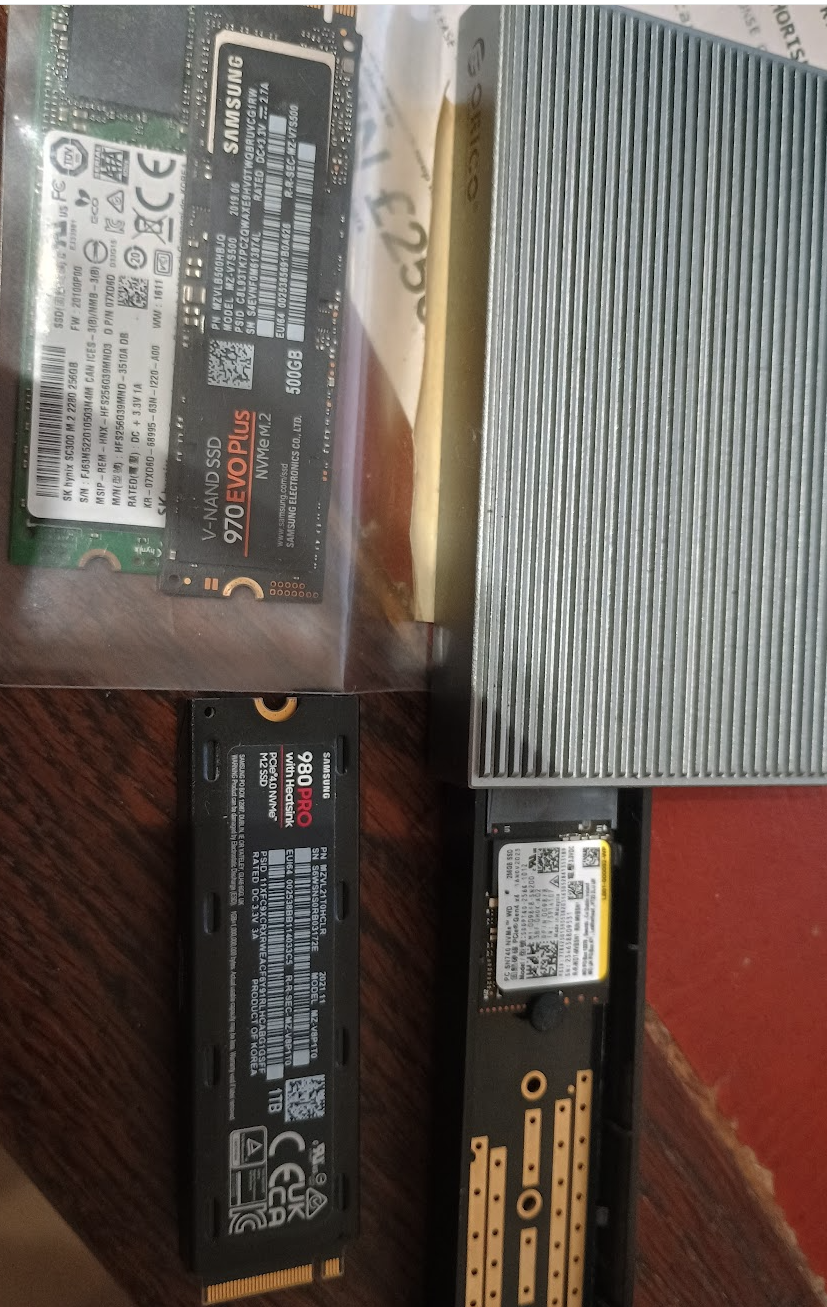
I also picked up a zero hrs 256Gb NVME 2230, looks like a load of laptops got upgraded and they had loads on new unused ex-laptop NVME's on the shelf, I bought a couple and a couple of 970/980 500Gb/1Tb Samsungs.

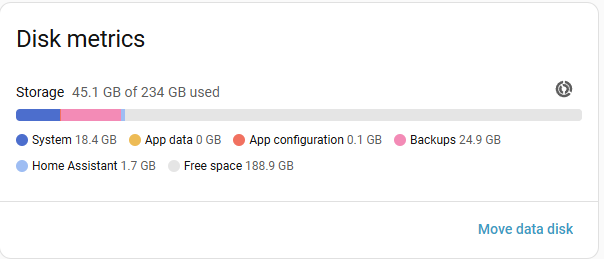
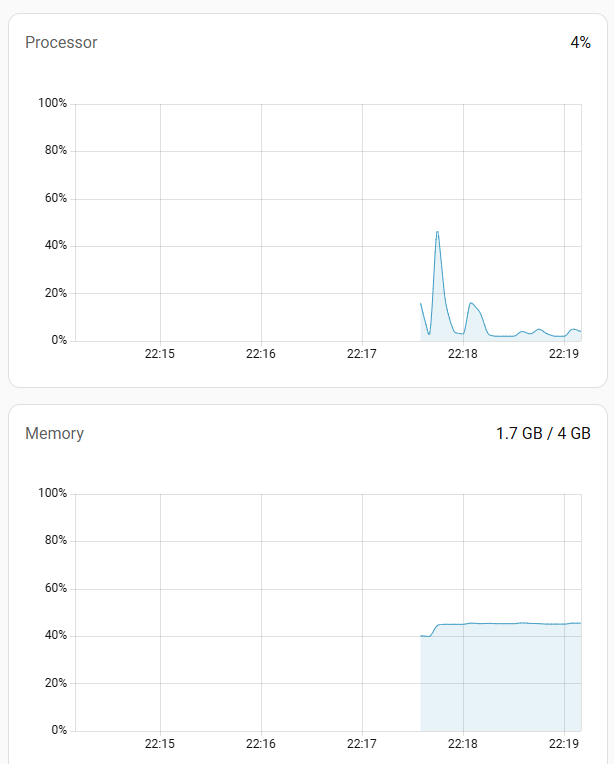
Removed the lumina dashboard card and cpu has dropped:

W
#14 wrighar

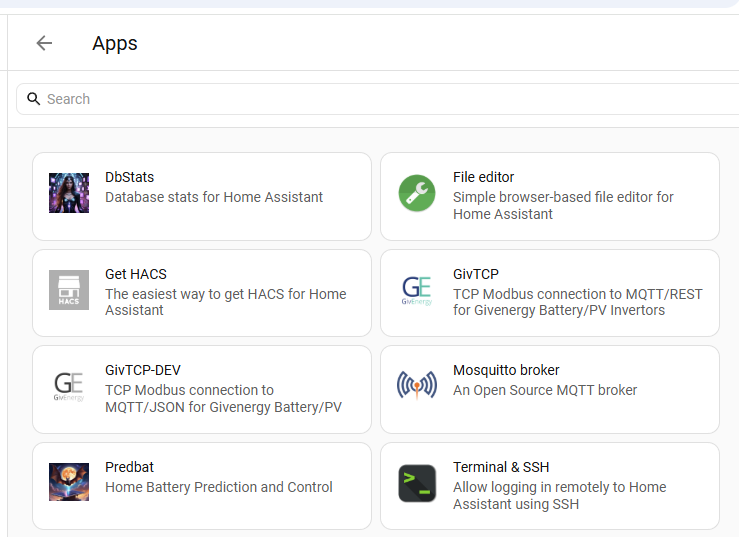
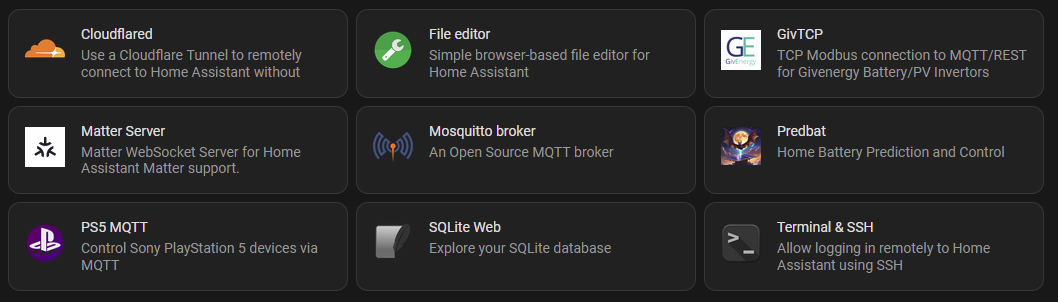
HA App installs:

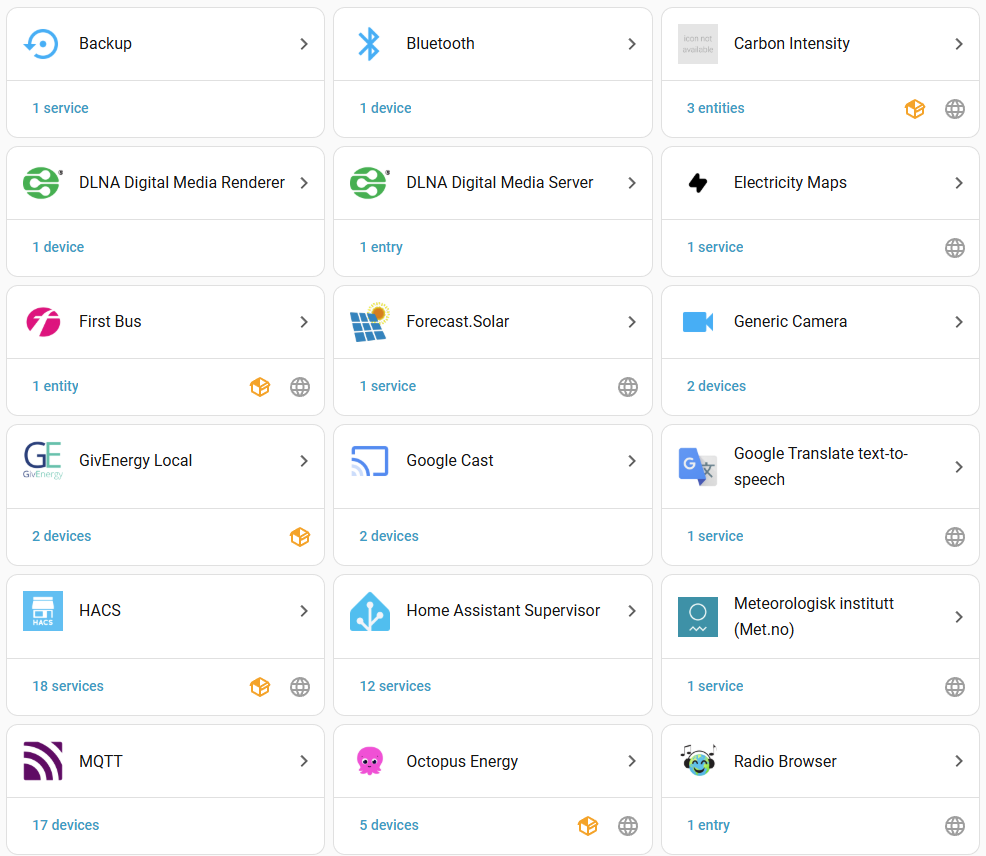
A few of these integrations:
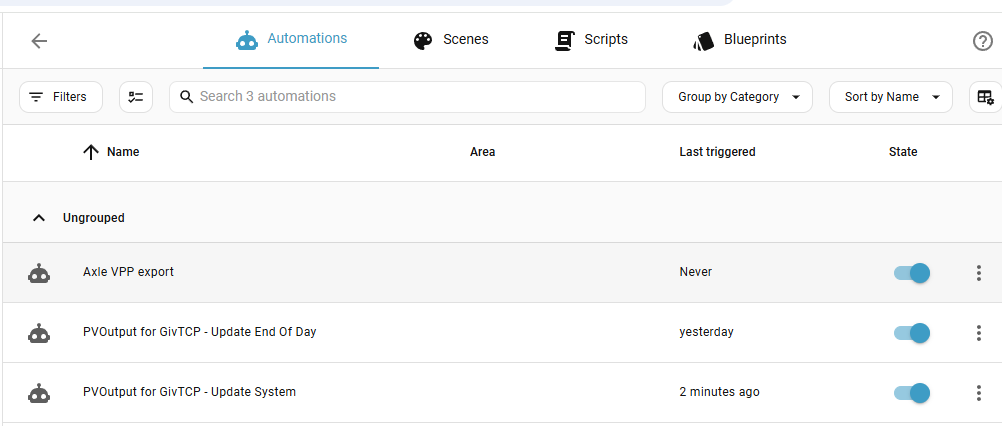
A little automation

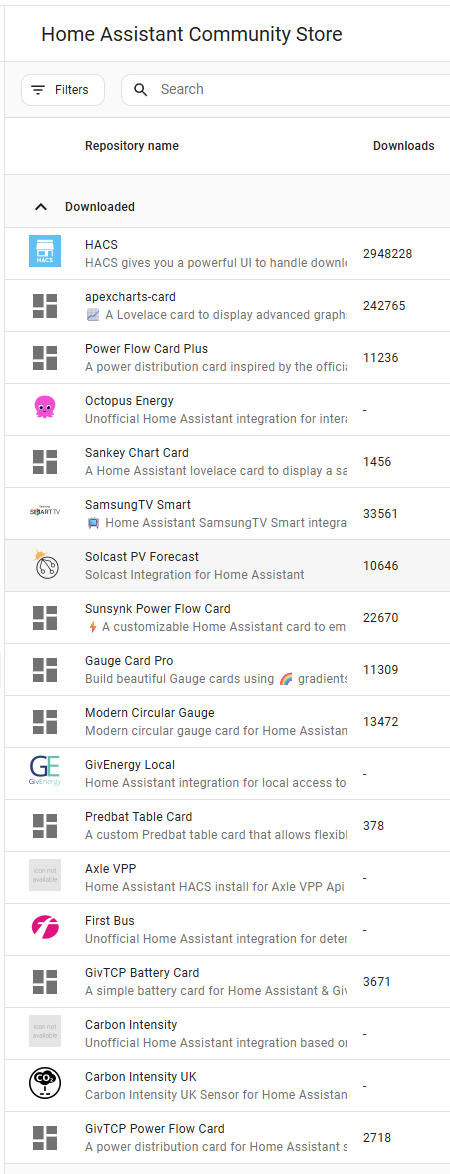
And a load of HACS to play with:

E
#15 ectoplasmosis

geoffreycoan Would HA be best installed in a Proxmox VM, or an LXC container?

A
#16 alan_johnston

I have found that Pi4 and Pi5 (and also some Pi3) run a bit hot when doing stuff 24/7 and the SD cards can tank after a while. I use the FLIRC all metal Pi cases which are bascially giant heat sinks that keep the Pi cool and are passive (no fans to stop working).
I did try HA on a Pi3B+ a couple of years ago but it was torture and never got it to work.

I did try the Ugreen NAS HA app but it doen't have the Add Ons required for MQTT and GivTCP.
Going to try again using a VM on the NAS and full blown HA.
Failing that, the HA green sounds like a good idea.

T
#17 T-M

ectoplasmosis I've been running HAOS in a Proxmox VM on a second hand Dell Optiplex 3070 for a couple of years with no problems. Gets messy if you run it in a LXC, as you then also have to keep it updated yourself, and also have to run MQTT, GivTCP, Predbat etc in their own LXCs. I do have Frigate running as an unprivileged LXC though, with the HA Frigate integration providing automations for scheduled phone alerts etc via the HA phone app.

E
#18 ectoplasmosis

T-M Thanks, that’s really helpful.

G
#20 Guybrush-Threepwood

For anyone curious about the resource usage and availability for the HA Green device

This is what I have installed

Plus integrations for all my matter devices, Solcast and all the stuff that Predbad needs. Predbat has the machine learning component enabled.

Usage currently:
CPU: 6% (maxes out when ML is updating)
RAM: 2.1GB of 4GB used.

It's a dedicated OS and extremely lightweight so much less RAM needed than others.

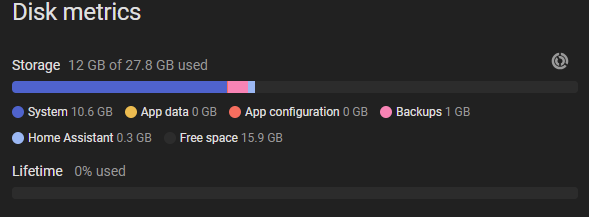
Buit in storage is just 32GB and currently using 43%. In a year its gone from 38% to the 43. You really dont need a lot of space for this type of setup.

A
#22 Anomnomnomaly

I can see that I'll be asking a lot of questions about HA soon.

At the moment, on a fixed rate tariff.. that deal ends next month... and July will likely see an 18% increase in prices if what I'm reading is correct.

So might look at the agile tariff, combined with HA to charge the batteries when it's under 10p/kwh and let more of the solar generation be exported @ 12p/kwh... because electric is likely going to be in the 30-32p/kwh range... and who knows how much the standing charges will go up... I'm already paying one of the highest rates in the country at 66p day.

D
#24 deepanshus

wrighar i have exactly the same setup, Pi$ with 4Gb running on NvMe SSd, 256GB. This is more than sufficient.

V
#26 Vestas

Be aware you'll probably get better deals on "endurance" SD cards than NVMe drives at the moment.

Either way you'll be paying a lot more money than 12 months ago due to AI/illegal wars causing helium shortages so if you see a decent deal from a reputable retailer then grab it. It WILL cost more next month.

Before anyone goes on about "SD cards fail etc", well the endurance ones don't, not any quicker than NVMe do because they use the same flash memory, just with less RAM cache which you don't need anyway.

Prior to the "Nuclear" thread I had a Pi4 with a 64GB SD which ran HA/GivTCP for over two years without missing a beat - or any data as retention was set to always retain and prune was off. Despite dire warnings from every source available (online) this worked fine and still does.

V
#28 Vestas

lam22 Bargain at that price given the Pi5 8GB is £180 from the same vendor.

C
#30 CW

lam22 So is the whole thing a Pi with keyboard? Sorry if I'm asking dumb questions but this is all new to me. Do you access the system over the wifi to get to its homepage (assuming it has one)?

A
#31 Anomnomnomaly

CW Looks like it, but without the same expandability your get with a regular Pi 5

A
#32 Anomnomnomaly

Vestas

I got a 256GB M.2 NVME for £49 with Dell branding. It's a Gen 3... which is still more than fast enough.

When it comes to gen 3, 4 & 5... Gen 3 is still fast enough for all current common use... unless you are dealing with certain types of content creation where faster access and transfer speeds are essential (most consumer use doesn't fall into those)... then it's kinda pointless paying the premium.

Problem is... buying gen 3 stuff is getting rarer because they all want the extra profits from selling gen 4-5 products.

If they'd have bothered producing higher TB SATA SSD's which are more than good enough for most use cases... we would have a situation where an 8TB SSD was over £800 and an NVME version well over £1200. I got lucky a couple of years ago, getting a Samsung 870 8TB for £306 new... I'd previously bought a 4TB version of the drive for my gaming system.

I have 3 systems in the house, I built them all myself... all running the OS of an NVME.

System 1: 500GB Sabrent Rocket Gen 4 - Post to login screen 8-9 seconds
System 2: 500GB WD Black Gen 3 - Post to login screen 9-10 seconds
System 3: 500GB Sabrent Rocket Gen 3 - Post to login screen 11-12 seconds.

Whoopee... I paid a 25% premium for the same capacity drives to save 1-2 seconds on the avg loading speeds of the OS and programs.

A
#33 Anomnomnomaly

alan_johnston I've been monitoring the prices for a long time... Was on a fixed rate deal that's coming to an end on the 19th May. So would like to get this up and running with HA and tracking the agile prices to save some more money. I tried explaining it to my partner who wanted to know why I was considering importing electric to charge the batteries even when it was going to be sunny.

Trying to explain that importing @ 6p/kwh and letting the solar export @12p/kwh cover the costs of at least the daily standing charges and/or most of the import could reduce bills further... seemed to confuse her. 🙂

T
#34 The_Engineer

I finally got a working version of Home Assistant running on a Synology NAS - it's on as our home file server so why not try and make use. Not the simplest of processes as you don't get the add-on store, have to download and set-up GivTCP yourself, and I have still more to include. But it is proof of concept and measurements are displayed. I have done a cursory security check and seems OK. After my weeks fight I might well suggest the Pi or similar is an easier route - but more cost and things to power and support.

V
#35 Vestas

The_Engineer I originally went down this route but on a DS720 it was more power/heat/hassle than a Pi.

That was when Pi's were cheap so I'd probably persevere with docker etc on the NAS these days.

#36 norse

I can only speak from my experience of one day owning a Rasp. Pi5, but it does the job, and I look forward to seeing what I can do with it. Now that the superficial setting up is done, I am now aware of the fact that using SD cards are probably not the way to go for the long run, and am now looking into backup/cloning and use of more long term storage.
It's going to keep the mind ticking over I think, which is great.

T
#37 The_Engineer

Vestas I'm using a 218+ and am in two minds whether to continue, but pleased I know how to make it function if I must. Not sure why my thread shows my post as [deleted] perhaps its the beginning of the end.

V
#38 Vestas

Anomnomnomaly Problem is... buying gen 3 stuff is getting rarer because they all want the extra profits from selling gen 4-5 products.

No the problem is that AI is eating up ALL memory production.

What you bought is existing stock & well done with the price.

I'm sure I've posted this before but unless the AI bubble goes pop (in which case the world economy - banks again - is screwed) then ALL of the DRAM production, NAND production and even spinning rust production is already allocated until 2028.

None of that is allocated to "prosumers/people buying components". Some will of course come through but its not going to get cheaper.

That's why I suggested endurance SD cards - there's a lot of them already in the supply chain. People may have to fight with the video capture market but they're solid products and will outlast the flash in your inverter 😃

V
#39 Vestas

The_Engineer What's the cpu in that - x86?

T
#40 The_Engineer

Vestas Yes but not a power house. it's INTEL Celeron J3355 with a whole 2 cores. HA seems OK with 2GB memory - someone implied I needed 4. Bit irritating as I have a background HA disk write every few seconds as it updates the database - ah! these first world problems.

A
#41 Anomnomnomaly

Vestas

I run a home mediaserver, built from some old components... So it's AM4 running a 5600G CPU, 32GB DDR43200 and currently almost 60TB of storage. The BDrom in it, is getting flaky... it's a really old Pioneer from around 2011 before they blocked the ability to rip your own discs at the firmware level.

I did consider building a NAS to replace it, but I use emby on all my devices, lifetime premier sub as I used to be involved in the project until about 10yrs ago.

V
#42 Vestas

The_Engineer Does it have a spare memory slot? If so then its probably still possible to get a cheap 2/4GB module. Makes a reasonable difference on the 720 (Celeron J4125 - 4 core 2GHz) for normal workloads.

V
#43 Vestas

Anomnomnomaly Fair bit of base power load there. Nothing much you can do about it either if you want a new AM4 cpu.

What filesystem are you running with that much storage and are you actually scrubbing it regularly?

T
#44 The_Engineer

Vestas BTFS and I scrub when I remember, about every three months. Used as file server, back up store, and Plex so not much load. There is a spare slot but not found need at present - assuming AI hasn't eaten it all if I wanted one. I have read some warnings about make of memory that should be used - i.e. another 'buy Synology'. Apart from that it's my second Synology and it just works.

V
#45 Vestas

The_Engineer Pretty much any make will work in the slot as long as its the same/similar spec.

More memory (in small amounts) is rarely wasted on Synology NAS boxes - it'll use it for certain workloads/scheduled tasks like scrubbing and anything which stops a dual-core cpu paging to disk on a NAS is probably worth it 😃

W
#46 wrighar

Vestas

Especially if you could only afford 8Tb shingled drives at the time :-) ....

#47 Tenkaykev

Anomnomnomaly
So is it a bog standard 8

lam22
So is this the standard Pi 5 8GB but without a power supply ? As my HA is currently running on a 2012 MacBook Air I'm a bit twitchy about lifespan and am considering setting up a Pi5. Would need a case, power supply and possibly a nvme drive which would see the costs mount.

T
#48 The_Engineer

Vestas I have just ordered another 4GB, so thanks for the nudge. [But I had not bought shingled drives]

L
#49 lam22

CW HA runs a service you access over HTTP, so once the OS is up and running you don't have to touch it. In fact I don't remember ever using a keyboard/mouse in the Pi itself if you just want it to run HA.

In terms of that pi 500. It's still got a GPiO, usbs, micro sd etc. From memory you need the 500+ for an NVME slot. It uses passive cooling so just make sure it's well ventilated.

#50 Stevef1964

I recently sold my Raspberry P4 as it wasn't being used only to find a couple of weeks later GivEnergy were going into administration.
So I bought another one. Arrived Thursday. All up and running later that day. And this time I have put remote access on.

V
#51 Vestas

wrighar Ah I was fortunate enough to mainly dodge that bullet.

I think I had one standalone SMR disk which was used for a backup so mainly static data.

Oh yeah I remember - I had to get a 4TB SMR drive for a Ubiquiti CK2 in a previous house because it wasn't possible to get anything over 1TB (2.5") which wasn't SMR. Did the maths and 4 cams running 24/7/365 came in below the "annualised workload" for the flash side of the drive, 4TB was about right for 35 days retention so it was effectively doing 45TB/year and the limit was 60TB. Worked for at least 5 years (warranty period of disk), probably still does.

I haven't used hardware RAID in 15 years but I don't even want to imagine how long a rebuild of the array would take with a SMR disk. CMR was bad enough in terms of stressing all the other disks, often to the point of failure.

#52 Hook

ectoplasmosis I run mine on my home pc in Hyper-V.

#53 norse

Hook That could be a solution if you wanted to keep your PC on all the time, if you want remote access.
Just in idle my PC consumes 200W...a raspberry pi consumes 20.

#54 Tenkaykev

norse
I'm running HA on a 2012 MacBook Air that has been formatted with HAOS. It's surprisingly frugal drawing 10 - 15 watts .

#55 Hook

norse yes I remote into my pc daily. It also hosts my Plex. I used to use it to mine ethereum, so it’s always on.

A
#56 Anomnomnomaly

Vestas

Just running windows 10 Pro, without any backups of the data because when it was built I was using a mix of HDD's some SMR, some CMR all a variety of capacities and a JBOD raid wouldn't have been suitable.

I'd love to do a proper raid array with a couple of parity drives... But I'd need at least 5x 20TB to have the same amount of storage... the system has a PCI-E SATA card for expansion and currently has 7 HDD's and the BDROM... a mix of 6TB and 14TB at the moment. Some of those 6TB now have 90,000hrs on them and are consumer grade. The 14TB are at least archive drives and I'm replacing the 6TB ones with 14TB archive drives as needed.

As with everything... it's the cost of doing it. To redo the array with 20TB would probably be in the £2000 range, more if I maxed out the system with 7 of them. But that would at least give me 100TB of storage with parity drives... and I'd probably not need to expand capacity for a decade.

My original mediaserver was built around 2009 on an old Athlon 2 dual core with 2GB DDR2 ram and 3TB of storage... Mediaserver 2.0 went to an FX 6300 with 4GB DDR3 (later 16GB) and capacity increased over the years to about 30TB, server 3.0 is what I have now.

I still like buying physical media, I don't do digital only purchases for movie/tv/music. These days, I'm always scouring the charity shops for bluray movies... get 5 for £10 around here.

R
#58 Robgy

Anomnomnomaly
20TB should be enough for home assistant data. 😉

V
#59 Vestas

Anomnomnomaly Also you haven't looked at pricing lately.

Cheapest decent 20-24TB drive I can find (in stock!) is £600. Fully populated (7) would be about £4.2k

They're only going to get more expensive due to AI and now helium shortages.

A
#60 Anomnomnomaly

Vestas

I've been buying seagate external drives and ripping out the drives... they're all archive drives and much cheaper.

A
#61 Anomnomnomaly

Vestas Yeah, would most likely be doing software raid 10. I used to do raid setups a lot before SSD's came along. I'd do striping with backup on old systems, but did a mirror array for my folks, good job as one drive failed entirely after a couple of years.

I don;t think I've ever actually had a HDD fail on me that wasn't my fault... I mistakenly used a power cable from a corsair PSU in an EVGA PSU (must have put an old cable in the box by mistake after building a system) that fried an 8TB drive... and I had a drive that broke the sata plastic tab off after I half dropped it installing it in a new system... But was still able to tape a cable in place and transfer the data off it.

In my drawer I've still got a big stack of old SATA drives from 1TB to 3TB... There's a 1.5TB drive in an external USB3 enclosure that's 16yrs old and still running, I take it away with me to plug into an nVidia Shield TV box so I've got music, movies and TV shows to entertain me on holidays and visits.

Vestas

I've been buying seagate external drives and ripping out the drives... they're all archive drives and much cheaper... But I admit I've not checked recently... So I just looked on amazon and found a 20TB for £415, that's at least £150 more than I paid for the 14TB ones.

I did get some luck though... ordered a 6TB one a few years back on the warehouse deals and got a 14TB one delivered by mistake. Like the time I ordered 32GB of DDR4 back in 2019 and got 64GB delivered...

I'm good for storage for a while... about 10TB of free space across the 7 drives. It only increases a a couple of TB a year... depending how lucky I get finding movies & TV shows I want at the charity shops. It's getting harder to find them each year.

J
#62 Jellybaby

norse Good god what PC do you have running, this is what I have plugged into a UPS and what I opened to whilst browsing.

12700k, 32gb ram, 3080FE
3750k, 8gb ram, 1080gtx (running at max performance so cpu is always at its max non overclocked speed, I turned off the setting to scale it down and cant remember what I did and been too worried about trying to undo it lol)

2xFull HD monitors
Virgin Medial Superhub + Landline phone

#63 norse

Jellybaby
800W power supply, 9600k intel cpu, 32GB RAM, gaming MoBo, 3 x NVME SSDs one of which is adapted into PCIE, 3 x HDDs and a sata interface SSD, rgb lighting, 4 x fans and a RTX3080 GPU. Multiboot grub with2 x linux operating systems and Windows 11 just for shits and giggles. It's pretty tame compared to enthusiasts' rigs.
Although, I'm not really into cars myself....

J
#64 Jellybaby

Got 6 sata hard drives in one of my PC's, gaming PC has 3xnvmes as well.

You are drawing more power with that PC than I am with 2 and 2 monitors combined.

P
#65 Pete UK

Anomnomnomaly

I’m going down the Home Assistant Green route. Am I correct in thinking it is just a Raspberry Pi with Home Assistant Pre-installed, or is it slightly different inside the box?

V
#66 Vestas

Pete UK Its not a raspberry pi in any way, dunno where you got that idea from.

P
#67 Pete UK

Vestas

I must have imagined it. 😂

J
#69 Jellybaby

norse The one with all the hard drives is the 1080 I listed, nvme is the 3080fe

#70 norse

Jellybaby
Efficient systems.
I wonder where power is being pulled from my rig.

J
#71 Jellybaby

norse No idea, thats why it seemed a bit extreme to me.

My 12700k has the step down thing active so its lower on energy usage (purely because I don't know how to turn it off without messing something up) but the other one is locked at its max unclocked speed, honestly id like to disable the OC on my 12700k system as it gets to around 90c when encoding and it overclocks to 5ghz.

System 1
3750k i5, 8gb ram, 1080gtx
1x12TB WD Red Drive
2x10TB WD Red Drives
1x2TB WD Green (iirc)
1x 250GB Samsung 830 SSD
1x 1TB Samsung 850 Evo
1x BenQ 24" 1080 monitor

System 2
12700k, 32GB ram, 3080 FE
1x 500GB Samsung 980 NVME
1x 1TB Samsung 980 Pro NVME
1x 2TB Samsung 980 Pro NVME
1x AOC 24" 1080 Monitor