Secondary Battery No Longer Detected.

11 comments started 2026-04-17 last 2026-04-17
GivEnergy ProductsHybridBattery
T
#1 TurnerSN13

Typical! Everything has been working fine until Giv goes bust!
I have a Gen 1 GIV-HY5.0 and 2 x 8.2 battery packs installed in May 2022, and as mentioned all working fine until now.
2 days ago the secondary battery disappeared from monitoring. Upon manual inspection the status light is green, with 3 out 4 charge indicators illuminated.
I have tried restarting the battery by using the power button, but that does not work and the status lights remain on. I have held the poser button down for several minutes with no further impact.
I can successfully restart the Primary battery - so it's not like I'm not doing it right 😉
I have also tried a full system shutdown and power down. Everything powers down - apart from the Secondary battery that remains illuminated for the 10 minutes I was offline. Everything successfully restarted and functioning - just with one battery pack.
Does anyone have any further suggestions before I start a battle with the installers (Make My House Green).
Thanks in advance.
Peter
Inverter Model
GIV-HY5.0
Software Version
D0.450-A0.451
Battery Firmware Version
3022
Last Software Update
2026-02-13 09:07:59

M
#2 mpartington

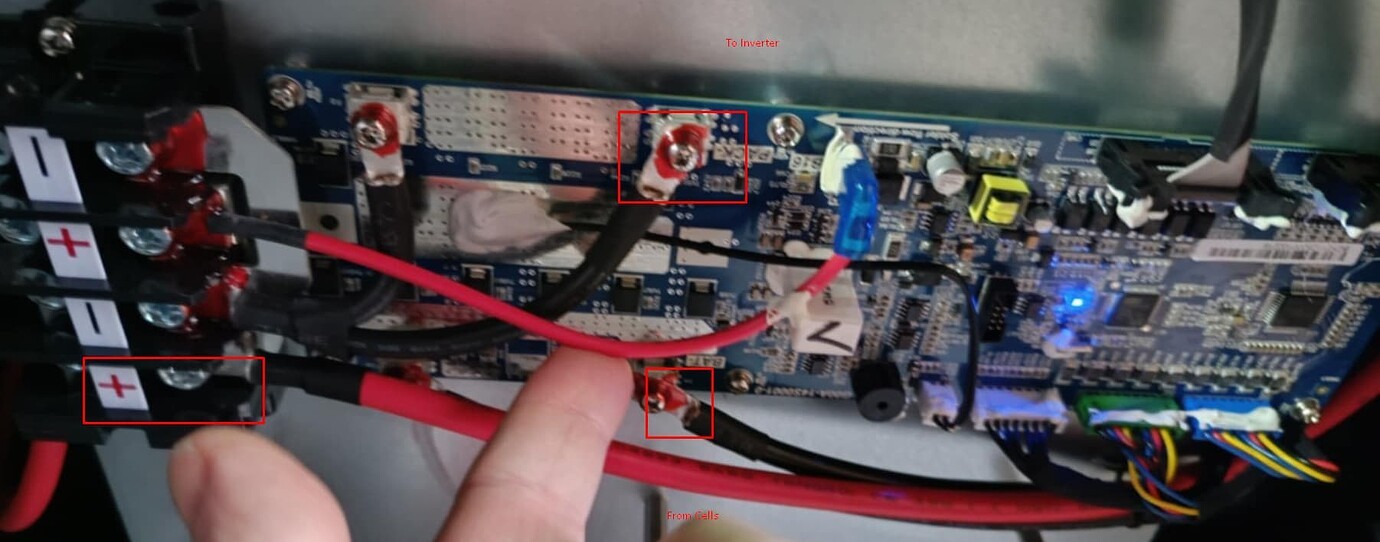
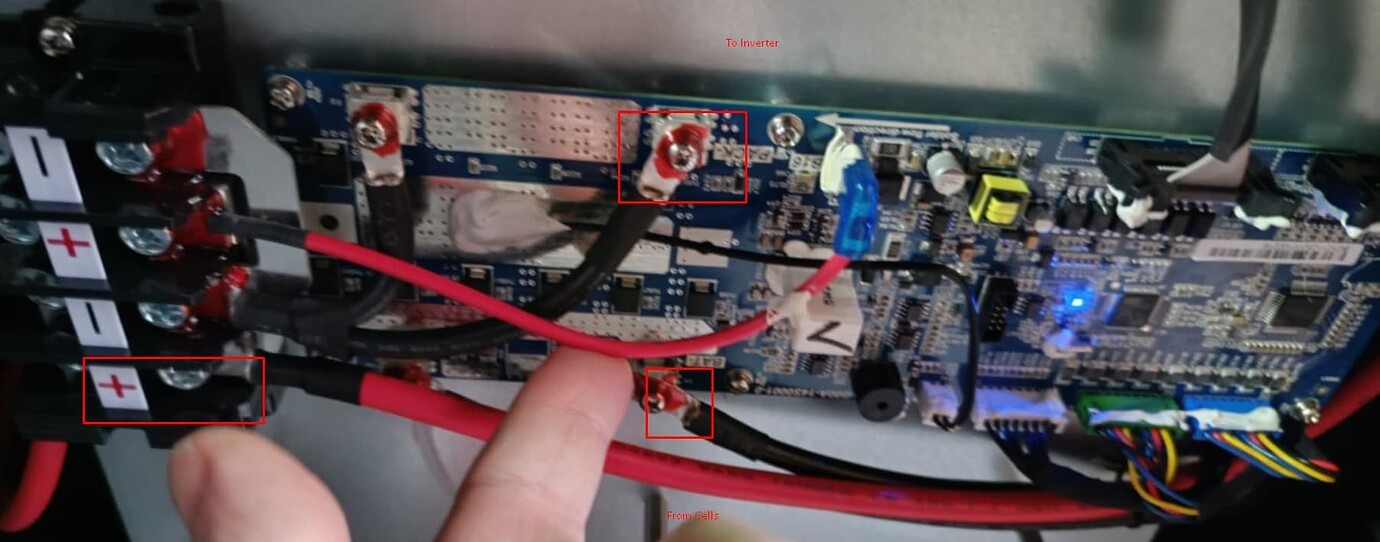
Sounds like the BMS might be frozen, you need to take the front cover off, disconnect the small red wire (at blue connector) for 60 seconds, reconnect and cross your fingers. Picture is from my 5.2, but should be similar


E
#3 ectoplasmosis

TurnerSN13 Have you checked the DCMCB breakers, and 2-core data cabling from the affected battery?

M
#4 mpartington

Just to add the blue led should be flashing, if it's constantly on, then that's a sign the BMS is frozen.
I had similar and the side button also failed to switch it off. Of course could be somthing else

T
#6 TurnerSN13

mpartington Thank you. I will give it ago. I was just concerned with the fact that it won't switch-off and removing the front cover. Any other precautions to take other than isolating the system?

M
#7 mpartington

TurnerSN13 I was just careful to not touch anything but the connector and gently wiggled it out.

M
#8 mpartington

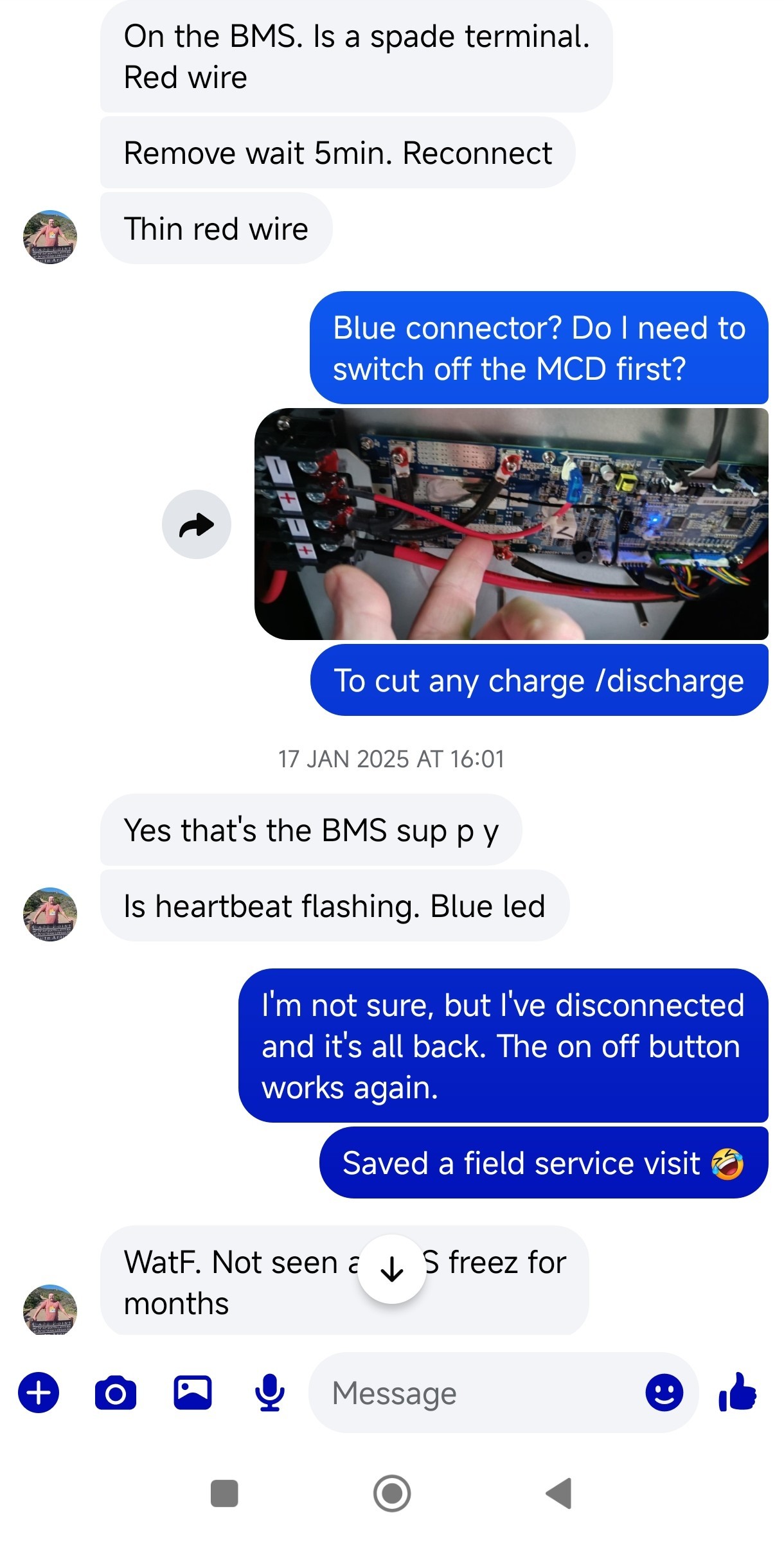
mpartington these were the exact instructions from Paul, looks like he recommended 5 mins

T
#9 TurnerSN13

mpartington I appreciate you taking the time to help. I will let you know how I go 🙂

T
#10 TurnerSN13

mpartington Amazing! That's fixed it. Thank you so very much.

M
#11 M_J

Stuff like the above needs to be in the wiki..