WiFi connection lost

23 comments started 2026-04-17 last 2026-04-20
Commisioning
T
#1 TownSolar

IT simpleton here desperately in need of assistance. My internet provider has changed my hub and while some WiFi devices have connected successfully my Givenergy inverter remains offline. I've tried using the installer app and get as far as the connecting and installing hub details phase but then get a message telling me "something came up" and the process is abandoned. Previously I would have called the helpline, but now that has gone I am totally scuppered. Any help would be greatly appreciated. Thanks.

S
#2 SteveCook

Best thing to do is login to your new router and change the wifi SSID and password to that of your old router. Everything will then automatically connect.
You should login to your new router and turn off the 5gHz wifi until you get your inverter dongle successfully connected. You can then turn 5gHz back on. The dongle on supports 2.5gHz. Make sure that is on
When you have got your dongle connected, you should login to your router and find your dongle, should be something like HF-21 (maybe rename it for future reference) and give it a reserved IP address. it makes it easir to connect after power cuts etc.
You need to login to your router and make sure the wifi security is WPA2. The dongles do not support WPA3

What inverter do you have and what router. You may find others on here can give better advice

P
#4 pwdst

FWIW it is usually a waste of time using the installer app. You are usually much better off connecting to the built in dongle access point on a tablet or laptop and using a web browser to log in to the management pages and updating your home WiFi that way.
https://givenergy.co.uk/wp-content/uploads/WiFi-Dongle-Guide-2024.pdf

T
#5 TownSolar

Thank you @pwdst for your suggestions. No success, I'm afraid. The process detailed in the link gets as far as the reboot stage then grinds to a halt.
The inverter is a HY3.6 sitting above a 9.2kw battery. The dongle shows a steady flashing blue light which appears to be unaffected by my efforts to get it back online.

P
#6 pwdst

What is your new router? Are you able to temporarily switch off the 5GHz network and are you able to try downgrading the security to WPA2 or WPA2/3 hybrid mode?

T
#7 TownSolar

The router is an EE Smart Pro. I've tried switching off 5Ghz and also activated the compatible WiFi mode but still no connection. The dongle is visible as a WiFi device but connecting to it seems to be beyond my abilities. I've tried the install app again including an initial dongle reboot as directed but keep getting the "something came up" message.

P
#8 pwdst

Have you tried changing the security from WPA3 to WPA2 as mentioned earlier?

T
#9 TownSolar

pwdst Sorry, yes, should have said. When I scan from the dongle the network shows up as WPA2, the same as that given for the dongle. I've tried setting the dongle to zero I've also tried switching off the 5gHz channel but still no joy.
Today I will be mostly tearing my hair out!

V
#10 Vestas

TownSolar also activated the compatible WiFi mode

In that case if it doesn't work then you'll have to upgrade the dongle f/w and hope for the best.

There's plenty of posts here detailing how to do that. If it doesn't connect after doing that then you'll need to buy a different access point/router.

M
#11 M_J

Also option of power line adapter running 2.4

Can be bought cheaply on eBay second hand.

If all else fails...

P
#12 pwdst

TownSolar It is your network that you are trying to join which needs to be WPA2 and not WPA3 - or mixed mode. That will be set/changed on the EE router not the dongle.

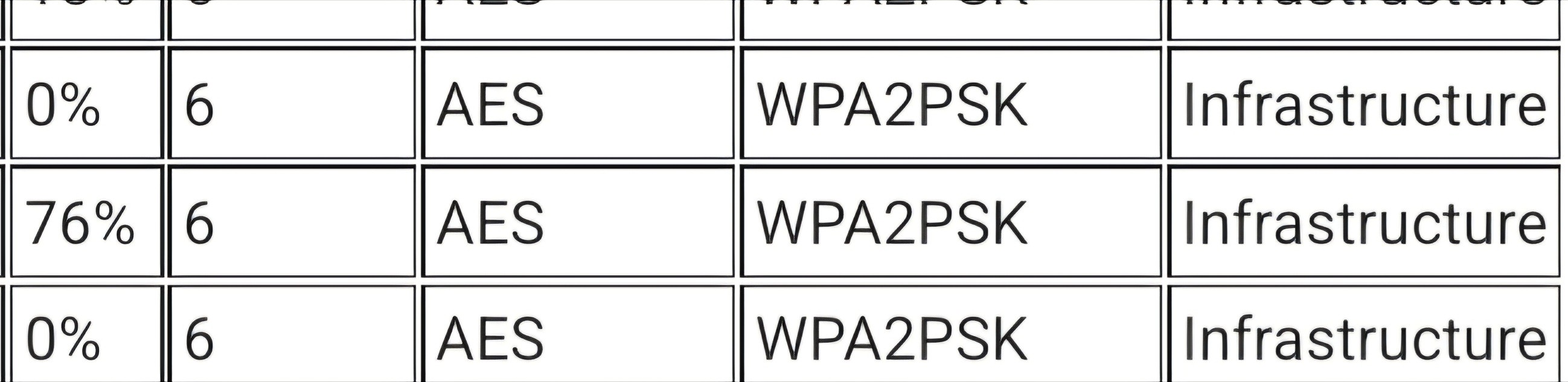
DO NOT remove the encryption and passphrase on the dongle Access Point as that can give an open backdoor into your network. Set the passphrase for the dongle Access Point network to your inverter serial number, use WPA2-PSK and AES. These network settings only affect the management network where you connect to the dongle, they do not affect the dongle connecting to your router.

The on your EE WiFi router make sure that the encryption for your network is either WPA2/3 mixed or just WPA2 only. It most likely will not work if the network is just WPA3 as the dongle isn't compatible. You could also check if the encryption on the network is the newer AES+GCMP256 and if it is and the dongle still isn't connecting then change it back to just AES.

You may need to temporarily switch off the 5GHz band in order to get the inverter to connect. Once it is connected you can switch it back on.

I should note I have an Asus WiFi 7 mesh router and I was able to get the inverter to connect.

If all else fails you could see if your router supports creating an "IOT" or Guest network that isn't WiFi 7 and connecting the inverter to that. Since this will likely be separated from your main network it will likely prevent you from using Home mode on the GivEnergy app and anything like the Monitor for GivEnergy Inverter app or Home Assistant to control your inverter. This will basically force you to pay the subscription for GivEnergy cloud access and hope that they continue trading. EE may be able to advise you if you can create an additional network that is not separated from your main network for compatibility reasons, but this is not common on ISP provided devices AFAIK.

P
#13 pwdst

Another couple of settings you could look for and try disabling. Band steering, which can mess with older 2.4GHz only WiFi devices, and fast roaming. The latter is less likely to be the problem if you have a single router and not a mesh system though.

T
#14 TownSolar

pwdst Thank you for your further suggestions and advice. Much appreciated. I'll work through them if I can but as I said in my opening post "IT simpleton here". I suspect my best course of action is to see if the original installation company can help.

P
#15 pwdst

TownSolar Remember you do have solvent support from your ISP for changing settings on the router should you need it.
All GivEnergy Support could have done is tell you which settings change, and your installer would likely have relied on them even for that. Neither would have supported third party (EE) hardware.
If EE can't or won't help you make changes on their own router, instructions on how to log on are normally physically printed on the router. If you can control Hotmail or GMail then you can probably use the control panel. It is then just a matter of knowing which settings to change and researching where they are.

T
#16 TimHutchings

Just a thought! In earlier posts, you mentioned that you got to the reboot stage then everything froze.
This usually happens to me when I reboot the dongle. What happens to me is that when I reboot the dongle, the connection to the dongle from my tablet gets disconnected as it's rebooting, so the tablet automatically reconnects to my main WiFi router as the dongle isn't available. Obviously, the page I was connected to on the dongle freezes as it isn't connected to the dongle anymore.
After a minute or so I then reconnect to the dongle wifi again manually in the tablet wifi settings, and the page becomes active again. I can then check all is well on the dongle pages
This may have nothing to do with your issue, but I thought it may be worth a mention.

G
#17 geoffreycoan

I found when I was configuring my own dongles to connect to my wifi that connecting from a tablet or phone was fraught, they would disconnect frequently and rapidly. Possibly because the dongle didn’t have internet access

When I did the dongle setup on a laptop I didn’t have the disconnection issue.

An OP on the other givenergy forum had exactly the same issue, I advised to use a laptop and he was able to get it to work OK

T
#18 TownSolar

TimHutchings Thanks, Tim. Yes, that was certainly confounding the problem during my initial attempts. Opting for the laptop approach and disabling auto connect to the main WiFi network overcomes that issue but something still appears to stall the final reboot step before it has run it's course. I realised this evening I've been using Edge rather than Chrome as the GE guidance advised so will give that a go tomorrow.

T
#19 TownSolar

geoffreycoan Thanks, Geoffrey. Yes, following the laptop route allows for better control and makes me increasingly certain the problem lies with the dongle reboot process and not the new router.

P
#20 pwdst

If the dongle cannot connect to the router because of newer standards I guess you could argue that the fault was with the dongle but the solution is with the router.
Lots of people have had issues connecting to newer network gear and have had to change the settings I listed on their router in order for the dongle to connect.
Have you tried changing any?

P
#21 pwdst

Remember that your dongle seemingly worked up until the point you changed your router, what leads you to conclude that the dongle is the only item that could be responsible for the problems - and if that is true how are you then going to resolve it?
Another dongle will have the same issues communicating with a newer router whose standards it does not understand if that is the case.
Imagine someone you have been dealing with for many years retires, and a replacement is recruited. You and the retired person were very familiar with each other and communicated well. The new person is bilingual and primarily deals with continental clients. As a result of this the new person sends out their first pro-forma to you in French/German/Spanish/Finnish hoping to resume contact. Of couse you do not speak French/German/Spanish/Finnish so you both cannot communicate in that language.
The fix here is to ask this person to write in English, so that you both can communicate.

The GivEnergy dongle is in all honesty rather primitive and simply cannot handle some of the more advanced settings of WiFi 5 routers, much less WiFi 7. There are an enormous number of posts on this forum describing problems until WPA3 was changed to WPA2, fast roaming is switched off and the other various settings that have been suggested so far in this thread.

I am probably wasting time trying to help you but please don't end up with unusable equipment simply because you believe that you aren't even capable of trying.

P
#22 pwdst

TownSolar When I scan from the dongle the network shows up as WPA2

This statement bothered me at the time, how could a dongle designed before WPA3 existed correctly identify a network as WPA3, or even that it was not the previous incarnation WPA2. The code simply would not have this understanding.

To test this I created a WPA3 only hotspot on a phone this morning. The phone duly warned me that devices which are not compatible with WPA3 would be unable to connect. So far, as expected.

I then scanned for the network from the dongle and after a couple of refreshes it came up - incorrectly listed as WPA2-PSK and AES.

T
#23 TownSolar

pwdst Please be assured you are not wasting your time. Your suggestions and encouragement are greatly appreciated.
I'm sure you'll be pleased to hear my inverter is now back online. It appears to have re-established itself last night at precisely 23:00 entirely of its own volition and continues to operate as normal. I have no idea how or why.