Home Assistant - Starting out questions…

18 comments started 2026-04-26 last 2026-05-05
Home AutomationHome Assistant
P
#1 Pete UK

Hi all,

Just started out on my Home Assistant journey with the purchase of a Home Assistant Green. It was very easy to get up and running.

I’ve got it all set up with the various integrations (Octopus) and Apps (GiveTCP, Mosquito broker, File Editor, Terminal & SSH, Tailscale).

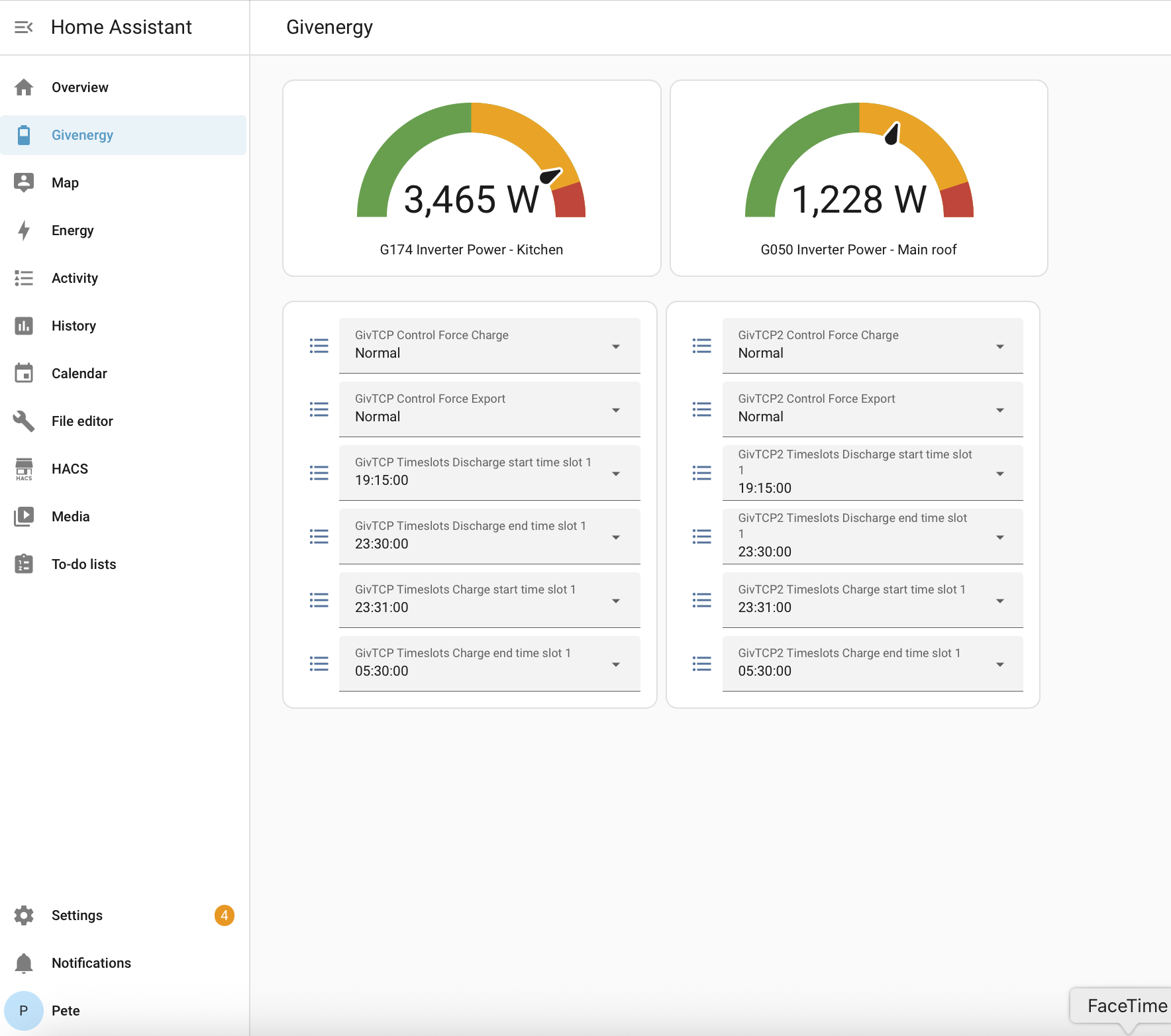
I’ve setup a basic GivEnergy Dashboard (based off of the speak to the Geek you tube tutorial) with basic controls I need (for now) and also I’ve setup HA remote access for my laptop and the HA companion app on my phone using Tailscale. Which is free and very handy when not at home.

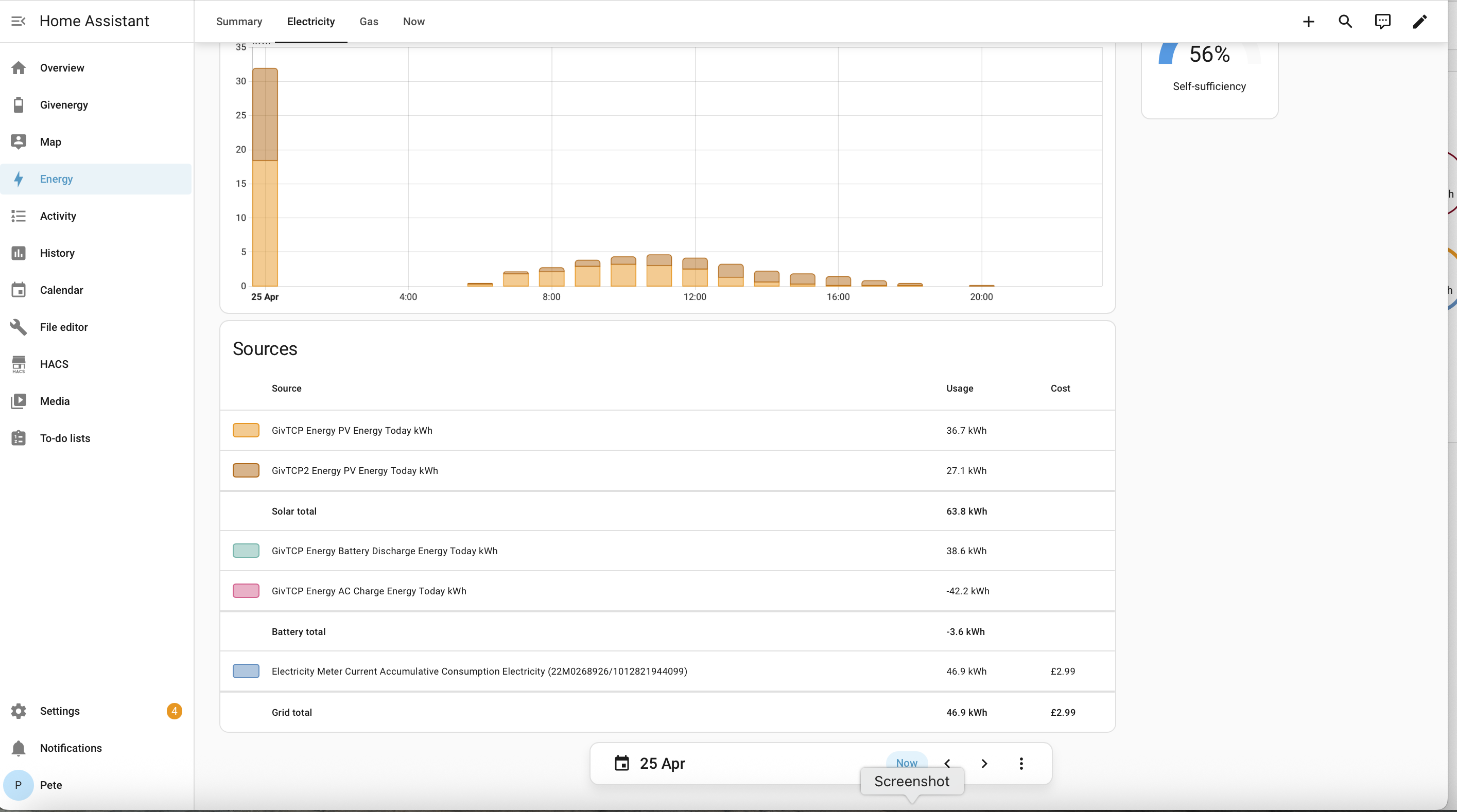
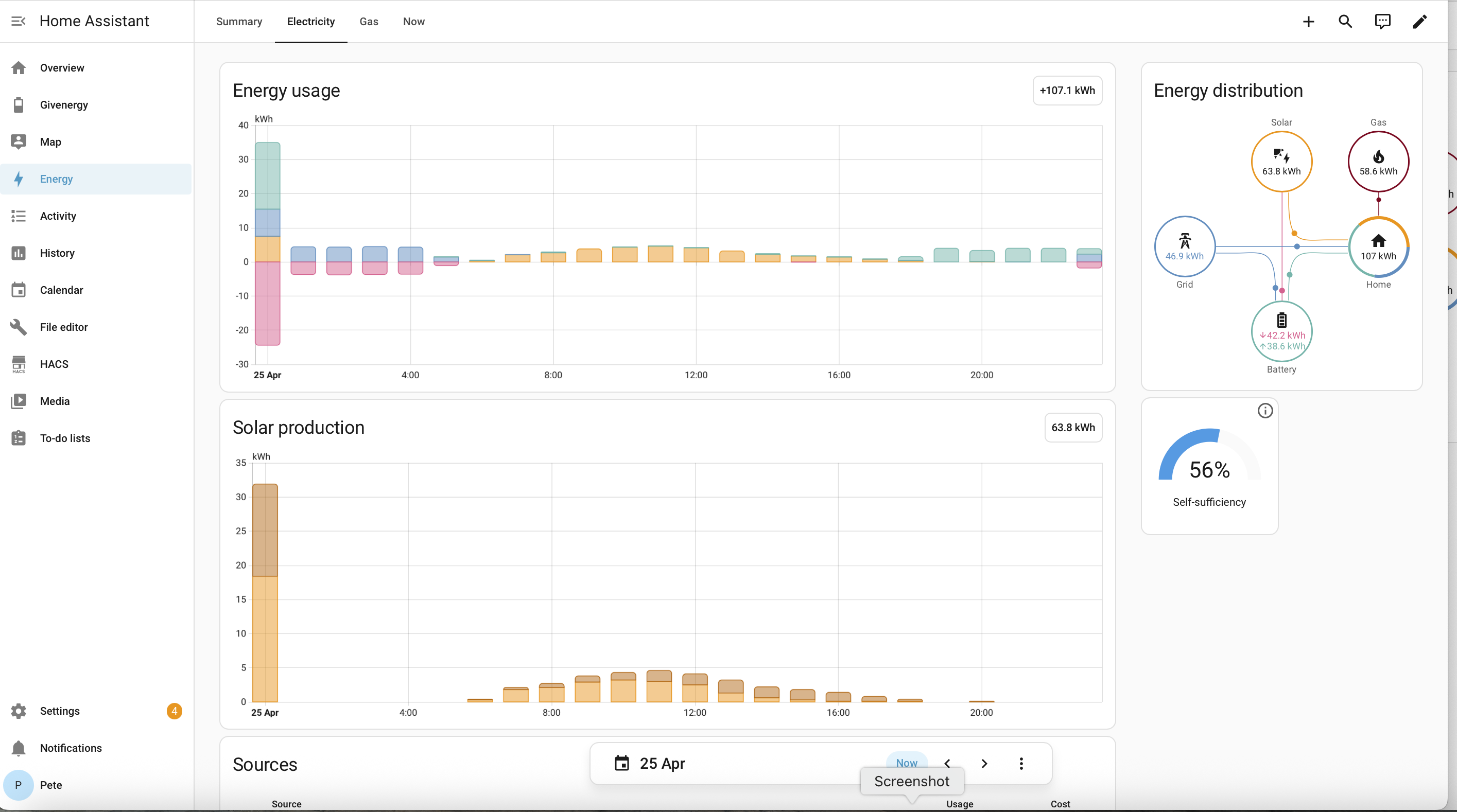
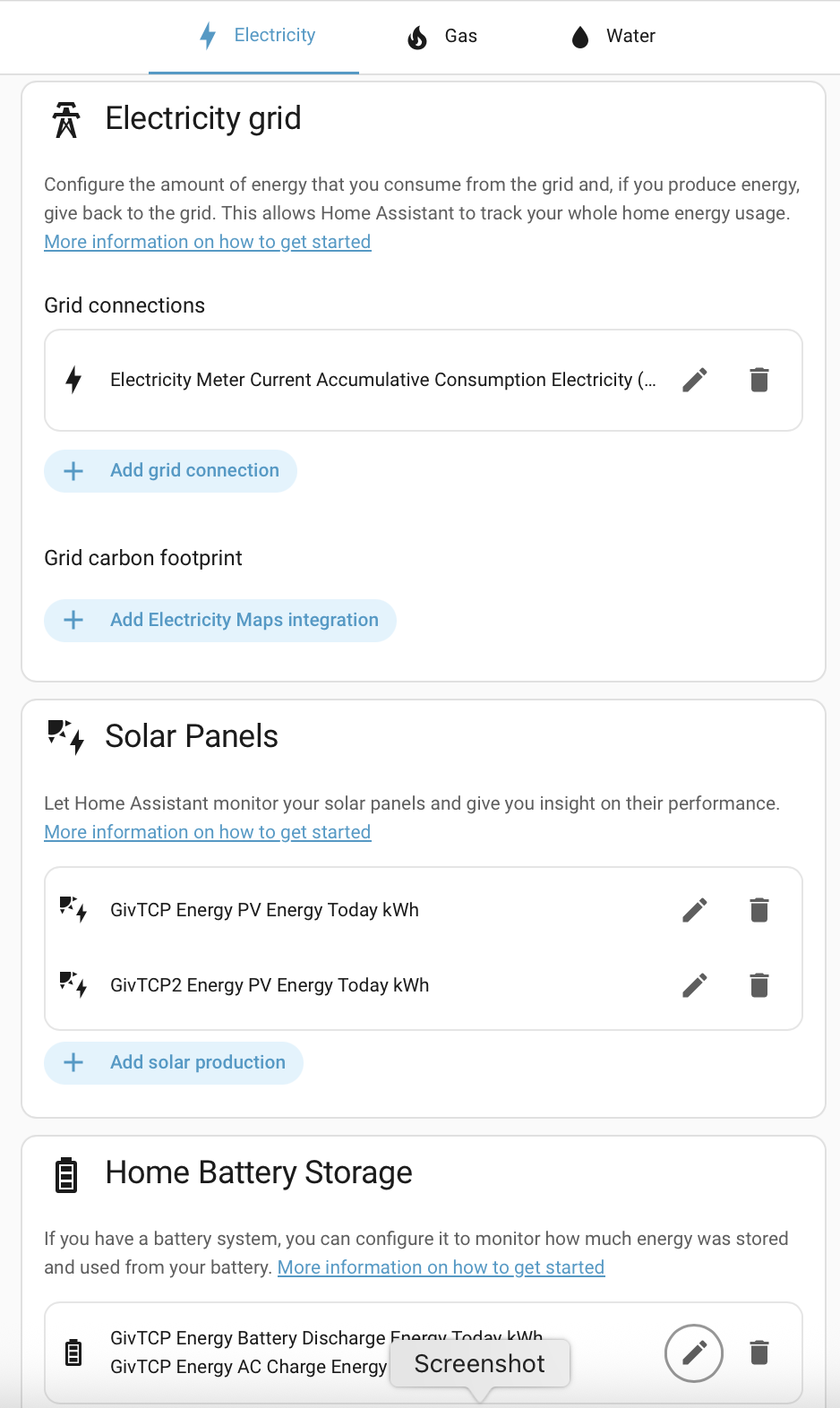
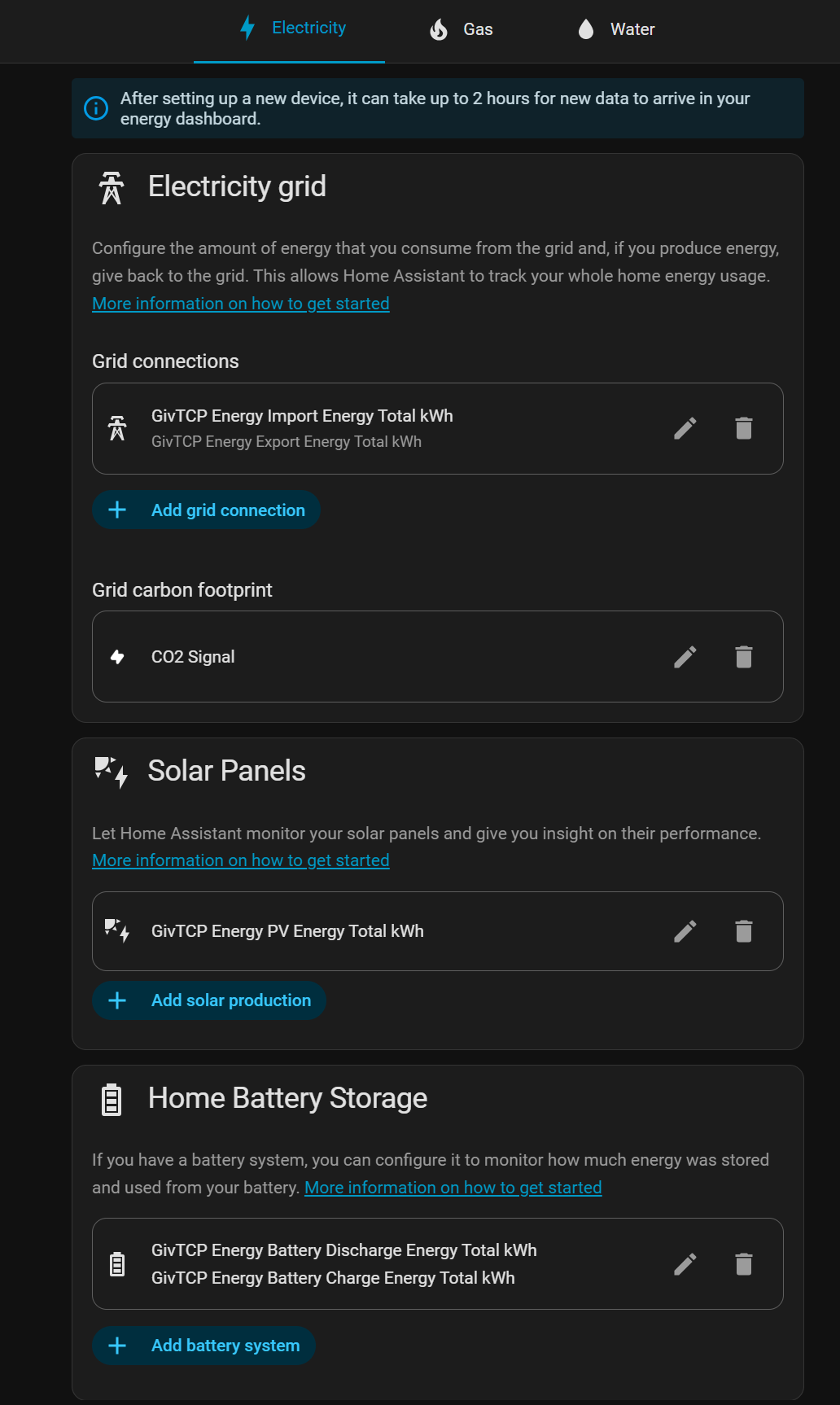
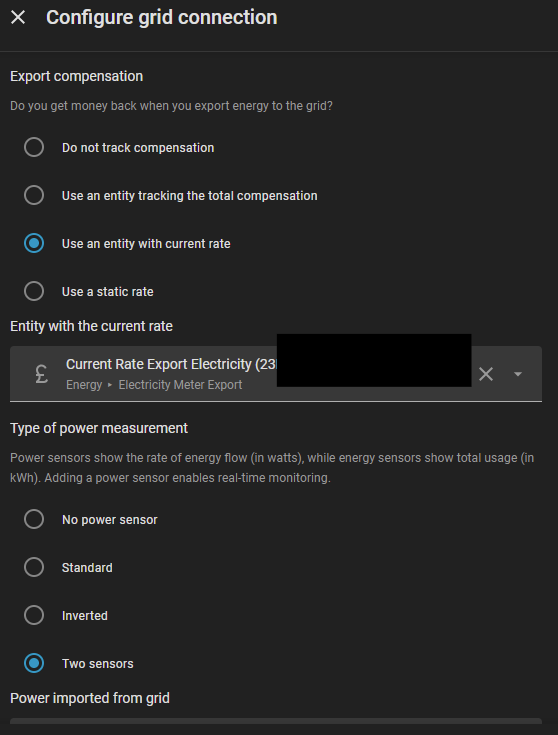
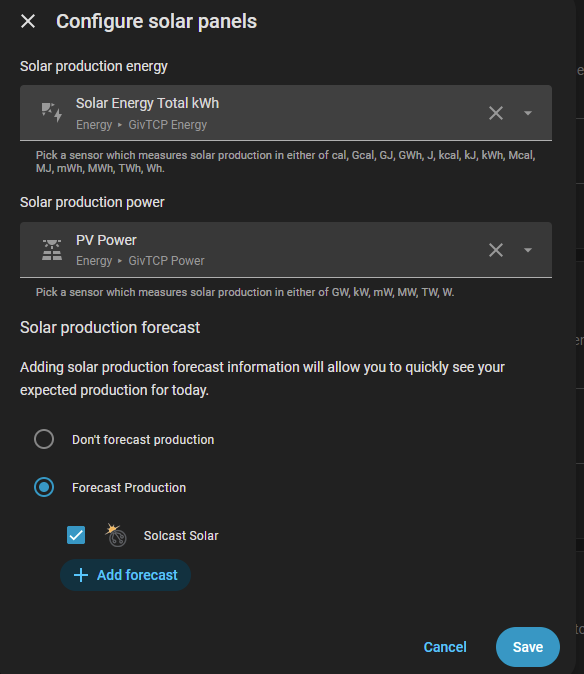
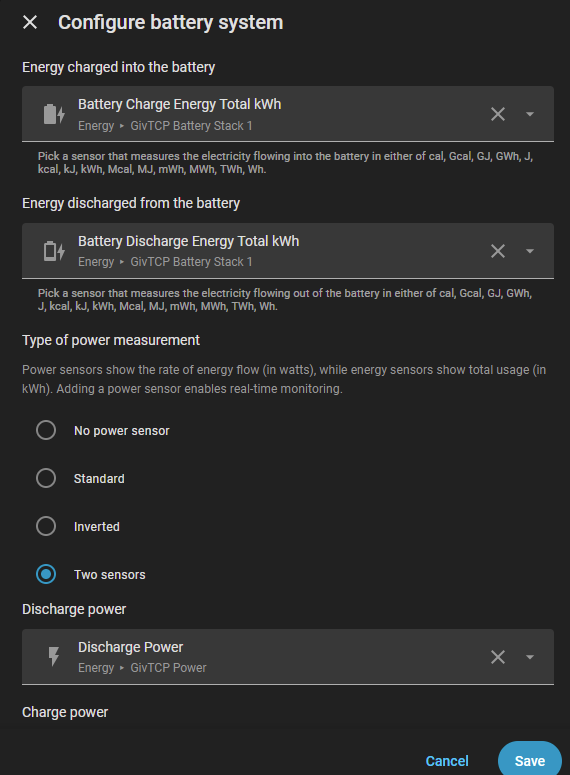
I want to set up the built in “HA Energy dashboard” (on the left hand menu) but I’m a little bit stuck. The Gas works fine but the electricity looks very wrong. I can’t seem to locate the correct bits to put in the “Electrcity grid”, “Solar Panel” section and “Home Battery Storage” section.

I’ve found the GitHub Energy dashboard instruction manual but I can’t find the sensors and entities they refer to, to put in the boxes as some I can’t find and/or are labelled differently to the instruction manual; for example in “configuring the grid connection” I have an “energy exported to grid” input box that isn’t in the instruction manual and my Octopus energy sensors appear to be labelled differently. What with having 2 inverters it’s a messy trying to get this up and running correctly.

Any suggestions as to what is required in each box below and where I find them?

Here’s what I’ve got set up so far….

M
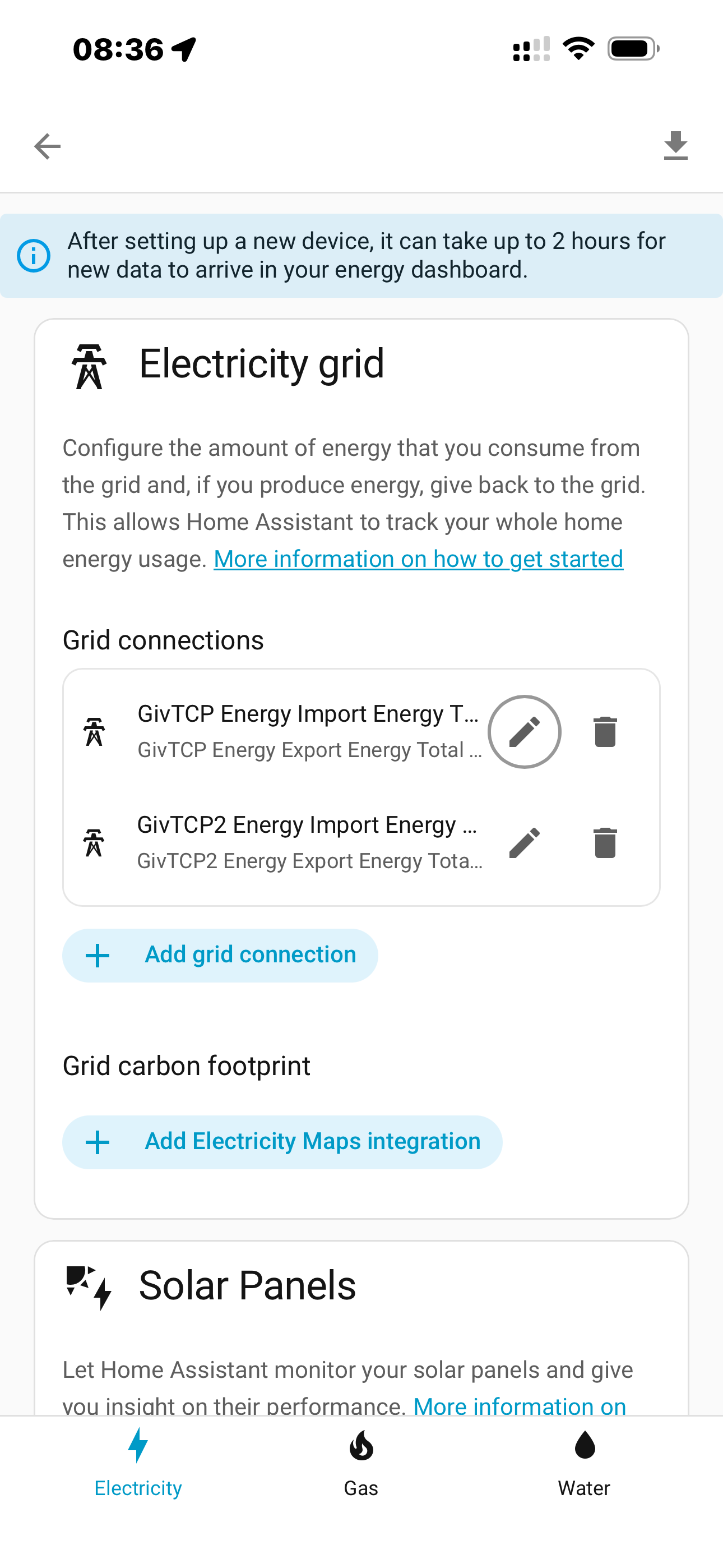
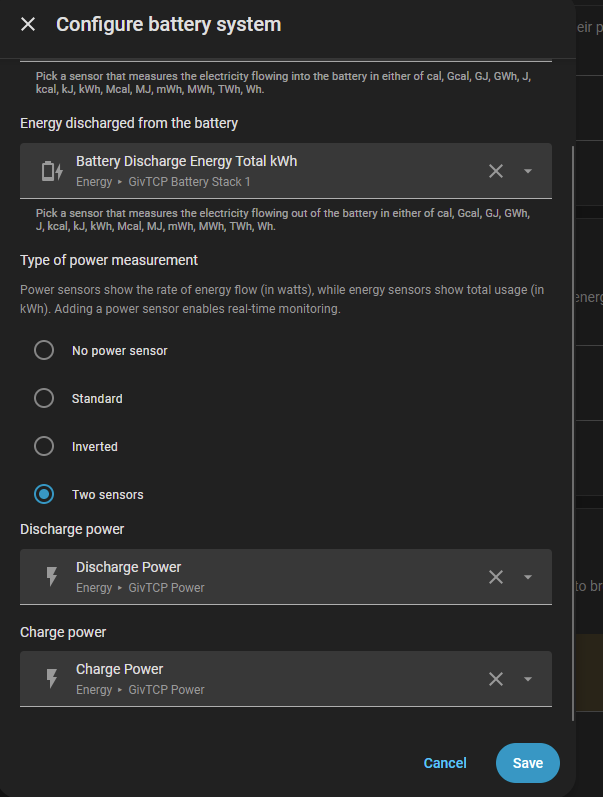
#2 MikeyHaz

Don't use the 'todays' - there's a midnight reset problem. Use the totals - like this:

P
#3 Pete UK

Great thank you

D
#4 DD

MikeyHaz ISTR that for battery, the daily totals do distinguish in and out, whereas the all time figures are blended to give an average, so you can't derive losses. Maybe varies between inverter families?

M
#5 MikeyHaz

DD Possibly - I've never cared enough to worry about the losses within it. It's always been a 'rough proportion of magnitude' thing for me rather than a 'to the nearest 0.1 of a KWH'

I used to use the today values. The midnight reset issue (as shown) cropped up. The solution was to switch to the totals. Does it look roughly right? Sure. Good enough from my perspective.

P
#6 Pete UK

MikeyHaz

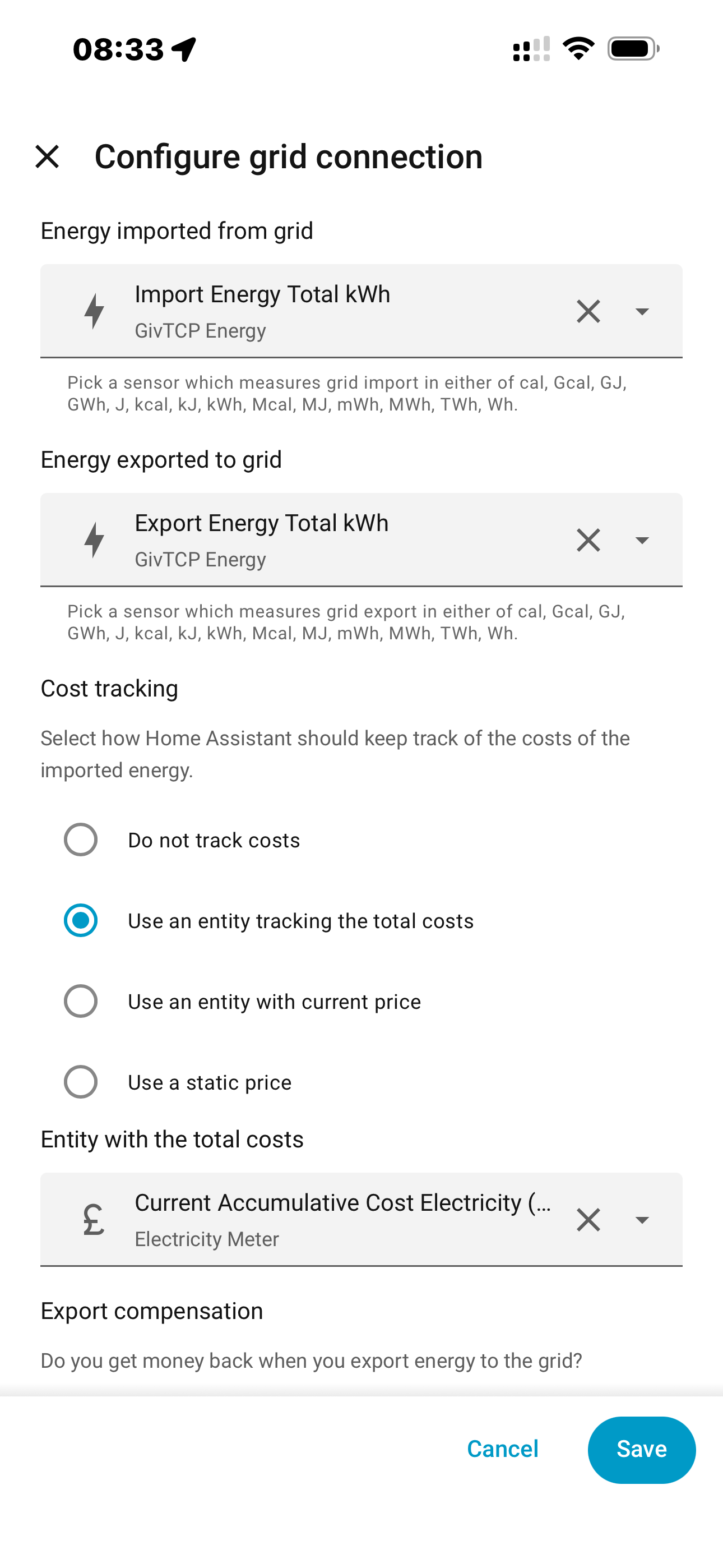
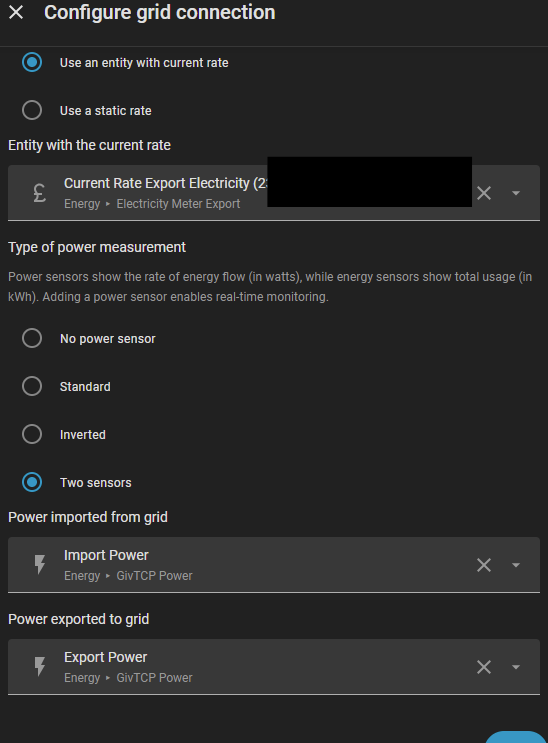
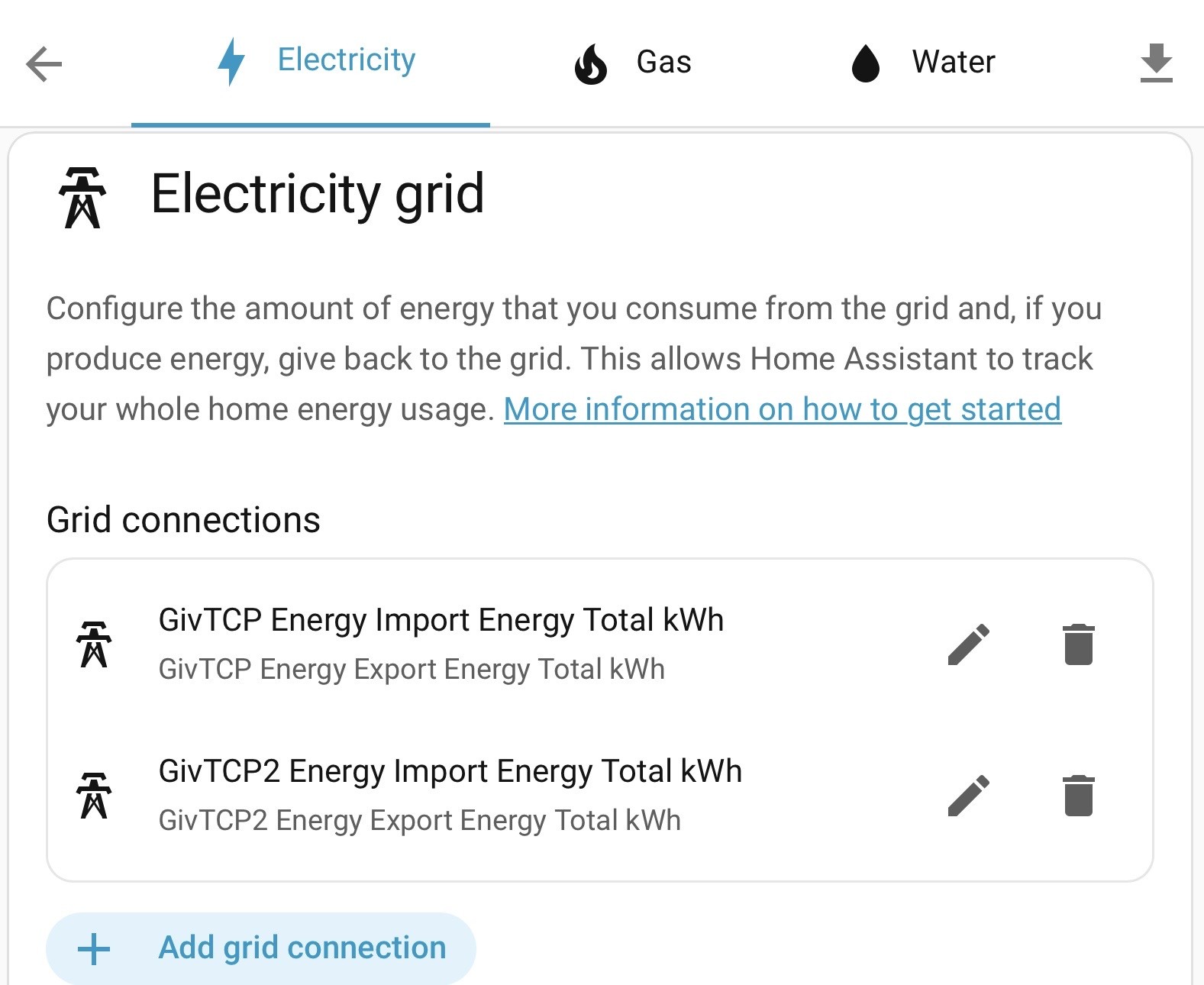
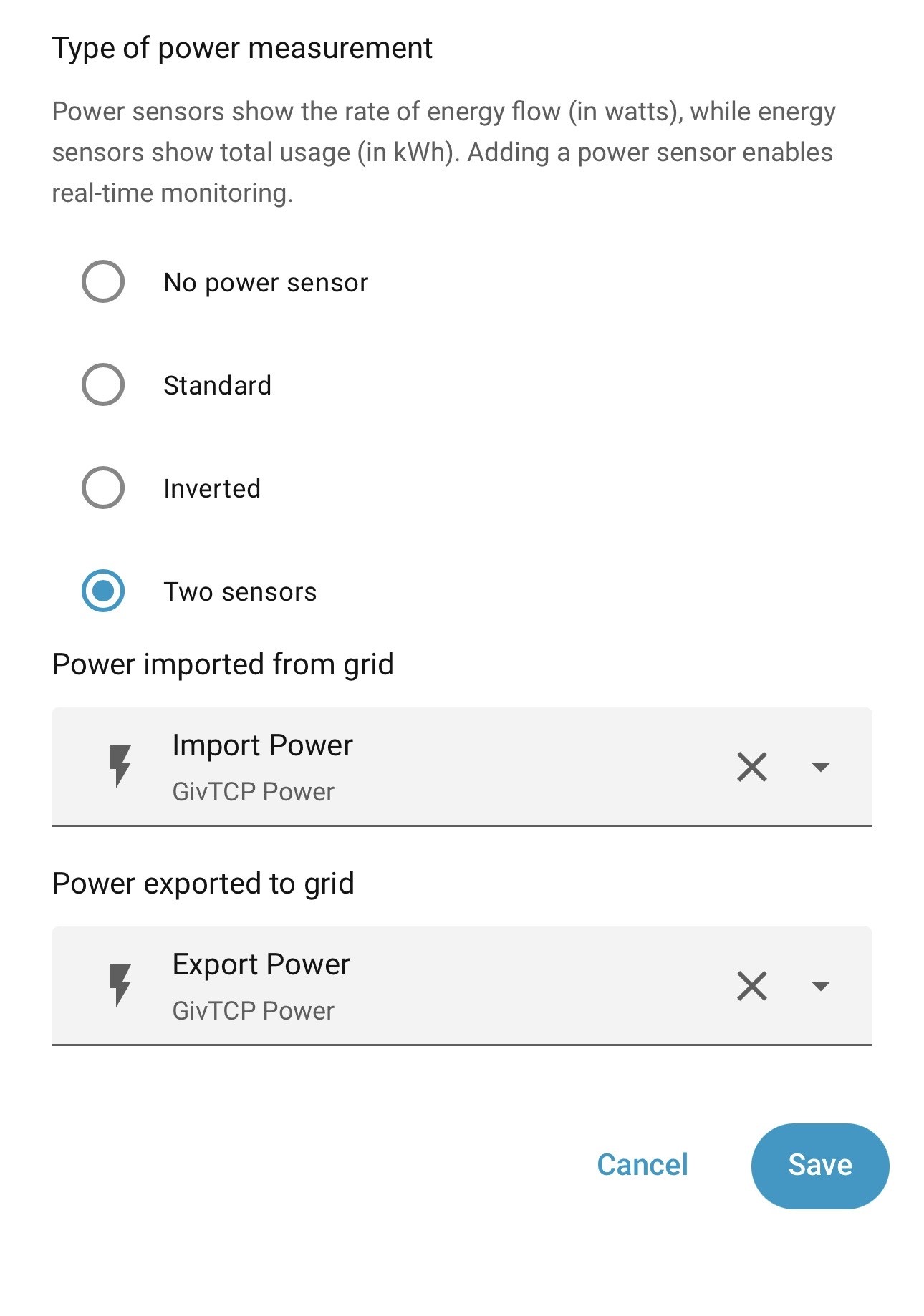
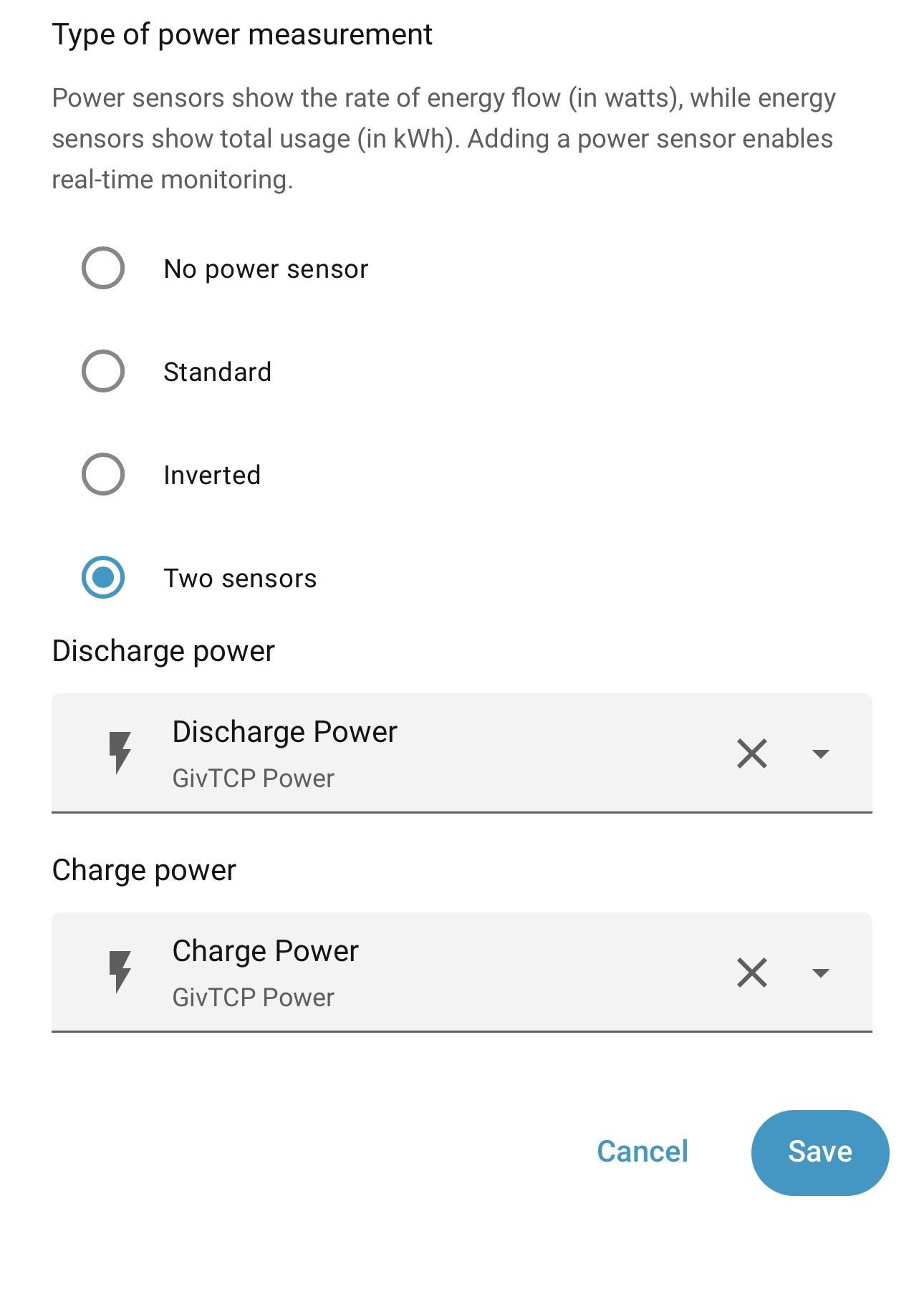
So in “Electricty Grid” and
“Configure grid”

I should have this, right? (One for each inverter)

G
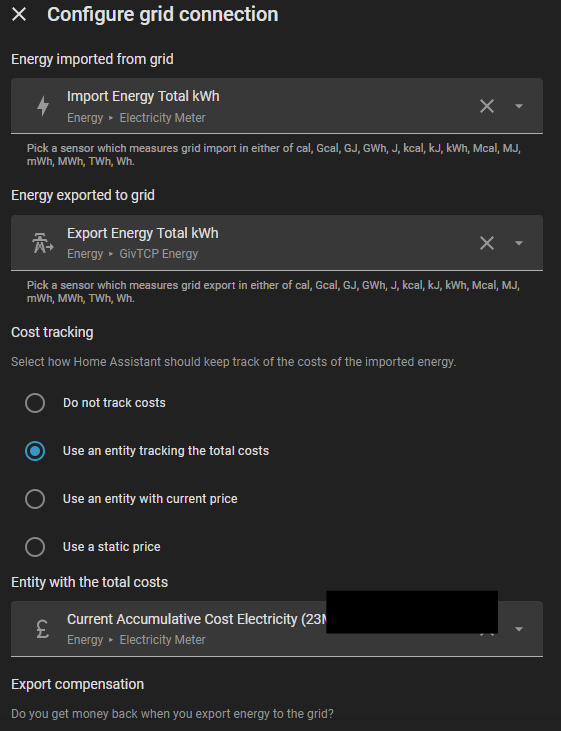
#7 Guybrush-Threepwood

Same setup as you. Heres what I have for full tracking with no custom sensors.

T
#8 TX200

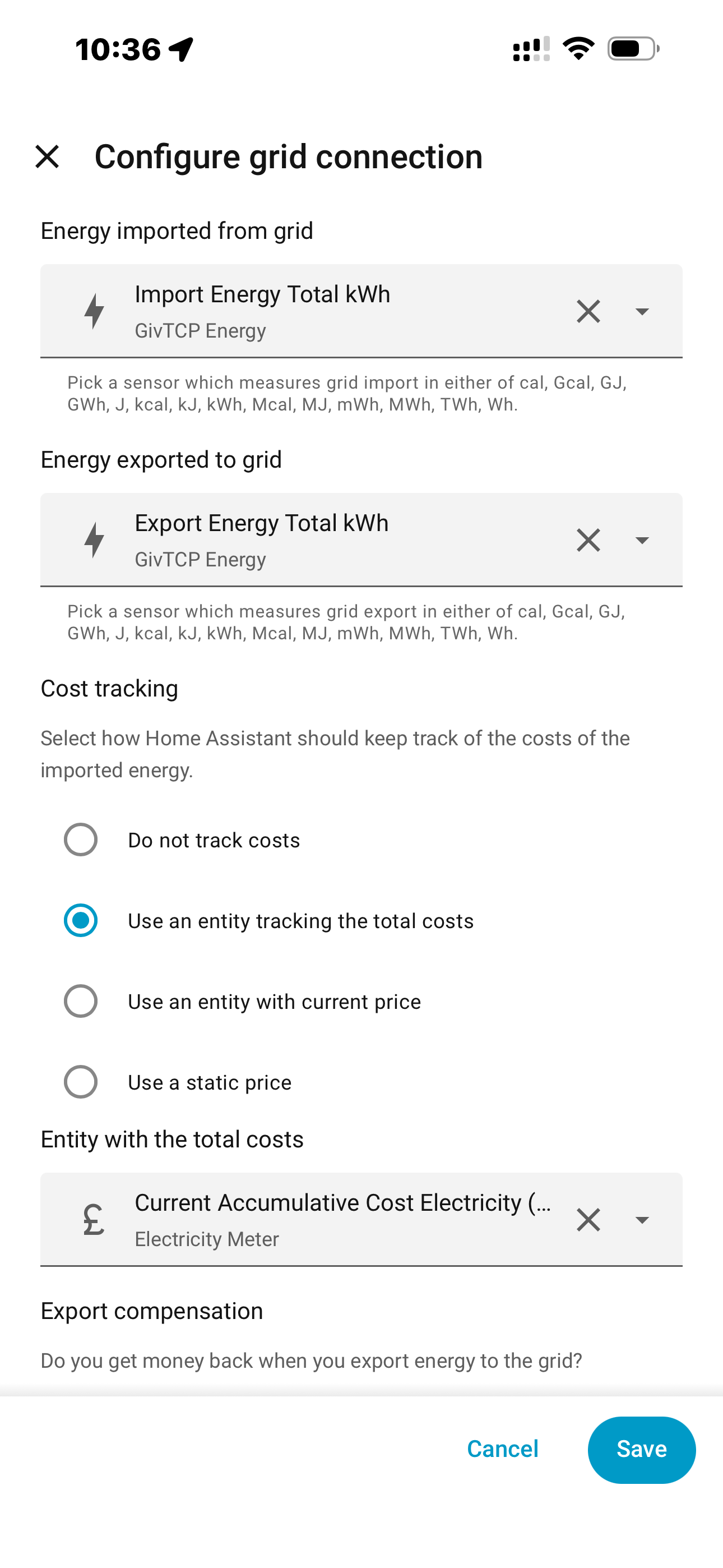
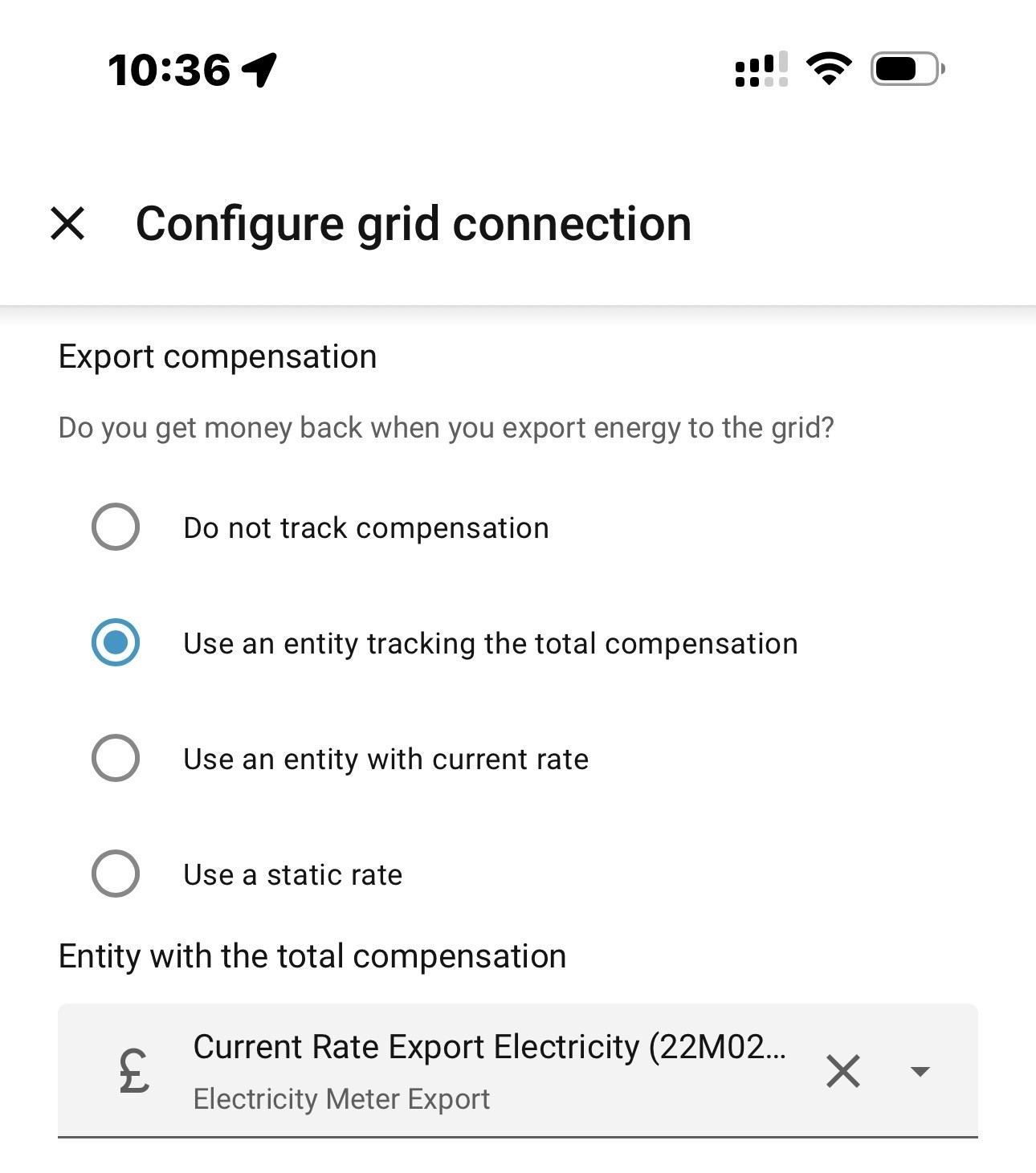
Pete UK you've got the price bit wrong (hopefully you've spotted that in the screenshots in the next post!)

G
#9 Guybrush-Threepwood

For those going through this wonderful journey i'll explain the reason I went with the price options as I've seen some in the past creating custom entities.

The Octopus integration has some detailed docs on how to setup in the Energy https://bottlecapdave.github.io/HomeAssistant-OctopusEnergy/setup/energy_dashboard/ I should add I have an octopus home mini so things are slightly different.

Import I use the total cost entity as this includes the daily standing charge. Other tutorials ive seen talk about a custom entity and manually adding it. I just do this as the API does all the calculations for me.

Export I could use static but as has recently happened the export changed and I didnt need to touch a thing. Also, if I do switch to agile or another tariff again I do nothing.

Other things you may want to setup are using some of the blueprints. They have ones to automatically opt you into saving sessions and spinning the wheel of fortune https://bottlecapdave.github.io/HomeAssistant-OctopusEnergy/blueprints/

P
#10 Pete UK

Guybrush-Threepwood

That’s brilliant, thanks so much for posting those screenshots. Really helps a lot.

The problem I had was that I couldn’t work out of if I was double counting things because I’ve got two inverters and some input boxes you can add two entities (one for each inverter) and some you can only add one sensor and I’ve got two of everything ; one starting “GIV TCP” and one starting with “GIV TCP2”. When it comes to the meters and totals it’s a bit confusing. The figures I’m seeing in my energy card all look far too high.

I’ll have a play around by putting everything as you have and hopefully things will become clearer.

Also I’ve got “57” or so “devices discovered - 57 devices to add”, they are all Octopus ‘cost’ or ‘energy’ trackers. Do I need to add them? Not sure what to do with them, or the options when adding, so I held off for now. I know I’ve got a lot of reading ahead of me but any clues or shortcuts greatly appreciated.

G
#11 Guybrush-Threepwood

When I started I just enabled everything. And then realised thats an awful lot to be writing to your database and stuff you probably wont look at. So I went on a purge thanks to some posts I found from @geoffreycoan and others.

For octopus leave the defaults as they are. Dont enable the disabled ones except perhaps the events which relate to saving sessions. The rest I left.

I recommend disabling any GivTCP items you also dont need. For me thats the entire battery temps and voltage. I have no need of them but the overall BMS stack temp, sure, ill keep that.

As well as disabling entities you dont want you can exclude others from being recorded. It will still report the current state but wont write to the database every little change. Im thinking things like the "last update" which happens every 30 seconds. Do you need that spamming the DB? Probably not. Also when switches are turned on or off. You can do this in the configuration YAML and exclude things

Attached is my excludes in my config. This stops them being written to the recorder log saving disk space and writes. Notice the domains. These are entire entities such as all switches, records about updates, weather and button presses. Wiser is my thermostat. Which I went with as it offers complete local control

exclude:
  domains:
    - switch
    - update
    - automation
    - button
    - weather
    - media_player
    - scene
    
  entities:
    # Template sensors - excluded as they're derived from other sensors
    - sensor.pv_power_formatted
    - sensor.load_power_formatted
    - sensor.battery_state_display
    
    # Solcast
    - sensor.solcast_pv_forecast_api_used
    - sensor.solcast_pv_forecast_api_last_polled
    
    # Wiser thermostat - static/infrequently changing sensors
    - sensor.wiser_heathub_signal
    - switch.wiser_daylight_saving
    - switch.wiser_roomstat_hallway_device_lock
    - sensor.wiser_roomstat_hallway_battery
    - sensor.wiser_cloud
    - button.wiser_boost_all_heating
    - switch.wiser_away_mode_affects_hot_water
    - number.wiser_away_mode_target_temperature
    - button.wiser_cancel_all_heating_overrides
    - switch.wiser_comfort_mode
    - switch.wiser_eco_mode
    - button.wiser_cancel_hot_water_overrides
    - button.wiser_boost_hot_water
    - select.wiser_hot_water_mode
    - button.wiser_toggle_hot_water
    - switch.wiser_roomstat_hallway_identify
    - sensor.wiser_roomstat_hallway_signal
    
    # Sun sensor - calculated value, no need to store
    - sun.sun
    
    # PS5 sensors - gaming activity tracking, not needed for history
    - sensor.ps5_activity
    - switch.ps5_power
    
    # Octopus Energy - loyalty points, not critical for energy monitoring
    - sensor.octopus_energy_a_xxxxxx_octoplus_points
    
    # Miscellaneous - static device information
    - sensor.waste
    - calendar.<my local authority>_council
    - sensor.givtcp_battery_stack_1_stack_firmware
    - sensor.givtcp_xxxxxx_invertor_serial_number
    - sensor.givtcp_xxxxxx_invertor_firmware
    - sensor.givtcp_xxxxxx_invertor_type
    
    # Predbat - HTML plan and large attribute sensors
    - predbat.soc_kw_base10
    - predbat.soc_kw_best10
    - predbat.plan_html
    
    # GivTCP - Noisy sensors that update frequently with calculated values
    - sensor.givtcp_xxxxxx_charge_completion_time
    - sensor.givtcp_xxxxxx_discharge_completion_time
    - sensor.givtcp_xxxxxx_charge_time_remaining
    - sensor.givtcp_xxxxxx_discharge_time_remaining
    - sensor.givtcp_xxxxxx_last_updated_time
    - sensor.givtcp_xxxxxx_invertor_time
    - sensor.givtcp_xxxxxx_battery_voltage
    
    # Predbat - Baseline forecast sensors (main forecast data)
    - predbat.battery_cycle
    - predbat.battery_hours_left
    - predbat.battery_power
    - predbat.car_soc
    - predbat.charge_end
    - predbat.charge_limit
    - predbat.charge_limit_kw
    - predbat.charge_start
    - predbat.duration
    - predbat.export_energy
    - predbat.grid_power
    - predbat.import_energy
    - predbat.import_energy_battery
    - predbat.import_energy_house
    - predbat.load_energy
    - predbat.load_power
    - predbat.metric
    - predbat.pv_energy
    - predbat.record
    - predbat.soc_kw
    - predbat.soc_min_kwh
    
    # Predbat - In-day load adjustment sensors
    - predbat.load_energy_actual
    - predbat.load_energy_adjusted
    - predbat.load_energy_predicted
    - predbat.load_inday_adjustment
    
    # Predbat - Rate and cost sensors (tariff information)
    - predbat.cost_today_export
    - predbat.cost_today_import
    - predbat.low_rate_cost
    - predbat.low_rate_duration
    - predbat.low_rate_end
    - predbat.low_rate_start
    - predbat.low_rate_cost_2
    - predbat.low_rate_end_2
    - predbat.low_rate_start_2
    - predbat.high_rate_export_cost
    - predbat.high_rate_export_duration
    - predbat.high_rate_export_end
    - predbat.high_rate_export_start
    - predbat.high_rate_export_cost_2
    - predbat.high_rate_export_end_2
    - predbat.high_rate_export_start_2
    
    # Noisy sensors
    - sensor.bedroom_fan_power
    - sensor.conservatory_icicles_plug_power
    - sensor.family_room_printy_power
    - sensor.gym_plug_power
    - sensor.living_room_lamp_power
    - sensor.living_room_plant_tree_plug_power
    
  # Pattern-based exclusions using wildcards
  entity_globs:
    
    # Axle sensors
    - sensor.axle_*
    
    # Printer
    - sensor.samsung_m262x_282x*
    
    # GivTCP battery serial numbers - static device info
    - sensor.givtcp_*_battery_serial_number
    
    # Power on behaviour settings - rarely changed configuration
    - select.*_power_on_behaviour_on_startup
    
    # Sun position sensors - calculated values
    - sensor.sun*
    
    #GivTCP Gateway sensors
    - sensor.givtcp2_*
    
    # Predbat - Base10, best, and best10 forecast variations
    # These contain large attributes that cause database bloat
    - sensor.predbat_pv_*
    - predbat.best*
    - predbat.*best
    - predbat.base10*

P
#12 Pete UK

Guybrush-Threepwood

That’s great advice. I was looking at that and wondering what it was for.

So is the DB something that gets included in the backups, or just a file that grows and grows with historical data?

G
#13 Guybrush-Threepwood

Pete UK Its included in the backup but does its own maintenance.

I belive on a sunday it does a little cleanup and removes the data over 10 days old and just keeps the long term statistics. So instead of you having the granular, 30 second data it does some aggregating to keep the main data. Otherwise hundreds of devices constantly streaming data it will become massive.

IT also does a compact where it compresses the database. Nothing you need to do and I've done it manually in the past, ticked a wrong box and nuked all my history.

Best thing is to stop entities from writing or disable them completely if you dont need them.

My optimisations are also based on me using Predbat and the sensors that needs.

P
#14 Pete UK

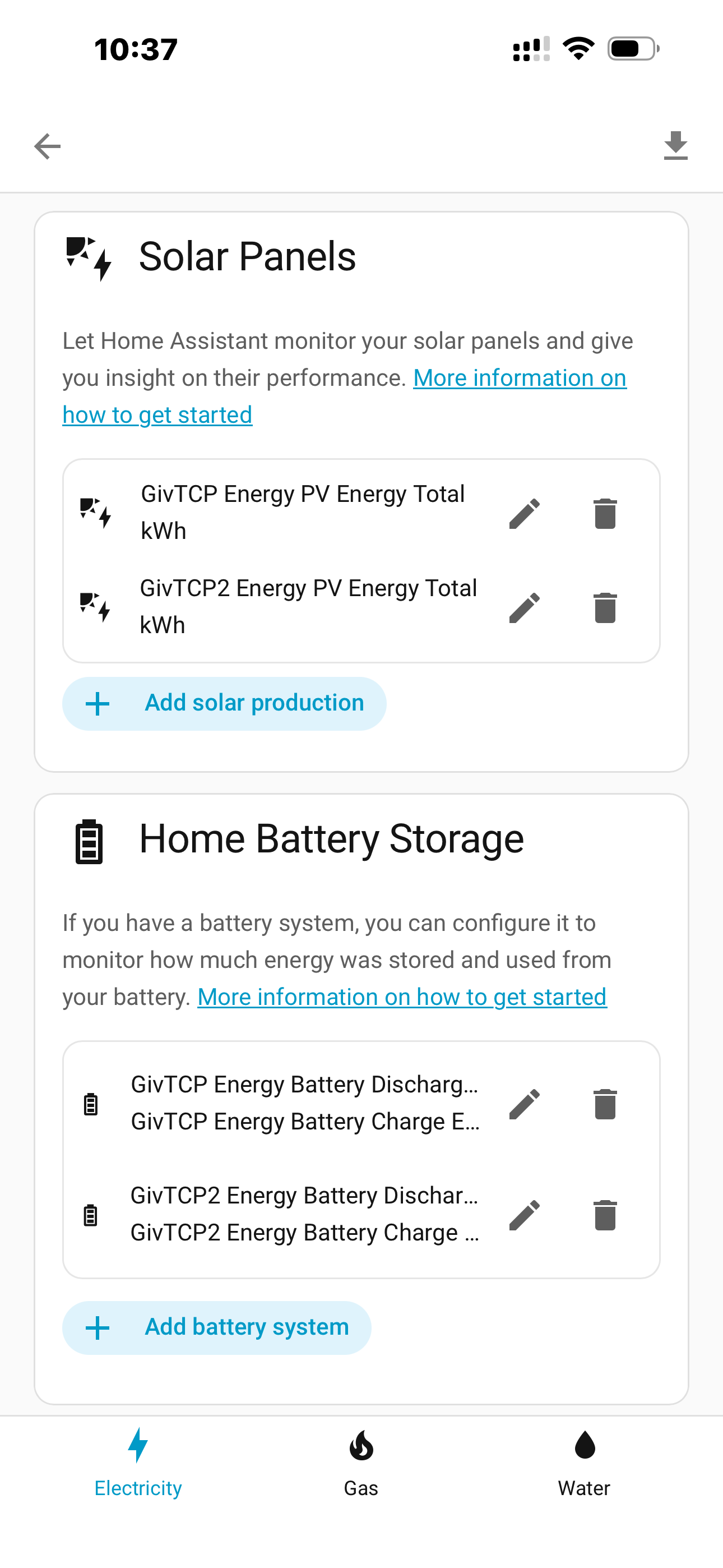
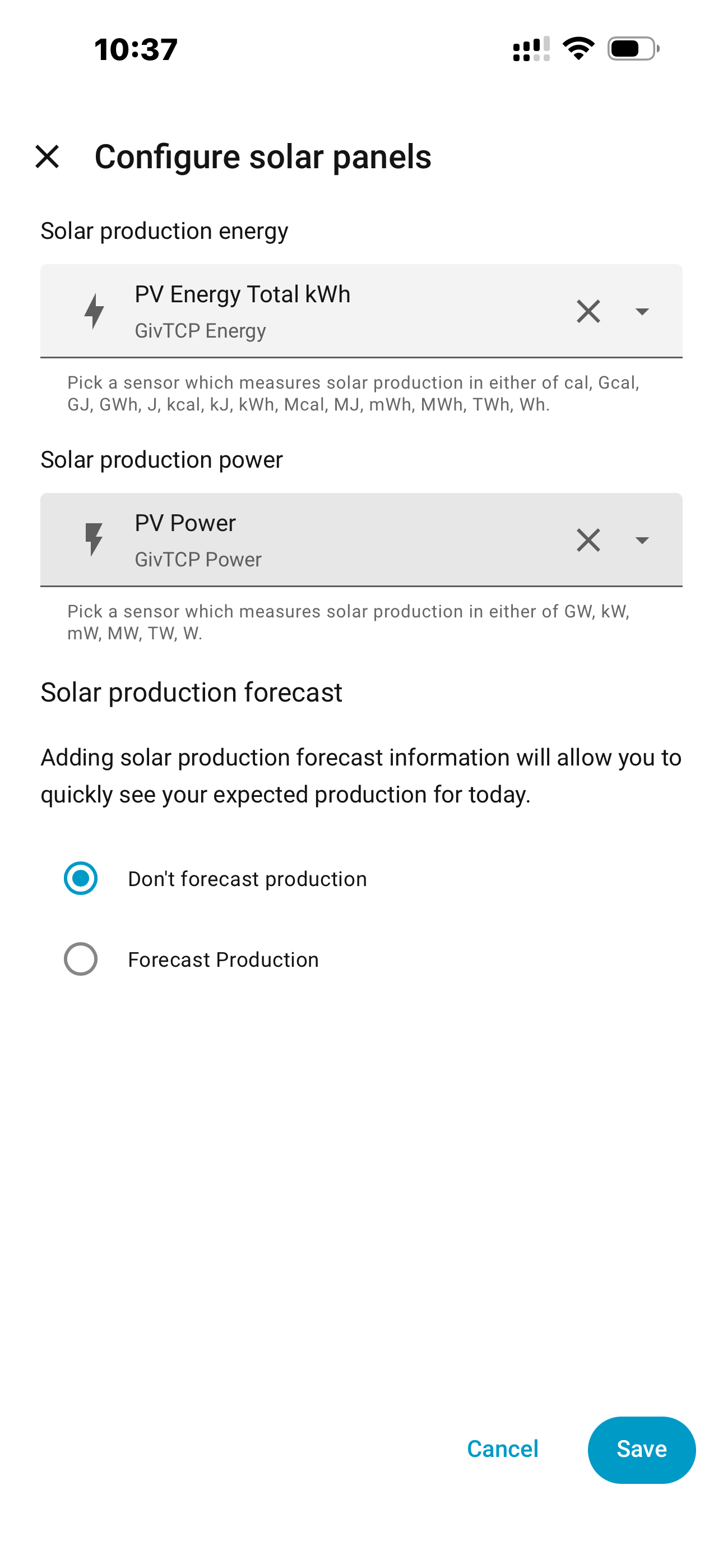
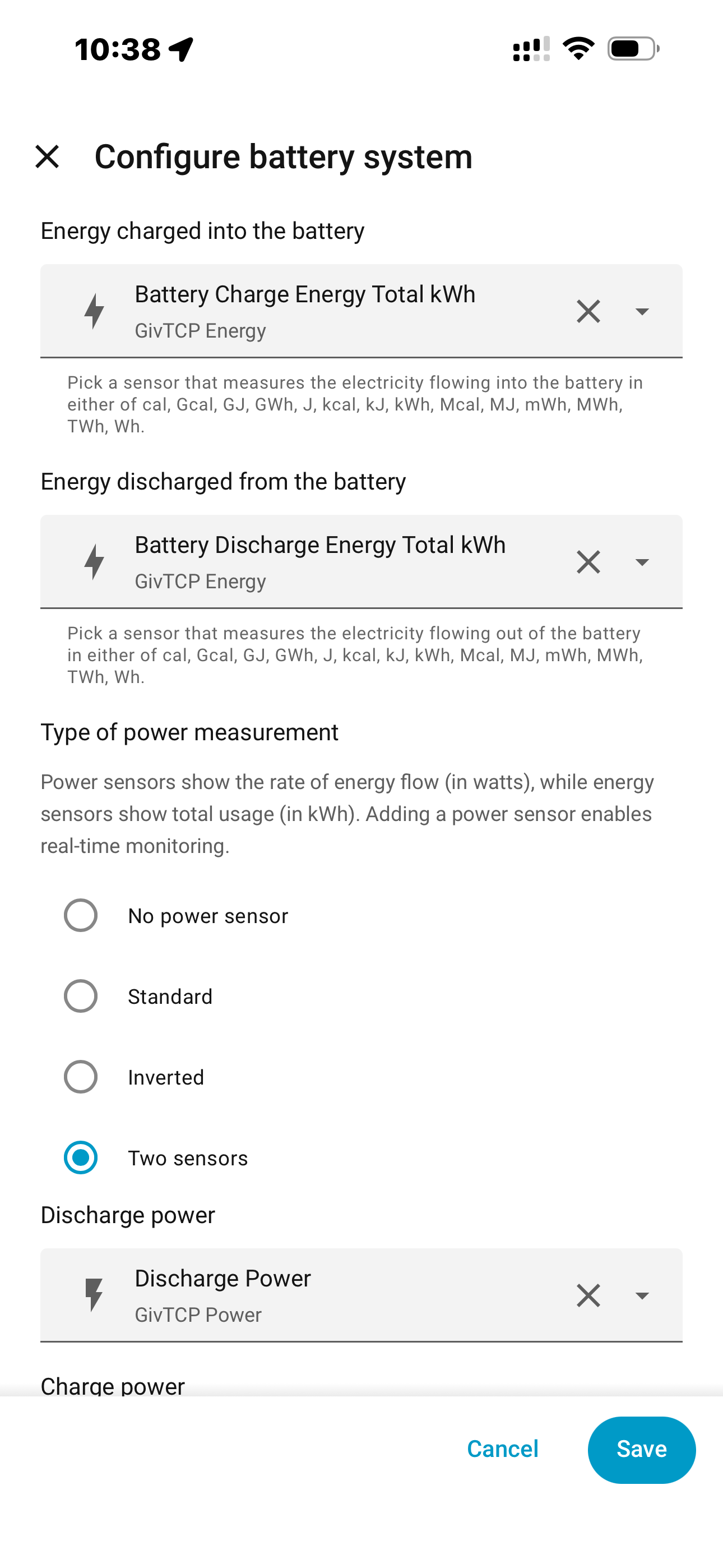
Ok, so with dual inverters I’ve got this now…
(Where you see “GivTCP….” I’ve duplicated the inputs for inverter 2; “GivTCP2….” for the second inverter).

P
#15 Pete UK

P
#16 Pete UK

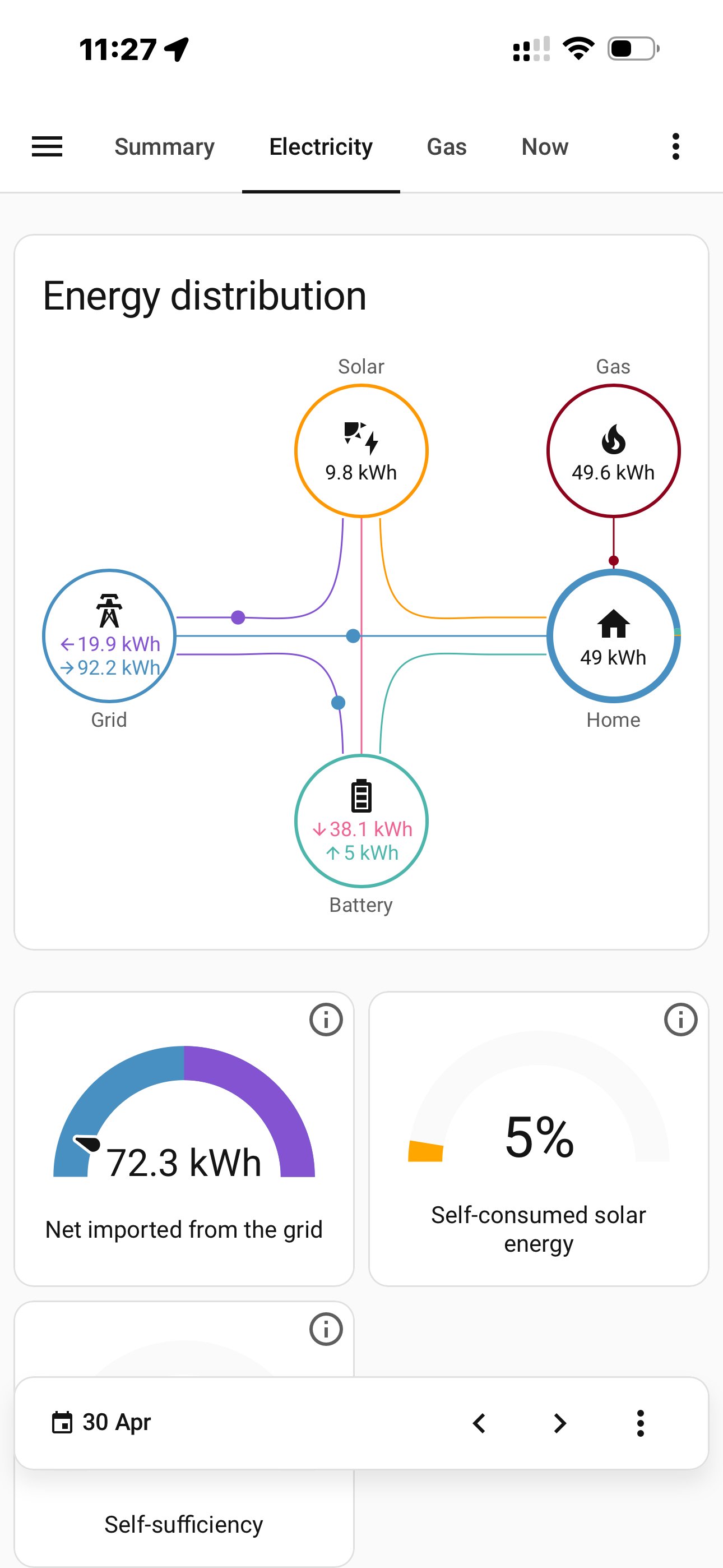
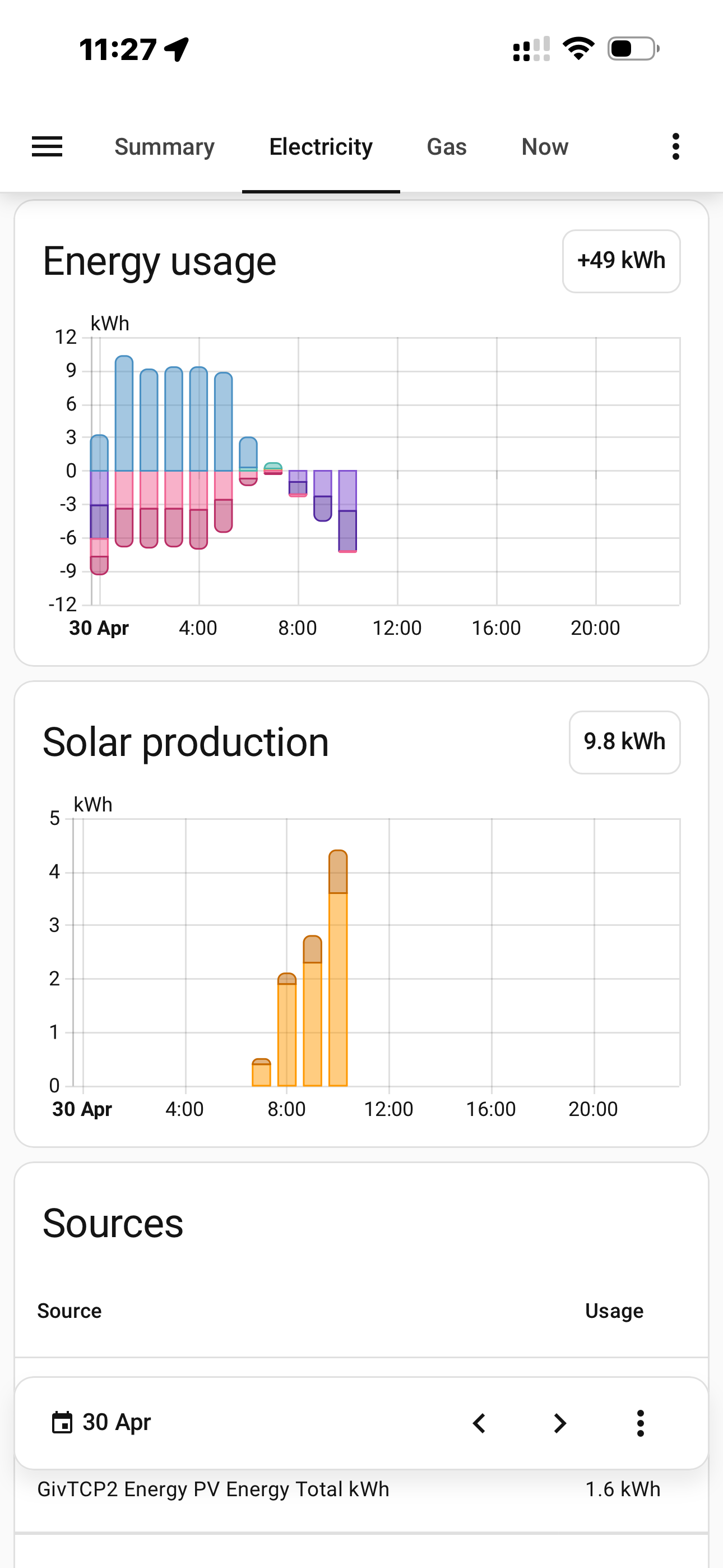
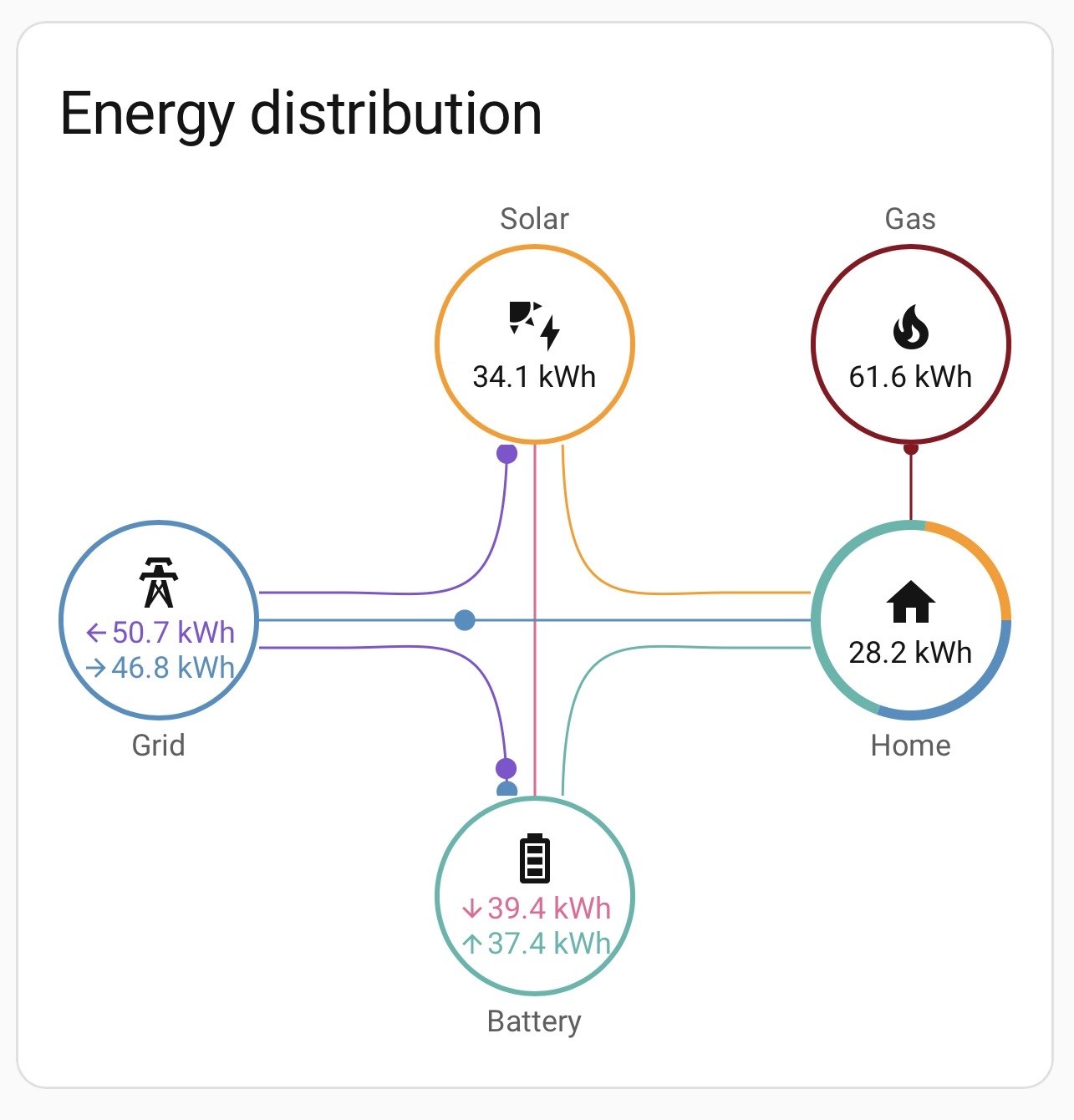
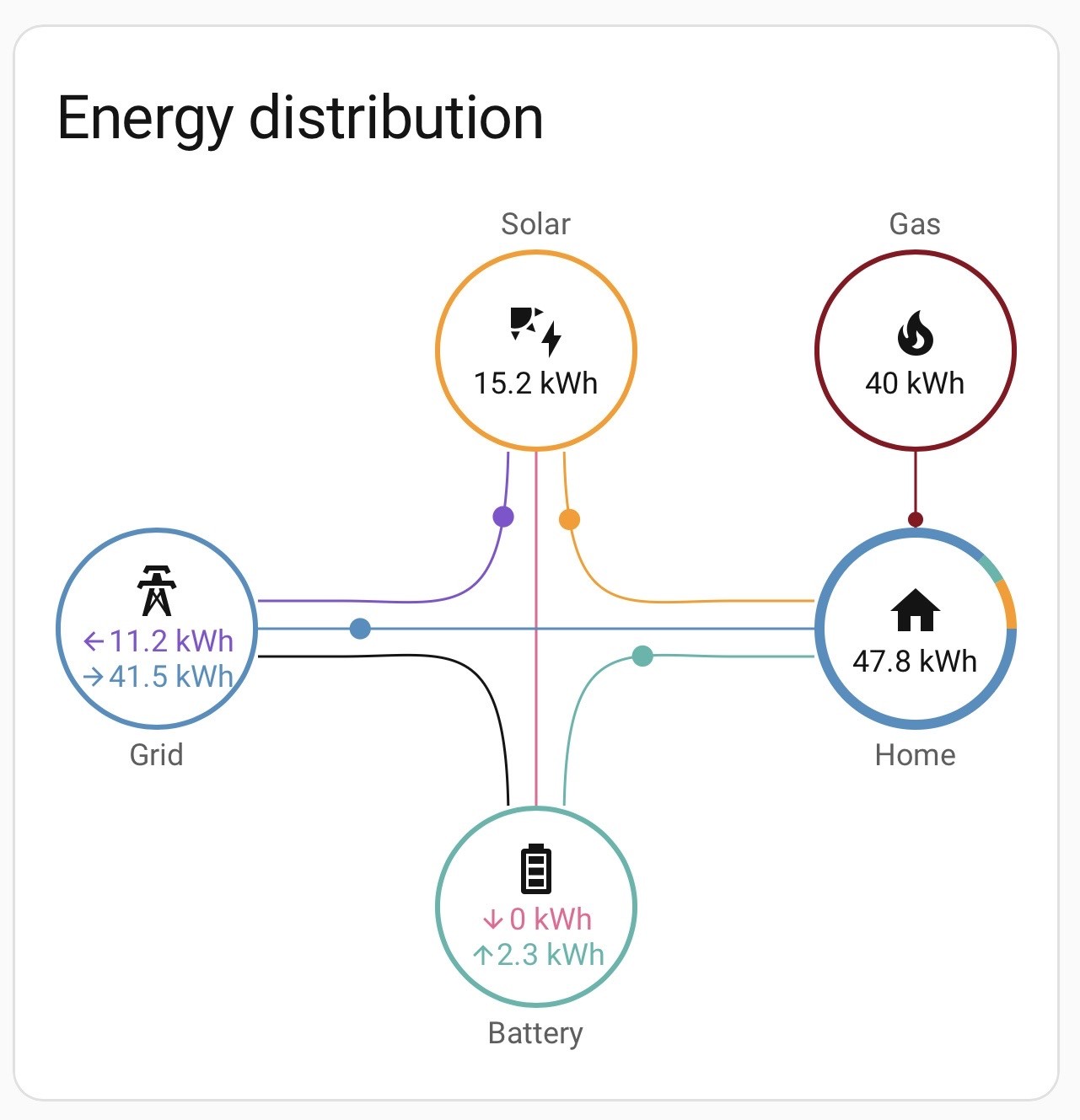
The numbers look a bit funky on the HA Energy card right now but probably tomorrow they’ll tidy themselves up.

For the solar, I don’t have a sensor “Solar Energy Total” I only have “PV Energy Total”. I assume it’s the same, just re-named? 🤷🏼‍♂️

P
#17 Pete UK

And on the HA Energy card….

P
#18 Pete UK

Guybrush-Threepwood

Thanks to you I’ve got the HA ‘energy card’ all set up and running correctly now. 👏
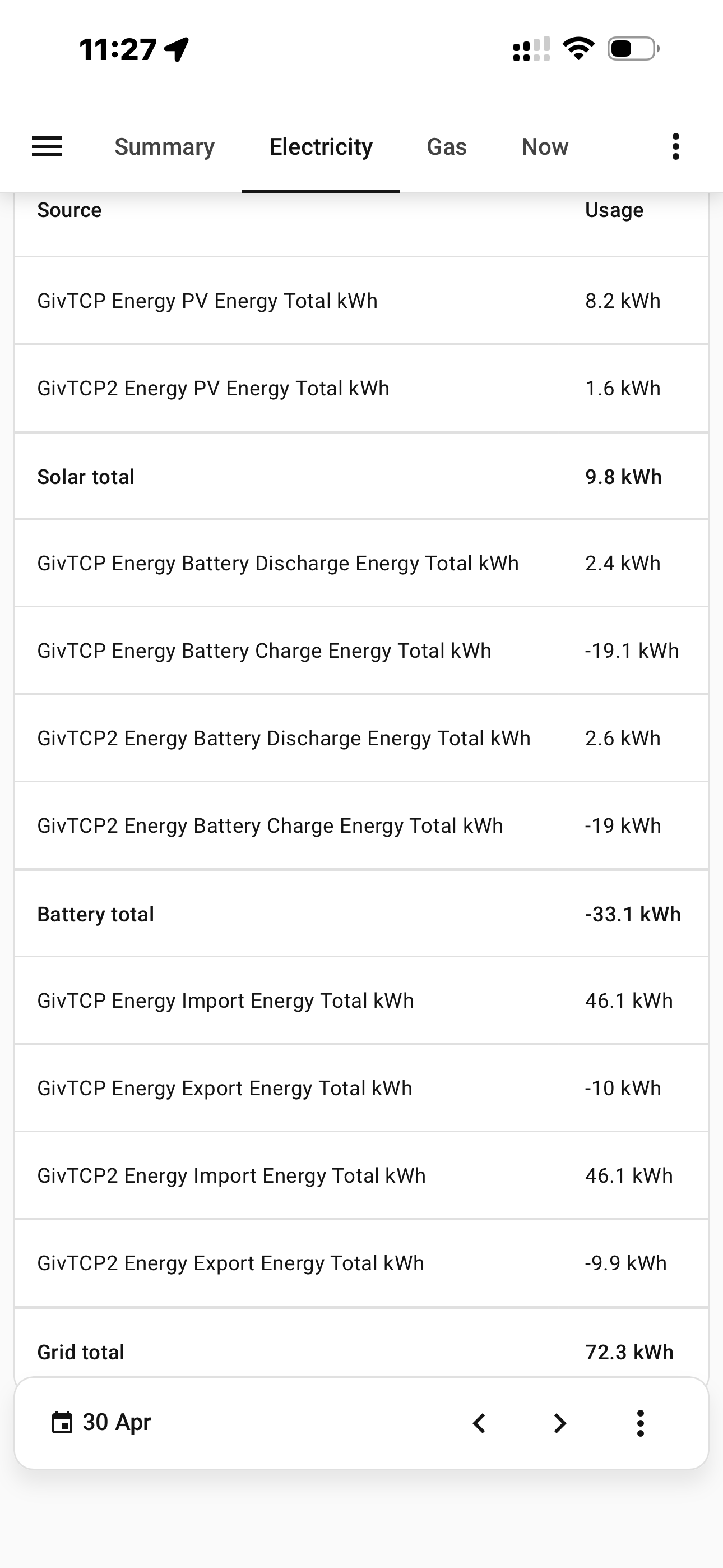
(I’ve subsequently removed one of the two ‘grid connections’ for my dual inverter setup as it was duplicating the grid import total kWh, I’ve just used ‘GivTCP2’ as ‘GivTCP’ wasn’t reporting “ ‘Energy Export Energy Total kWh’ - cost”. (import was ok).
No idea why but GivTCP2 reports both ok, so I’m using that.

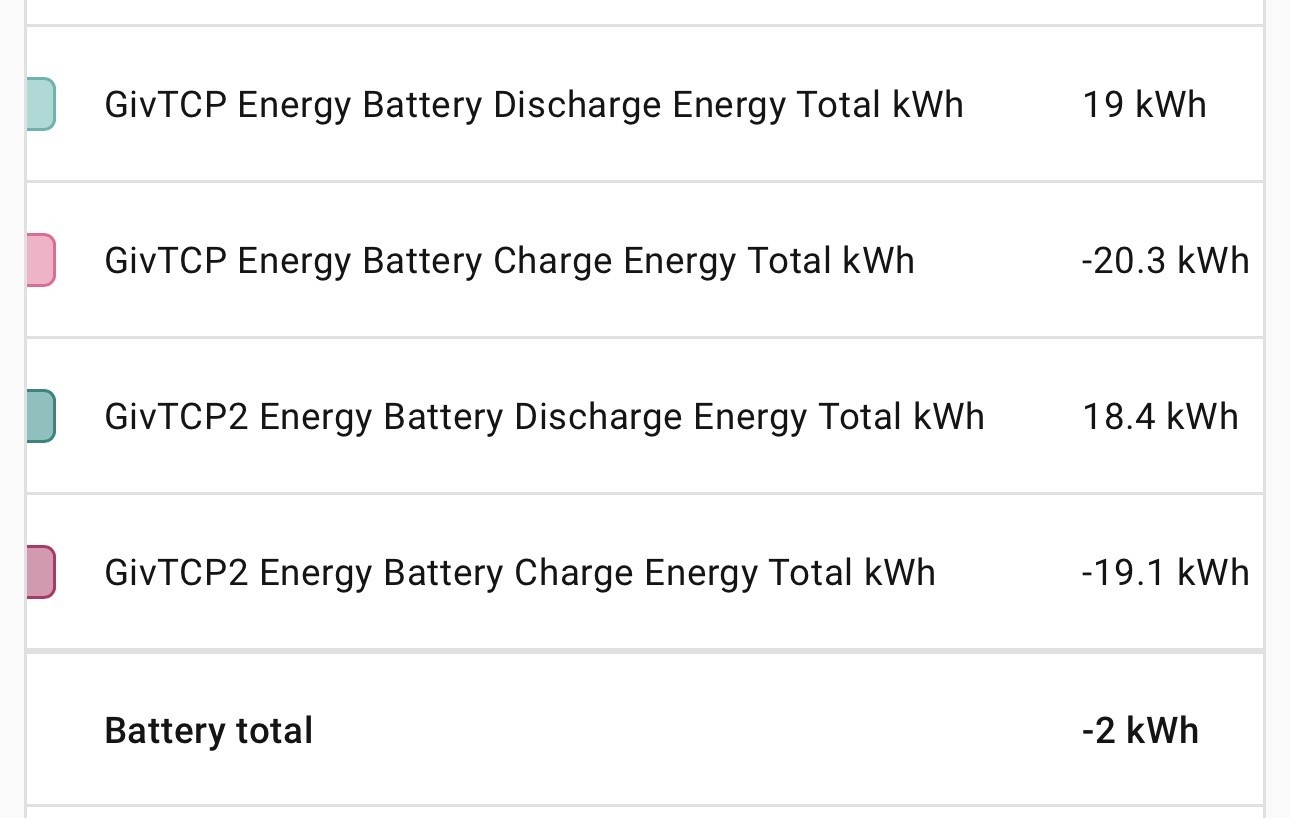
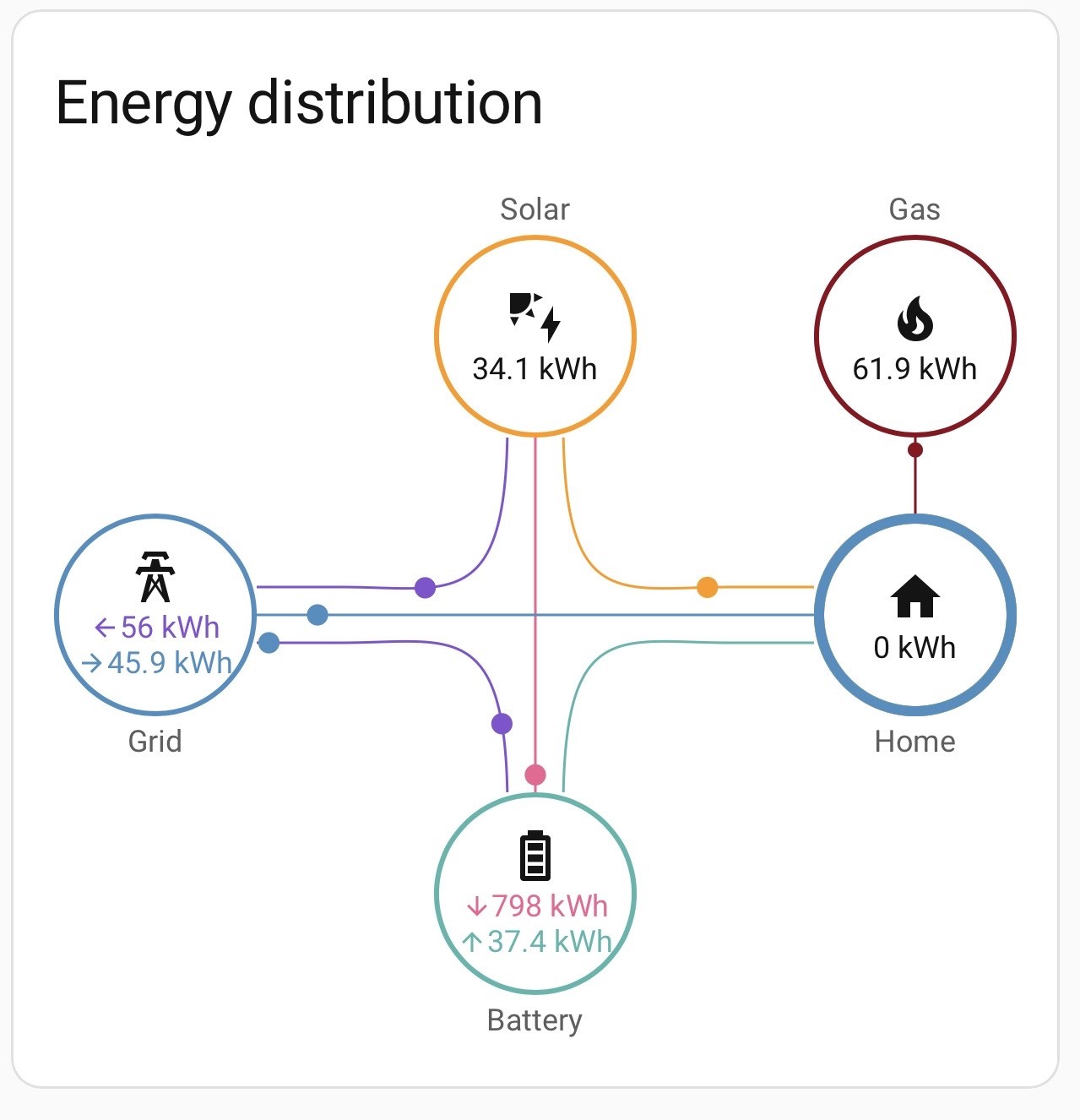
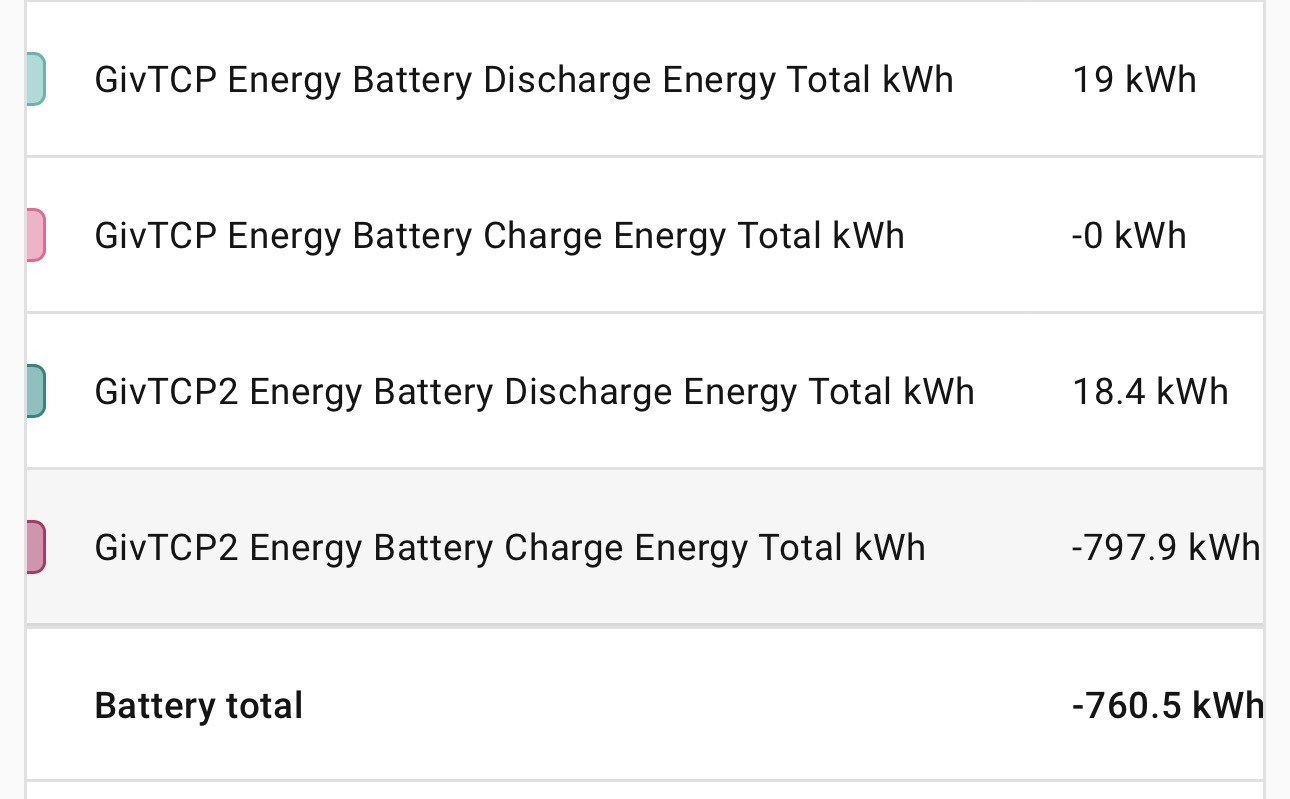
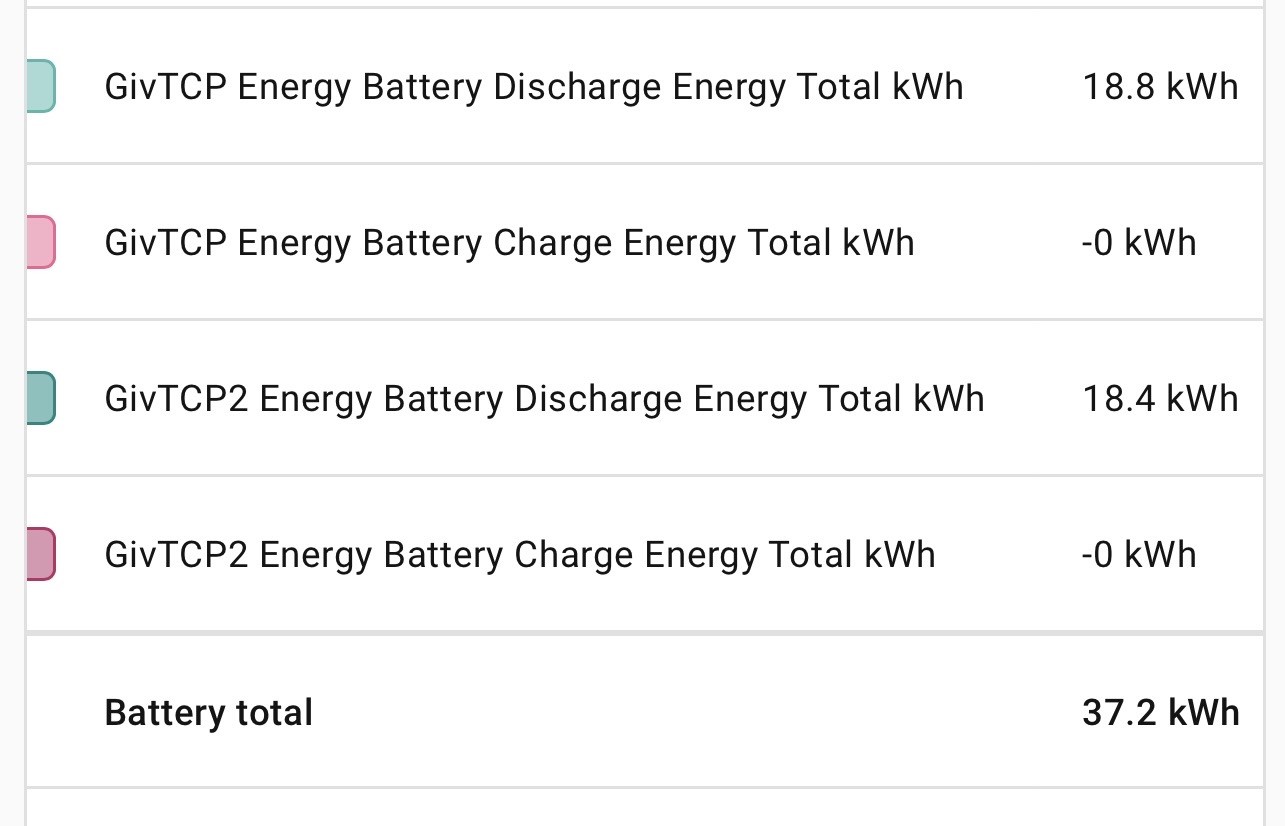
Is there an issue with the “GivTCP Energy Battery Charge Energy Total kwh” sensor?

Initially it was correct (see screenshots below) then started to report what seemed like random huge numbers for battery import. And now for the last 4 days it only shows zero.

Is this a known error, or could it be corrupted data. Any ideas?