Strange issue:

43 comments started 2026-05-18 last 2026-05-22
GivEnergy ProductsBattery
R
#1 Raoul

Batteries (2x5.2Kw) (hybrid inverter), showing 35% charge but not charging and not discharging. Temp normal, a notification said "Low voltage", but diagnostics say voltage is ok. Tried total shutdown and restart, reset to factory setting, and partial battery off/on-- no result. Ideas?

P
#2 pwdst

What are the voltages? Have you checked the battery charge and discharge rates? Is Eco mode on?
If you have used Quick Settings that has been known to make changes and then not revert them. The remote control history on the portal might be helpful as that will list the actual changes and thus make them easier to revert.

R
#3 Raoul

pwdst The "voltage " on the battery is 52.8/7 but on the first screen it's showing at 0.17v (and on the portal data) this has been higher (0.62v) I can't see any discharge rate. I haven't used quick settings

P
#4 pwdst

Raoul On the portal My Inverter -> Settings -> Battery Options.

Charge Power and Discharge Power should be at their maximum values.

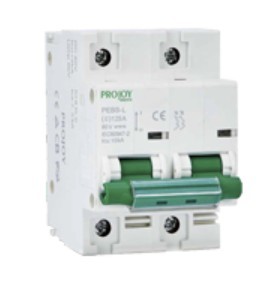
Also make sure that the battery breaker hasn't tripped for some reason. For your batteries that will be separate to the batteries and on the cable run between the inverter and the first battery.

R
#5 Raoul

Charge and discharge are at max. Breaker hasn't tripped

R
#6 Raoul

Thank you by the way for this

P
#7 pwdst

Are there any lights on the batteries?

V
#8 Vestas

Raoul Looks like one of the 5.2kWh batteries is dead as its reporting a battery voltage of 7V.

Presumably it has a red light on the front?

P
#9 pwdst

Are the voltages 52.8 and 52.7 or 52.8 and 7? There is a world of difference between those two.

V
#10 Vestas

pwdst Indeed, also what is this about 0.17V and 0.62V?

P
#11 pwdst

I didn't understand that at all. It would help if the OP could post a screenshot.

G
#12 geoffreycoan

7V on the battery terminals is what I was getting from my battery when the BMS wasn’t talking to the inverter.

But yes, more information needed about lights, messages in the portal, what is actually happening, etc

P
#13 pwdst

Loose comms cable maybe?

R
#14 Raoul

Vestas All the lights are green

R
#15 Raoul

pwdst Yep! and all green

R
#16 Raoul

pwdst yes... The "diagnostic reports 52.6 the ongoing monitoring reports 6 to .7

R
#17 Raoul

pwdst Don't think that's it as I seem to be getting information

R
#19 Raoul

pwdst Screenshot of which bit?

P
#20 pwdst

Raoul on the first screen it's showing at 0.17v

Screenshot of this

P
#21 pwdst

Raoul BMS == Battery Management System. Basically the software built into the battery.

R
#22 Raoul

Vestas In the information at the portal from the battery, it gives a readout of the current from the battery in (supposed) real time. As the current rises the voltage also rises to reflect the increase in amperage My batteries seem to be reluctant to feed the stored power they have into the system. When the batteries are recalibrated they feed some power for a while, (about 40/45 minutes) as they also do when I flip off and then on the circuit breaker, (having waited about a minute). My guess is there is a software issue, but...

R
#23 Raoul

pwdst Ok. thank you, I think this might be the issue, I am going to try, (with the installers help over the phone, to reinstall an older firmware version. One other thing the batteries are not charging, even when discharging a little

P
#24 pwdst

Raoul ongoing monitoring reports 6 to .7

This doesn't make much sense to me, Gen 1 and 3 batteries I have seen have cell voltages in the order of 3.3V when full so I don't understand the context for the six, seven or point seven volts you are talking about. Maybe also screenshots of this?

R
#25 Raoul

On the screenshots ; the system keeps coming back with an "oops something went wrong " message and won't upload

P
#26 pwdst

Basically if you have a cell voltage of 0.17V or 0.7V on one of the cells and a pack voltage of 6V or 7V then one of your cells is probably dead and preventing the pack from charging.
It is very hard to follow all the different numbers you are reporting without context though.
If one of your batteries has a dead cell then you may be able to get your installer to disconnect it so you can at least use the other one properly.

R
#27 Raoul

pwdst In the portal, under "Battery Data" when the battery is feeding power to the system it shows "Battery Voltage" at 6.0 to 7.0 When (as currently) the battery is idle this drops, currently it shows 0.21 Battery Voltage. I am assuming this is an extrapolation from the amperage coming from the battery.

Ion the "Diagnostic" under "help and support" (lol) they have a system diagnostic (health check) this shows "battery voltage" 52.8

R
#28 Raoul

pwdst That could also be an answer

P
#29 pwdst

The data sheet for your battery says-

Nominal Voltage 51.2 V
Operating Voltage Range 45 – 58 V

6 or 7 Volts is critically outside of that range. It may be that your installer can DC direct charge it back to health assuming all of the cells are healthy.
I cut our system off from the Portal and app when GivEnergy went into administration so I cannot compare with ours, but assuming those voltages relate to one of the packs and not the cells within it nothing is bringing that battery back without professional intervention.
If it is just one battery then turning that one off would potentially allow the other to continue on its own.

Are any lights flashing on the battery? The first battery level indicator LED should be flashing if it is below 45V.

#30 hoggy

Battery voltage is done in 2 places - 1 at the inverter (battery terminals) and the other by the battery (BMS) itself.
The inverter one will only read a voltage if the battery is outputting anything
The battery one should read a voltage (between 45V and 58V) at all times.

You will see this difference in the app if you switch the battery MCB to OFF (i.e you'll see something trivial like 5V on the inverter one and 51V or similar on the individual battery view on the app)

Also as well as the battery MCB being able to sever the link between the battery cells and the inverter, the battery has it's own controllable "switches" inside that it can open and close depending on what is going on.
As above <10V is the voltage the inverter "sees" on it's own terminals when a battery is connected physcially but something is switched off - i.e the MCB OR the BMS has opened it's MOSFETS (essentially Switches) to stop any flow to or from the battery to inverter.

None of the above means the battery is actually at say 7V, that's just what the inverter can see on it's battery terminals.

I'd hazard a guess the battery comms cable is loose somewhere.

R
#31 Raoul

hoggy Ok. Thank you for that. I hope I'll be trying to reinstall the firmware tomorrow, so I shall check that first. I'm not sure how that would happen though as the batteries are isolated in the attic so don't really come in contact with anything, but...

R
#32 Raoul

pwdst There are no flashing lights, but I haven't opened up the casing, if there are more inside...

R
#33 Raoul

Issue solved. Trip switch it seems kept tripping, (or it did twice) (we sometimes have issues around power cuts, and we've had three lately). So, this morning it did not trip (after ten minutes anyway) having been reset. Thank yo all for your help and extensive knowledge

S
#34 SteveCook

Raoul
What keeps tripping?
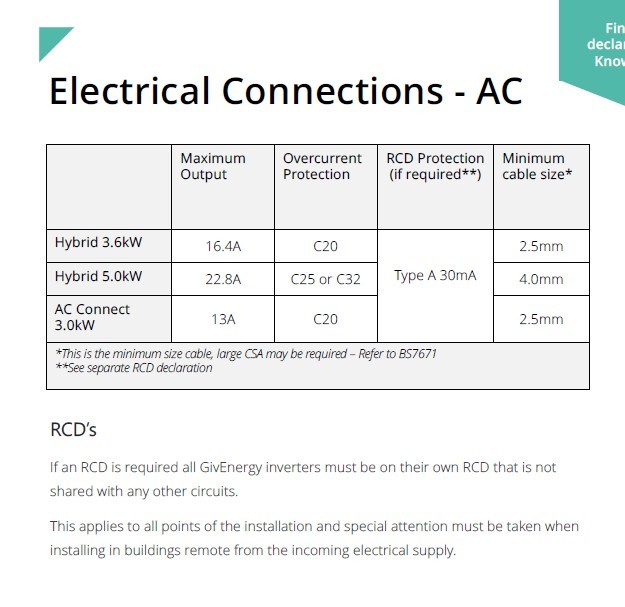
Is it an MCB (overload) or and RCD (earth fault)
MCB could be some loose connections that need tightening. Any smell of buerning?
RCD could be water ingress somewhere
Breaker repeatedly tripping should be investigated, as there could be an underlying issue

A
#35 AndyZ900rs

SteveCook
Steve I have Gen3 5kW Hybrid - when I am exporting from batteries and it is very sunny so high export to grid my battery isolator sometimes trips. nearly always somewhere 1845-1900 I did lower the inverter power a little and battery export power to around 3300W and it did not ...but yesterday and day before it tripped at those times. I wonder if the isolator (MCB) needs replacing?

S
#36 SteveCook

AndyZ900rs
What tripped?
The DC breaker on the side if the battery or the MCB(?) in the consumer unit.
If the MCB, what rating is it in Amps
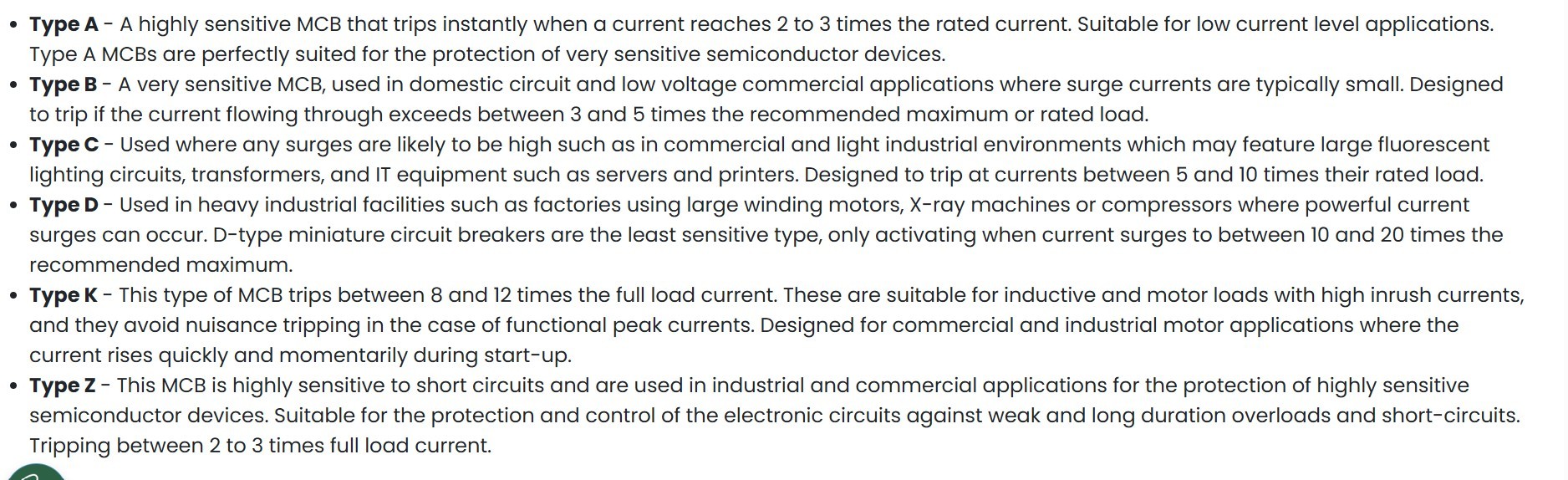
What "type" is it
Are the screws tight on the electrical connections? Any smell of burning or does anything feel hot.

I would not go checking screws etc unless you know what you are doing

A
#37 AndyZ900rs

SteveCook

This goes to my Gen 1 Battery

A
#38 AndyZ900rs

SteveCook all screws tight - no smell of burning

A
#39 AndyZ900rs

SteveCook i have a Gen 3 battery that connects directly to Inverter as Master (nothing trips)..then the Gen 1 battery (with its isolator that trips) then another Gen 1 battery (with its own isolator that never trips)

S
#40 SteveCook

AndyZ900rs
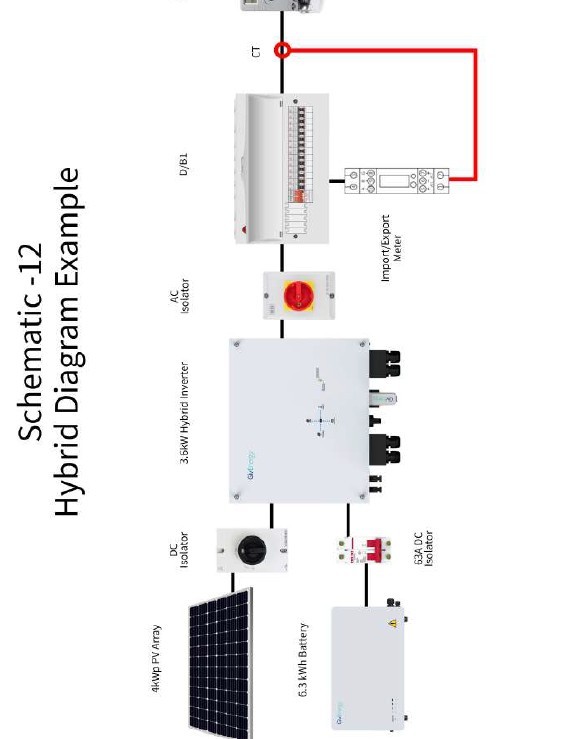
Sorry difficult to figure out what is connected and wired where and what is tripping. Can you sketch the wiring layout as a schematic please. Only needs to be single line like the snip below

What batteries are they.
On 9.5 the breakers are integral high on LHS under clear plastic cover?
The breaker that trips on the battery. Is that the DC breaker under the plastic cover on the side?
I believe there were some posts on this forum that screws inside the battery were coming loose and that was leading to breaker trips

S
#43 SteveCook

AndyZ900rs This goes to my Gen 1 Battery

Sorry. i have tried to read the text but cannot see the rating or the "type"