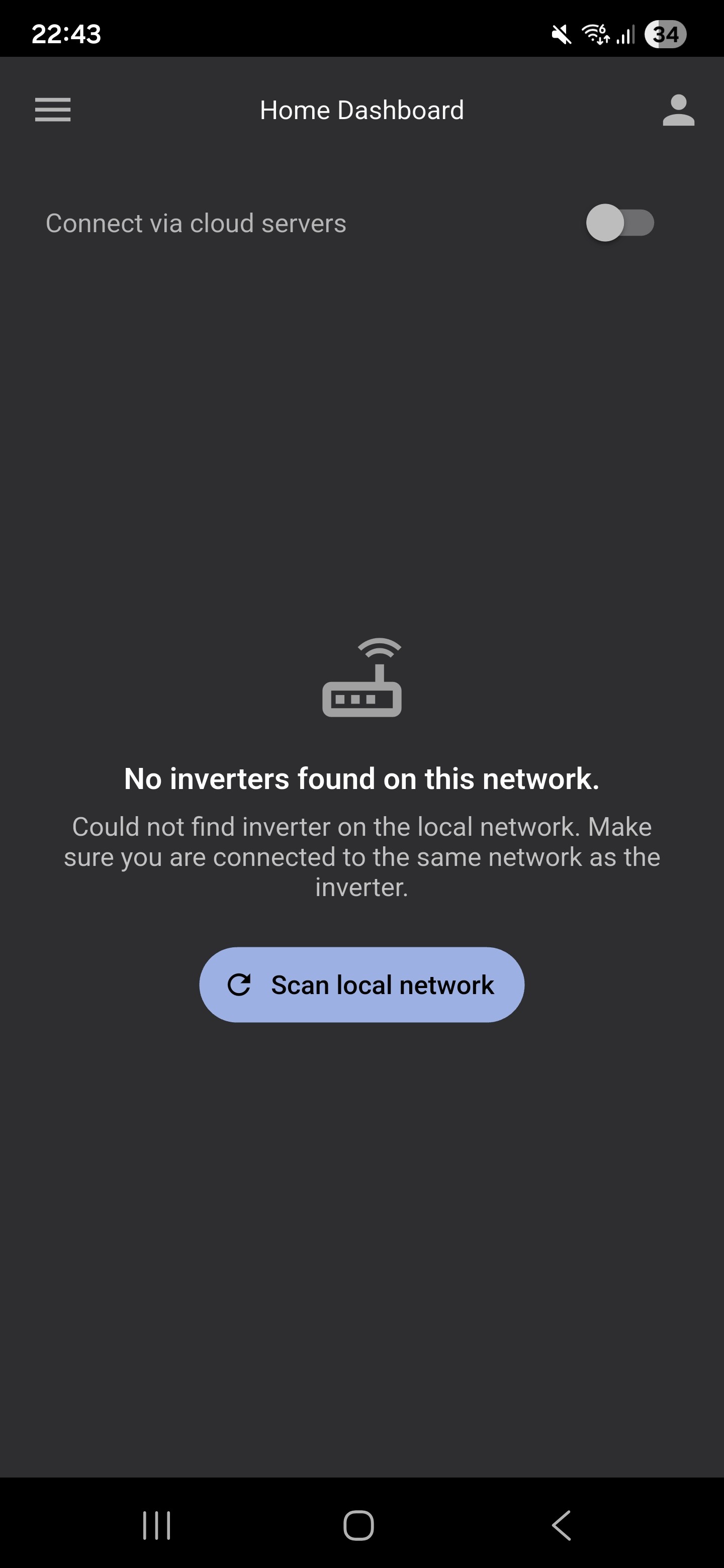
GivEnergy app on android has not only lost the power flow but also the ability to access inverter settings, however I can still access inverter settings via the web portal. I thought accessing inverter settings was a basic function ? Others experiencing the same ?
Overnight, the GivEnergy app is now useless ?
Just updated the android app and now it can't find my inverter.
I have exactly the same problem. Updated app and now it cant find the inverter.
Help please.
New improved local access, Ha. just get "No inverters found on this network" and now no option to manually add in the IP addresses of the inverter. Even when I connect to the same VLAN as the inverter (without internet access) it fill half the screen trying to make me use the cloud to schedule the battery.
Can we at least get back the option to add the ip address of the inverter until someone figures out how to rewrite the functionality of finding a local inverter?
Our inverter is on a different network in our shed, than our house - so does that mean we have to pay for the premium service just to access the inverter - we are in New Zealand so cannot use any other features eg smart tariff as our company only gives free power on weeknights - and manually setting the custom tariff doesn’t allow you to select days - just hours ( I have to go in every Saturday to turn the turned charge time slot off and the. Back in to turn on again on a Monday.) it seems unfair to have to pay just to get to the inverter…
press on the 3 lines top left go to Connection, Local connection,scan for your inverter it should show your inverter and you can add the IP Address
Mine (AIO) added its fixed IP address without a problem.
Yes; I am annoyed.
Why would they remove the option to manually specify the IP address?
My battery charger wifi dongle is on my IoT vlan so now I can't get to it.
Do we know if anyone from the new GivEnergy software business reads this forum or do I need to locate an email address to ask them directly?
They don’t read this forum. It’s also hit and miss on whether you’ll get a reply from them…
I think you would need a device on the IOT VLAN and client isolation switched off to use local control, or move the inverter to your main network.
Otherwise you are forced to use cloud services.
My homeassistant (on a different vlan) is perfectly happy and continuing to connect to the wifi dongle.
I am getting local monitoring/control fine from there, so i guess the mobile app is going in the bin.
What a waste.
VlAN by definition should be a completely separate network so I guess you have some bridging somewhere, unless it is using the Cloud API which will stop working in a week without Premium.
Existing automations such as the API will continue for a one-week grace period to allow you a chance to sign up.
In cloud operation both your client and the inverter talk to a cloud hosted server which needs to be paid for. In local operation your inverter is the server which accepts Modbus commands directly and as such needs direct network connections to exist with the client.
HomeAssistant via the GivEnergy integration (https://github.com/cdpuk/givenergy-local) connects directly to the wifi dongle by IP address so I simply allow the port (TCP 8899) through my firewall.
This same process used to work in the mobile app, but now they have removed the ability to specify the IP address it is now relying on local network discovery/broadcast.
I could set up mDNS/broadcast forwarding, but the point it I should not have to. The functionality was there; they have simply removed it.
And no, not using the Cloud API.
The Monitor for GivEnergy Inverter app may work for you if you have an Android phone. It allows you to specify IP address and if you use Home Assistant to do all of the control then it would be free to use. The developer is active on here and very responsive. https://www.givenergymonitor.co.uk/
I'm afraid it does not for me.... Connection option just shows one entry: Update WiFi Details / Update WiFi Name and Password. Nothing else.. no Local connection scan, and whilst it does a scan for a local connection when on the home screen, it fails to find an inverter to connect to. My home network still shows the Inverter is connected. Internet web connection shows the inverter is "there" but no useful information anymore. Seems like a local connection dosn't work anymore.
This happened when I last updated the app. and then after a reset of the dongle which did nothing to help I gave up and waityed and eventually it worked. I seem to recall it required another App to be downloaded.
So do we just wait and hope someone fixes the connection problem again?
Thought they was going to update us on when it would be happening, so much for that.
mikes01666 did you have connection->local connection available to you? I'm asking as under connection I just have "update WiFi Details"? I'm on a wired connection to the GW and AIO are you wired or wireless?
Sanj. Are you the Sanjeev I know?
Steve
sanj Wired.
AIO 1 and Gateway.
Completely painless transition to new app. as long as instructions followed (clear cache).
All charge/ discharge/ export timings appear to have been migrated successfully. Crunch time is 8 pm this evening when the battery is exported to the grid.
Fingers crossed!
Exported at 8pm for 3 hours as in the old app. IOG overnights settings is the next test.
I like the Buy/Sell/Use option however would like a little more granularity, I.e. the ability to switch on/off with a precision of 5 minutes rather than 30. I know Rubik and HA can do this but the old app allowed to the nearest minute.
mikes01666 the old app allowed to the nearest minute.
The Direct Control section still gives you direct access to the timers.
I'm getting the same problem - my inverter actually has a wired connection to my broadband router, I know it's connected (I can see its IP address on my Amazon Eero app) but the Android GivEnergy app just says it can't finr anything 
DD Thank you. Plenty to rummage through there. Eco mode was switched off so I enabled it and it accepted. Confirmation that all my old timer settings (charge/discharge/export) appear to have come across from old app.
SteveCook I don't believe so, I'm Sanjiv from Newport, South Wales. :-)
mikes01666 Thanks Mike. I've uninstalled the original app, installed the new app and in connection area all I also have is the update WiFi details entry. The home dashboard resident "Finding inverters" scan gets nothing back at all. I've checked known issues within the App and it does have the fact that conection settings has missing options and that the team are working on it. Hopefully they will resolve it soon.
One last question, I'm on a pixel 9 phone, what are you using?

LukeA With any local access solutions you don’t need to open up any ports on your router’s firewall (unless you have some complex lan to lan set up). If you have exposed posts on your firewall then it is very likely you have exposed those ports to the internet and this is dangerous.
sanj Various Android devices which all work without a problem (sort of)
We can all argue about how the screen area is used (at least 1/3 of it could be removed) but the core of the old app is still there in the form of the circular power flow (which should be made larger)
One anomaly is that you get some very curious landscape renderings of the Android app with a 'Mercedes Benz' logo displayed alongside the power circles.
I'm hoping that since the App is now paid for there will be updates in the light of this user feedback.
Rubik and HA do all the App can do and more.
All my charge/discharge/export settings successfully transferred from old App and enacted successfully overnight. A good sign.
I appreciate the concern, but I am talking internal connectivity only. Only a complete lunatic would publish their GivEnery dongle (or indeed anything like that) externally; especially with how crappy the built-in security is on the Wifi dongle.
To my family's occasional irritation, my home network is indeed complex; 8+ vlans, block-by-default on all vlans, no uPNP. When I mentioned opening ports, I meant allowing TCP 8899 between my wifi vlan and my IoT vlan (and even then, only for specific devices).
I work in IT and wear (as much as is feasible these days) a tin-foil hat; my home network is a pet-project.
This used to be fine with the previous version of the app as we could specify the IP address of the GivEnergy dongle and the traffic would happily flow between the vlans.
That functionality has been removed, leaving only broadcast discovery available; a step-back in my opinion.
I have no problem with improvements elsewhere in the app, but why remove a basic connectivity option?

Its just a con to get punters to pay£5 pm for something you already had, Bad mouth them on the internet and maybe when it affects there sales they will see the light
You could complain to premium@givenergy.co.uk
AlanHynd when it affects there sales they will see the light
No, they'll go bust - which is odds-on anyway as they owe GE Ltd several million quid which they don't have. The administrator has demanded they pay their debt, so they've probably got a couple of months before they're legally insolvent, at which point it becomes a criminal offence to continue running the company.
They're toast.
LukeA I am fairly confident that the reason they won't allow us to specify an IP is so that we can't VPN into our home servers when out and about and access it that way. They want you to pay for that...
It's not just the app, it's everything... the local access is gone entirely. I'm looking through the settings via the app and the web portal and everything is gone... Unless you pay them you can't see live data at all, let alone access your own data for the past.
It's a massive fuck you to every single consumer who installed their shitty equipment. It's just one lie after another... I'm using rubiks inverter app and have been since Feb... where I can see ALL of MY data... fuck givenergy and their greed and lies.
The android app takes over 30 seconds to load and that's with the inverters IP address saved.