
I have just updated to the latest Android app and it can't find my inverter.
The previous app sometimes failed to find it but at least with that one you could add the inverter by IP address (set as static in DHCP). Now this option is not available so the app in fundamentally useless.
At least I recently bought a Home Assistant Green so I can still see what is going on but issuing a busted app is really not helpful.
I have tried my phone on both the 2.4 and 5 GHz wireless and neither find it.
The old app, still installed on my tablet now does not work at all as it demands I use premium and has no local login option any more.
Anybody got any ideas how to get access to my system via the official app?
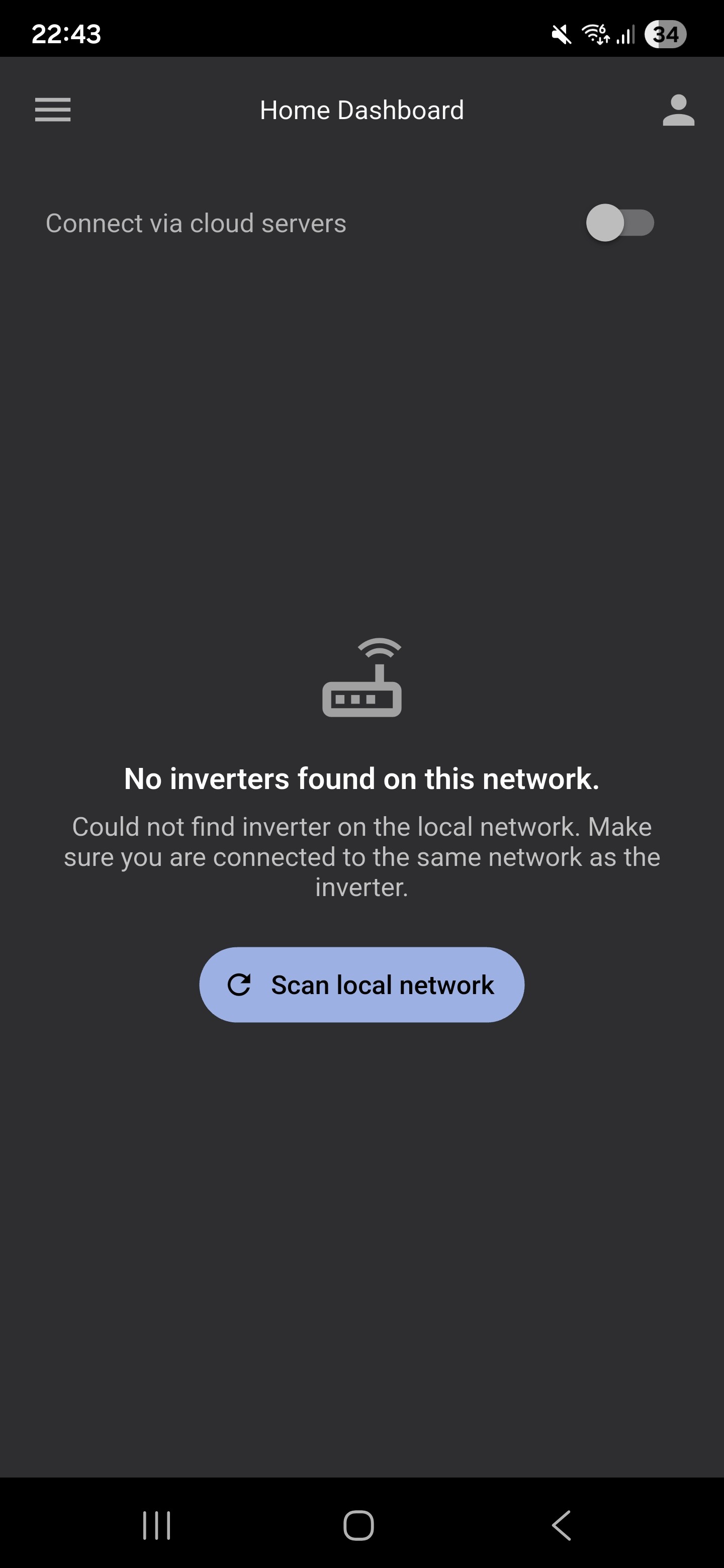
Inverter not found
I think the app is assuming your home broadband network is a /24 network. So if you have something wider or more custom it won't be able to find it.
nope just a pretty standard network out of the box from our ISP
Bit of a **** show really. You can still have free access but you can't, oops, sorry not sorry...
Same position for me. I have a wired Ethernet cable connected directly to the inverter in the garage which
has been rock solid and never had a problem with the network finding the inverter. After clearing the cache and updating the APP, network can't find the inverter.
Same here, only just received the email, deleted the old app, rebooted, installed the new app. Made sure my phone is on the exact same network as my battery and..... "Cannot find inverter", with no option to manually an IP address or serial number. This is going from bad to worse !
Same for me. Now the app is fully broken even with local control. Did no one test this before just pushing it out???
Got the inverter on a different subnet. Not accessible anymore! And I have an installer coming in next week to add solar panels. Great going!
Exactly the same here. Cabled to the garage all working fine via local IP address now no visibility of the AIO or the GW!
I seems that about an hour after I responded to the prompt to update the app on my phone, I was sent an email from Givenergy suggesting I should uninstall the app and then install the new one - brilliant timing!
I have now uninstalled the app and reinstalled it.
Still no inverter
I also rebooted my phone, as suggested in the email from Givenergy
Still no inverter
Boots deleted the app on ios and android now working fine. Didn’t get any instructions whatsoever
I have a similar issue. I have the IP defined on the Local Connection (I have a plan just of IoT devices) but when I go back to the dashboard and change to local it starts scanning. I deleted the app on iPhone and installed again and same behaviour. Cloud connection works fine (signed up for the premium).
Taxinha I think only the “direct control” option in the app works.
Now to fully disable the inverter from sending data to the cloud (and free up the associated resources as the latest hardware generation is clearly overloaded with cloud and direct access). Does anyone know if this is possible at all? Of course I can block it on the firewall, but that does nothing dor resource usage.
Taxinha Same except I haven’t paid for premium. It seems to ignore the IP address you set in the settings.
Me too to all of the above
Why oh why oh why does it have to scan for inverters every time one goes back to the main page??????
I've set the IP address in the settings, so it has absolutely no reason to do this!
How they can release this as production software is beyond me ..... it's awful!
The new app will not locate my inverter on my home Wi-Fi despite it being connected for three years without needing me to do anything. This should be very simple but somehow is not working. I cannot update my settings with timed charges or discharges and cannot see how full my battery is without this simple function. I am really pissed off about this nonsense. Really unimpressed with how this has played out and wish I had equipment installed by a different manufacturer instead.
The Givenergy app on my main phone now will not connect at all after the update. I have a phone in the kitchen that I use as a monitor, luckily it has not updated the app and works fine. So I have turned off auto updates on the phone.
On my main phone I have the app 'Monitor for Givenergy Inverter' by Andrew Miller. Brilliant app that works very well. Givenergy have totally lost their way and I suspect at this rate, we will have no software from them to use either soon.
Same issue. Ignores manually set IP as well
SMPW same for me - wired connection, now the app just says 
Same for me. Updated to latest app. (The previous version had already stopped working). And now can’t find inverter.
Btw it works ok on my pc. But the user interface is pretty bad. But it finds the inverter ok!
Same: any response from Givenegy would be nice
Ridic There's nobody from "GivEnergy" to answer. All made redundant. GE Software have never posted here so no point in posting. Go email them.
Same issue for me since yesterday, only finds the inverter when I select cloud (I'm with Axle)
Update: just checked this morning and it's now found my inverter when I'm offline
I just signed up with Axel and now the app works but had to use cloud servers so I could manually add the inverter ip address. Local control now works but spends ages searching for inverter, despite having an IP address. So far no response from giv to my email reporting the issue.
Same for me.
If you have a VPN/Ad Blocker try disabling. I switched off my VPN temporarily and all local options became available again, thus allowing me to set the local connection ip address again. Unfortunately the new app still does the search for inverters every time you go the home screen regardless of the IP address being put in place.
sanj worked for me 👍
That worked for me too, switched off 'Block Pop-ups' in the Safari settings in IOS and up popped the Inverter dashboard in the GE app
Hi all 🙂
Has anyone found a fix for this or had a reply from GivEnergy Software about it?
Cheers 🙂
The latest version of the app seems to work now.