Helpers or what in HA

15 comments started 2026-05-27 last 2026-06-01
Home AutomationHome Assistant
R
#1 rio911

Hi, I would like some help from HA experts in creating and keeping track of some stats. I understand helpers are something that I can use, but I have failed miserably so far.

What I would like to do is create, the equivalent of: monthly generation, total gen (with possible offset for data that was lost due to recent events). Maybe some other stats, such as battery throughput and self-consumption.

Any help would be appreciated!

W
#2 wrighar

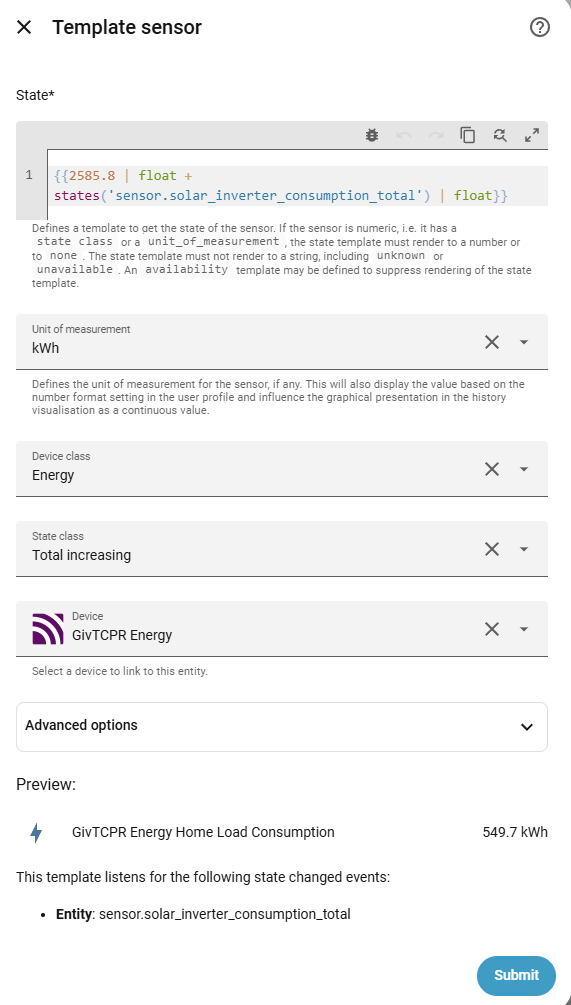
Sort of like this using a helper template where I had to offset due to a replacement inverter?

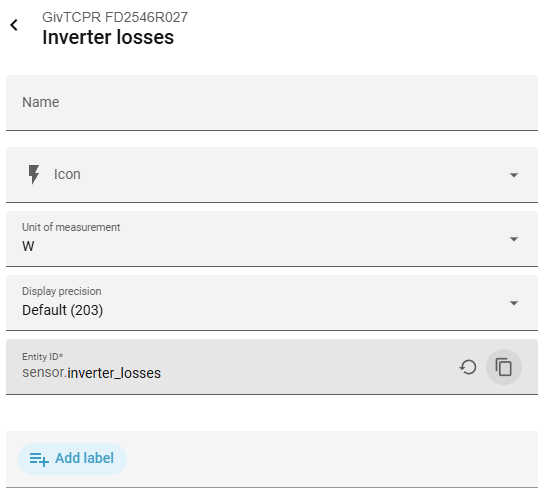
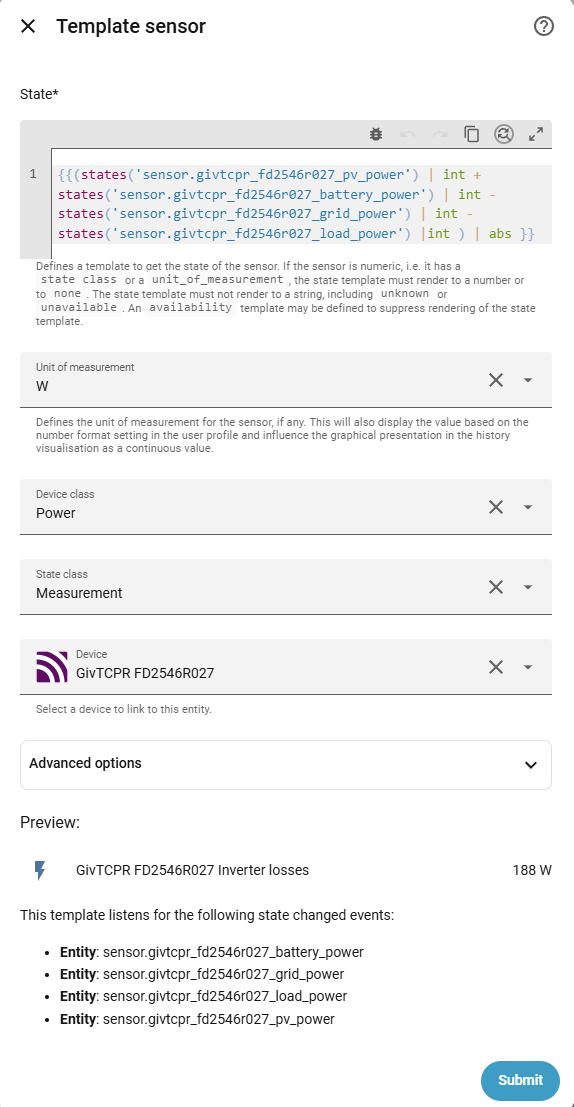
or my inverter losses:

W
#3 wrighar

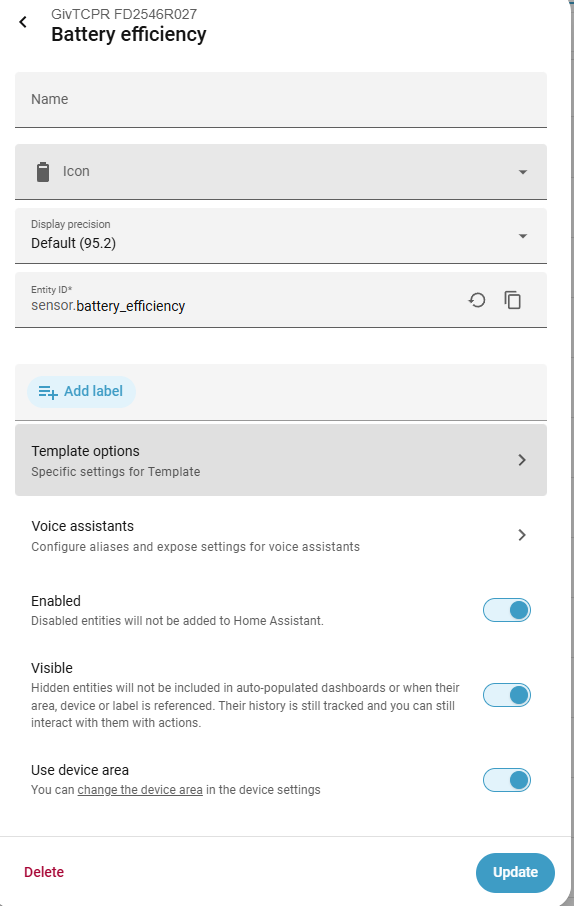
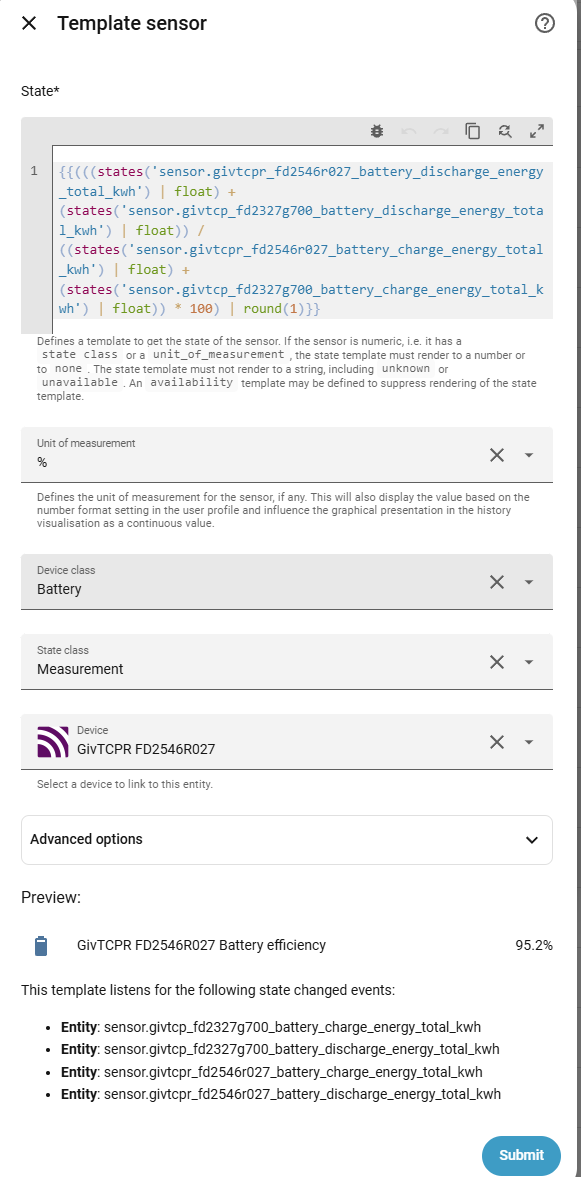
Battery efficiency (out/in)

R
#4 rio911

Thanks, I will have to unpack this...this might take me some time....

R
#5 rio911

@wrighar I'm not sure, but maybe you want to hide your inverter ID and stuff. Thanks for the help though!

R
#6 rio911

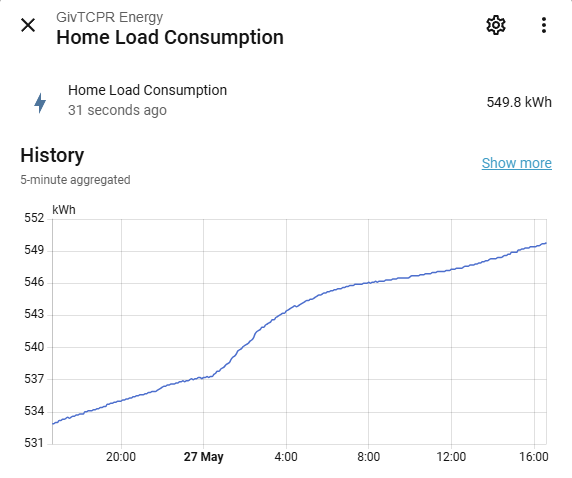
Nice, done the battery efficiency now. Next get a total gen, from your home load consumption.... Just to confirm the 2585 number is the initial offset?

W
#7 wrighar

rio911 for mine yes.

R
#8 rio911

wrighar Thanks a lot, done the "TotalPVgeneration" now. Any suggestions for recording the monthlies? Generation, export?

R
#10 rio911

wrighar I have done the utility meter before. One of the first things, I tried. It doesn't seem to record beyond the current month though, or at least mine did not. Maybe I missed a setting or something. Actually, looking at your link, this is different. What I tried was the one integrated as a helper... This looks like a separate integration. I will have a look.

G
#11 geoffreycoan

rio911 a utility meter will accumulate the changes of a sensor’s value, and then at the end of the defined period, will reset its counter to zero and start again accumulating.

If you want to look at previous month then you just look at the history of the sensor

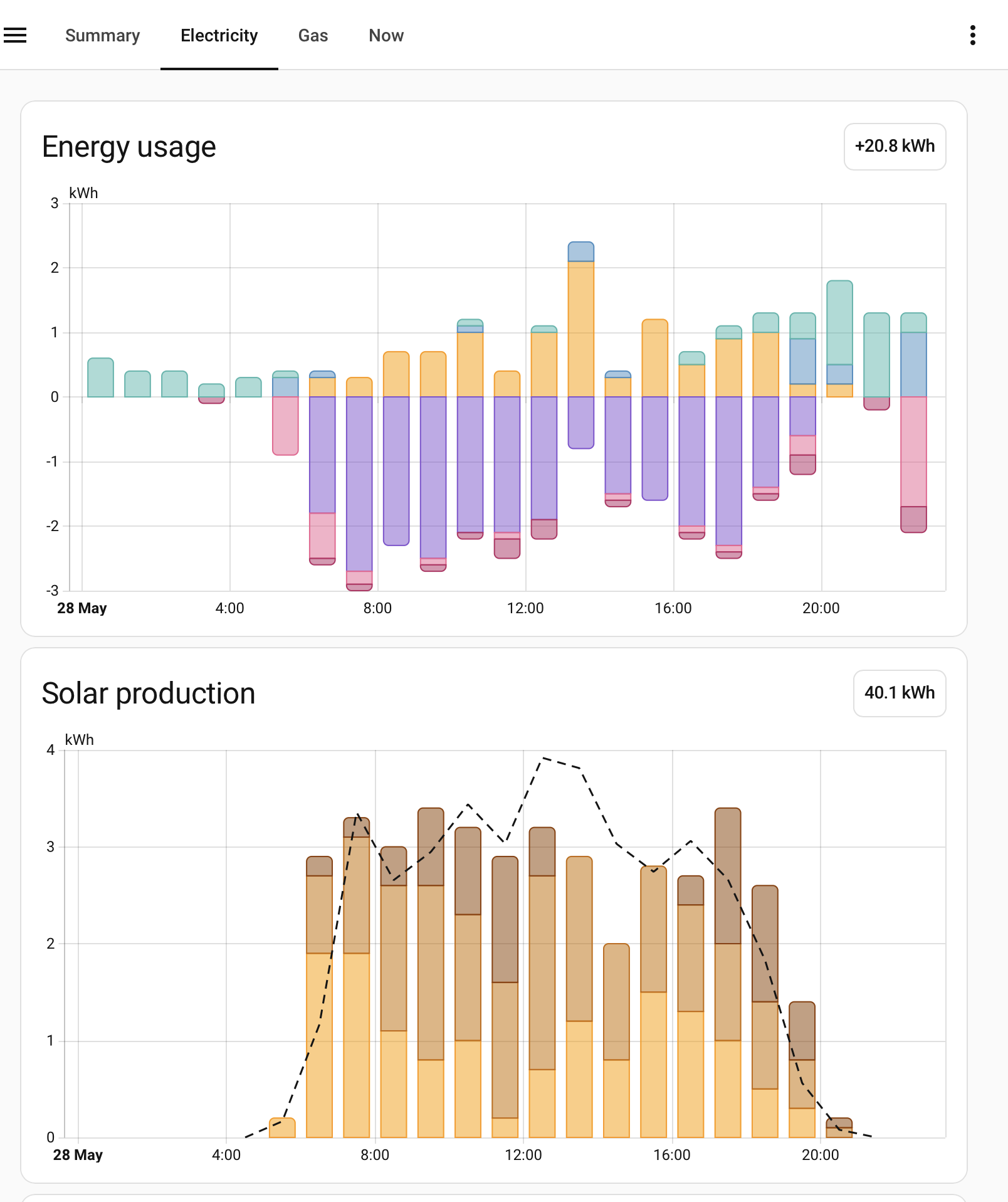
But the far simplest way to visualise your energy consumption over a time range is to use the energy dashboard already built in to Home Assistant. Configure it with the battery charge/discharge, import/export and solar generation TOTALS and it will do all this for you

e.g. my energy for yesterday

you don’t need any utility meters.

R
#12 Rtidey

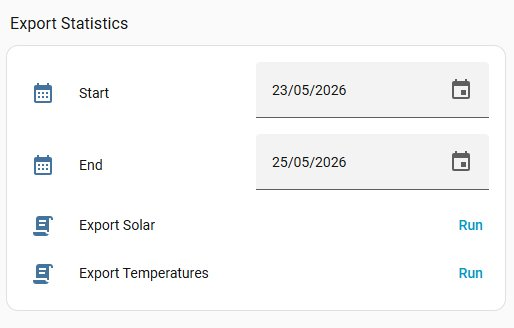
For HA users who want to get statistics output in spreadsheet format, I use an import/export statistics add on followed by a python script to translate into spreadsheet format.

Details at https://github.com/roberttidey/HA_Scripts

R
#13 rio911

@geoffreycoan I'm looking for replacement "meter" for some of the statistics that were lost in the recent demise of the GivEnergy portal, as I'm not paying for premium.

As good as your graphics are, can you get a monthly value for generation, export and self-consumption, that is what I want.

I must have missed something with the utility meter. My previous try was probably too short-lived or something, as I did not get a monthly figure for the previous month.

R
#14 Rtidey

By using the export method and putting data into spreadsheet you can get long term data on day, month year etc basis.

The example spreadsheets that are on the original api method ( https://github.com/roberttidey/GivEnergyScripts )
can be used with the HA exported data and will give solar, import, export, consumption for these periods together with estimates of cost savings so one can see how payback of the investment in solar is going.

One spreadsheet assumes a flat tariff regime, and the other for flux tariff. The flux version has a table for the change in tariff rates over time.

I now have 4 years worth of this data for my system which shows I am on target to achieve my hoped for payback.

G
#15 geoffreycoan

rio911 As good as your graphics are, can you get a monthly value for generation, export and self-consumption, that is what I want.

Here’s my monthly generation, import, export, home consumption and self-use % from the energy dashboard:
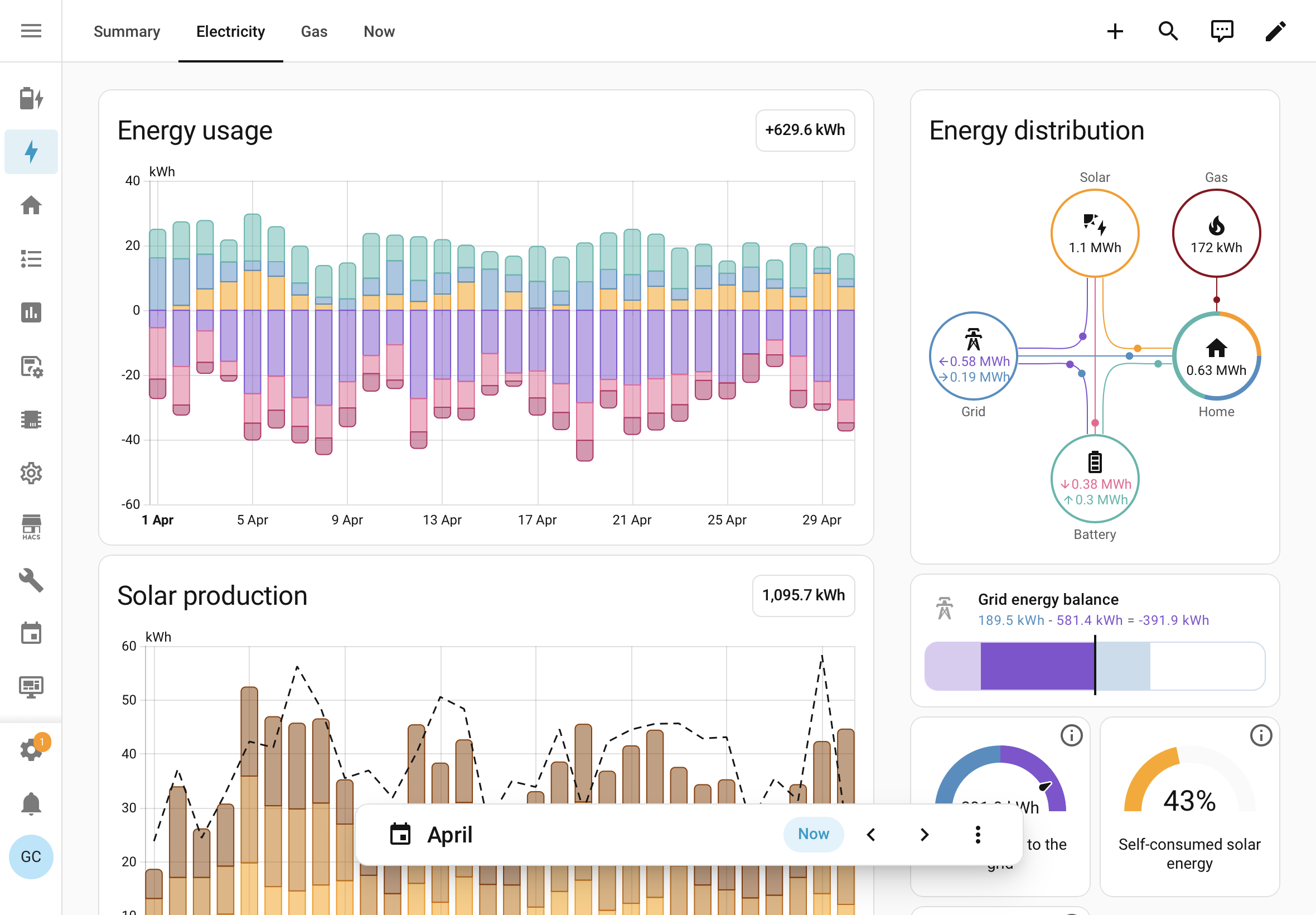
You configure the energy dashboard to the appropriate givtcp sensors, then every hour Home Assistant will store the values by which those sensors have changed. You can then look at those for any date range you want. Looking at monthly, daily, annual or whatever figures is trivial

The data will be accumulated from when you first setup givtcp though, there won’t be any retrospective history. It is possible to download the historic data from your givenergy account (needs a premium subscription), reformat and reload it into the energy dashboard. I have written an article on how to do this, but you need to take it step by step.

I must have missed something with the utility meter. My previous try was probably too short-lived or something, as I did not get a monthly figure for the previous month.

A utility meter will accumulate a copy of whatever entity you tell it, and then reset that accumulation at the start of the month/day/week or whatever you configured it to. You can see the previous month/day/week by looking at the entity history in home assistant.
as an example, I monitor my heat pump with a Shelly EM CT clamp. It provides only a single total consumption entity in home assistant. I have a helper utility meter called Heat Pump Energy Today which is a daily resetting utility meter to give me a ‘today’ figure for use on my dashboards.
Here’s the history of that entity for the last week:
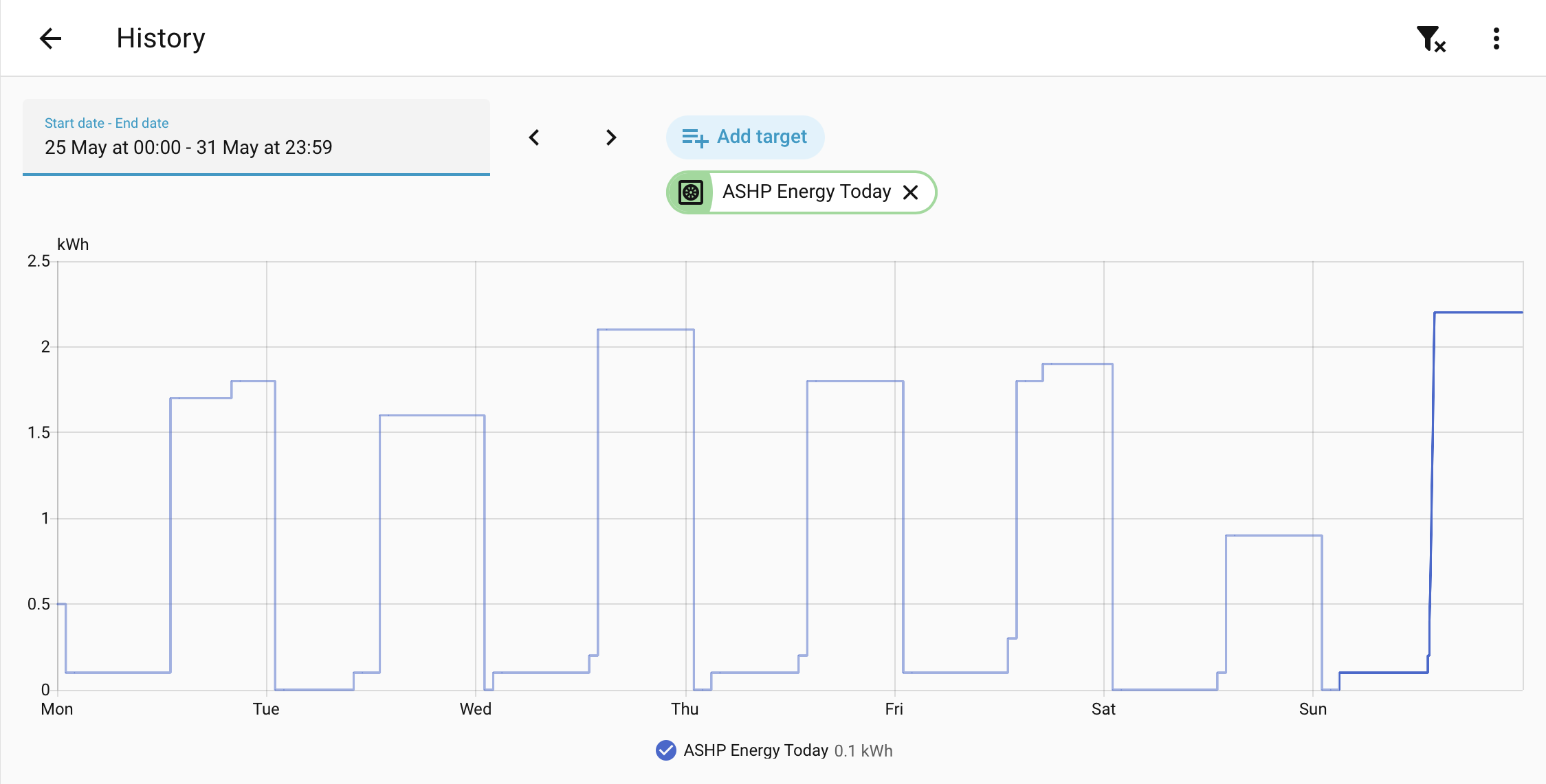
If I wanted weekly/monthly versions of these I would setup weekly/monthly resetting utility meters

Key point is that these accumulate the history going forward, there is nothing that automatically gives you any ‘last month’ data.