The GivEnergy blurb says:
Local access remains free, forever
You’ll always be able to manage your system over your home network. Your system can continue to function independently of cloud services, for those who want a more hands-on approach.
But How?
Everything on my phone App and access on PC demands payment. How do I keep control of my invertor???
Can anyone help???
How do I manage MY invertor without paying £5.00 a month (£60 a year)?

If you have an Apple iPhone you could use this. It may not have all the bells and whistles that other options have but it saved me when out of blues he announced they had killed their free service. It would have been nice if they had given you advance notice of the actual date of the switchover (or have I missed an email.)
But I was away from the house when it happened. I used a vpn capability that my router vendor provides and that breaks out on the same subnet that my inverter sits on. So the app gets local control.
Before the switch off of the free tier I had set up timed export from 16:00-19:00 to get maximum export from my Octopous tariff. But we had a bad solar period and my battery drained.
Using this free app I was able to disable my timed export. And then adjust as required.
Is there a way of doing it from a PC browser?
mikeavison Yes, you can still access the Givenergy dashboard basic inverter setings on a PC plus what is decribed as "remote control"
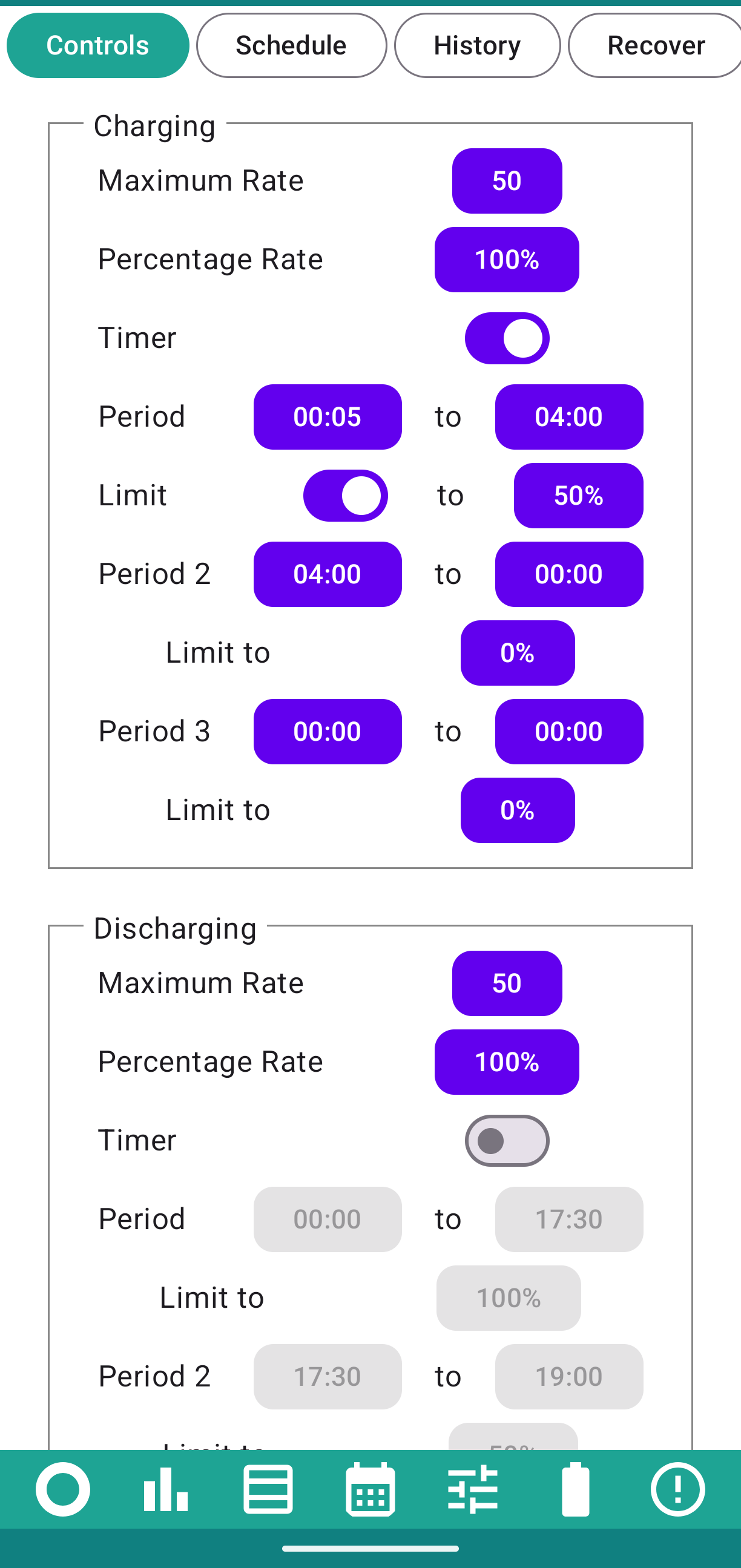
Android's got Givenergy Inverter app by Andrew Miller, £10 one-time charge to make changes.
We have timed charge setup to only charge if battery is under 50% and no timed discharge (we don't have a peak export rate, its a flat rate).
Givenergy produced some info on "local control" that seemed to involved overly complex setup and a small amount of inexpensive hardware but I expect there will be more alternative community and non-community options going forward - Axle energy is already offering premium app access (but the app is official Givenergy app is beyond flakey right now).

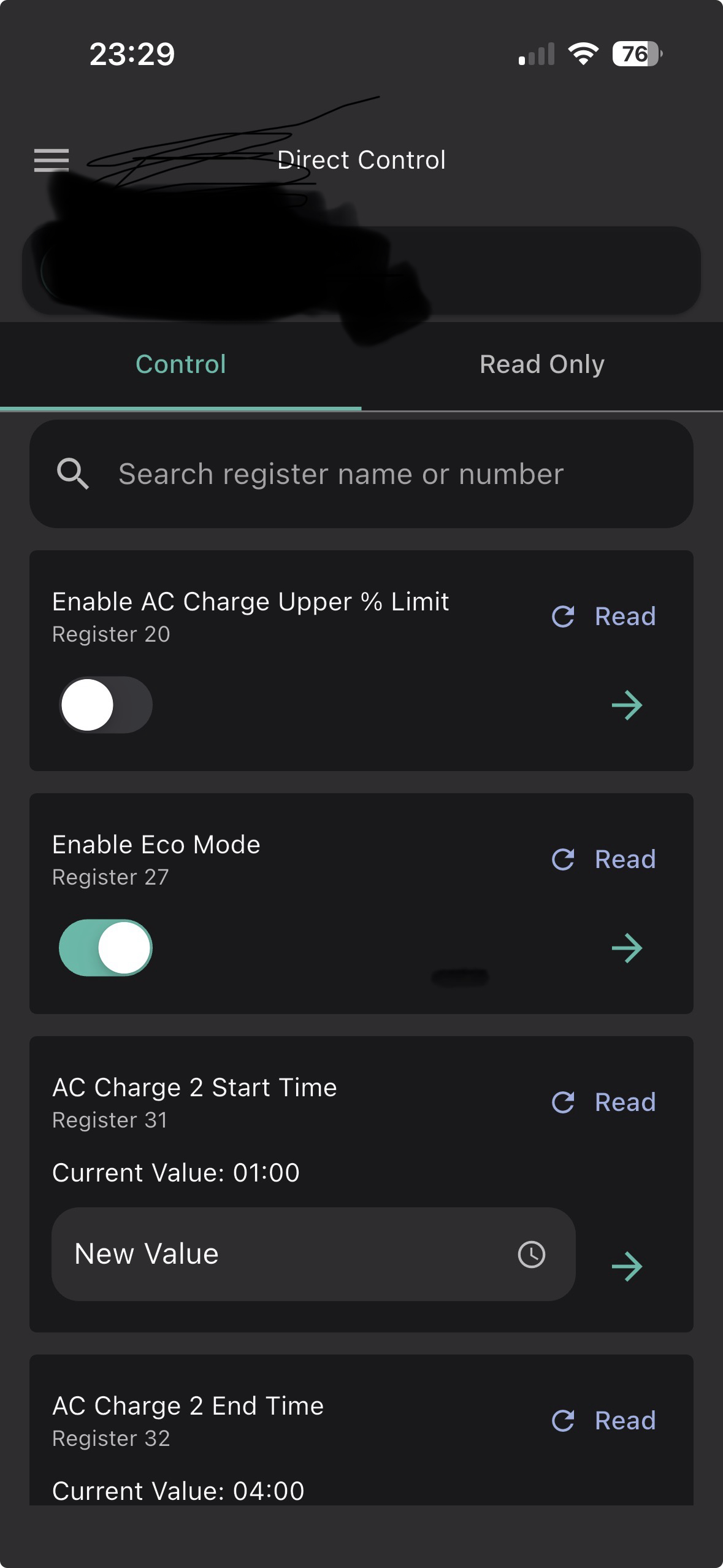
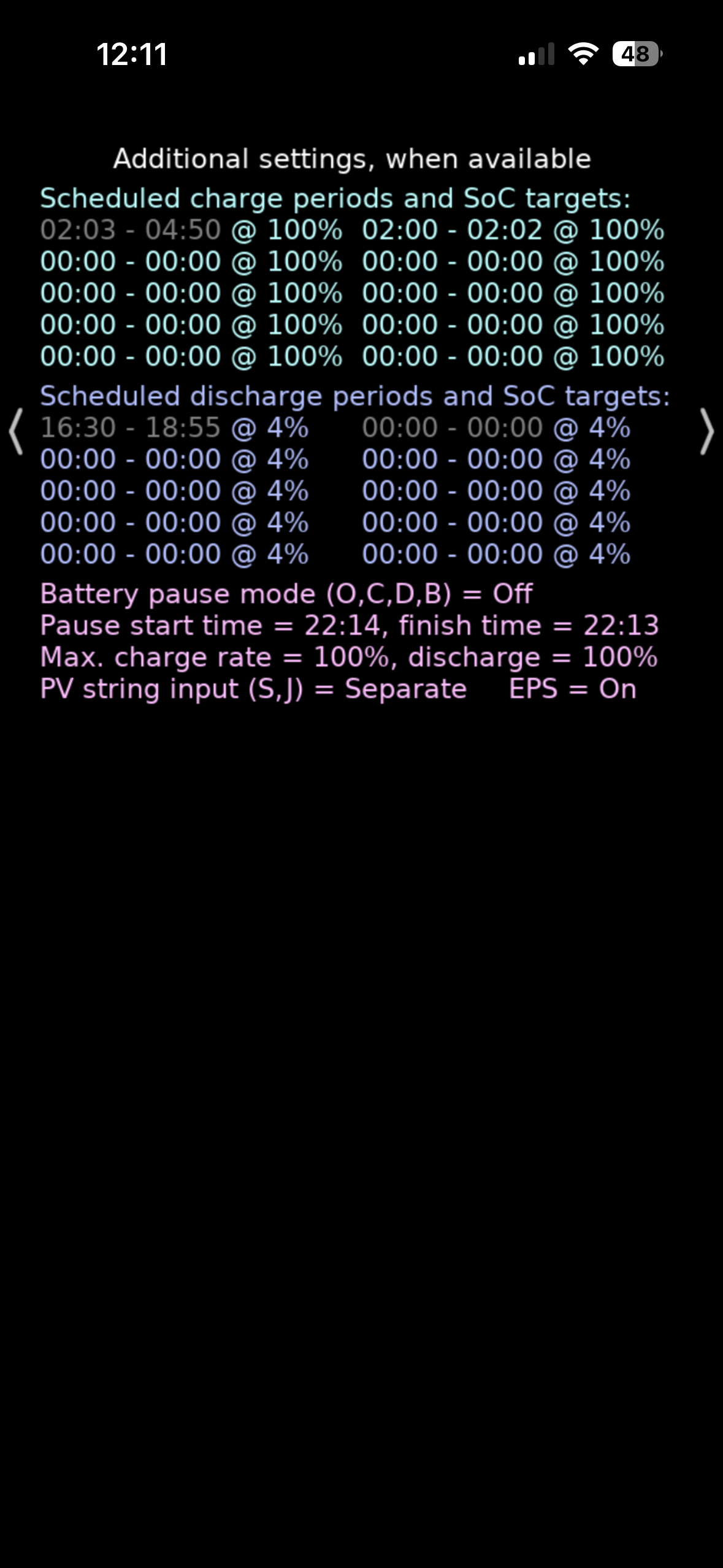
@Coy You can still use the free GE app to control your inverter when you are connected to your home network as long as your inverter is connected to the same network as your phone/tablet. Looking at other posts on the forum it appears that android app users are having more issues with the ge app than apple users. This is a screen shot of some of the local control functions in the ge app (iOS version)

Hi, Its interesting that you have this in the GE App;
AC Charge 2 Start Time Current Value: 01:00
AC Charge 2 End Time Current Value: 04:00
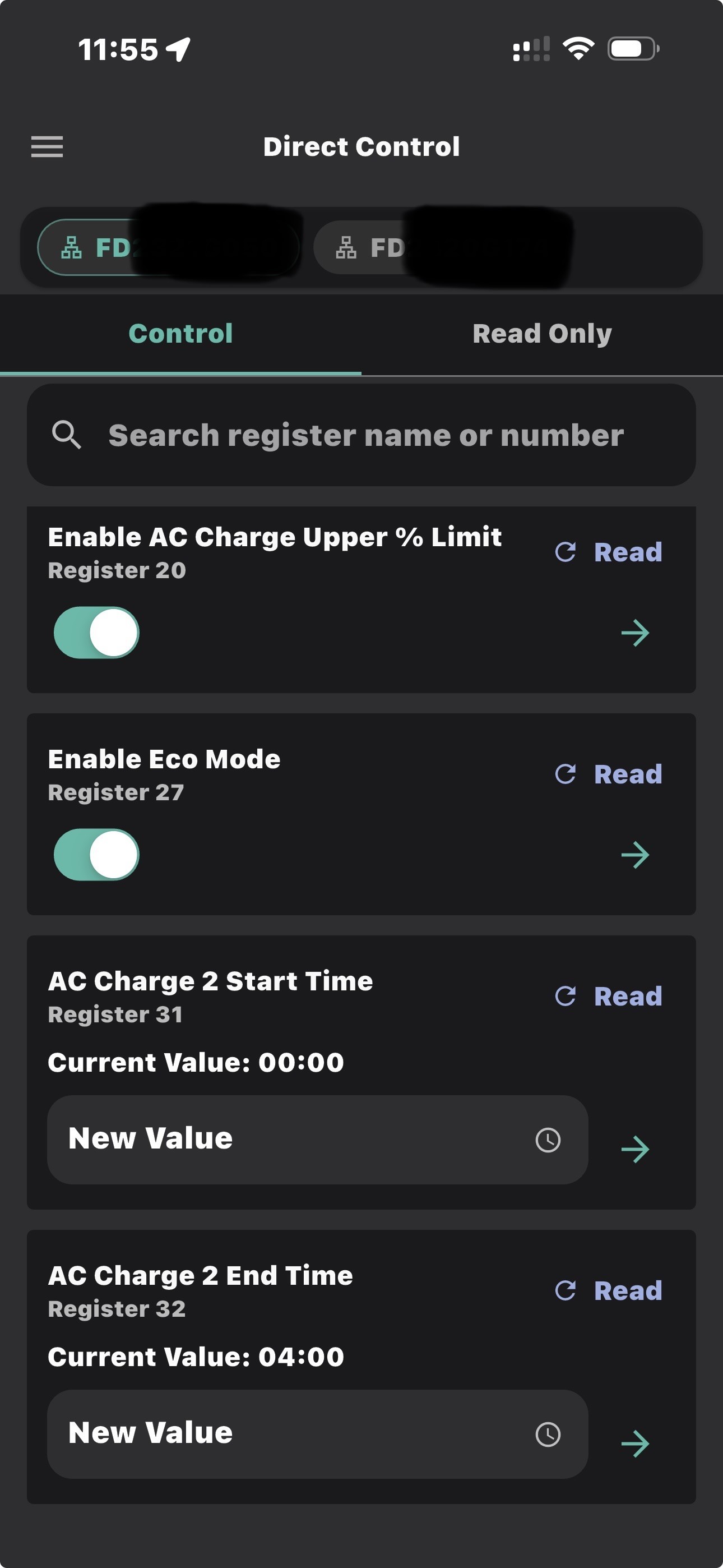
I also had these exact settings as well (01:00 and 04:00 on BOTH of my HY5 inverters!) and I can’t reset the “AC charge 2 End Time” back to 00:00 using the app (I did manage to change the start time back to 00:00 via app). My system is working fine with those 2 as they are but it’s slightly suspicious why I can’t overwrite that one with the app.
Anyone else have this issue ?
Out of curiosity are you able to change yours via app or is this an app issue with writing to this Register 32 ?
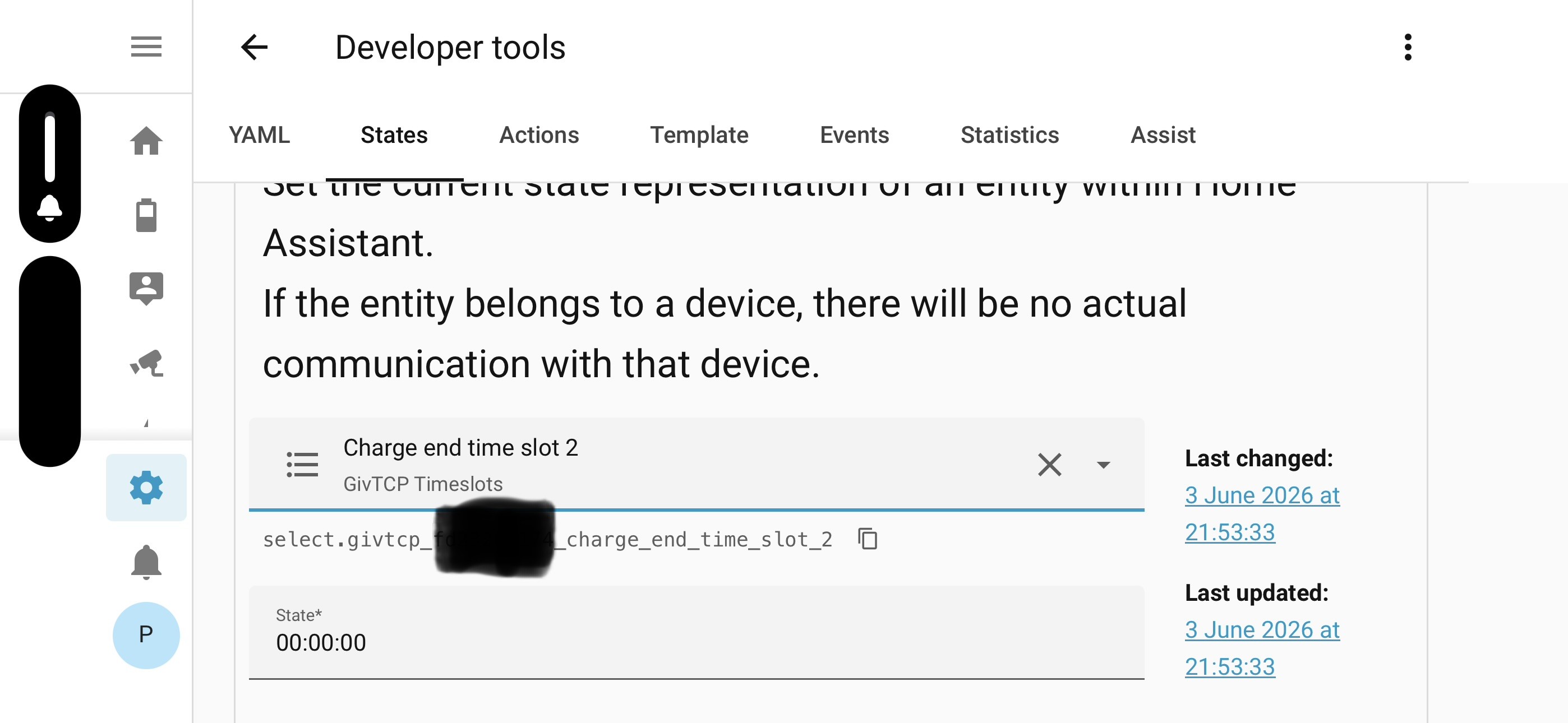
Checking on Home Assistant it’s showing a state of “00:00:00” and it is re-writable (in minute increments). So I suspect that the app is showing “time slot 2” of “04:00” in error.

Yes. Didnt get much choice ! I can make changes via the app. But there is a lot of gibberish in that app too under "direct control", i.e. registers that I dont think apply to my AC3.0
Pete UK Got the same on my AC3.9 via the new android Giv app. Also looks like I can change teh battery reserve & ( reg 110) to less that 4%. But not going to touch it.
My inverter charge traditionally was set for 100% but app now shows ( reg 111) 16%, which is bonkers as inverter still changes at 100%. But this "16" is also shown in teh Inverter app too as that value

Yes, agree. I did change the “Battery Cutoff % limit” to 0% though. Mainly because I have 2 batteries on each inverter and it allows one to get down to 1 or 2% whilst the other is still at 10-14% (or whatever the mis-match in SOC is), so it allows my second battery of a pair to catch up a bit at the lower SOC levels.
I also see an “Enable inverter parallel mode” register. I daren’t touch that one. Possibly that could break something. I suspect it’s for multiple AIO’s or something else (?) 🤷🏼♂️
It would have been nice if enabling that instantly solved my prior cross charging issues but I suspect it’s for a different bit of kit with a different set up entirely.

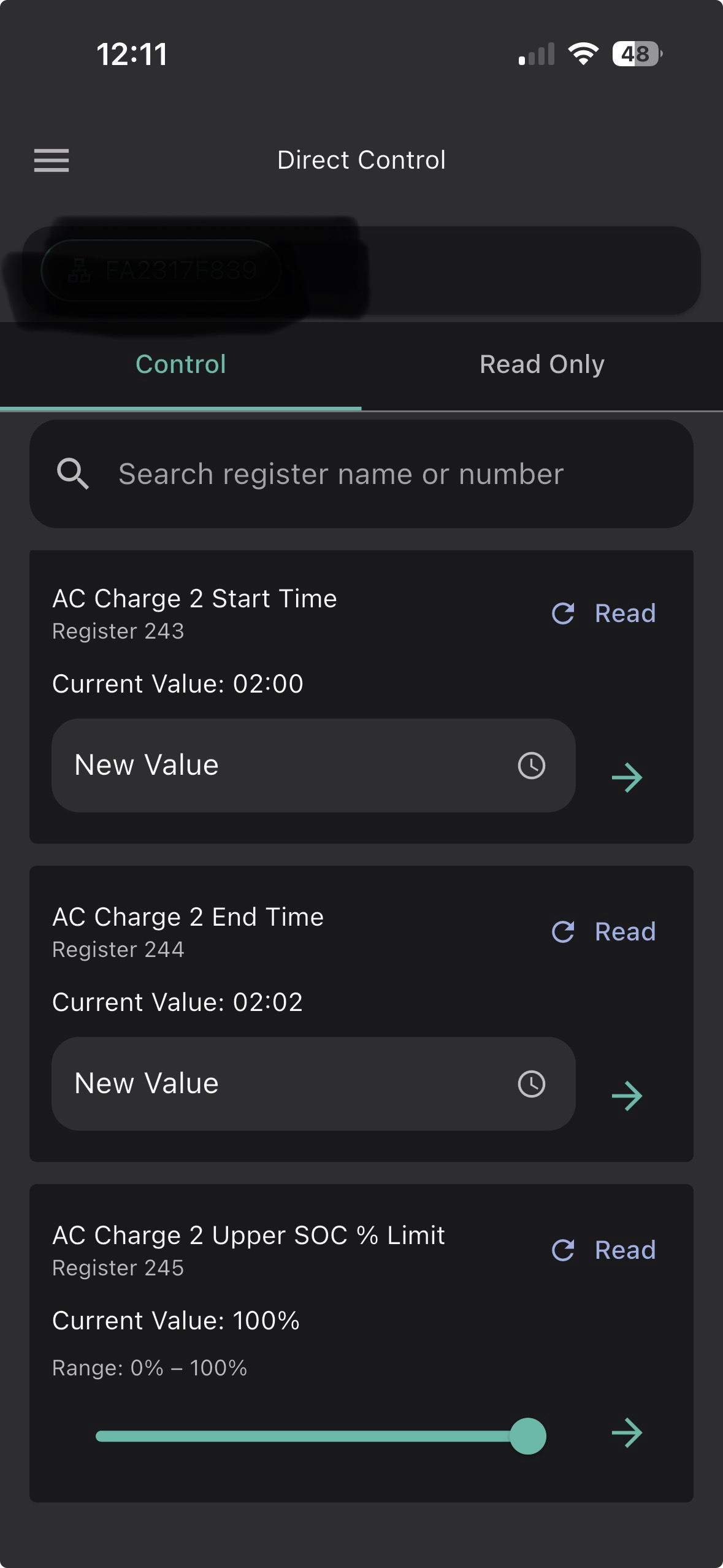
Yeah I think the first one (register 32) is a red herring and definitely is showing duff info and it’s the other one (register 244) that actually is the correct one to change time slot 2. Mystery solved.
I’m using HA now, and I’ve pretty much got it all
Sorted on one dashboard to see and do everything I need.
givenergy.cloud has no free controls now, even basics like energy flow, power flow, and the solar forecast that comes from Solcast for FREE are subscription-only.
If you go down the route of the one-off fee for Andrew Miller's Givenergy Inverter app then our setting sounds similar to what you want: Timed charge and Timed discharge slots available each of which can be limited to certain percentages so you don't drain the battery on discharge, and you don't charge it overnight when it already has a lot of charge.
Twice a year we change the maximum battery percentage for the overnight charge cycle (50% or less in summer, any value in winter). It's an AIO left on ECO mode.
The graph showing the battery percentage changes for the last few days, and the fact it picks up the previous day's generation etc from meter readings is a big plus for me. Only the controls are paid so there's fast monitoring for free, permanently. (I never bothered with the official app, I just used to use the cloud and unofficial app so it wasn't a big loss to me).
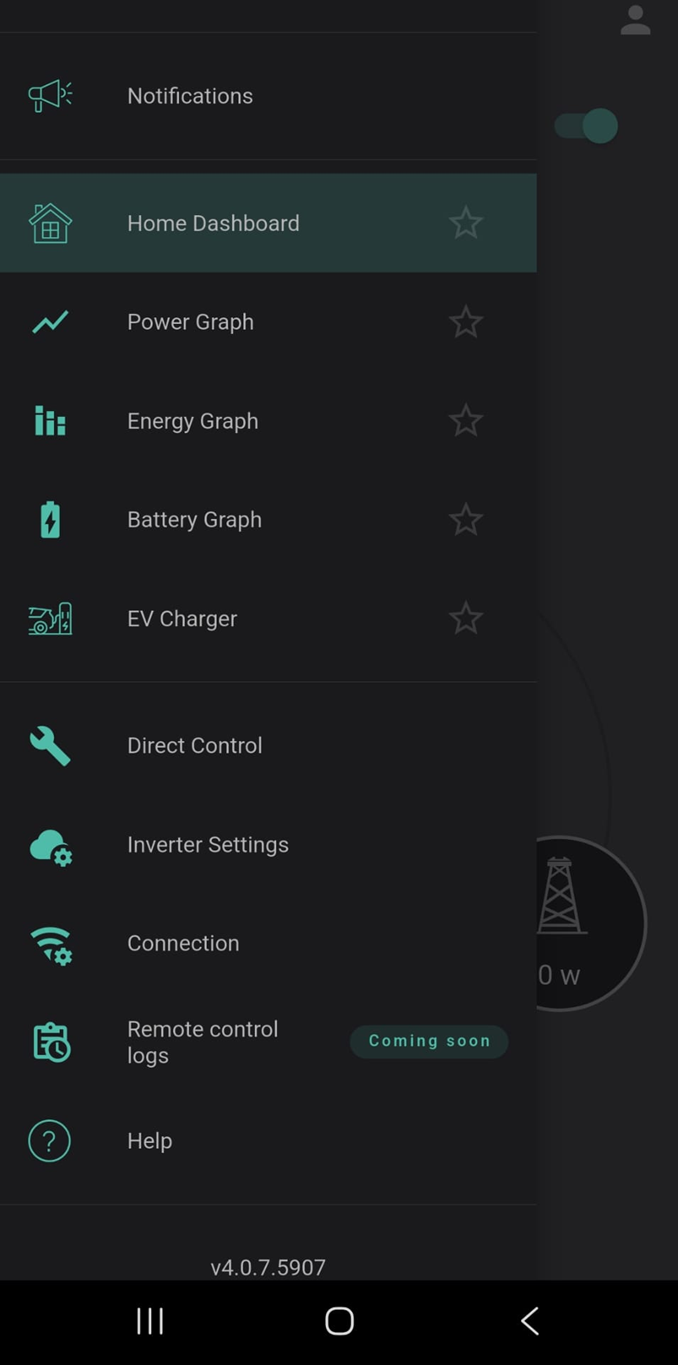
As @Maxwell said its free control on the BBC Inverter app, which works on Android as well as iPhone, raspberry Pi and Windows https://www.bbcbasic.co.uk/inverter/index.html

What i do find bad form is that on the free tier they deny you access to your log data. This is a basic security function and you are having to pay for it. (yes i am aware that you can sign up for Axle for free). But, log visibility should be a basic free tier capability.
What is the unoffcial App and where do I get it please.
Has anyone signed up for this Axle thing?
sjb841
Yes. I signed for Axle - Dispatch Mode, Events Only. Not Axle managing my system 24/7.
I stayed on Octo Agile for import and export.
I have HA and Predbat and that looks after my system the remainder of time outside of Axle events.
Premium Tier for GivEnergy worked straight away.
I have had one Axle session so far and payment is processing.


In regards to the original question:
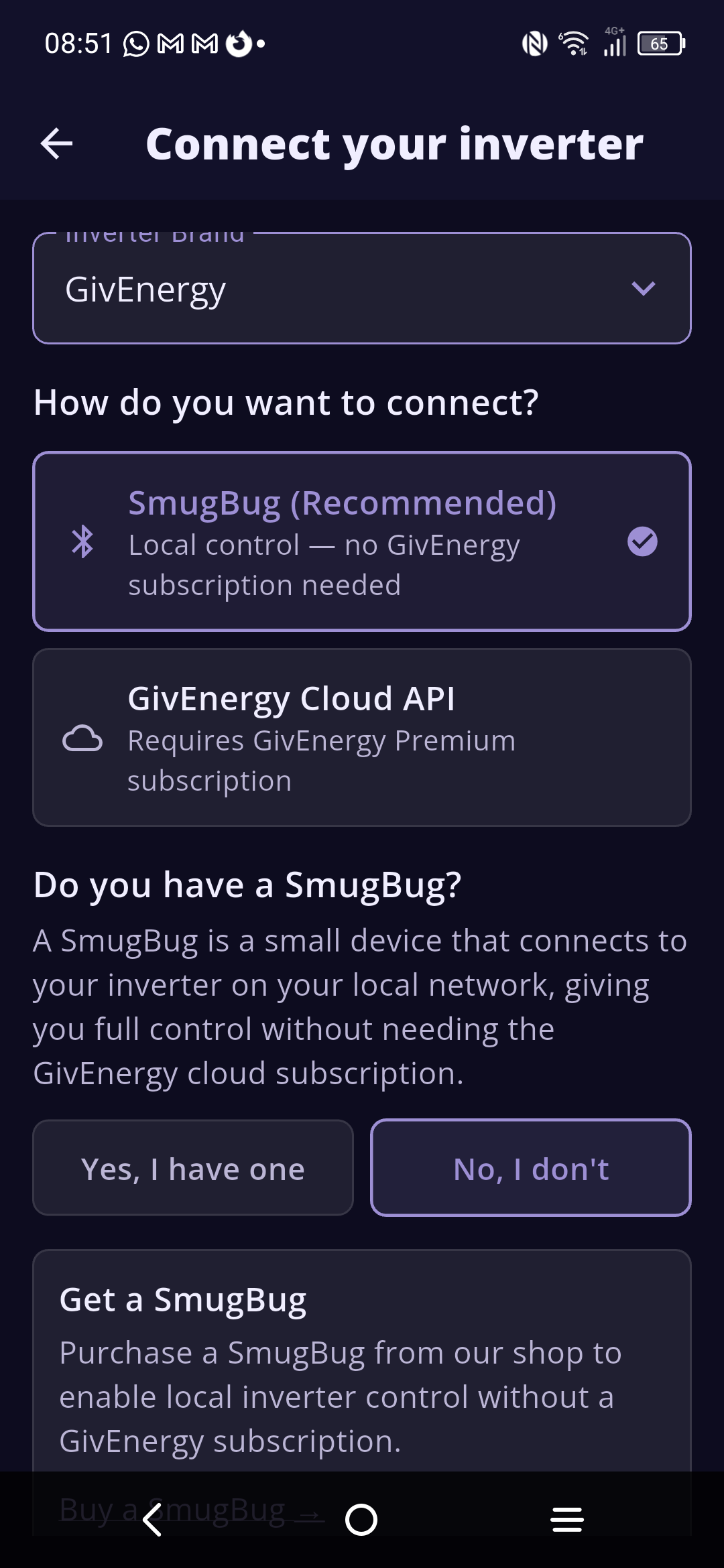
Looks like Midsummer (who supplied a lot of gear to installers) have built their own device to talk to inverters locally. Smug Bug:


https://play.google.com/store/apps/details?id=com.smug2.app
Not many downloads yet.
The Smug bug looks like a good idea especially those wanting a more plug and play alternative.
In my own scenario I seem to be all sorted with Rubicube's App on my phone and I have now setup Home Assistant on an old laptop running under a VM. So I have a Dashboard now I can see on my tablet that gives me what I want locally. I have no special need to have any remote access other than turning on or off the Myenergi Eddi solar diverter for hot water. I can do that via the Myenergi app.
I am finding I do not look at the Givenergy app or dashboard now.
killythebid I am finding I do not look at the Givenergy app or dashboard now.
Ditto - I never really used the app after getting Ribikcube's app - it does everything I need
killythebid I am finding I do not look at the Givenergy app or dashboard now.
Well done quitting your addiction. 🙂
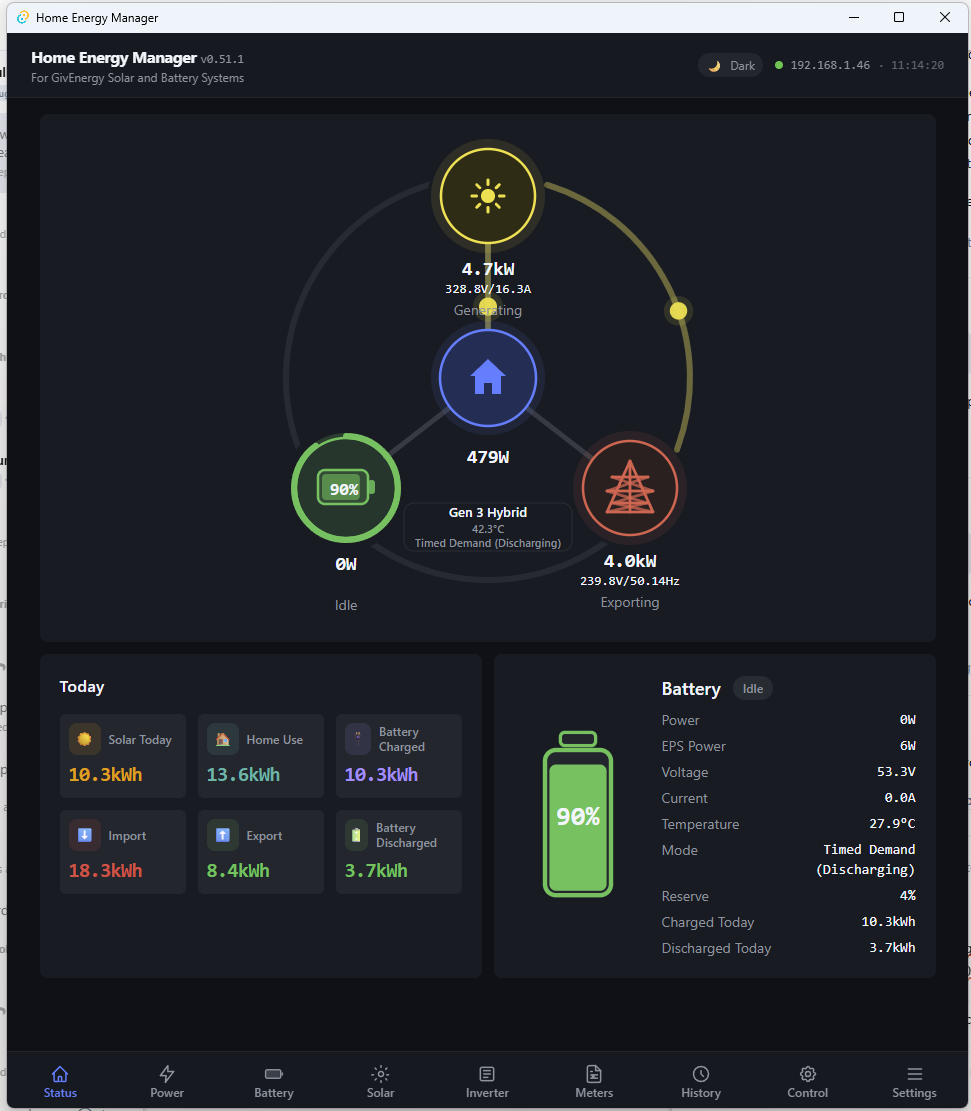
This is coming along nicely (if you are windows based)
Wrighar, can I ask for your help on home-energy-manager? I only work on a pc and this app looks like what I'm looking for but, I've downloaded it and am getting nowhere. I get a zip file but when uncompressed it doesn't have the .MSI file in it, which seems to be the one that's needed. I also get problems with Windows Security. I'm not software literate, this sort of thing leaves me cold, although I usually manage if given "idiot" instructions.

Latest msi link is here: https://github.com/psylsph/home-energy-manager/releases/download/v0.55.0/Windows-MSI-Home-Energy-Manager-v0.55.0.msi
As it's 'new' is reports security challenges, but just accept them and continue.

Hey everyone. In any of these apps or dashboards, does anyone see anything for controlling the EPS kick-in time? The default is 3 or 5 seconds, I can’t remember which.
This would help me with my current issue.
I've just installed a Smug Bug. Designed as a short term automation solution to maximise my system export before it gets replaced at a later date.
£40+VAT + £6 delivery from Midsummer Wholesale. £54 all in.
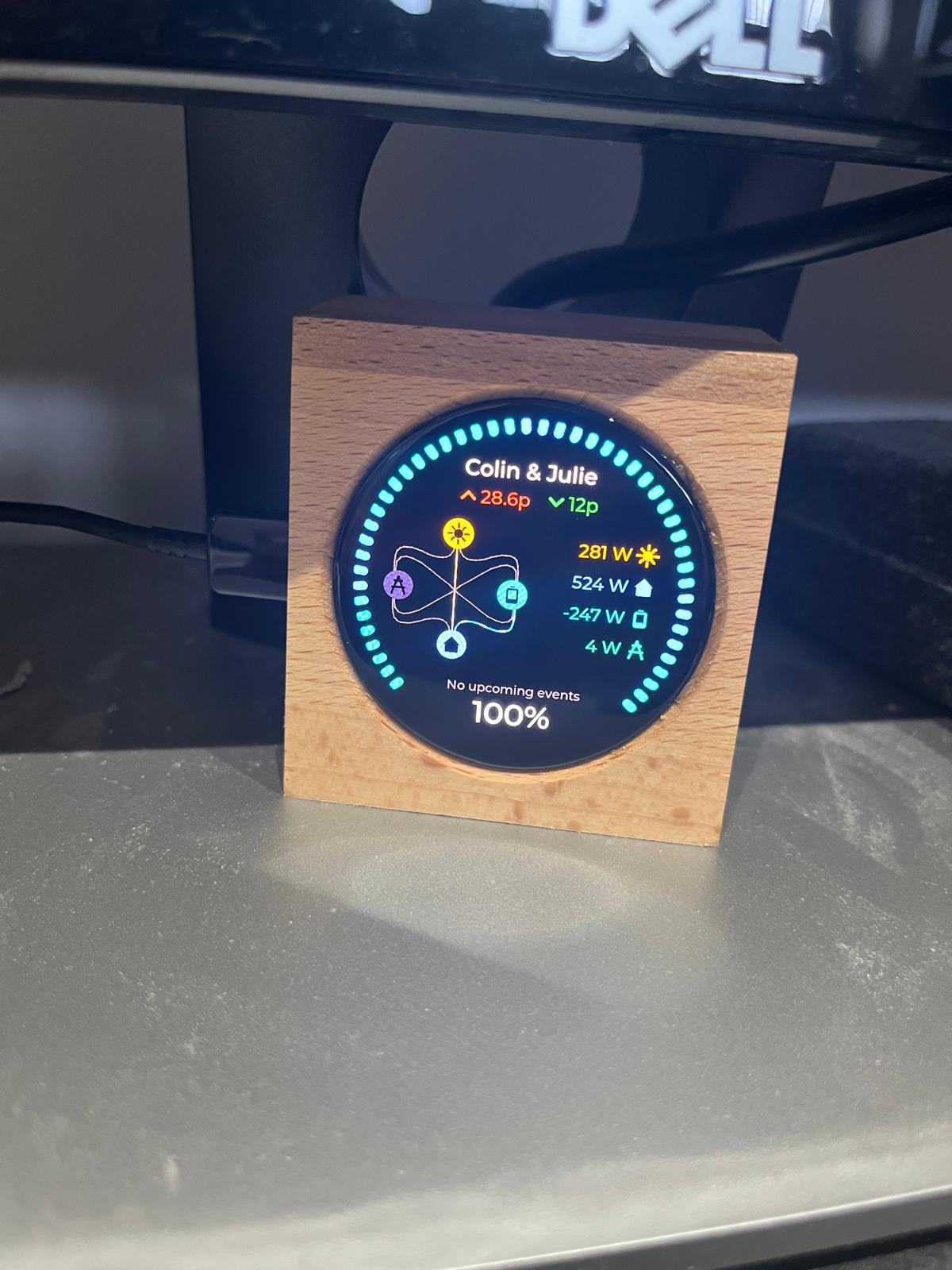
For me it looked like the best self learning & cost effective solution for someone with limited IT knowledge.
Set up was fairly simple. I downloaded the App, paired it to the Bug, gave it my Octopus API & it found my tariff. Gave it a house name & home Wifi & that was about it. Turned on the Automate / AI function & away it went.
It looks like it has taken over control of the inverter & deleted my previous settings without any input from me.
Most interesting is that it appears to have stopped our EV draining the house batteries without me having to pause the house batteries every night between 11.30 & 5.30am (Octopus Intelligent Go) which was my previous workaround solution. Not sure how it's doing this but, after two charging sessions, so far so good.
Even better is that unlike my basic GivEnergy App, the Smug App works when I'm away from my house with full remote monitoring & stored data from the date of install. No manual intervention needed from me at all so far. It is certainly "exercising" my batteries to the absolute max while maintaining a safe minimum capacity. As a result I should get a hefty increase in export income & my guess is it will pay for itself within 3-4 months. It also seems to be using weather forecasting as part of it's AI functionality.
All things considered, especially the price, I think it's a great little gismo for anyone with a compatible inverter that wants fairly simple to set up AI control of their inverter & battery with remote monitoring functionality.
Definitely recommended by me - a non IT person.


CGoode Most interesting is that it appears to have stopped our EV draining the house batteries without me having to pause the house batteries every night between 11.30 & 5.30am (Octopus Intelligent Go) which was my previous workaround solution. Not sure how it's doing this but, after two charging sessions, so far so good.
It is certainly "exercising" my batteries to the absolute max
Is it just charging batteries from grid over night? More interesting question is how does it handle bonus charging slots?

is there any ongoing cost for the app and data? Seems a little too good to be true that they'd store all that for free?
DD
It does seem to force discharge the batteries at odd times during the day as well. Not sure how it determines when to do this. Weather forecasting most likely plus, it knows what size your solar array is & it "self learns" your usage pattens - so it says on the Smug website.
It looks like Smug are also planning to have it interface with the flexible energy markets in the future which is when they want to take a share of your profits.
Due to my previous EV draining the house battery problem (which needs a meter box re-wire) I've not partaken in any bonus / random EV charging or battery discharge events outside of the normal cheap rate time period. Primarily because this would require me to pause my house battery discharge every time a random EV charge event took place, which I can't do on the basic Giv App if I was not at home. Just too much of a faff to bother with.
I'm not sure how or if the Smug Bug can handle any bonus events but TBH that doesn't bother me too much. For me it's a fairly short term revenue booster before I replace my existing system 3.6kW inverter & 19kWh of batteries for something bigger.
I'm waiting for my first Octopus bill to see how much extra export revenue it has managed to achieve over normal which, is not going to be easy now that Giv have hidden all my 4 years of historical data behind their subscription App service which I don't have! Grrrrrrr.
I'm still getting to grips with the Smug App data which is difficult to read on a mobile with my old eyes. Hence why I would prefer to be able to see the App on a PC monitor. Other than that it's working fine.
hoggy
No ongoing cost for the App - yet!
I think their aim is to get you onto the flexible energy markets in the future at which point they will take a cut of the profits.
Have a look at this YT post on Tim & Kat's Green Walk channel about the Smug Bug he was sent to review. In it Tim interviews Andy Rankin the MD of Midsummer who talks about the future of Smug bug. Very interesting.
Eventually there's going to be a reckoning regarding DFS/DRS schemes because just about every ToU tariff (agile excepted) requires you to agree that your supplier will sign you up & you won't sign up to anyone else.
Seems totally unregulated at the moment with people on services like Axle while also being registered to their supplier.
I'd have thought the payments/billing would be showing up MPANs on multiple schemes by now but if they are nobody seems to have been contacted.
Looks like a nice unit, but I'm not giving that level of control to a third-party 🙂