Battery Recovery leading to BMS Errors

20 comments started 2026-05-28 last 2026-06-22
GivEnergy ProductsAC CoupledBattery
S
#1 Symon

Hi, The company I work for has been using quite a few Giv Energy AC3.0 inverters with Gen 1 2,6Kwh batteries as part of a trial of flexibility management. The trial ended and the company has offered the kit to staff which I have been facilitating. Most of the kit was working fine but 3 batteries had been deep discharged - Each battery is connected to a separate inverter that I have gone through the official DC recovery process to get back online.

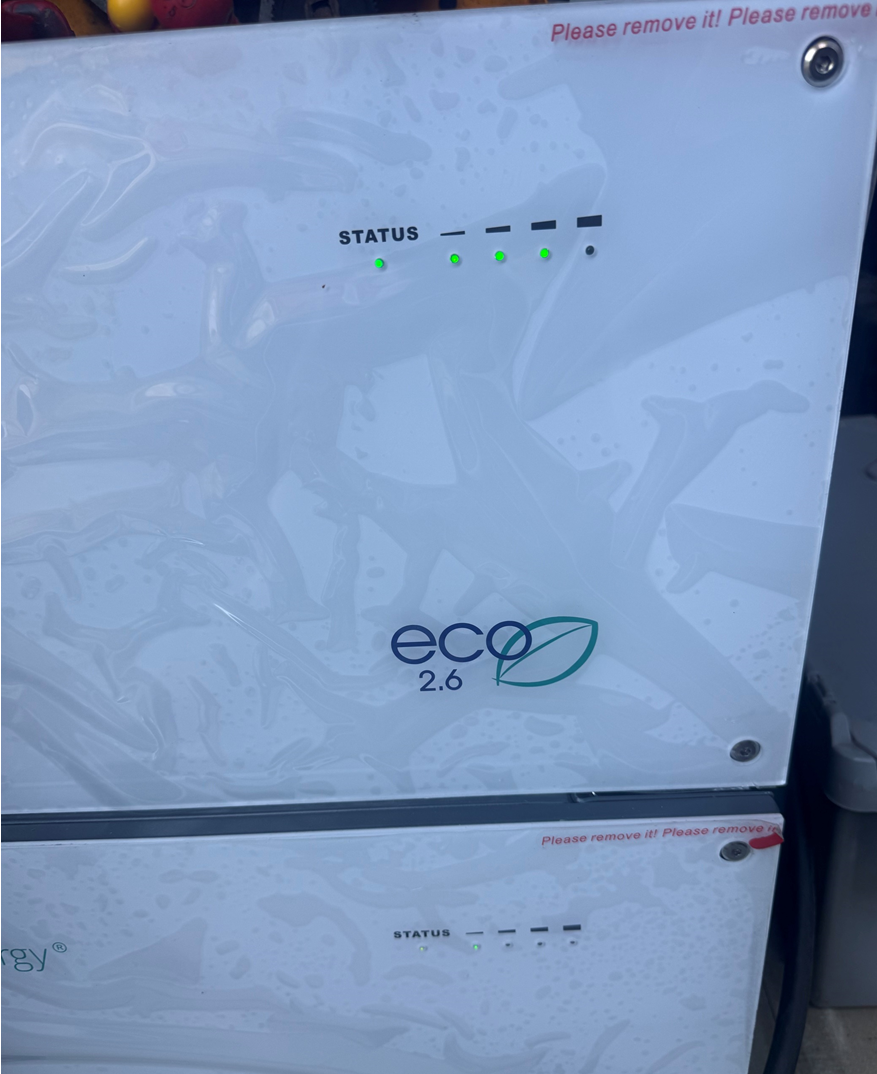
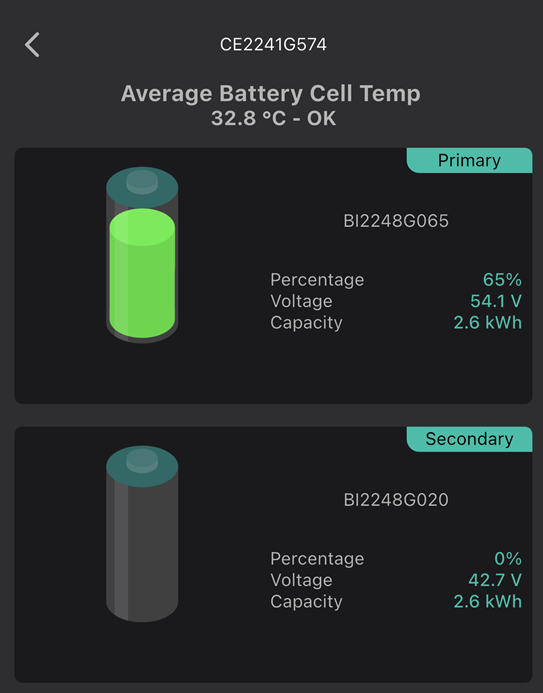
All 3 batteries are showing 4 green lights for fully charged but a red status LED. They are all showing 0% state of charge but are giving a battery voltage. From the installer cloud portal, I can see BMS errors on one of the 3 showing BMS over voltage but the other 2 do not show any error in the portal. Setting charge or discharge has no effect.

I have checked that all the comms cables are correctly connected.

They are all showing incorrect battery pack capacity. 2 are on 3012 BMS firmware and one on 3013.

Historically I would have contacted support but in light of the current issues, are these units scrap or is there a way to get them out of the error condition? I have tried to use the iOS inverter app and the official new GivEnergy app but there is no obvious was to look deeper into BMS comms or clear errors.

Any suggestions would be greatly appreciated. We are closing the site in the new few weeks so I either need to recover the batteries or I will have to send them for recycling.

D
#2 duplada

@hoggy here are some questions above you will know the answer to.

#3 hoggy

it appears I have been summoned.

I would imagine it's one of 3 things:

1: Genuine Pack Over Voltage: (I note you saw this in the installer portal however this error does often appear anyway on some systems through their life as it's just a thing that happens when the battery is trying to find it's "100% Full"

2: Cell Problems: if they have been deep discharged and then recharged - just because it is showing 50V on the charger doesn't mean that all cells are balanced. I found this out when I tried to resurrect one: https://terravolt.co.uk/solar-battery/the-100-givenergy-battery-challenge-part-1/
What can happen is the dead cells sit at anything from 0V-2V and the rest get run up to 4V+ giving the illusion the battery is charged normally to say 50V but is infact horribly balanced and essentially knackered

3: Inverter Problems (the click of death) - you get the red light when the inverter end is also knackered. Everyone assumes its the battery because thats the bit that gets upset but it is the inverter battery input side thats failed. This is known as the click of death and you can tell if its this when:
You switch the inverter on and then switch the battery on (and it's MCB to the inverter) you get some clicking noises from the battery and then a red light with a beep.
If you switch the inverter off and switch the battery MCB then switch the battery on and it stays on with green lights and no red this is the classic diagnosis of an inverter fault.
Everyone bemoans this fault but in all honesty as the inverter is the cheapest bit this is actually better news than the other way round.
Search click of death on here and you'll see it is quite a common thing.

Failing all that it may well be some mystery new fault and for that there is a bonus 4th route.
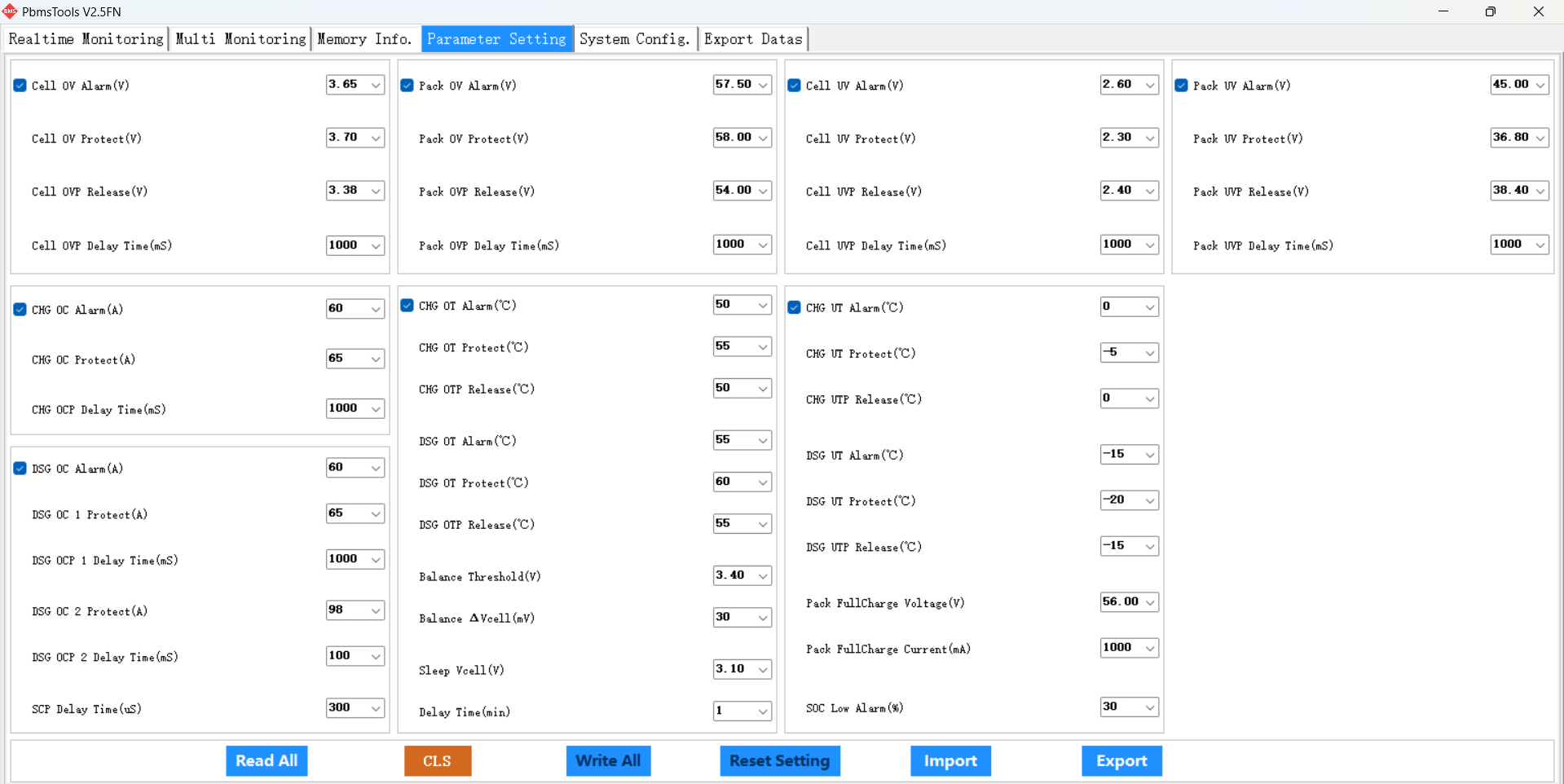
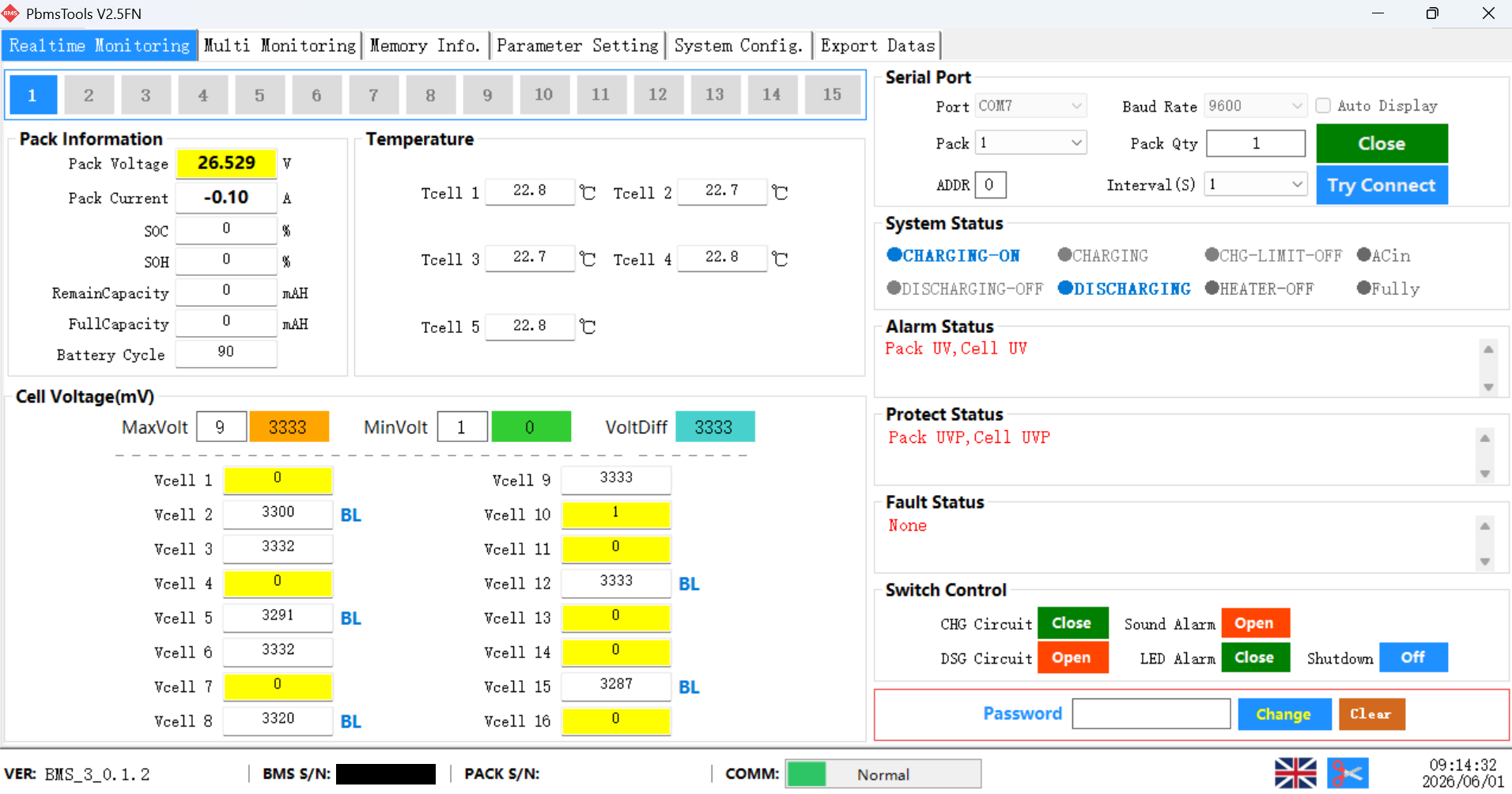
Now Giv are gone I can confirm that everyones favourite BMS config tool: PBMSTools works fully on Givenergy batteries.
You need a USB to RS232 adapter (Amazon about £10) - a copy of PBMS tools (available online) and then a 4 pin JST connector (i can't quite remember if it is the 2mm ones or the 2.5mm ones)
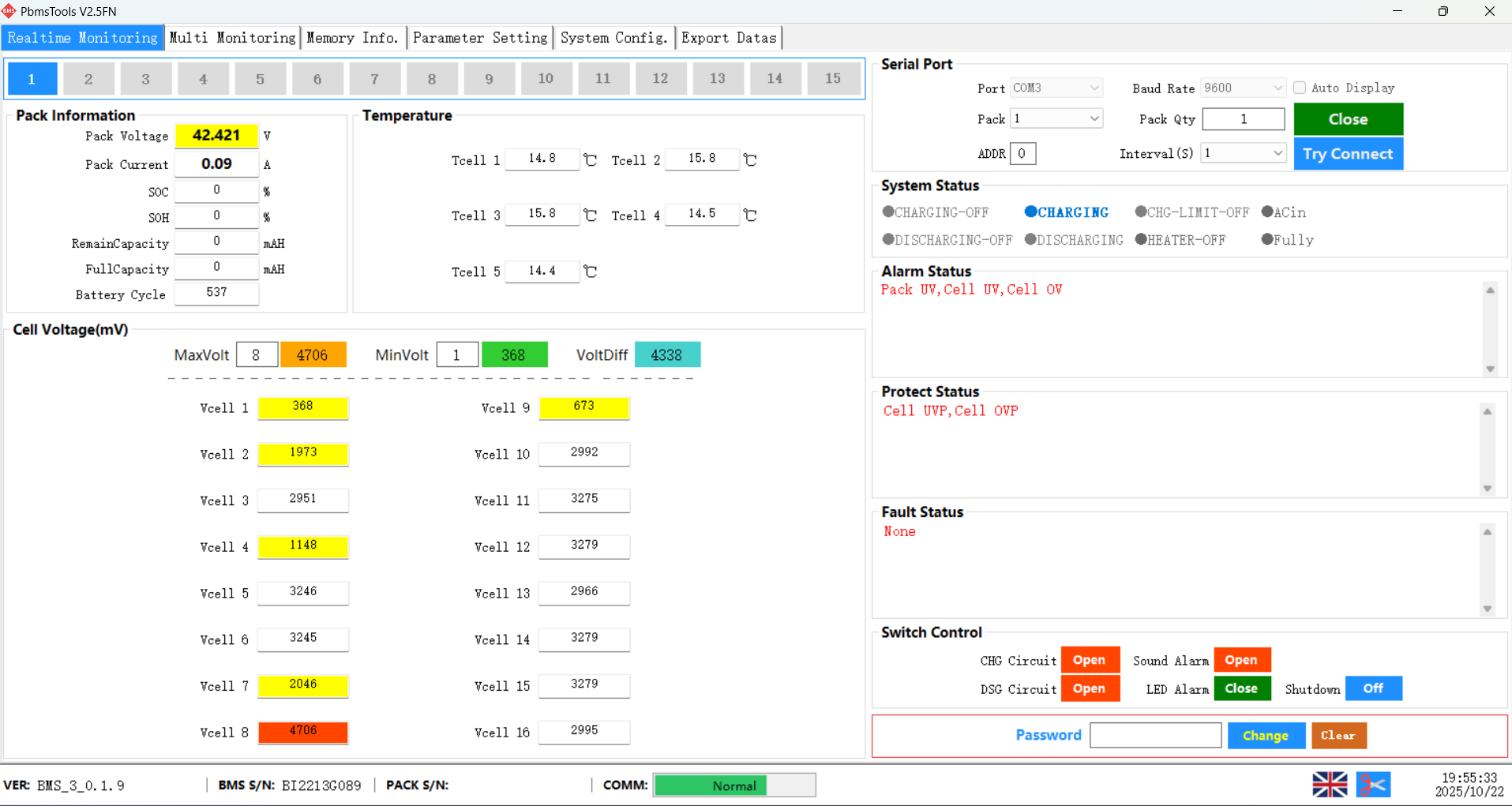
You plug it in to the little 4 pin socket that lives next to the USB port in the battery (or in the see through flap with the breaker in on a 9.5 battery) and then you can interrogate it's brain fully for what it is upset about:


R
#4 Rubikcube

Symon the official DC recovery process

Do you mean connecting an external charger to bypass the BMS?

If cells are out of balance or short-circuit (due to dendrite formation), this is extremely dangerous. You could over charge working cells causing them to vent. Failure to follow proper safety practices can result in explosion, death and worse!

If you don't know what to do with them, list them on Ebay for spares or repair.

V
#5 Vestas

v3013 is known to kill batteries. It was pulled from general release.

I had it on for 3 months and I reckon it took a year+ lifespan out of the battery cells.

S
#6 Symon

hoggy Many thanks for the info. I have ruled out option 3.

To look into the BMS with PBMS. Can you advise the pinout of the JST connector (it is 2.54mm), I can see that pin 4 is ground but 1,2 & 3 all have connections but I was only expecting a Tx and Rx. Also do you know what level to expect, is it TTL or full RS232?

S
#7 Symon

Rubikcube I followed the DC recharge process GivEnergy had previously provided. Over charge is a risk and I intend to follow the other advise and investigate with PBMS.

If they cannot be recovered then they will have to be disposed of, my company works with other dangerous batteries (for Gas meters) so we have an approved recycler that can handle these. Selling them on is not an option

V
#8 Vestas

Symon I'd be inclined to recycle them rather than pass on obviously problematic batteries to staff, with potential liability issues for your company.

S
#9 Symon

Vestas Thanks, that is good advise. The follow up on this is that I had put my name down for 2 (we have 4 other good units).

I had self imposed this investigation as a test to decide if I was willing to take any of the "good" units home. The last thing I would want is to use them for a few months and have a similar issue. Once the are home and I sign the waiver then any future recycling would be my problem...

So far we have sent out 18 units to staff that have all done full charge and discharge cycles with no issues but the more I have seen on this forum (and reddit r/solaruk) has made me less confident in the kit. We also had 1 Tesla PW that had no issues and 2 PureDrive 5Kwh all in one units that we are not even going to try and recover (after 2 years standing idle).

#10 hoggy

Symon I'd have to take the lid back off the battery as I gave my spare one away and the other one I made just plugged in to it currently.
pin 1 is the 3.3V from memory which you don't need so it's 50:50 on the other two but it seems robust as I basically accidently shorted everything to everything and it survived. (Which is a bit of mistake for an electrician to own up to!)

S
#11 Symon

@hoggy Many thanks for all your input, Having had issues with getting supporting drivers working for PBMS, I have managed to get it working today on a different PC. I can now confirm that the comms is:

TTL level RS232 using the 4 pin connector with pin 1 3V3. Pin 2 Rx. Pin 3 Tx. Pin 4 Gnd.

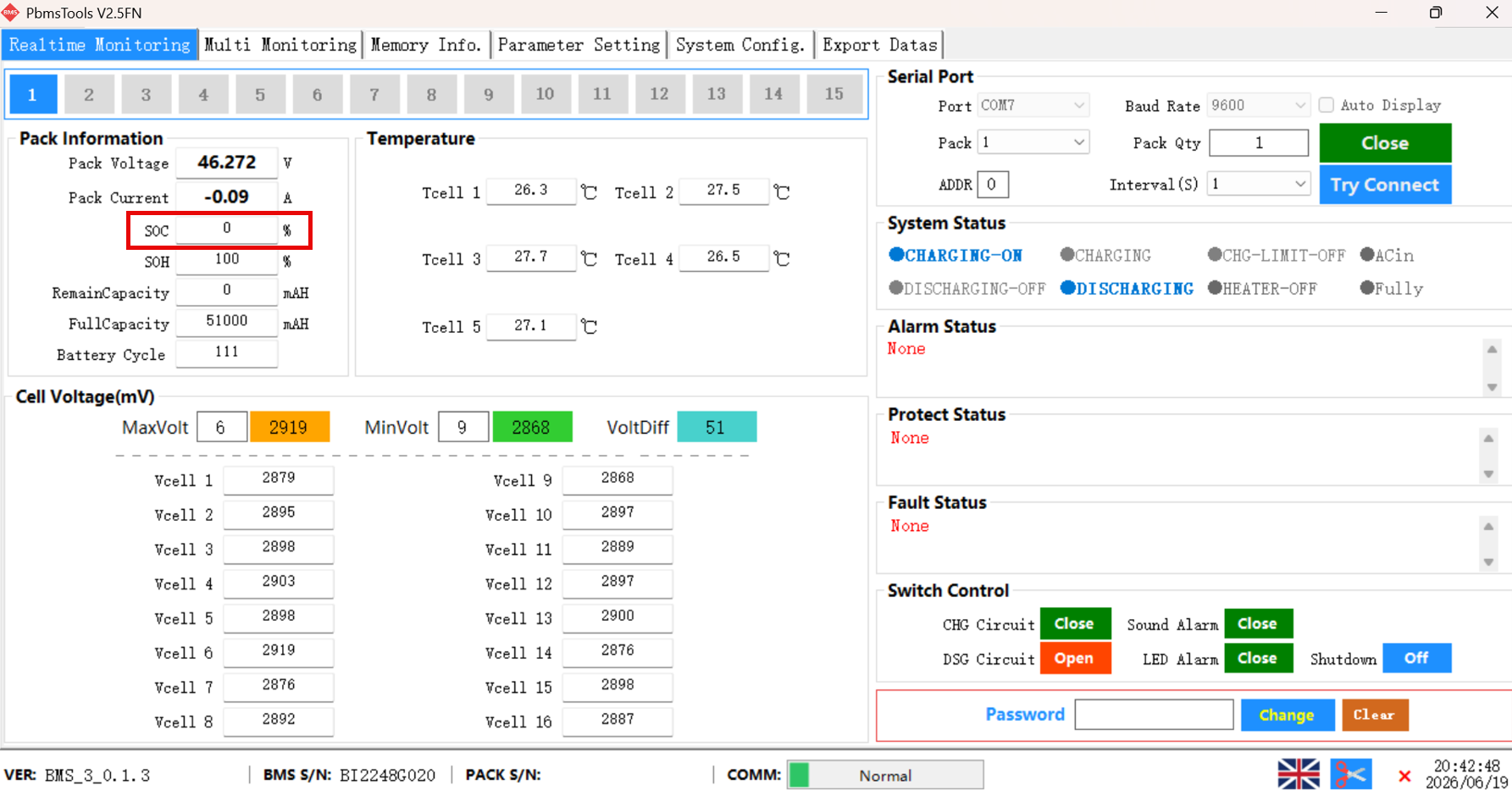
All 3 of the batteries I was trying to recover have as @Vestas suggested got some dead cells and some that are overcharged. I have also validated a couple of the batteries that are "good" and they have balanced cell voltages and are reporting correctly. I believe the units with the issues were deep discharged for 6 months plus which has led to the problems.

I do not have the time or the inclination to try and build good units from the 3 bad (though there would likely be enough good cells) so all 3 are going to be disposed of via our accredited recycling vendor (CL Refurbishments).

Thanks again for all your input. I have decided that I will take on 2 of the good batteries for personal use now that I have more understanding of what is involved in testing.

#12 hoggy

Glad you got them investigated - shame they are so wonky but if they are 2.6s then at least they aren't huge capacity.

Not sure what your recycling place expects but I'd keep the BMS's as spares if you can.
Now you have the tools you can build your own pack if you wanted and set the parameters up to it's new capacity, reset the cycle count and away.

S
#13 Symon

Thanks. I had planned to keep at least one BMS board. Considering I am supporting several staff with their units, I will now keep all 3. Thanks for the inspiration

V
#14 Vestas

hoggy Is it the same BMS board in all the LV batteries?

#15 hoggy

Vestas no:
BMS V1 - Lantrun / Prime Hybrid era

BMS V2 - Givenergy Batteries Gen 1 - 2 (65A and 85A version I think as the ones in my 2.6 pack have less suppressors on them than a 9.5 pack) and the administrator list has 65A and 85A ones listed.

BMS V3 - Givenergy / Polar (Gen3 - 4xxx fw) these support things like CAN bus (for Polar) and RS485 (Givenergy) but also support 'beast mode - 120A' which I don't think we saw actually ever used?

S
#16 Symon

@hoggy - I am in need of your wisdom following on from the above. The 3 bad units were scrapped. I kept the BMS boards just in case (though from my below testing with PBMS I am not sure how I would change serial number etc).

I have taken 2 of the batteries that were giving a green status and in PBMS appeared good. I have wired them as a master and slave temporarily to get them charged sufficiently to store for a few months before I fully commission a system (our dangerous goods advisor insisted that they could only be transported with less than 30% charge).
The battery in the master slot has charged with no issues today. The battery in the slave position has a solid green status but the first SOC LED is flashing. The unit will not charge. Initially it was at 42v and showed cell undervoltage errors and pack under voltage. I have boosted the charge with a DC PSU. There are no errors but it is still showing 0% SOC in PBMS.

I could not see any way to force a SOC calibration from PBMS and trying to do it from the BBC Basic inverter app had no impact.

I have paid for the premium Giv app and that shows the same state for this battery. What are the next steps to get it to register the SOC and be able to charge it? The system config screen seemed to have most of the buttons greyed out

W
#17 wrighar

Symon

I think I'd manually charge the battery using the bus bars until a 'nice' voltage, then try a BMS reboot (pull the +ve BMS power connector) in case it got confused/locked due to low voltage.

#18 hoggy

The packs have to be within 0.5V of each other to play nice together. What I'd do is make the flat one master and remove the other, then force a calibration to see if it takes a charge (your voltage is getting into the realms of needing a direct to cells boost again though so don't be too surprised if it doesn't play along)
Once you've got it full like the other you can then try to connect both and then I'd run yet another cal with the back together.

The config is greyed out because you need a password to change settings / write to it. Depending on where you got PBMS tools from the password is often in a text file in with the zip file it came from or it's normally something pointless like 'password' or 123456...
Failing that just find a version with the password known as there's a bunch of them floating around.

S
#19 Symon

Thank you both for the feedback, I will make some further attempts over the weekend and update

S
#20 Symon

Hi, yesterday with some additional manual charging to 52v the battery has now given a correct status and SOC. It is right now registering 7% through PBMS and when I look at the pack directly via the battery details screen of the GivEnergy app. However the main page on the app and the cloud login are only showing 4%SOC.

Whether I try through the Giv app, cloud or using the BBC basic inverter app, I cannot force a charge and get the inverter to charge the unit. The inverter would only give the status of "Waiting" with the green LED on the inverter flashing. I shut it down for the day and will have another go after work today