C
For the last 14 days or so it seems that the inverter keeps disconnecting, I have tried to reset the dongle etc but no luck with getting a stable connection. Any ideas as to what could be causing this?

For the last 14 days or so it seems that the inverter keeps disconnecting, I have tried to reset the dongle etc but no luck with getting a stable connection. Any ideas as to what could be causing this?
I assuming you are using a wifi dongle.
Log in to your router and turn of 5gHz signal until you get connected, find your dongle. Should be called HF-21 or something like that. Assign it a reserved address (i think that is the term). That makes it easier for the dongle to find the network and get connected.
Make sure you have turned off features like fast roaming and ensure that any security is no higher than WPA2
Once all connected, you can turn 5gHz back on
I dont think it can have anything to do with the paid service, but I am not an IT expert.
Craigedarroch disconnecting from WiFi, or disconnecting from the portal?

Same here, the inverter is now disconnecting from WiFi once or twice a day. I have to reboot the router to re-establish a connection each time this happens (always had a stable connection up until around two weeks ago). This has become such a faff that I have unplugged the dongle from the inverter and now only bother connecting to the router when I wish to change a setting (twice a year to swap from summer to winter mode plus clock changes) or investigate an anomoly. The inverter is in a dry garage so no worries about water ingress through the open USB port, I have just stuck a piece of tape over it to keep it clean.
Between the inverter front display (AC 3.0), battery status/charge lights and smart meter IHD I have enough information to check that things are running as expected.
Of course removing the cloud connection will invalidate my warranty but, wait a minute, I don't have a warranty anymore anyway!
Woodstock That is very defeatist.
I know you have my app already. Can you put the dongle back in, and run my app continuously for a day and let us know how (un)reliable it is? By continuously, either leave the screen on (using the eye) or turn on collect stats in settings (and plug into a charger!).
Remember my app has a fault log that will pick up messages when something goes wrong. Now that there is no warranty, the fault log is more important than ever.
Woodstock Also if possible running a "ping -t <inverter_ip_address>" from a wired machine left on would be helpful as the dongle can either disconnect from the actual PHY layer of the WLAN or simply do a DHCP release/renew. Both will appear as disconnects to the end user but they won't be for the same reason & the DHCP release/renew will be shorter duration.
I had similar problems last year which I traced to a neighbour's car wifi - uses a semi-random channel, 40MHz wide signal on 2.4GHz, which is about as unfriendly as it gets in terms of adjacent channel interference (ACI). German cars from the mid-late 2010s pretty much all do this. Eventually the dongle gave up connecting & needed a reboot.
Edit - also just remembered the Octopus mini would disconnect from the WLAN at the same times. Both have rubbish antennae. That's fine as well now - apart from its monthly sulk/power off & on.
What worked for me was changing the access point channel to 6 and not letting it change from that. ACI was still pretty bad but manageable and there wasn't any packet loss at the IP layer (there was some on the PHY layer). Channels 1 and 11 are always going to be impacted more by ACI due to radio design.
YMMV.
Rubikcube Hi, I too use your app ( very good too), but in the past 2 weeks I have noticed lots of Errors noted on the app- as in 500/1000 etc. The "fault log" looks to be a simple read of whatever is in teh Giv inverter, BMS high. low etc. And my GiV dongle flashing blue and obviously disconnecting from my Wifi more regularly. Now, I have put this down to getting a new ISP and router, but reading on here, I am not alone, so it may not be my new router.
Finallay figured it out, had to switch off the 5.0GHz's on my EE router whilst i went throuhg the process of resetting the dongle, once completed and inverter back on I was able to switch back on the 5.0GHz's along with the 2.4GHz'z, it seems that the inverter is staying on the 2.4 otpion now.
Hi, I am a complete novice at this with limited IT skills and feel I have been left high and dry by GiveEnergy. No phone help and simply an email on the 26th May to say I was on my own. Please can someone help guide me :-)
So I have a 9.5kWh battery and a 3.6kw hybrid inverter
I downloaded the new GivDirect app and initially it connected, but then became so intermittent (went days with it refusing to connect, then it would again for a while, then stopped).
So I just deleted the app and have reinstalled it.
Now I keep getting the message (as I did before) that there are 'no inverters found on this network'. and 'Please confirm the Local Network is enabled in the app settings'- which it is,( and should I have GivEnergy Settings Maintenance set to Clear app data on next launch??)
I am definitely on the same wifi as the inverter which is a devolo (as the EE router is at the far side of the house)
So I have a choice on 'connection' -1. set up a Wifi Dongle (downloading the Giveinstaller App and updating wifi details or Dongle) or 2. set up a local connection with the Manual connection putting in the Inverter serial number starting with FA. This seemed the easiest for me but I get the message that it is unable to find a valid connection for FA... There is an Advanced (direct IP)- where do I find this information?
When I do a Network scan it checks 200 addresses and says there are no inverters on the network.
Please could someone help me.
Thanks
I have watched the YouTube 'How to reset your Givenergy wifi dongle (all in one)" but I don't even know if I have a dongle!

Nini According to ge you only need a dongle if you are a gen 1 hybrid. If you are then as the picture shows you will see the dongle on the underside of your inverter.
I would include checking the option that says clear cache on next app launch. That is a set once and it will clear once you next boot the app. You could also try disabling the 5Ghz WiFi and then try the re-connection. And once connected then re-enable the 5Ghz. You should be able to find the ip address used by the router if you log into the router. As I don’t know what model you have it is difficult to say what screen you need. But something like connected devices. Look for something named HF21. Also, somewhere in your router you should have the option of setting a static ip address to the inverter. You could try googling your inverter make/model number and asking how to assign a static ip address.
Sounds like you are using iOS (apple phone). If you are then l’d recommend using the BBC Baic inverter app. It’s free and it works, never had issues finding the inverter.
https://givenergy.co.uk/wp-content/uploads/WiFi-Dongle-Guide-2024.pdf
Thanks Maxwell
It's a Gen3 hybrid inverter and I think there is inbuilt wifi- there is a wifi serial no WH23....Nothing dongle like on the underside
On the router EE hub manager I have found a wireless connected 2.4GHz device called ESP_92... with an ip address 192.....(DHCP) which from internet search is probably the inverter (Espressif) but even when I manually put into the app the inverter serial number and then the Advanced (directIP) and then Port -(?what is this it seems pre-filled with 8899) I still get the error message.
Interestingly prior to reloading the App, the last 2 digits of the IP address that had worked were different to the one on the hub but the 8899 was the same
I have downloaded the inverter app, but am worried about the warnings on the 1st page.. Anyway even on scanning it cannot connect to the inverter...
I am going to ring see to see if they can advise
Any further ideas?
see=EE
If you have a pc or laptop connected to the same network as your inverter you can open the command prompt and type ping 192.168.0.1 (replace with your inverter’s ip address) and if you get a timeout then your inverter and pc are not on the same subnet or at least your inverter may not have the ip address you think it is.
I don't know my inverters ip address and can't find it on the router, so I dont think it is connected to my wifi.
To summarise what I have tried to do (many times) get the inverter onto our wifi:
I am by the inverter
I capture the inverter wifi WHxxxxx (I have tried with phone and laptop)
-sometimes it is jumping between WH wifi and our home wifi devolo (extender from EE router which is other side of hose) so I disconnect this from the device (** is this ok?)
When it looks stable I enter 10.10.100.254 and when prompted put in UN-admin and PW- admin
Next page is correct and then STA Interface settings page I use search, find our devolo wifi which is pre-populated with correct password, and check security is WPA2PSK
(On this page HF-A21 shows as the host name at the bottom- so I presume if it works this is what I would find it called on the router) Then I press apply
Very slowly it goes to an accept page and at the top directs me to device management page
2nd down is the restart module button and I press restart then apply.
Then it goes to the next page where at the top it says Rebooting….and never progresses...
I have left several hours and retried and this is as far as it ever gets
During rebooting the WH wifi comes and goes- but still is there
I have been through this process many times and it stick at various points
I think it needs some kind of hard reset, but I don’t know exactly how to power off the whole system to let it sort itself out
Any help (explained simply!) would be appreciated!
Nini It's a Gen3 hybrid inverter and I think there is inbuilt wifi- there is a wifi serial no WH23....Nothing dongle like on the underside
On the router EE hub manager I have found a wireless connected 2.4GHz device called ESP_92... with an ip address 192.....(DHCP) which from internet search is probably the inverter (Espressif)
If it helps, my gen-3 has a mac address starting e8:fd:f8 which is allocated to
https://maclookup.app/vendors/shanghai-high-flying-electronics-technology-co-ltd
which is consistent with the dhcp name being hf-a21 (but it's possible I've edited that - can't remember now)
Is it possible your ESP_92 device is something else ? Espressif have a lot of mac address assigned to them, though none starting 92 ?
https://maclookup.app/vendors/espressif-inc
That's not to say that GE switched to esp-based wifi at some point.
As an experiment, could you set up a wifi hotspot on your mobile, and then ask the inverter to connect to that? Should confirm that the inverter's wifi is working. I'm afraid I don't know much (anything) about wifi extenders.
Nini Have you completed steps 4-6 in the setting up the WiFi link that I posted in a previous post ? Those steps are setting up your inverters ability to connect to to home WiFi. When you using any of the apps to connect to your inverter you need to be on the same WiFi ssid that you configured in steps 4-6. When you are connected via WiFi to the WH ssid you are only able to change the dongle settings and set up the inverter router connection. This connection will not allow any of those apps to connect to the inverter to either read or control it. Have you tried reaching out to your installer and asking them to set up your inverter’s network connection ?
Nini I downloaded the new GivDirect app and initially it connected, but then became so intermittent (went days with it refusing to connect, then it would again for a while, then stopped).
The app was recently updated - I now have vsn 4.07.5907, and seems to start up much faster. Not sure if it's worth upgrading, though if the problem is that your inverter isn't on wifi, it wouldn't help.
Nini If your installer gave you a handover pack the Shutdown and Startup procedures should be in it. I have a Gen3 Inverter with a 9.5 Gen2 battery. My Shutdown procedure is Turn Off AC to Inverter, Turn Off DC Strings, Turn Off Battery with button on the side of the battery and then Turn Off Battery Isolator on side of battery (or between battery and inverter if not on the battery). Wait for a couple of minutes to let everything shutdown completely.
Then Turn On Battery Isolator, Turn on Battery with button on the side of the battery, Turn On DC Strings and then turn on AC to Inverter.
Have you checked the strength of your Wifi from your devolo extender. If you have another extender you could place it between your devolo and the Inverter. If you have a socket close to the Inverter you could also try getting a Wifi extender with a LAN socket and plug it in there and then run a LAN cable from the Inverter to the extender. You would have to change dipswitch 1 to the off position if you did this.
Hi, I am still struggling to get wifi connected and my inverter remains off-line on the app despite paying for premium. The WH wifi from the inverter is unstable so it never manages to connect on the http://10.10.100.254. I see it on my phone but it flicks on and off every 3 seconds. I have a devolo extender for wifi in the garage so that is good.
It is a GIV-HY3.6-G3. This is my set up. I think I need to do a reset of the inverter but that model does not have a button. Please could someone tell me which buttons and in what order to turn on and off. 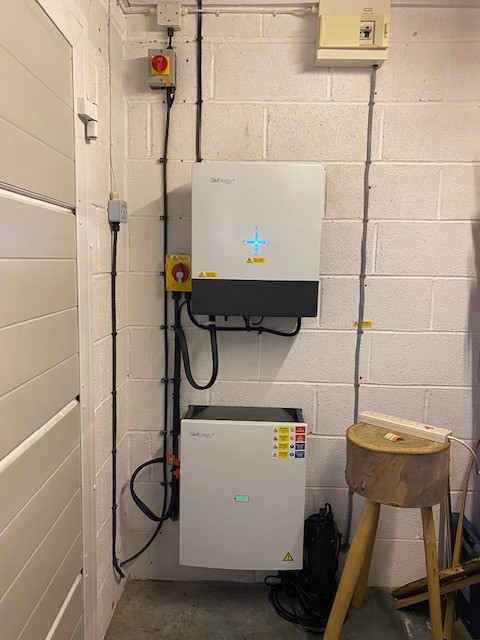
I presume this is the AC button to the inverter-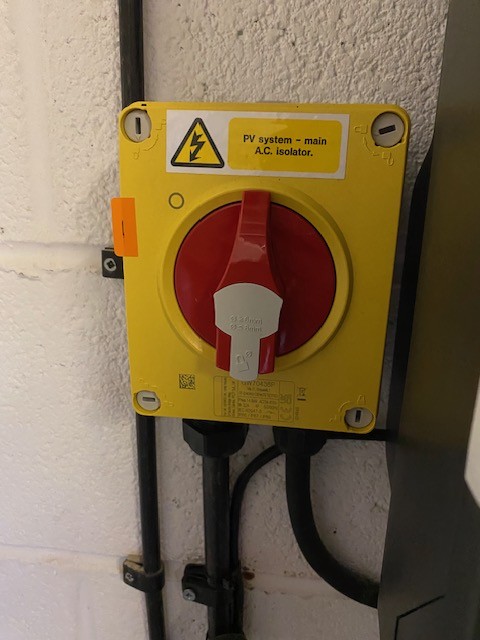 -labelled 1
Is this the DC strings button? 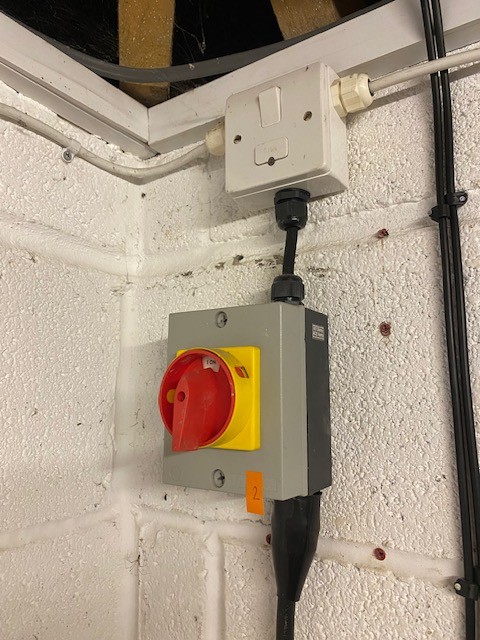
Here is the side of the battery with the power button labelled 3 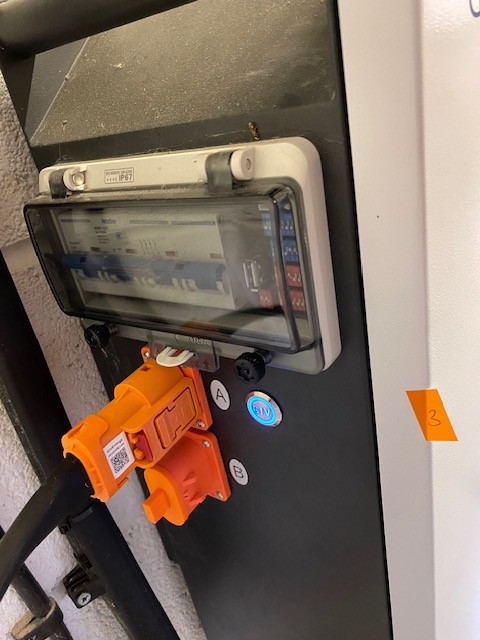
and there is a back switch on the underside of the inverter- what is this called? I don't know which button is the battery isolator
Here is the underside of the inverter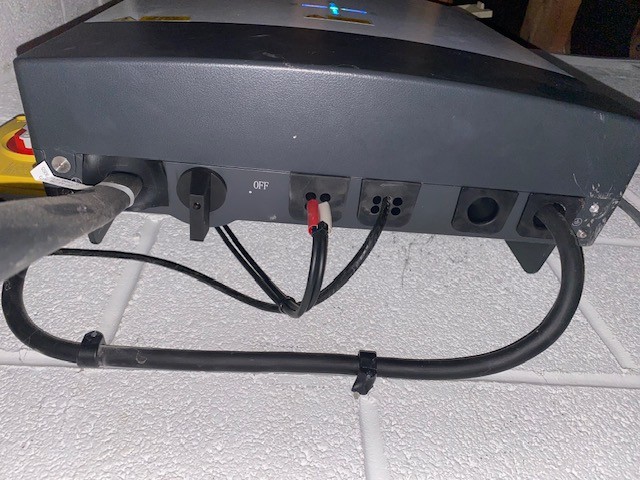
Any guidance appreciated. Thanks
There is a Solar PV Information Pack with technical info, but no description of power up and power down.
I have spoken to the installers who keep pushing back to me to sort. They are covered by HIES who they advised I call regarding Givenergys liquidation and Hies suggested I got back to installers.This is diagram-I am not technical 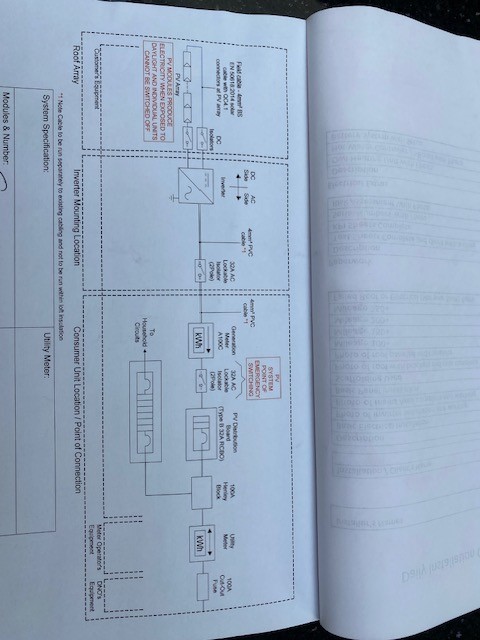
Nini How did you pay your installer?
If credit card, tell your installer that you will tell the credit card company (as they effectively "own" your system) that it is not working. If the CC company get involved with the installer it could be a lot more hassle than just sorting your system
Nini Power the battery off first, then flip the battery breaker off. Then turn the AC switch to the inverter off.
After that turn the PV switches to off. Then turn the inverter off (switch at the bottom).
The system should now be powered off.
To power on, just reverse the sequence but be sure to turn the battery breaker on BEFORE you power up the battery.
Thanks. I followed the instructions in the video exactly (with red and green numbered stickers to make sure I did it all in order!) It did not say when to turn the TVs on so I did that last..
Still the WH wifi signal is unstable and I could not finish a successful reboot after logging on to http://10.10.100.254.
I am ringing the installers again. Are they obliged to come out and help me sort? I have done all that I can, I think.
It is probably something simple, but I just can get a stable wifi from the inverter.
We paid by bank transfer.
Still any suggestions welcome.
Just reading back through... did you try my suggestion of setting up a wifi hotspot on your mobile, then converting the inverter to that ? (There might be an ordering problem if you want to use the same mobile to both provide the hotspot and connect to the inverter's wifi to configure it.)
I couldn't work out how to do that- I am very IT naive. Pls talk me through on an I phone. Thanks
Can I check this.
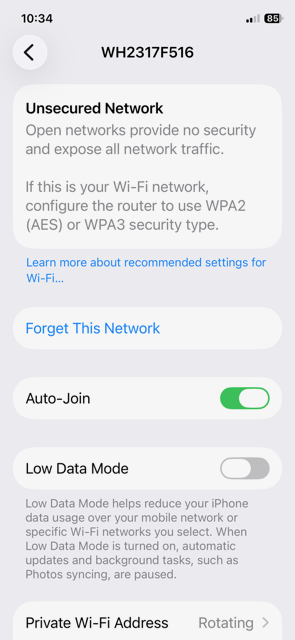
I am by the inverter with my phone, I switch off mobile data, there is wifi in the garage from a devolo extender- it works well (if I unplug I only get 2 bars from house). I deselect auto join for devolo of it wants to connect. I select WH... and I get this. Should I have bars in the top RHcorner? 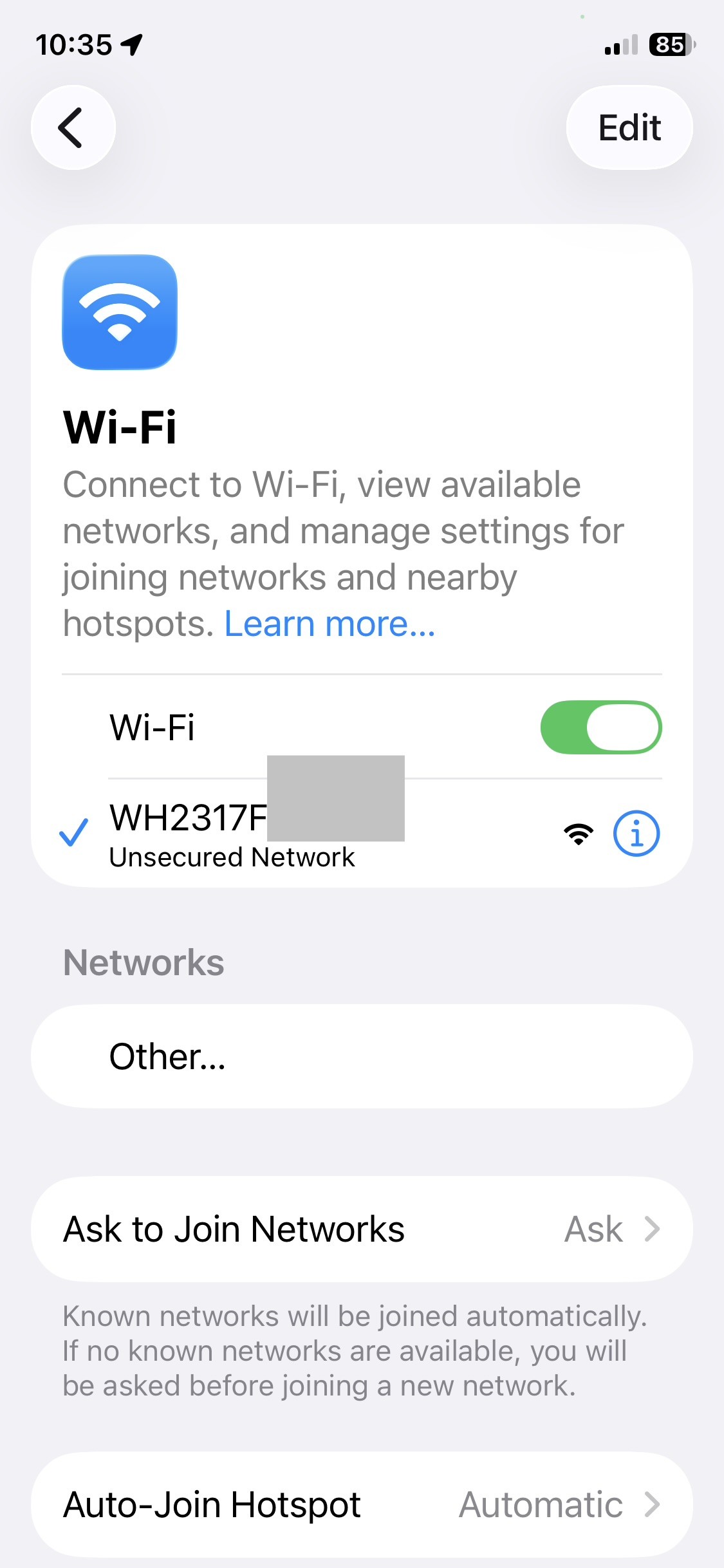
I don't, but after a few attempts I can open the web page http://10.10.100.254 and continue to select the wifi which is populated (or a check that it has good strength) the device management and reconnect, but it never gets beyond the rebooting page.
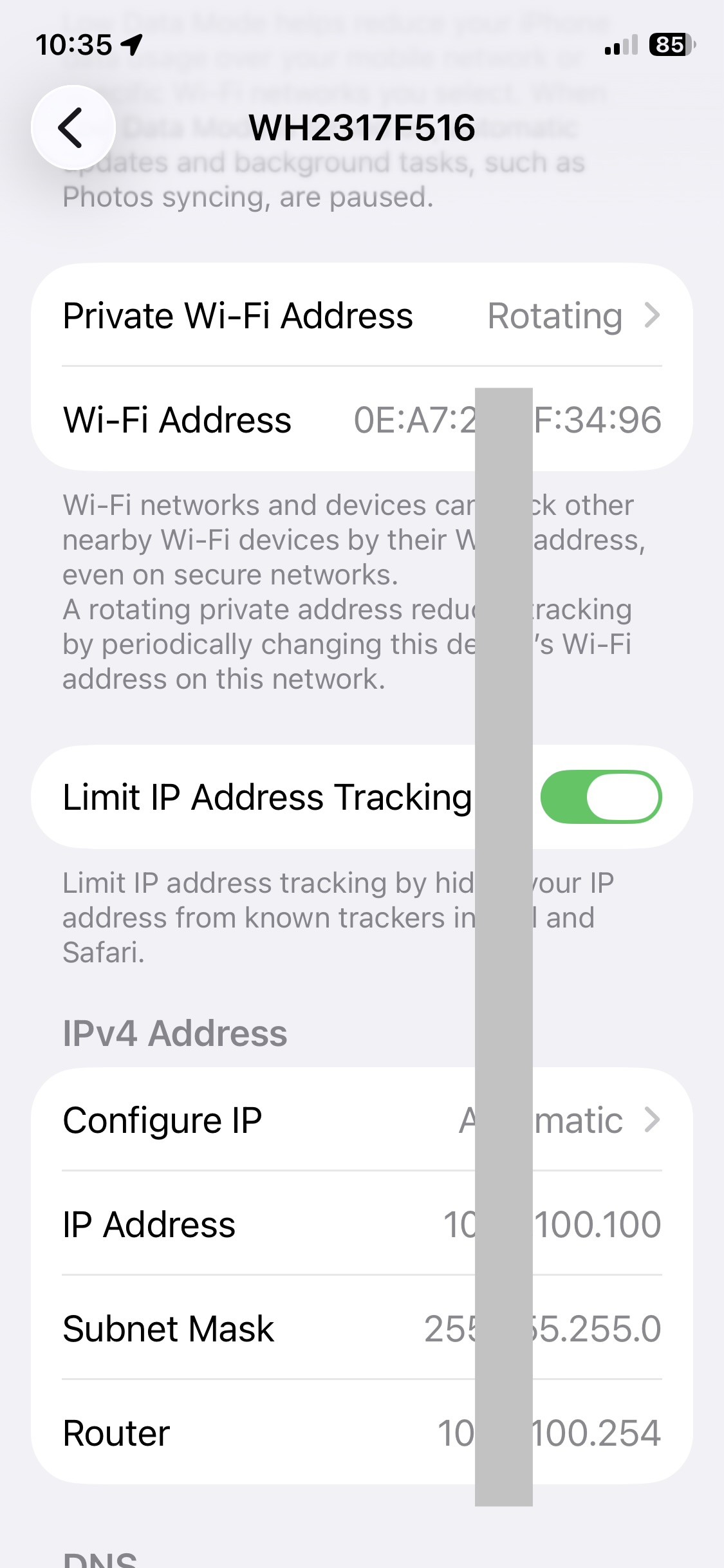
Every 3-10 seconds it flicks to this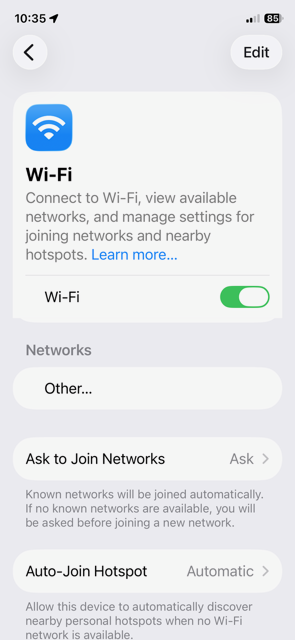
Other settings are
Spoke to the installers, who say 'it worked when we installed it, we wouldn't do anything you haven't as we would be unable to ring the Givenergy help desk' and resend me links that involve dongle (I don't think I have one- unless its this on the battery?)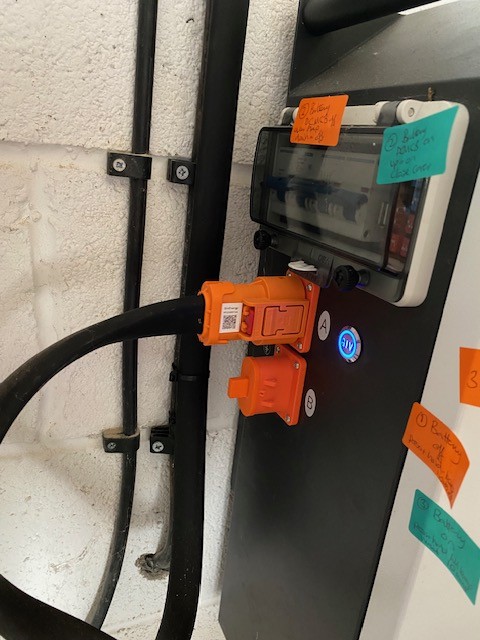
What I really need is someone who has worked for Givenergy and can help me troubleshoot.
I am so sorry to be useless, but it is so frustrating. It is probably something really simple but I just don't have the know how.
Thanks
And now I have inadvertantly posted the inverters wifi which is unsecured, have I created a further problem?
@Nini Which step number in these instructions have you completed before it goes wrong ?
And yes your installer should be supporting you here.
Nini And now I have inadvertantly posted the inverters wifi which is unsecured, have I created a further problem?
No further problems: only people nearby could exploit it, and they could discover it for themselves easily enough. Securing it would be beneficial even if you write down the password. (I have it written on the docs pinned beside the inverter.)
Nini I am by the inverter with my phone, I switch off mobile data, there is wifi in the garage from a devolo extender- it works well (if I unplug I only get 2 bars from house).
With your extender... Does it connect to your main router with a cable? (Does it set up it's own access point, or just repeat the main WiFi?)
Have you actually tried it with the devolo turned off? My inverter is in the garage has has relatively weak WiFi, but seems to connect okay.
I can't remember if you have premium GE subscription. If you do, does the inverter connect to the cloud. Ie is the problem just with the app connecting to the inverter locally?
Do you have a laptop or tablet, or just an iPhone?
Nini I have watched the YouTube 'How to reset your Givenergy wifi dongle (all in one)" but I don't even know if I have a dongle!
I don't know for sure, but I think it's as if theres a separate microcontroller implementing the Comms, with it's own firmeare. Initially it was a separate usb device plugged in, but more recently it's integrated into the main unit. I get the impression "dongle" is used to refer to it in both cases.
Ok so the wifi kept dropping, so I kept rejoining , kept going, kept entering wifi address and eventually it re-booted and I am back on line!!
Thank you for your patience and answering my questions and trying to help!
The installers never did get back and offer to come and help, kept telling me to sort it myself-which I did in the end I suppose.... Mercia Energy
Next question, is it worth joining Axel, who Premium is pushing to get the £4.99/mth paid
Thoughts? I am currently with Octopus
Nini
I joined Axle and my GivEnergy premium went live straight away.
I have only joined managed events, so they only control my system for specific events. They can take full contro; if you select that option.
As a minimum I get premium for free and a guaranteed £10/month, and I still keep control of my system outside of events. I am on Octo Flux import and export.
Works with predbat/HA
Nini Next question, is it worth joining Axel, who Premium is pushing to get the £4.99/mth paid
Thoughts? I am currently with Octopus
If you are on Octopus IOG (EV tariff), it appears that Axle is incompatible with tariff T&C. However, in that case, Octopus have just introduced their own battery-management program, which would also pay for your Premium subscription.
https://community.givenergy.cloud/d/7120-octopus-charge-pack
Initial reports seem to suggest they don't run the battery optimally - treat it like IOF and don't use eco mode enough, but I think they've recently addressed that.
SteveCook Axle ... can take full contro; if you select that option.
While that mode is mentioned in various places, doesn't seem to be available in practise.