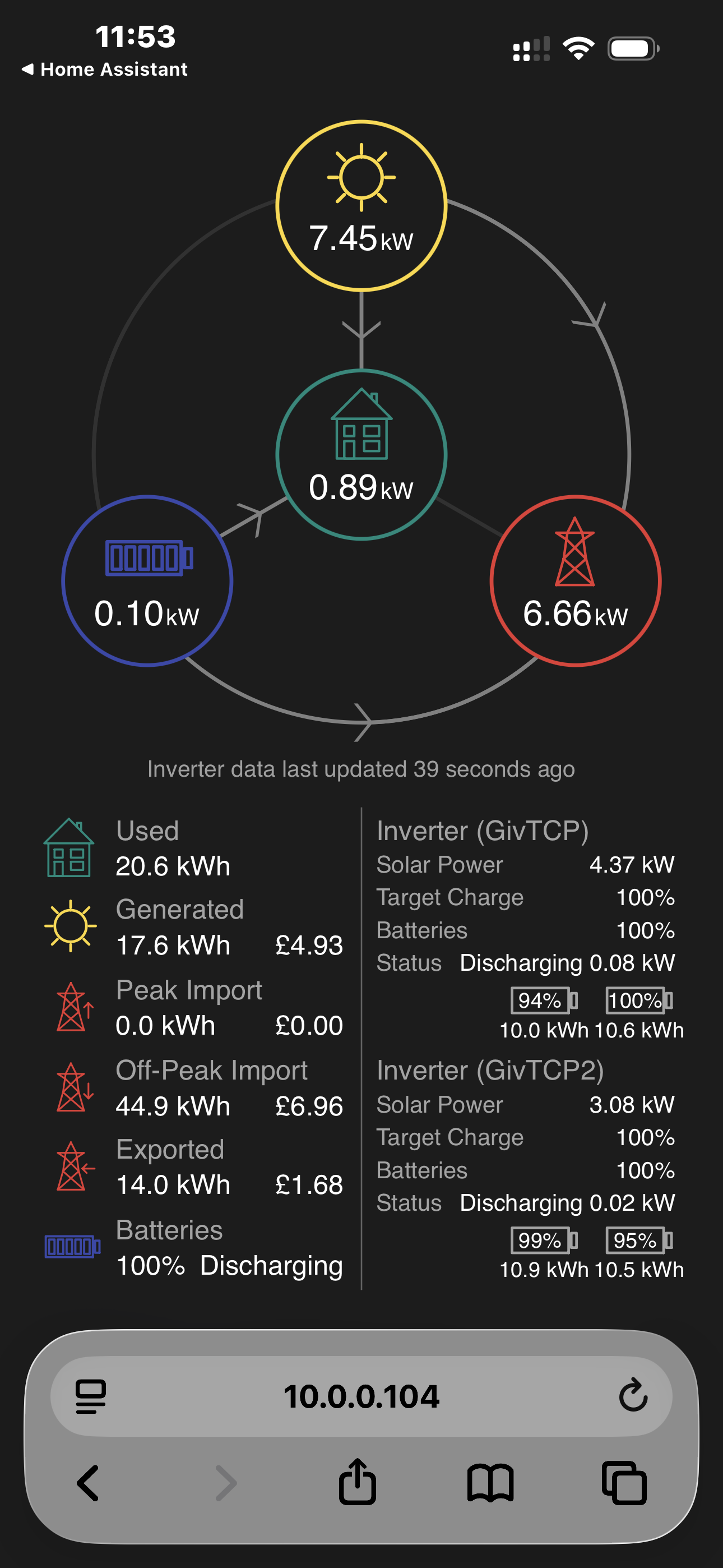
Simple Energy Dashboard - GivTCP

9 comments started 2026-06-05 last 2026-06-06
Cards - Energy FlowCloud PortalGivEnergy Products
P
#1 Pete UK

Just noticed this “Simple Energy Dashboard” as part of the GivTCP setup process (whilst reducing my polling time down to 20seconds). Quite a good compact display and shows both inverters on it. A few of the costs look a bit wonky but other than that pretty neat. I’m posting just in case it might be useful to someone.

#2 Maxwell

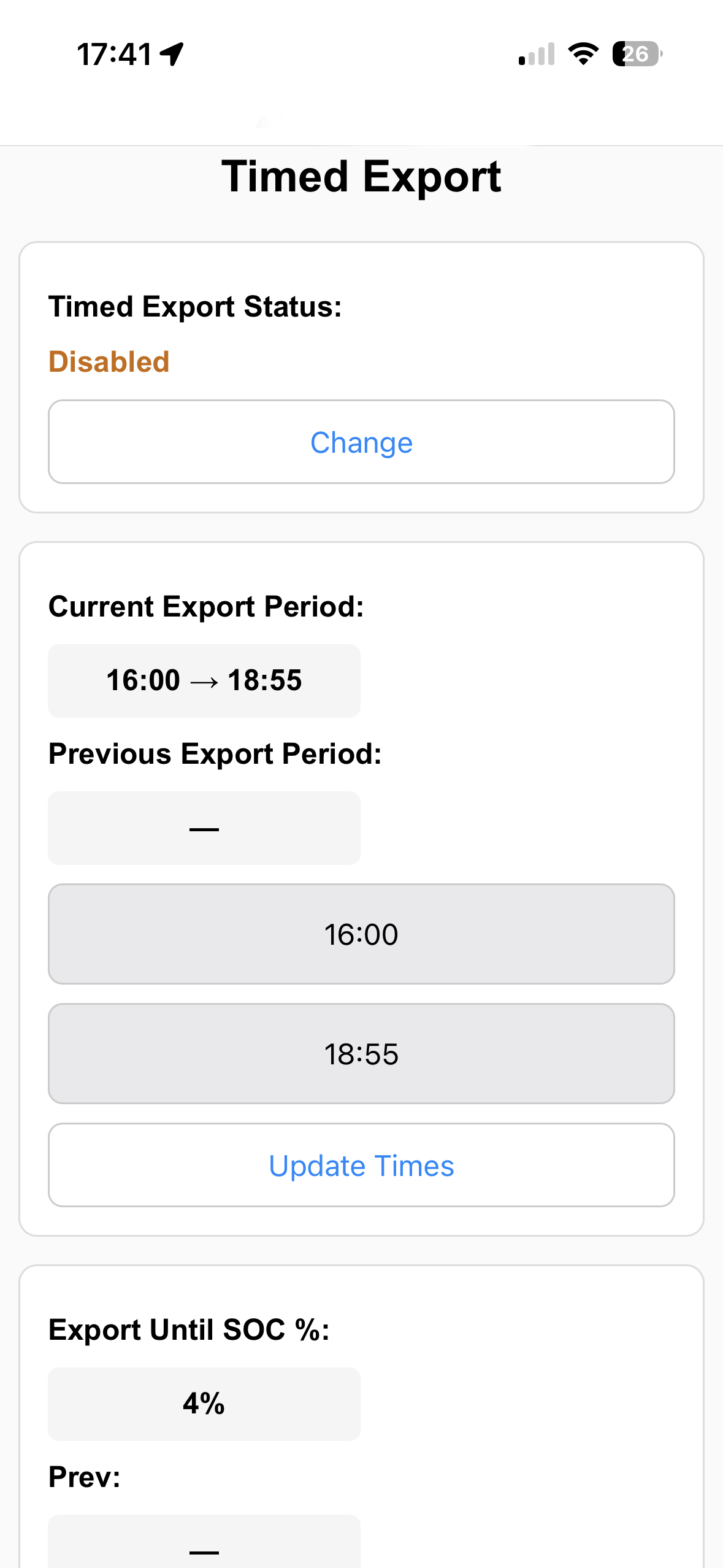
Pete UK And my noddy timed export control web page which uses the the givtcp rest api. Have a couple more to create so I can then replicate all the functions I need in the event that either we loose the free ge app or the bbc inverter app gets pulled from the App Store (as some on here are saying might happen).

H
#3 Hudson123

Your choice but the suggestion from Speak to the Geek on his installation video that I followed was not to reduce the polling time to less than 30 seconds. Something to do with the inverter getting confused if the polling time was too short, but I can't remember now exactly what he said but I left it at 30 seconds.

P
#4 Pete UK

Hudson123

Yep. That’s probably why I had 30 seconds set originally. I followed the same set up guide.

I’m just experimenting with it a bit to see what happens to be honest. The idea was to see if reducing it would have any impact on the responsiveness of my anti-cross charging balancer automation in HA. No adverse effects so far.
But the responsiveness of the Solar and battery monitoring has improved greatly.

I’ll try 15 seconds next.

I think previous version of the app used to update every 10 seconds, didn’t it?

P
#5 Paulhb

Great Flow chart, my set up did display Dashboard but sinse newcsoftware up grade this has not Ben working.

Any ideas as to how to fix to display again as it was very udeful.

P
#6 Paulhb

What are cerds and how do icheck What issue of software is running.

Are thrre any user guides ?

P
#7 Pete UK

Paulhb Any ideas as to how to fix to display again as it was very udeful.

Paulhb

If I understand you correctly,

It’s the IP address of HA on your local network (where you login to your HA device) followed by “:3000”. For me that’s 10.0.0.104. But for you it will be something different.

First it must be enabled in the GivTCP config page, once that’s enabled (if it isn’t)….

Try this for the simple givTCP dashboard :
HTTPS://<Your_HA_IP_address>:3000

GivTCP config page can be accessed directly from Home assistant or <your_HA_IP_address:8099/config.html

P
#9 Pete UK

Paulhb What are cerds and how do icheck What issue of software is running.

Are thrre any user guides ?

I’m not sure what you’re referring to here.