D
VPN stopping connection to inverter...but there is no VPN on my phone! Have uninstalled/reinstalled app, set DNS to automatic, rebooted router.

VPN stopping connection to inverter...but there is no VPN on my phone! Have uninstalled/reinstalled app, set DNS to automatic, rebooted router.
screenshot?
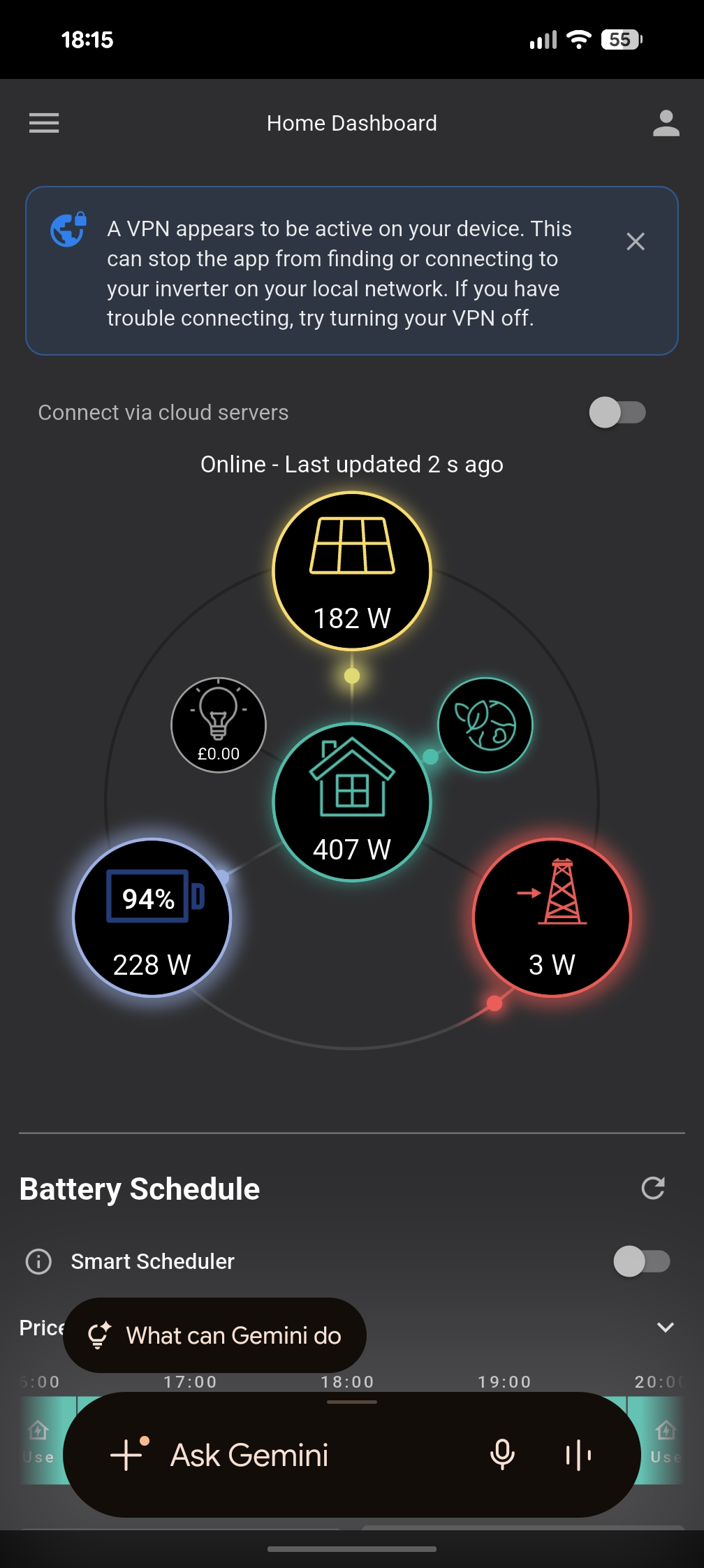
I have no vpn on my phone.
Probably something on your router is filtering what it shouldn't on LAN, or you have something on your phone you are not aware of. Hence, mis-interpreted VPN warning by GivEnergy app. As long as it's working, you can ignore it, and only act on it ever stop detecting your inverter on LAN.
I have it also, started yesterday with the same message, I don't have a VPN, but I do use a WiFi range extender.
Doesn't come up all the time, message is seen around 40% ish of the time

With the vpn warning is that on Android or iOS ? I am on IOS v 4.0.7.5907 and not experienced this. I have my inverter on a bridged mesh pair. And what I have seen is that if I move further away from the node that has the inverter connected to it and then connect my phone to the other node the app does have issues finding the inverter.
My GUESS would be that the programmers are counting IP addresses to detect a VPN.
Many mobile providers now use VOIP service when the mobile signal is weak, but WiFi is strong for making phone calls. I guess this may be what is triggering the message. It is simply that your mobile signal is weak!
Doh!
@Rubikcube Not sure I understand what you are saying here. Most home lan subnets are all /24 (so even if you have the inverter on your main house lan the app will always have the same number of IPs to scan. Unless either the WiFi has dropped and it it then scanning whatever your 4/5 g assigned ip is or perhaps if the lans have ipv6 enabled. I wonder if the ipv6 lan side is what’s causing their message if you say it’s about counting IPs ?
Maxwell
A phone typically has one IP address for wifi and one for mobile data on each sim card. Keep it simple, assume just one sim card and no e-sims.
192.168.0.22 Lan (WiFi)
10.33.44.55 (Mobile Data)
10.66.77.88 (Mobile VOIP when no mobile signal)
At least that's how it works for me on Asda mobile.
@Rubikcube According to the web(so it must be true) Asda mobile use carrier grade nat (cgnat) which means your internal phone ip is one of those 100. Ip address when you have a 4/5g signal. Perhaps the ge app try’s to scan it gets nothing and then wrongly assumes that this means a vpn is in place. Mind you my mobile carrier also uses cgnat and I haven’t had the message. Although sometimes it does does have a faff finding the inverter even though it has previously seen it. Also I thought that on a mobile device that wifi got the priority. Which would mean that an app would by default scan that ip subnet first. Is that something as an app developer that you can override or is my understanding of the priority thingy wrong ?
Maxwell a 4/5g signal
Haha. Lucky to have 3g in affected locations.
You are making this far too complicated. What I am saying is that the OP lives in a rural location (wales or scotland?) and/or a stone cottage. Look back at the screen shot. The signal is 2 bars, no 4g/5g there. The message in the app simply means the mobile signal is weak.
I can't prove this because where I am there is good mobile coverage. The developers are in Stoke so they will never see this bug.
Iguana Doesn't come up all the time, message is seen around 40% ish of the time
What I am suggesting is the the VPN message will appear if the mobile signal is weak when the app loads. Nothing more complicated than that.
Ok, thanks, but then why doesn't my battery charge when set to do so in the early morning off peak time?
It's there , 'blue bye' slots from 2.30 to 4.30 am, but nothing happens.
I get this message too, but as far as i'm aware I dont have a VPN on my phone!??
I'm getting the same message.
However I am using a VPN from abroad to access BBC Sounds to listen to the football.
Therefore the app is correctly identifying VPN usage. The system figures appear to be correctly displayed even though the VPN is active. AIO 1 and Gateway hard wired.
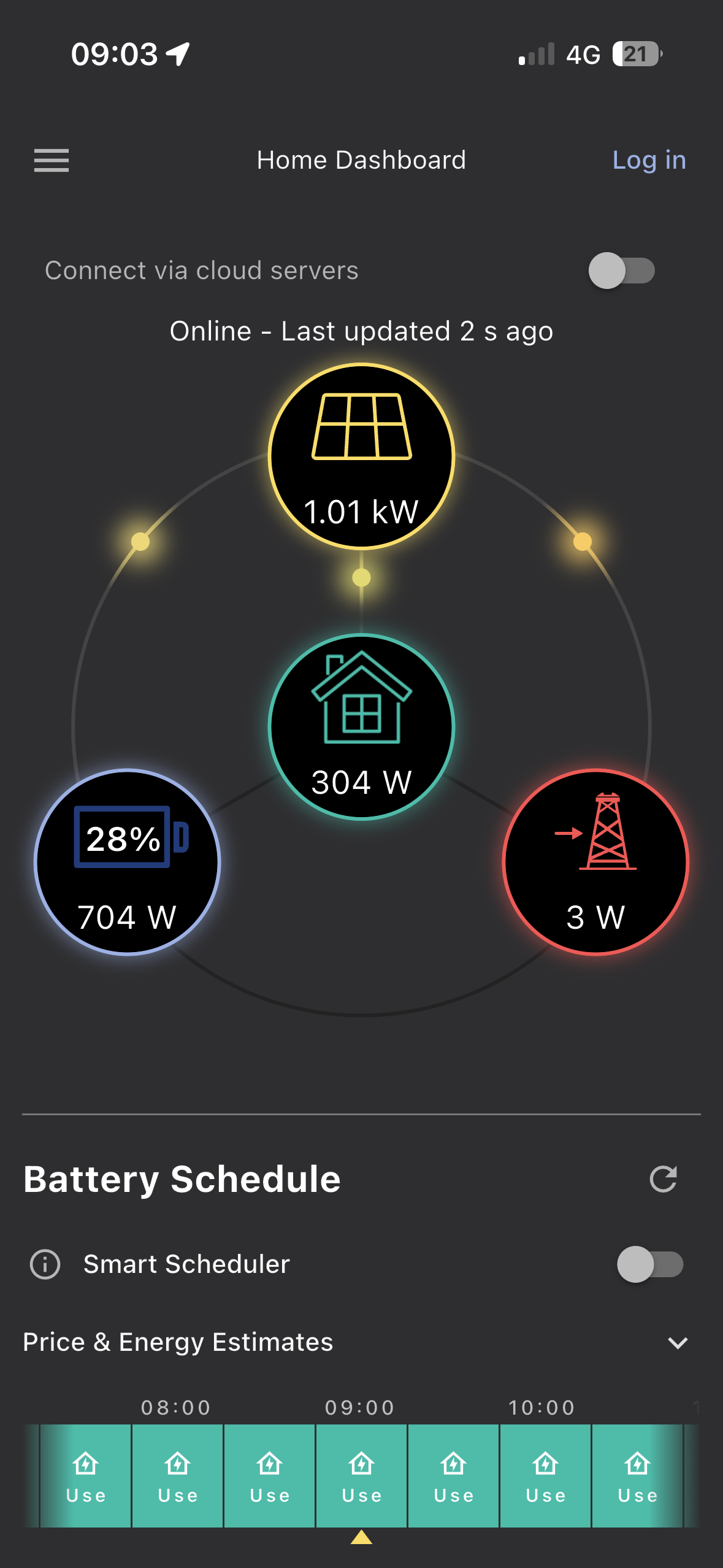
This is mine on iOS v GE app ver 4.0.7.5907 using a poor 4g connection and my own vpn enabled. GE app connects fine and no vpn message. I do find it frustrating that iOS does not show vpn connectivity on the screen. You only get the connected message briefly when you first enable it.
I've just had a new thought about this....
My installer changed the inverter from wifi to hardwired connection to the router as it kept loosing connection.
This was just after givenergy went bust.
Is the app looking for wifi and not able to connect via cable?
I have signed up with Axle and they can control my inverter fine, already earnt five quid with them plus saved 5 quid a month as the new premium givenergy app is free through them.
davidj You need to make sure that the WiFi ssid you connect to on your router uses the same ip subnet as the one assigned to the Ethernet port that your inverter is connected to. So for example if your phone is using say your guest WiFi ssid then the app will never see the inverter as guest WiFi generally has it’s own ip subnet.
Maxwell
I have the same message on an android phone.
All the comments about mobile signal are complete "bo**ocks". My Inverter is connected by WiFi to the mesh network with host address fixed by the DHCP reservation pool. The external facing IP is also fixed. There is no VPN.
The inverter is found OK.
At no point should anything be routing to any external provider.
It's clearly a non-critical bug: annoying but not urgent.
Perhaps the app is attempting to determine the public facing IP when it's not required (local access selected).
Whatever it's a BUG!
DavidBroadbent All the comments about mobile signal are complete "bo**ocks".
If you remove the sim card from your phone, do you still get the VPN message?