Custom Dashboard

19 comments started 2021-12-01 last 2022-03-19
Home Automation
#1 hoggy

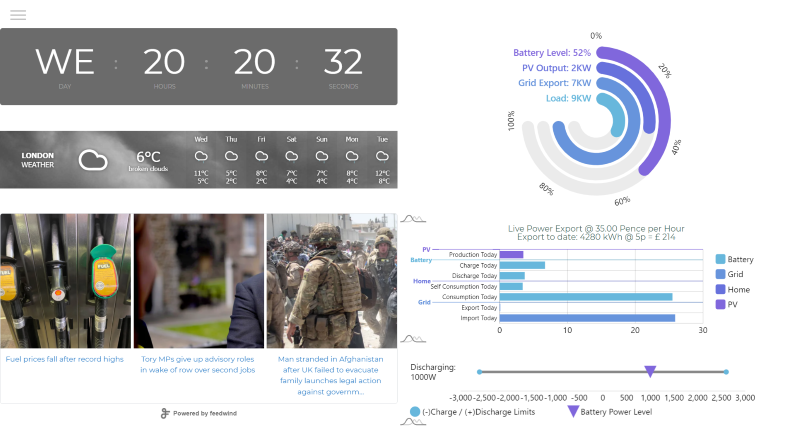
Not sure if this is of any use to anyone but I've put the bones together on a custom dashboard in anticipation of the release of local control (for faster data updates.)
More of a plaything at the moment to replace my IHD & doesn't do anything the existing beta one does other than:

  • a lot less "busy", adds news, weather, calendars, UK Grid status, google photos/picture frame etc...
  • has the benefit of being passive, so no chance of little fingers changing any settings as it's read only so no settings can be changed.

Currently it calls the existing "new type" battery API to prove a point (from a powershell script / windows pc) although it's just using JSON, html & javascript so pretty portable onto any device with a browser.
You can scale ranges to suit as output is % based instead. It also auto scales battery charge/discharge limits should you be playing with those (i.e if you've set discharge to 0, the graph scales to 0 to visually indicate this so you know if you forget to change it back!)

If any of this is of any use let me know & i'll package it up & do a "How-To Setup" (which is minor tweaks in Notepad to link to your inverter & set the scaling)
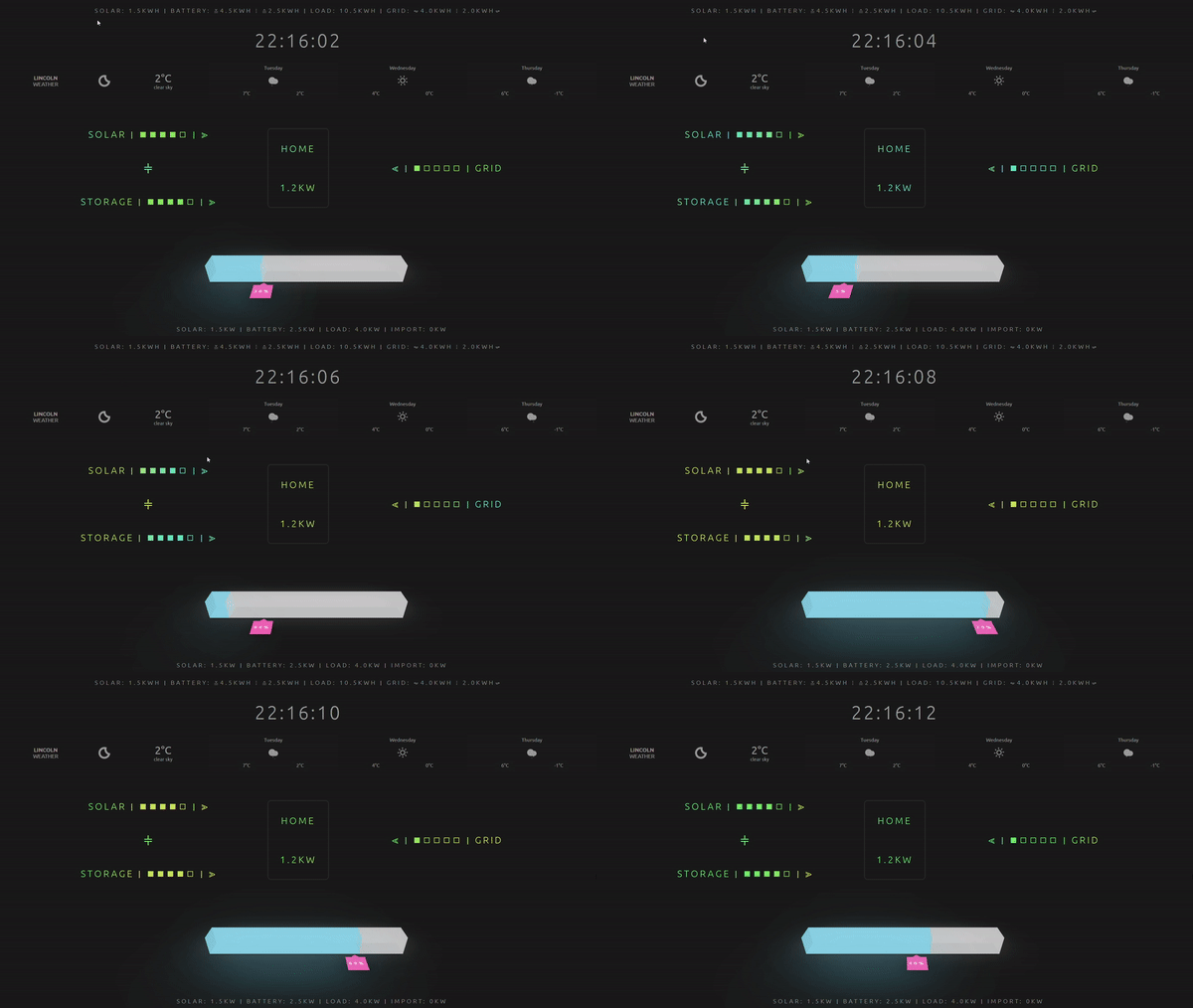
Example Page: here <--This has dummy data which changes the readouts every 10 sec, fake calendar etc...
![https://terravolt.co.uk/Downloads/Misc/Dashboard/Example/DashExample_Small.png]
#2 hoggy

Reserved for future use

#3 hoggy

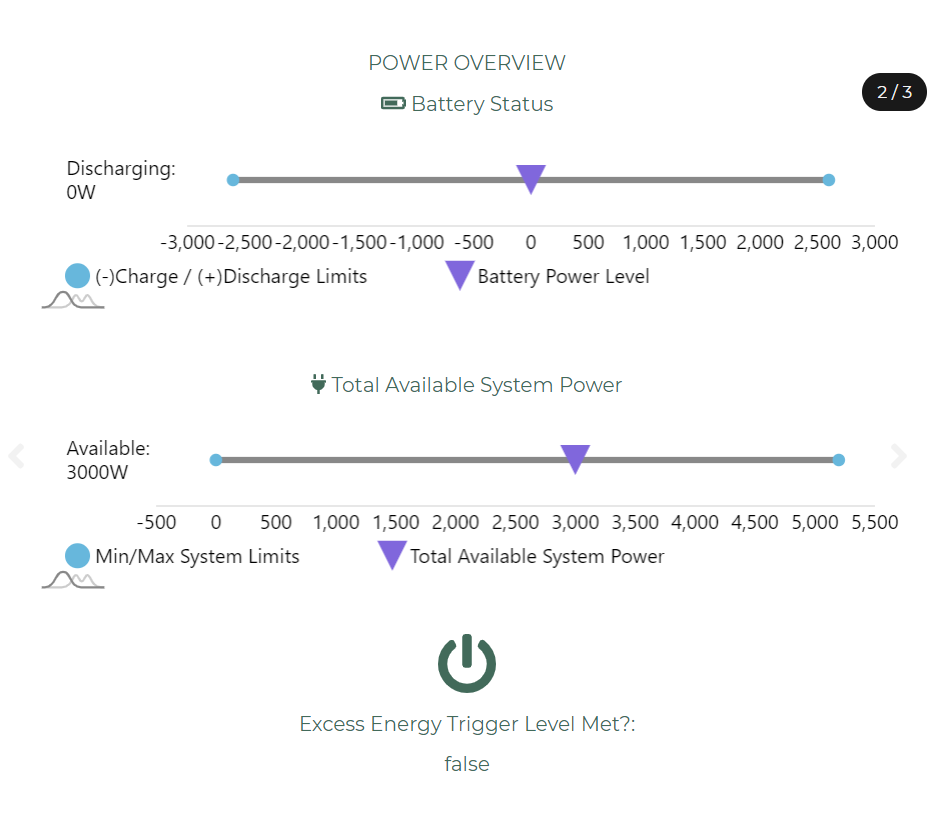
Added Slider to GE System Pages
Added Power Availability meter. (Battery Available Power + PV Output - less current loads)
Added Power Availability trigger. (if PV & battery are above X, start device Y)
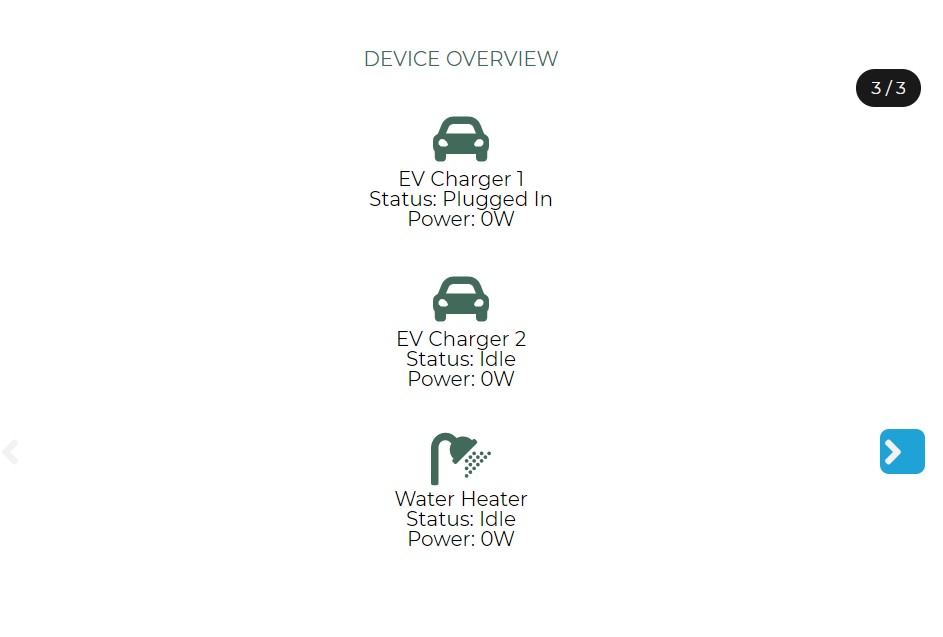
Added Devices Page to monitor my Chargers/Hot Water

A
#4 anabanet

Hoggy,

This is very very interesting to me.

How do you get the bits working.?

I have two 36's and 2x8.2 + 1x5.3 Trying to 'live' with zero grid energy from 05h30 to 23h30

#5 hoggy

anabanet It runs on a powershell script (windows) so your edit a "settings" file with your API key and tell it which inverter you have (and optionally set some excess power trigger levels if you want) then open the supplied local webpage and it loads everything up. I'll bundle it all up over next few days with a how-to.
It runs entirely local other than it fetching data so I don't see any of this nor does it phone home or anything.
I honestly have no idea how it would react to multiple inverters, it reads from the new Battery API currently so I guess we'll see (it's one way "read only" so won't change any settings - if it just spits out rubbish then close the page and forget it ever happened...)

#6 Woodlands

I would be interested in this.
We have a 3kW Inverter + 2 x 8.2 Batteries, plus SolarEdge Inverters for 4kWp West Facing & 6kWp East Facing Solar PV.
Using Octopus Go Faster tariff.

#7 hoggy

Bit late but here you go. Suggest you read the Readme first to get an idea of what you need to do here:

It's not exactly plug & play and i'm not sure how it will do with mutiple inverters/batteries as I only have 1 so who knows.
Let me know how you get on / if you get stuck.

Download

T
#8 TonyHayden

hoggy this appears to use a different api to what's documented on the GE site so struggling to workout what's wrong.
I can successfully make calls to https://www.givenergy.cloud/GivManage/login/authKey?authKey=$GivEnergyPortalAPI
and use the GE documented API
But when using:
$headers_Giv_Bind = @{
"Authorization"="$GivEnergyPortalAPI"
}
$APIBind = Invoke-RestMethod -Method 'Get' -Uri https://api.givenergy.cloud/signup -Headers $headers_Giv_Bind
$BindKey = $APIBind.apiKey

HTTP response 200 but content is always blank (e.g. []) so $BindKey is always empty and subsequent calls fail.
Any ideas what I'm missing?
Thanks

#9 hoggy

Have you bound your keys first?

It uses the new Battery API here hence you need to run the binding script first in the "Setup API keys" folder if you've never used that one before.

The main script then uses the old API key > exchanges it for the new one you created > then calls the battery API using the new key (the same as the "signup" part of the KB above references)
I've had to do it this way as there isn't a simple way of getting the new style key first (chicken & egg)

As you've noticed all this is a bit of a crutch until local control is public where I don't need to do any of this stuff...

T
#10 TonyHayden

hoggy thanks - I've got the dashboard up and running

#11 hoggy

TonyHayden excellent.
Just so you know a few of us have been finding the new Battery API to be unstable for a while so it may glitch every now and then (usually on the charge/discharge values)
Feel free to mod it all as you see fit and share your work if you wish or let me know if there's anything I've missed.
(I've got a energy flow animation sort of done but not quite happy with it yet)

A
#12 anabanet

Installed and working....

Thanks.

A
#13 anabanet

I will try use the base of Givenergy_Dashboard.ps1 as my mechanism to explore the other API calls I want. I assume that you can put to send a change request?

#14 hoggy

anabanet yeah just change "Invoke-RestMethod -Method 'Get' " to Invoke-RestMethod -Method 'Post'

If your playing with the other 'older' api's (other than this battery one) then you'll need to call the login part if the old api, retrieve a session token, then use that in subsequent calls - so its a bit different to this one. If you get stuck let me know, think I've a script somewhere in the pile that I run that does that.

#15 hoggy

Just an update. Didn't really get on with the style (found it a bit annoying / distracting) so going for a V2.
Basic feel is as below & pic here with a simplified flow (small arrows denote flow direction) power levels for each area (the filling blocks for: Solar, Battery, Grid, House) & Live/Cumulative data bars top and bottom.
(With additional Info swiping left/right drilling down data more) + the battery level at the bottom (can't really miss it)
I'll let you know when it's done:

S
#16 SB900

Need some help moving away from GivEnergy App (update rate too slow).
Currently using Docker with Britkat Container but struggling to get access to the Inverter witjhin MQTT Explorer...trying to do this all on Windows 10 PC.

Has anyone achieved this?

Looking to copy approach to achieve same.

Thanks

A
#17 anglefire

I use a rpi with givtcp into home assistant and node red.
I’ll post a image of my dashboard later when I’ve reinstalled the software following a major upgrade to my pc.

#18 hoggy

Yeah I probably should finish this project really! Sorry (although I’ve been waiting for GivTCP to stabilise a bit again after it’s re-write changed a few things)

A
#19 anglefire

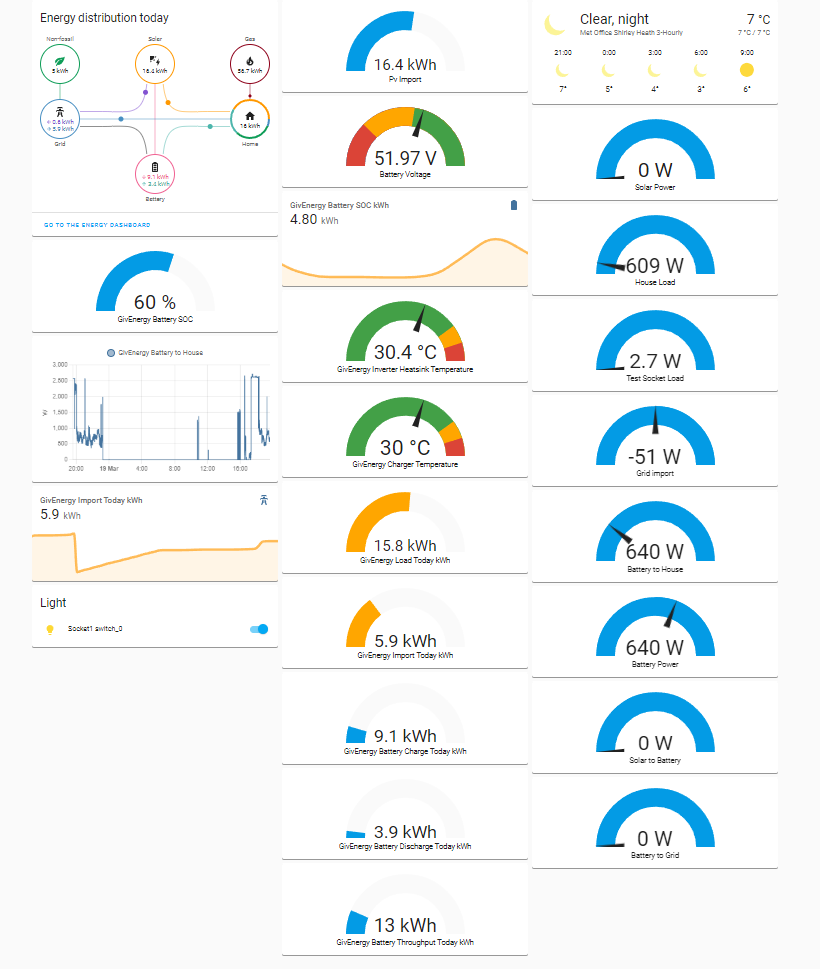
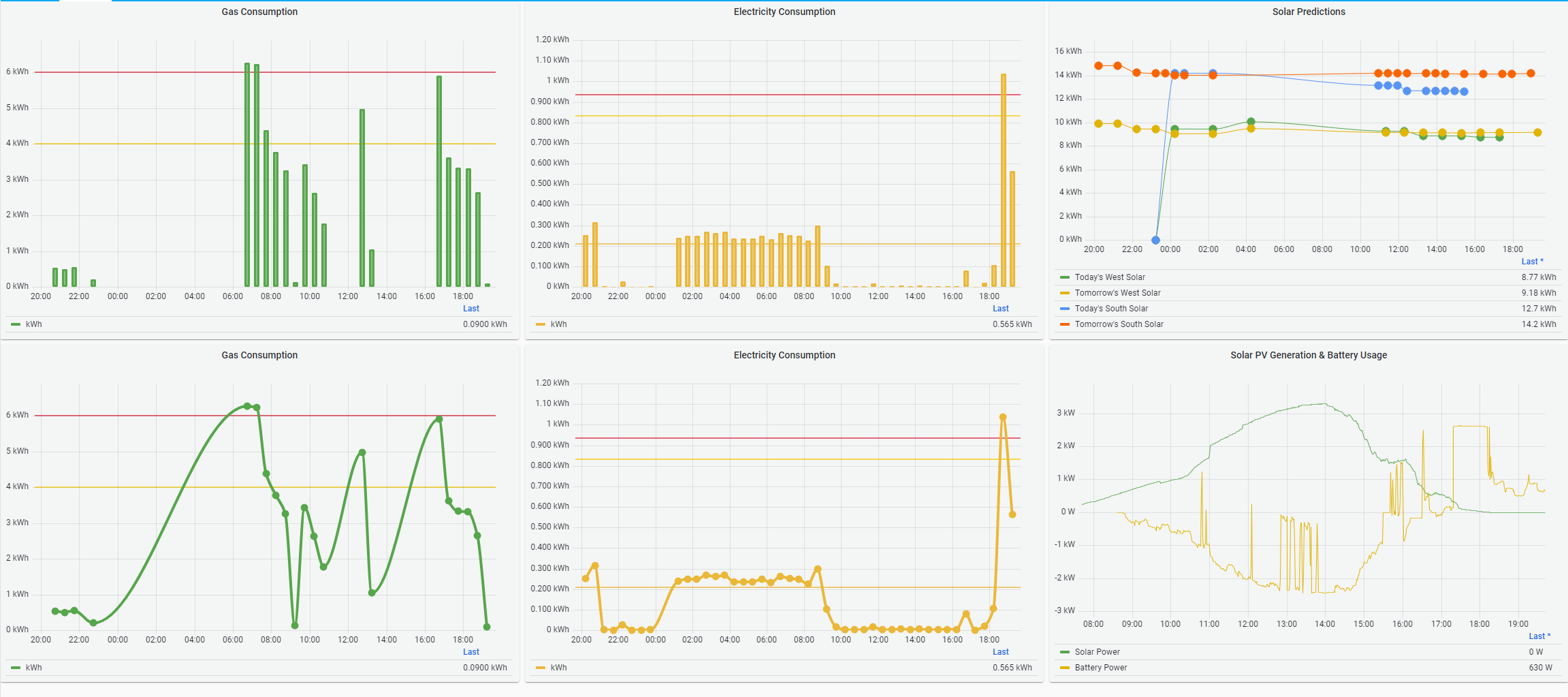
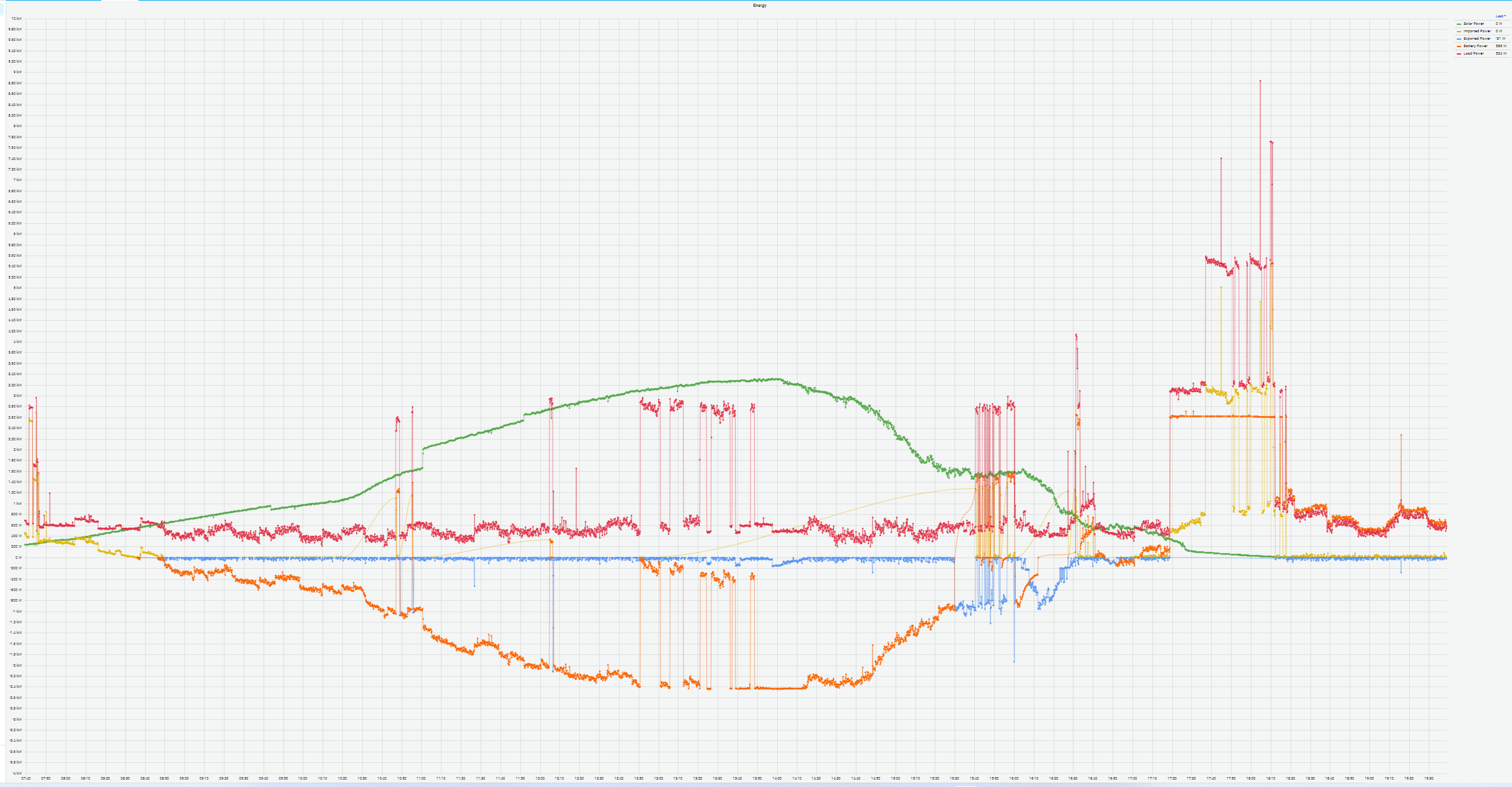
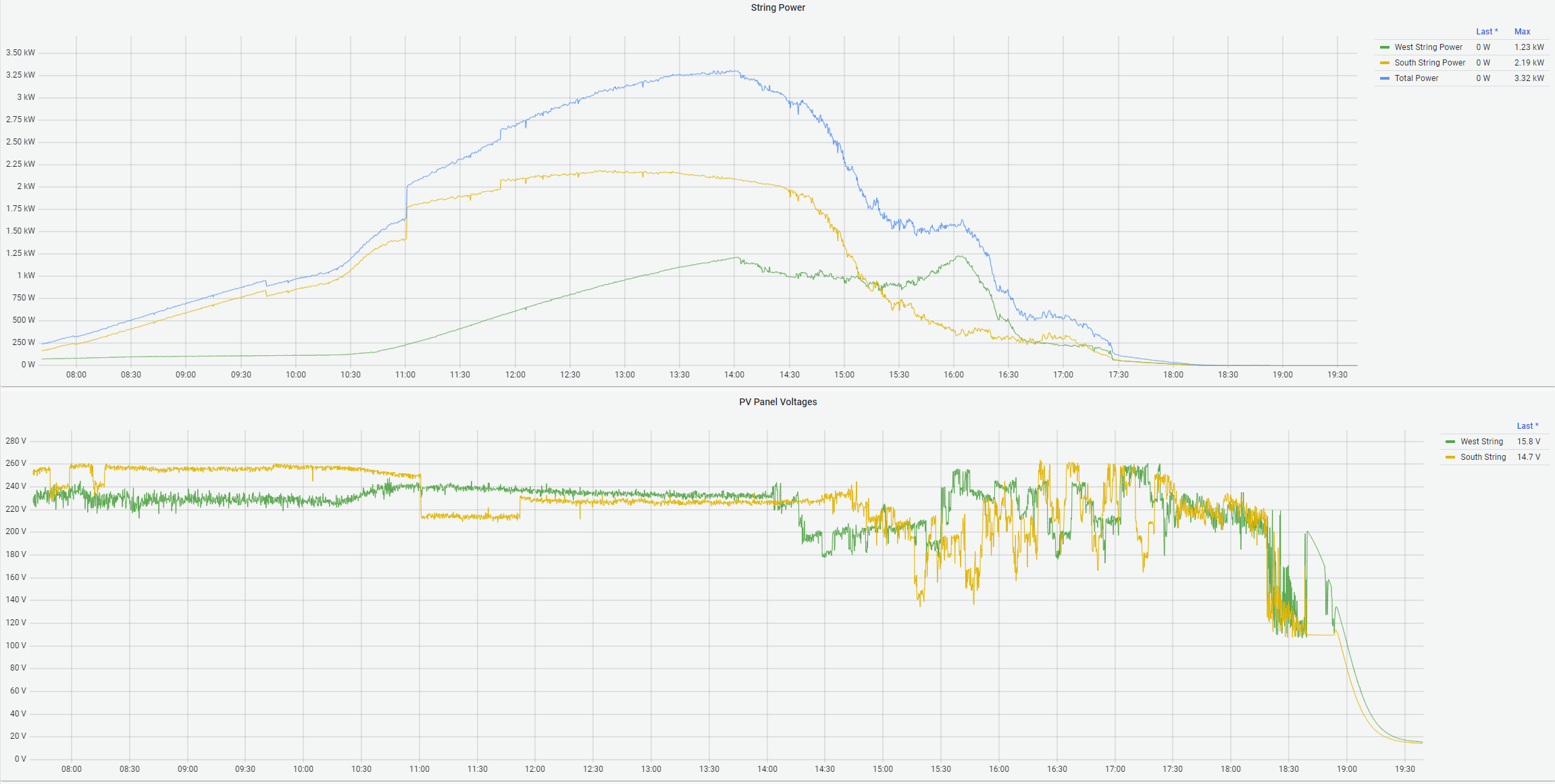
A few screen grabs of my dashboard - need a bit of a tidy in some cases.
Home Page
Energy
Graphs
String Data