
Schedule calibration?

6 comments started 2026-06-19 last 2026-06-23
Cloud PortalGivEnergy ProductsBattery
M
#1 madbilly

Hi all,
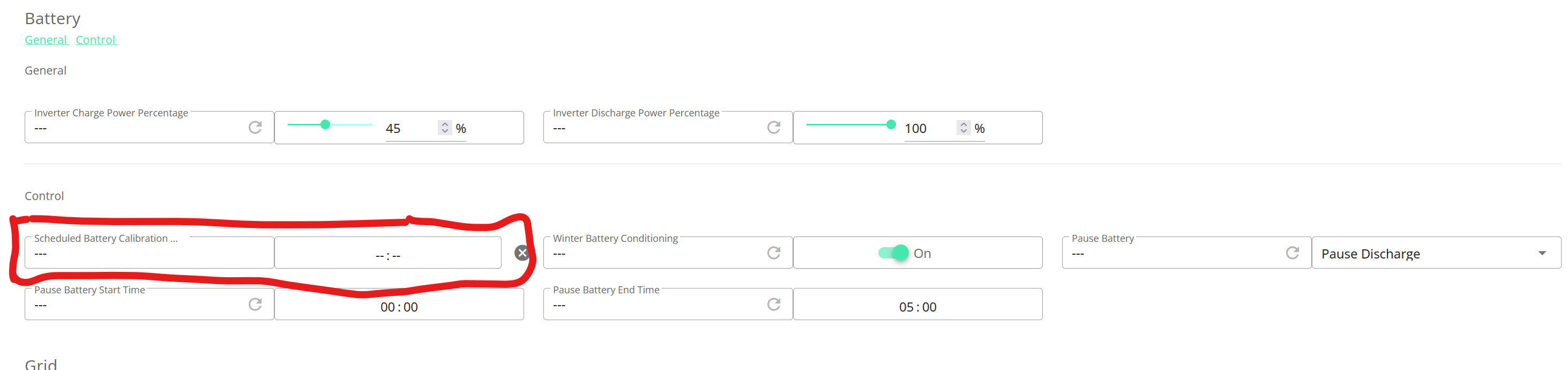
I've read from others that in summer it's sensible to do periodic calibrations to keep the cells balanced and so the BMS knows where "empty" is. Our AIO2 doesn't seem to have any buttons for calibration in the web portal, although in the remote control area there is a setting for "Schedule Calibration". Does anyone know where I can find the calibration button or know how to use the remote control setting for calibration?
Cheers 🙂
C
#2 Coys68

madbilly

the original AIO is scheduled for calibration via the settings behind the cog on the website portal. It's always worked faultlessly for me.....
Remember to set it ahead of a cheap rate period 😉

V
#3 Vestas

Coys68 and don't do it during the day as it'll disable your PV input while it's running.

M
#4 madbilly

Hi Coys68,
Do you mean in the "remote control" settings? That's the only place I would say is behind a cog. Is it this setting?

So, on the day you want to set a calibration, you just put a time in there to start the calibration? So if I want it to start at 22:00 then I put 22:00?

Is there any way in the portal to set this to run every week? Or does that require another automation tool like Home Assistant?

Cheers 🙂

M
#5 madbilly

I set it using that setting under remote control and it worked fine. I presume I just have to schedule it manually each time I want it to run.

V
#6 Vestas

madbilly You don't need to run it more than once or twice a year.