B
i have tried to connect the octopus smart tarrif to my account it used to work before all the givenergy changes now it keeps telling me its the wrong api code i have regenerated it several times but it wont accept any of them

i have tried to connect the octopus smart tarrif to my account it used to work before all the givenergy changes now it keeps telling me its the wrong api code i have regenerated it several times but it wont accept any of them
Is this via the app? I had a similar problem and was advised to use the Web page for both api generation and account entry. Worked for me.
Just hijacking for a mo'. Posted this on the Beta forum, but no response.
Any thoughts? - am loathe to delete & reinstate the Octopus key, for obvious reasons.
jonhd I no longer get the (paraphrasing here!) "You're locked out, via a third-party. You cannot make changes."
It's possible that's no longer useful, given that the app can make changes directly, bypassing the API and hence the locking mechanism ?
The Octopus API Key is (obviously) still in place, though some sort of change was made, dated early June - I guess when I was enrolled on the Giv Premium account.
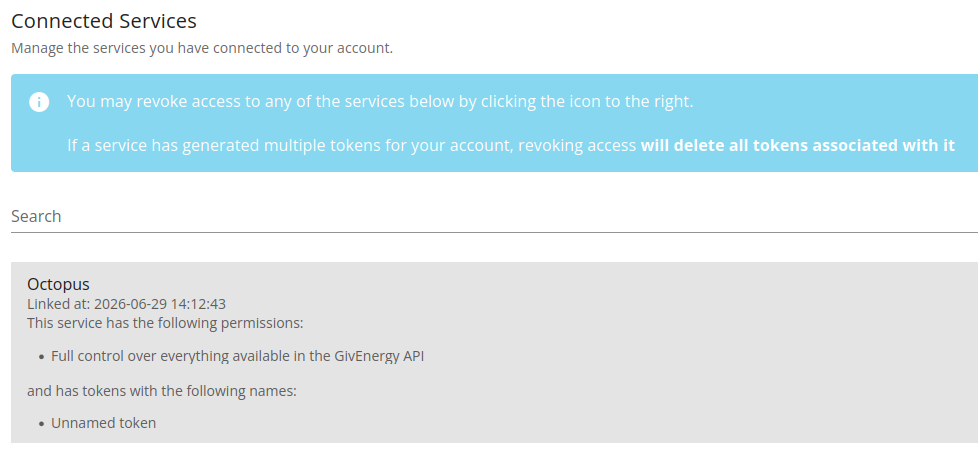
It's possible they're now using a different access mechanism? If you look on the portal in the account security, is there a 'Connected Services' section ?
You still on intelligent octopus flux?
If so, this should be the approach
If it gets stuck then you'll probably have to email the giv energy software team.
DD Thanks for that - I did manage to enable ECO mode (as a test), after restarting the inverter - something I couldn't previously do. Was disabled by Octopus when connectivity was restored - they send frequent ECO Mode OFF messages by default...
I've got this in the Connected Services section (with an even more recent date than the last time I lookd):