Lost connection to Inverter

11 comments started 2026-07-04 last 2026-07-07
Commisioning
K
#1 korahjc

E.ON Energy installed the inverter at my property in Sep'25. Around three months ago, I lost connectivity to the inverter and contacted support. Their only advice was to get in touch with the installer—which, in this case, is E.ON Energy itself. They also confirmed that they were still receiving data from the inverter.

Despite this, I have been unable to restore my connection to the inverter to this day.

Hoping it would resolve the issue, I upgraded to the cloud plan, assuming that if E.ON could access the inverter data, I would at least be able to view it through the cloud service. Unfortunately, that has been disappointing as well, as I still cannot access any data.

Has anyone else experienced a similar issue or found a solution?

D
#2 DD

korahjc I lost connectivity to the inverter

Can you clarify which connection... Local connection, or inverters connection to the portal, or web/app access to the portal?

#4 Maxwell

korahjc If you are paying for premium then email their support and get them to check your premium account is set up correctly. If they can’t see the data coming in then you need to get your installer back out to re-establish your inverter’s network connectivity. If you are technically minded you could try looking at the various knowledge base articles around setting up the WiFi etc.
Interesting that your installer says they can see your data. There is a setting in your portal that you can check to see if your installer has cloud account access to your account. It’s on the inverter tile the little cog icon, I think it’s the remote control when you hover over it. If they don’t have account permissions set there then either they installed a separate telemetry type box when they installed your equipment or the person who responded mistook your question and as they can see your lecky export via your smart meter they felt nothing was wrong. But definitely one to persist with your installer if you need help with the network connectivity. Don’t let them fob you off.

K
#5 korahjc

DD Thank you DD for your response. I am unable to make the local connection between my phone and the inverter. I have the GivEnergy app on my phone. I tried to change the WiFi provider settings, but unable to connect to the Inverter on the console as the admin password is not default and has been changed. Which leaves me on the high-street. As the external dongle is connected directly to my router via Ethernet port, the data transmission to the provider seems to be working while local access and the cloud access seems to be impacted.

K
#6 korahjc

Maxwell Thank you Maxwell. I will persist with the installation team and focus the efforts towards a fix. I have already tried using the maintenance manual to no effect.

K
#7 korahjc

SteveCook Thank you Steve. I am unable to connect to the inverter on the local WiFi network. This seems to be the actual issue on the ground.

S
#8 SteveCook

korahjc
What kit have you got that has an external dongle connected directly to your router via an ethernet port.
My understanding is the dongles are wifi (what I have on my Gen 1) and later inverters have a LAN port not needing a dongle?
Can you post a photo please of the dongle?

D
#9 DD

korahjc people have reported problems when using nontrivial network topology, eg subnets, guest networks, etc.

But you ought to be able to access the data on the cloud if you have a premium subscription - that seems to be a different problem.

It is worth trying the 3rd-party monitor app mentioned above. Of the "BBC basic" app that's been mentioned in other threads.

Can you ping the inverter from a pc or similar, if you have one?

#10 Maxwell

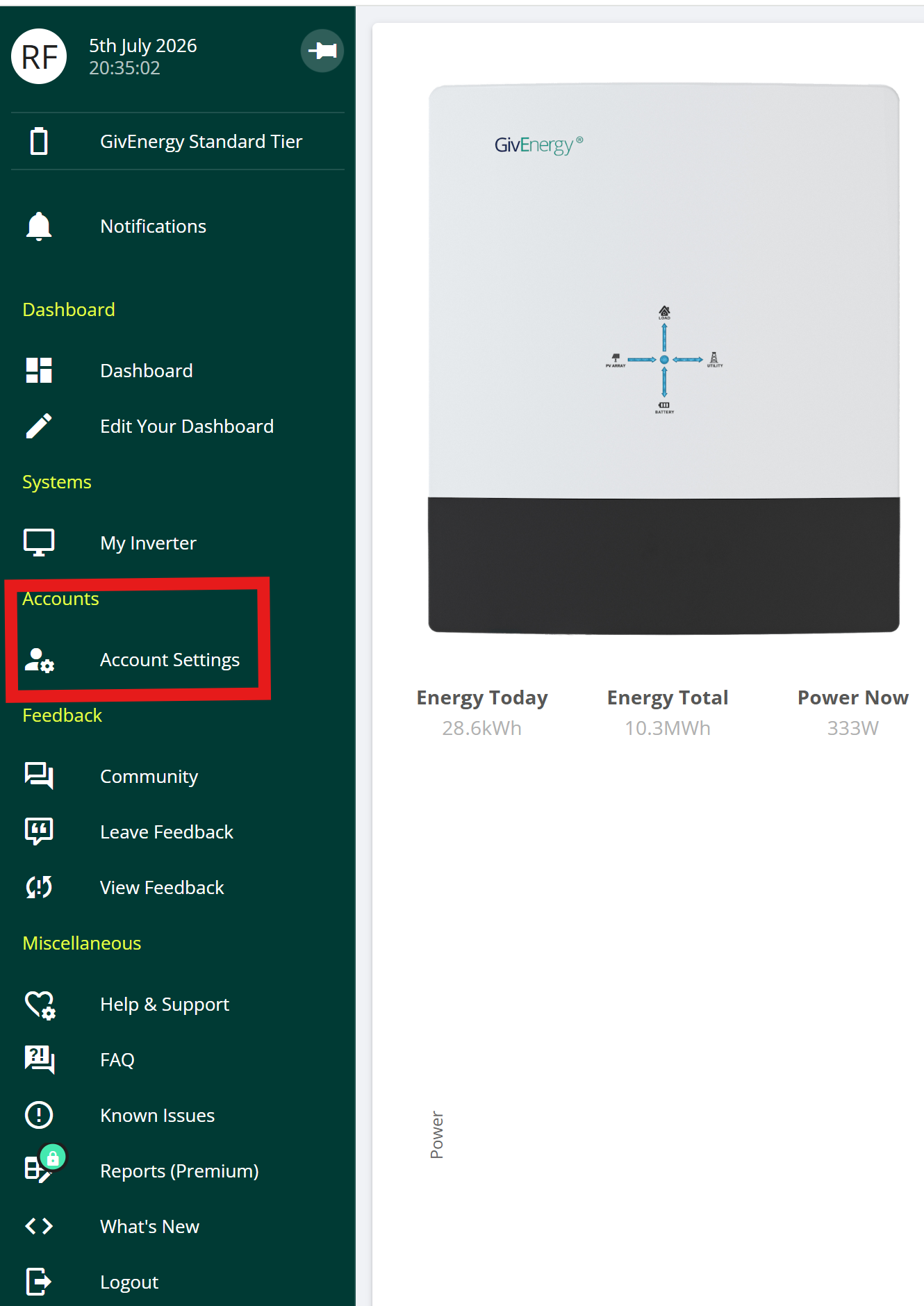
korahjc These images show where you can check to see if you have any 3rd party users with access to your inverter data. So, from the main portal page click on "account settings"

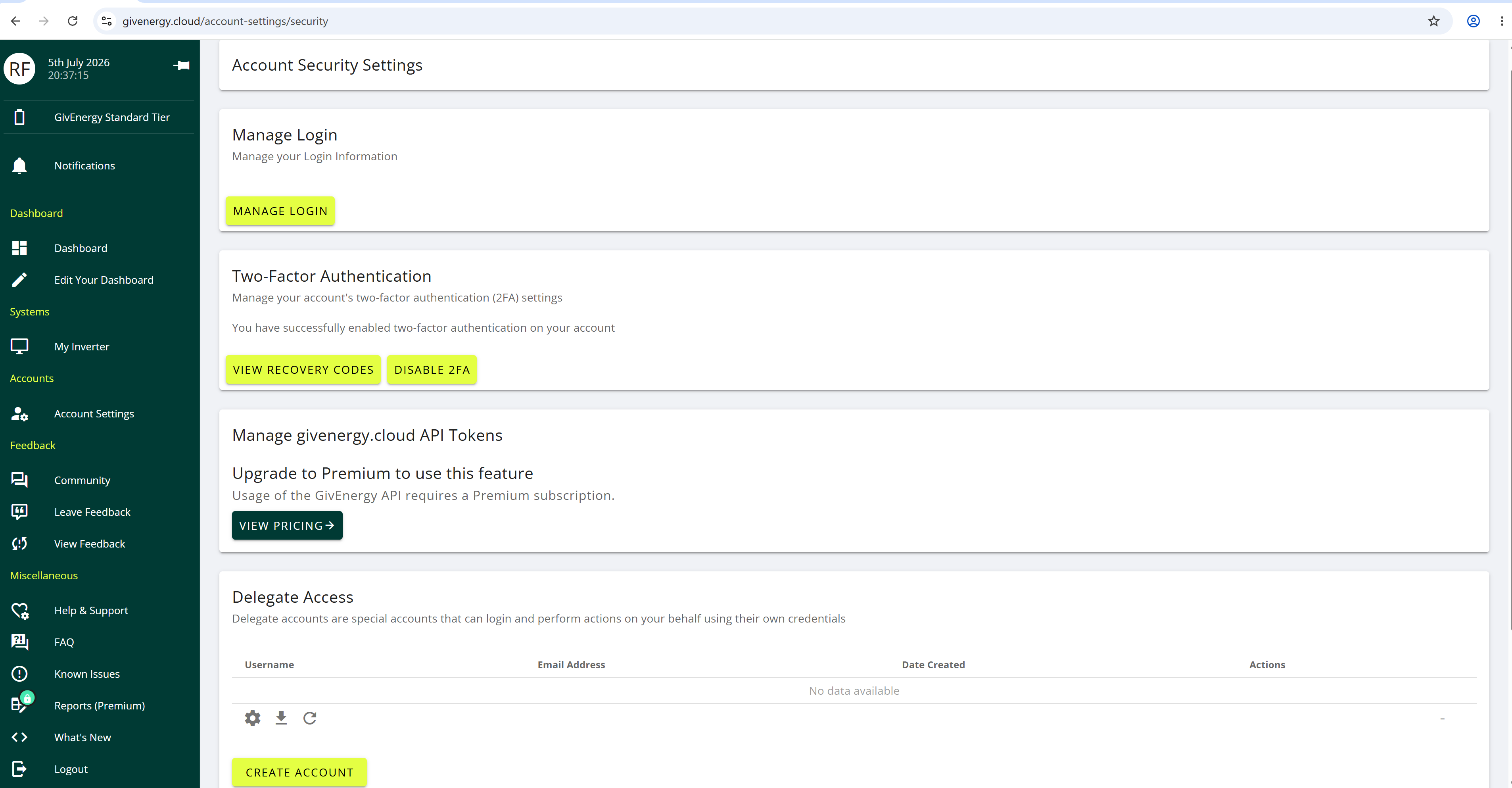
Then click on "manage account security"

If you have any API tokens configured then someone like eon could be reading your cloud inverter data. Or if they or someone lese has delegated access then it will be shown on the delegate access bit.

B
#11 bRhFDKtjRMK9

If installer (EON) is receiving YOUR data from YOUR inverter, ask to have a copy of it.
It's called Data Subject Access Request. Submit one, if they fail to provide a response, escalate to Energy Ombudsman and Information Commissioner's Office.
Also if they fail to provide info you requested because they don't have it, you will have evidence in writing that something is wrong with your system.