
firmware update

5 comments started 2026-09-05 last 2026-09-05
GivEnergy ProductsHybridBattery
M
#1 Marren2016

I know the general concessus is to not update any firmware but this morning I did and it looks like it's stuck at 90% validating.

I have a gen2 & 3 battery and it looked like it was going to update the Gen 2' firmware from 3020 to 3022, I the give.cloud webpage it said it would update the generation 1 firmware. Now I know what you're gonna say, I shouldn't have done it.

It's been an hour since I pressed go and it said it could be update 30 minutes. Should I wait or call for help?
S
#2 SteveCook

My suggestion FWIW
Turn everything off. There is a sequence somewhere and let all power drain from both inverter and battery motherboards.
This means
PV DC string isolators
Consumer unit MCB feeding isolator
Battery DC isolator
Battery on/off switch - press and hold until it beeps
etc.
When all power is drained from everything and all is turned back on, the motherboards will reboot

M
#3 Marren2016


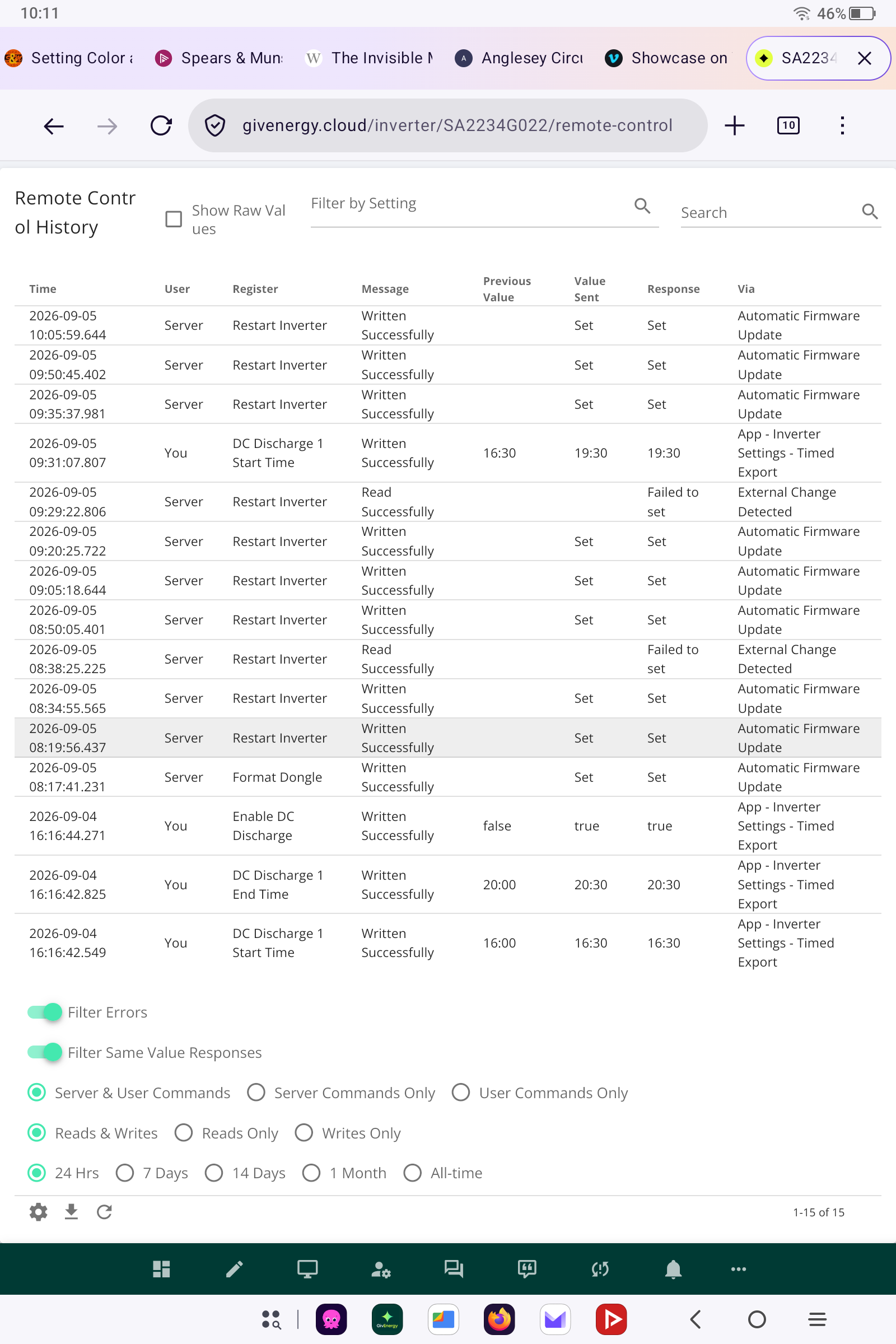
I've attached a screenshot of the recent control data.
I will follow your advice after the negative pricing has finished from octopus. Am I right in thinking that when a battery has updated it forces a calibration and does a full discharge - charge event?

M
#4 Marren2016

Just had a notification saying the update failed. I can retry via the portal.

Could it have failed because the gen 2 battery is set as a slave on my system? I don't understand why the inverter thinks it's a gen 1 battery but knows what firmware to recommend.

S
#5 SteveCook

My experience is that an inverter restart does not actually do a reboot, though others will know more than me..