
GivTCP Rest API help

5 comments started 2023-02-21 last 2023-02-22
APIsHome Automation
P
#1 pacemaker

Looking for some techie help

I am running GivTCP locally within docker, running on a Mac OS 13.2

I run it with the following command:

docker run -e INVERTOR_IP=192.168.87.40 -e INVERTOR_IP_1=192.168.87.40 -e NUM_BATTERIES=1 --network host britkat/giv_tcp-ma

As am fairly new to docker I am unsure how I edit the config file directly so am running the env vars in the run command. For some reason I have to set INVERTOR_IP and INVERTOR_IP_1 to the local inverter IP... anyway

It seems to work, I see:

[2023-02-21 11:06:34 +0000] [17] [INFO] Starting gunicorn 20.1.0
[2023-02-21 11:06:34 +0000] [17] [INFO] Listening at: http://0.0.0.0:6345 (17)
[2023-02-21 11:06:34 +0000] [17] [INFO] Using worker: sync
[2023-02-21 11:06:34 +0000] [21] [INFO] Booting worker with pid: 21
[2023-02-21 11:06:34 +0000] [23] [INFO] Booting worker with pid: 23
[2023-02-21 11:06:34 +0000] [24] [INFO] Booting worker with pid: 24

As well as this looping a connection to the inverter (I think)

1676977824: New connection from 127.0.0.1:51619 on port 1883.
1676977824: New client connected from 127.0.0.1:51619 as GivEnergy_GivTCP_1 (p2, c1, k60).
1676977824: Client GivEnergy_GivTCP_1 disconnected.

But how to access the restful API that now should be available? I tried http://0.0.0.0:6345 but just errors. Can anyone help at all?
T
#2 Tim

pacemaker If you install Portainer as a docker container, it provides you with a gui to manage the GivTCP container, so getting access to the ENV setting where the various parameters can be set. You may need to deploy the container in Privilege Mode.

Since you have MQTT running, you couldn't do better than installing MQTT Explorer which will show you the discovery messages being published as long as you connect to your MQTT broker.

Once you can see the published MQTT messages, you may not need to use the RESTful API as well, but if you do, then it should be available on the IP address of your MQTT Broker on port 6345.

P
#3 pacemaker

Tim

Thanks - I'm using Docker Desktop instead and am able to set the env variables through that. Works fine, I can see similar logged results as per above.

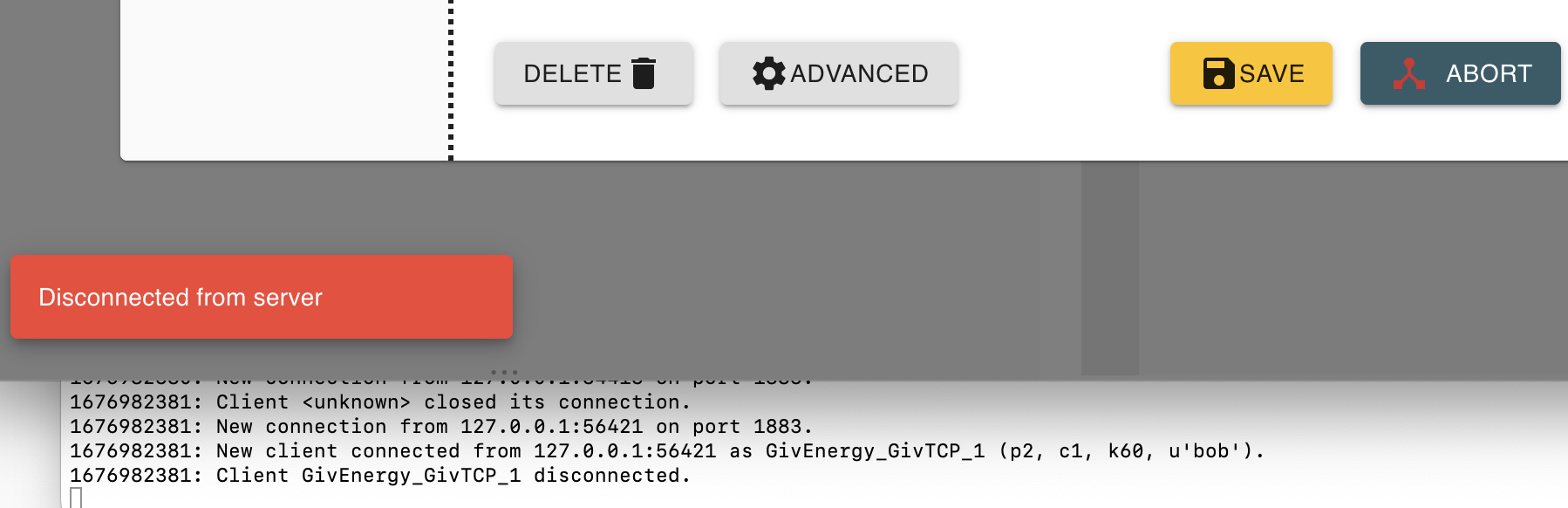
I setup MQTTExplorer as you suggested - when setting up the connection though it seems to disconnect in line with the log:

1676977824: New connection from 127.0.0.1:51619 on port 1883.
1676977824: New client connected from 127.0.0.1:51619 as GivEnergy_GivTCP_1 (p2, c1, k60).
1676977824: Client GivEnergy_GivTCP_1 disconnected.

Its listening on mqtt://0.0.0.0:1883 with the correct username/pass

T
#5 Tim

pacemaker There are a number of pieces to the puzzle that need to be put together, and I'm not sure I can answer all the questions, but here goes. You're running docker (and docker desktop) on a Mac to provide the environment for the GivTCP container. You also have an MQTT broker running. You can manage the GivTCP container with docker desktop and can monitor your MQTT broker traffic with MQTT Explorer. The GivTCP container sends TCP packets to the inverter asking for data. When returned, the GivTCP container then publishes those data to the MQTT broker, which you should be able to see with MQTT Explorer.

The potential weak points are the comms between GivTCP and the inverter and between GivTCP and the MQTT broker. I often get errors similar to @TX200 in my log but MQTT still seems to be reporting valid data, so I'm not sure what to make of the logs. The log level in the ENV can be set to Error, Info or Debug, which might provide more detail if set to Debug. The other thing I did was to set Self Run to True but the Self Run Loop Timer to 30 (seconds) to reduce the load on the inverter having to post to the Givenergy cloud, query it's Modbus devices for control purposes and service my app in "Local" mode.

I've also got a multitude of devices publishing to my MQTT broker, so it's very easy to see that it's up and running because MQTT explorer shows it's being updated regularly. If you only have GivTCP using the MQTT broker, you could set up a separate window in MacOS to publish random data to the broker every ten seconds or so, so that you can see that the broker is working continuously and properly. Actually, I guess just having MQTT explorer connected should confirm that it's running continuously but you wouldn't see any traffic.

If the broker is rock solid, then reducing the self run loop timer may help. It will really help to work out whether the failing is the interface between GivTCP and the inverter or GivTCP and the broker.