Battery charged from grid and not feeding the house

20 comments started 2023-02-25 last 2023-02-26
GivEnergy ProductsBattery
M
#1 MarkAttree

Our system has been installed for about 6 weeks now.
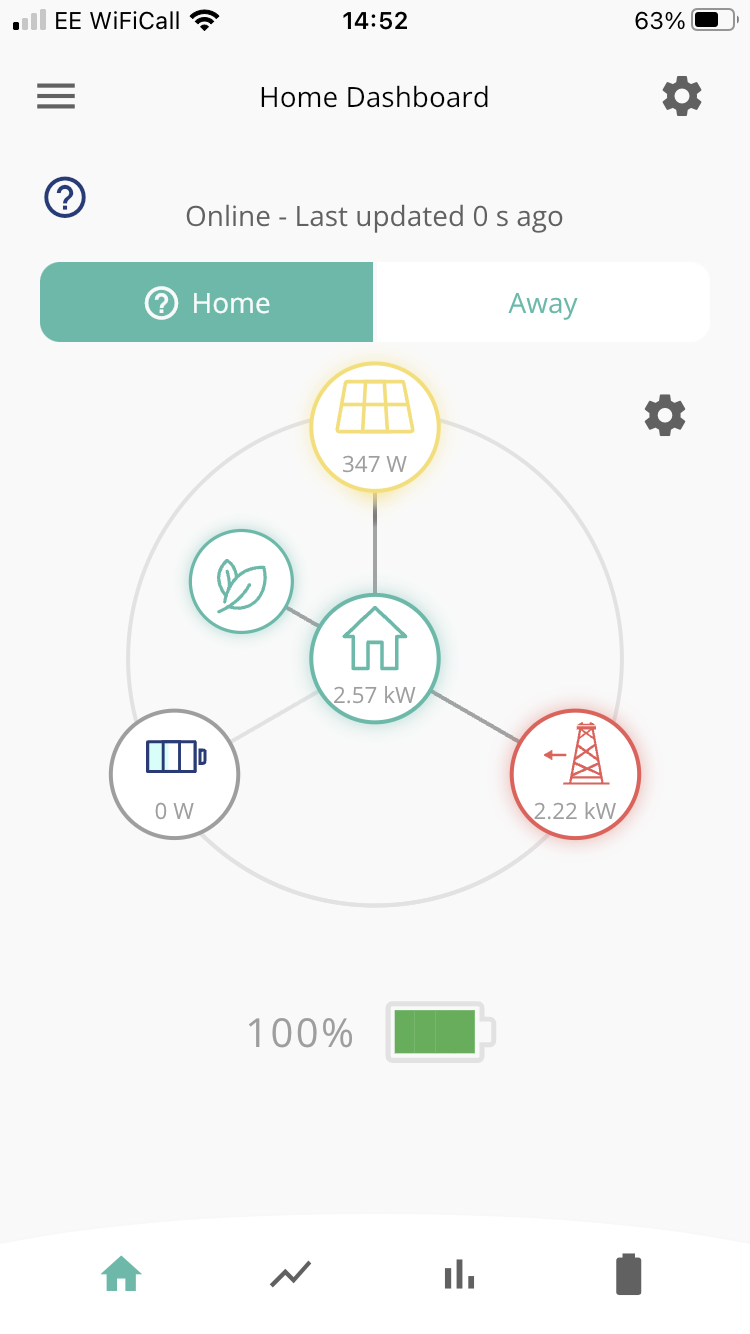
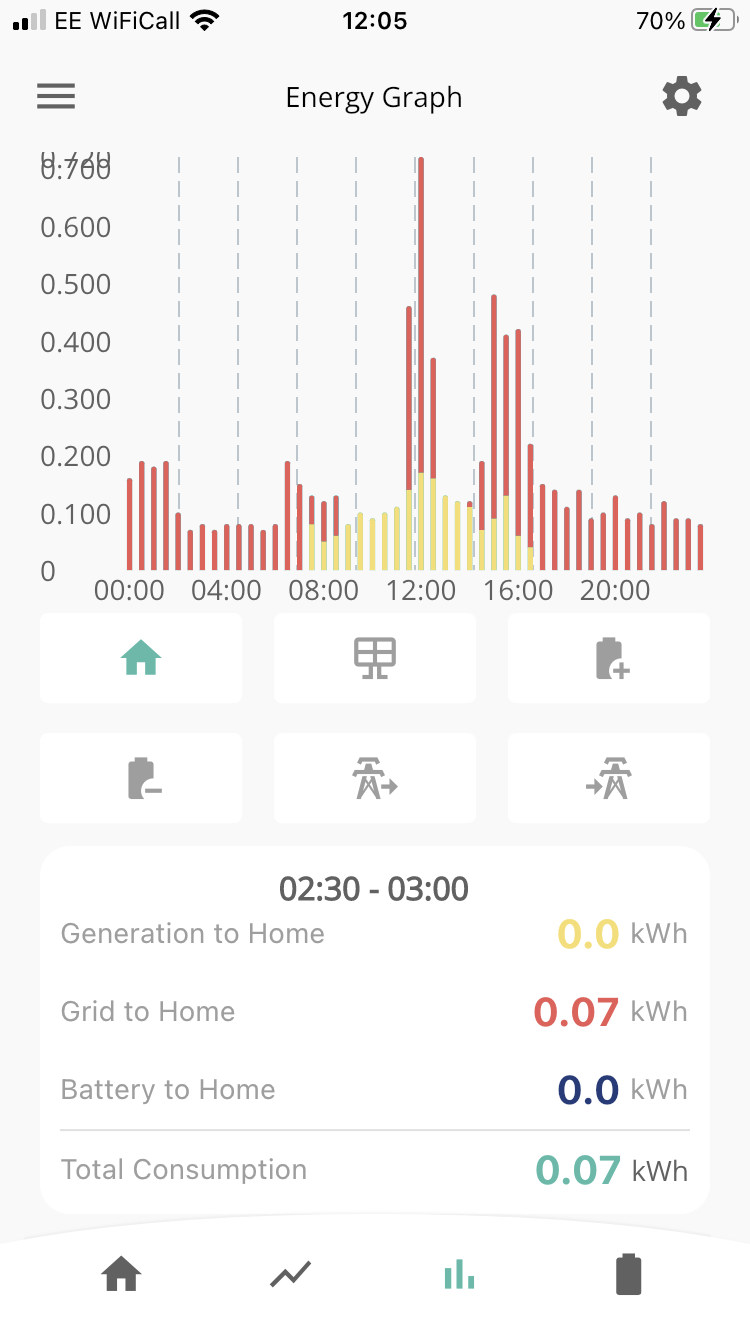
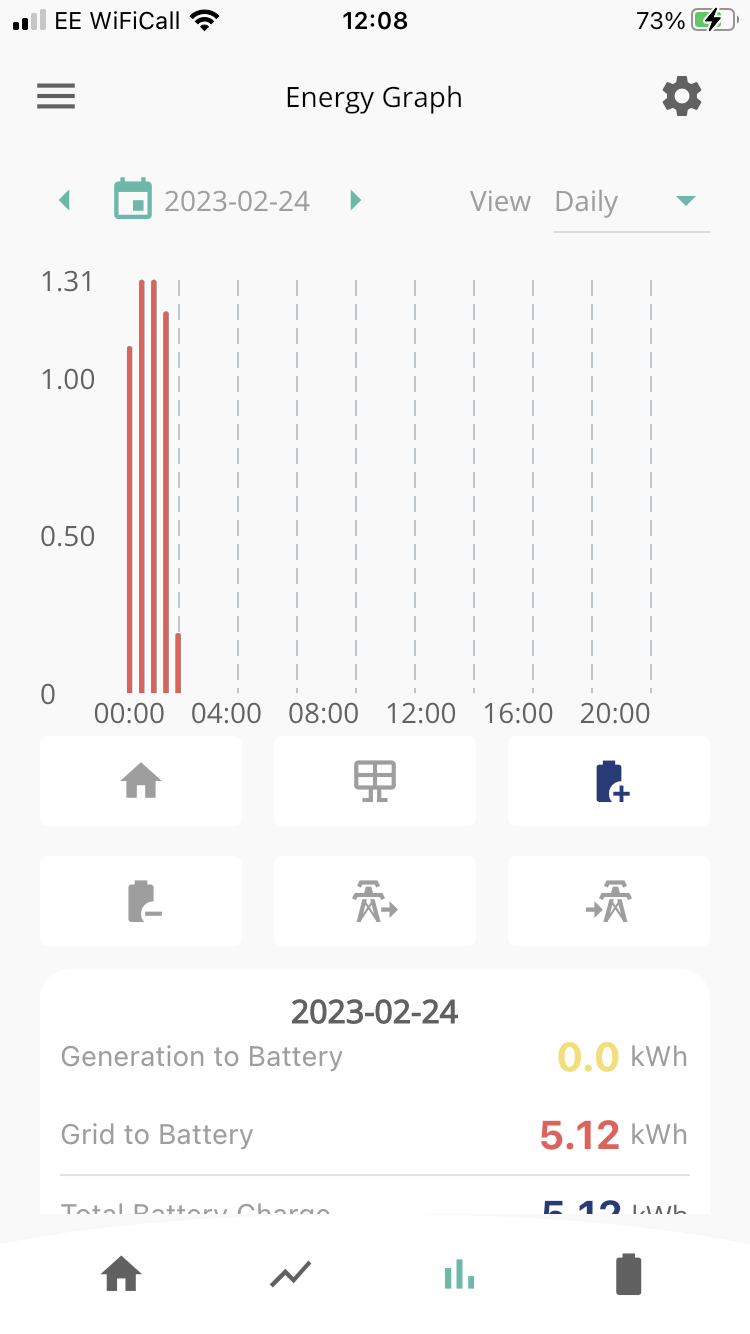
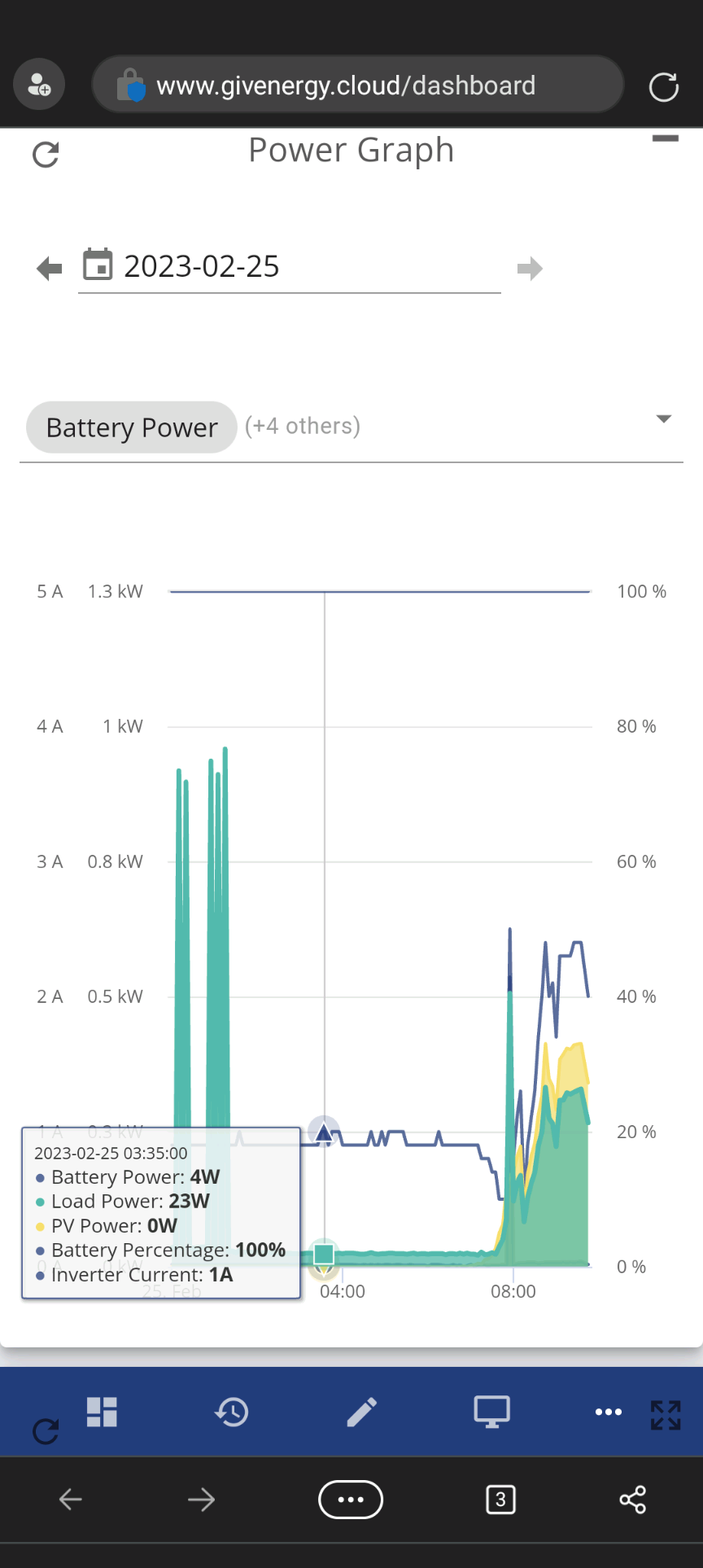
On Thursday I found that the battery had charged to 100% over night having pulled from the grid. It should not do this as the system is set to charge only from the solar panels.

Now the battery is at 100% it will not feed the houses demand. In other words, the battery is idle at 100% and not discharge. Power is now only coming from the solar panels or the grid, and not the battery.

Any ideas on how to rectify please?
T
#2 ToothyChris

I would start by restarting the inverter software, in the portal. Click on Inverter and then click on the power button on the right hand side. See if that kicks into action again.

Regarding the overnight charge, can you post a picture of the power graph?

T
#3 TownSolar

Similar issue here. The panels charged the battery to 100% two days ago. Since then it has been sitting idle with demand being met from the panels and grid. Three inverter restarts have made no difference. Forced discharge works but the battery returns to idle mode once returned to normal.

L
#4 livestrong79

hi

I have the same issue. problem started yesterday

T
#5 ToothyChris

Other things to try include:

In the App. Pause the system for 10 seconds and then resume/play again.
If that doesn't work you could try resetting the inverter to defaults. Then check that Eco is enabled and re-enter any timed charges you have.
One of my inverters got stuck in a 'Waiting' mode last night but the Pause/Play method seems to have woken it from its coma.

T
#6 TownSolar

All back to normal here and of its own accord.

M
#9 MarkAttree

Sorry for my delay in responding to your request. I have pasted a few photos for you. Thank you.

T
#10 ToothyChris

Just wondering if the trip has gone, between the battery and inverter? It is usually a green trip in a grey box - the green switch should be up to be connected.
Did you try all of the other suggestions?

M
#11 MarkAttree

ToothyChris

Hi, yes, Green is in the up position. I have tried powering down the whole system. I have turned the inverter off and back on, I have turned the battery off and back on.

I cannot see how to pause the system on the app, this is the only things I’ve not tried.

As a couple of others experienced the same issue on Thursday night, makes me wonder if this is a central issue that GivEnergy need to rectify?

T
#12 ToothyChris

In which case you need to turn on Quick Settings Button in your App Preferences. Then you can try the Pause/Play trick - but I suspect may not do anthing. Will send other suggestions later, if nobody else chips in....

T
#13 ToothyChris

Here are a few other things that might help:

Have a look in your inverter log, to see if there are any error message which might help.

This is probably the extent of what I can do as a fellow user (with a background in electronics). Some of the installers on here may recognise the symptoms you have described.

Or you could see if some of the GE engineers can help - a few of them lurk on the Facebook Groups: e.g. https://www.facebook.com/groups/489882062425810 (GivEnergy Battery Owners)

For example, it looks like Martin Phipp has just sorted out a similar problem for someone here (visible once you are a member of the group - although he said "I have sorted it for you. If you notice this again, reset the battery back to default via the portal. Then reset your charge settings" which is what you have already tried):

https://www.facebook.com/groups/489882062425810/permalink/753269549420392/?comment_id=753298902750790&notif_id=1677414600020925&notif_t=feedback_reaction_generic&ref=notif

Good luck.

T
#14 Tim

MarkAttree In the app, the battery discharge mode should be set to dynamic although it's much easier to make sense of what's going on in the web portal. Your app screenshot shows an import from grid, so it looks like your CT is working OK. From the web portal, you could try an inverter restart (inverter card - power button in the top right) and also maybe a rest to defaults (inverter card - settings, at the bottom). That should reset the inverter and it's settings to be in ECO mode but all timed settings disabled.

M
#15 MarkAttree

ToothyChris thank you Chris for your suggestions.

M
#16 MarkAttree

I am on the web version now. I can see my inverter is ‘offline’. How do I get it ‘online’ please?

M
#17 MarkAttree

MarkAttree I have resolved this. Now back online.

M
#18 MarkAttree

MarkAttree However, battery still standing at 100%. Energy required for the home is being pulled from the grid, whilst the battery stands idle.I will cal GivEnergy tomorrow and see if they can resolve.

N
#19 nigelr0

Hello, I have the same issue and have done all the resets/restarts without success. Anybody else managed to get theirs going or is it a call to givenergy?