R
A new monitor app is available in the Google Play Store.
or search on your android tablet / phone for givenergy and scroll down.

A new monitor app is available in the Google Play Store.
or search on your android tablet / phone for givenergy and scroll down.
I'm guessing this doesn't support SIM dongles multiple inverters?

downloaded.
looks like it polls every 10 seconds like the ge app. nice that it can be told to stay on.

Wow! Good work. 👍️

Looks nice that. Only comment (unless it's already there, I'm at work so can't play) would be along with the "time to full/empty" is to add "kWh left" somewhere - It keeps getting asked for in GE app on the FB group.
Just makes it easier to visualise "have I got enough in the battery to run washing machine cycle etc...."
Could do a separate tab I guess (people input what their appliance cycle "costs" in kWh and the tab shows how many of them can run with given capacity?)
The app only connects to one inverter. If you have 2 inverters and 2 android devices, you could connect one to each. Support for multiple inverters wont be possible because I only have one inverter and therefore wouldn't be able to test it.
You can set the polling speed between 5 seconds and 60 seconds. You won't gain much with 5 seconds because the inverter doesn't respond to changes in load that quickly. 10 seconds or even 20 seconds is kinder to your dongle.

Just reads the registers with a single modbus read request. Similar to GivTCP. No API, No Internet required. Since modbus is an open protocol, I can't see why it would be an issue.
Rubikcube read only?
But if writing, and write the wrong register, as they do change with firmware revisions.
As they arent listed publically you could end up writing a time slot today.
Tomorrow self destruct time (gross exaggerate) but you get the idea why we would be concerned.
If only read, the worst that will happen is wrong data back out.
There are other home brew apps doing this and they have had to add disclaimers. If for your own use its your inverter, if making it publically available, please be cautions.
To close, not being a party pooper, fun police etc etc.
Just protecting yourself, should your app damage someone's inverter. If you introduce write features in the future.
GivEnergy are always open to good ideas, just run it by them, to cover yourself
This app only reads data, it can’t write.
I do however have some more thoughts to add on modbus but I’ll do a separate post.
Rubikcube Brilliant, well done. With some brightness this morning I've had the chance to try it properly and it certainly is a very useful addition.
A couple of suggestions/request if I may.
1) if a 'Message could be 'announced' on an event e.g. If battery is increasing and goes into 20% announce a user message from the "Settings Screen" e.g.: "Battery level is at 20 percent"" , or even "OK Google (Alexa), Announce battery is at 20 percent" so that an adjacent Google/Alexa hub could act om it.
2) As I've an AC3 the second MPPT is not needed for me, therefore the choice to not see it would be nice.
Rubikcube Something odd. Having enjoyed lovely sunshine this morning battery at 100% by 11:50 this morning, House load low so IBoost has kicked in and the portal is showing PV = 1765 Load = 1574 and Inv = 63.
However on the App Solar (248.4V x 7.3A) = 414 (but it does vary slightly), Grid = Exporting 239.5v = 352 (again varying slightly) and Battery 100% Idle 54.53V/15C = 0 , nverter Idle 22.7C 60
So it looks as if something has stopped the a calculations?
Edit: And as if by magic it has suddenly fixed itself!! Just after I hit Save changes on the above
Edit: It's done it again, was running OK PV went down, battery depleted a bit and then recharged, then got a repeat of the above with PV actually at 2128 but showing 247.8V x 4.9A = 513,
If what you are seeing is temporary and fixes itself within about 30 seconds then it is probably normal. The figures in the right column always add up correctly, and are used to create the 'circle of power'. However "always add up correctly" doesn't mean they are correct!
When the sun comes out from behind a cloud, the generation increases and goes at first to export. However the inverter cannot report this until it is recorded by the em115 meter and communicated back to the inverter. Consequently my app see the PV output increase without anything else changing and so holds back to keep the figures in balance whilst the inverter decides whether to charge or export. Once the charge rate or export figures go up the PV power will go up to keep the figures balanced.
It's not the same as the GE app; the balancing algorithm keeps things more stable than bouncing around raw readings.
Rubikcube Thanks. The problem was evident for a more protracted period. However thinking about what you've said you may have identified the problem. In my case the battery was at 100% but the IBoost was using the surplus therefore the export figure didn't go up, therefore no trigger?
I'm not around much today and I'm not sure the battery will get to 100% while I'm here. However, will keep an eye on it over the next week and let you know if I can spot the real pattern.
SilverArt I think I am understanding the problem. On the Portal Inverter Data page (My Inverter, waffle Icon) there are 2 columns next to each other called "Load" and "PInv". In the situation you describe, on my hybrid inverter the two figures would be similar, but I'm guessing on your AC3 the "Load" is high whilst the "PInv" is low. My app is (in this case incorrectly) using the "PInv" value to determine the home load.
Could that be the problem?
Thanks, a new version will be coming out soon that will hopefully work on AC3s during the daytime. It's when the sun shines that Hybrids and AC3s work differently.
A new version (v1.1) is now in the play store. I have added a few extra"if" statements that I hope will work for AC3s.
Rubikcube Thank you, duly updated and all OK at present. Thanks for ignoring the 2nd mppt line when it is zero,
It may take a little while before I get a real check on the levels issue as I had a 9.5 kWh battery added on Tuesday so will need a really good solar day to check the battery full levels performance.
I love the estimated time to 100% 😃
positor1 Yes, on a cloudy day, you can read it as "At this rate the battery won't be charged until ..." taking no account that it will be dark by then!
For an "accurate" forecast you need to set your total battery capacity in the settings. I think I know how to get the battery capacities from the inverter, but can't really test it as I only have one battery.
I find the forecast most useful in an evening to know if the battery will last until the Octopus Go rate kicks in.
Hi, this app is great, does anyone have a direct download link to the app APK file? I would like to try and sideload it on my Amazon fire TV stick.
Cheers, I'll give it a go.
Version 1.2 is now in the Play Store. In time for Easter; this version contains an Easter Egg.
Not the chocolate kind unfortunately, in software an Easter Egg is a hidden feature. Tap the battery bar at the bottom of the screen to find the Easter Egg.
Version 2.1 has been released (There was a 2.0 but it wasn't so much released as escaped) 🙂
Various small changes, like the two timestamps are now replaced by a single response time. Also on Android versions 5 through 9 Dark Mode can be set in settings; from Android 10 dark mode is set in the operating system settings as before.
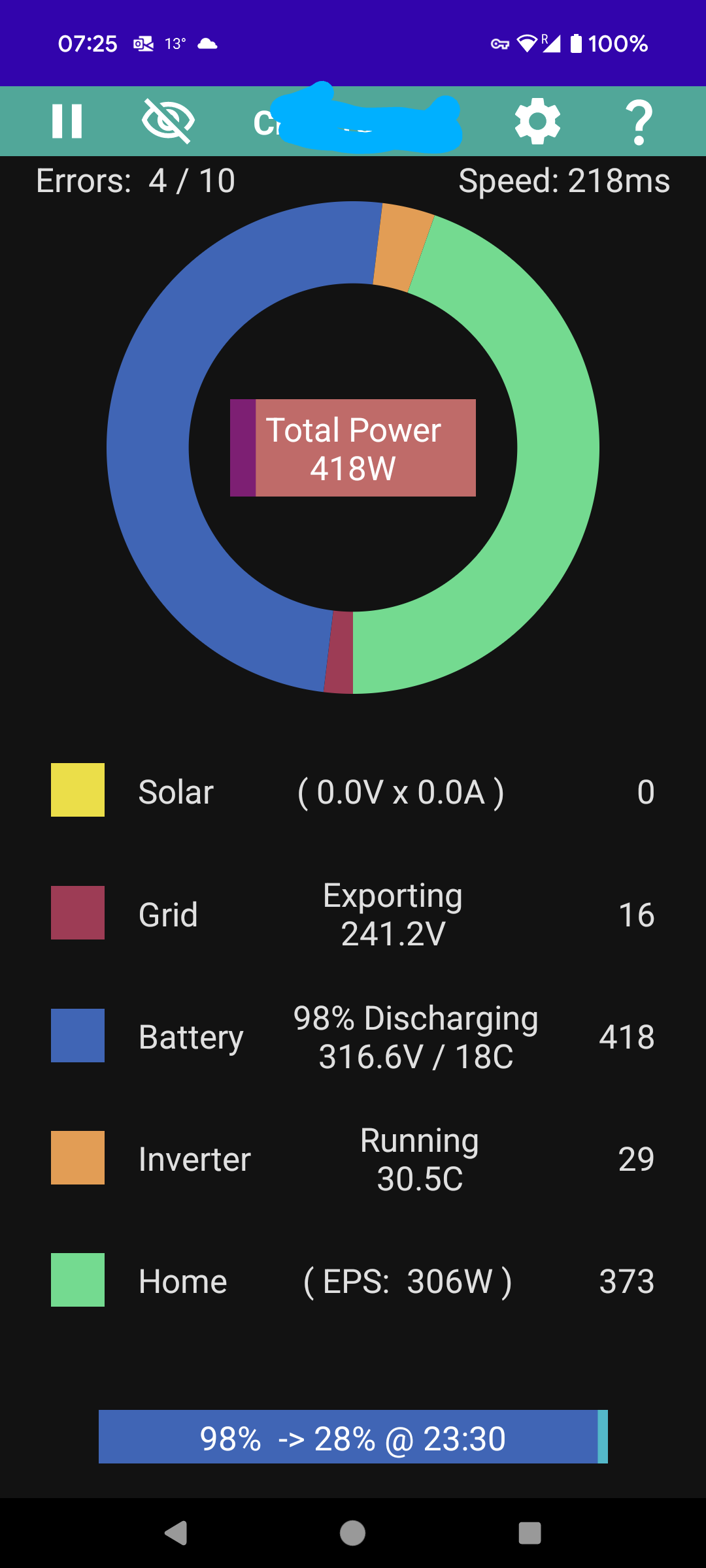
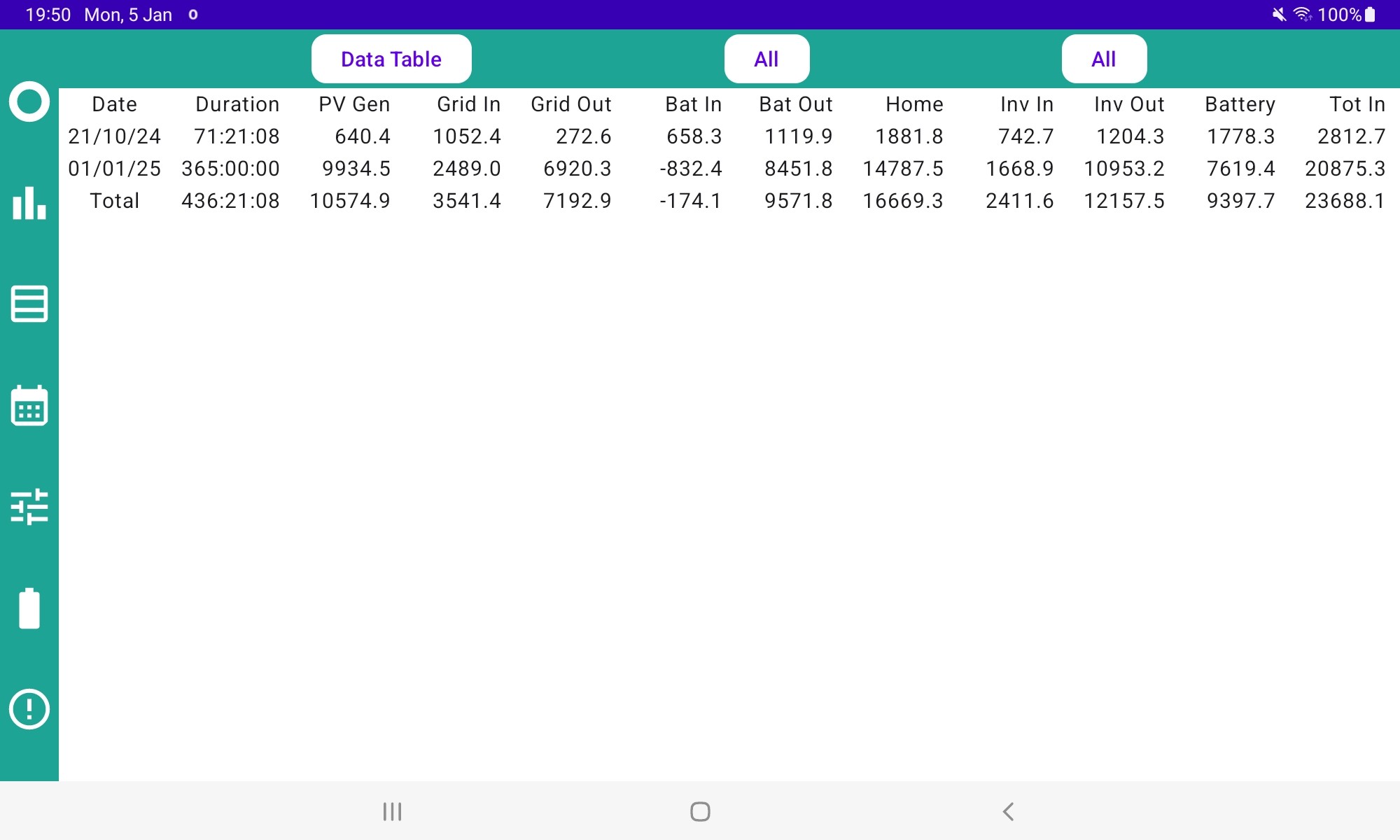
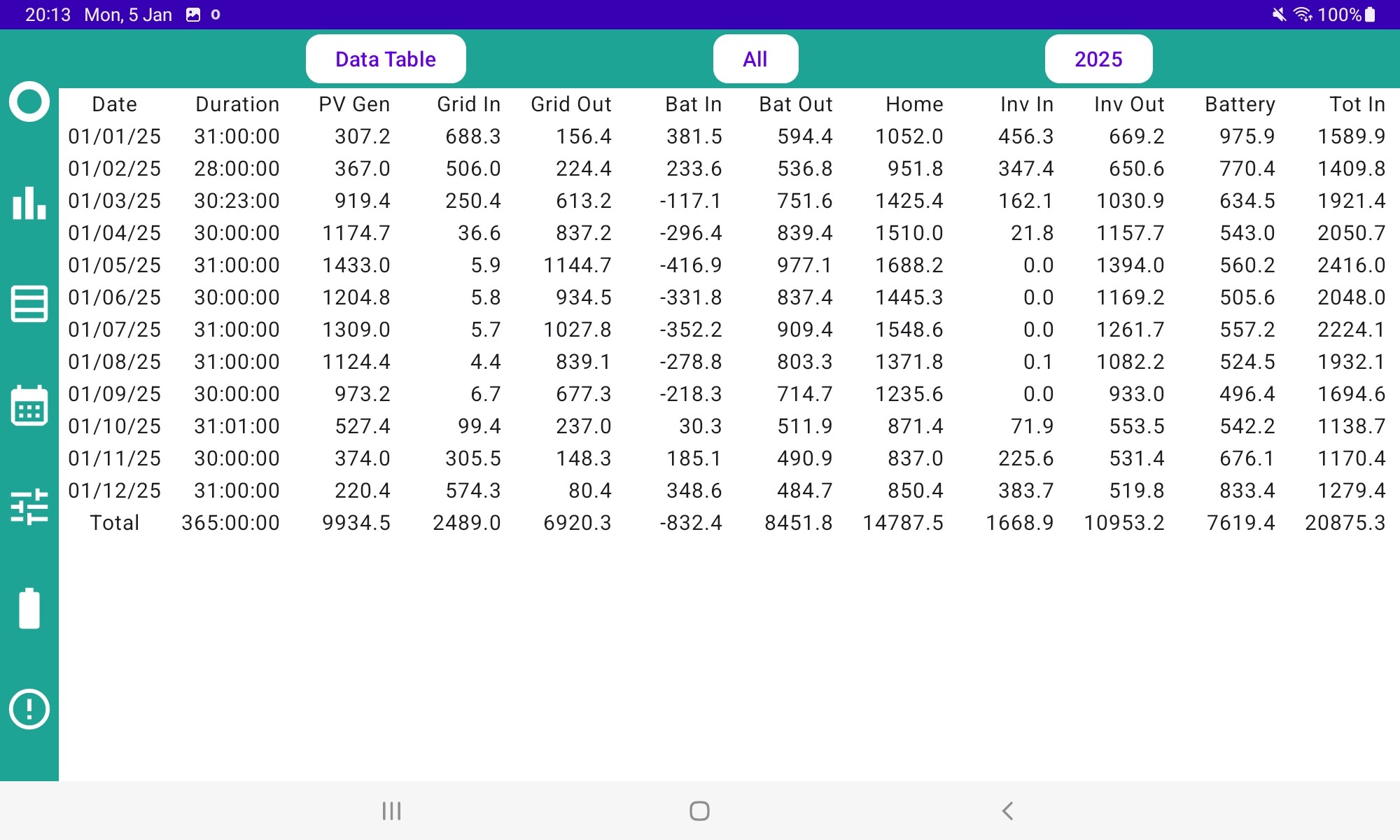
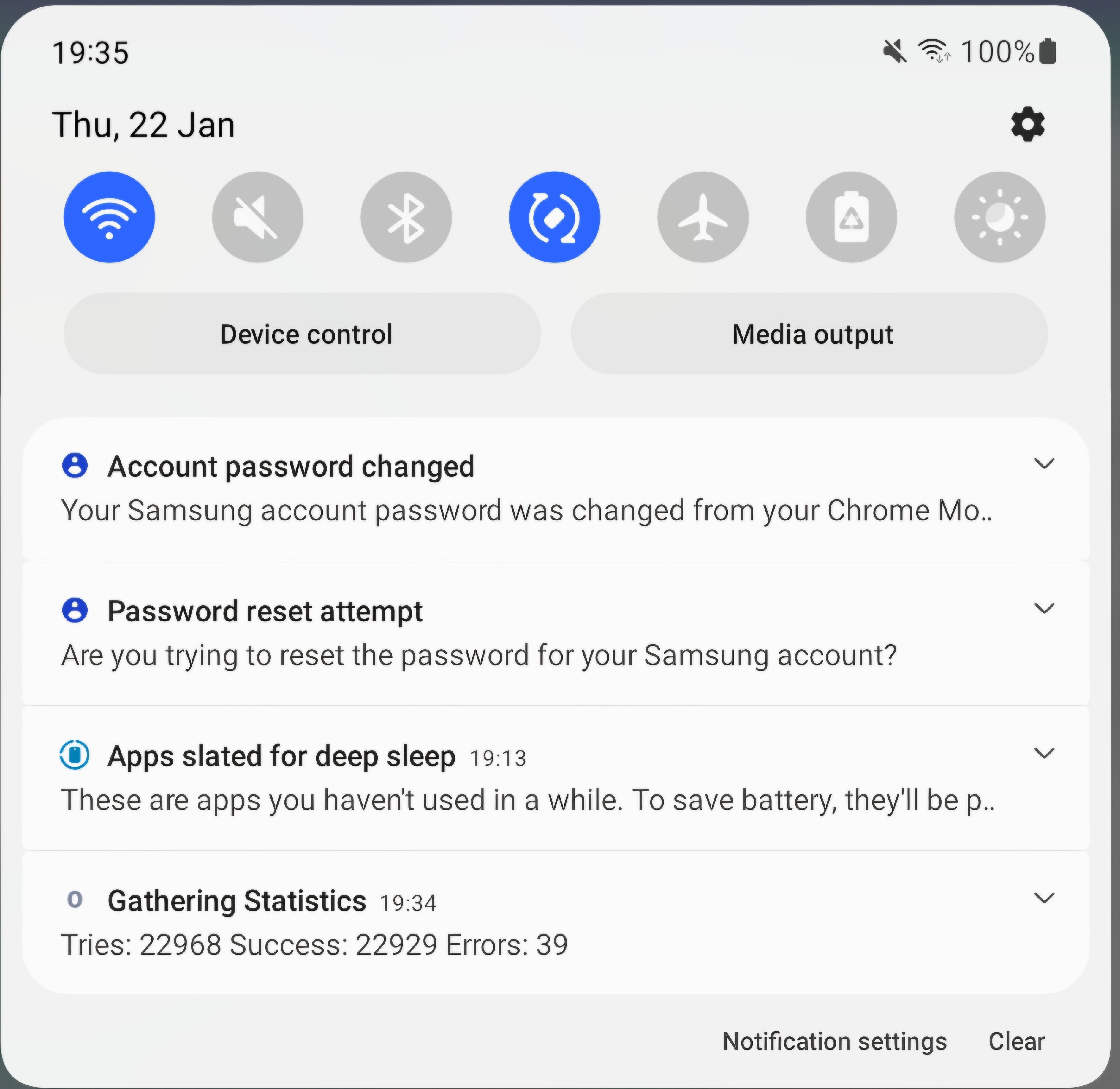
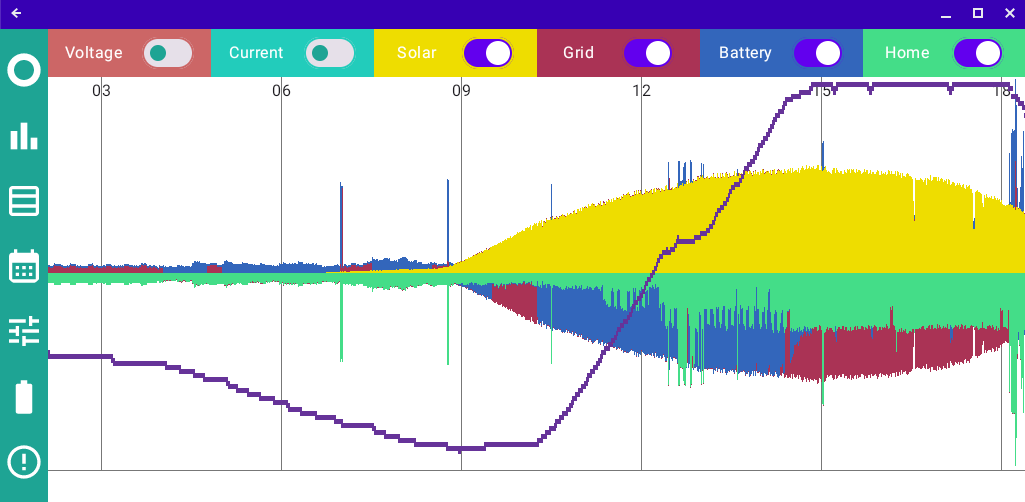
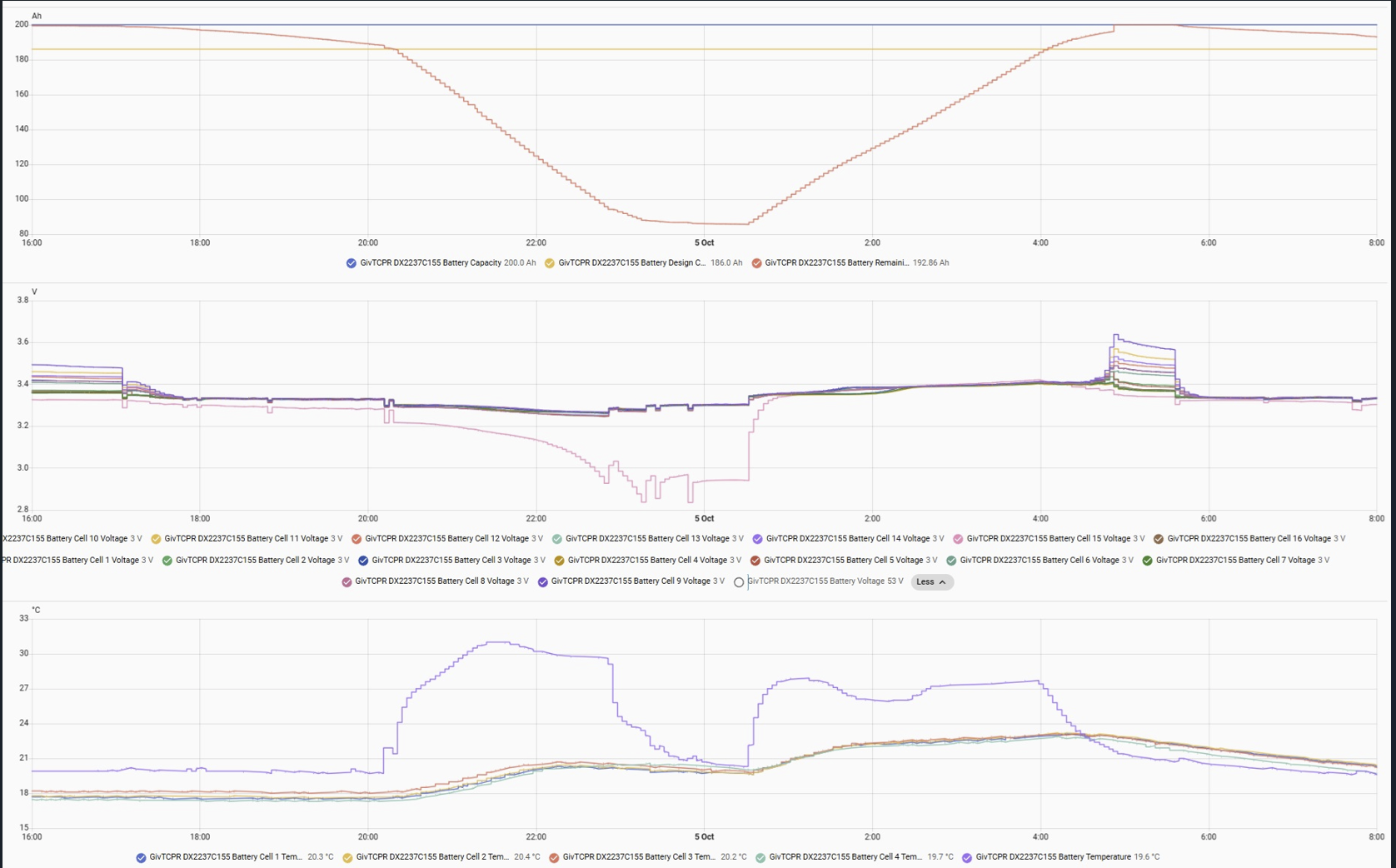
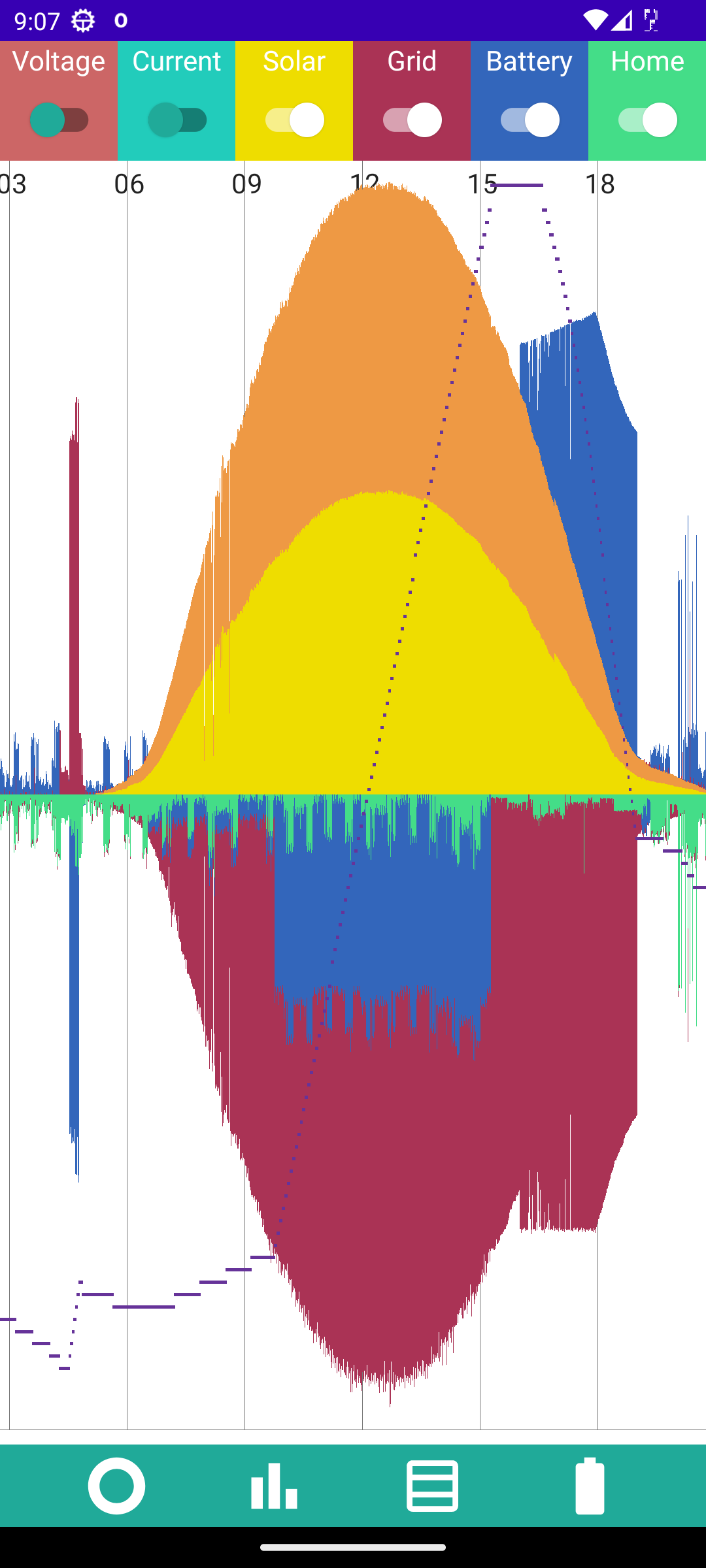
And the BIG new feature, is the COLLECT STATS setting. Off by default, but when you enable it a background process starts collecting data at one minute intervals. Because it works on the local network, this is only sensible for a device that remains at home. With a bit of patience, after some hours you could end up with graphs like this.
Any problems, just post here.
Rubikcube You have been having fun. Installed and working and look forward to seeing the graph later today.
I couldn't find an 'update' button anywhere, even in Apps (only had an uninstal option) . A search in play store didn't find it either, had to rekey the full link https://play.google.com/store/apps/details?id=uk.rubikcube.invertermonitor
If you have automatic updates turned on, the app should have updated automatically. It was in the play store from 16:28 on Monday, so I was hoping by 24 hours later most would have it.
Usually to update apps you can run the Play Store app, press the circle top right to access your account, then choose "Manage apps and device". From there you can see any updates available.
Whilst on the subject of updates, because this new feature runs 24/7 and the play store cannot update a running app automatically, you may need to apply future updates to this app manually.
Just got back from holdiay to find v2.1 available.
Have upgraded from v1.2 and I can confirm dark mode works on Android 5. 🙂
However, when the screen is rotated to landscape, the menu bar stays across the top. With v1.2 the menu bar went down the left hand side. But it's not a big problem.
One thing that would be useful is a colour notification that the connection has gone down. I know it says no connection in text but maybe a red menu background as well so it is possible to tell from a distance that the connection has dropped?
Hope you had a good holiday ... mind that pile of laundry! 🙂
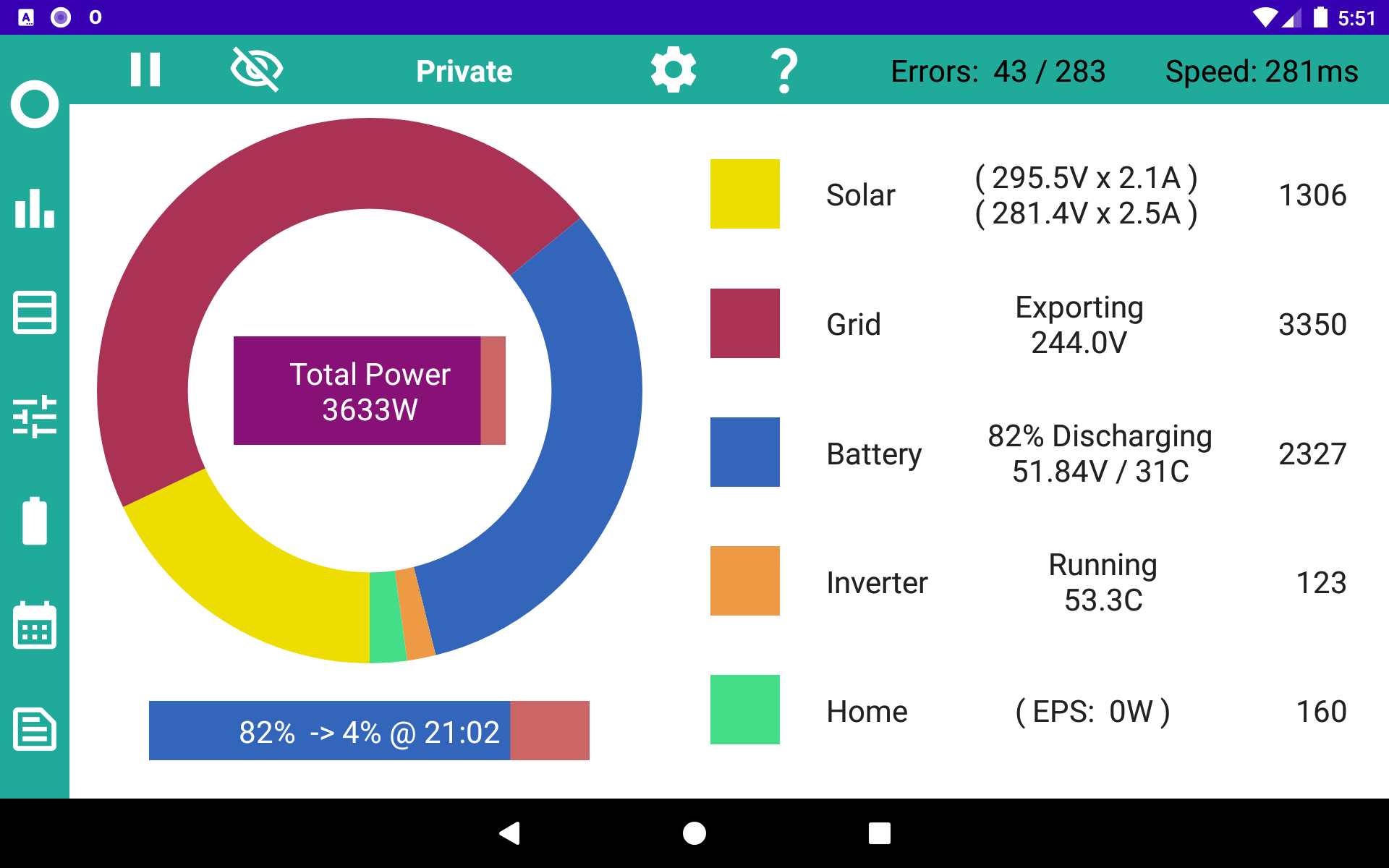
The menu relocation is a deliberate feature. In landscape, the old side bar has moved to the top and a new side bar comes on when you activate the COLLECT STATS setting. I keep adding so many new features my development version looks like this:
Battery cycle count, whats that all about please?
surely the aggregate number of times they have discharged and charged.?
Roberto Battery cycle count is what is reported by the battery BMS. I have no idea how it is calculated or measured, but would expect it's an indication of how many times the battery has been charged and discharged.
My battery was only installed 7 months ago and the cycle count is already 292, so it may not be a very accurate indication.
Mines at 1011 after 2.5years which works back to more than 1 full cycle a day which it doesn’t do (yeah sure in Winter it gets some stick but summer balances it out)
Suspect it’s each time it hits 100% or something equally unreliable knowing the BMS has trouble knowing what’s actually going on until 3012 FW.
Think the warranty is tied to throughput rather than cycles though so is perhaps a useless yardstick.
Looking at my 2. It looks more like the number of times they hit the lower limit. The oldest shows as 385 in about 460 days and the newer one as 46 in 60 days.
comparing the increment of cycle count with the total battery throughput reported in HA mine (9.5kWh) seems to increment approx every 15kWh, which doesn't seem to relate to anything, the times it happens in the day do not correspond with battery maximums or minimums. I am assuming, of course, that the battery throughput is a sensible number.
Phil_H is 9.5 the usable capacity or the actual capacity?
9.5 might really be 7.5 usable perhaps?
Which would be 15 for empty and refill?
It's rare that everyone will go zero 100 zero 100 all the time, so perhaps it measures what's going on and out and then updates the cycle count accordingly every 15.
Hiya, just updated my inverter to latest 911 firmware through the portal and for some reason the android inverter monitor app has stopped working. Just to confirm I am not talking about the official GE app. Is Anyone else experiencing the same?
RHardie no, but I think there is (or perhaps will be soon) additional security built into the newest firmware releases, plus (definitely now) the addition of CRC (to stop random issues if a command is misunderstood). It's mentioned elsewhere on here.
You might be best to contact the app author, but I'm not sure they'll be able to do anything - will GivEnergy work with every app developer, or just the big ones such as Mark (GivTCP). Not sure.
Thank you for reporting this, I was expecting it might happen.
I think that in the 911 firmware, GivEnergy have made some changes to the communications protocol, and so I would expect my app is just showing "No Connection".
I don't have the 911 firmware so I cannot test any changes, and I would hate to release software that I haven't tested on my own system. My inverter is a Gen1 serial 2202 so not even sure if it can be upgraded to 911.
I am looking into this, but right now I don't have a solution (other than not upgrading!).
Rubikcube cheers for the reply. Hopefully there will be a solution soon. I am running a Gen2 hybrid. I must say I was gutted when i opened the app after firmware update to find it didnt work. It is my go to app for monitoring when at home as it gives me all the live info I need without having to use the portal. Is there anything I can do to assist in finding a solution? I could sniff it with wireshark to see if that reveals anything?
There seems to be a problem with the new protocol. Whenever I run the official (v3.3.0) GE app (on my Android 13 phone) in home mode, it causes the dongle to upload the data to the portal every 10 seconds. I don't think it should be doing that and I don't want my app to do that.
I may need to wait until GE fix their app before I fix mine.
I have uploaded a new version (v2.2) to the play store with changes to the CRC code that I am guessing may work with the new firmware. The new version still works fine with the old firmware, and doesn't have the side effect of uploading to the portal, so nothing to lose.
Thank you for confirming that it works now.
The next release is some way off, and if I need to run a beta program I will post it on here. Thanks for the offer.
Version 2.3 of the app is now available in the Play Store. There are 2 new features:
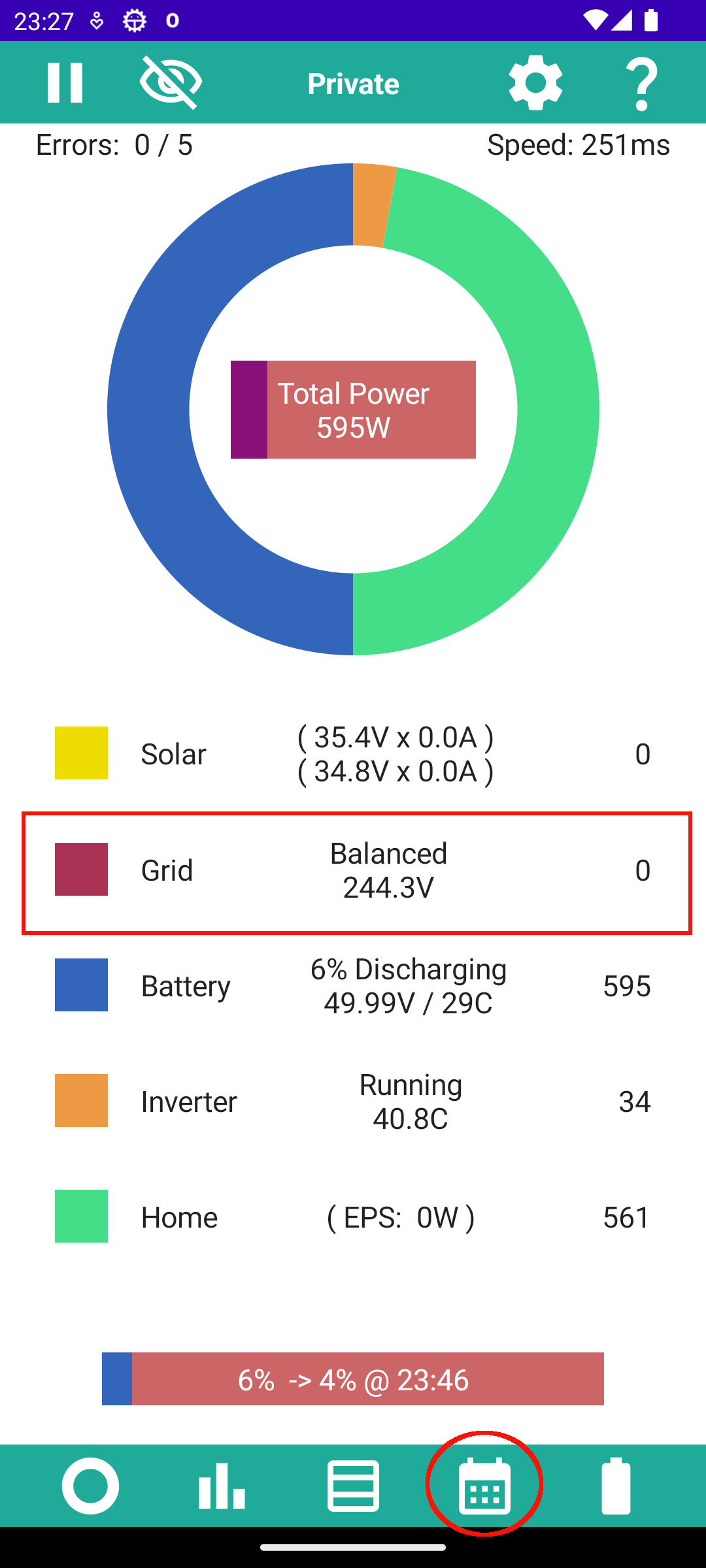
Here are the grid settings from my inverter accessed by tapping where indicated in the previous post.
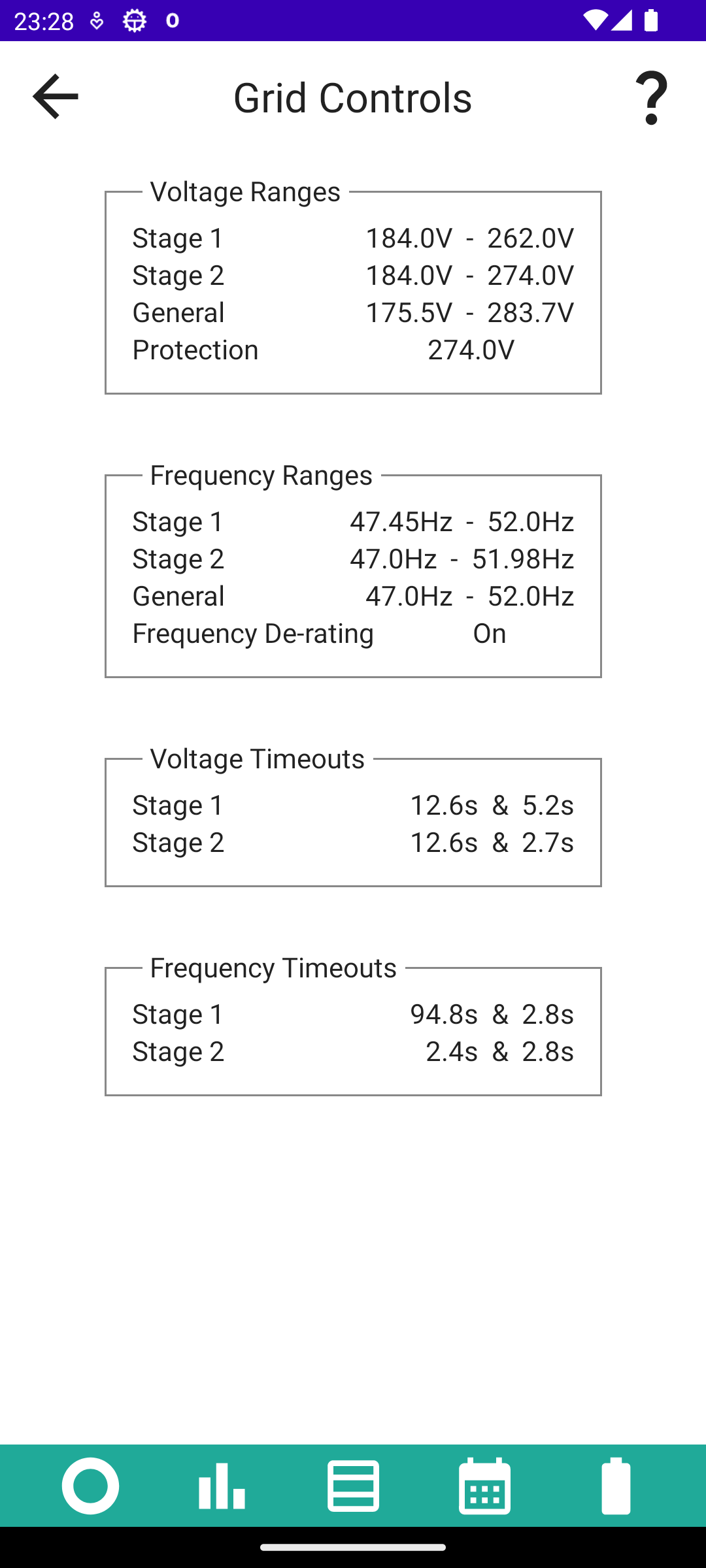
These values are not accessible in the portal, nor the GE app, as a normal user. GE staff can access this information from the portal [unless you have a firewall that stops them]. The information is also accessible using GivTCP, but presented here in a more convenient format.
Rubikcube nice work again @Rubikcube
Here are mine which seem a bit different !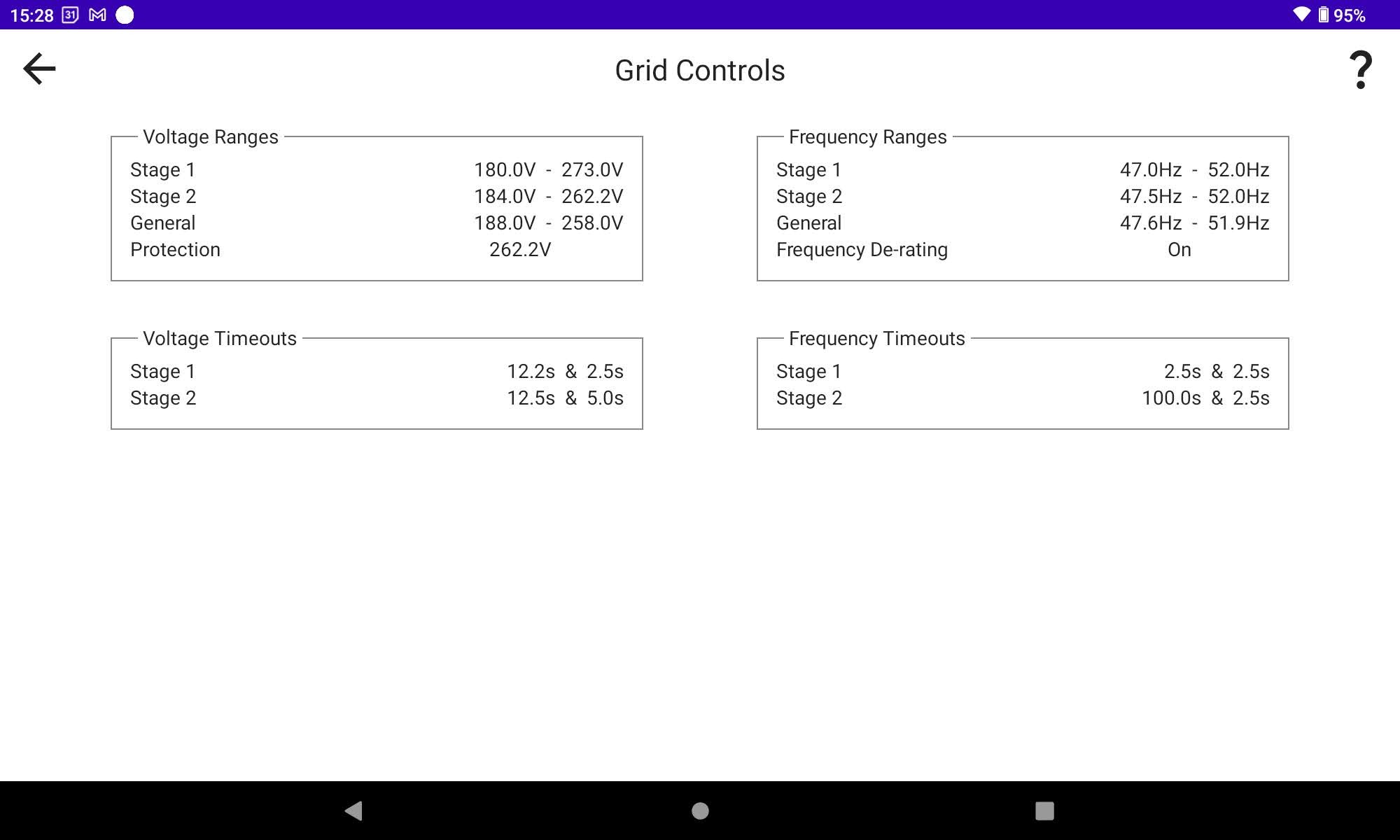
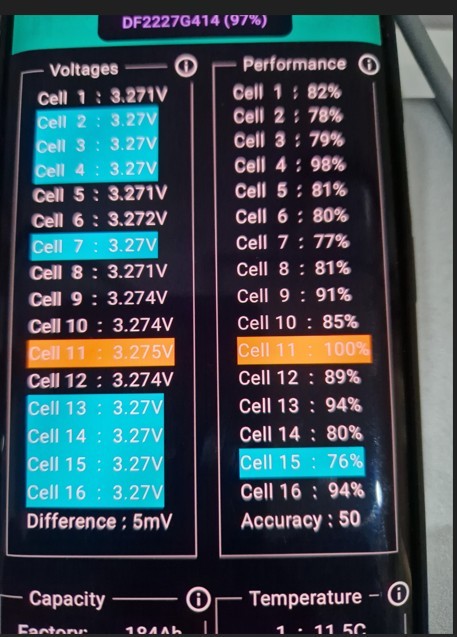
By taping the bar below circle I get cell information ! I didn't know I could get all that, plus the 5 temperatures - great.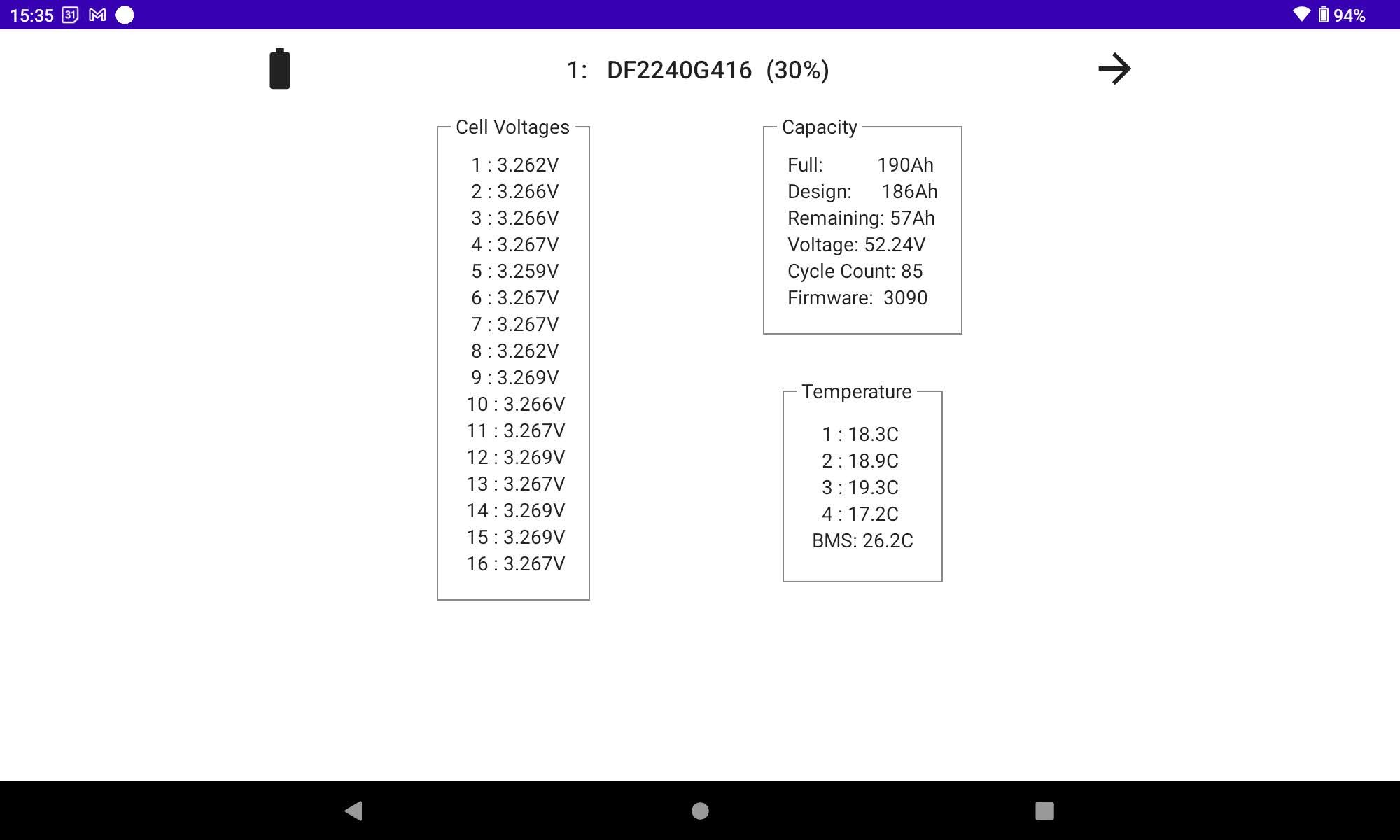
Is the AIO supported?
My 2x early Hybrid 5kW Gen 1s are different again. One of which I recommissioned just a few days ago so not entirely sure what dictates your settings. You'd assume given they all have to comply with G98/99 they'd be broadly similar but it appears not. 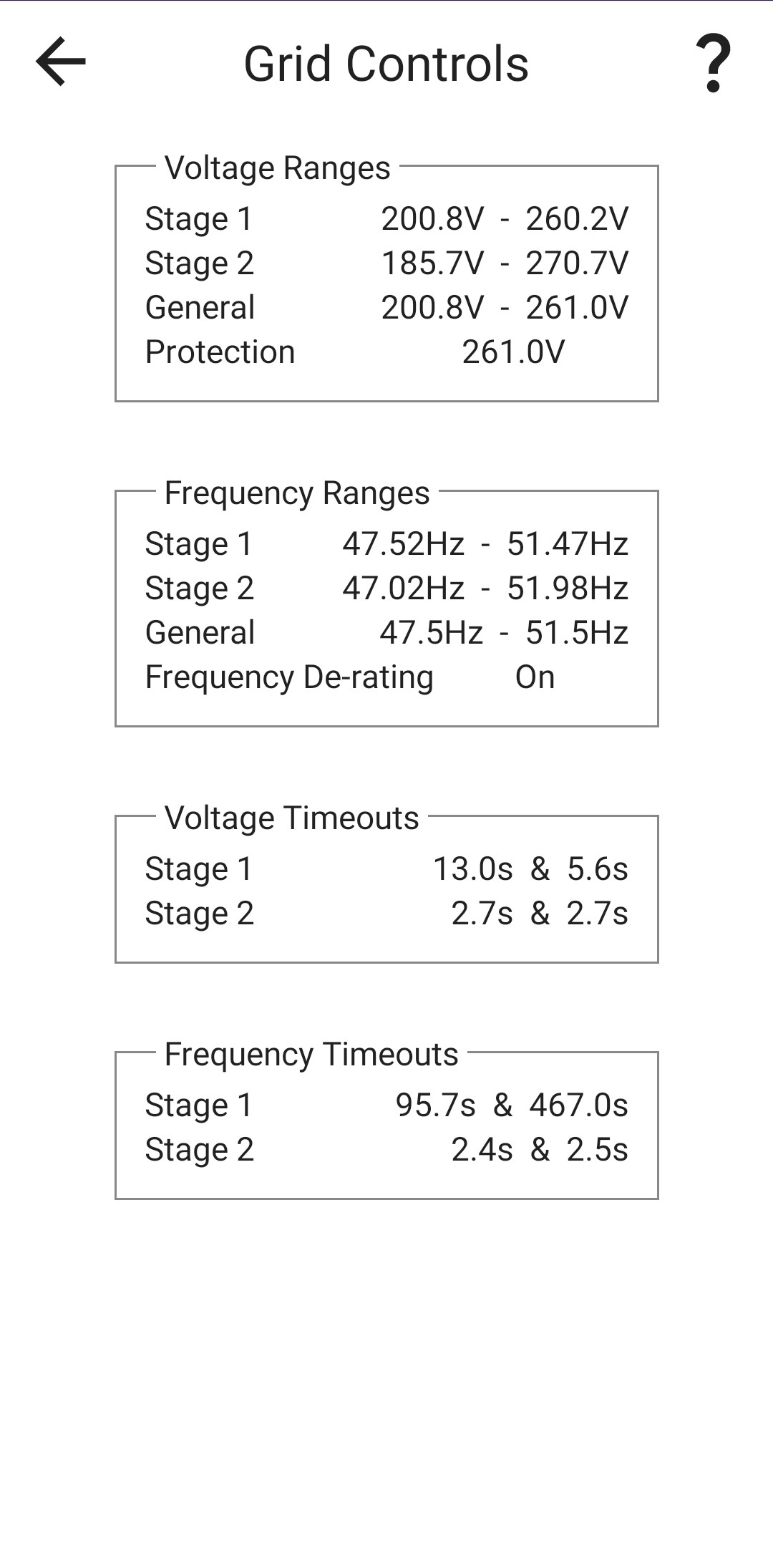
The AIO is only supported if it works. I don't have an AIO so I cannot test it myself. I would be very surprised if GE have invented a new protocol just for communicating with the AIO.
You are very welcome to download my app and try it.
https://play.google.com/store/apps/details?id=uk.rubikcube.invertermonitor
I don't know much about the AIO but are there 2 IP Addresses? One for the AIO and one for the gateway? I don't know which you should use, but try both. Try one in the initial set up, then you can change it in settings if it doesn't work.
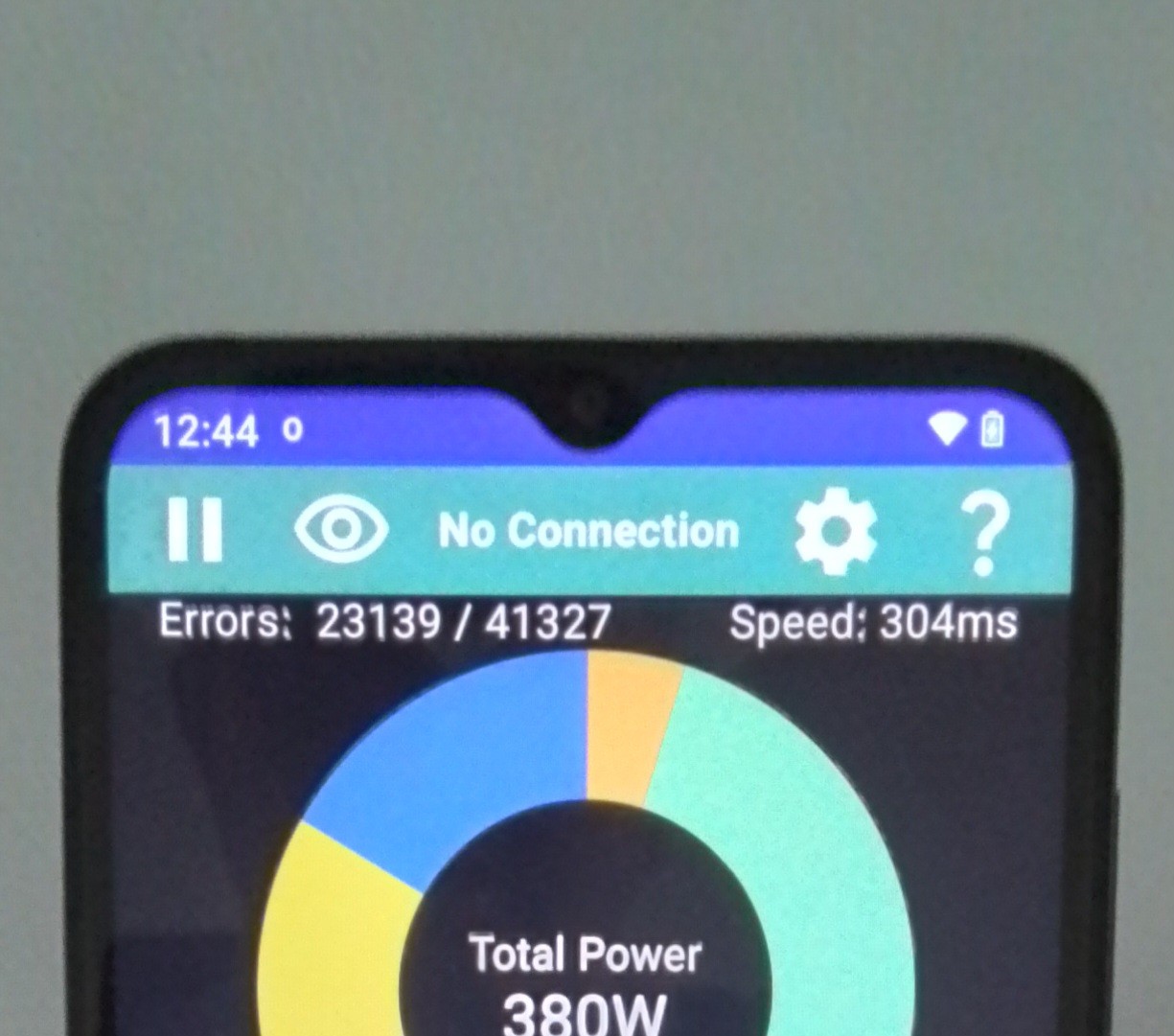
On the subject of doesn't work, there is a "Speed" shown on the main screen, even with no connection. If the Speed is over 3000ms, it means there is no response from the given IP address ( you would get this if you enter an unused IP address). If the Speed is less than 1500ms, it means that the device at the given IP address is refusing to play ball. If however you get a Speed just over 1500ms, it means you have connected but the Inverter isn't replying to the requests for data.
If someone can let me know what speed they get, it might give me a clue where to start looking.
s_r_thomas Thank you. I have some ideas, give me a few weeks and I'll see if I can do something in the next release.
Speed 270-310. Gen 1 AC30 and Gen 1 Batteries. 3012 BMS. Dongle on a mesh.
Thanks for the App - as far as I can see it is working fine, and all readings are sensible.
Speed 260-270 ms. wifi router wired to inverter but obviously wifi to android device with app.
Thanks for the app @Rubikcube , working well for me.

App looks good, will download it later and test. Well done for making this 😃
There is a new version available in the Play Store aimed at those (lucky?) people with an AIO.
There is a new setting called Protocol 17.
If you have an AIO, please download the latest version
https://play.google.com/store/apps/details?id=uk.rubikcube.invertermonitor
Enter the IP address of your inverter, and the app will show No Connection. Use the cog icon at the top to access settings, and turn on Protocol 17. Go back to the main screen, and hopefully it will burst into life within 10 seconds.
I haven't been able to fully test this myself because I don't have an AIO. Protocol 17 is my name for the "isAIO" setting in GivTCP.
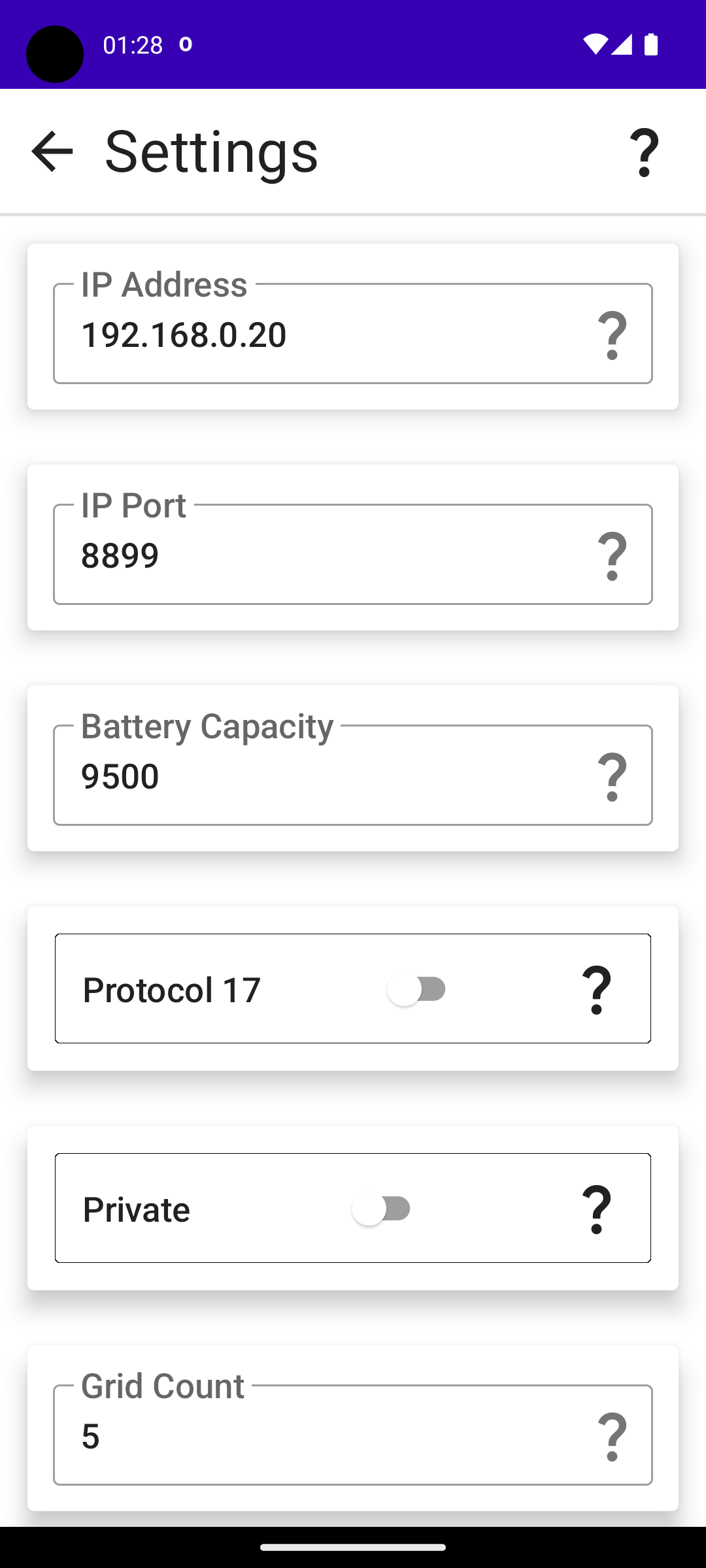
s_r_thomas For posting screenshots, there is a "Private" option in settings that hides your serial number. Saves a little image editing.
Protocol 17 option is now dead. Version 2.4 of the app is now in the Play Store. The Option to select the protocol for the AIO has been removed because it is now done automatically using a super advanced technique called Trial and Error.
Basically it tries one way and if it doesn't work it tries the other.
Pandorian there is an old 2020 copy floating about if you look / google hard enough (that for obvious reasons I won't link to) way back before GivTCP started (where it then fell under an NDA) but most uptodate way will be to infer from GivTCP source. It doesn't really obfuscate them.
Version 3.0 (of the Android Inverter Monitor) is now in the play store.
A lot of changes, and a major new feature that I have decided to make available as an in-app purchase for 10 pounds (10 euros in Ireland). All the old features for monitoring and maintaining a history remain FREE and always will do.
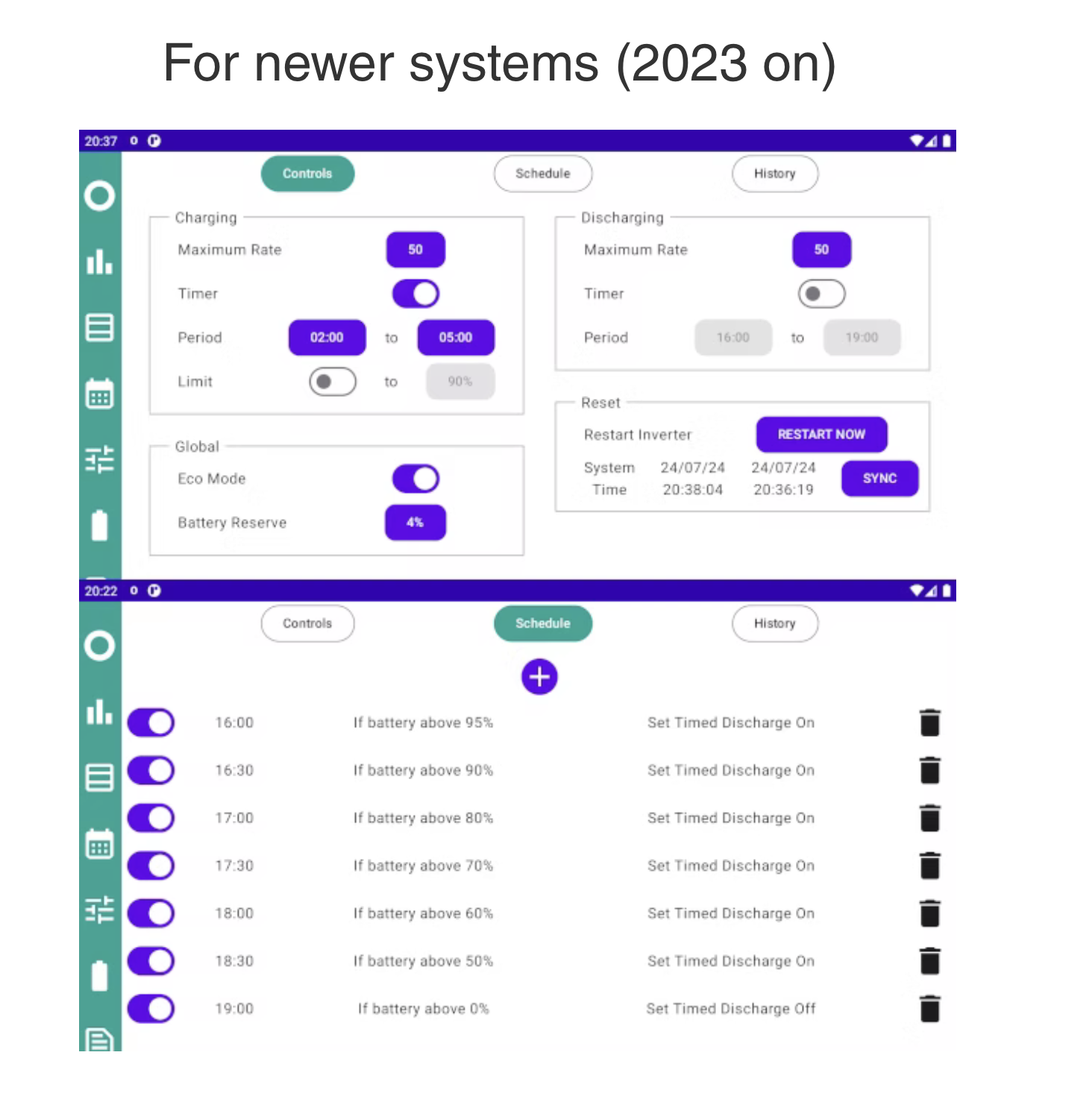
Upgrading to the Premium version, unlocks LOCAL control of the inverter settings, including a scheduler that can be used to set schedules, and create as many time slots as you want. Some examples based on Octopus Tariffs can be found on the Wixsite
Just to be clear, the premium upgrade is a one-off purchase that never expires.
Does it handle dual AC3.0 inverters?
Slartibartfast Sorry, only one inverter is supported because I only have one Inverter. If I can raise the money for a second Inverter (and a battery and a few panels at the bottom of the garden) then I will be working on getting it to work with dual inverters as a matter of urgency. Right now I can't do it because I can't test it.
Oops! There is a major issue with version 3.0 on Android 14. If you turn on "collect stats" the app crashes. If you then restart the app it tries to collect stats and crashes again. This means you cannot get back to settings to turn the option off, and hence the app becomes unusable.
Version 3.1 (which fixes this problem) is now in for review by Google and will (hopefully) be available shortly. In the meantime, if you are using Android 14, I recommend turning collect stats off until version 3.1 is available.
You can check the version currently installed by using the help question mark on the main screen and scrolling to the bottom of the page. If the app is crashing you can get the version from the app info option.
Rubikcube Thanks for your continuing hard work with the monitor, more often than not it is keeping me advised as to what is going on with my solar, so decided to go for the Premium version as a thank you.
I haven't really investigated further but couldn't see an obvious day of week selectable schedule, is this something that is in plan, or did I not look hard enough?
Thank you for your support, much appreciated.
There is a saving session later today, ideal chance to try out the premium functions (assuming you're not with Axle). Turn on timed discharge and set the times for 17:30 to 18:30. In the scheduler add two entries; at 17:30 turn eco off, at 18:30 turn eco on. Opt in on Octopus, and relax.
SilverArt There is no day of week schedule (as yet), the schedule repeats the same each day. Because the commands can be conditional on battery percentage, the results can vary day to day according to the weather.
It's essentially what I was using last summer to manage octopus flux tariff. Depending on the weather the battery could end up at almost any level at 4pm. If it was a sunny day the battery would be 100% and panels still generating, so the schedule would export surplus power 4pm to 7pm. However if it was cloudy the battery might only have 50% at 4pm, so the export would only occur 6:30pm to 7pm with the aim of leaving about 30%-40% at 7pm for the evening.
If you haven't already seen them, do check out the examples on the wixsite.
I don't know why (presumably as I don't tend to buy in app purchases) but I got offered £2 off it in app. which increased to £3 off as a temptation if I "nearly" bought it but backed out the transaction again.
Might be something for others to try as it does snag you it for 7 quid (android)!
Just a reminder if anyone used my app for the saving session yesterday, you need to turn off timed discharge and delete (with the bin icon on right) or disable (with the switch on left) any schedule entries before 17:30 today.
Version 3.2 of my app will be available in the next few days. Changes include a reworking of the inverter losses calculation. The current version has a tendency to overstate the loss. The battery bar forecast now stops at the target time when the battery is charging slowly. The current version can be misleading say if the battery is charging slowly at 9am, it can predict the battery will be full by 5pm, but actually means 5pm tomorrow! The new version might show the battery will reach 50% by half past midnight ( which is not very useful but doesn't mislead you).
When google updates an app, the app will stop running. This is true for all apps not just mine. If you are using the scheduler, then when the update is applied, commands could get missed. In your play store account settings you can choose to turn automatic updates off. This means you apply updates manually when you want. Once the app is updated, simply run the app to restart the background process that controls the schedule.
Rubikcube that's great I look forward to the update, I did contribute to your subscription even though I don't actually use it for control of the inverter but I do prefer the way that yours immediately connects to the inverter rather than the official give energy app which I seem to stare at 'getting things ready" for ages before it actually connects.
I also prefer the way that yours doesn't waste huge amounts of space per screen full, I appreciate the give energy app looks more modern and perhaps some may say polished but I prefer to see the data quickly rather than gaze at a work of art.
I also like the feature to keep the screen on which is very handy on an old tablet in the kitchen
Robgy Thank you for your support.
I suppose the primary purpose of the GE portal and app is to sell inverters (both to installers and customers). Marketing tends to prioritise look and image over technical accuracy.
My app started out as a way to learn the Kotlin programming language which seems to have really taken off now. There is a big conference in Copenhagen this week with eye watering ticket prices. The live stream is free, but it will be advanced level, serious geeks only!
https://kotlinconf.com/
This thread has given me a timely reminder that I should contribute to the App and pay for the update to make adjustments in the App. I am not sure I will use the new functions yet but the App is worth the money to me anyway and why not buy Rubikcube a coffee or two or whatever he wants to spend it on?
I shall certainly read up and look at what the new App features can do and how I might use it but the free-to-use portion has been of value for sure so far.
Hi so I took the plunge and bought the App a couple of days ago as I was occasionally getting issues using the GivEnergy App which was getting out of Sync and "might" have been causing the Master battery to go into error mode.
So I am starting to use this app cautiously to directly control the Inverter when I am at home. I will try the scheduling at some stage once I get comfortable with the core controls.
A question occurred to me that I can't find if it has been asked already...
With the GivEnergy App when you set the time discharge it turns off Eco mode.
With this App you can have the Eco Mode still on while discharging?
Anyone know the reason why GivEnergy choose to turn of Eco mode? Any issues to be aware of if I leave it on in this App?
Out of caution I have turned it off when setting up a timed discharge.
M_J With the GivEnergy App when you set the time discharge it turns off Eco mode.
With this App you can have the Eco Mode still on while discharging?
Anyone know the reason why GivEnergy choose to turn of Eco mode? Any issues to be aware of if I leave it on in this App?
Do you mean timed-discharge or timed-export ?
On gen-1 inverters, it can only do a forced export if the eco flag is turned off. On other systems (and possibly gen-1 on the newest firmware), the eco flag can remain on, and is simply overridden during the timed export period(s). [Timed-discharge does something quite different, and should leave eco flag on.]
Note that if you use the remote-control panel on the portal, you can activate timed-export (aka 'enable dc discharge') without turning off the eco flag - it's only the UI in the app / higher-level part of the portal that seem to link these toghether as "modes".
Prior to a change in the UI a few weeks ago, 'timed-discharge' was actually exactly the same as 'timed-export + eco' (in that it set both the underlying flags). So if it's harmful, GE themselves have been damaging our systems by providing this mode.
I only have timed export on the GivEnergy App. So it turns off Eco when doing a Timed Export. Sorry for confusion as I just meant a timed discharge and had not paid enough attention to the wordage on the GE App.
M_J Ah. Okay, if the UI is not offering you timed-discharge, that might mean you have a gen-1 inverter? They changed the UI to hide features that are not supported by your hardware.
I don't have gen-1 so I'm not sure of all the details, but I think maybe the very latest ('fast response') firmware does allow timed-export even when the eco flag is on. But older firmwares did not. But the UI doesn't distinguish, and assumes all gen-1 are the older behaviour.
You certainly shouldn't do any damage by having both flags on, but the timed-export might not work correctly if the eco flag is on. Unfortunately the UI turns off eco flag as soon as you enable timed-export, whereas you really only need the eco flag off during the timed-export period. Not sure if the android app can turn eco mode on and off with a schedule. I think maybe wonderwatt.com (external agent) does manipulate the flags as required ?
(Timed-discharge is an entirely different behaviour where it allows discharge to cover house load only during at timed window - the usual eco behaviour - but disables discharge outside of that window. It requires the timed-pause feature which is not available on gen-1.)
TimHutchings Yes it can!
Err... can you be a bit more specific ? Yes it can export with the eco flag on? Yes it can damage your system? Yes, it can do a timed-discharge?
Yes I have an old Gen 1 5.2 battery and I am on 3015 firmware. I have so far avoided going up as every time upgrading since adding a 2.6 battery I have had to manually update the firmware and it is a royal PITA dealing with GE and undertaking the process.
3015 seems stable apart from the occasional red battery error on the master when I have been milking it for Agile with numerous export / import demands from the GE app.
Thanks for the advice. Still not sure I fully understand why it has to be switched off during the export?
M_J Thank you for supporting my app.
With GE equipment, the features available (pause, multiple slots, etc) vary depending on the model of inverter and on the firmware version. Since I don't know which inverters have what features (and GE can bring out new models at any time with new features), my app only provides access to the basic controls that are common to every inverter model. In fact these are the only controls you need anyway.
My app only changes the controls one at a time communicating directly with the inverter, whereas the GE app can send a sequence of commands to appear to change multiple controls at once.
For further confusion, the effect of some controls like eco mode and timed discharge vary depending on the inverter model and the firmware.
If you have a gen1 hybrid inverter running firmware 450/451 (or probably any firmware starting with 4) during a timed discharge period the effect changes according to the eco setting. If eco is on the battery will not charge, but will discharge to meet the home demand (that is what eco is means), so if the sun is shining generation will meet the house load and any surplus will be exported. If eco is off, the battery will attempt to discharge at the maximum rate that it can.
Don't be afraid to do a little trail and error to see what happens. The whole point of the monitor is that you can see the effect almost immediately. I have been very careful to design my app so that it will not damage anyone's inverter. Disclaimers of liability are necessary for legal reasons.
Hope that helps.
Gen 1 AC only inverter as my solar was / is on its own as I had solar 14 years ago with a very good FiT scheme.
Thanks for the reassurance. Great App..
Version 3.3 of my Inverter Monitor App will be released in the next few days.
Firstly a small warning that this release has some changes to the underlying data structures which will happen automatically when 3.3 first runs. This will only be a problem should you decide to revert to 3.2 for any reason, in which case you would suffer some data loss.
There should hopefully be no reason to revert, because on the surface the changes look very minimal. Under the hood however there are major changes to support two new settings. Both the new settings are optional, and my main testing has been focussed on making sure that if you leave the new settings alone then the app works exactly as it did before.
Both new settings are beta status, I have tested them as far as I am able on my inverter(s), but they may not work correctly on your inverter(s).
First is "plant mode", you can set the number of inverters to 2 and this allows a second IP address to be entered so you can monitor a second inverter. For testing this I have acquired a previously-owned hybrid inverter from an online auction site, and the app collects data simultaneously from both inverters. However my second inverter has neither panels nor battery (yet), so testing the figures is challenging!
Second new setting is "persistent mode". This changes the way the app connects with the inverter. With this off (the default), each cycle the app connects with the inverter, collects the data it needs (for about a third of a second) then disconnects and displays the results. So with a 10-second cycle, it is connected for about a third of a second then disconnected for about 9 and 2 thirds seconds. With the setting on, it tries to establish a continuous connection similar to the way the portal connection works, and also similar to the async method in GivTCP3. On my setup, I have found the persistent mode is much more reliable than the old method. However results may vary depending on your wifi, and it may not work with all models of inverter.
Interesting and I will keep an eye on it after the update. Personally not sure either of the new features are useful but it's great that you are still supporting it.
Thanks 👍
Well this morning the app on my android phone failed to set up the 03:00 to 5:00 charge window.
Just started to try and work out what I did wrong.
I then noticed that the new update was available on my every day phone and then checked the phone that I run the schedule from. It updated to the new version yesterday but I can't find exactly when. I didn't initiate the update so it did it automatically.
I am wondering if the update would have messed up the schedule?
The stats are blank from midnight to when I picked up the scheduling phone this morning so I am guessing the update nerfed my schedule?
Anything to check to see if it was me?

I manually updated the app this morning and it gave a notification that its background process had stopped. So I think your automatic update probably did the same. I opened the app and it seems to be working fine so it probably needed to kick of the background process again.
Yep my bad I should have stopped auto update, old phone so not used day to day and just sat at home for your App so I need to tweak it on auto update.
I set up a schedule before taking dog for walk and those ran ok, so I just got nobbled by the auto update.
Dohhh
Version 3.4 of my app will be coming out in the next few days.
Reminder if you use the scheduler and/or collect stats, automatic updates will stop the background process which can result in missed commands and gaps in data. To avoid this, turn off automatic updates in the play store and look for the update manually in a few days time.
Version 3.4 has improved keyboard handling for those lucky enough to be using Android 15. Also some bug fixes for persistent and plant modes.
My App failed to send the schedule this morning. The only thing I can think that I did that might be the cause is that the mobile phone I run it on had a bit of an issue after I entered the schedule on the app.
I rebooted the phone, checked the app and schedule was still there so assumed it would issue it as normal?
Would the phone reboot be the issue?
M_J Provided you ran the app after the reboot as you said, then there shouldn't be an issue.
A reboot does stop the app. It is technically possible for apps to auto start on reboot, and many do, but I don't really like the practice. Some people install loads of apps they hardly use, and auto start apps can make the device run slow. To fight this some manufacturers (huawei, oneplus, etc) have mechanisms to stop background tasks running which can interfere with my app, you just have to disable the feature in the app settings. Owners of such phones generally know what to do.
Check the history log to see if there is an error like "no connection", or any other clues.
The history log showed no entries. So I can only think it didn't restart properly.
In future I will delete and redo the settings.
Unless the old phone is playing up...
One to watch out for, Agile rates were a tad expensive today...
Vestas I do have to use it, and a development version at that! If Google had their way, they would like every developer to update their apps for every new Android version before it's released to the public.
Can't believe they changed the way the keyboard works just for the sake of a few rows of pixels at the bottom of the screen. Enjoy your new edge-to-edge experience.
Version 3.5 of the Android Inverter Monitor App will be coming out in the next few days. All the changes only affect a minority of users, here are the details:
Persistent mode will be on by default for new installs. If you have already installed the app, the upgrade won't change the setting. If you haven't already turned persistent mode on (in settings), I do recommend you try it. New users can of course turn it off if necessary. Let me know if persistent mode causes any issues.
Improved error counts in persistent mode. There are more possible sources of errors with persistent mode and the previous version could count more errors than the total.
On days that don't have 24 hours (when clocks change the hour), the battery bar could show an incorrect calculation. The fix was tested and worked on 30th March, hope it works for October too!
AIRPLANE mode is now detected and will suppress any alarms. Note that when airplane mode is turned off, the connection needs to be re-established within 15 minutes to prevent an alarm notification. This feature is only of use to those who know how to set up and operate a VPN.
For premium users only, you can now STOP A CALIBRATION in progress from the controls screen. This is particularly targetted at helping those with older Gen1 or AC3 inverters that suffer random unscheduled calibrations.
Mainly for AIO users with a Gateway, the app now sends a notification when a power outage occurs. For this to work, the collect stats setting needs to be on.
For users with two inverters (plant mode), the loss of connection alarm now works for either inverter. Previously it only worked on the first inverter.
Mainly for premium users, in conjunction with a change made to the portal in December 2024, when control registers are accessed using the app, the data will be echoed to the portal and any settings updated. The portal log shows "External Change Detected". Previously whilst your internet connection was down, the portal didn't get to know about changes you made locally. Now when the broadband is back up, when you access the settings the portal gets to catch up. This can result in several "External change detected" log messages for the same second.
As always, if you have automatic updates on the upgrade will stop the background process and disrupt the scheduler.
[unknown] When there is a power outage, you should get a notification on the tablet. This can inform you to turn things off to make the battery last longer, and to avoid turning on big stuff so you don't overload the AIO.
The GE app connects to a cloud server which can send notifications to any connected device. With my app there is no cloud server so the notification can only appear on the device that is monitoring the AIO.
Once you have the update (version number can be checked at the bottom of the initial help screen) do a test to see if it actually works for you. I do my best to test everything, but without an AIO (nor a real power outage) the testing I can do is limited.
As a general note, I do my best to test every feature of my app. Some of these new changes have been difficult to test. I have tested airplane mode but without actually going on an airplane, power outage without a real power outage, and stopping a battery calibration without recalibrating my battery! If these features are important to you, you should test them yourself. Post on here if you find any problems.

[unknown] Time to get myself an android tablet. I have an ancient iPad that I run the BBC Basic app on but would like to properly run your app. ( I have it loaded on a really old Motorola phone with a smashed screen that was destined for the recycling bin)
I tried pinging you £10 as appreciation of the excellent work you continue to put in, but Hello Moto kept glitching.
Anyway, any particular tablet advice / avoid ?

Tenkaykev Most of my tablet monitors are Google Nexus 7 devices (6 off) from 12 years ago running Android 6. Cost around £10 each on Ebay. Some have broken charging ports so they sit on Wireless charging cradles (2 off). The only thing they don't do is collect stats so I use an Android 9 phone for that.
Version 3.6.1 of the Android Inverter Monitor App will be coming out in the next few days. The key changes are:
As always be aware that automatic updates disrupt the scheduler.
Hi, Using the App and it has been working fine with Octopus Go schedule and now that I have switched to IOG I tweaked the schedule to take into account the hour extra I get. Yet for some reason the tweak is not working and for the life of me I can't see what I have done wrong.
Can anyone see any logic error in the following schedule?
Time Action Time
00:00:00 Set Discharge Start Time 01:00:00
00:05:00 Set Discharge End Time 02:30:00
00:30:00 Set Max Discharge Rate to 50
00:35:00 Set Eco Mode Off
01:35:00 Set Charge Start Time 02:30:00
01:40:00 Set Charge End Time 05:30:00
01:45:00 Set Max Charge Rate to 33
05:30:00 Set Eco Mode On
22:45:00 Set Max Charge Rate to 50
22:50:00 Set Charge Start Time 23:30:00
22:55:00 Set Charge End Time 01:00:00
23:30:00 Set Eco Mode Off
I have just checked the History and my previous schedule was working but instead I had the Charge time set to 00:30 to 01:30 and discharge to 1:30 - 2:30 before getting the battery ready for the following day by charging between 2:30 - 5:30.
Looking at the history the commands are being written as accepted and I just don't seem to get the first charge & Discharge windows - Nothing happens according to the GivEnergy app and according to my energy monitor.
Yet oddly I still get the unchanged Battery charge from 2:30 to 5:30 getting the system ready for the morning as I never changed these commands?
Very odd and I don't know what else to do apart from deleting the commands and trying again?
M_J I think you have a G3 hybrid inverter ? Any particular reason to be using dynamic scheduling? You can just setup two of the ten available charging slots permanently.
Also not sure why you're turning eco mode on and off - timed charge and timed export operate independently of that.
I don't use scheduling on the inverter monitor, but do you also need to turn on the enable-dc-discharge flag to allow the timed export to happen ?
That schedule will leave max charge rate at 33 through the day - is that what you intended? It probably limits solar charging too? (Though I may be misremembering that ?)
I think the problem may be that time periods across midnight don't work on some firmware versions. So for the charge period 23:30 to 01:00, the firmware considers that 2330 is greater than 100 and ignores it. As a test, try changing the command at 22:50 to set charge start to 00:01.
[unknown] thanks that could well be it..
I will check...
[unknown] not got the latest firmware as I need bandwidth to deal with any fallout of a failure to upload.
In next few weeks I hope to have time to update.
Well I got a charge from 00:00 to 1:00 and the discharge worked from 1:00 to 2:30.
But the setting it to 00:01 at 23:27 yesterday did not give me the 30 minutes before midnight.
I guess I need to set up a 30 minutes charge window and then at 00:00 adjust it to 00:01 to 1:00
That or try and upgrade firmware from 3015 to the latest.
Well I got a charge from 00:00 to 1:00 and the discharge worked from 1:00 to 2:30.
But the setting it to 00:01 at 23:27 yesterday did not give me the 30 minutes before midnight.
I guess I need to set up a 30 minutes charge window and then at 00:00 adjust it to 00:01 to 1:00
That or try and upgrade firmware from 3015 to the latest.
If the inverter isn't accepting a charge period over midnight, I think the simplest solution is to set 2 charge periods as follows:
22:50 Set Charge Start Time 23:30
22:55 Set Charge End Time 23:59
00:00 Set Charge Start Time 00:01
00:01 Set Charge End Time 01:00
Shame you lose 2 minutes of charging.
I hove only ever been on Go or Flux (don't have charger/car compatible with intelligent) so have never tried a charge period crossing midnight, so I don't know if it works on my system or not. Maybe start a new thread with the title "Timed charge period crossing midnight" to see if others have the same problem.
Version 3.7 of the Android Inverter Monitor will be coming out in the next few days.
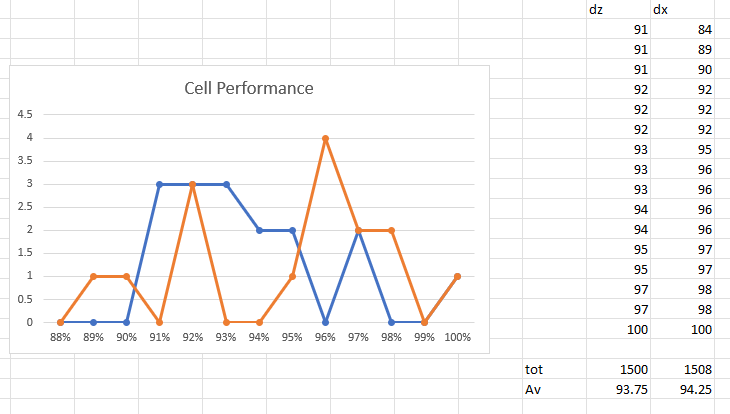
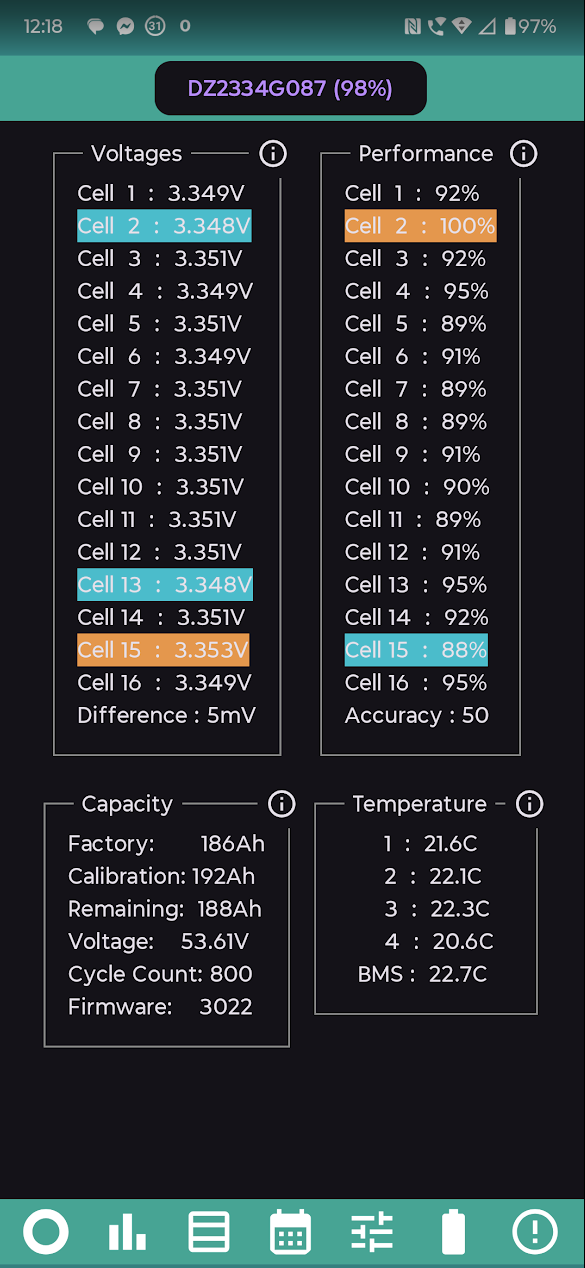
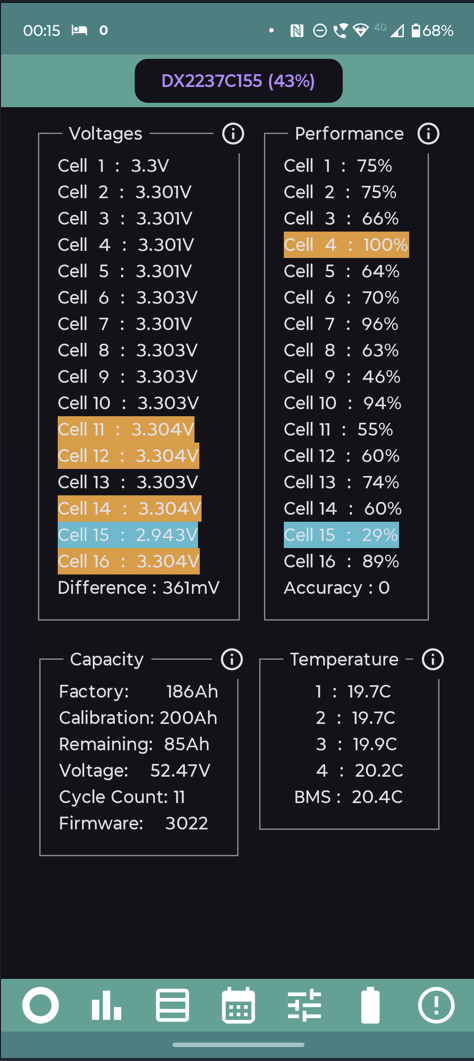
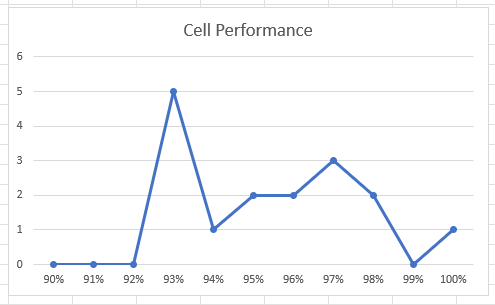
The new feature is Battery Cell Performance Monitoring. This monitors the performance of battery cells over time and rates them against each other so that an under-performing cell can be detected. It produces some results within 24 hours, but accurate results take several days to accumulate. We all hate waiting, but this one requires a little bit of patience.
Other changes include:
As always, the update will stop the scheduler, so watch out if automatic update is on.
[unknown]
Any news if AIO battery information will be added?
Thank you.
Just downloaded v3.7 from play store :-)
7mV between cell 3 and 15
12hrs in and its starting, but no charge/discharge cycles yet: 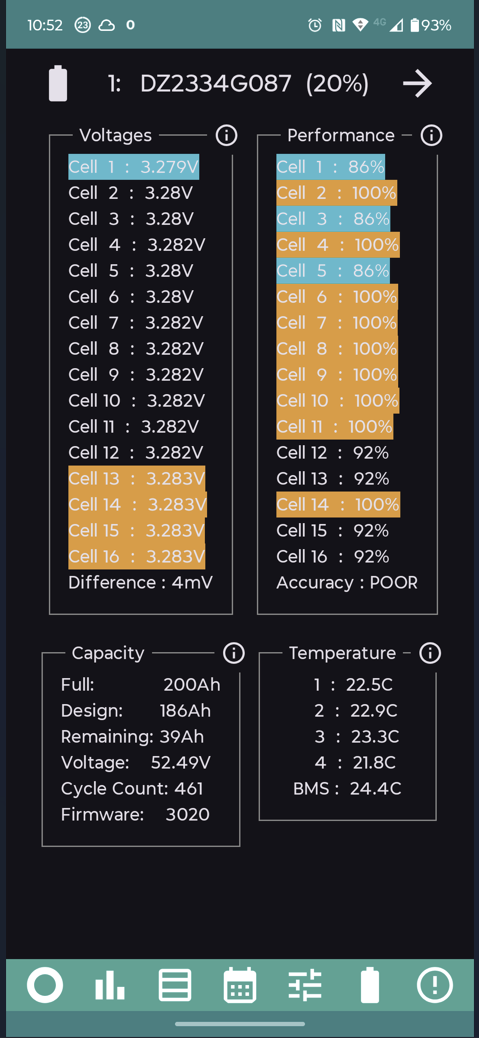
Thanks for your work on this. Am I right in assuming that Collect Stats is not expected to work on Android 6? My older tablets don't seem to collect any data.
Windy Miller Windy Miller Should work on Android 6. I just tested it on an emulator and it seems to work okay. Are you getting the "gathering Stats" notification?
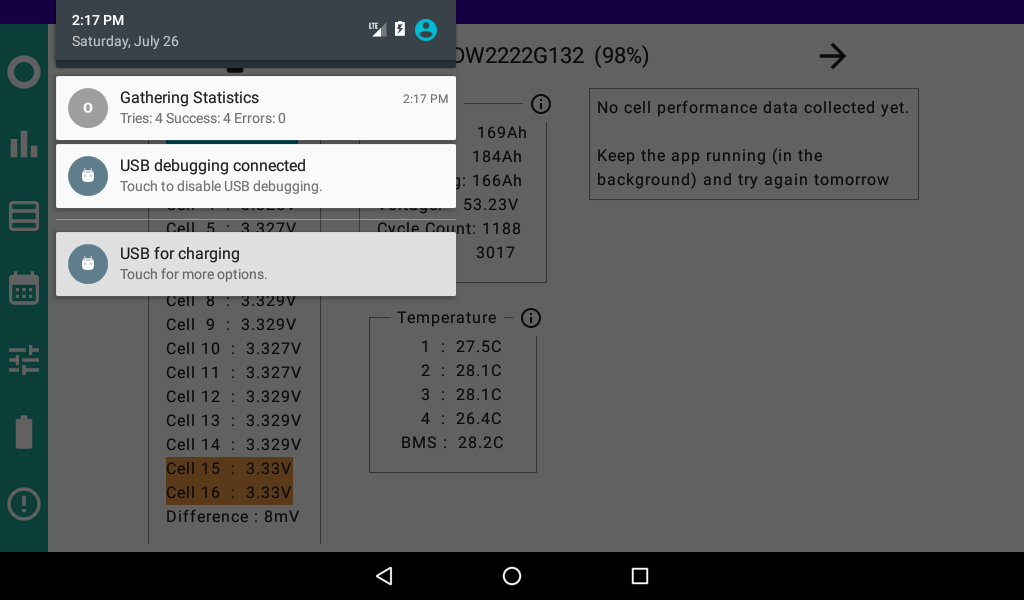
Rubikcube Yes - currently it says Tries 163 Success 163 Errors 0.
Maybe it is a storage or display problem? This is a Google Nexus 7 tablet running 6.0.1 which is the last one that can be downloaded. (Kernel 3.4.0-gad29d11 Sat Jul 2 00:00:53 UTC 2016 Build number MOB30X)
In the battery display I get a box that says no cell performance data collected yet - but I updated the app 4 hours ago or so so there should be something to work on.
Rubikcube Excellent work, thank you the cell deviation/difference is very interesting and will save a lot of brain-work looking for the highest and lowest.
I had set up a similar screen in home assistant but I couldn't figure out how to show the cell difference at a glance.
First question is: at 97% soc is 28mV anything to be concerned about?
Windy Miller Well Collect Stats must be working as I can see the performance of the batteries on the Nexus 7 tablets. So the displaying of the stats must be the problem on my tablet. I'm not too fussed about this as it is working on the phones so I can see the 3 day history there.
Will look forward to seeing what this update brings me in terms of info.
Real question is how will I assess the results, or " so what "? Without acceptance criteria and tolerances, how will the layman know if they have a real problem?
[unknown] If you have collected some battery cell data now, that's excellent. It does take a day or two to show any result.
I'm not aware of any reason why a Nexus 7 won't work fully. If something needs fixing, can you post a screen shot of what is wrong?
Roberto You know you have a problem when the battery stops working and shows a red light. Whilst it's still under warranty, GE support have stats that they can (somehow) use to diagnose the problem (I think). Unfortunately those stats aren't available to us customers, so once the warranty ends you will need your own data to diagnose problems. Or just replace the whole kit.
Data might also be useful if you want to sell a battery second-hand.
A suggestion .. I've recently enabled stats on my usually- but not always-at-home phone. Not ideal, but...
When I'm away, it pings every 20 mins to tell me there's a problem. Perhaps the interval could increase? Maybe 20 mins, then 40, 80, then maxing at 120 mins. First one could perhaps drop to 10 in that model.
(I had noticed previously, without stats, that after dismissing the app to the background, then reopening it, it seemed to take a long time to reconnect. I usually swiped it away to exit it, then restarted it. But with stats enabled, it's much better behaved. Presumably because it has to keep the connection open for stats while in the background.)
I have an old phone at home plugged in, stats collected are now OK but I need to grab a few screenshots. The change text size has been useful.
In April, I bought one of these.
https://www.amazon.co.uk/dp/B0DWMQY5L6
You get what you pay for, so don't expect anything much. It is perfectly adequate for running my app, plus video streaming such as iPlayer, and a bit of email (maybe a separate email address for some purpose). Provided you have another device for web browsing, social media, gaming, or whatever you do, this is a reasonable cheap tablet. It has an "old school" headphone socket for those that can't be bothered with bluetooth. It's best feature IMHO is the matching case/stand which folds into a triangle and stands neatly on a shelf/mantelpiece/cupboard/worktop.
https://www.amazon.co.uk/dp/B0D28R7YYF
[unknown] Got one of these to use your app.
Any thoughts on how to ensure the tablet constantly records the data from app? When the screen goes off, the data collection appears to stop. What important settings ensure the tablet can monitor and record data 24/7?
[unknown] Ah, ok. So if screen is permanently on, it does appear to keep monitoring and analysing the data. I was hoping, like my phone ( and still attached to LAN), that with the screen off it carried on analysing the data and telling me battery health is.
[unknown] If plugged in with the supplied power unit, it should stay running. If you are on battery, then in android settings/apps/Inverter/App Battery Usage/Allow Background Usage (press the heading not the toggle) change Optimised to Unrestricted.
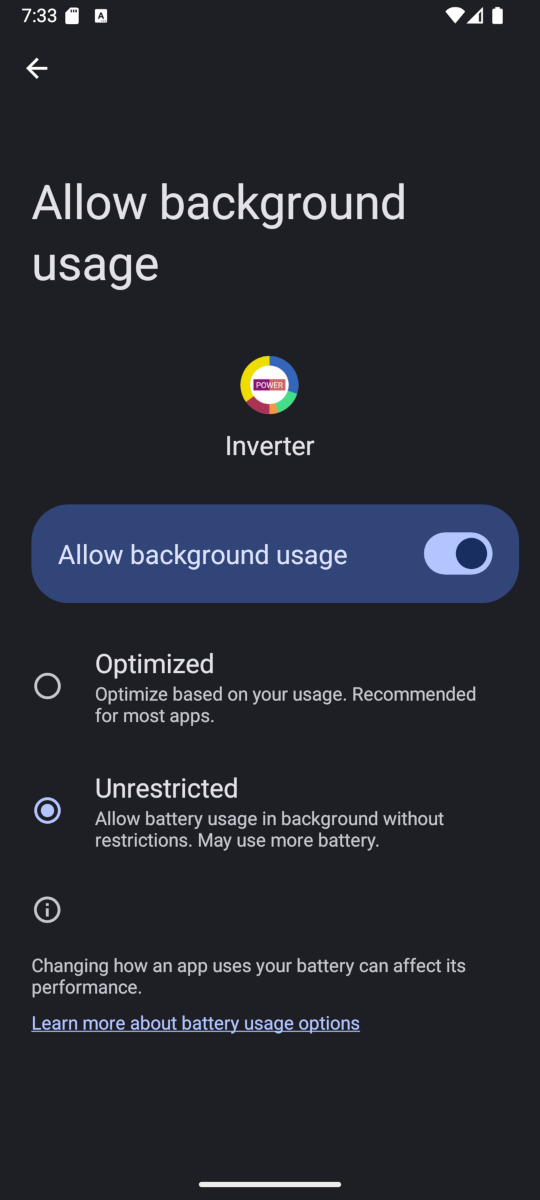
Hope that make sense.
Version 3.7.1 will be coming out in the next few days.
This is a bug fix release to fix 3 issues.
As always, be aware that if you have automatic updates enabled, the update will stop stats collection and the scheduler.
Available on App store?
I think the clue is in the thread title
Love the Inverter Monitor App, loaded it a couple of days ago. Haven't got the battery performance stats yet but hope they will arrive soon as I think I have got a dodgy second battery. The primary battery capacity looks ok (Design 158Ah, Full 160Ah, 89% full), but the second shows - Design 158Ah, Full 153Ah, 69% full. Maybe I need to do a recalibration to realign the Capacities??
The only thing that looks a bit strange to me is that the 'Remaining' label, it appears to be the amount of charge in the battery eg 141Ah (141 / 160 = 89%). Should this label read something like 'Charge' or 'Charged'?
Does anyone if it's normal to have batteries with such different charge levels ie 89% vs 69%??
Cheers
CurlyDownes Does anyone if it's normal to have batteries with such different charge levels ie 89% vs 69%??
Yep it can be.
They should be close together at the bottom of top ends but on the way down they can differ significantly.
CurlyDownes Does anyone if it's normal to have
I've come to the conclusion that with givenergy anything that you may think is unusual... is normal.
CurlyDownes I don't bother looking at capacities, just the voltages which are usually within 0.2 to 0.3V (2x 8.2kWh). If you are cycling the batteries from 4% to max, it will probably recalibrate itself, at some point. I try not to rush things...
Version 3.8 has finished final testing and will be coming out this week. The changes are:
As always, be aware if you have automatic updates on, the update will stop the background process.
More detail about item 4 in the previous post. Gen1 and AC3 inverters have a bug where a command can become corrupted. This seems to happen randomly, with an estimated chance of about 1 in 1000. Sometimes it causes the system to start an unscheduled calibration. This bug seem to have been fixed on newer models.
My ultimate aim is to try and make my app "unscheduled calibration proof" by detecting the error, reversing whatever has gone wrong, cancelling any calibration, and finally repeating the command correctly. Testing this is very difficult as the error is very infrequent and firing thousands of commands at the inverter will break the flash memory.
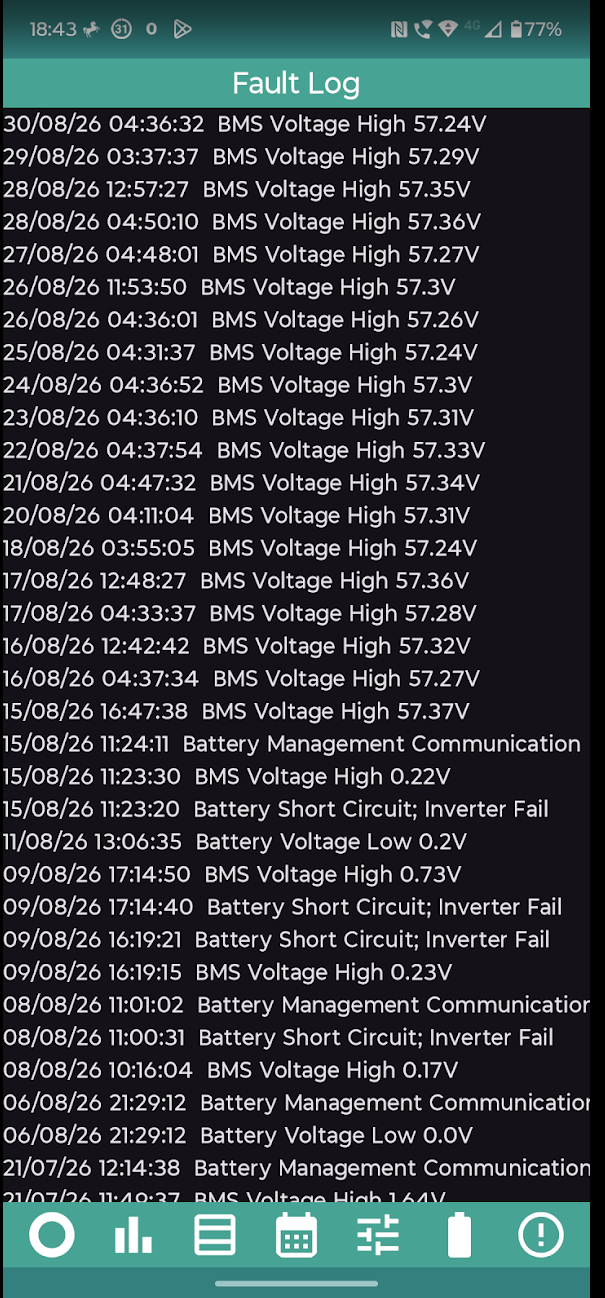
If I get the programming wrong it could do more harm than good. So far I am only working on detecting the error happening. When it is detected something like this will be recorded in the log:
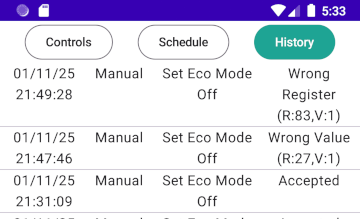
The numbers show what register was wrongly set to what value. In the lower example, a command to turn eco off actually turned eco on. In the top example, register 83 is the grid voltage protection. If you ever see that then your inverter is probably bricked as it sets the inverter to shutdown if the grid voltage is above 0.1Volts. Don't worry these examples were generated using an emulator, no inverters were harmed.
If you notice any of these errors in your log, please share the details here.
Rubikcube Testing this is very difficult as the error is very infrequent and firing thousands of commands at the inverter will break the flash memory.
I can't remember if I previously offered you this, but while I was messing around with python modbus client library, I implemented the server end too. So you could run your app against a dummy server which manifests whatever misbehaviour you need.
DD I still have a bookmark to your python code on Github. I have since developed my own emulators written in Java (which I am more familiar with). Still cannot effectively emulate a bug until it is well understood.
Are you still interested in Givenergy Inverter Emulator software? I haven't shared my code as I think it is a very specialist area. There are also issues around sharing readings from other peoples systems.
I am very grateful to some people who kindly agreed to collect information from their systems and sent it to me to help improve my app to support more systems.
Nearly got to 49 cycles
Finally got an Andriod device to load the monitor app, quick question, is there an easy way to find the IP address of my inverter / battery please?
Domo Yes, take a look at the devices connected to your router - you should see the IP address there. The device name is something like HF-21 (or something like that) IIRC. If you are connecting directly to the router, then you may wish to give the device a static IP address so that it never changes.
Logon to your router. Look in the router address table.
It will probably be something like HF-21.
I have renamed mine to GivEnergy dongle and given it a fixed IP, so that after power cuts etc it gets assigned the same IP and I dont have to go looking again.
CW beat me to it while I was typing!!! Doh
I founf a device named HF-A21 thats connected to the router and the ip begins with 192, when i put this in the app it shows no connection....
What kit do you have - there should be (assuming you haven't renamed anything) several of these. Can you see other devices with a similar name?
Ok, sorry, fat fingers... I now see data..
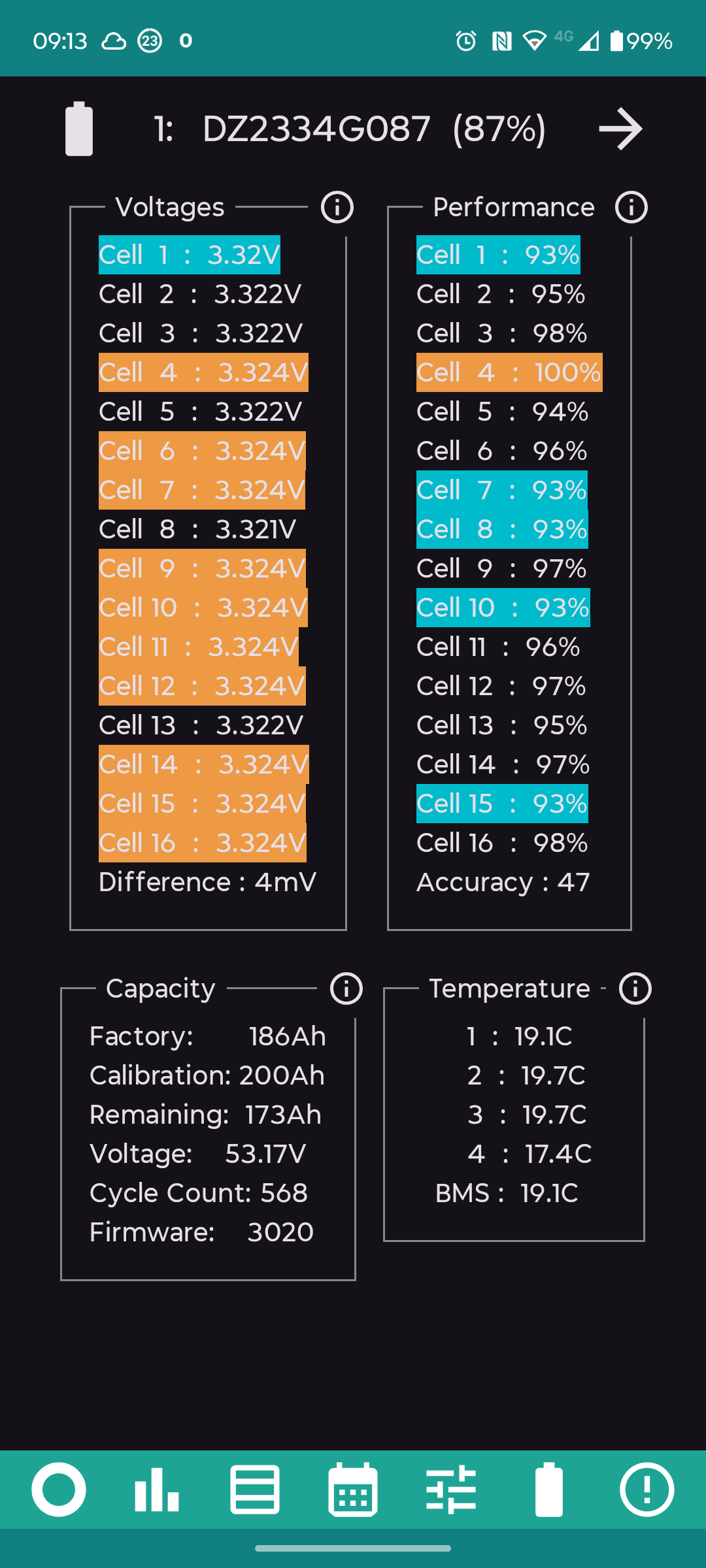
ok so just had the battery report after 2 days, The install was in May this year, are the cell performance % ok you think or do i need to be concerned about cells 1 through 5 ?
thanks 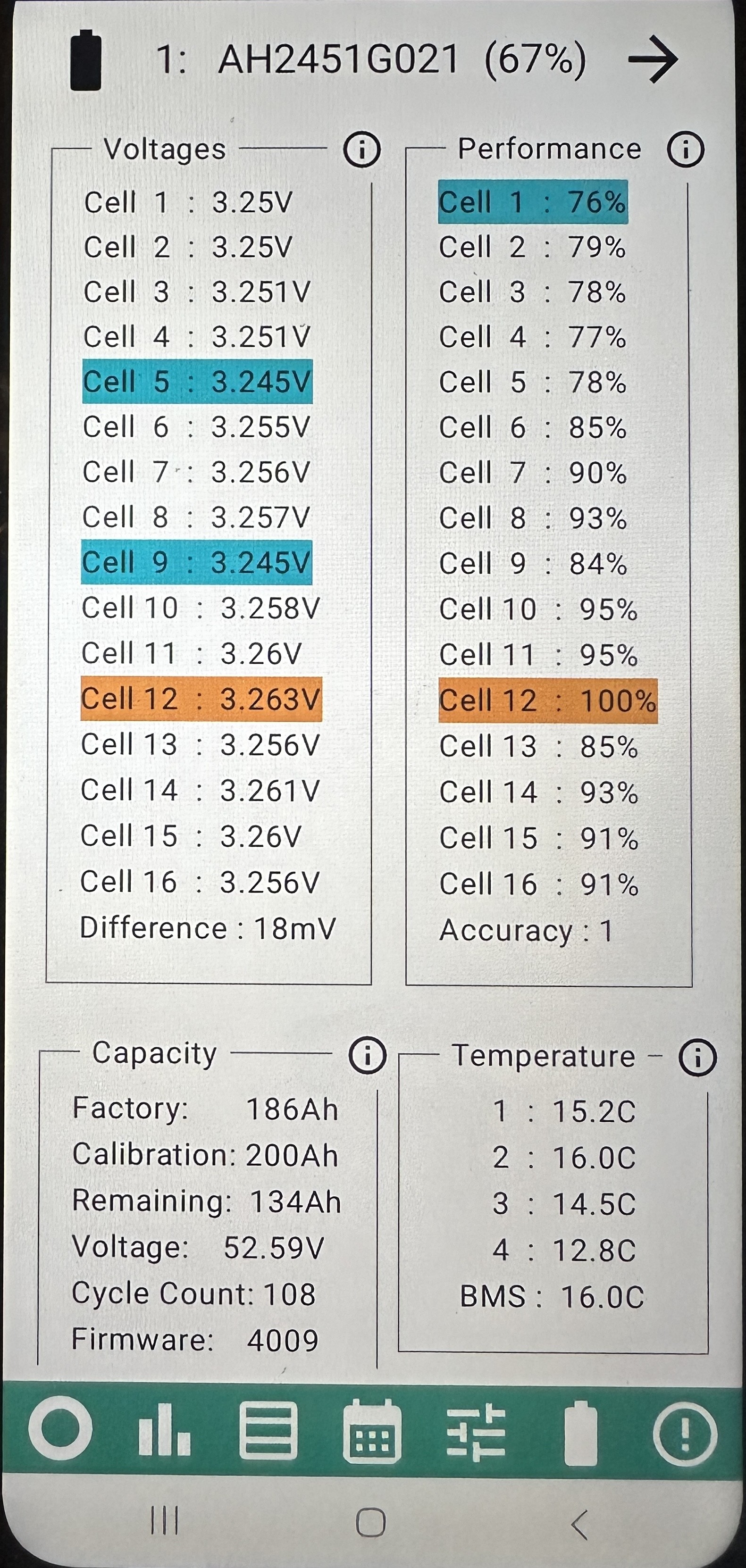
Thanks Rubikcube, fingers crossed then..
Morning last night the batteries failed to charge.
The history shows that all but one of the scheduled commands worked.
Of course the one that failed was setting the timed charge flag on.
The error says Wrong Register (R:0, V:60)
Not sure what happened and I guess I can set up another command a few minutes later to try the same action to ensure I don't get caught by this again?
The app worked ok 5 minutes later in setting eco mode off. The first attempt failed due to no connection, 7 seconds later the retry worked.
M_J
I had that once the night before we came back from a short break. The Internet dropped out for a few hours and obviously everything lost connection including the inverter.
It's usually a signal loss with internet, temporarily or otherwise. Since then, I've set the Inverter Monitor app to to connect directly with the inverter, bypassing the Internet entirely. No issues since then, and I'm lucky the inverter sits in the garage just the other side of the wall from the monitor.
As you say, on an important instruction, it could be a good idea to set the same instruction 5 minutes later as a backup, if the connection drops occasionally. From memory, I seem to remember Rubikcube saying that the app trys to set the instruction regularly for the whole minute it's set for, if it first fails.
M_J Sorry that happened, thank you for posting.
Looks like your "new replacement" AC3 suffers from the command corruption bug, possibly more frequently than the old one did.
What happened is that the command to turn on timed charge [set register 96 to 1] was sent, but somehow it got changed into [set register 0 to 60]. Register 0 holds the type of inverter and attempts to change it are ignored, so no harm done.
Did you ever have an unscheduled calibration on your old AC3? Sorry to bring bad news, but you might be getting a few with this replacement.
This is an area I am trying to work on, but it is difficult because it is very intermittent and not all inverters have this problem.
Rubikcube Did you ever have an unscheduled calibration on your old AC3? Sorry to bring bad news, but you might be getting a few with this replacement.
Not that I noticed.
I have a feeling this "new inverter" might not be very new...
I will create an additional command call 5 minutes on to try and ensure I get the values correctly set.
The odd thing was the secondary battery drained down to zero, I have never seen that happen before. This when it shouldn't be draining at all.
Needless to say I am a bit wary of the "new inverter" and keeping a close eye on it.
Have to say, I'm very pleased with my battery. one cycle a day since new:
Currently 199Ah full
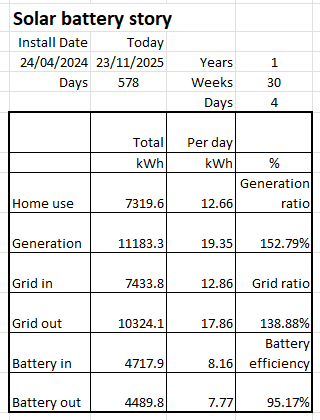
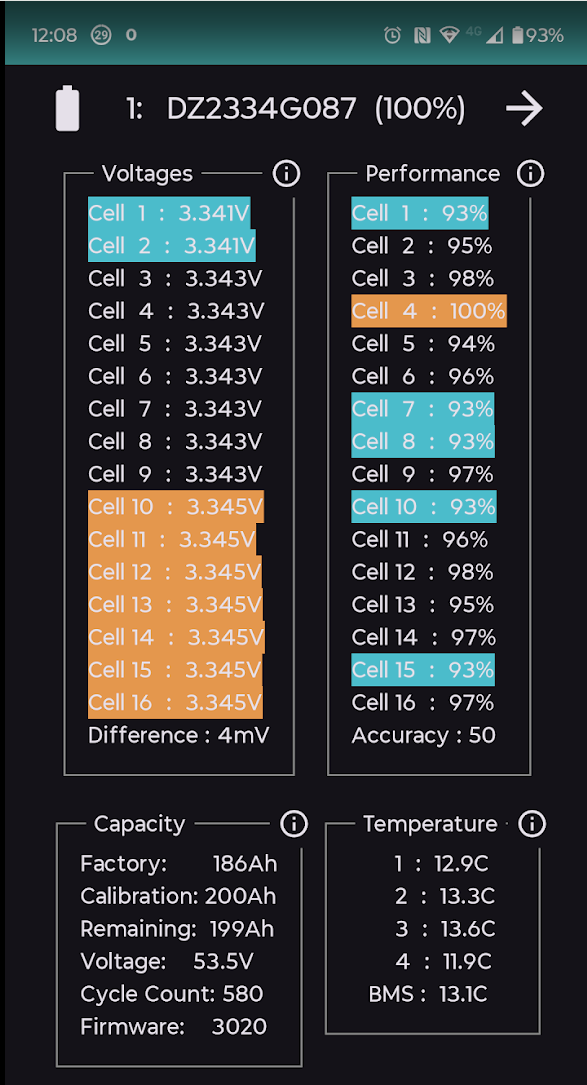
@"Rubikcube" The app is absolutely brilliant!
Thank you so much! The notification when the system is down is especially helpful!
I do have 2 suggestions
BMS Communication Failure shows in the log when this happens. This would be useful since when you have a power outage or a major fault there isn't an alert on the AIO (we don't have Givenergy string inverters and have no notification from them, but need to manually restart everything after power outages, which are frequent here). What happens is that the string inverters aren't connecting with the AIO because they restarted in the wrong order.
2. The main round diagram - it would be nice to have the option of just seeing the input (semicircle). I'm not really interested in what I'm using, the battery prediction bar is super useful though.
I'm currently thinking about how to get IFTTT to email when there is or was a power outage. It would be especially useful to be able to email 2 different addresses so you could be notified when it is actually another device/user doing the monitoring.
Thanks again for the brilliant app and continued improvements!
AnonymousHooman Thank you for the suggestions, I will looking into what can be done. Bear in mind that I have to try and make my app work for everyone, and some people have battery without solar.
If I had frequent power outages, my priority would be getting onto the DNO to see what could be done to improve the reliability of the supply. I presume you are rural with overhead supply and when it fails it has to be repaired (by someone). Improving the reliability would be in the DNO's interest, since if it didn't fail it wouldn't need to be repaired.
(My 99-year old[!] father-in-law's) 2x 5.2kWh battery GE system, with 12x 400W PV. Been running the free version of the app for the past 3 weeks or so, on an old Lenovo Yoga tablet. Both batteries visible, but only the newer one (was added approx. a year after initial installation) is showing performance stats. Any thoughts (both batteries appear to be working ok in the GE portal)?
My second battery shows ok?
M_J GE equipment sometimes produces inaccurate results. That's not news. 🙂
Problem with averages is if bad data gets it, averages are easily messed up. So a threshold is needed to separate the good from the bad. I based it on the results from my single battery, but I think it would benefit from a small adjustment to work better with multiple batteries. The first battery always gets worked hardest due to the way GE designed the Gen1.
Rubikcube
Just thought I'd mention that for a couple of days, I started getting loads of errors connecting on your app (around a third were errors). I don't know why as Persistent mode was on and it's been really reliable. So I rebooted the Nokia phone, cleared the cache and the problem remained.
I did have it connected directly to the Inverter, so I thought I'd try connecting to the WiFi - same problem. Then I tried the WiFi extender - still the same problem!
In the end, I decided to switch off Persistent mode which I did for a couple of minutes, then switched it on again. Since then, the problem is solved and it seems fine (1 error in 14,575).
Don't know if there's been an update which may have changed things as there's app auto update enabled on the phone, but I thought I should bring it to your attention in case anyone else has a problem.
TimHutchings Thanks for reporting this, it seems rather weird. The latest version is 3.8 released on 4th November, there hasn't been any update since.
The next version (currently in testing for release in the new year) will be 4.0 and has a lot of changes to the networking code to work better with the new stuff (with stackable batteries).
Well done for fixing it. Post if it happens again.
Version 4.0 has completed testing and will be available this week. Here are the main changes:
For those with the premium option:
A lot of the new features in version 4.0 relate to batteries. This version uses a drop-down list to select the batteries.
My system only has one battery, so a translator program was used to generate some fake batteries so that the code could be tested. Fingers crossed that it works with real batteries.
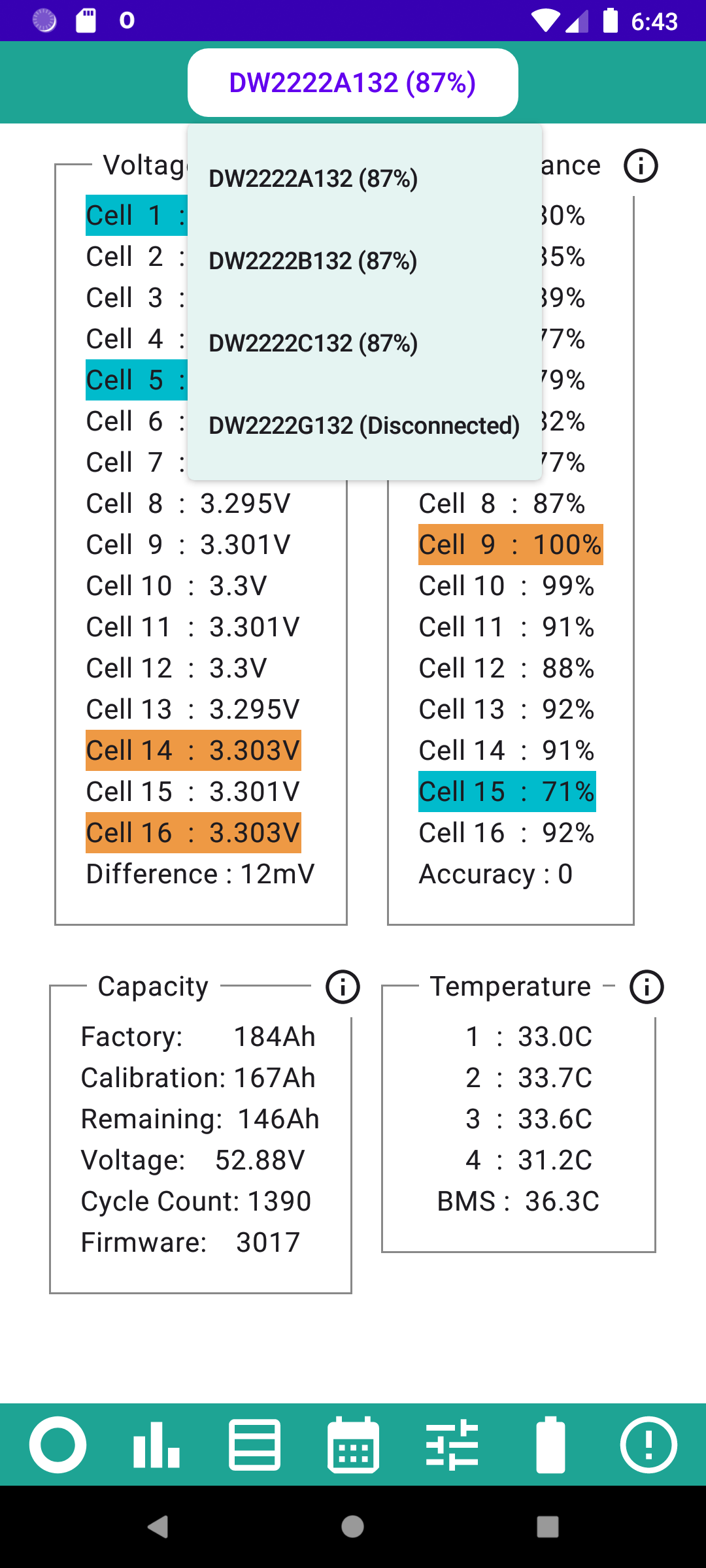
Rubikcube My system only has one battery, so a translator program was used to generate some fake batteries so that the code could be tested. Fingers crossed that it works with real batteries
I have an AIO and subscribe to the premium version - I'll ping you anything not looking right if I spot anything 😃
Google just approved my updates in like 10 minutes! Wow! Usually it takes a day or two for changes to go through (I have never known why). Version 4.0 should be in the play store to download within the hour.
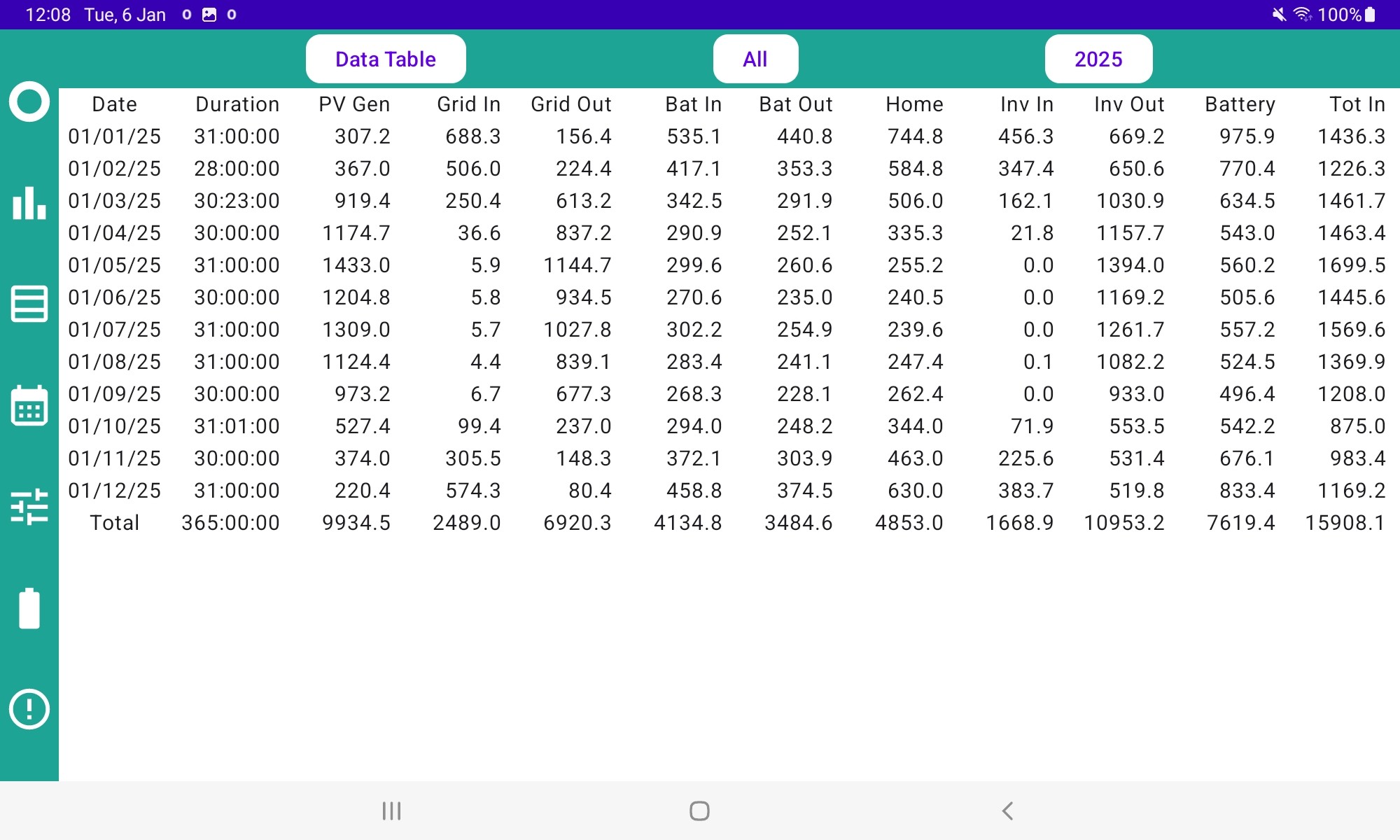
NormC Congratulations, you found the first bug in this version. The Bat In and Bat Out figures are not being calculated correctly. Your correct Bat In for 2025 should be 4134.8
If you try it during the day when the sun is shining, it should produce the correct figures!! Programming bugs are weird. I will find a way to fix it in the next version.
Hello Dr Cube … a few comments if I may – please?
Seriously – Congratulations on a fine piece of coding, I think I can appreciate just how much dedication it’s taken.
My programming goes back to the days of Analogue Computing and I can (just) remember how difficult it was to pre-think all the situations that a program may encounter.
Hope you find the time to enjoy more of the other loves in your life too.
Thank You.
Graham
Version 4.0.1 has been approved by Google and should be available in the Play Store now.
The extra fault logs tabs have been removed.
Correct battery figures on some hybrid configurations should now be shown at night as well as in the day!
Just to echo the praises of the excellent Rubikcube app, I have only recently discovered the very informative description of the EPS (Emergency Power Supply) system and various issues surrounding its implementation.
For the uninitiated, just follow the ? on the main screen, scroll down to The Tutorials Wixsite and SKIP TO ADVANCED.
Well worth a read even if you don't grasp all of it immediately...
As others have said, a very useful app – thanks Rubikcube!
I was wondering if anyone could help me trouble shoot an issue.
I had been using the app to export any excess at the end of the day. It did this very effectively until recently, when I connected to Axle VPP and they ran their first saving session, which changed some settings on the inverter, but didn't revert them automatically (e.g. Eco mode).
Since then the schedules sent by the Inverter monitor app don't seem to be being applied, so no export occurs. The logs look like the commands are being sent and accepted, but nothing happens.
I have tried resetting to defaults and restarting the inverter, but still have the issue.
Grateful for any ideas!
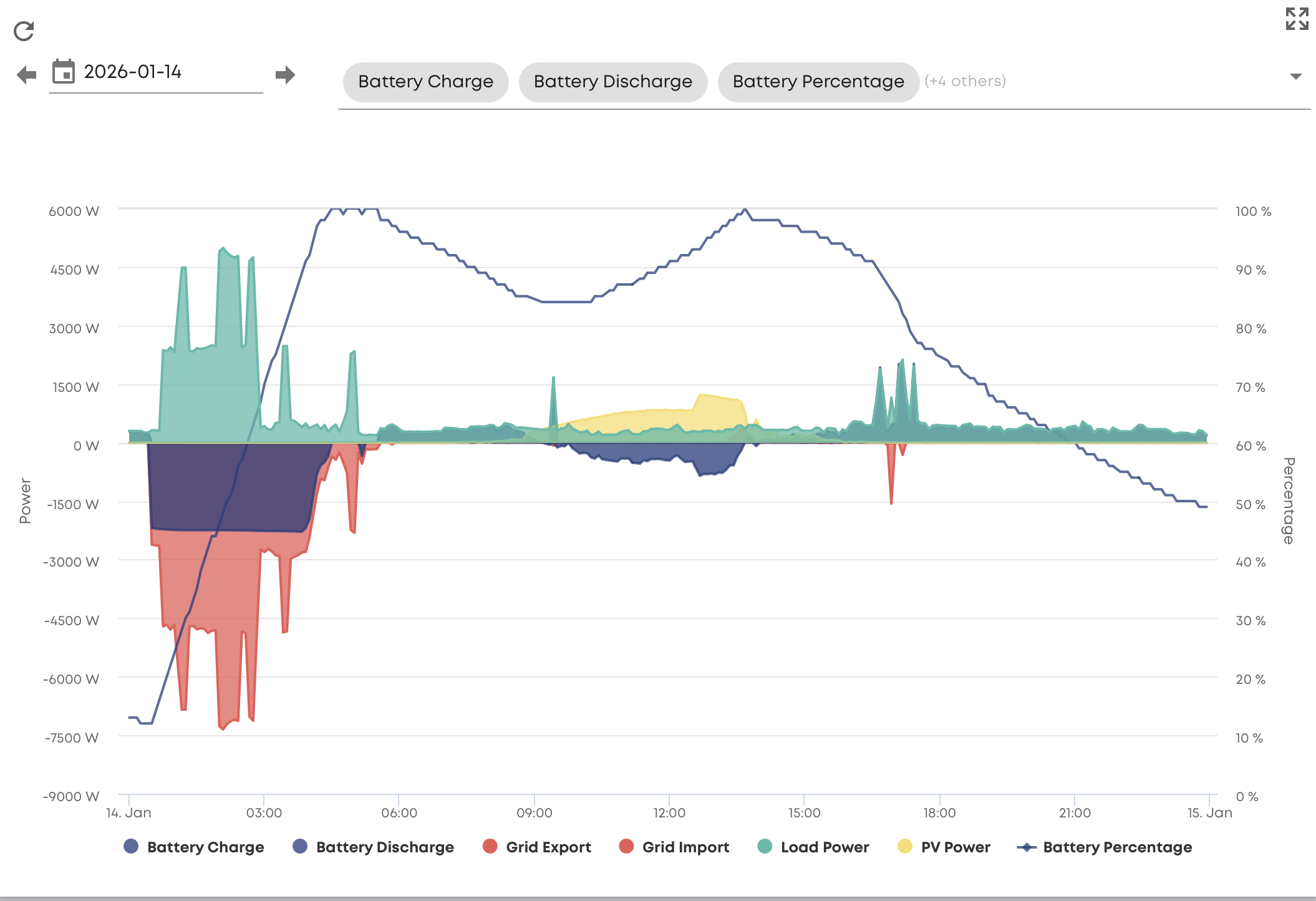
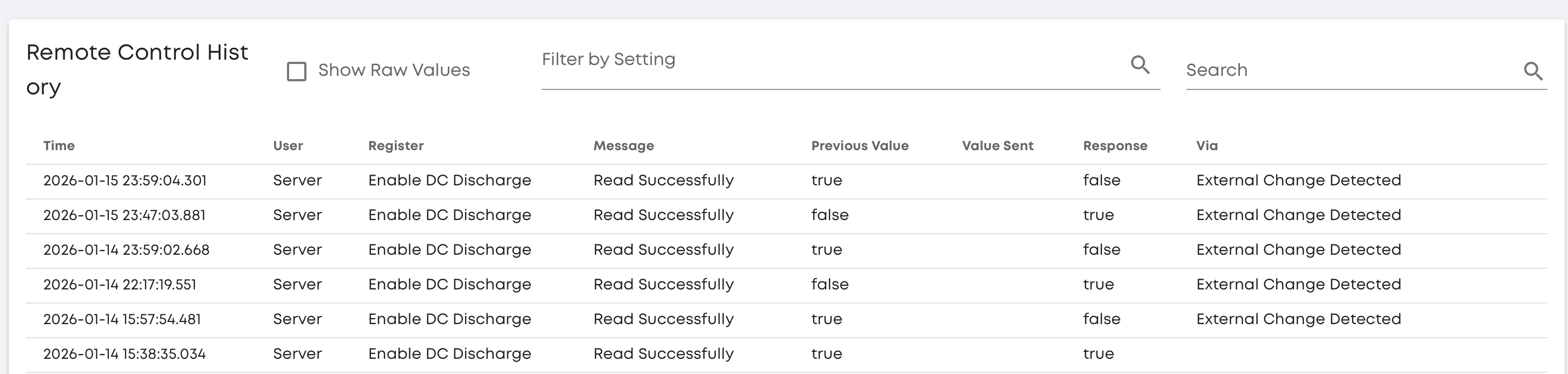
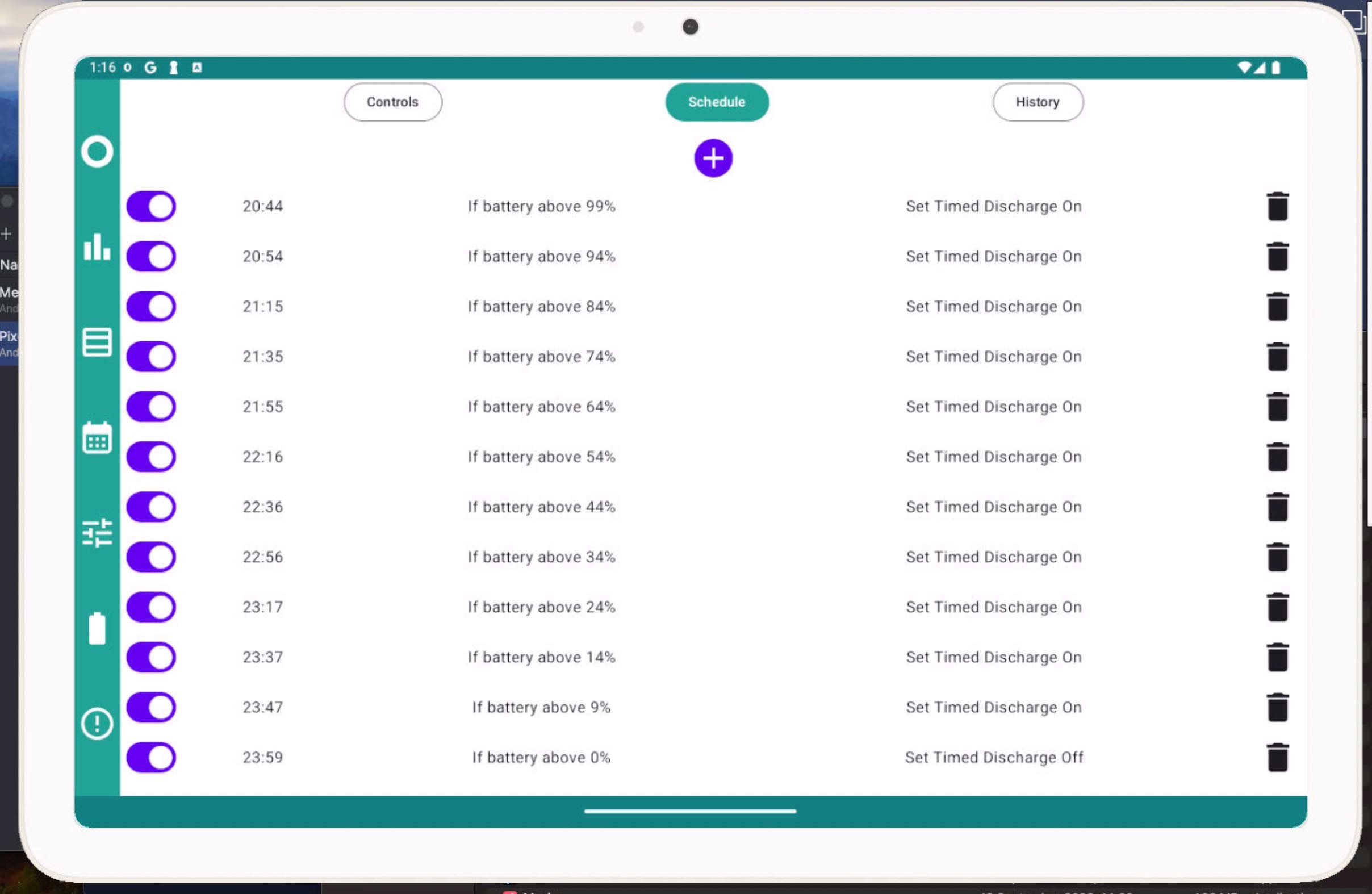
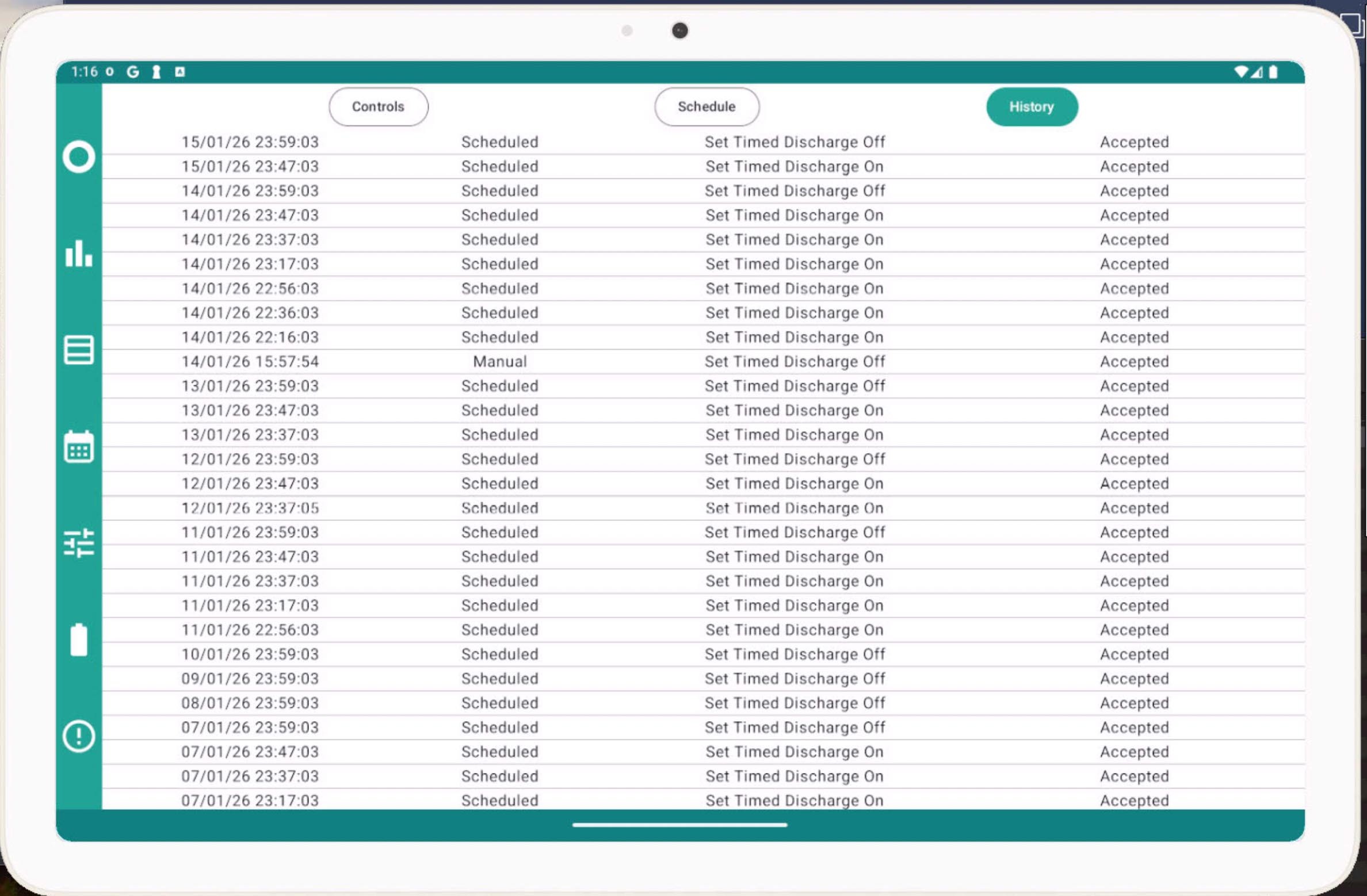
Avenir In addition to turning on the enable discharge flag, you need to have a discharge timer window configured to cover the time in question. I'm guessing from no later than 20:44 to 23:59. Resetting to defaults wouldn't have helped since that would clear any timer set. And I think Axle VPP for me set the window to be empty, rather than restoring the previous settings.
Is there a way of resetting the error counter as I have been having some networking issues and have lost count

Ortwin
Funny you should be having problems! In the last few days I've been have mountains of errors, after working with very few errors over the last few months. Nothing has changed in the house as far as I'm aware. In the last 5000 calls, there's been over 1250 errors. I've rebooted the router, rebooted the phone that the app is displayed on, and tried several other options like polling directly from the inverter and moving back to wifi.
There used to be persistent mode showing in the settings, but that's not showing anymore.
The only thing I haven't done is rebooted the dongle.
Any ideas Rubikcube?
Ortwin For the immediate monitoring on the main screen, just switch to a different screen and back and the counters reset to zero. For the background task you can stop it by turning off collect stats on the settings screen, exit the app, wait a minute for it to stop (once it has stopped you can clear the notification), then start the app and turn collect stats back on. Or you can use the android settings to force stop the app, or go the whole hog and just reboot the device.
Thanks for reporting this, it could be a bug in the new version. Although version 4.0 looks the same as 3.8 always beware of versions ending in zero! The changes are to do with the new systems, AIO and stackable batteries and preparing for Gen 4 when it arrives. While the new systems work similar to the old ones, there are subtle changes. This is just a guess but possibly my app is sending a message formatted for the wrong system and recording an error when it gets no reply. The errors may not be a genuine network issue.
Version 4 has dropped the old non persistent mode because it doesn't work well with the stackable batteries.
I have had repeated issues with our Linksys SPNMX56 router/mesh system which occasionally throws up wobblies i.e. child node disconnecting or sending out 169.256 IP addresses and use AIM to give me an indication when things are working ok.
I have a Gen 2 5Kw inverter and 2 9.5Kw batteries if it makes any difference
Rubikcube The app seems to working correctly on my Gen 3 inverter and Gen 2 9.5 battery. The only thing that I have noticed is that the Errors figures do not increase incrementally i.e Instead of the Errors display going 1/1, 1/2, 1/3, 1/4 etc. it updates in jumps, Errors 1/2, 1/4, 1/8, 1/11. Strange, but not a problem.
Rubikcube
Just for info, I thought I'd upload a graph from GE showing today's usage, and one from the Inverter app showing today's usage. You can see that the GE chart seems to be solid all day, whereas the Inverter app chart appears to have lost connection for periods, then been solid for a while before another connection loss.
Both the inverter and the Nokia with the app are within 5-10ft of the router, and both have strong signals. In fact the inverter is on the other side of the wall in the garage.
Irritatingly, the app lost connection this morning and missed the 5.30am instruction to switch off charging in the schedule.
Don't know if the signal loss might be with the app or the phone?
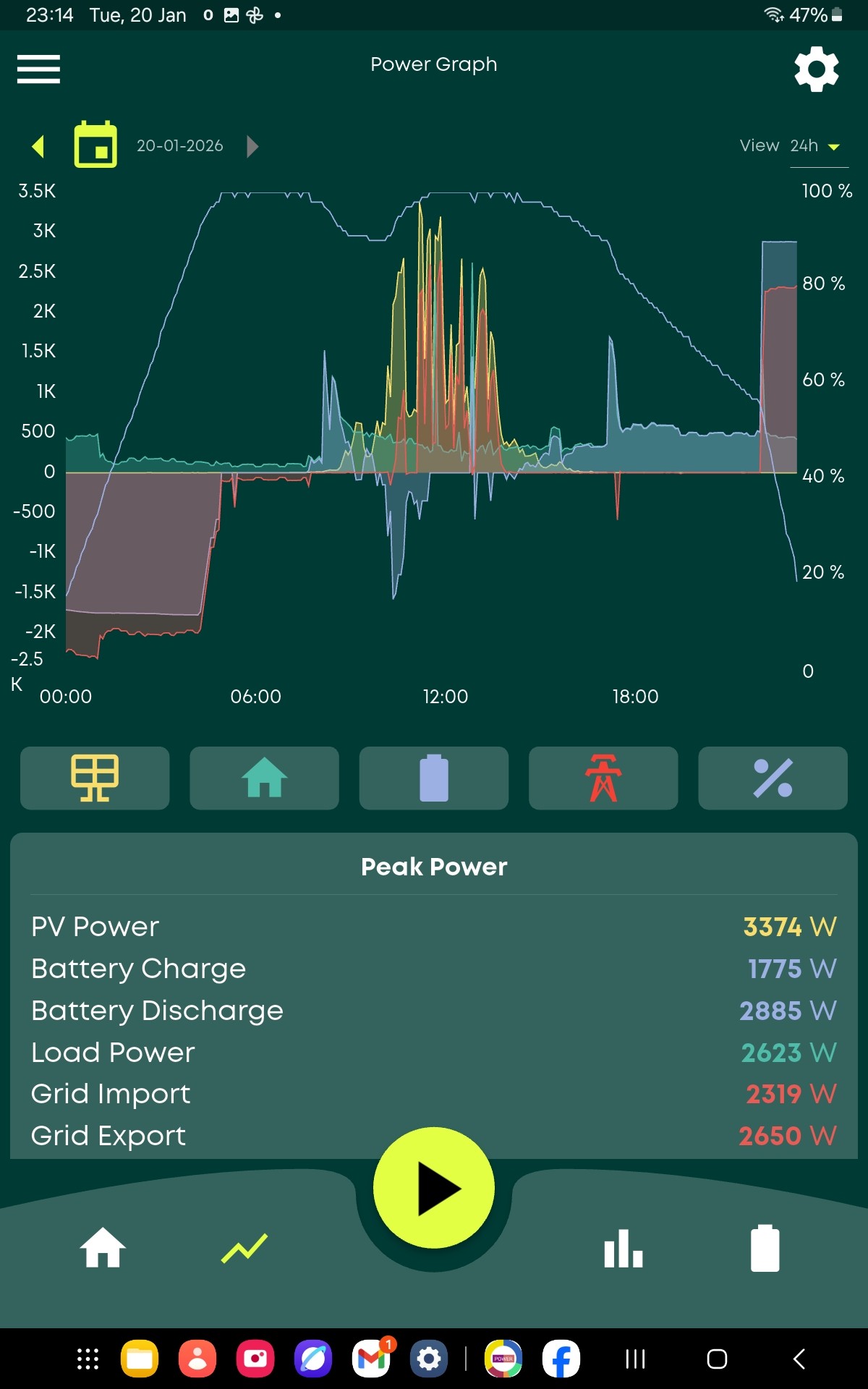
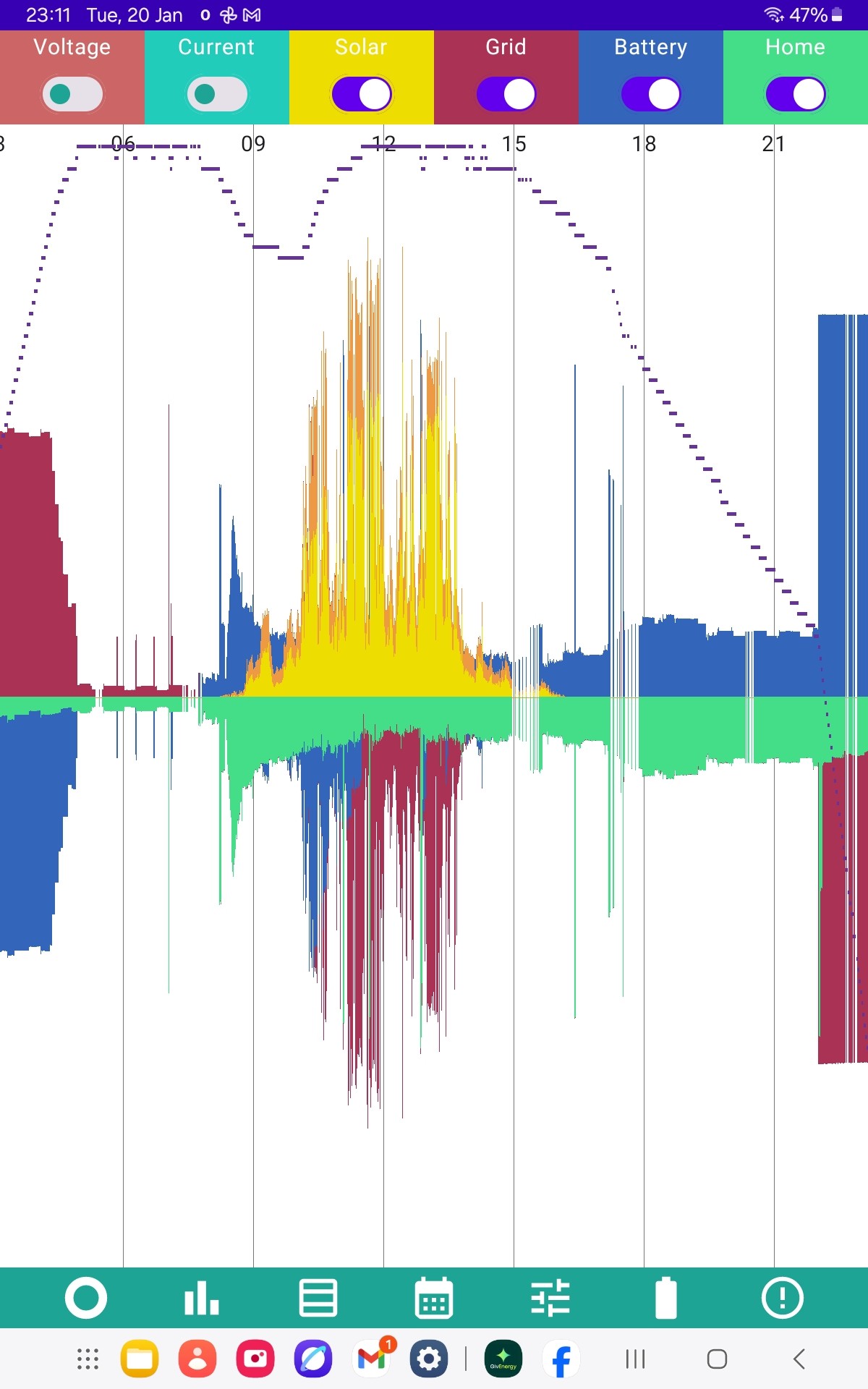
On my GE android app I have been loosing the primary battery details randomly yet the inverter app shows the primary and secondary battery's at the same time. GE told me that it was due to a duplicate battery serial number on another system, however they are now going to change the BMS on the primary. 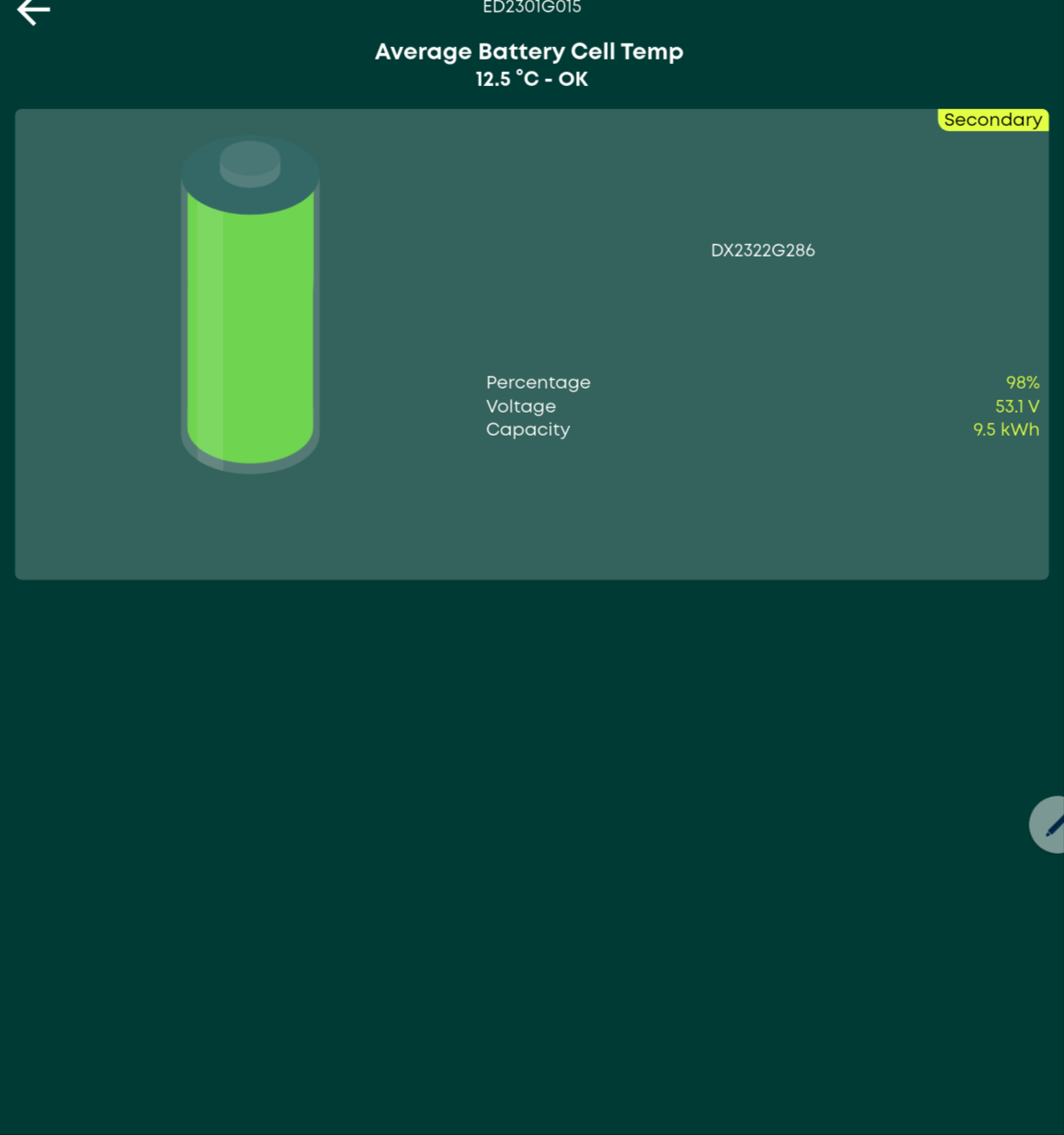
Is there a way of increasing the window size so it will show all the details when pressing the inverter app icon or would I need to swipe down from the top of the screen to get the full size window?
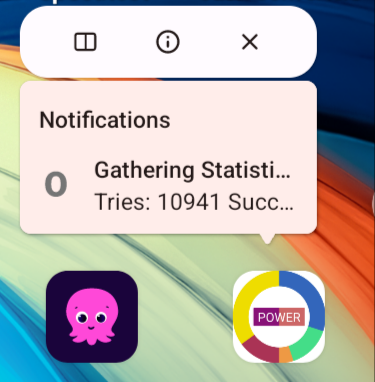
TimHutchings Thanks for posting the images, really useful.
Not sure yet what is wrong. Can you check that the "Cycle Time" in settings is set to the default of 10 seconds? If not, please set it to 10 seconds and see if that improves the reliability.
Ortwin change the BMS
Seems like the hard way to change the serial number. I think I know how to change the serial number of a battery, but have never actually tried because I have never needed to. Maybe changing the serial number doesn't work, or maybe everyone who knew how to do it has left the company.
Somebody else having a duplicate number won't affect my app at all.
Rubikcube
Checked the cycle time on the app which is set at 10 seconds. Was wondering whether I was getting any interference from a neighbour who maybe had changed routers. Checked my router and the chanel setting was set to auto on both 5 and 2.4 GHz. So changed the 2.4 to chanel 11 this morning, which appears to have less traffic. It has been more stable through the day, though I've had 2 or 3 shorter outages than yesterday. I'll watch it for a couple of days to see if it's made any difference.
TimHutchings That's weird, because I thought I just identified a fault in my app. See next post.
So I decided to run a test. I set up 2 brand new virtual machines to emulate identical Pixel 7 phones running Android 16. (Glad I bought DDR5 when it was cheap!). Installed my app on both. The only difference is the one on the left has the default cycle time of 10 seconds, the one on the right has the cycle time set to 5 seconds. Because both are running on the same physical computer the networking is identical. I started both at about 00:30 and let them run for an hour. Screenshots of result identifies a problem.
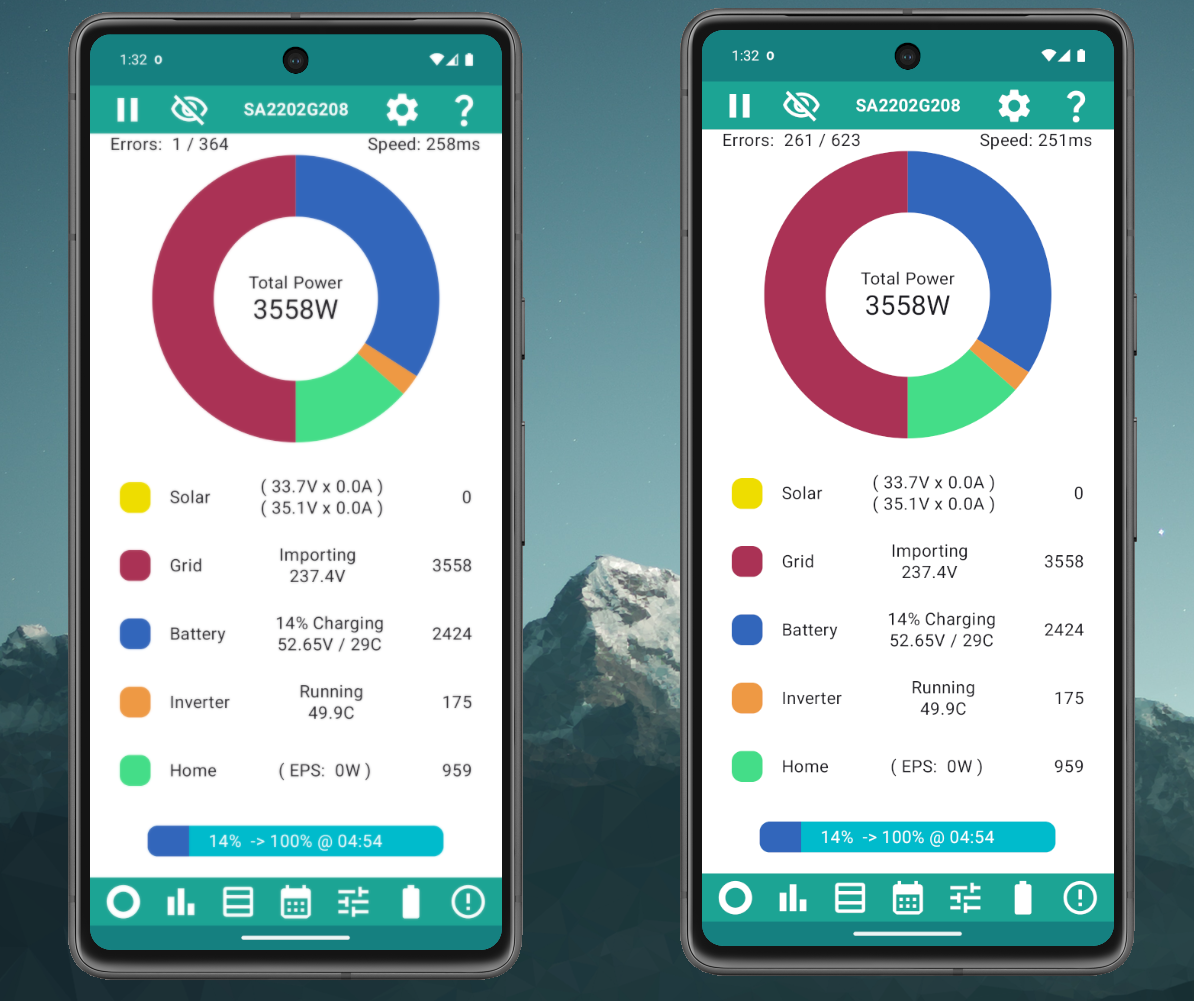
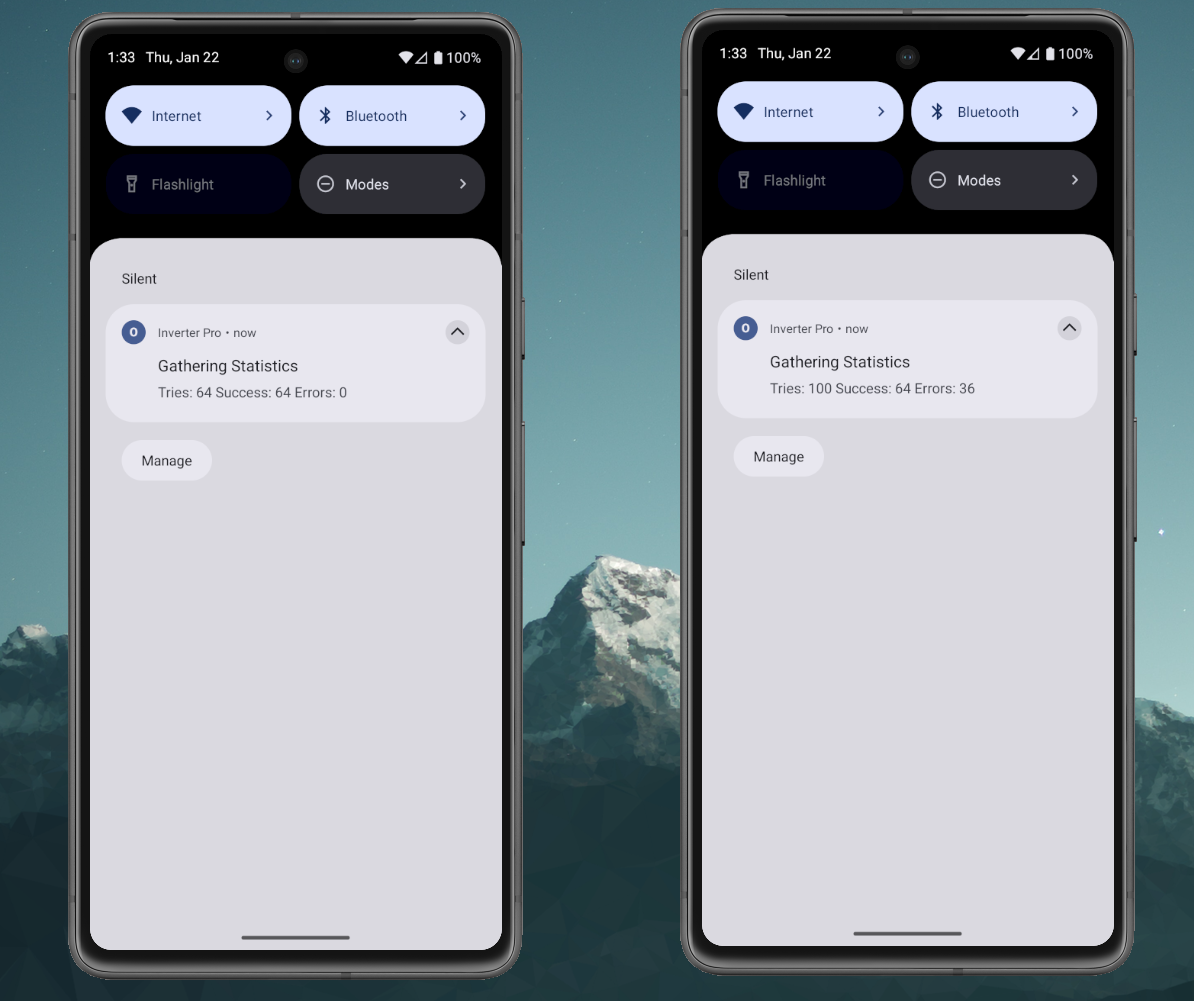
Rubikcube - Iwrote the following to the gmail address I found...but no reply as yet...so trying here..:
I have been using your free app for about a year now and following goings-on the Community site.
I was very impressed and so just purchased the full app.
I do not seem to now be able to access the wixsite to see more about controls.
In particular how to add more charge sessions - it seems to allow only one - so I guess it's my ignorance
Thanks
You need to use the schedule function, the controls will just expose the available registers on the inverter so if your inverter only has one charge slot - that's what you will see. Schedule will send new times overwriting the slot.
I have 9 charge slots on my inverter so when one is selected will others appear when I have selected the first one? Can I then scroll through and adjust them where needed?
I only have one charge slot so I will defer that to the author. I didn't know any inverters had that many slots.
Rubikcube
I still seem to be having issues even though I changed channel. Maybe not quite as bad, but my phone (monitor) is very like your phone on the right in the pictures with stacks of errors, even thought the cycle rate is set to 10 and speed on screen is showing at 264ms. I'll try setting the cycle time to 15 to see what happens.
Thanks for looking into this.
Here's a pic of the latest chart.
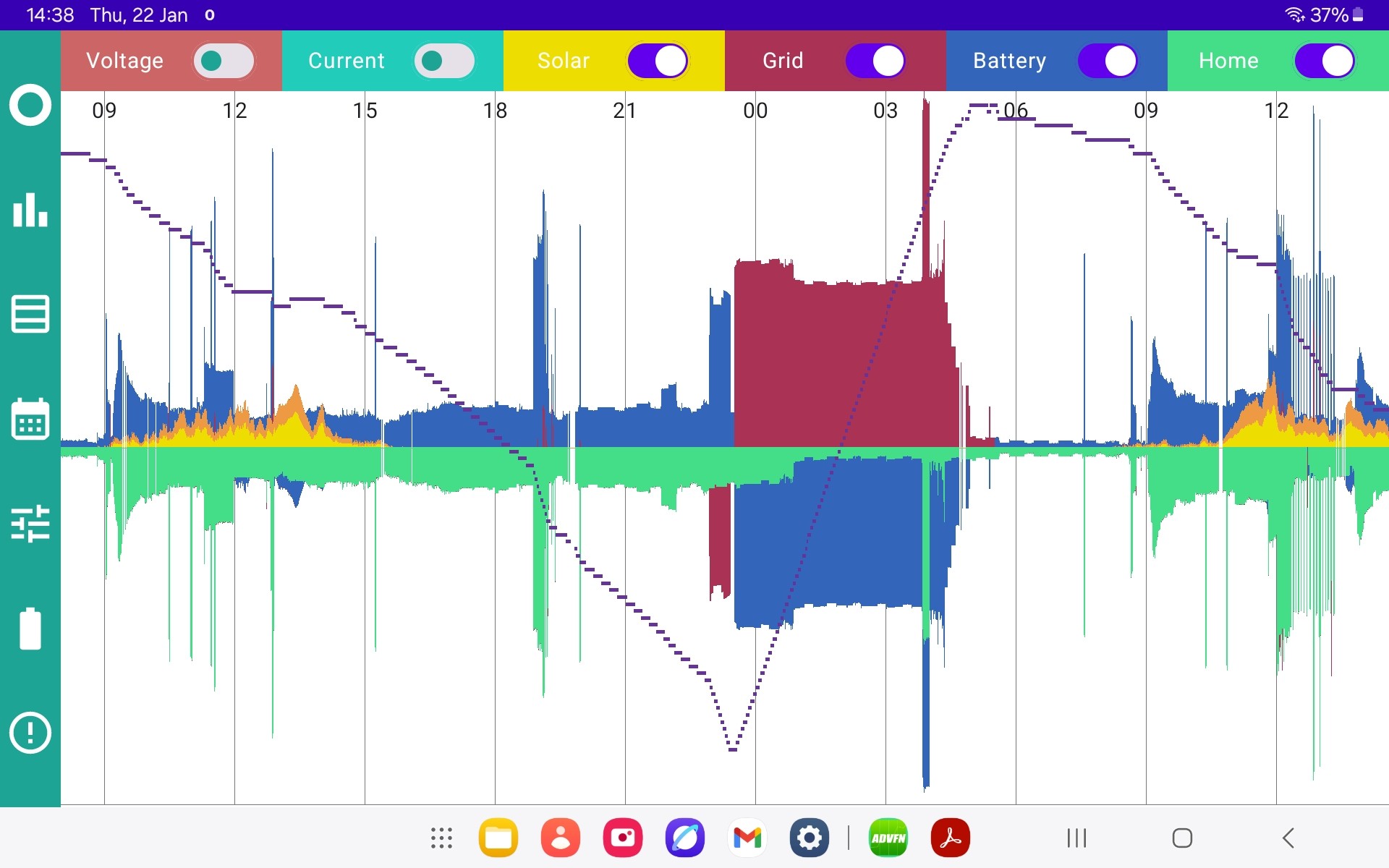
Rubikcube
Apparently GE technical tried to sort out the BMS issue remotely but failed hence the need for a site visit. Unfortunately after GE had tried the remote login the app had timed export and charge turned off.
The inverter monitor doesn't have a problem getting the data for both batteries but GE does.
What do the numbers he on the left and right indicate (error 0/0)
AndyZ900rs This is an increasing common question about extra charge slots.
The original systems sold by GivEnergy (before 2023) only had one charge slot. They should have had two, but the second one didn't work due to a design error, but that's another story. Many owners of the original systems found ways to work around the limitations. My app uses a scheduler to get around the limitation.
https://givenergymonitor.wixsite.com/tutorials/tariffs#cosy
Since 2023, the new (gen2 / gen3 / AIO) systems have 10 charge slots. I haven't yet been able to update my app to support the extra slots. As I have an older system, it is rather difficult for me to test that it works. It is something I will be working on, as I think now there must be about as many new systems out there as there are old ones.
The Wixsite should still work, but it is starting to get a bit behind as I add more features to the app.
Do you have any plans to support Dual AIO scheduling on the APP. I am an app subscriber with Dual Aio's and a Gateway. In this type of system each AIO does 50% of what the Gateway instructs them to do, either charge or discharge. Since in the APP settings you can only enter 2 IP addresses I only have the IP addresses of my AIO's entered and not the Gateway, therefore scheduling of a dual AIO system is something that is not possible at the moment.
One night I got up to visit the toilet and I was playing with the APP, as you do, I went into the section where you can sync the time of your inverters. The system was running a discharge schedule at the time, I dropped the phone and must have caught the execute sync time command. When I retrieved the phone from the bathroom floor one of the AIO's had stopped discharging completely. Later in the day when I got time to investigate things, the AIO that stopped discharging had a time set 2 hours in the past. So I issued the Portal Sync time command and that sorted things out. Since then I never go anywhere near the command section of the APP, but I wish I could, because that day recentely when the entire Internet went down my system was discharging and I couldn't stop it.
duplada Yes ... eventually. With version 4.0 I have been working on getting the app to work properly (batteries, etc) with the AIO and stackable systems. Still a few bugs to fix apparently. Then I will be working on the extended settings (extra charge periods, pause function) which the newer systems have. Then I will be extending the app to support 3 IP addresses. Hopefully we will get to a stage where you can fully control your setup.
It is very odd that my app would set the time wrong. The time sync function should only set the time to match the time on your phone. I will do more testing in that area.
I will soon be releasing Version 4.1. The key changes are:
That's all. Mainly a bug fix release because the reliability issue can result in scheduled commands being missed.
TimHutchings Excellent. Thanks for confirming.
It was a timing problem with things getting out of sync. Needed 5 different changes to the code to fix it, so not a simple coding mistake. I tested on my system all through December without an issue, and didn't pick up the problem.
👍

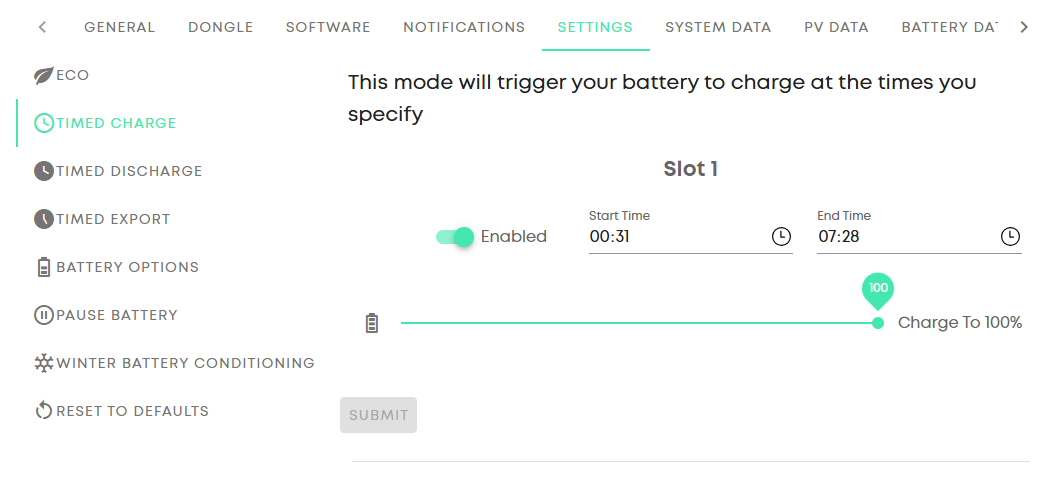
Should a Gen2 hybrid inverter have more that 1 charge period available to use?
There seem to be conflicting ideas.
Mine does not seem to, as reported on the GE web portal and Android Inverter Monitor.
Inverter = D0.920.A0.920, Battery = 3020.
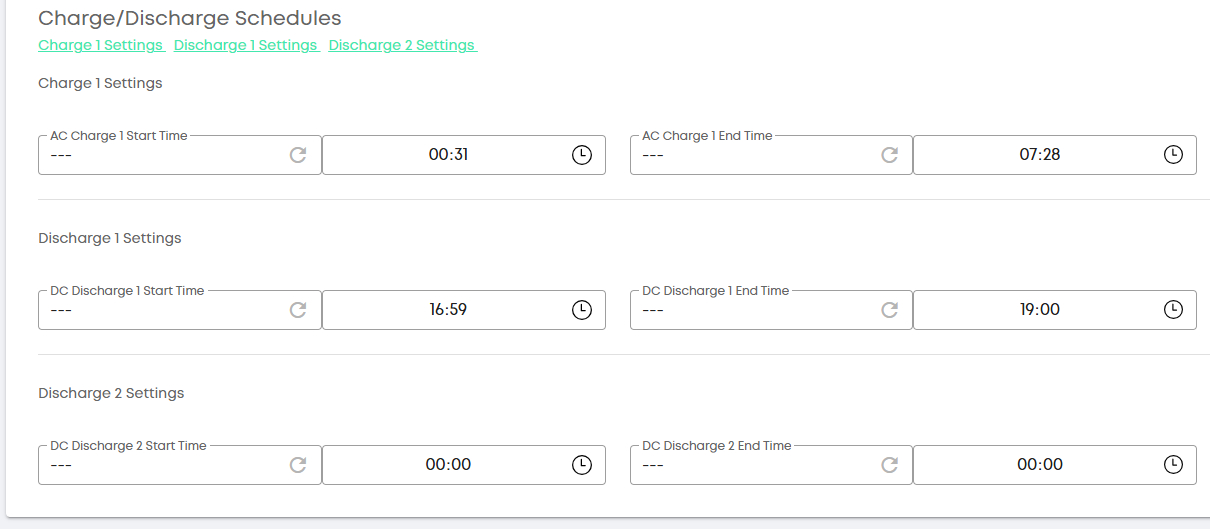
I also have a Gen 2 5Kw inverter on D0.920 A0.920 and batteries on 3022
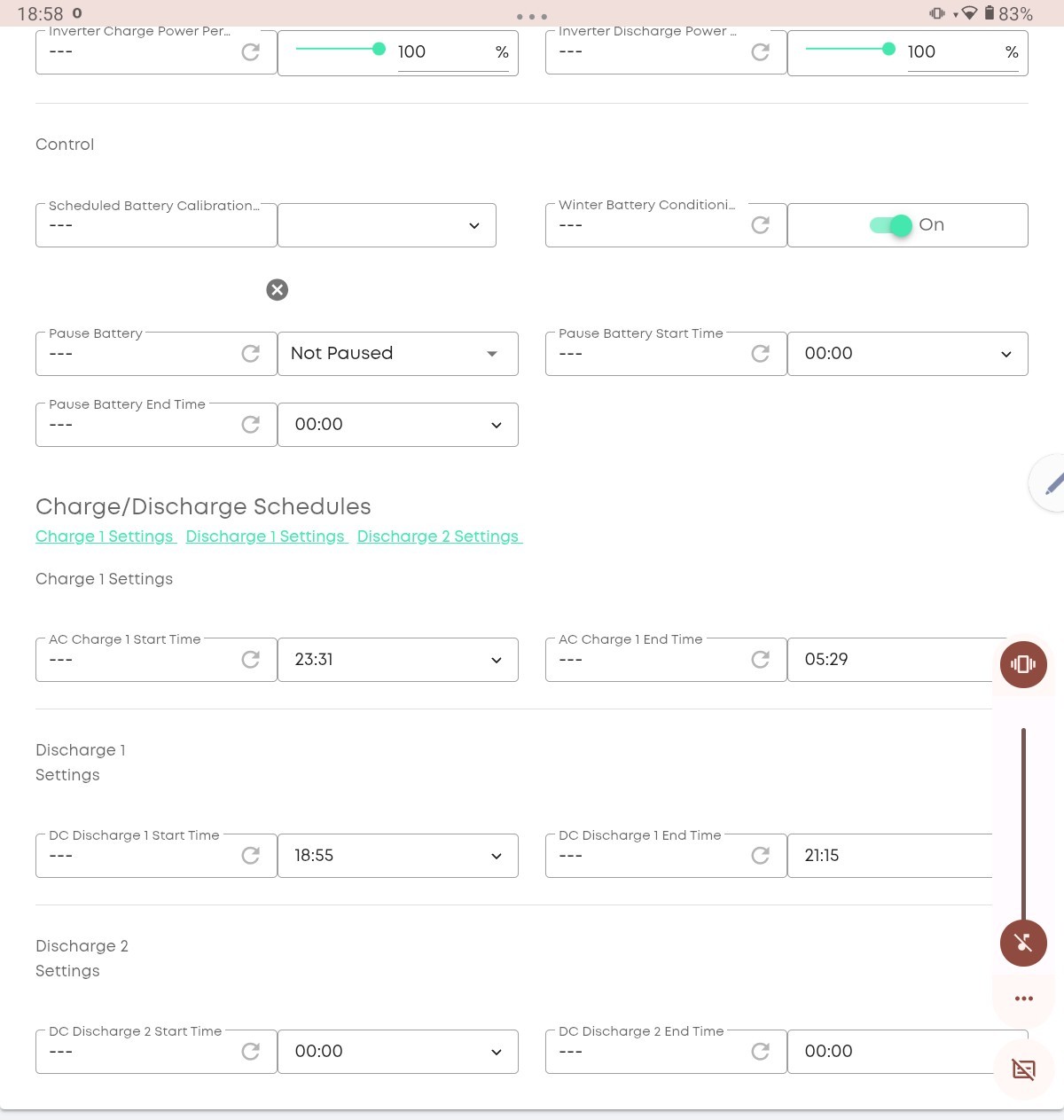
I thought it went:
Gen 1 - 1 Charge Slot
Gen 1 (Fast FW) - 1 Charge Slot and Pause Mode
Gen 2 - 1 Charge Slot and Pause Mode (and higher charge / discharge rates)
Gen 3 - 10 Charge/Discharge Slots + Pause Mode.
I do need to investigate the "second" charge slot for Gen 1 register - the fact it can only be changed between 00:00 to 00:04 I think may actually be telling the inverter something, just need to confirm a hunch.
Top tip for anyone using the "Collect Stats" or scheduler with my app. You can turn off automatic updates for individual apps in the Play Store. Go to the app's listing page, press the 3 dots top right and the option to turn off updates should be there. Using this feature means that updates won't interrupt the app running (until you apply them manually).
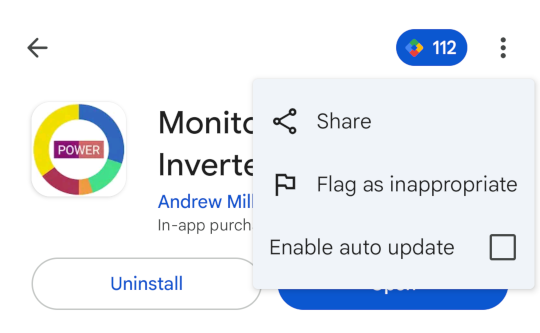
Hi Just wondering if the app could be made available on the Australian Play store?
Hi Andrew, since the 4.1 update if I load the App and as soon as it connects and updates the display, If I touch the battery bar to display the statistics before doing anything else then the App immediately closes, if I restart it and follow the same procedure then the app exits and the following is displayed.
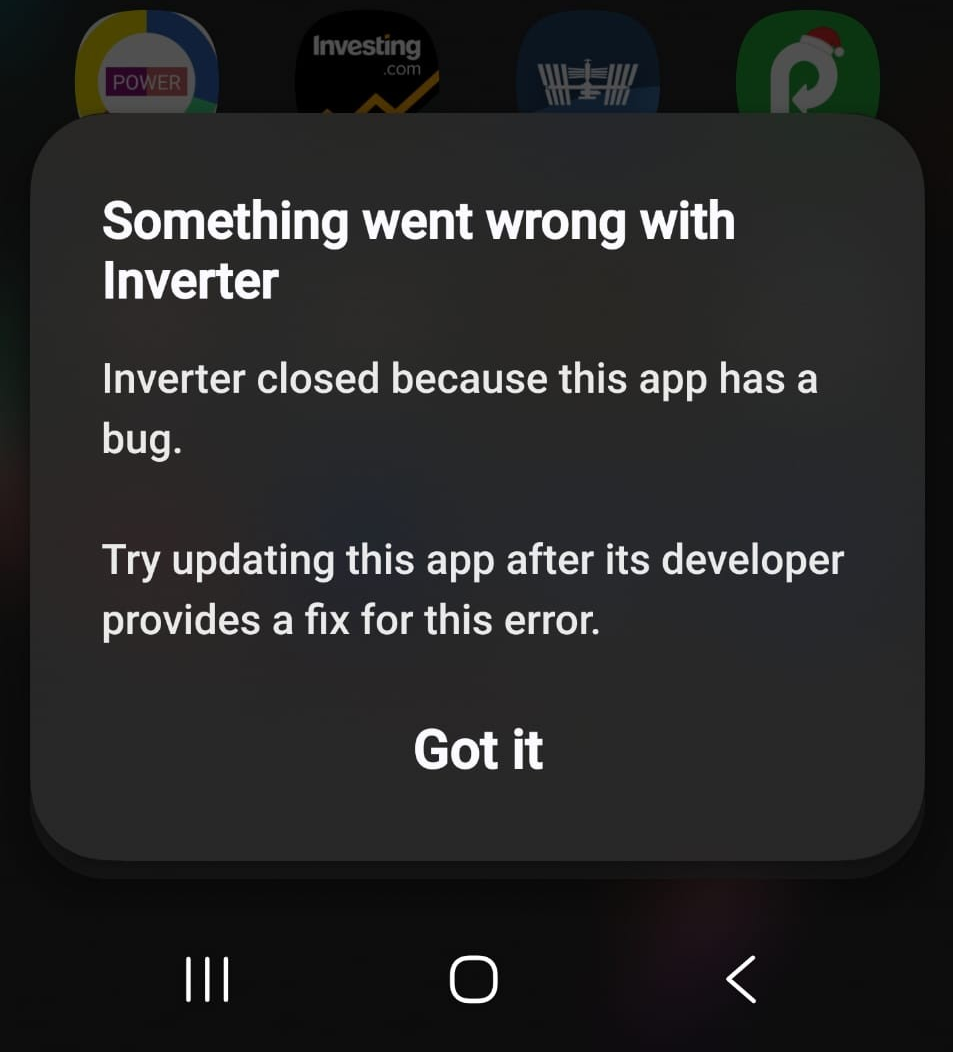
I have a Samsung Galaxy S23 Ultra Phone running Android 16 with OneUI V8. I have a Dual AIO system with the IP addresses of the 2 AIO's entered in the App. In addition to the issue reported above since V4 of the app if I press the battery bar to go to statistics (after doing something else first) then the Calibration and Capacity Information section is all blank and all of the individual battery packs in the battery drop down menu also show 0%.
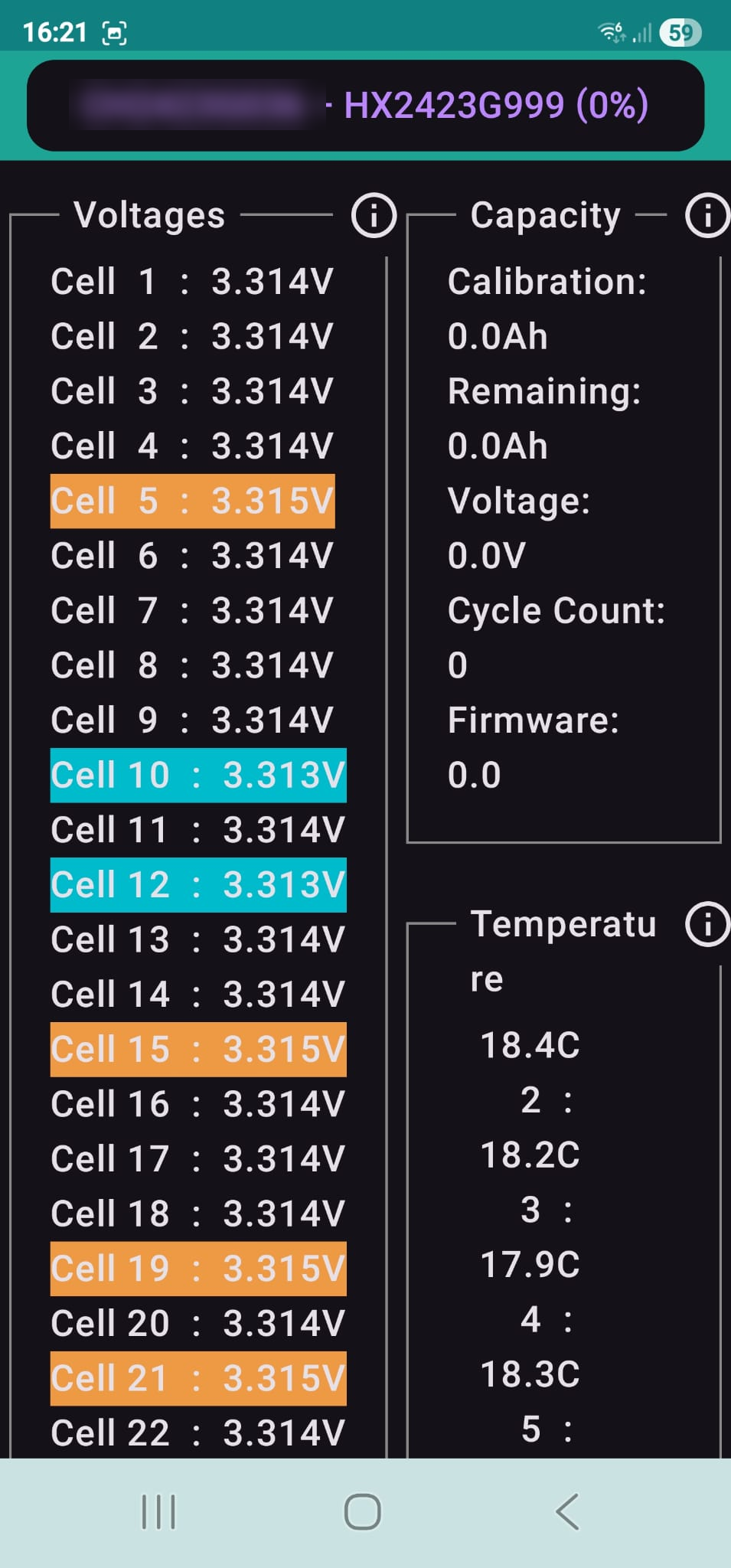
duplada Looking at the code, if you press the battery bar too quickly, you should see the message "No batteries detected (yet)". Clearly there is a bug in that code.
On an AIO the cell voltage and temperatures come from the battery packs, but the capacity info comes from the Battery Control Unit. Version 4.1 gets the battery info within 12 seconds, but the BCU info can take up to 5 minutes!
As a workaround, wait before hitting the battery bar.
Thanks for reporting this. I will try and fix it in the next version.
Rubikcube Ok thank you,
There is one other thing that I forgot to mention I much preferred the previous method of displaying Battery Pack information. For instance with 2 AIO's previously I had two AIO's in the menu to select, then once selected you could step through the 4 pack details which to me made more sense, rather than having eight battery packs displayed in the drop down menu in the new version, it was much simpler and easier to understand before and less unwieldly.
Mark7 I tried to test my app by changing the timezone on a (emulated) phone. I changed the timezone to Sydney (GMT+11) and it seemed to work.
So I have updated the Play Store to make it available in Australia. It should show up within 24 hours. For the premium option I set the price at 10AUD.
All I tested was the main screen. Here the phone on the left is set for UK and the one on the right set for Sydney. The battery bar at the bottom calculates an estimate on where the battery will be at a set target time (00:30 in this case).
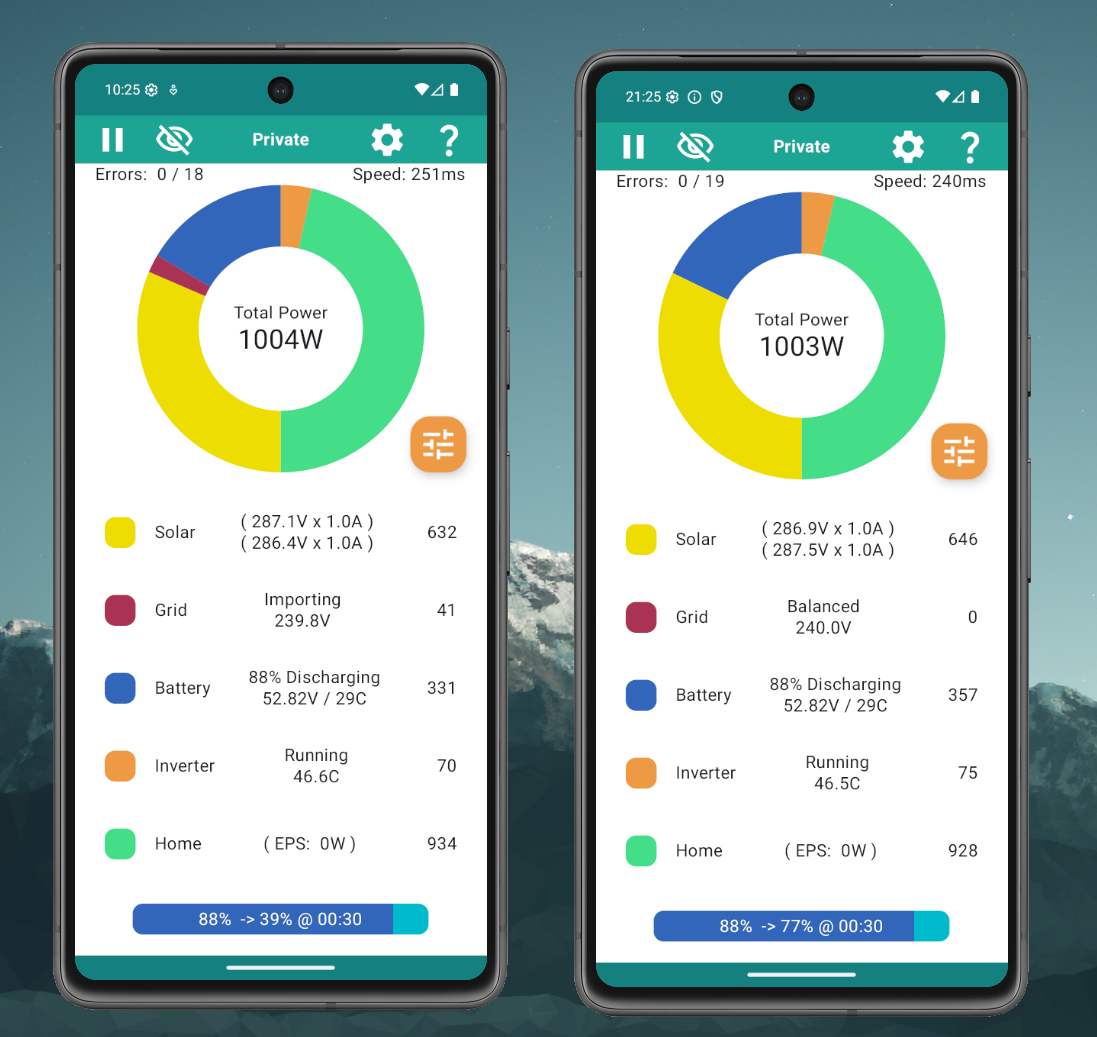
If only givenegy app support was as good and transparent.
Rubikcube I have installed the premium app. All seems to be working ok. Haven't had a chance to go through the whole app yet. I am an Apple household but have a wall mounted Android controller for my Air conditioning and thought it might be good to have fixed wall mount display available.
Cheers
Mark 7
Version 4.2 will be coming out shortly. The key changes are:
The main change is the extended controls and you will be able to check if your system has the extra registers or not on the Inverter Controls screen.
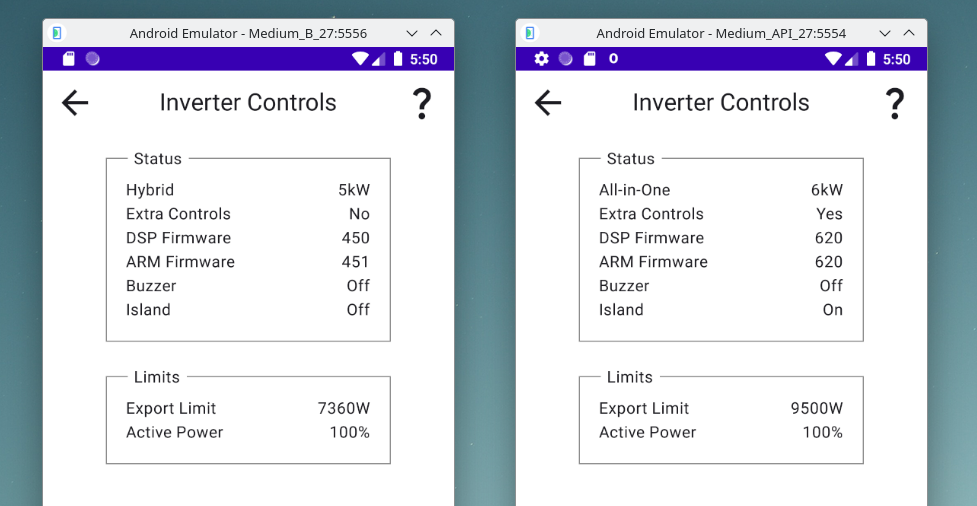
It's arrived :-)
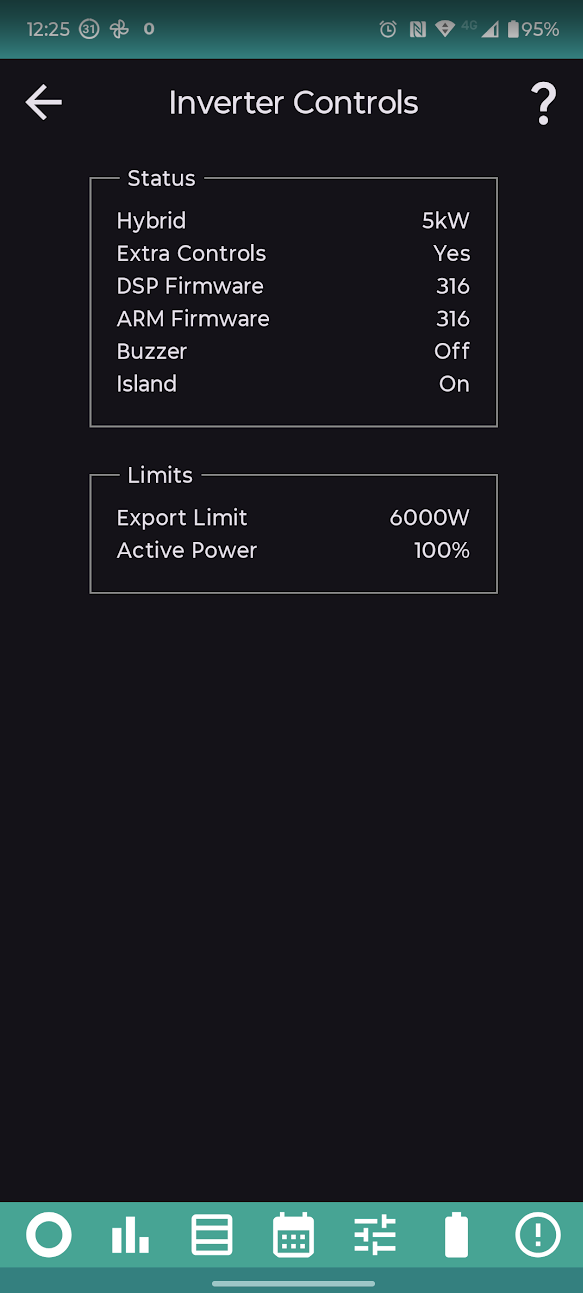
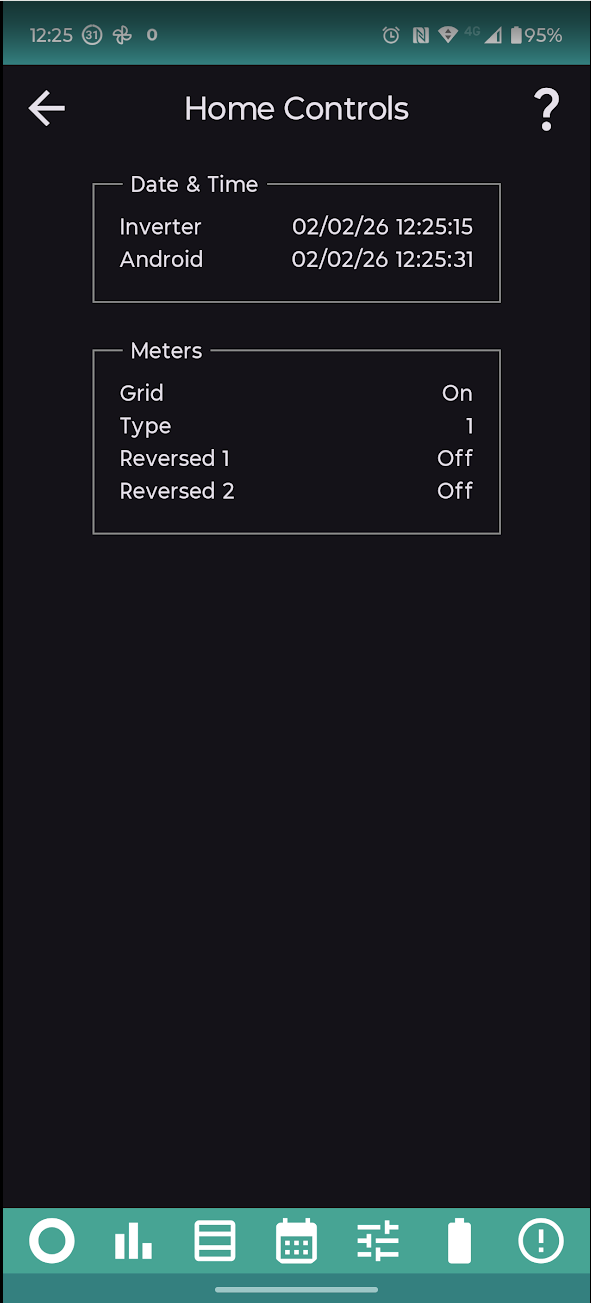
I have a Gen 2 hybrid inverter. An extra charge slot has now appeared in version 4.2 of the app, but if I try to enter any times they will not stick and revert back to zero. Should I be able to use this extra time slot? The inverter says "Yes" to extra controls.
anthonypar oh dear, sounds like my app is getting it wrong and you don't actually have the extra controls. Do you have a second charge slot in the portal or the official givenergy app?
No second slot appears in portal or GE app. I'm running D0.915-A0.915 on my inverter.
anthonypar Thanks. I will fix it in the next version (so that you don't get the extra slots, sorry).
A longer term feature request:-
Would it be possible to have a 'confirm and retry' feature for commands and the schedule? Say 'retry interval, number of retries'. Just mentioning this because a timed charge in the schedule got missed today because The WiFi access point that the inverter was connected to got rebooted during the relevant time interval for the command to be sent from the Android tablet that drives the inverter.
Just found two charge and discharge settings on my android tablet, which I don't have on my GE app.
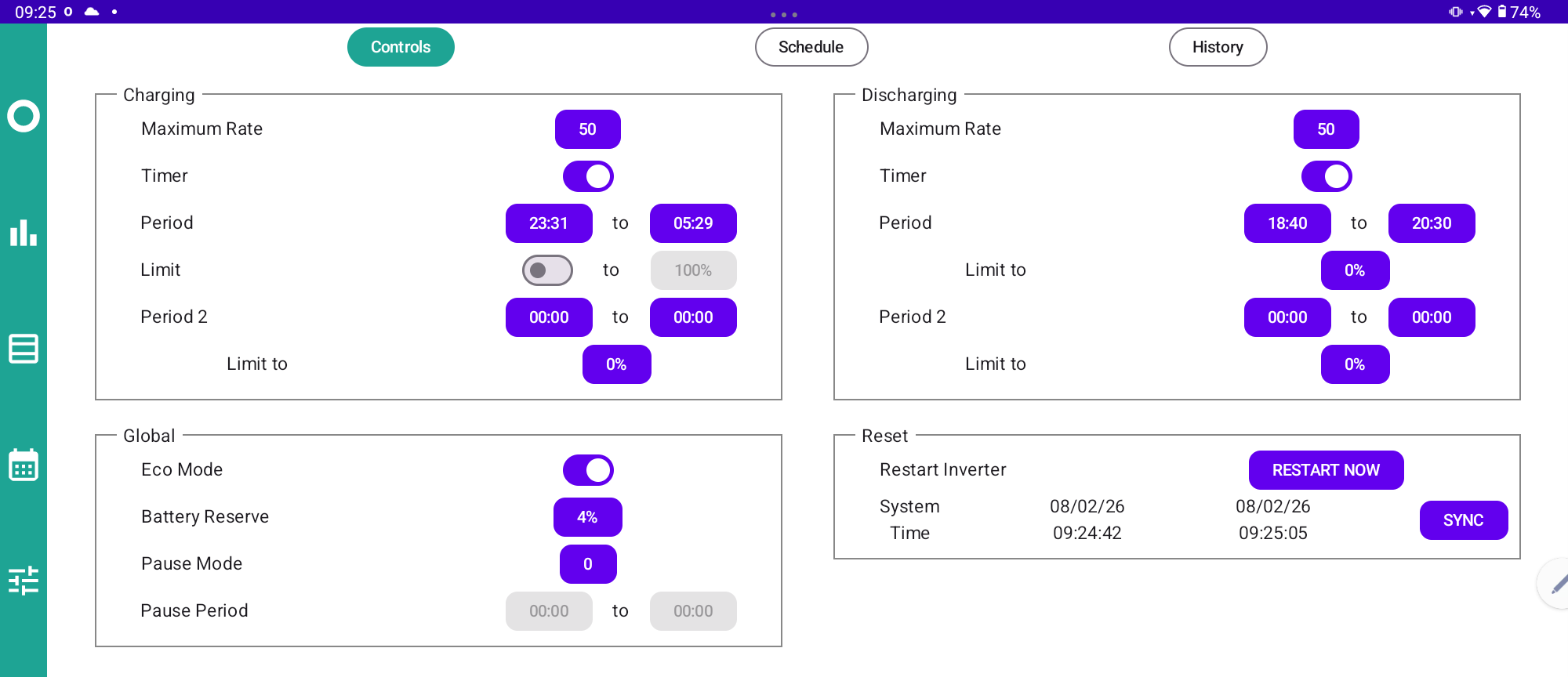
V4.2
Is there a reliable way to purchase and run this app inside an Android emulator on MacOS? I don't have any Android devices...
If so, which emulator is recommended?
ectoplasmosis If you want to be able to do scheduling, it's probably simpler to do it directly on the mac, using the api. Looks like macos has a thing called launchd, as well as the older unix cron util.
ectoplasmosis To run Android on MacOS (or windows/Linux/ChromeOS) I would recommend downloading Android Studio (it's free) https://developer.android.com/studio
Follow the instructions for downloading and installing, then follow the tutorial for writing your first app. When you choose an emulator, make sure to pick one with Play Store included.
Then login to the emulator with a google account and you can use it to download and run whatever apps you want.
Android (like all software) seems to get bigger with each release. If you have 16GB (or more) of ram you should be fine. If you only have 8GB, choose Android 8 for the emulator.
Hi @Rubikcube - I have been using your app for at least a year now (paid version) and I really like it. I have it on a tablet and it is on all the time for me to glance to to see what the system is doing at any point. I like the presentation, the graphics, the layout and detail that is provided. Having used it for a while now there is one visual enhancement I think would be good (although may not be possible to achieve), and that is the battery bar at the bottom of the display.
Currently the bar shows a dark blue status showing current battery SoC, with a lighter blue showing how much has been used. It also shows the current SoC % along with expected Soc % at re-charge time.
I was wondering if the expected SoC % at recharge time could be incorporated into the graphic itself (as opposed to just reading the % figures). By way of example, you would have the dark blue showing expected SoC at re-charge time (in other words where you expect the battery to end up at), then a different colour on top of that to take you to current SoC with the lighter blue showing consumed capacity to date.
This way, for me at least, I wouldn't need to peer to see what the likely final figures would be, but could see from a distance what the system is likely to be at.
Does that sound like a possible enhancement - I've probably not considered something!!
I like how it shows a red bar if the battery is going to run out before a set time. I have mine set to 7pm so I can tell at a glance if the battery will cover the 4pm-7pm peak or not and take action if it is red.
alan_johnston I have to say, I really like the app - it's well laid out and informative, without being busy. I use it all the time (I have an oldish samsung tablet) and this is permanently on. It has also helped me understand how energy expensive items are 😃
I think it's a great app too, only thing I find is as I leave it on the battery page mostly, I have to switch away and back to get an update.
Not a major problem, but a circa 5min refresh would be nice.
Great app,
Any chance of displaying two batteries at the same time🤔
I've noticed recently that battery 12 seems to be always on 100%. It never moves. Do I have a problem?
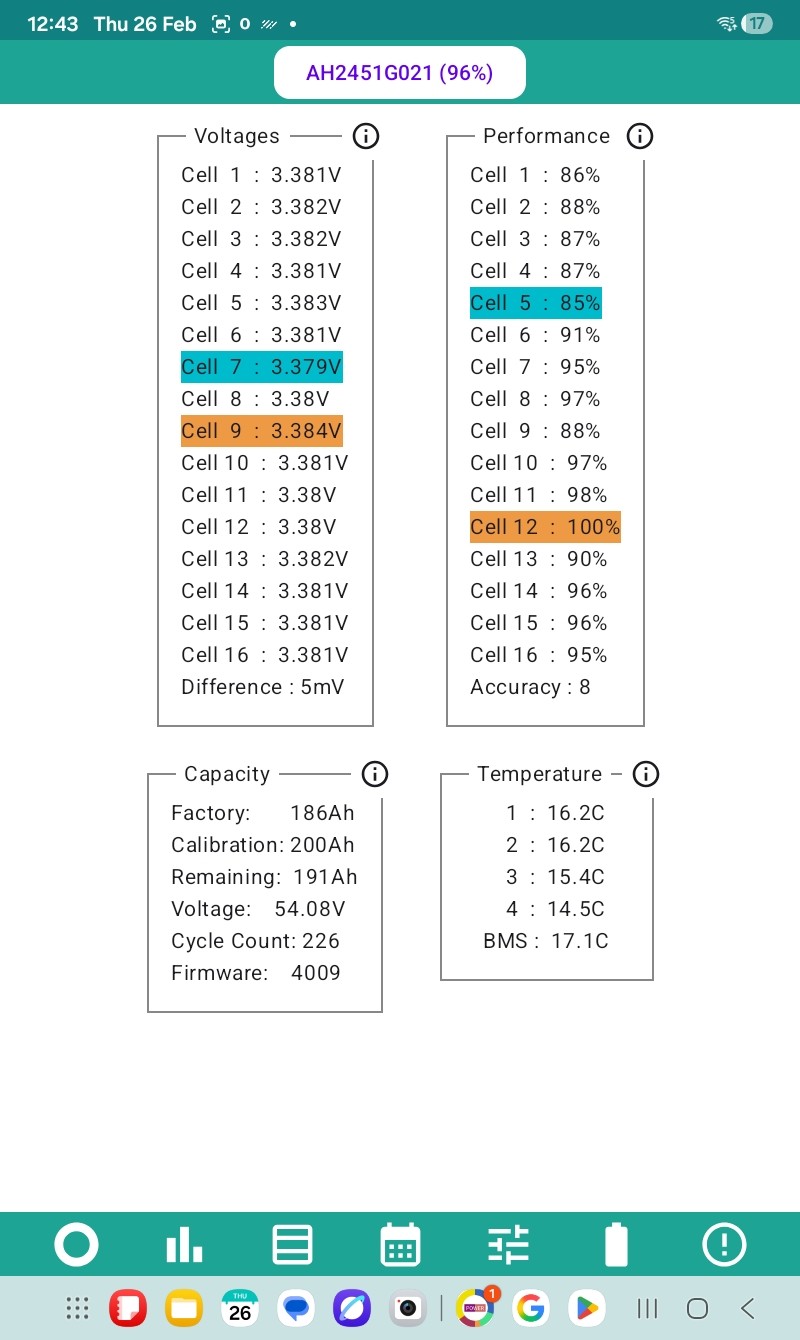
If it were me I would do a calibration - your calibrated capacity seems to be higher than the factory capacity which doesn't look right at all.
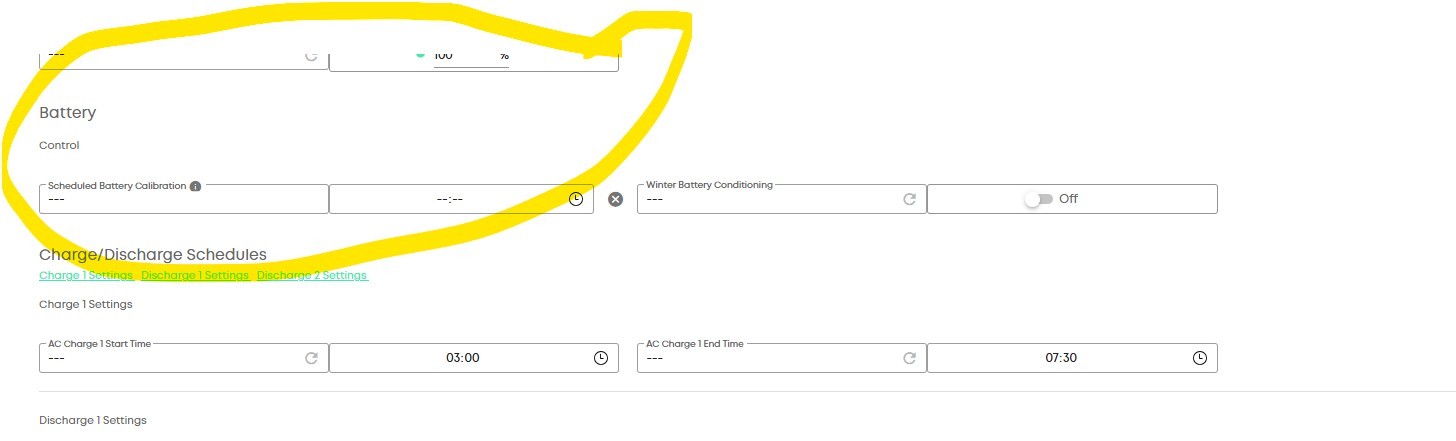
Domo That is perfectly normal, your battery looks to be in excellent condition.
The best performing cell will always show as 100%. The battery seems to be under a year old. The figures look normal. In a few years expect to see some 70-something or even 60-something percentages. No need to panic until you see a percentage less than 50%.
The hope is that after some years it will be useful to determine if a cell needs replacing or the entire battery.
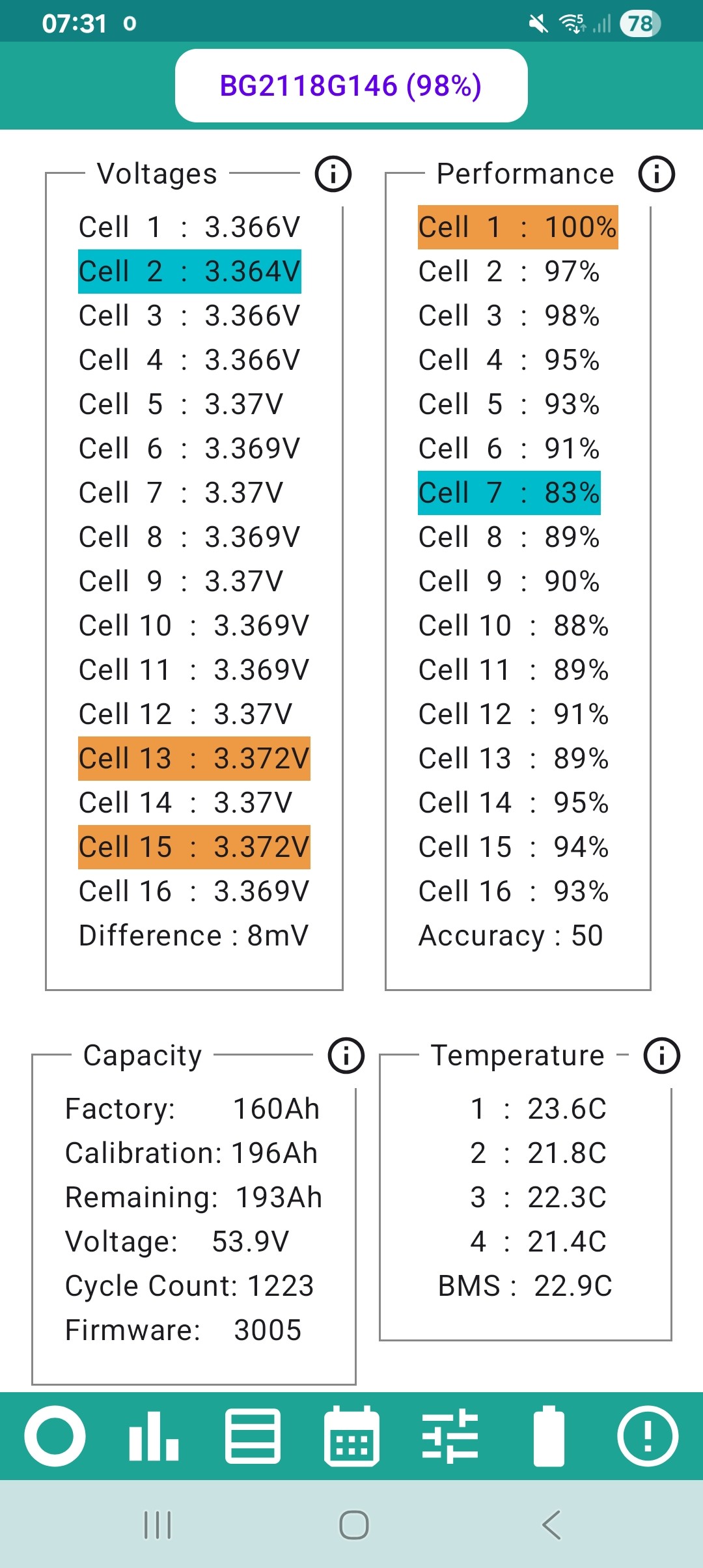
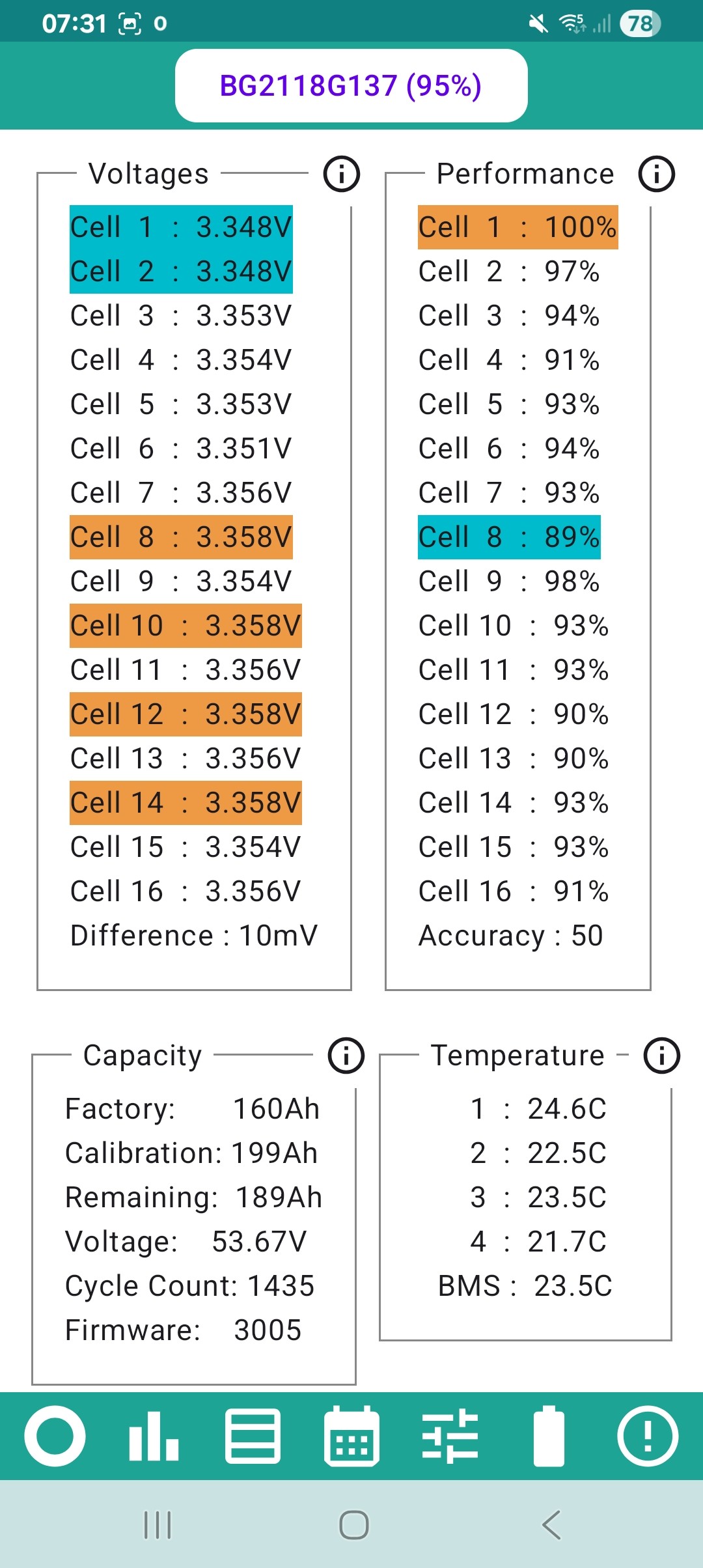
My batteries are almost 5yrs old and seem to be holding up well. Limited solar cells so mostly full cycling daily except mid-summer. Pictured at the end of an overnight charge. Not sure why the Master has more cycles than the slave, maybe it was 2nd hand when I got it? (AC3 + 2x8.2)
@Rubikcube How is the factory vs calibration capacity supposed to work with Gen 3 batteries that have more cells than their advertised capacity to achieve 100% DoD?
Our warranty replacement was a Gen 3 5.12kWh battery which at the time of installation was showing a capacity of 107Ah vs factory capacity of 108Ah. After a calibration the calibration capacity dropped to 97Ah which on the face of it is a significant loss but given it is sold as a 100Ah battery a much more acceptable 3% loss.
I have seen numerous examples where the calibrated capacity is significantly greater than the factory value though.
Does the calibrated capacity match the usable battery only? That is more consistent with our replaced Gen 1 batteries where the calibration was more than 20% less than factory - but that could of course be due to the reason they were replaced to start with.
I saw a Sunsynk app the other day which seems very good and has some functionality which would be nice in the RubikCube app if it's possible - e.g. the facility to charge your house battery at the same time IOG is charging your car. Not sure how they're doing it but it seems to remove the need for WonderWatt and similar services. Is there a "requested features" list anywhere please - I'd be happy to pay a sensible subscription for features such as that. No worries if it's not possible, but I thought I'd check in case there's new features in the pipeline.
pwdst No idea how they are supposed to work.
My battery (firmware) reports 3 numbers, 2 that mainly stay the same and one that changes with the charge level. I originally called them full, design, and remaining. Once I found that one of them changes with each calibration, I renamed them to factory, calibration, and remaining.
I then found out that AIO batteries only report 2 numbers, there is no factory value. I guess the factory value is just to identify the type of battery, and since the AIO only has one type the factory value isn't needed.
Their use and purpose may vary depending on the type of battery and the firmware that it is running. I think 3020 on may do something smarter with the calibration value, but cannot be sure because my battery is still running (very well) with firmware 3017.
All my app does is display the numbers it gets from the inverter/battery. Their purpose and accuracy is beyond my control (and quite often beyond my understanding!).
The joys of black box development.
sponev No plans to work with IOG at present, sorry. I heard Hypervolt chargers have a battery compatibility feature, maybe that is what you saw working with Sunsynk.
Testing would be difficult for me because my Peugeot/Podpoint combination isn't compatible with Intelligent Octopus Go. Currently on standard Octopus Go, and getting a new charger doesn't make sense for an extra 1p per unit saving.
Version 4.3 will be coming out in the next few days. Here are the key changes:
Fix extended controls incorrectly showing on Gen2 systems.
Fix History graph miscalculating load with two AC-coupled systems (e.g. dual AIOs).
Battery screen auto-refreshes every 5 minutes(ish).
Purple bit added to battery bar to show forecast of expected charge remaining.
Initial support for 3 inverters.
Not sure about purple on the battery bar, maybe green would be better. Opinions welcome.
Three inverters is initially intended for dual AIO owners to add the gateway as a third system. The adding up isn't right for three hybrids. Does anyone actually have 3 hybrids?
Are dual AC inverters supported - EMS controlled as a plant? Or is it just AIOs ...
Rubikcube Hi Andrew, I note the third IP for the Gateway in the soon to be released V4.3. Is there any support yet for scheduling on the app for dual AIO systems ? or is it still work in progress? Will any future scheduling/features be entered against the Gateway and not the individual AIO's and then split 50/50 across the AIO's when executed?
Rubikcube Not sure about purple on the battery bar, maybe green would be better
Thank you for considering this request. I've updated to the latest version and for my use-case (looking at a tablet probably 12 foot away or 4 meters for you youngsters!!) I think the purple may be too dark to see at a distance so possibly a lighter colour might be more usable to contrast with the normal "it's all good" colour.
But you can see a difference so it does what it says on the tin 😃
Slartibartfast I don't know much about the EMS. If I had designed the EMS, I would have tried to make it work like one combined system, so the the existing portal and app software would just work without change. But knowing GE, they probably made it work differently. So if it works, then great, if it doesn't maybe I can consider it for next year. I doubt GE have sold that many EMS boxes, have they?
CW It was a great suggestion, and only needed a few lines of code. I think the contrast is an issue too. I will experiment with different colours and see what I think works best. The colours have to work well with screens in both light mode and dark mode and allow for different peoples vision.
It's unlikely I'll ever use the scheduling as I'm either on Home Assistant or the IOF tariff, But I've just bought the full version just as it's so good and useful and to show some support :-)
Two likely future operating requirements were raised in another thread discussing contingency plans in case of GE''s demise. These are the ability to calibrate and also the ability to reset all registers to default following corruption (not uncommon). Are those possible please? Again, I'd be willing to chip a bit more cash into this to make sure we've all got something as comprehensive and sustainable as possible - and thanks of course for all the work to date.
My system is a Dual AIO with Gateway, If you try to do a reset via the GE App it just errors out and resets nothing. I too would like a way of resetting all the Registers on my Gateway and AIO's. I am quite prepared to pay extra for these facilities as I just can't se GE lasting very much longer and in any case what GE have provided doesn't work on my system anyway.
Does the Monitor offer (Inverter) time-of-day adjustment? My (2025) Inverter log shows a couple of entries that are 'Via' "Automated Maintenance - Daylight Savings Time" for clock adjustment. Not sure whether this means that the inverter has a proper long-term clock in it's firmware, and the changes are triggered from that, or whether it's from a remote GivEnergy cloud thing... If the latter, that's another issue that will need to be addressed if GE go to the wall.
(And, no, like the VAST majority of folks with GE systems(!), I don't run HA or any other automation system.)
I think you may need to view your app as more of a business soon & charge accordingly.
Its not in my interests to say this but a tenner isn't anywhere near enough given the dev/support work you're likely going to have to undertake.
I mentioned your app on a gaming/pc hardware forum and half a dozen people from there have already checked it out and (apparently) paid you. This is just going to snowball once GE go bust.
If you get 20% of the installed consumer base using your app (not unlikely IMHO) then that's probably about £120k if you charge a tenner. Charge (a still reasonable) £25 and that's £300k.
Vestas Your business advice is probably sound, but this is not a situation I intend to exploit.
First thing to know is that Google take a big share of Play Store sales. For each £10 purchase, Google usually pay me £7.08. I have made a few sales in Ireland where I sell for 10 euros, and one in Australia where I decided to sell for 10AUD (a real bargain if you check the exchange rate). In nearly 3 years since I put the app on the Play Store, Google have paid me a total of £1,339.44. All the support is appreciated, but the money is not the main reason for charging.
My main concern when deciding to charge was liability. Supposed little Johnny comes to visit Grandad and Grandma. The GE kit has GivEnergy printed neatly on the front. What if little Johnny googled GivEnergy and found a free app to download and used it to reprogram Grandad's Inverter. And if Grandad didn't realise until a large energy bill arrived, and then the truth came out. Grandad might be surprised that there was a free app that bypassed the logon security that his official app has, and might (justifiably?) think the author of said app was liable. Now, of course, if Grandad had given little Johnny a bank card to buy something on the internet, that would change the liability somewhat.
If thousands of pounds are about to come my way, I will be using the money to do whatever I can to help sort this mess out.
I take it that would not be to buy GE if you got loads of money from the app 🤦🤣
Vestas the dev/support work you're likely going to have to undertake.
I think there is a very good.chance that this work will be done because of how proactive and helpful Rubikcube is on the forum, but I do want to push back on the word "have" to undertake.
The time and energy put into this app is already above and beyond and has added enormous value to us as users. No contract, duty or expectation exists that would require anything further. The same goes for the author of GivTVP and contributors to Predbat.
We are incredibly fortunate that we have all of these tools but it is important that we don't take them for granted or place undue pressure on volunteers.
I would also like to thank Rubikcube, Geoffrey and Trefor for giving us this redundancy if and when GivEnergy do indeed fold.
anthonypar Has the latest version fixed the erroneous display of an extra charge slot that doesn't actually exist on the Gen2?
Hi. Last time I checked my Gen2 inverter it wasn't there, but have just checked and, again, I have two charging slots and a 'yes' to extra controls, so appears to be intermittent? Thanks for looking into this.
I set a calibration of my battery about 3 week ago. I received a notification on the portal that calibration had started, but that was 3 weeks ago. Everything is working fine, but I have never received a notification that calibration has completed. I have the paid for Android Inverter Monitor app, and I have read somewhere that the app can intervene with a failed? calibration. Can anyone guide me as to where the app can show me anything about calibration please?
The notifications that the calibration is complete are notoriously unreliable. If it was actively calibrating it would only be charging or only discharging (depending on the phase) and there would be a "Stop Calibration" button on the controls page. I think this would be in the reset section but since I am not actively calibrating right now it isn't visible for me either.
TLDR it almost certainly completed and just didn't send a notification.
Tap Battery to get to Battery Controls.
Top box is Status, 4th line is Calibration Stage.
Mine currently says 0. What does yours say?
I think 0 = normal operations. Your system is OK, you didn't get a message from GE.
There is a method of initiating a calibration but I haven't done that yet.
Is there a minimum spec / Android version needed to run Rubicube's App? All of our home stuff is Apple. I don't want to spend a fortune as any device I purchase will be used solely for the App, but I'm happy to spend a bit on something that's easy to use with a decent screen. Having just spent a couple of hours on Ebay I'm more confused than ever at the range of Tablets on offer so would be grateful for a nudge in the right direction
Tenkaykev Should be able to get a cheap Chinese one running android for £50 or £60 which will do on Fleabay. Or if you have a friend or relative who has and old android smartphone or tablet running android 5 or above, a usb cable and a charger, you'll be able to use that. I run it on an old Nokia G11.
Could try something like this:
https://ebay.us/m/N5i29p
TimHutchings
Thanks folks. I had looked at similar ones to those but I think I recall something about some of the cheap Chinese tablets not having the Google Play store? Without the Play store I couldn't download the App.
Tenkaykev I was aware Amazon fire devices don't have play store, but they run a special version of Android. I would have thought, if the phone or tablet is running the latest version of Android, it would include playstore if it has reasonable memory and storage. Definitely refurbished older named brands would include play store.
So today the AIM was showing a peak PV production of 6558w from about 11:20 to 11:30 give or take a few mins I was watching it live, but when I look back at the cloud dash it says the peak was 5497w - The cloud dash cant be that far out can it?
Domo The cloud dash cant be that far out can it?
Yes, the cloud dashboard can be 20% out. Also you will get different results from the power graph, the energy graph, or the raw readings. The GE equipment really isn't a precision instrument, use independent sources of information.
If your system is ac-coupled, you should have a separate inverter (likely from another manufacturer) that can give you another reading for solar generation. If your system is hybrid, my app will show you the voltages and currents on the strings which you can multiply together to get an estimate of the power. Whatever system you have, use the readings from your smart meter to see how much you are exporting.
I sourced a cheap android handset just to run the app via money saving expert. Cost all of £40
Or you could try refurbished.
https://www.moneysavingexpert.com/cheap-mobile-finder/
Many thanks to all for the advice. I had a bit of money in my Ebay account and used it to buy an almost new Android tablet. It's a " Honor Pad X8A " which has an 11" display. I will get the Rubikube app installed and then have a tinker with getting my Home Assistant setup sorted on it as well.
It's currently running on a very old iPad, don't mock, I'm new to all this Home Assistant malarkey and have been feeling my way along..
Tenkaykev oh, that's interesting and a good price for something like that. I already have a Shelly em50 connected, one ct to measure the heat pump and the other for the boost/immersion heater, it's surprising on my 8kw Daikin how little the immersion is used (1.4 kWh per week for the disinfection cycle)
Thank you, I'll order the bits later today. 👍
Version 4.4 is expected to be released in the next few days. The changes are mainly bug fixes. There is one new feature for premium users. Here are the details:
I don't know how many people this would be useful for, but I would love it if there was support for multiple target times to help with tariffs like Cosy where there are multiple off peak rates.
I don't need help scheduling, PredBat does that for me. It would be nice if the bar that shows projected battery remaining at the next target time could reflect the fact that there is another charge period between now and the single supported target time.
Absolutely just a nice to have as PredBat will show its own predictions on the plan if you want to check in there.
AndyZ900rs Should do.
I typically run with statistics turned off. When launching the app from the background, it tends to show a stale screen for some time, without always making that clear. (Perhaps it doesn't restart the 10 second timer for next update?) I wonder if it could more quickly refresh the screen after being brought back into the foregeound, or make it more obvious that it's stale.
If I do turn on stats, (which does make it more responsive), then turn them off again, it takes a long time for the stats-gathering to be removed from the phone's notification area.
Thanks.
I enabled stats for now to make it more responsive. The log view confused me briefly... It just appends each line without regard to (long) periods without stats.
It's showing date as 6/3/26 which might be when I first turned on stats. Then there's a few lines recorded from back then. Then a discontinuity in the timestamps to the new set of lines in the last few minutes, but no indication that several weeks had elapsed between the entries.
In the fault log, I see the message Grid Meter about once a month.
Is this an error message from the inverter?
There is nothing on the GE web portal notifications.
alan_johnston Yes, Grid Meter errors are detected by the Inverter. They often last for less than a minute, and the portal will only record the fault if it is active at the 5 minute upload time. My app see the data more frequently, so is more likely to pick up the error.
The cause is unknown, but may be due to electrical interference. Provided it is only occasional I would ignore it. Investigation is challenging and fixing it will likely cost money.
When the fault occurs it means the grid meter connection has been lost. The battery will not discharge whilst the fault is active, and on hybrid systems generation will stop.
Looks like my phone picked up v4.4 last night
Hi Andrew. Are there any details on the purpose and use of the "Recovey" tab?
Also when navigating back to "Control" tab the sync time is then out by a minute or so
(AIO 1 system)
Thank you.
Version 4.4 has a new "Recover" tab (for premium users). This is a new idea and a work in progress, so it might not work perfectly. It doesn't yet support multiple inverters.
Sometimes settings can get messed up somehow. The portal has a "reset to defaults" feature which often fixes the problem. Reset to defaults has some limitations, in that the user is left not really knowing what went wrong, and actual settings are lost and have to be put in again.
What is really needed is a "Put it back to how it was when it worked" button. This is what the Recover tab aims to do. The app stores a backup copy of the settings, and the recover tab shows any changes between the backup and the latest settings. When you first try it, you should hopefully see something like this (after you get past any error messages for being too quick)
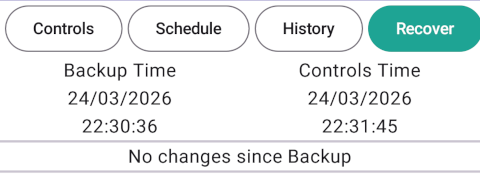
After that if any controls are changed, the changes should show in a list. Each change will have a button so that you can put the settings back one-by-one.
Any thoughts and feedback welcome.
Could have done with that before GE staff messed with the inverter earlier this week... Will have a look at it later...
Thanks.
On this App - how do you delete a charging period? I cannot seem to get times to 00:00 and 00:00
Just toggle Timer to off?
I have a Gen 1 with a single charging slot so I cannot speak to the UI for multiple slots.
AndyZ900rs On this App - how do you delete a charging period? I cannot seem to get times to 00:00 and 00:00
You should be able to set to 00:00. On a 12 hour clock 00:00 is 12:00AM. If you still cannot get it to work, can you explain what is going wrong?
Thanks - the 12:00am is the solution!
I am not sure if this is a one-off or a general problem: recently we changed our router (LAN connected so not SSID or password needed), this caused the AIO IP address to change l did the usual scan in Settings for all IP addresses but the AIO was not found. I think I ran it a few times with the same result. Once I looked up the new IP address and put that in, the app picked up the data and everything has been fine since. Might just be me since I didn't see anything related to connection settings in recent updates.
Secondly, the Help for IP address page suggests that routers are on 192.168.1.1, but some routers default to 192.168.1.254 so this documentation might be worth changing.
Some anti-virus programs enable you to scan your network to allow you to see what is connected, what it is and the IP address; similarly by logging on to your main router. My router gives my inverter as 192.168.10.245 but you can allocate a fixed IP address if you want.
btw network scanning apps won't pick up LAN connections, they seem to look for wifi connections - and despite our router supposedly showing what each network LAN port was used for it seemed to often not display them, the router system log had everything though. Dongle WK/WJ etc serial numbers are for connecting directly from your device to the Givenergy kit, which allows you to configure the wifi password and wifi SSID - just be aware these won't advertise their names on the network if they have been configured to hide their SSID.
My inverter is hardwired directly to my router but I do seem to be able to connect directly to it
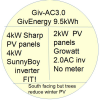
I thought I would share our experience of switching over to Tge Rubikcube app for android. Summary it works well.
We used to use the OctoR&D which is a cloud based system to configure scheduling into Cosy since we only have a single slot to program
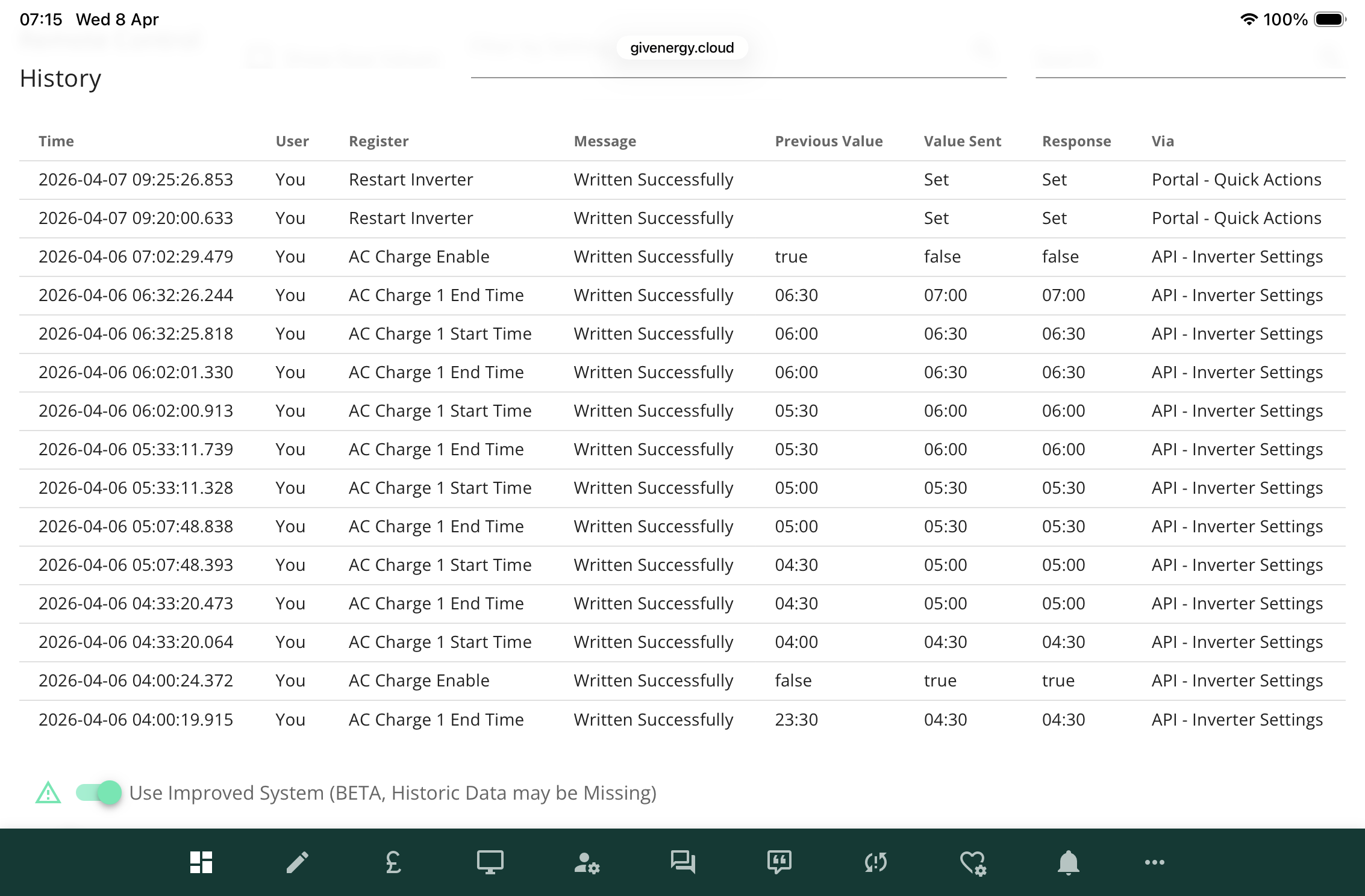
This is how Octo R&D sends commands to the inverter half hour at a time, with a charge disable at the end.
After a ‘fun’ day messing about with the new tablet (for me) and configuring the mesh wifi to local (husband) we first had no success and tried to restart the inverter, also no success. Then programming the inverter directly from the portal and discovered the charge enable function and the submit button was always just off-screen.
Following on
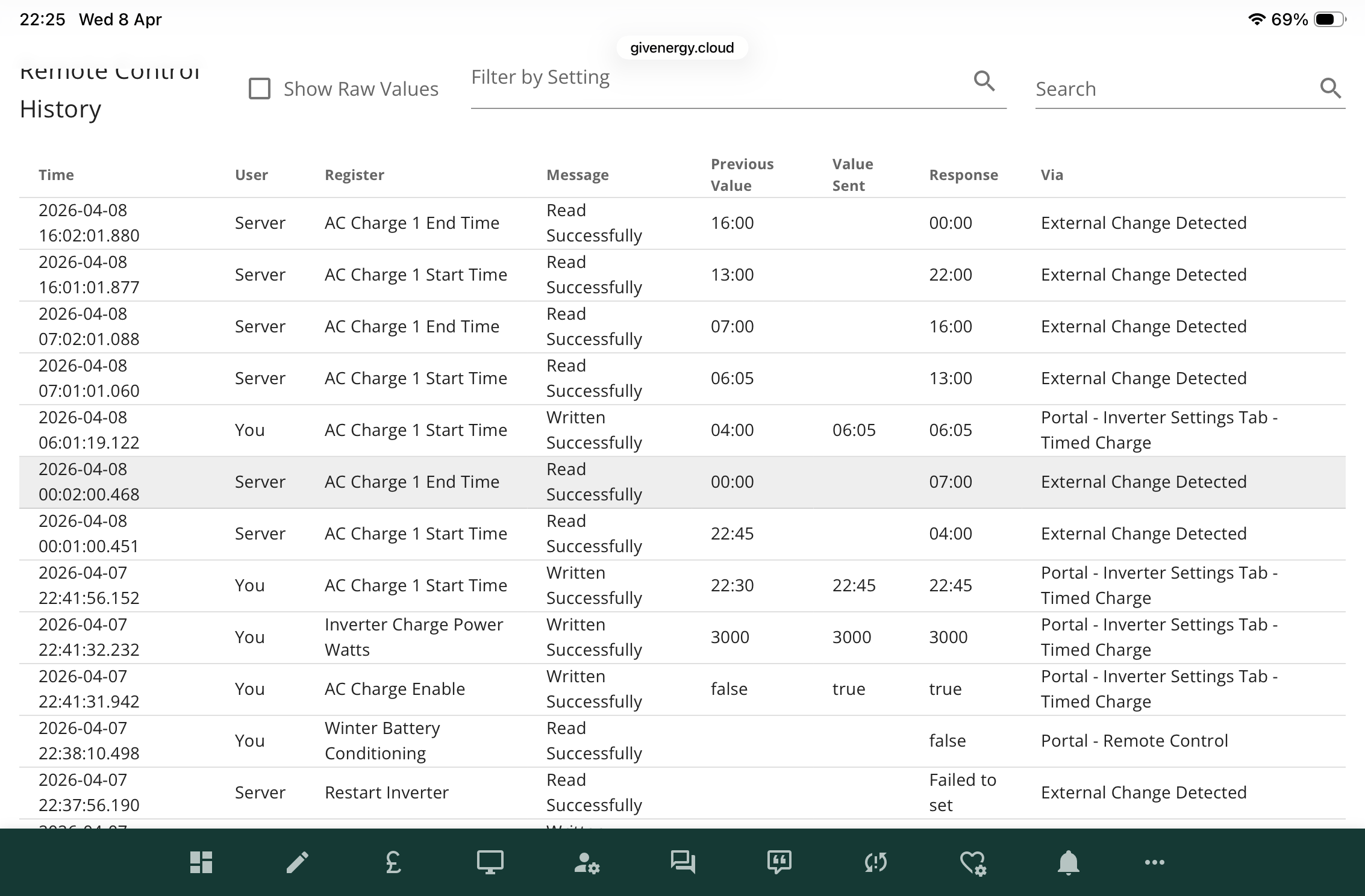
The ‘external change detected’ in the right hand column is the Rubikcube action and ‘portal inverter settings timed charge’ is us changing the inverter from the not yet charging setting.
What I want to stress is we needed to set charge enable through the portal because it was switched off.
So beware, if there might not be a portal in the future!
Rubikcube I can’t replicate it now and I wasn’t taking careful note of the order of every change we tried. We were at the “ fiddle with everything until something makes it work stage”.
From your extensive knowledge of the GE protocol do they have a control which could switch off all other control options? I know that’s being paranoid but it’s the only sensible outlook at present.
Judith There's a switch regarding the firmware you're offered on the portal but users can't change that.
The simplest method to stop a forced f/w update is to block comms.givenergy.cloud & portal.givenergy.cloud on your router firewall. Be aware that could invalidate your warranty, not that its likely to be an issue now everyone has been made redundant - clearly nobody is buying GE Ltd, nor is there a pre-pack ready to go.
As an aside to the redundancies - unless GE carried out a consultation with staff over the last month then they've probably broken UK employment law. I doubt Osler cares as I understand he lives in Singapore for "tax reasons"....
can someone point me to the full instructions for this software, i have found https://givenergymonitor.wixsite.com/tutorials
but that has very little explaining each control. i am perplexed by the section "discharging" / "maximum rate" which mine was set to 18 and clicking on it shows a slider that only goes to 50 so it cant be the discharge kW rate?
I notice the charging section also has this at the top of that section, again set at 28 with a slider going to 50.?
On the datasheet for our battery the maximum discharge rate is given in amps and not watts or kilowatts, I suspect this is the same in the app.
In all likelihood the registers are also in the same units.
positor1 50 is basically 5kW, so 18 would be 1.8kW or 25 is 2.5kW. I guess it's based on the fact the the app was originally designed for a GE 5kW Gen1 inverter.
So for instance if you leave it at 50, the Inverter will use it's maximum available charge or discharge speeds. Another for instance is the gen1 inverter can only charge or discharge at 2.6kW so if I leave it at 50, those are the speeds it will use. But if I want to charge or discharge at 1.8kW, I would set those boxes to 18.
Hope this helps.
Also there is a (very well timed) brand new website for the app. https://www.givenergymonitor.co.uk/
TimHutchings 50 is basically 5kW,
I think it depends on battery size. But I've not actually seen documentation to that effect. My understanding was that 100 (%) basically corresponds to the 1C rate - eg 9.5kW for a 9.5kWh battery, 5.2kW for a 5.2kWh battery, etc. But to protect the battery it's capped at 0.5C, hence 50 (%). But then, as you say, it's further limited by the battery interface of the inverter.
Comparing the register with the portal interface, on my system each step of 1 corresponds to 95W. Though in practise it doesn't go below 280W, so the useful range is about 3 to 36-ish.
The web portal displays it as a power, and translates it to/from the underlying value automatically.
TimHutchings
thank you
I asked the App designer this question last year. The following was his reply.
"Hi Martin,
The charge (and discharge) rate works like the volume control on your telly. It's just a number. Unfortunately that is how the equipment works, you cannot set a rate in watts directly on the inverter.
You said before you have an AIO which can handle up to 6000 watts, so I guess each step will be 120 watts or maybe a bit more. On my system, I get about 90 watts from each step. The actual power for a given setting will depend on what equipment you have and how powerful it is.
In the GE app, you will notice you cannot just set any power value, it works in the same steps but can multiply the setting by a power value depending on the equipment registered on your account. Even so, the value shown can be quite different from the result you get. On the portal remote control page, in the history log, you can see the 0 - 50 values by ticking the "Show raw values" box.
Hope that makes sense to you,
Andrew."
Reminded me of Spinal Tap where the volume knob of the amp would go to 11.
DD Must admit I thought it was based on the inverter input/output rather than the battery as the number correspond pretty much to my 5kW inverter. Obviously, the restrictions of the battery are a limiting factor, but a Gen2 5kW inverter can output 3.6kW, so with one of those, I would imagine 36 would be maximum input/ output. Actually with my fast firmware 191/193, I can output at a tad over 3kW to export to the grid, so I sometimes reduce it down to 27 when I look at the monitor app and see it'll run out before 11.30pm.
Anyway, looks like Mole's post clears things up!
TimHutchings Gen2 5kW inverter can output 3.6kW,
There are two limits: 0.5C on the battery, and the inverter's battery interface; and you get the lower of these. For a 5.2kWh battery, 0.5C is 2.6kW, and I believe that's the max discharge rate, even on a 5kW inverter. But for a 9.5kWh battery, 0.5C is 4.7kW, so the limit is instead the inverter's interface.
I think gen-1 hybrid had a 2.6kW limit on the battery interface, whereas gen 2/3 went up to 3.6kW.
(But all this is based on what I've read on here : the only one I can actually experiment with is my own 5kW gen-3 with 9.5kWh battery.)
It's basically cumulative battery capacity in kWh * 10
That gets you your step value.
Every inverter has fixed steps 0 to 50.
So you then divide your max inverter charge rate by your steps and that gets you the range.
You often run out of inverter capacity before the full 50 steps so you'll find that some steps don't do anything as it's already maxed out.
Example - I have an 8.2kWh pack
That makes 82W steps.
I have a G1 Hybrid that does 2600W max
2600W / 82W gives me 32 steps out of 50 available.
So my usable range that actually impact charge rates are between 0 (0W) & 32 (2600W)
And yes this is such a pain in the ... to translate in say a dashboard to a meaningful value.
Newer firmware also has AC power sliders scaled 0-100% - easier to work out but only impacts AC charge rate not solar (unless it's an AC coupled in which case it does impact both)
Isn't Givenergy firmware such fun to work with...
Given all of the datasheets list discharge rates in Amps I assume that the numbers have nothing to do with watts at all, and that there is method to the madness.
I did the Wixsite some while ago, and I am well aware some of it is out of date and some important information is missing.
This week I have set up a new "proper" website, basically copying much of the information from the old WIX site to get up and running quickly. I have adopted an extensible design with a contents page and information pages, and will be adding to and updating the site over the coming weeks.
https://givenergymonitor.co.uk/index.html
One of the many things I hate about WIX is the "desktop site/mobile site" model, which looks awful on tablets. Kind of ironic as one of my new pages is recommending people get a tablet to run my app.
https://givenergymonitor.co.uk/android.html
The new design is fully responsive and should look okay on all devices from 300px to 1400px wide.
A question for anyone running my app over a VPN so they can use it remotely.
What tech are you using? I have put a question on the new forum if you can help there.
https://forum.givenergymonitor.co.uk/viewtopic.php?t=6
Contributions from anyone willing to share their knowledge will be appreciated by new users.
Rubikcube I'll try to sign up over there this weekend, but in the interim I've simply been using a VPN via my 'phone into our Fritzbox router - but this is native to Fritzbox. Other routers will no doubt facilitate this so certainly worth a check there first. Its works fine for your app and also into my Home Assistant.
I'll also be having a go at setting up Tailscale over the weekend and will report back. An aside, but if you need any help with your website, let me know. One of my businesses is websites and marketing so I have access to web folk if you need any advice. Seems you've got it sorted though.
sponev
Some routers do not have OpenVPN which some people use - maybe a list of those routers do have this option and how to use it would be helpful.
I tried Trailscale but unable to do it...so help appreciated. Also Rubikcube's Forum is great and hopefully will be a very useful addition to our community
AndyZ900rs yes, I was fortunate in that I have a slightly more capable router which does have the feature available. Some do, some don't and it's usually easy enough to set up if it's there.
SpeakToTheGeek released a new video last night which has a full walk through including Tailscale - that will be my first port of call, hopefully later today if the missus doesn't reassign me 🙂
@"Rubikcube"
Finally installed the app and linked it to the inverter this morning, also paid for the full access. Really pleased so far and huge thanks for putting on all the hard work
I'm not really good with tech, and still early days
Rubikcube
For remote access into Android devices, i have been using NoMachine.
You can set the Android device up as a NoMachine server that can be accessed remotely over the internet from a NoMachine client. NoMachine exists in many versions for Android, Linux, Windows, etc.
I assume this site will close soon too?
I will keep an eye on https://givenergymonitor.co.uk/index.html assuming that will stay up?
how do we download weekly data from the android inverter monitor that will look sililar to the weekly reports that i have enjoyed getting from givenergy?
positor1 I always said my app was an addition to the portal, givtcp, etc. It was never intended to fully replace or compete with anything.
Personally I hate weeks. I don't know who thought grouping days into sets of 7 was a good idea. 5, 6, 10, 12, 20 or 30 would be better, 7 days makes no sense at all. Given the british climate, comparing this weeks solar generation with last weeks is pointless. To my mind only days, months, and years make sense for analysing trends, so that is what I built my app around.
Am I the only one that thinks weeks should be abolished? 🙂
Version 4.5 of the app is in final testing and should be available Friday/Saturday. The changes are:
As always be aware that auto update will stop the background process.
Rubikcube Super work Andrew - just setting up NoMachine later today for external access. Also your: https://givenergymonitor.co.uk/index.html is great as is the new Forum Came top of the poll - so all get over there!
Just installed ver 4.4 on a newer phone with Android 13 on it.
Looks ok except the dark mode option is missing from the settings.
It is there on my older phone (Android 8).
From Android 10 on, dark mode is in the android system settings and applies to all apps.
I have got the Android Inverter Monitor App running in a VM on my Ugreen NAS.
It sits there collecting stats and I can remote to it from my desktop PC to do admin, inverter control, data collection etc.
I can also remote to my desktop across the internet which means I can emotely manage the Android App across the internet.
Is it possible to have a setting on the Inverter Monitor App to automatically run when Android starts up?
I know there are auto run apps but the fewer apps running the better.
alan_johnston Is it possible to have a setting on the Inverter Monitor App to automatically run when Android starts up?
Technically yes, right now no. Currently Google are approving my app updates very quickly, as it's an established and trusted app. Changes like that get flagged up for extra scrutiny, which I don't need right now.
Google are also making noises about restricting access to the local network (as Apple have already done).
https://developer.android.com/about/versions/16/behavior-changes-16#local-network-permission
It sounds like they are adding an explicit permission which seems the right way to go about this.
Yes but it needs new apps for any apps that control local devices. How many devices are going to be bricked by this?
A few issues with version 4.5 crashing means I need to push out a bug fix version shortly.
Probably called version 4.5.2, nothing new just some fixes.
Is there a way to export the big data to CSV file?
I can export the daily summary data but can't find an option to do the blow by blow data.
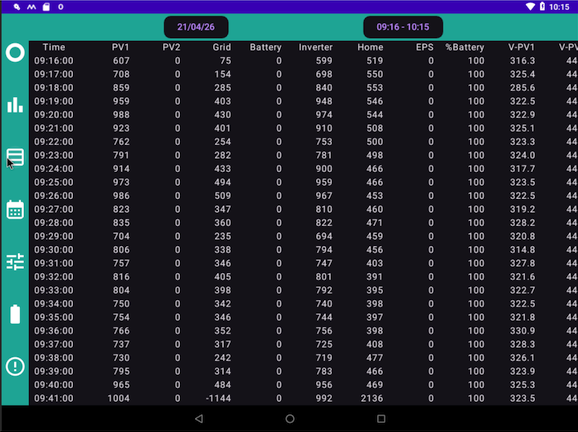
alan_johnston Is there a way to export the big data to CSV file?
No, not at present. I didn't really think it would be useful. The minute-by-minute data is stored in a round-robin file of 5000 entries, so it gets overwritten after 3 days.
Rubikcube Vote for time base unit and a 'second vote' for Alan - please?
The World seems to agree on the length of a minute even if other time base units have different numbers of minutes in them (Do China really not have leap years?? How far is their calendar out of synch now? I know the The Thais started counting years much earlier than 'us over here' - but their years have the same number of days as ours 🙂) - so since your 5000 entries seem to be a 'universal minute' apart - it would be nice to have the option to download them every 3 days - please.
As a rider - please can you issue a list of column headings and give each their units? I struggle with the unit-less GivEnergy tables - so a list of your column units would perhaps make things clearer for all and be a step up.
Thank You for all the time and effort you have put into your 'life-raft' app. not sure where we'd all be without you - especially all of us over 70 that remember life when the phone buttons were labelled 'A' and 'B' and they gave the option of a refund!
Vestas Thank you ... just proves that you can learn something new every day - even at my age!
I've been looking at Roberttidey's Python scripts and can 'almost' make them acquire Inverter data - but having troubles with dates and times in the data file ...
Anyone noticed how Python recalls Lotus Symphony Visual Basic? The syntax is different (more complex?) but the structure seems familiar 🙂
It's one thing to understand the code but another knowing how to 'interview' the hardware!
More to learn tomorrow ...
Anyone having problems with batteries not being detected? The 1st screen works but when I go to check batteries I get an odd screen saying batteries not detected.
With a clock counting down.
The GE app is working ok and shows both batteries.
I was going to schedule a discharge but the controls screen is showing no limits or times?
Might have to clear cache and data?
Hmm the batteries are now showing but the controls screen is showing 0 charge / discharge rates.
This morning it showed 60 as a discharge rate, so something odd is happening.
Hmmm rebooted the phone and seems to be working ok, the app on my android tablet was ok.
Maybe just needed a refresh of the phone... Will monitor as I have seen a few quirks just lately.
M_J batteries not detected
... yet.
Detecting the batteries now takes about 20 seconds on most systems. Don't rush when you load the app. On the HV systems, battery detection can take up to 5 minutes! so that is why there is a countdown rather than just a spinning circle.
The old v3.whatever app used to get the battery info in under a second, but the method didn't work for the newer kit.
Gathering stats has stopped?
Checking this morning and there si this message showing.
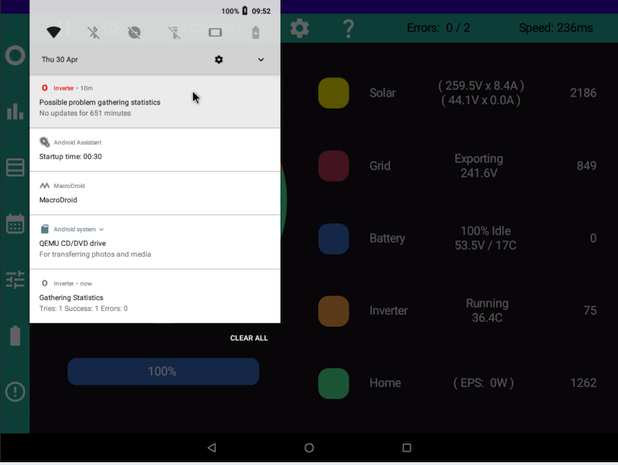
Looking at the big data screen, stats stopped at 22:45 last night and started again at 09:52 when I did my checks. Any ideas why? Version = 4.5.2
alan_johnston Any ideas why? Version = 4.5.2
I guess the app still has a few bugs. Thanks for letting me know. Intermittent faults are the hardest to track down.
Rubikcube Looks like stats collection isn't triggered when the app is started.
Here is screenshot after app has been running for several minutes after starting. There is no notification that stats are being collected.
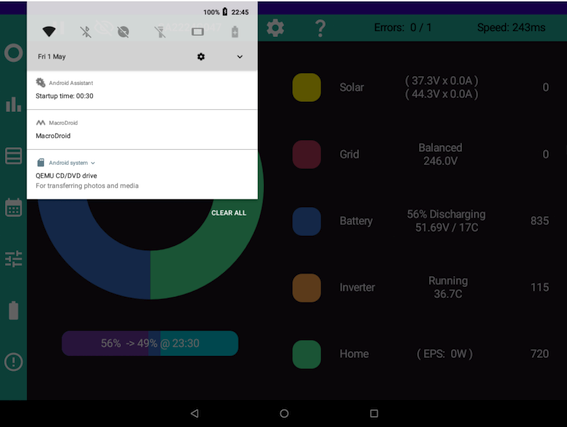
If I then click on a stat icon (like bar chart) then click back to the main screen, the app starts to collect stats.
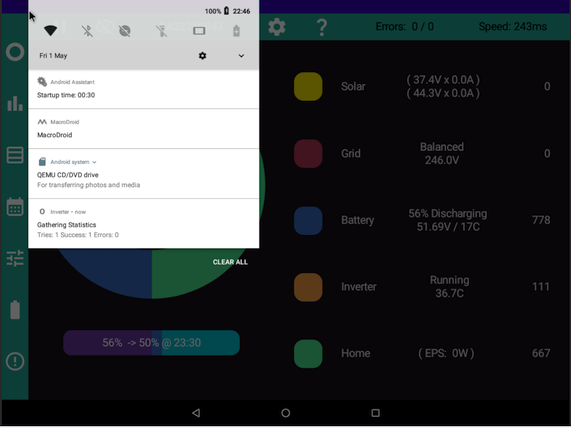
alan_johnston I wonder if this is because your version of Android is not allowing the app to run in the background. There is a setting for this under system settings/apps/Inverter/App battery usage. Turn on allow background usage.
Windy Miller I did check that.
The app runs in the background no problem.
Once it starts to collect stats, the app keeps doing so. Foreground and background.
It only happens after the app is fired up after a device reboot.
Could be a timing problem?
Maybe the app needs to wait a few seconds after the device boots before launching?
Although it connects to the inverter and displays live data right away so it should also be able to record the stats.
Vestas China does have leap months but for civil and international purposes, they use the Gregorian calendar, and so in China today, for instance, it is 2nd May just like most of the world. The Chinese calendar is used more for ceremonial purposes and calculating when traditional Chinese holidays and festivals occur etc.
alan_johnston Could be a timing problem?
Yes, it is. I have found a bug in the code that prevents the background process from being started twice. The bug prevents the background process starting within 90 seconds of the phone rebooting. I am working on a fix.
Well done for spotting this and letting me know.
killythebid Indeed but the chances of anyone "western" coding in a bug which basically ignores leap years is vanishingly small - which is where the whole discussion came from (the leap year bug in 2024 which screwed everyone's inverters).
Hence the (correct as it turned out) supposition that the coding for the portal originates in China.
Moot issue now anyway.
Hi Andrew, would it be possible to make the drop down Inverter list selection sticky? I have three inverters in my my list. Let's say I want to work on the third one in the list and I select it. I use a phone most of the time when using the app, and if I change phone orientation by accident or because the App doesn't display correctly in portrait mode, then the App redraws the screen and resets the Inverter to the first in the list which drives me nuts.
Also if you select an Inverter in the list and then select any option in the App, when the new screen loads it always resets the Inverter selected to the first in the list. If you are not careful and do not notice the change in selected Inverter you can easily send commands to the wrong inverter.
If there is more than 1 Inverter in the list then please make it sticky until changed by the user irrespective of how many parts of the App they visit.
You could have an option in settings for Sticky List if this is not to everyone's taste.
Thanks in Advance for considering this, keep up the outstanding work.
Version 4.6 should be coming out this week, subject to final testing. The main changes are:
On the data screens, any chance of a way to scroll right and left?
When running on a VM, the screen can scroll up and down using the mouse wheel but no way to scroll right and left to see data that is off the screen. Dragging the screen with mouse cursor doesn't seem to work on the app (works on home screen though).
alan_johnston this is fixed
Thanks for confirming. That bug had been hiding in there for a long time.
alan_johnston any chance of a way to scroll right and left
That's odd. On my systems scrolling by holding the left mouse button and dragging works fine.
Is the mouse directly plugged into the machine running the VM? or are you using some remote access software?
Has anyone seen a whole charge request slot being missed?
Just in case I’ve put in duplicate commands so requested a charge 1-4pm (we’re on Cosy) twice but nothing got through in fact no data either from06:15 this morning
History showed no communication after the set of 4-7am charging.
The GE dash board showed no requests going through either. The Android was plugged into charger and fully charged when I checked at 7pm but I don’t know about earlier
It’s as if our wifi or the android stopped working but other devices in the house continued to be connected
I tried to upload the screen captures since it’s clearer than my description but it won’t let me.
Judith If the app just stopped at 06:15 for no apparent reason, it could be auto-update, since a new version went out yesterday.
https://givenergymonitor.co.uk/trouble.html#update
alan_johnston Short answer is I haven't got a clue.
On the home screen do you mean you can drag icons with the mouse? Could it be a foreground/background thing? For the data tables you are dragging the background. Can you drag the settings screen in my app up and down with the mouse? And what about the android settings screen, does that drag up and down?
Could it be a graphics thing? In developer options, turning on "Disable HW overlays" has been known to fix some graphics bugs.
Rubikcube
On the home screen i can drag icons with the mouse and can drag the whole home page right and left to get other home pages. I can also drag the home page up and down with the mouse.
With your app, the mouse can only click on buttons. Hold and drag doesn't work anywhere.
But the mouse wheel does scroll up and down.
Android settings screen can be dragged but the google play store can't be.
It has the same problem as your app.
There is no developer options in settings.
Could be an android-x86 thing?
It's not a big issue. It's just that when i am looking at the big data, it would be handy to get at the data that is off the screen. I can reduce the font size to get more on screen. Is the data file stored somewhere I can copy it from?
Andrew, App updated on my phone, the issues I reported to you with "No Connections" and the re-connect after being out of WiFi range are all fixed with the latest version, and so is the sticky Inverter selection.
Great Work, thank you so much. 😃
@Rubikcube
Hi Andrew. Would you consider showing the Pause status in the battery field. At moment it shows the pause timings but not if it is set. Realise there is a value in the global field in the control screen
which shows 0, but would be nice to see at a glance. Thank you. Mole.
My Inverter App has suddenly lost connection. App is updated to the latest version, and I have a fixed IP address. GE App is working fine, as is the Portal. Display just shows “No Connection”
Any suggestions please?
@Rubikcube thanks for your continuing hard work and updates!
Is there an option to get the app running without a google account? It is available from Aurora store (google play alternative) which works fine, and doesn't need a google login, but the app does link to my gmail (I am de-googling and moving to different email, one running on renewable energy, so I plan to have no google account/no gmail in future)
AnonymousHooman
Wow, you are a brave de-googling pioneer.
Right now, the free parts of the app work fine without a google account, but the premium part, because of the way in-app purchases work, needs a google account to keep functioning.
I too am looking at ways to break dependency on Google, but expect it will be at least another year before I have a good solution.
Hi,
I just purchased your App and paid for the upgrade. I have a question I have a hardware EMS to control my system a dual AC 3kWh system with 4x 9.5kWh batteries with EPS on one of the AC inverters. I set it to pick up the IP address on the EMS but it not detecting any batteries information on the battery icon. I left it set to one Inverter and asked it to collect stats. Any suggestions or settings I need to change. Great app.
Thanks Simon
Hi Simon,
I have absolutely no idea how the EMS works. Any normal designer would have made it simply combine the inverters and look like one big inverter, but that's not what GE did. As far as I know the EMS has a completely different set of registers and way of working.
If you can make any use of my app, that's great, otherwise if you have paid for the upgrade and it doesn't work, you can get a refund from google (within 30 days of purchase I think). Either find the purchase email or go onto your play store account and look at your purchase history.
Version 4.7 has entered final testing and should be out this week. The key changes are:
Battery data validation to avoid showing zero temperatures or cell voltages due to data errors.
Battery serial number validation to avoid phantom batteries being created.
Quicker disconnection when connection lost.
On compatible networks, automatic IP address detection.
Battery info, pause mode (if available) displayed even when zero (not paused).
Premium recover tab checks system type so settings can only be recovered to same type of inverter.
Premium recover tab new overwrite backup option.
Premium controls, time setting clock supports 24 hour mode.
The app still works on Android version 5 and later. This is becoming increasingly difficult to maintain, and soon it may need Android 7 as the minimum supported version. Is anyone still using Android 5 or 6?
Hmm
V5.1.1 for my Google nexus 7 tablet 2012
v6.0.1 for my Google nexus 7 tablet 2013
But it will just stop updating after that for me, so no big issue.
Version 4.7 has a bug that can cause a crash.
Full story.
I found a bug in 4.6 when testing with my spare inverter configured with static IP address on the dongle. When I changed the IP address, it took several minutes (up to 15 minutes!) before my app came up "No Connection". So I made a (literally one line) change to the connect/disconnect/reconnect code and now it detects the loss of connection much quicker (within 40 seconds) and starts trying to reconnect.
Unfortunately there is a clash with the way the background process works, so if the connection is lost just as the minute history stats are being recorded (there is a window of just milliseconds) the app can crash.
This crash is a probability thing, although it is very unlikely in any given minute (just milliseconds out of 60 seconds), the stats are written 1,440 times a day by around 1,000 devices, so it becomes likely. Google tells me 10 crashes have been detected in 4 days.
I hope to have version 4.7.1 out this week with a fix.
If anyone hasn't upgraded to 4.7 yet, I suggest giving it a miss until 4.7.1 is available.
If 4.7 does crash, the workaround is to just restart it.
Rubikcube Not very brave! You can buy de-googled ones off the shelf new and there is a tonne of support. Android itself is open source.
Could you add the total generated so far during the current day (the BBC Basic app has them all on a single screen, but seeing each separately by clicking the circle group would work too.
Many thanks for your app and the much more detailed website info.
Further suggestions - user interface: The App Settings (top right Gear symptom) and the Control Settings (bottom Switches button) are easy to get mixed up. Can a different icon be used for control settings, maybe a speedwatch / timer or hand button or the App Settings moved? App Settings are more commonly found on a menu on the far left.
I find the Play/Pause button confusing, and the Eye button has the same caption for show and hide. I think it might be worth putting Show/Hide in settings and moving Play/Pause to the right.
AnonymousHooman Thanks for the ideas. You are right, the play/pause button is confusing, I never use it now.
2 crashes reported to Google in 4.7.1 so far, so issue not completely fixed. Version 4.7.2 will be coming out in a few days to hopefully fix this bug properly.
Rubikcube
Dear Dr Cube,
Congratulations on what may be a first ... I don't think I've ever seen the author of an app warn users of a possible fault before. Your honesty and vigilance is commendable and the speed at which you have provided an explanation of the cause of the fault and an improved version of your app, increases my confidence in your work.
Thank You
If I may, I would like to add to Mr 'Hooman's list of suggestions and ask if you can write your app's collection of Inverter data to a new .csv file every day or so, rather than over-writing the previous data. This would ease the pressure to transfer collected data to a PC before the over-write occurs and make collecting history simpler (eg. no data overlaps) - and save me £4.99/month too!
I've not witnessed the 4.7 bug - but I'm still looking forward to 4.7.2.
Kind Regards
Graham
I am getting regular "stopped running in the background" alerts where it misses data for hours at a time. It is probably my phone since my other half doesn't get it - I already have Allow background usage set to On. Dontkillmyapp has developer suggestions but didn't find a problem when it ran a scan (i was charging at the time). So maybe others aren't getting the issue. 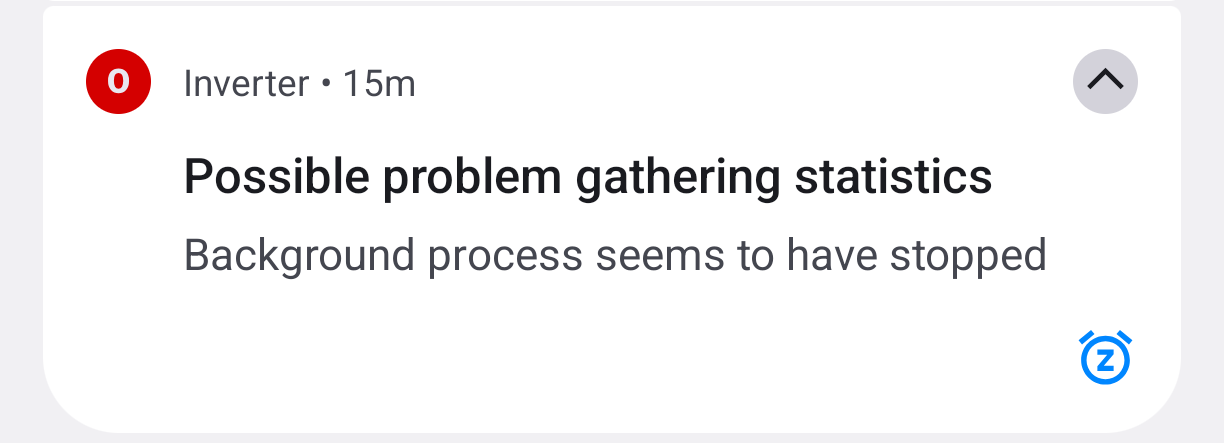
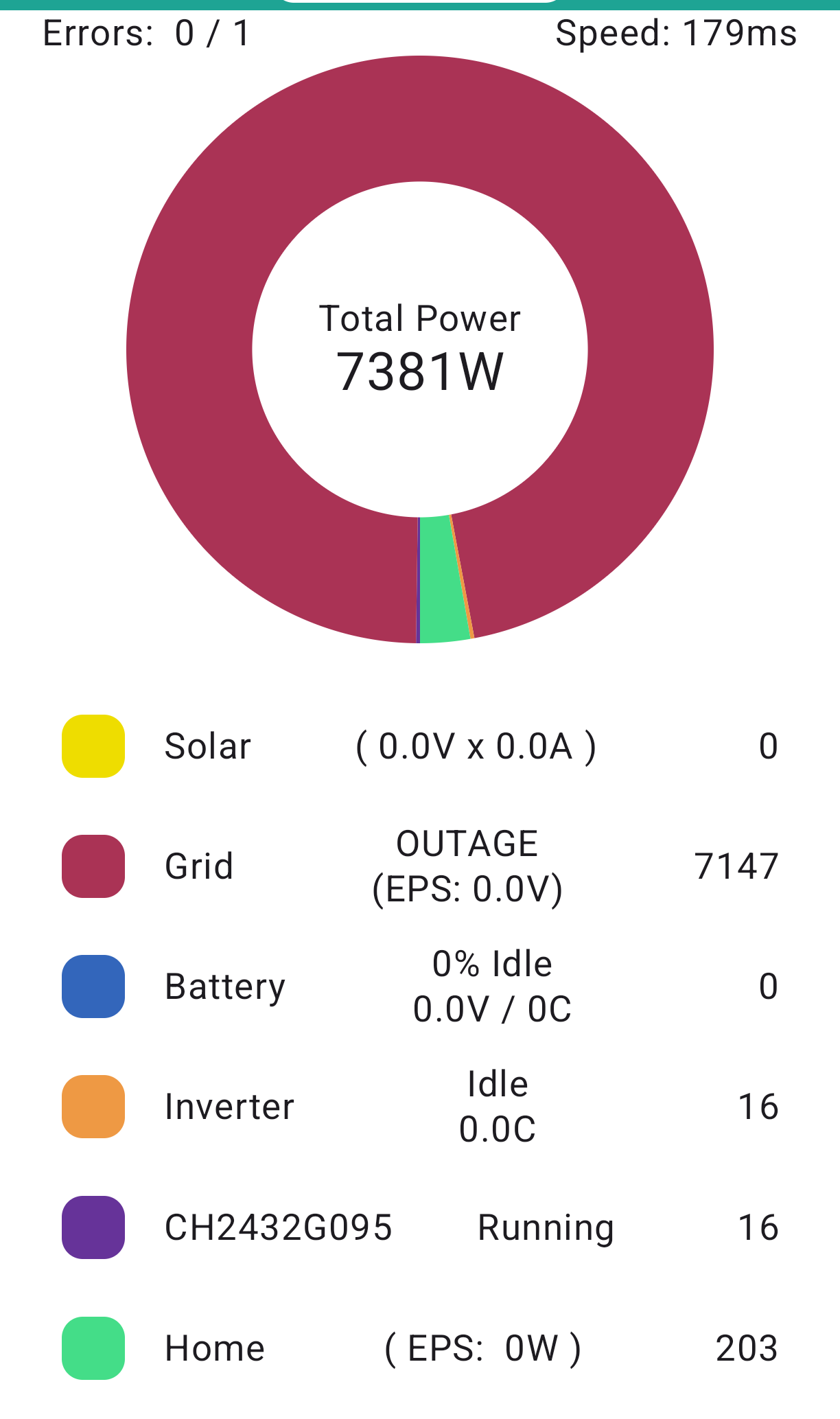
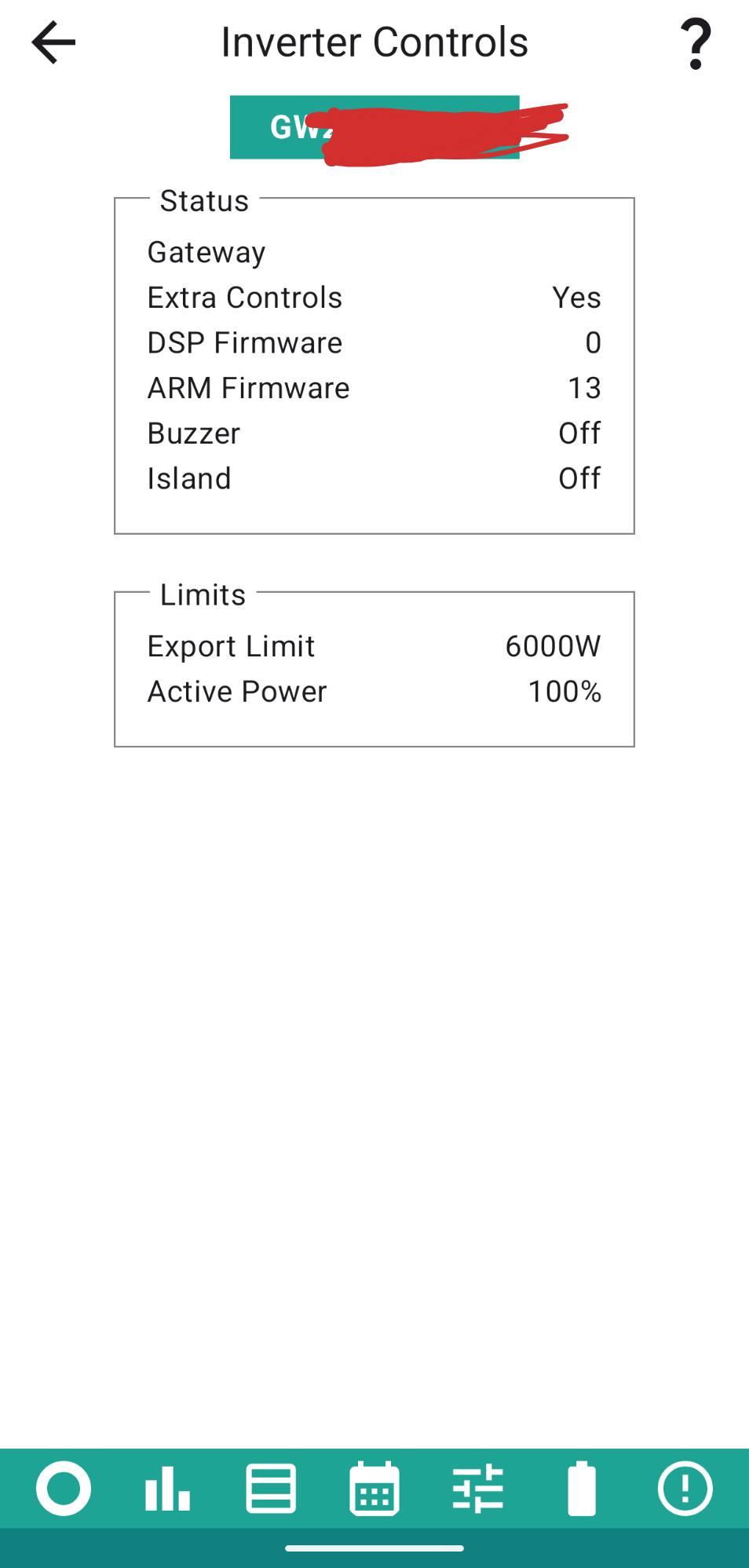
Yesterday after reading it on here I discovered adding the gateway (as a second inverter), amazing feature!
Gateway info I did not expect! Brilliant!

Is it now decision time for @Rubikcube, do I quit the day job and go full time on the solar app development front 😉
DocGra ask if you can write your app's collection of Inverter data to a new .csv file every day or so, rather than over-writing the previous data.
I have previously requested the option to be able to export the rolling big data to CSV like you can with the energy data but this feature would also work for me as long as it was possible to download the current data as well as the previous files.
Version 4.7.2 came out this morning, and already crashes worse than 4.7.1
Version 4.7.3 will be out this afternoon!
Sorry for the inconvenience.
Version 4.7.3 is still crashing too often.
I have not been able to reproduce the error on my systems, and I am at a loss why it seems to be crashing for some people. I am restoring the code back to how it was for version 4.6 and hope that will fix the problem.
Version 4.7.4 will be out this week.
This is a graph from Google of the reported crashes for the last 28 days. Version 4.7 was released on June 8th. The releases are marked by the grey squares along the bottom.
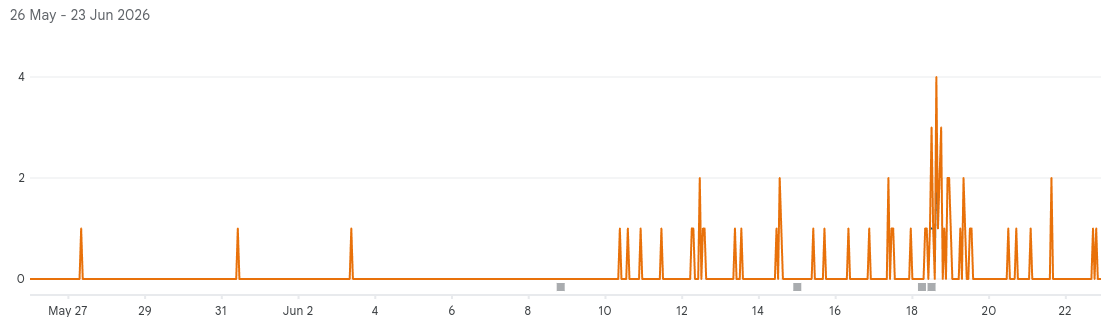
Rubikcube 4.7.3 is 'rock steady' here on my Samsung A52s ... and I try to run it continuously, losing data only when I take the phone away from home.
I have it (4.7.4 at the moment) running on an old Android 8 Samsung A5 too - 'rock steady' there too - except I'm trying to use the Caffeine app to prevent my phone from powering down on it's own (usb powered 🙂!) ...
alan_johnston I'm trying to use Tasker or MacroDroid to copy the .csv file out of the main phone memory to it's SD card and then hope to use FolderSync (or similar) to sync the data onto my PC where I can 'bash' it with Excel (can you tell I'm retired! 🙂)
...but ...
I can't work out how to use Tasker or MacroDroid to rename the file to avoid 'tomorrow's' data overwriting 'today's' ...
... beginning to think I should have retired earlier while more of the grey cells were alive and kicking!
Dr Cube seems to be very occupied at the moment so maybe I'll get into the discipline of syncing the file by hand before it's full and do a bit more Excel bashing to cope with any data overlaps ...
It's rock steady for me too.
I don't actually know how many people use my app (because I don't track), but with over 2000 downloads, assume 1000 users. Version 4.6 was reporting a crash about once a week, which if it were random, would mean the average user sees a crash once every 20 years. When version 4.7 went out, the crash rate unexpectedly jumped to about 3 a day, which is a 20 fold increase, and equates to an average of about once a year.
The error message is always the same:
fdsan: attempted to close file descriptor 203, expected to be owned by SocketImpl 0x1263541, actually unowned
The file descriptor number changes as does the hex value, but the rest of the message is constant. The words close and socket suggest it is something to do with losing connection. There is no line number or anything helpful with this error. Simple crashes, like divide by zero, tell you the line number and are easy to fix.
fdsan is an operating system module added in Android 9, so this can only affect android 9 and later.
https://android.googlesource.com/platform/bionic/+/master/docs/fdsan.md
I am coming to the conclusion that this is nothing to do with my code, but a problem with the libraries that I am using, which are about 2 years out of date. The next step is to upgrade to the latest libraries, which will mean new versions will no longer run on Android 5 (nor probably 6).
@Rubikcube I know from my own experience with other iot stuff including raspberry pi’s that even when they all share the same ip subnet I have had issues with unexplained connectivity issues. And the only thing I have found that sorted that in my case was to ensure that the device with comms issues and the device that was trying to connect was to ensure they were both connected to the same WiFi mesh node. Now my setup may be non standard in that my mesh nodes are in bridge mode. So I wonder if those crashes folks are seeing is where they have maybe fired up the app in a different location to their normal use and they are on a different mesh node to their inverter.
Maxwell So I wonder if those crashes folks are seeing is where they have maybe fired up the app in a different location to their normal use and they are on a different mesh node to their inverter.
It could be. However I'd expect Android client networking to recognise roaming even on Android 6 - assuming the mesh is setup correctly for r/v/k - so the socket shouldn't just be dropped. In theory - but not all android clients are equal in terms of how they behave.
Version 4.7.5 is nearly ready for release. It is a simple rebuild with the minimum changes to make it work with the latest libraries. Functionally it should be exactly the same.
It requires Android 7 or above, so android 5 and 6 users will now be stuck on 4.7.4 forever (which isn't a bad thing).
The size of the app (after install) has increased from about 7MB to 72MB. It runs a bit slower (and therefore presumably will use even more battery); apparently that's progress.
Rubikcube The size of the app (after install) has increased from about 7MB to 72MB. It runs a bit slower (and therefore presumably will use even more battery); apparently that's progress.
Electron I assume? That seems to be the usual cause of bloat these days. Somewhat laudable aims, execrable timing given current ram prices.
FWIW Android 17 dropped here a few days back and 4.7.4 continues to work fine.
Android 17 requires a new local device permission for this app to work.
Version 4.7.6 will be available soon to fix this.
Google are being so annoying !!
https://developer.android.com/privacy-and-security/local-network-permission#android-17-enforcement
Version 4.7.7 will hopefully be coming out this weekend. Just fixing bugs:
Rewrite of inverter code to try to fix intermittent crash.
Fix 24 hour clock not working on amending schedule entries.
Fix controls not refreshing correctly after changes.
Improve validation on numeric settings.
I have version 4.7.6 and the sync time option seems to have stopped working. Nothing appears in the history.
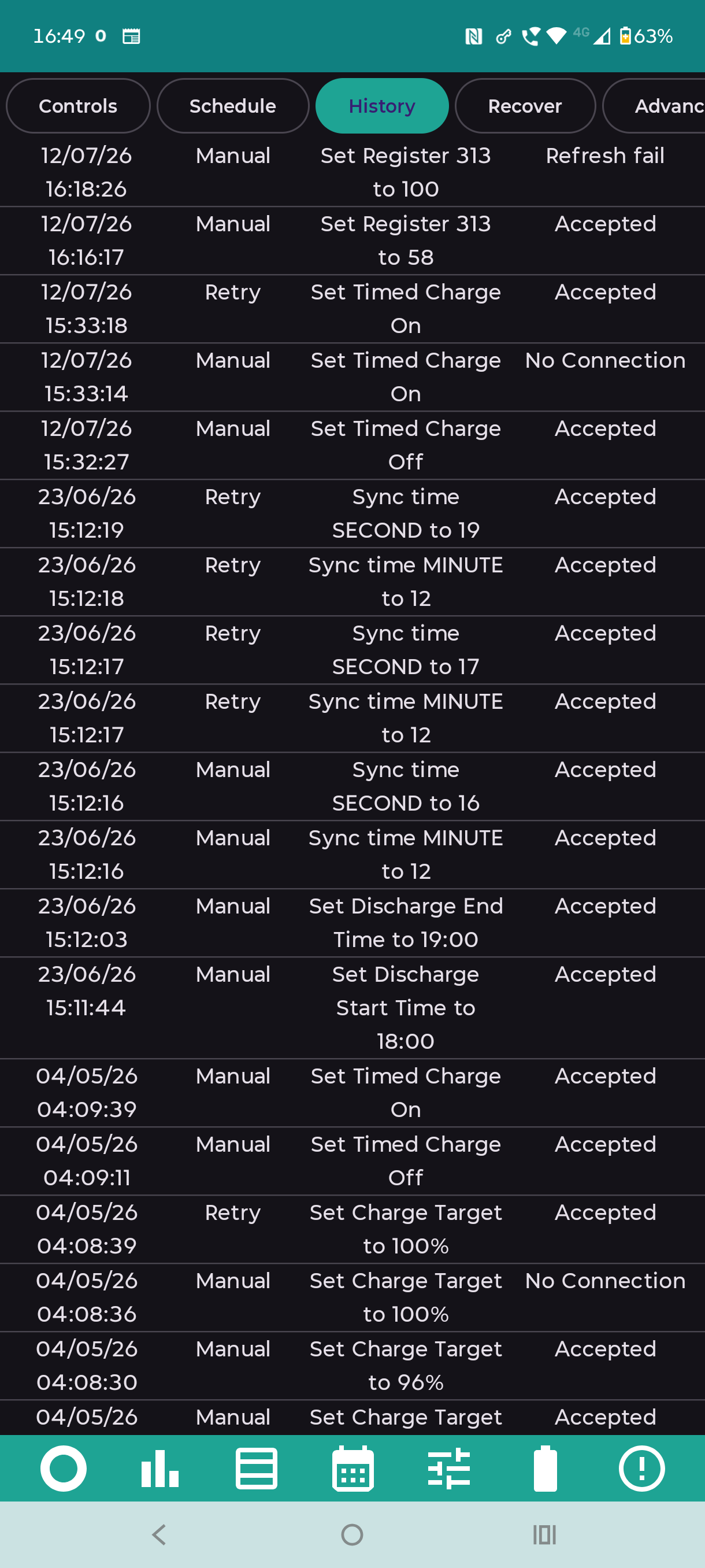
Also according to the inverter log something odd happened to the time yesterday.
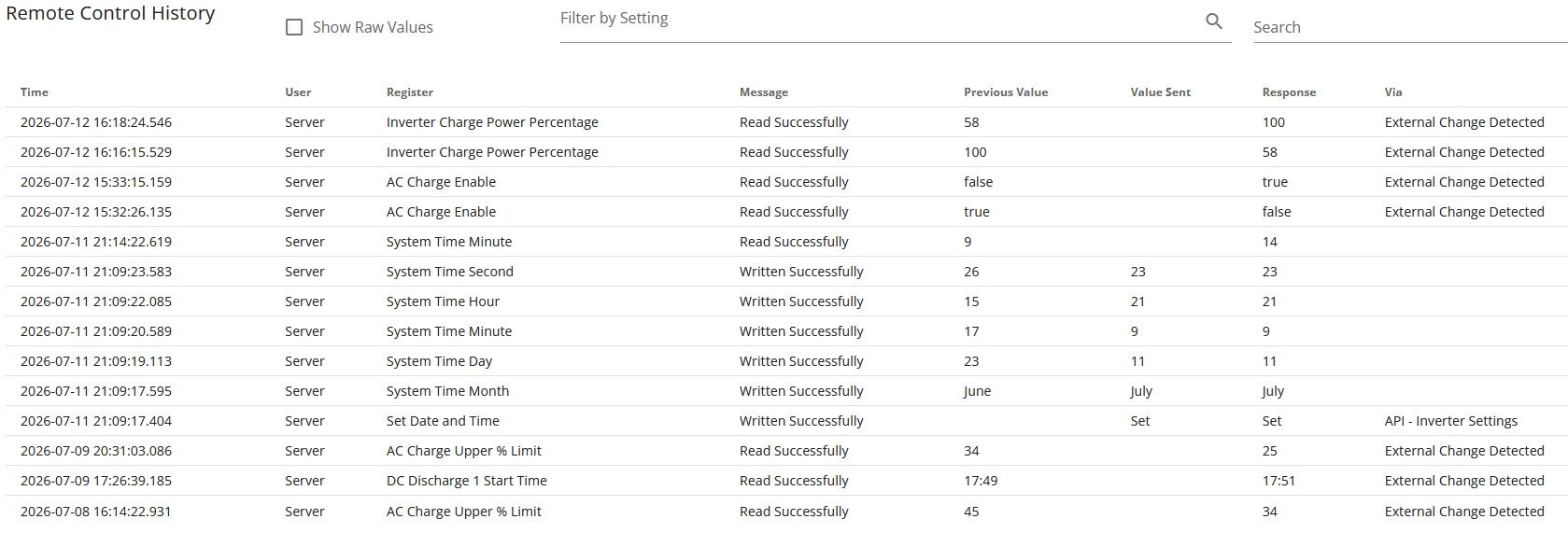
It shows the date being changed from 23rd June to 11th July by the server. 23rd June was my birthay!
nophead That is so weird. There is probably is a rational explanation, but it looks like the GivEnergy Ghost strikes again.
Time sync should work in all versions, but 4.7.5 and 4.7.6 had a lot of odd bugs from the new libraries. Version 4.7.7 went into the Play Store yesterday (July 11th), and has a big rewrite of the inverter code.
Let me know if it works (or not) on 4.7.7.
On 4.7.7 it worked once and showed up in the history but not in the inverter log on the web portal. Does it check if the times are close and skip setting it?
nophead Yes, if just the seconds needs adjusting, nothing is logged. Maybe it should be? This is the latest code, it should be quite readable even if you're not a programmer.
fun syncTime() {

        val cal = Calendar.getInstance()
        val yr = cal.get(Calendar.YEAR) % 100
        val mth = cal.get(Calendar.MONTH) + 1
        val dy = cal.get(Calendar.DAY_OF_MONTH)
        val hr = cal.get(Calendar.HOUR_OF_DAY)
        val min = cal.get(Calendar.MINUTE)
        val sec = cal.get(Calendar.SECOND)

        Log.e(TAG,"--------  Setting date and time to $dy/$mth/$yr $hr:$min:$sec  ---------")

        // Fix the seconds first
        requestUpdate(40, sec)

        // Get latest time from inverter
        refreshControlBlock(40)

        var source = 1    // Manual only, cannot schedule time sync

        repeat(6) {   // Flakey, retry a few times

            var updateSeconds = false

            if (controls[35] != yr) {
                Log.w(TAG, "Setting year to $yr")
                requestUpdate(35, yr)
                Logging.RegisterChange(source, 1, 35, yr, 0, 0, "change$ipIndex")
                updateSeconds = true
            }
            if (controls[36] != mth) {
                Log.w(TAG, "Setting month to $mth")
                requestUpdate(36, mth)
                Logging.RegisterChange(source, 1, 36, mth, 0, 0, "change$ipIndex")
                updateSeconds = true
            }
            if (controls[37] != dy) {
                Log.w(TAG, "Setting day to $dy")
                requestUpdate(37, dy)
                Logging.RegisterChange(source, 1, 37, dy, 0, 0, "change$ipIndex")
                updateSeconds = true
            }
            if (controls[38] != hr) {
                Log.w(TAG, "Setting hour to $hr")
                requestUpdate(38, hr)
                Logging.RegisterChange(source, 1, 38, hr, 0, 0, "change$ipIndex")
                updateSeconds = true
            }
            if (controls[39] != min) {
                Log.w(TAG, "Setting minute to $min")
                requestUpdate(39, min)
                Logging.RegisterChange(source, 1, 39, min, 0, 0, "change$ipIndex")
                updateSeconds = true
            }
            // if any other fields have changed, update seconds to update the clock
            if (updateSeconds) {
                val cal2 = Calendar.getInstance()
                val sec = cal2.get(Calendar.SECOND)
                Log.w(TAG, "Setting seconds to $sec")
                requestUpdate(40, sec)
                Logging.RegisterChange(source, 1, 40, sec, 0, 0, "change$ipIndex")
                refreshControlBlock(40)       // Get updated time from inverter
                source = 3              // Now retry
            }
        }
        updateStage = 0     // All done
}Version 4.7.7 has at least one new bug, so version 4.7.8 will be out in a few days to fix it.
My Samsung S23 keeps telling me to put the app into "deep sleep" !!
Go to Apps, then the settings for the Inverter App and turn off (phone) battery optimisation, should then stop it going into deep sleep.
WHATCH OUT IF YOU ARE A DUAL AIO USER AND ATTEMPT TO SYNC TIME WITH THE ANDRIOD APP
I have a Dual AIO system with Gateway and have the paid for version of the Android Inverter App, running on S23 Hardware and Android 16.
Dual AIO users will know that in such a setup the Gateway controls everything and not the AIO's. For instance if you send any charge or discharge schedule to a dual system, details of the schedule can be found against the Gateway and not on either AIO. Likewise when you send a sync command from the portal only the Gateway time gets adjusted and not the AIO's.
In May of this year when looking at my historic system data I noticed a day that at 8pm the Generation, Import and Export Daily running totals had been reset to Zero (which usually happens at midnight). I couldn't find any reason for it and it didn't happen again until this week.
This time I tracked the error down. I had attempted to sync the time of the individual AIO's using the Inverter Monitor App, and the GE Portal servers do not like this, and promptly reset the Daily Totals to zero, it also produces 2 or 3 pages of time commands in the GE Logs, but no actual errors are logged. When I checked my Monitor App History for May sure enough I had performed a Time sync on an AIO.
So to be clear if you attempt to use the Inverter Monitor App to Sync your Gateway time (which is the one that really matters) this works fine without any issues. Though if you attempt to sync the time of Individual AIO's in a Dual System, it will reset the Daily Portal Daily totals. See graphics below.
This is just something to be aware of for Dual users.
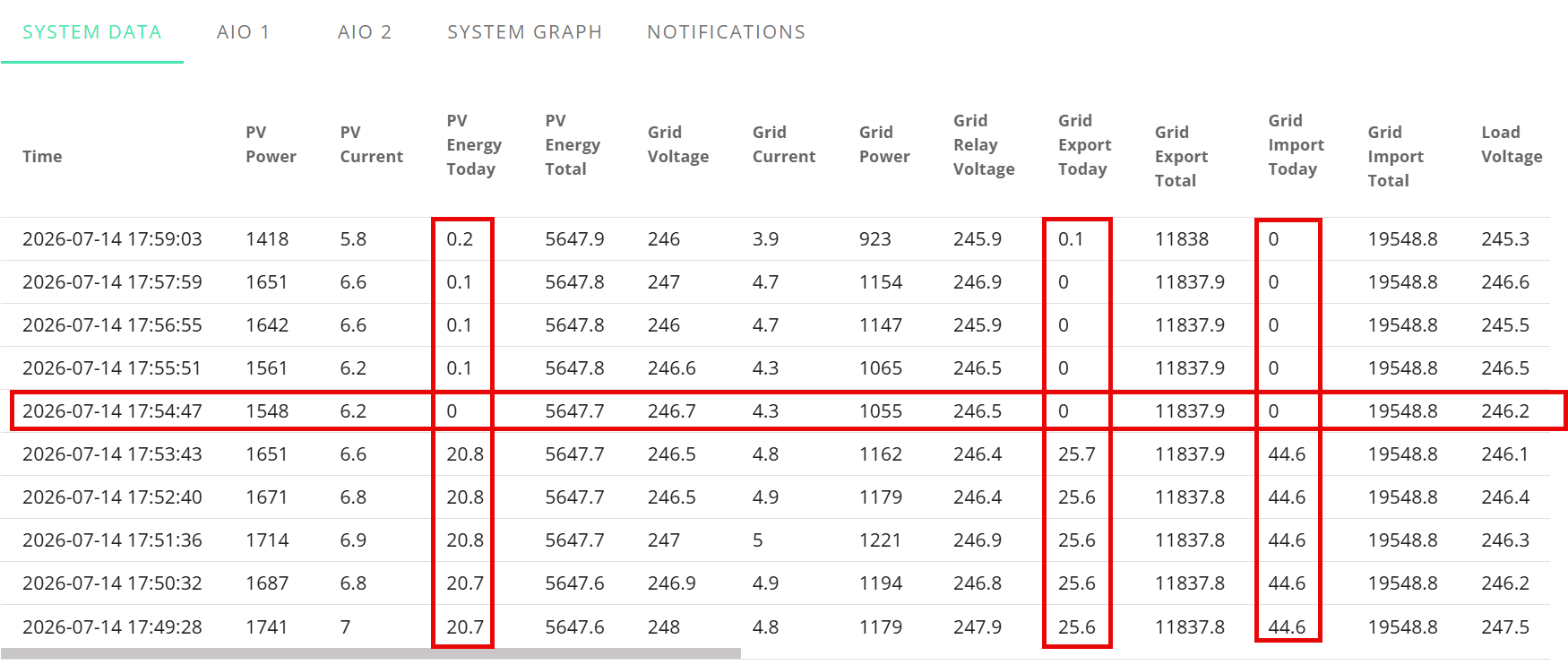
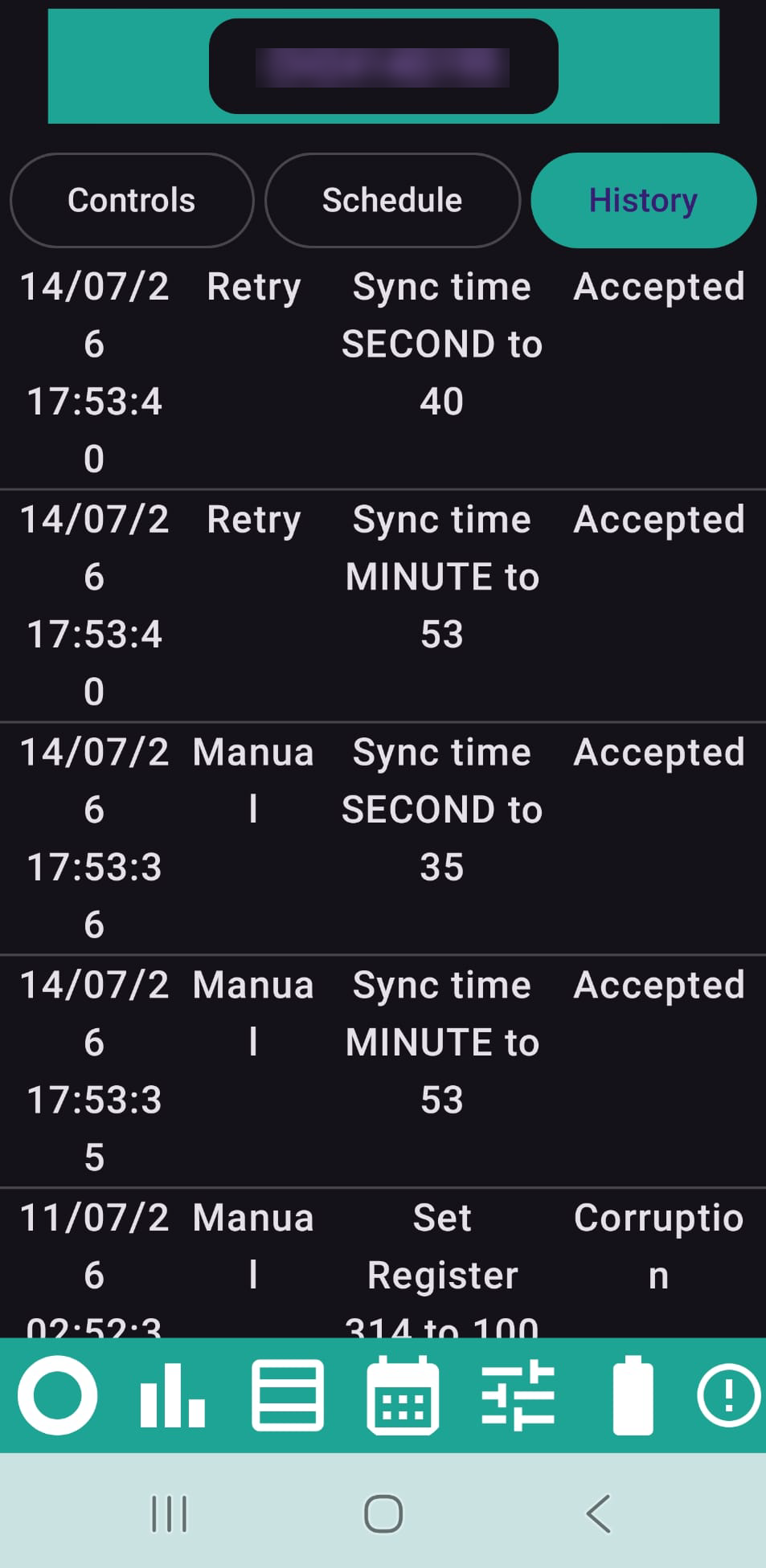
duplada Thank you for tracking this down and documenting it so well.
I wonder if it could be an intentional feature. Maybe the gateway sends the time to the AIOs just after midnight and that is used to reset the daily totals rather than the AIOs doing it themselves. Crazy design, but wouldn't be the first bit of creative coding in GE firmware.
On v4.7.9 the pays version, in full control setting gateway EPS islanding on (and a number of other settings) give corruption error message.
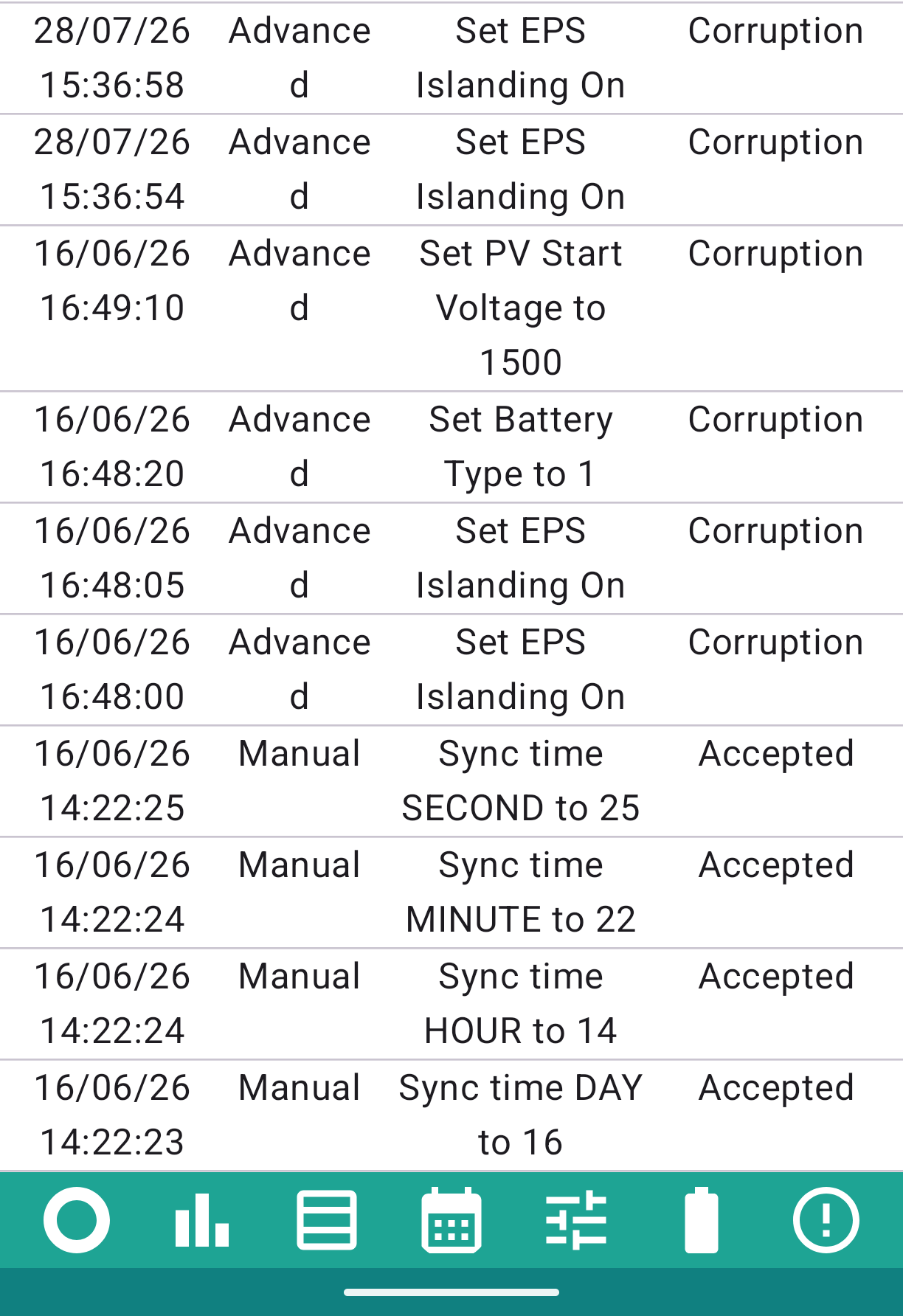
I can't remember where I found the EPS islanding setting (I don't see it today) but it is certainly not set
I am also interested in setting export limit kwh on gateway, it is set on AIO but isn't working.
AnonymousHooman Thanks for posting this. The settings are on the Advanced tab. Be careful there, these settings are not well documented.
EPS Islanding is register 115. The corruption results suggests that the app sent the command to change register 115 but some other register changed instead.
A bit odd, but I don't have an AIO so can't test it myself.
Still one bug left in version 4.7.9, so I will soon (probably Friday) be putting out version 4.7.10 to hopefully fix it. No new features just one bug fix.
Rubikcube The corruption results suggests that the app sent the command to change register 115 but some other register changed instead.
My system is Dual AIO with Gateway. Dual system AIO's are controlled by the Gateway. If I by mistake select an AIO rather than the Gateway, and attempt to apply a setting, I usually get a "Corruption Error" in the app. However, sometimes the settings do get applied (depends on the setting), but are promptly set back again by either the Gateway or the Givenergy Servers. My advice for Dual AIO users of the Monitor App is to stay well away from attempting settings to individual AIO's as the results are unpredictable.
However settings changes when the Gateway is selected do work fine, (and I have been meaning to mention this). If I adjust the "Charge Power Percentage" for example with the Gateway selected in the Monitor App. The settings are applied correctly to the AIO's (I think) but are not always reflected in the current session of the App. So if apply a setting to the Gateway, and then select an AIO, and check duplicate setting there, more often than not (but not always), the AIO doesn't show the new value set on the Gateway. I have to exit the App and reload it for the true situation to be evident. This is of course a bit of a pain, and when it first happened I must have tried to set the value on the Gateway multiple times before I realised what was actually happening.
What is this stuff you are posting about.
Does it have anything to do with GivEnergy systems?
Wow, a lot of complicated stuff here. I have the latest Givenergy app as well as the Android Inverter app. I'm on Octopus Intelligent Go, an older inverter and 8.2Kwh battery. Normal schedule has been charge between 23.30 and 05.30 and discharge if battery >20% between 22.00-23.30.
Overnight charge suddenly stopped so I checked the GE app which has smart schedule active - charging slots show USE for all time periods of the day although when I turn off the SS and go to the edit screen it shows the charge and discharge as USE for all periods except SELL 22.00-23.30 and BUY 23.30-05.30 which has been successfully applied. It doesn't show this way on the main screen though.
Wondering if I should deactivate smart schedule and use Android Inverter to schedule instead - might this work better and I presume (dangeroud) that this APP does not need to be in constant contact with the inverter over the local network, i.e. once inverter settings changed then they stay that way - maybe overnight this app turns ECO on and off too?
Slightly confused here
philipdawsonladds When you say an older inverter, do you mean gen-1 ? The one that requires eco be turned off in order to force export ?
How much battery do you typically have remaining at 22:00 ?
My inclination would be to not trust smart scheduling, since your needs are fairly straightforward. You basically just need an external agent to turn on the discharge flag conditionally in the evening. Assuming discharge timer is set for 22:00 to 23:30, there's no particular hurry to turn the export flag off again - any time before 22:00 next day is fine. But if you also need to turn off the eco flag, that's a little more time critical - it would need to be re-enabled by 05:30
Just out of interest, have you considered Octopus charge pack, to let them manage your battery ?
I am currently using AXLE but intend to cash in and sign up for charge pack. Yes, inverter Gen 1. Usually have 30-40% of so left at 22.00
Presumed that I needed to turn the export off to enable import at cheap rates.
Sounds like Android Inverter app would be the simplest approach
philipdawsonladds Presumed that I needed to turn the export off to enable import at cheap rates.
Not really - if you have the export window configured for 22:00 to 23:30, then outside of that interval the discharge flag will have no effect - your system will honour the timed charge. In the same way, you can leave the charge-from-grid flag enabled, but it will only do anything during the configured charge time window.
Thanks - starting to understand - I have set the timed charge flag on just before the timed charge and off again just before the timed charge ends. If I understand what's happening, then I need to have my phone on the network at the event times so that the signals are sent or does the cloud issue the instructions? If the phone is needed then whenever I am away I would need to simply set the charge window in the old GE app. I'll let you know what happens tomorrow!
philipdawsonladds Sounds like Android Inverter app would be the simplest approach
Charge Pack is a full management product - you are hands-off once Octopus take control.
philipdawsonladds If the phone is needed ...
The thing to realise is that it isn't a MOBILE phone app. Either run it on an old phone or a tablet that you can leave at home plugged into a charger at all times.
Thanks - all worked as expected last night - a charge from 23.30-05.30 - The Android Inverter app seems to have set this schedule on the GE Inverter rather than disabling charging once completed - I might just keep the simple charge schedule and delete the duplicate schedule on the Android Inverter - your guidance is appreciated
philipdawsonladds yes, you can just use a static config on the inverter for charging, and the inverter will follow the schedule without external assistance. The same is true for export, except (a) you typically want to make it depend on state, and (b) gen-1 has the issue with the eco flag.
Thanks both - got it - for a simple life until I sign up for Charge Pack I will just schedule a charge for the cheap period using the "old" GE APP
Hello @Rubikcube,
This has appeared in my log. Any ideas what it might mean? Or is this simply a copy of some weird error thrown by my inverter which has kept going despite this.
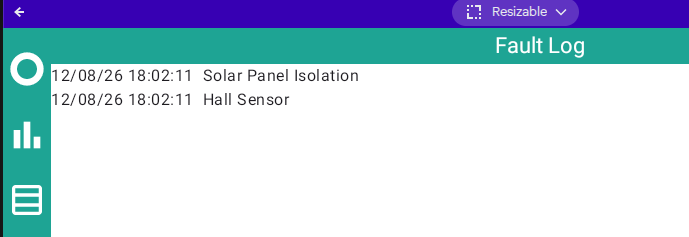
PS There are no notifications from the inverter.
Windy Miller No idea what might cause that.
Maybe a thunderstorm or something weather related?
If it's still working, don't panic!
Windy Miller August 12th was the Solar Eclipse. Coincidence?
Windy Miller What did the grid voltage/frequency look like at the time? That's usually where to start looking IME.
Nothing untoward there.
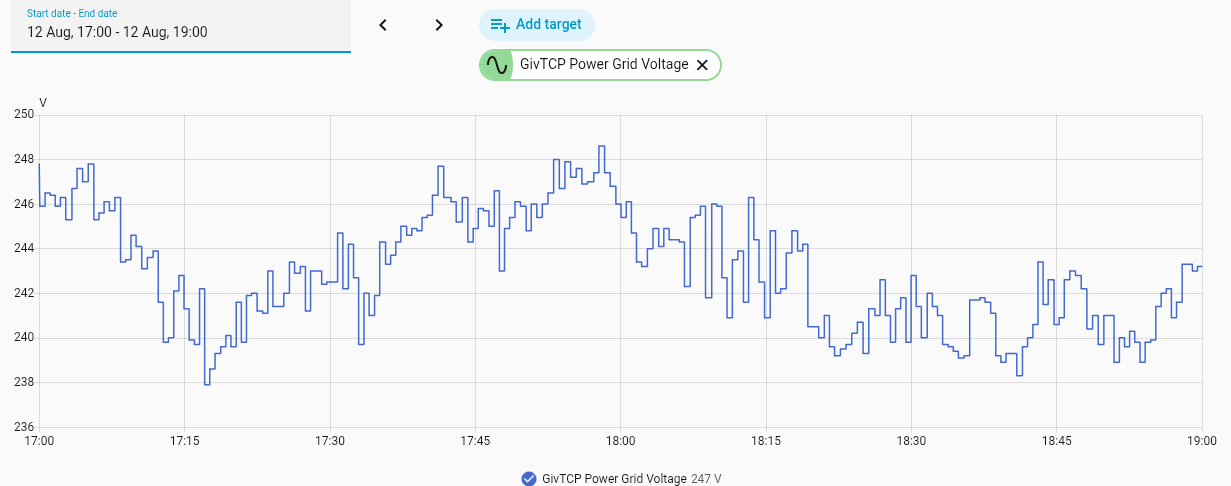
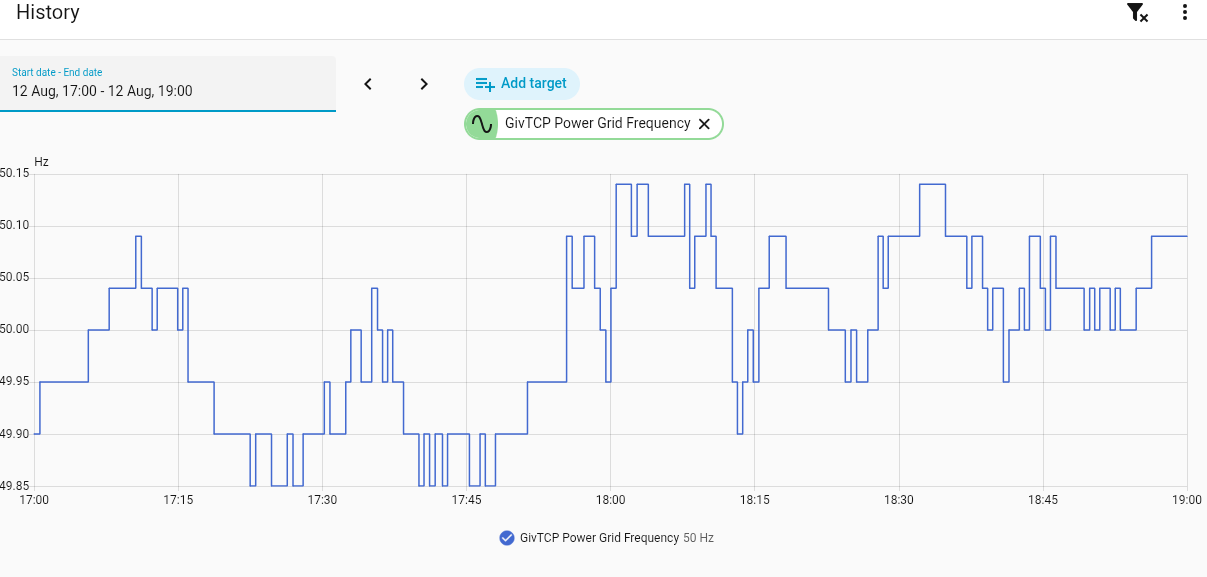
Also nothing at that time in the remote control log so no commands being mis-interpreted.
duplada That's useful info and matches what seems to be happening when I use the Givenergy app. My problem is that if I select the Gateway, some of the registers I'd expect to see are missing (e.g. EPS enable/disable). I can see how it's set by referring to the cloud interface (Inverters, Gateway, Local Control) but it won't let me change it because I don't have a subscription. As far as I can see, I have no way of changing the registers that I need to access in the Gateway.
I still get these pretty much daily! I'm on 3020 firmware.
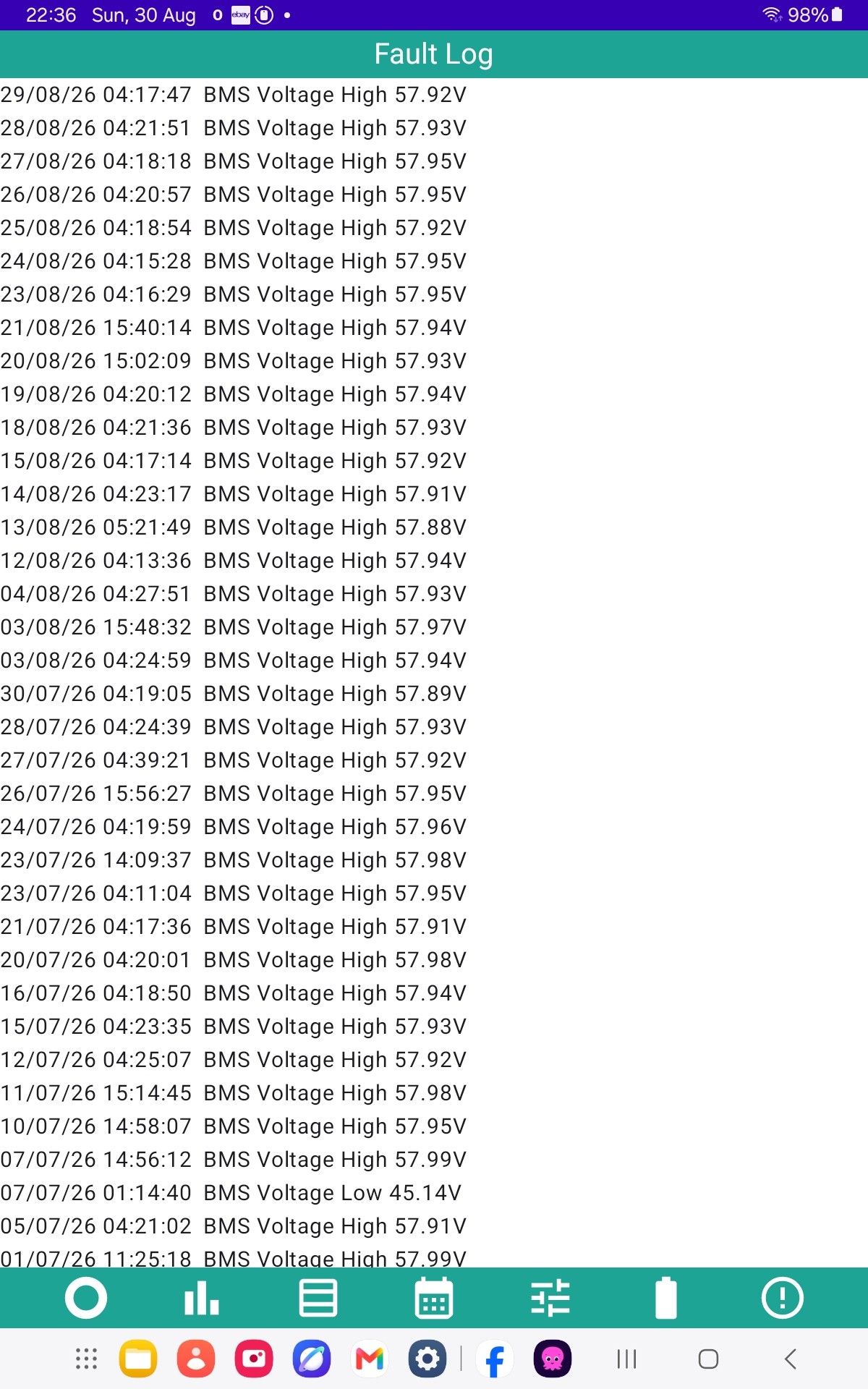
GE chose to hide all these in their systems even though the inverters were reporting them but unless there is something different about your particular systems I would prefer to see them and choose to ignore them myself.
It all depends whether this is the inverter BMS voltage or the battery BMS voltage being reported.
If the latter then 58V = 3.625V across the cells, assuming they are perfectly balanced. They won't be.
The charge limit on the battery cells is 3.65V so you're at 99.3% of that value which shouldn't be seen under normal operation. 3.45V per cell is where they should peak and charge rate is backed off.
If its the inverter BMS voltage then knock off about a volt for the actual battery voltage at the top end and add a volt at the bottom.
Over to @Rubikcube Edit - or maybe @hoggy to clarify.
My system peaks at just under 55v at 100% charge as the charge current dies to 0. If the voltage is really approaching 58v in the Inverter BMS doesn't it point to high resistance DC cables between the inverter and batteries? (If the battery BMS is also that high the batteries are being over-charged.)
Windy Miller No not really.
Depends where its measured on the inverter, which can vary. Obviously the charge rate has a direct effect.
The only voltage which matters is the actual battery BMS voltage
Its all back to SoC. Everything works on that. If its out then you'll end up with battery cells at or beyond their limits.
I've posted graphs before but yours sounds pretty much spot on (assuming inverter BMS voltage), mine peaks at 54.3V on the battery and 55V on the inverter, then the charge rate does the 10-step rate decrease.
Windy Miller If the voltage is really approaching 58v in the Inverter BMS doesn't it point to high resistance DC cables between the inverter and batteries?
Wouldn't resistance only matter if there was significant current flowing ? If the charging current has dropped to 0, there'd be no voltage drop ?
DD Yes but there is a point where the current flow is still significant (around the 90% SOC point before the current drops) and the batteries are approaching their highest voltages. Here there will also be some voltage drop along the cables. However @Vestas suggests this isn't the main reason for the higher voltages at the inverter BMS when charging.
this is my 24% to 100% charge last night... with a 57.28V warning at 04:03:06
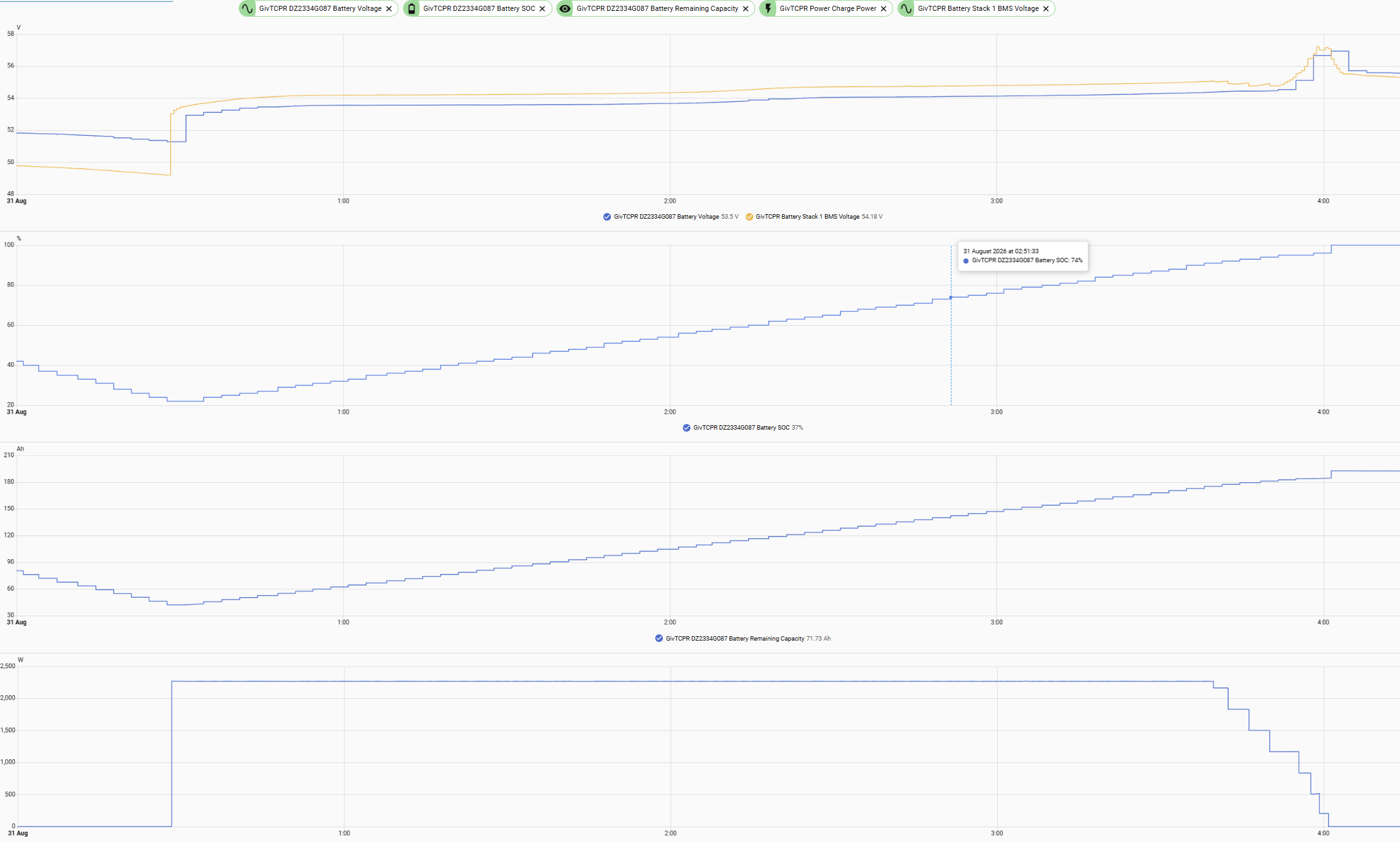
BMS voltage is about 0.2V higher:
Windy Miller So why the different readings?
Who knows? May as well ask why the inverter SoC is different from the battery SoC except when fully (100% on BMS) charged or at cutoff.
Obivously the inverter voltage has to be higher than the BMS voltage to charge and vice-versa for discharge but as to where the inverter voltage is measured? May even vary between inverter models.
Maybe @hoggy knows?
wrighar Everything looks fine until around 95% SOC where the voltage rises by more than 2v. You can see the voltage dropping just before that point as the current is scaled back before rising rapidly. Mine also does this but doesn't get anywhere near 58v. It feels like your system is pushing the batteries a bit too hard but that's not understanding all the mechanics of what's going on.
My system is an AC3.0 with 2x 5.2kWh batteries sharing the 3kW charge current. That is likely significant as each battery is only receiving 60% of the current that yours is. I am running 3020 battery firmware. Also notice my BMS voltage is below the battery voltage!
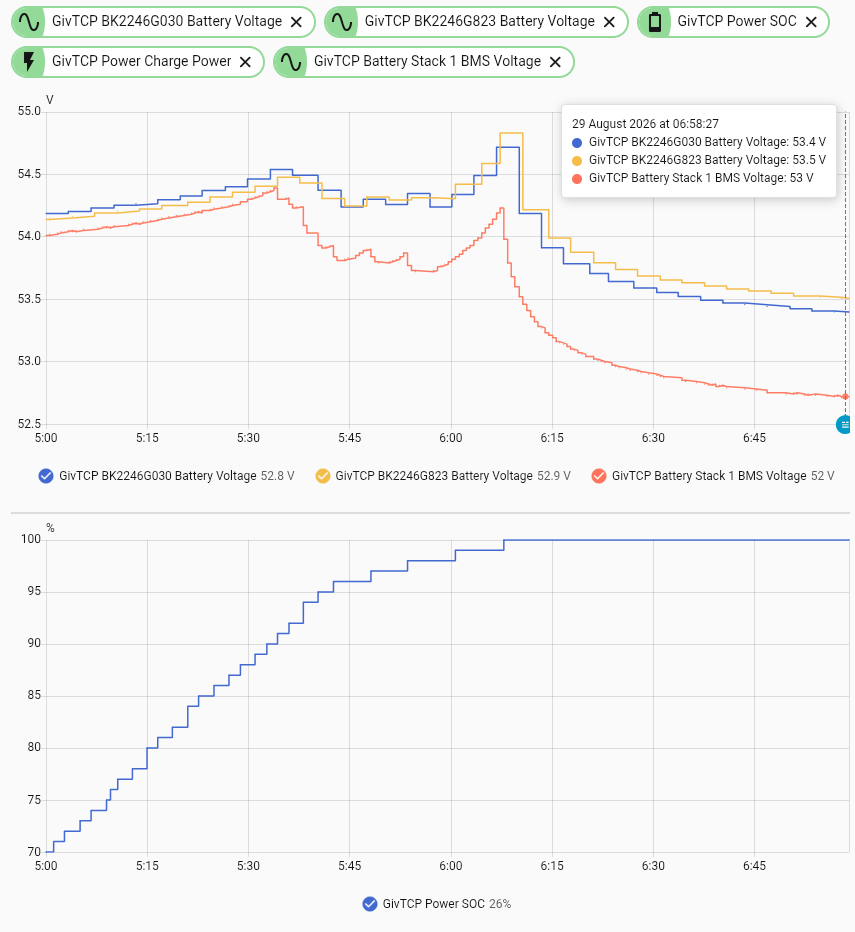
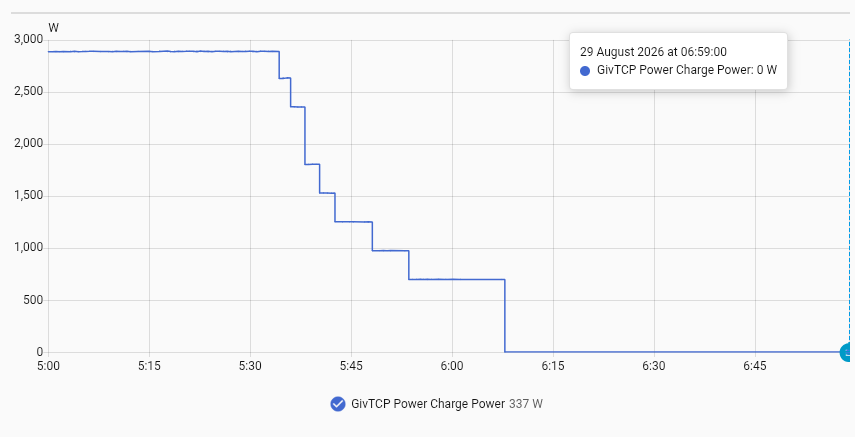
Windy Miller That won't stop PV charging to 100%.
Windy Miller in the summer, I charge from grid to around 95% (at reduced power) and allow PV to bring it up to 100%. That happens at very low power (few hundred watts), and seems to avoid voltage problems. Perhaps the BMS is able to start bleeding higher cells, or the lower power means voltage doesn't get so high, or it just has more time to intervene, or something else.
In winter I charge to 100% since heating will start draining battery long before sun makes an appearance.
Windy Miller I guess another option, if you can't trust the BMS to reduce the charging power in time, would be to drop the grid charging power register once you get to 95% or so. (I notice it was charging at 1500W at 97% this morning.) I currently charge overnight at about 60% power so that it takes most of the off-peak period to charge. Perhaps this winter I'll change my management scripts to drop the grid power to, say, 300W, once it gets to 95%, and allow it to continue to 100%. (Does mean more register writes, but ...)
[On which unrelated note: I'm on inverter firmware 309, and didn't think that offered the real-time registers, but Direct Control on the app is offering me it (register 166). Haven't tried turning it on, and I'm not sure I'll be able to tell if it did have any effect. Other than by power-cycling and seeing what changes got lost, which seems a bit extreme.]
DD I think you'll find that won't work either if the SoC is incorrect.
I've played around fairly extensively with this and even a 95W charge will cause overvolting. That's the minimum charge the G1 inverter can se set to.
The only thing which works reliably is pausing both charge and discharge on the battery, which will result in a 25W discharge from the battery. Pausing charge doesn't work as it'll still charge at 29W, which (given long enough) will still cause overvolting. I have an automation which pauses both if any of the cells go over 3.47V.
I don't really want to derail this thread anymore with BMS stuff but the setpoints the BMS is using that trigger these kinds of alarms are:
https://community.givenergy.cloud/d/7257-3rd-party-low-voltage-battery-support/7
Had an interesting situation with my Gen1 HY3.6 + 8.5 battery yesterday and wanted to view the detail data for yesterday to see if there was a reason (I don't have access to GE data anymore).
But, I am running Android Monitor on Android-x86 on a VM and I can't scroll right in the app to see all the data.
Is it possible to download the detail data somehow?
I know you store 5000 rows of data, is the data in a file I can get to?
alan_johnston You can perhaps get to the data with the data table, you can select the day and hour, but depending on screen size you may still need to scroll.
It would perhaps be better to figure out why you cannot scroll the emulator.
If you can use ADB the file is called minute0.dat (for the first inverter). 5000 records of 64 bytes = 320,000 byte file.
Version 4.7.11 will be coming out in the next few days. There is nothing new, just fixing all the bugs I know about. The six issues fixed are:
Rubikcube Hi Andrew. The newly released app was downloaded at 0.49am last night, and since then the stats have not been collected. I've closed the app, reopened, and it still isn't collecting stats. I've also cleared the cache. Anything else I can do or is there a bug?
EDIT Seem to have solved the problem by deleting the app but keeping the data, then downloading it again.
TimHutchings That's not supposed to happen. Well done for fixing it.
I wonder if restarting the device (reboot) might have fixed it?
Thanks for posting, others may find it useful if they have the same problem.
In the detail stats (rolling 5000 rows), does it record any temperatures?
I was looking for battery temps and couldn't find them.
alan_johnston Where would you start?
On the older systems each battery has 5 temperature sensors, so with 5 batteries, you would have 25 readings. The AIO has a total of 53 battery temperature readings (54 if you include the charger circuit), and some people have 2 AIOs! The stackables have sensors in each module, but when charging the temperature typically rises by 2C per module up the stack, and there is no way to detect which order the batteries are stacked in.
Any serious temperature faults should get recorded in the fault log (in theory at least).
Rubikcube Where would you start?
I would be happy with the temperatures reported on the main screen.
Had a couple of battery funnies recently where inverter just stopped using solar+battery and went to solar+grid.
Battery had plenty of charge and after a period of time, the inverted started using it again.
Nothing in fault log. Was wondering what the battery temp was - could have been heat related?
New battery yesterday :-)
hasn't gone so well (although someone who got 2 yesterday did fair better)
1 cycle in.
Seller has been contacted and will replace if defective...
354mV cell difference last night
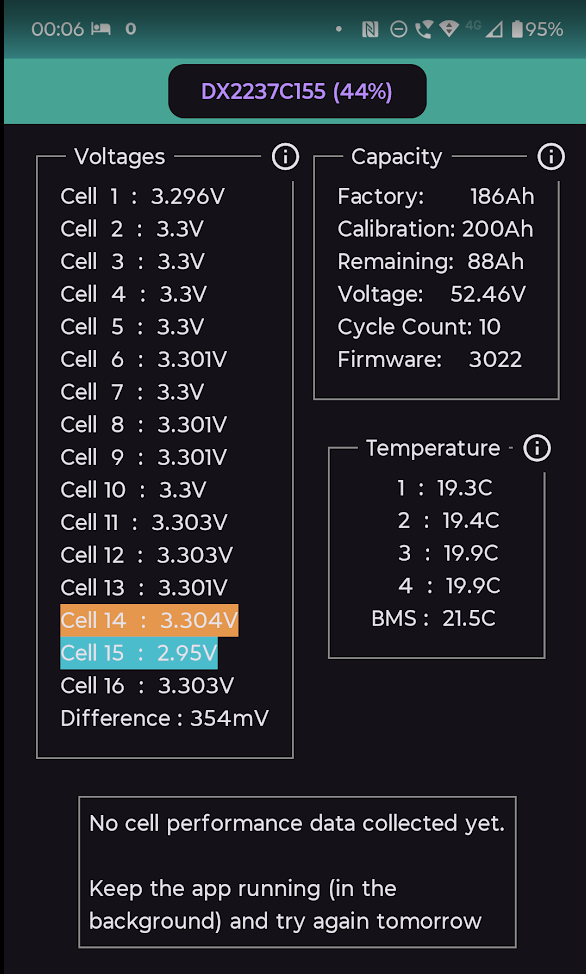
26% Performance....
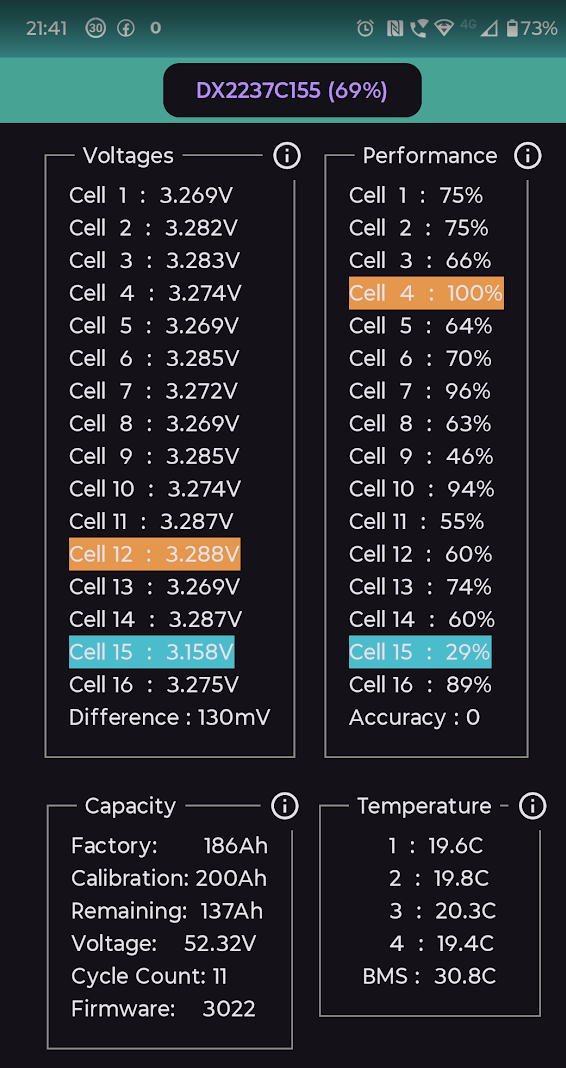
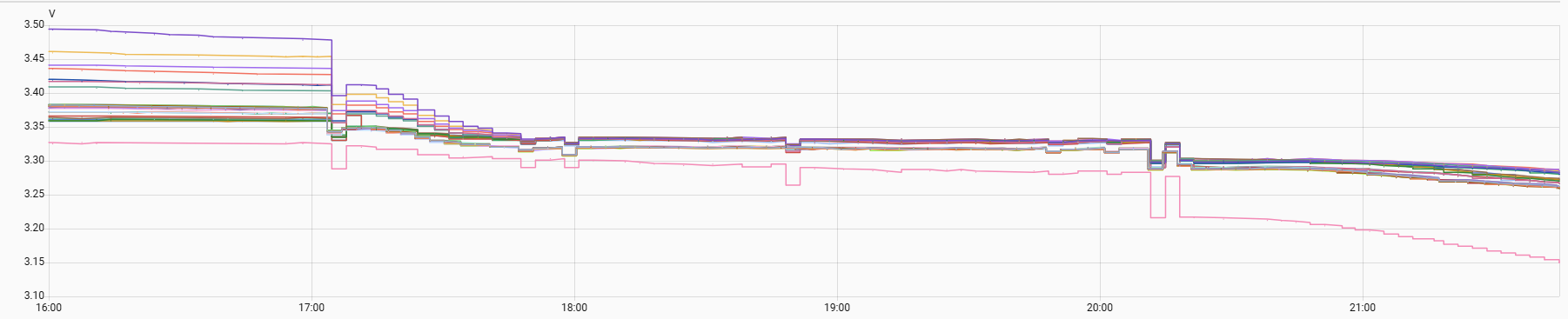
wrighar If they protest then point out that the battery only works properly when cells are within 35mV of each other, if they're more than that amount out then the BMS will reduce charge/discharge current. ie no longer works to spec.
Edit - cycle count looks pretty dodgy too, alternative is its been sitting on a shelf for 4 years, or repaired with scavenged bits.
Rubikcube well GivTCP has leaked a doc that might help in that aspect:
https://github.com/britkat1980/giv_tcp/blob/dev3/EMS%20GE-PlantOperationSpecification%20(2).docx
wrighar This is why I said it was overpriced - fair enough taking a risk but ultimately any GE battery for sale is either going to be a repair or something which has been sitting on a shelf and required the 50V PSU "resurrection", possibly for several hours.
If they were selling at about £50/kWh then fair enough.
New replacement arrived Saturday afternoon, at 15% while my primary was 96%.
Connected up and left DCMCB off to monitor, and waited for my main to drop to a similare voltage (00:20 in the end...) I waited until the primary battery was about 40mV below the new and you can see when switched on it dropped about 70mV and the primary rose 20mV as the loads shifted.
Once charging started at 00:30 the voltages all synced nad have stayed that way.
Looking good, battery voltage very very close and cell diffs similar across both batteries
No cell 15 droop, and no cell rising above the line like the last.
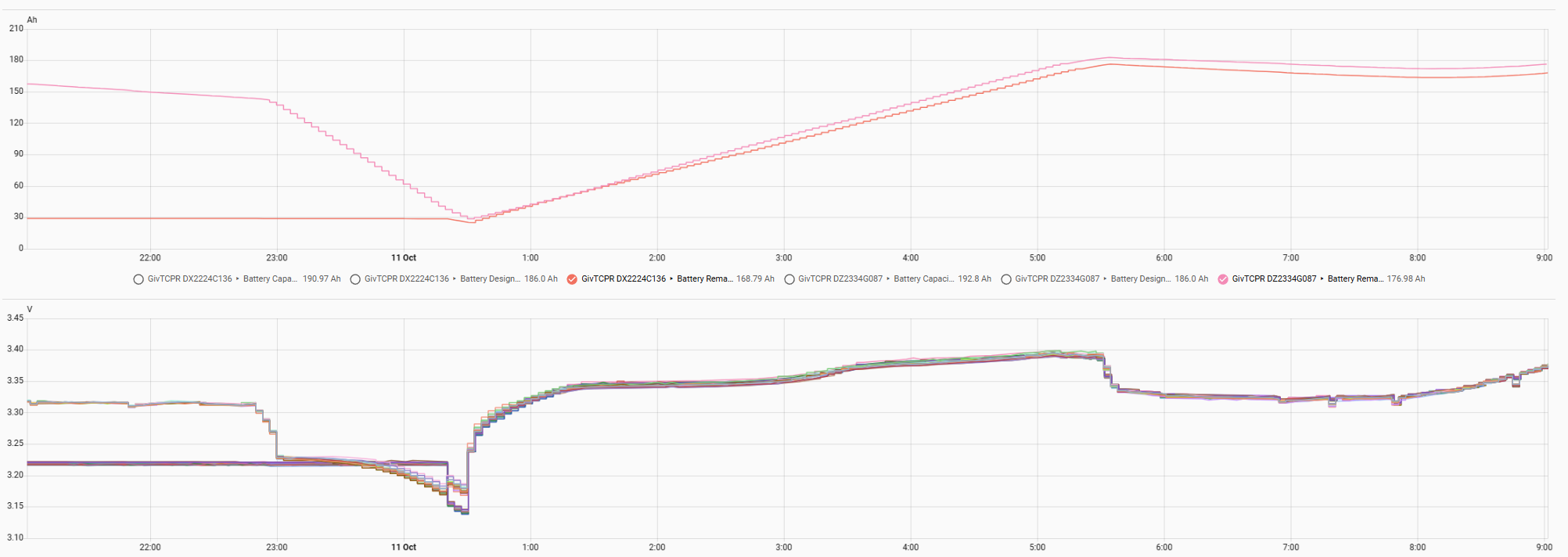
Ignore the performance figures on the DX battery, I think they were carried over from the week with the duff one, and appeared immediatly the battery was connected.
Starting charge cycle
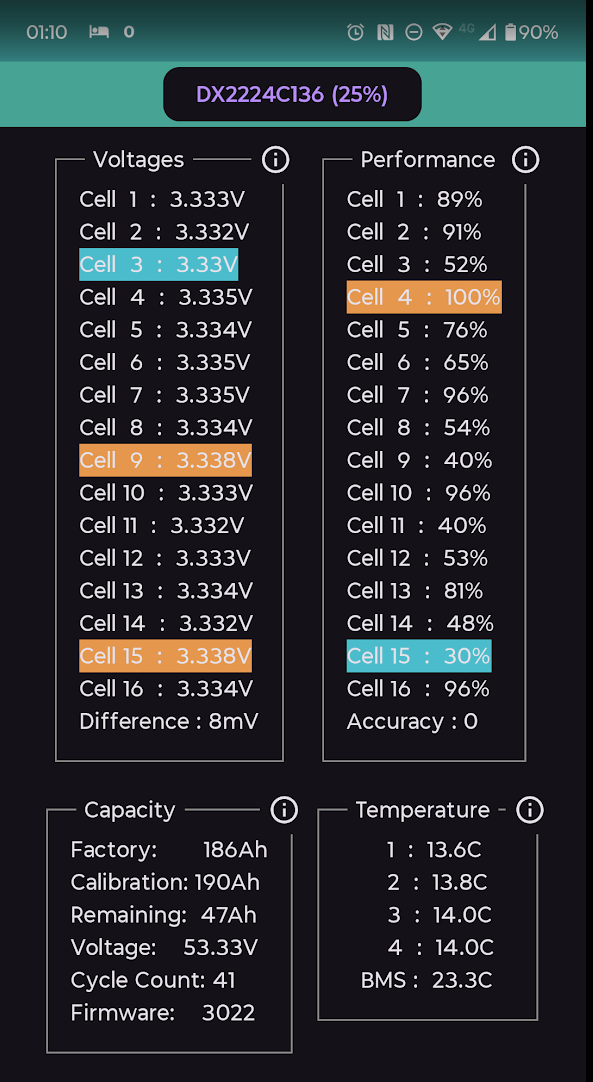
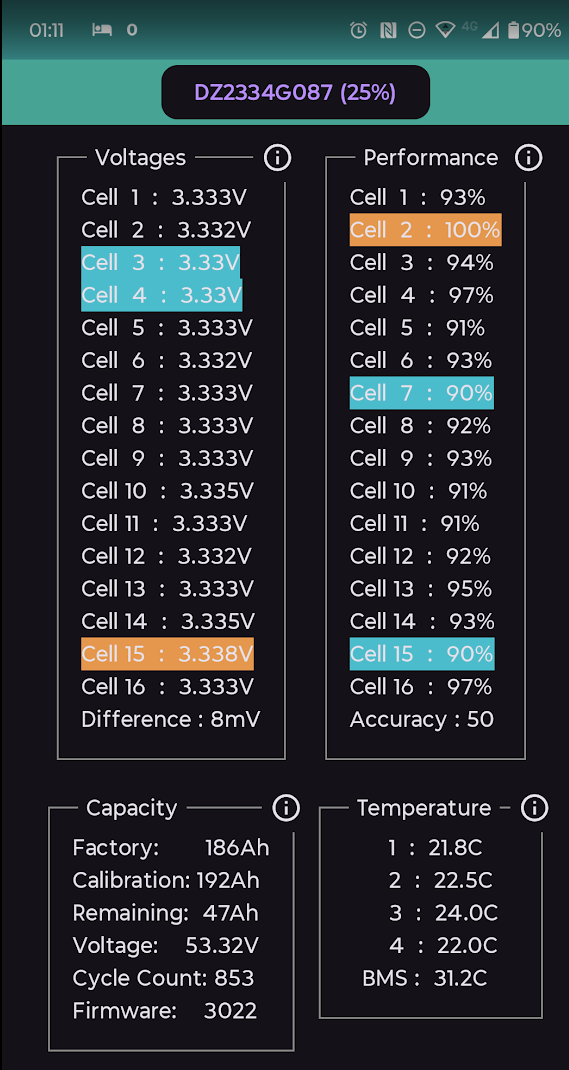
Mostly charged
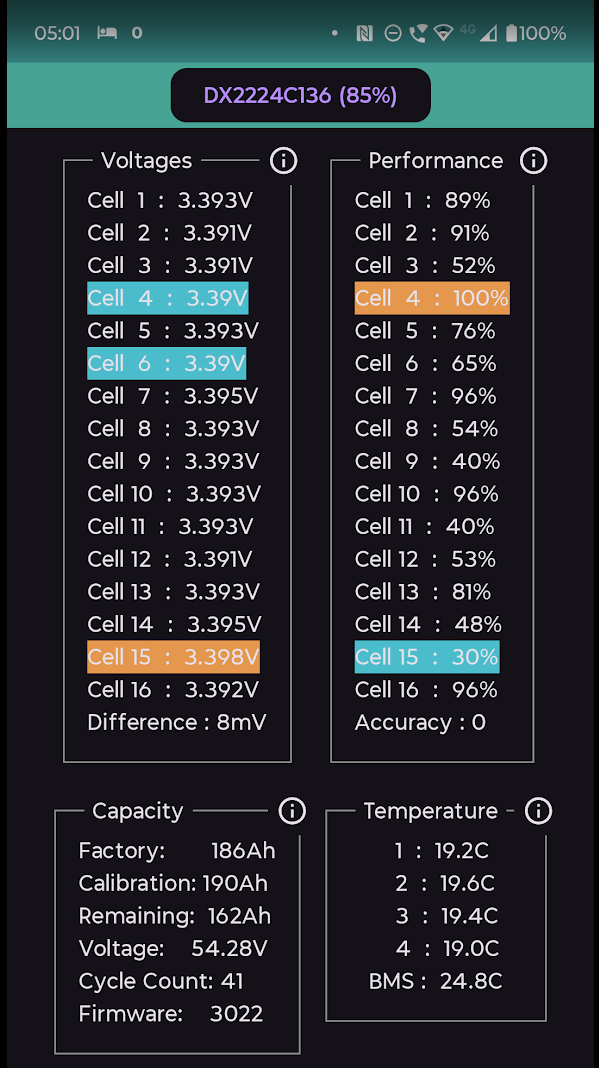
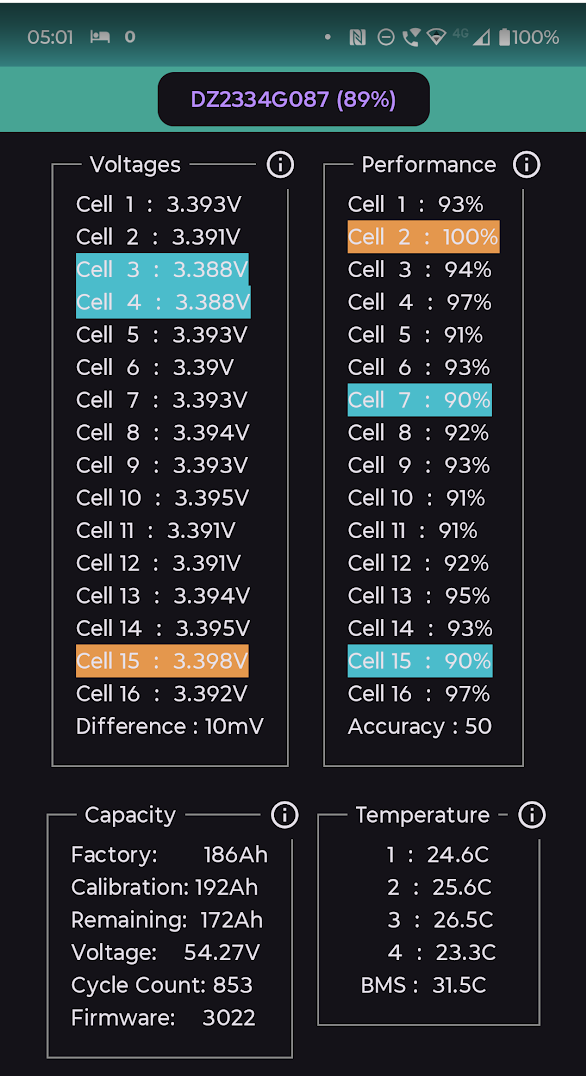
Side effect of the 2nd battery, I no longer get the daily 'BMS voltage high 57.3V+' messages when charging.
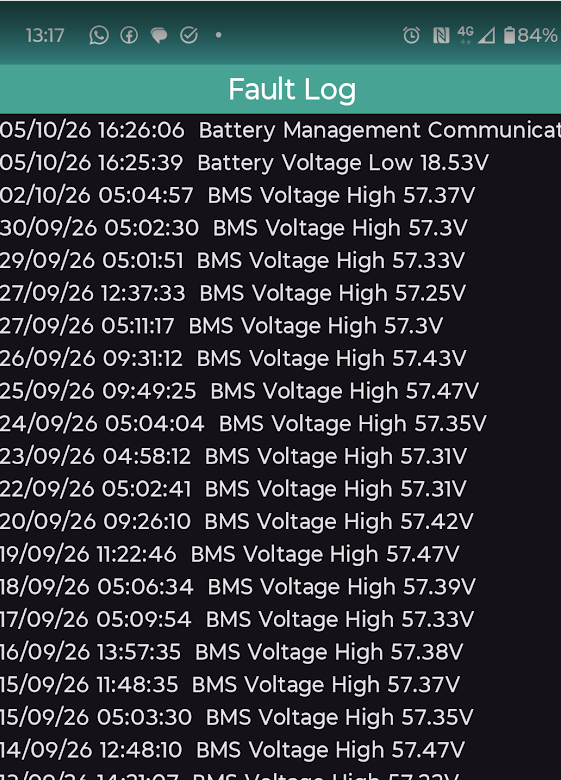
9 cycles in (1 week) with the new 2nd hand refurb battery.
Figures are a bit scewed for the new DX battery as I had 5 or 6 cycles with the secondary that was replaced and it looks like the inverter monitor app pick up it's stats and continued them, so cell 15 has had to work up from 30%.
New battery looks to be a good match (or better) than my existing DZ one.
Primary ones figures are improving too as it now only charges/discharges at 0.2C vs historically at 0.4C when it was a single.
Also looking forward to not seeing so much throttling in cold weater with charge/discharge.